Integrating ICT in to the Curriculum Integrating ICT in to the Curriculum
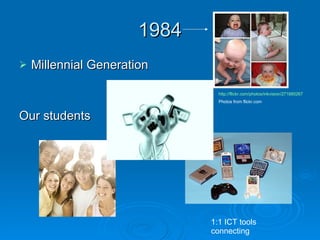
1984 Millennial Generation Our students http://flickr.com/photos/inkvision/271880267 Photos from flickr.com 1:1 ICT tools connecting
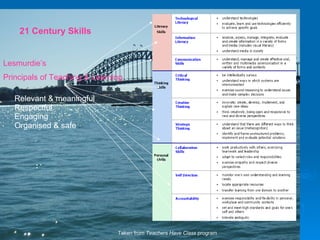
21 Century Skills Taken from  Teachers Have Class  program Lesmurdie’s Principals of Teaching & Learning Relevant & meaningful Respectful Engaging Organised & safe
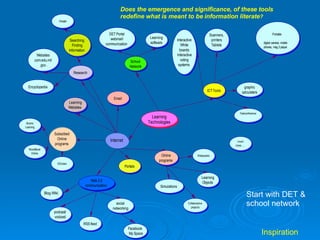
Start with DET & school network Does the emergence and significance, of these tools redefine what is meant to be information literate ? Inspiration
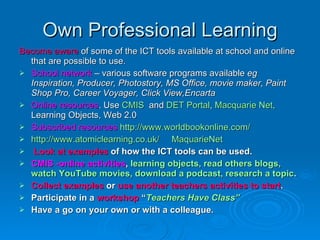
Own Professional Learning Become aware  of some of the ICT tools available at school and online that are possible to use. School network  – various software programs available  eg Inspiration, Producer, Photostory, MS Office, movie maker, Paint Shop Pro, Career Voyager, Click View,Encarta Online resources . Use  CMIS   and  DET Portal ,  Macquarie Net,   Learning Objects, Web 2.0 Subscribed resources   http://www.worldbookonline.com/ http://www.atomiclearning.co.uk/   MaquarieNet Look at examples  of how the ICT tools can be used.  CMIS -online activities ,  learning objects, read others blogs, watch YouTube movies, download a podcast, research a topic . Collect examples  or  use another teachers activities to start .  Participate in a  workshop  “ Teachers Have Class” Have a go on your own or with a colleague.
Get Started   DET Portal Learning Areas ICT in curriculum Online Learning Learning Objects Teachers have Class  workshops Reflection TeacherTube -Pay Attention  K-12 Students today
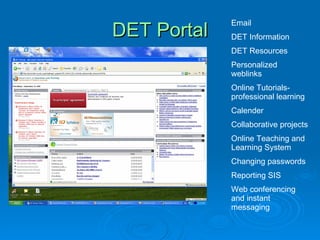
DET Portal Email DET Information DET Resources Personalized weblinks Online Tutorials-professional learning Calender  Collaborative projects Online Teaching and Learning System Changing passwords Reporting SIS Web conferencing and instant messaging
DET Website Learning with ICT ICT in learning Resourcing the curriculum learning areas Portal Ideas banks Learning Objects
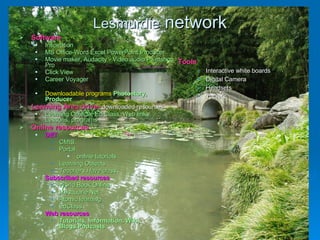
Lesmurdie  network Software Inspiration MS Office-Word Excel PowerPoint Producer Movie maker, Audacity - Video audio Paintshop Pro Click View Career Voyager Downloadable programs  Photostory, Producer Learning Area drive-   downloaded resources Learning Objects, Ed Class, Web links, Lessons, programs Online resources DET  CMIS,  Portal online tutorials Learning Objects Teachers Have class Subscribed resources World Book Online Macquarie Net Atomic learning EdClass Web resources Tutorials, information, Wiki, Blogs,Podcasts Tools Interactive white boards Digital Camera Headsets Tablets
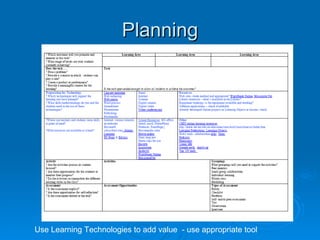
Planning Use Learning Technologies to add value  - use appropriate tool
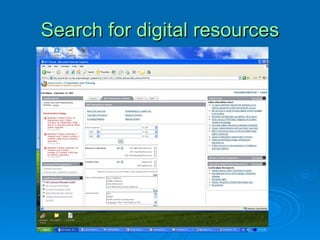
Search for digital resources
 
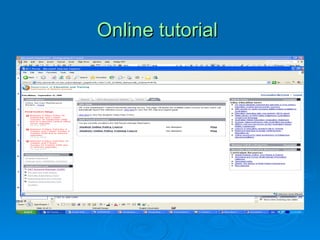
Online tutorial
 
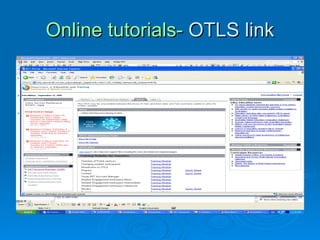
Online tutorials-  OTLS link
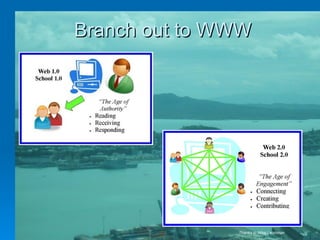
Branch out to WWW Thanks to Mike Leishman
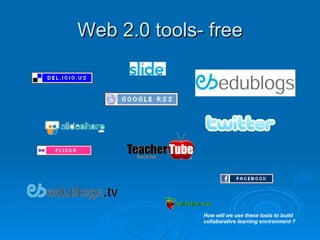
Web 2.0 tools- free How will we use these tools to build collaborative learning environment ?
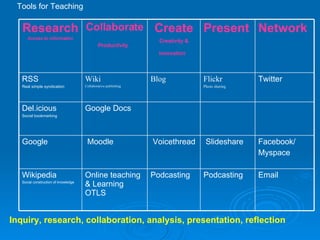
Inquiry, research, collaboration, analysis, presentation, reflection Tools for Teaching Email  Podcasting  Podcasting  Online teaching & Learning OTLS  Wikipedia Social construction of knowledge Facebook/ Myspace    Slideshare    Voicethread   Moodle  Google  Google Docs  Del.icious  Social bookmarking Twitter  Flickr Photo sharing Blog Wiki Collaborative publishing RSS  Real simple syndication Network   Present   Create Creativity & innovation   Collaborate Productivity   Research Access to information
Tools do not teach. ICT tools can change the way we teach How do ICT tools change how we work ?  How we access information?  How we teach?  How do we use these tools to our advantage?  Are these tools and capabilities important for C21 students?

ICT: Getting Started

  • 1.
    Integrating ICT into the Curriculum Integrating ICT in to the Curriculum
  • 2.
    1984 Millennial GenerationOur students http://flickr.com/photos/inkvision/271880267 Photos from flickr.com 1:1 ICT tools connecting
  • 3.
    21 Century SkillsTaken from Teachers Have Class program Lesmurdie’s Principals of Teaching & Learning Relevant & meaningful Respectful Engaging Organised & safe
  • 4.
    Start with DET& school network Does the emergence and significance, of these tools redefine what is meant to be information literate ? Inspiration
  • 5.
    Own Professional LearningBecome aware of some of the ICT tools available at school and online that are possible to use. School network – various software programs available eg Inspiration, Producer, Photostory, MS Office, movie maker, Paint Shop Pro, Career Voyager, Click View,Encarta Online resources . Use CMIS and DET Portal , Macquarie Net, Learning Objects, Web 2.0 Subscribed resources http://www.worldbookonline.com/ http://www.atomiclearning.co.uk/ MaquarieNet Look at examples of how the ICT tools can be used. CMIS -online activities , learning objects, read others blogs, watch YouTube movies, download a podcast, research a topic . Collect examples or use another teachers activities to start . Participate in a workshop “ Teachers Have Class” Have a go on your own or with a colleague.
  • 6.
    Get Started DET Portal Learning Areas ICT in curriculum Online Learning Learning Objects Teachers have Class workshops Reflection TeacherTube -Pay Attention K-12 Students today
  • 7.
    DET Portal EmailDET Information DET Resources Personalized weblinks Online Tutorials-professional learning Calender Collaborative projects Online Teaching and Learning System Changing passwords Reporting SIS Web conferencing and instant messaging
  • 8.
    DET Website Learningwith ICT ICT in learning Resourcing the curriculum learning areas Portal Ideas banks Learning Objects
  • 9.
    Lesmurdie networkSoftware Inspiration MS Office-Word Excel PowerPoint Producer Movie maker, Audacity - Video audio Paintshop Pro Click View Career Voyager Downloadable programs Photostory, Producer Learning Area drive- downloaded resources Learning Objects, Ed Class, Web links, Lessons, programs Online resources DET CMIS, Portal online tutorials Learning Objects Teachers Have class Subscribed resources World Book Online Macquarie Net Atomic learning EdClass Web resources Tutorials, information, Wiki, Blogs,Podcasts Tools Interactive white boards Digital Camera Headsets Tablets
  • 10.
    Planning Use LearningTechnologies to add value - use appropriate tool
  • 11.
  • 12.
  • 13.
  • 14.
  • 15.
  • 16.
    Branch out toWWW Thanks to Mike Leishman
  • 17.
    Web 2.0 tools-free How will we use these tools to build collaborative learning environment ?
  • 18.
    Inquiry, research, collaboration,analysis, presentation, reflection Tools for Teaching Email Podcasting Podcasting Online teaching & Learning OTLS Wikipedia Social construction of knowledge Facebook/ Myspace   Slideshare   Voicethread   Moodle Google Google Docs Del.icious Social bookmarking Twitter Flickr Photo sharing Blog Wiki Collaborative publishing RSS Real simple syndication Network Present Create Creativity & innovation Collaborate Productivity Research Access to information
  • 19.
    Tools do notteach. ICT tools can change the way we teach How do ICT tools change how we work ? How we access information? How we teach? How do we use these tools to our advantage? Are these tools and capabilities important for C21 students?