We Are Learning: How some of the basic function keys on a scientific calculator work How to use a calculator to calculate with brackets and negative numbers (brackets are also known as parentheses)
Important Advice: Different makes and models of calculator have different designs of keys. Yours might not look like the examples in this presentation.  Ask your teacher for advice about  how your calculator works. This presentation was made for students in the United Kingdom. I’ve tried to include alternative terms for students from outside the UK –sorry if there are any problems!
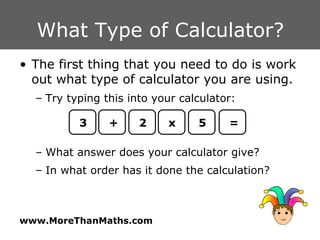
What Type of Calculator? The first thing that you need to do is work out what type of calculator you are using. Try typing this into your calculator: What answer does your calculator give? In what order has it done the calculation? 3 + 2 x 5 =
Basic Calculators Most non-scientific calculators are  Left to Right  calculators This means that the calculator does the calculation in the order that the keys are pressed
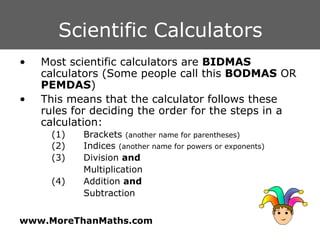
Scientific Calculators Most scientific calculators are  BIDMAS  calculators (Some people call this  BODMAS  OR  PEMDAS ) This means that the calculator follows these rules for deciding the order for the steps in a calculation: (1) Brackets  (another name for parentheses) (2) Indices  (another name for powers or exponents) (3) Division  and   Multiplication (4) Addition  and Subtraction
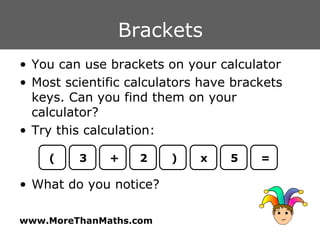
Brackets You can use brackets on your calculator Most scientific calculators have brackets keys. Can you find them on your calculator? Try this calculation: What do you notice? 3 + ( 2 x 5 = )
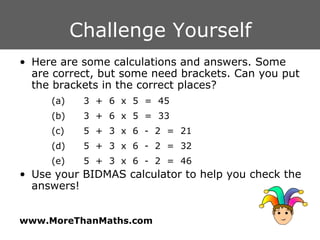
Challenge Yourself Here are some calculations and answers. Some are correct, but some need brackets. Can you put the brackets in the correct places?  (a) 3  +  6  x  5  =  45 (b) 3  +  6  x  5  =  33 (c) 5  +  3  x  6  -  2  =  21 (d) 5  +  3  x  6  -  2  =  32 (e) 5  +  3  x  6  -  2  =  46 Use your BIDMAS calculator to help you check the answers!
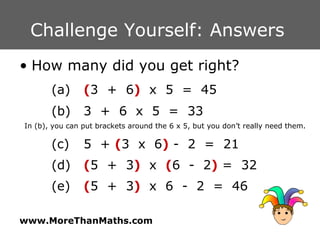
Challenge Yourself: Answers  How many did you get right? (a) ( 3  +  6 )   x  5  =  45 (b) 3  +  6  x  5  =  33 In (b), you can put brackets around the 6 x 5, but you don’t really need them. (c) 5  +  ( 3  x  6 )  -  2  =  21 (d) ( 5  +  3 )   x  ( 6  -  2 )  =  32 (e) ( 5  +  3 )   x  6  -  2  =  46
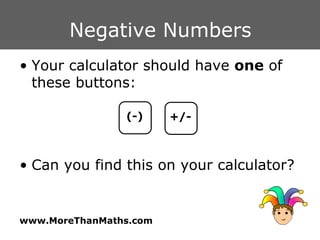
Negative Numbers Your calculator should have  one  of these buttons: Can you find this on your calculator? (-) +/-
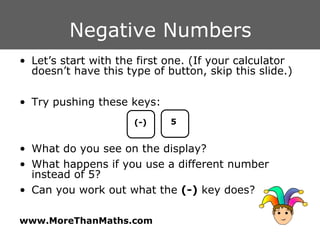
Negative Numbers Let’s start with the first one. (If your calculator doesn’t have this type of button, skip this slide.) Try pushing these keys: What do you see on the display? What happens if you use a different number instead of 5? Can you work out what the  (-)  key does? (-) 5
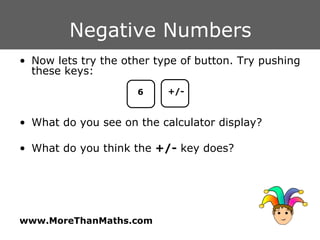
Negative Numbers Now lets try the other type of button. Try pushing these keys: What do you see on the calculator display? What do you think the  +/-  key does? 6 +/-
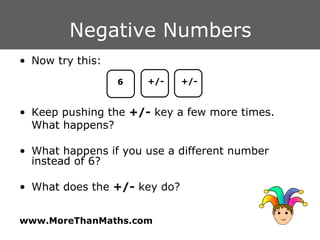
Negative Numbers Now try this: Keep pushing the  +/-  key a few more times.  What happens? What happens if you use a different number instead of 6? What does the  +/-  key do? 6 +/- +/-
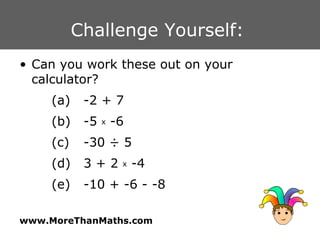
Challenge Yourself:  Can you work these out on your calculator? (a) -2 + 7 (b) -5  x  -6 (c) -30 ÷ 5  (d) 3 + 2  x  -4  (e) -10 + -6 - -8
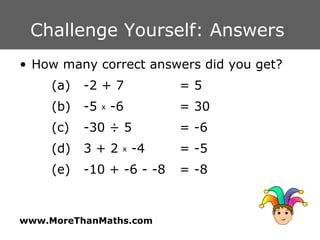
Challenge Yourself: Answers  How many correct answers did you get? (a) -2 + 7  = 5 (b) -5  x  -6  = 30 (c) -30 ÷ 5  = -6 (d) 3 + 2  x  -4  = -5 (e) -10 + -6 - -8  = -8
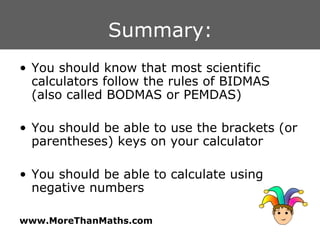
Summary: You should know that most scientific calculators follow the rules of BIDMAS (also called BODMAS or PEMDAS) You should be able to use the brackets (or parentheses) keys on your calculator You should be able to calculate using negative numbers

Using A Calculator 1

  • 1.
    We Are Learning:How some of the basic function keys on a scientific calculator work How to use a calculator to calculate with brackets and negative numbers (brackets are also known as parentheses)
  • 2.
    Important Advice: Differentmakes and models of calculator have different designs of keys. Yours might not look like the examples in this presentation. Ask your teacher for advice about how your calculator works. This presentation was made for students in the United Kingdom. I’ve tried to include alternative terms for students from outside the UK –sorry if there are any problems!
  • 3.
    What Type ofCalculator? The first thing that you need to do is work out what type of calculator you are using. Try typing this into your calculator: What answer does your calculator give? In what order has it done the calculation? 3 + 2 x 5 =
  • 4.
    Basic Calculators Mostnon-scientific calculators are Left to Right calculators This means that the calculator does the calculation in the order that the keys are pressed
  • 5.
    Scientific Calculators Mostscientific calculators are BIDMAS calculators (Some people call this BODMAS OR PEMDAS ) This means that the calculator follows these rules for deciding the order for the steps in a calculation: (1) Brackets (another name for parentheses) (2) Indices (another name for powers or exponents) (3) Division and Multiplication (4) Addition and Subtraction
  • 6.
    Brackets You canuse brackets on your calculator Most scientific calculators have brackets keys. Can you find them on your calculator? Try this calculation: What do you notice? 3 + ( 2 x 5 = )
  • 7.
    Challenge Yourself Hereare some calculations and answers. Some are correct, but some need brackets. Can you put the brackets in the correct places? (a) 3 + 6 x 5 = 45 (b) 3 + 6 x 5 = 33 (c) 5 + 3 x 6 - 2 = 21 (d) 5 + 3 x 6 - 2 = 32 (e) 5 + 3 x 6 - 2 = 46 Use your BIDMAS calculator to help you check the answers!
  • 8.
    Challenge Yourself: Answers How many did you get right? (a) ( 3 + 6 ) x 5 = 45 (b) 3 + 6 x 5 = 33 In (b), you can put brackets around the 6 x 5, but you don’t really need them. (c) 5 + ( 3 x 6 ) - 2 = 21 (d) ( 5 + 3 ) x ( 6 - 2 ) = 32 (e) ( 5 + 3 ) x 6 - 2 = 46
  • 9.
    Negative Numbers Yourcalculator should have one of these buttons: Can you find this on your calculator? (-) +/-
  • 10.
    Negative Numbers Let’sstart with the first one. (If your calculator doesn’t have this type of button, skip this slide.) Try pushing these keys: What do you see on the display? What happens if you use a different number instead of 5? Can you work out what the (-) key does? (-) 5
  • 11.
    Negative Numbers Nowlets try the other type of button. Try pushing these keys: What do you see on the calculator display? What do you think the +/- key does? 6 +/-
  • 12.
    Negative Numbers Nowtry this: Keep pushing the +/- key a few more times. What happens? What happens if you use a different number instead of 6? What does the +/- key do? 6 +/- +/-
  • 13.
    Challenge Yourself: Can you work these out on your calculator? (a) -2 + 7 (b) -5 x -6 (c) -30 ÷ 5 (d) 3 + 2 x -4 (e) -10 + -6 - -8
  • 14.
    Challenge Yourself: Answers How many correct answers did you get? (a) -2 + 7 = 5 (b) -5 x -6 = 30 (c) -30 ÷ 5 = -6 (d) 3 + 2 x -4 = -5 (e) -10 + -6 - -8 = -8
  • 15.
    Summary: You shouldknow that most scientific calculators follow the rules of BIDMAS (also called BODMAS or PEMDAS) You should be able to use the brackets (or parentheses) keys on your calculator You should be able to calculate using negative numbers

Editor's Notes

  • #2 This presentation was adapted from one that I used with my class. There is also a set of work cards, designed for students to use in groups as they work on a chapter. All the resources are available to download via www.morethanmaths.com/m6