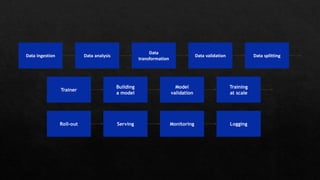
Building a model
Building a
model
Building
a model
Data ingestion Data analysis
Data
transformation
Data validation Data splitting
Trainer
Model
validation
Training
at scale
LoggingRoll-out Serving Monitoring
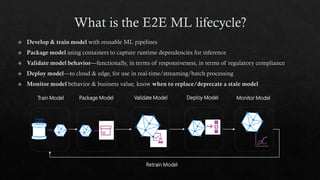
Train Model Validate Model Deploy ModelPackage Model Monitor Model
Retrain Model
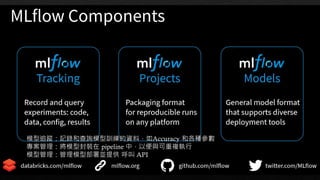
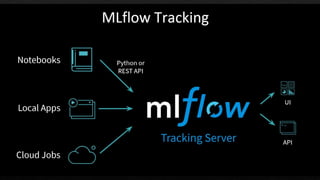
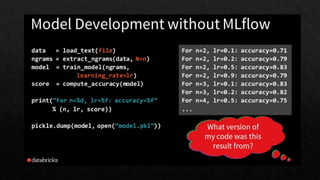
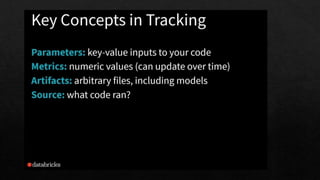
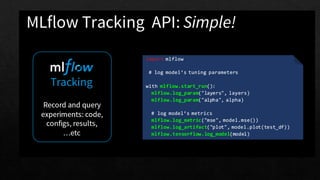
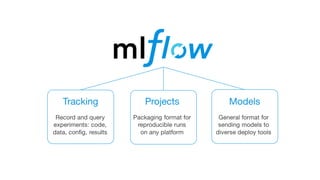
模型追蹤:記錄和查詢模型訓練的資料,如Accuracy 和各種參數
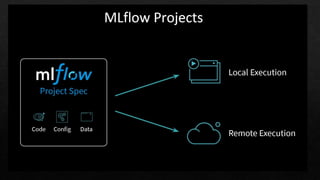
專案管理:將模型封裝在 pipeline 中,以便與可重複執行
模型管理:管理模型部署並提供 呼叫 API
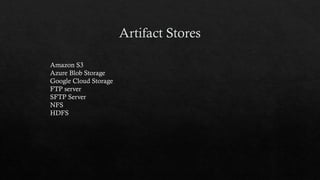
Amazon S3
Azure Blob Storage
Google Cloud Storage
FTP server
SFTP Server
NFS
HDFS
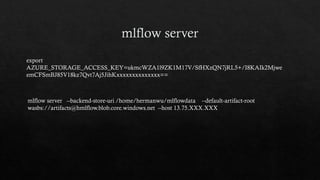
mlflow server --backend-store-uri /home/hermanwu/mlflowdata --default-artifact-root
wasbs://artifacts@hmlflow.blob.core.windows.net --host 13.75.XXX.XXX
export
AZURE_STORAGE_ACCESS_KEY=ukmcWZA1l9ZK1M17V/SfHXzQN7jRL5+/I8KAIk2Mjwe
emCFSmBJ85V18kz7Qvt7Aj5JihKxxxxxxxxxxxxxx==
mlflow.set_tracking_uri(). [remote tracking URIs]
Local file path (specified as file:/my/local/dir)
Database encoded as
<dialect>+<driver>://<username>:<password>@<host>:<port>/<d
atabase
MLFlow tracking server (specified as https://my-server:5000
Databricks workspace (specified as databricks or as
databricks://<profileName>e.
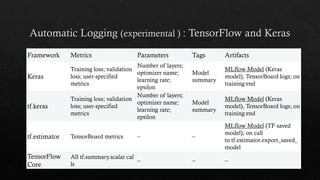
Framework Metrics Parameters Tags Artifacts
Keras
Training loss; validation
loss; user-specified
metrics
Number of layers;
optimizer name;
learning rate;
epsilon
Model
summary
MLflow Model (Keras
model), TensorBoard logs; on
training end
tf.keras
Training loss; validation
loss; user-specified
metrics
Number of layers;
optimizer name;
learning rate;
epsilon
Model
summary
MLflow Model (Keras
model), TensorBoard logs; on
training end
tf.estimator TensorBoard metrics – –
MLflow Model (TF saved
model); on call
to tf.estimator.export_saved_
model
TensorFlow
Core
All tf.summary.scalar cal
ls
– – –
“
”
“
”
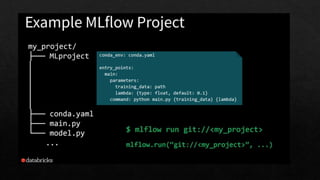
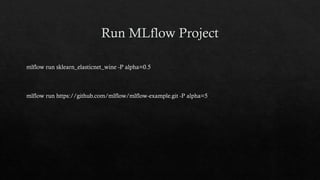
mlflow run sklearn_elasticnet_wine -P alpha=0.5
mlflow run https://github.com/mlflow/mlflow-example.git -P alpha=5
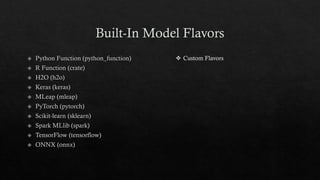
❖ Custom Flavors
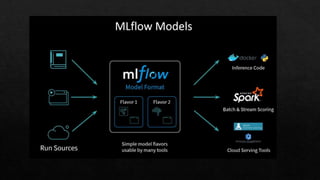
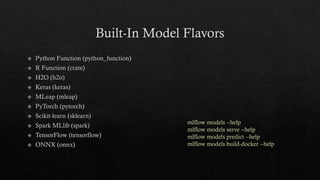
mlflow models --help
mlflow models serve --help
mlflow models predict --help
mlflow models build-docker --help
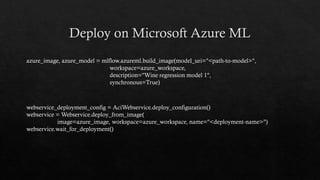
azure_image, azure_model = mlflow.azureml.build_image(model_uri="<path-to-model>",
workspace=azure_workspace,
description="Wine regression model 1",
synchronous=True)
webservice_deployment_config = AciWebservice.deploy_configuration()
webservice = Webservice.deploy_from_image(
image=azure_image, workspace=azure_workspace, name="<deployment-name>")
webservice.wait_for_deployment()
“
”
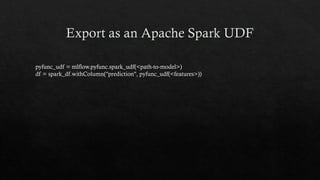
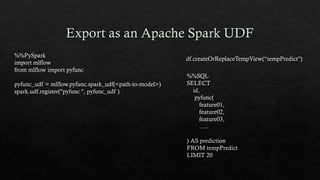
pyfunc_udf = mlflow.pyfunc.spark_udf(<path-to-model>)
df = spark_df.withColumn("prediction", pyfunc_udf(<features>))
%%PySpark
import mlflow
from mlflow import pyfunc
pyfunc_udf = mlflow.pyfunc.spark_udf(<path-to-model>)
spark.udf.register("pyfunc ", pyfunc_udf )
%%SQL
SELECT
id,
pyfunc(
feature01,
feature02,
feature03,
…..
) AS prediction
FROM tempPredict
LIMIT 20
df.createOrReplaceTempView(“tempPredict")
MLFLOW_TRACKING_URI=http://0.0.0.0:5000 mlflow sklearn serve 
--port 5001 
--run_id XXXXXXXXXXXXXXXXXXXXXX 
--model-path model
curl -X POST 
http://127.0.0.1:5001/invocations 
-H 'Content-Type: application/json' 
-d '[
{
“XXX": 1.111,
“YYYY": 1.22,
“ZZZZ": 1.888
}
]'
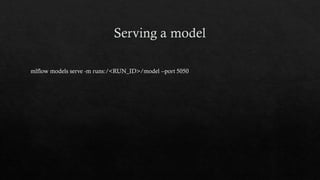
mlflow models serve -m runs:/<RUN_ID>/model --port 5050
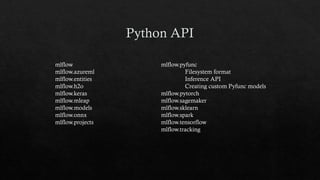
mlflow
mlflow.azureml
mlflow.entities
mlflow.h2o
mlflow.keras
mlflow.mleap
mlflow.models
mlflow.onnx
mlflow.projects
mlflow.pyfunc
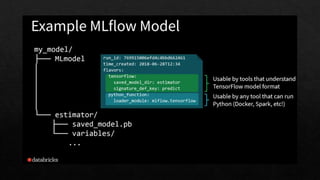
Filesystem format
Inference API
Creating custom Pyfunc models
mlflow.pytorch
mlflow.sagemaker
mlflow.sklearn
mlflow.spark
mlflow.tensorflow
mlflow.tracking
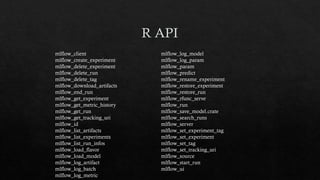
mlflow_client
mlflow_create_experiment
mlflow_delete_experiment
mlflow_delete_run
mlflow_delete_tag
mlflow_download_artifacts
mlflow_end_run
mlflow_get_experiment
mlflow_get_metric_history
mlflow_get_run
mlflow_get_tracking_uri
mlflow_id
mlflow_list_artifacts
mlflow_list_experiments
mlflow_list_run_infos
mlflow_load_flavor
mlflow_load_model
mlflow_log_artifact
mlflow_log_batch
mlflow_log_metric
mlflow_log_model
mlflow_log_param
mlflow_param
mlflow_predict
mlflow_rename_experiment
mlflow_restore_experiment
mlflow_restore_run
mlflow_rfunc_serve
mlflow_run
mlflow_save_model.crate
mlflow_search_runs
mlflow_server
mlflow_set_experiment_tag
mlflow_set_experiment
mlflow_set_tag
mlflow_set_tracking_uri
mlflow_source
mlflow_start_run
mlflow_ui
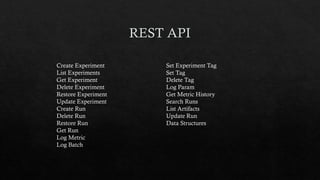
Create Experiment
List Experiments
Get Experiment
Delete Experiment
Restore Experiment
Update Experiment
Create Run
Delete Run
Restore Run
Get Run
Log Metric
Log Batch
Set Experiment Tag
Set Tag
Delete Tag
Log Param
Get Metric History
Search Runs
List Artifacts
Update Run
Data Structures
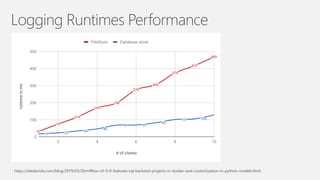
Logging Runtimes Performance
https://databricks.com/blog/2019/03/28/mlflow-v0-9-0-features-sql-backend-projects-in-docker-and-customization-in-python-models.html
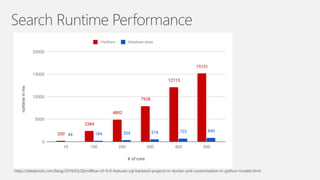
Search Runtime Performance
https://databricks.com/blog/2019/03/28/mlflow-v0-9-0-features-sql-backend-projects-in-docker-and-customization-in-python-models.html
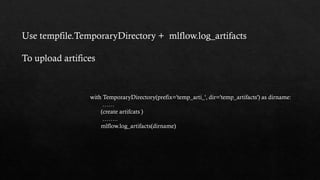
Use tempfile.TemporaryDirectory + mlflow.log_artifacts
To upload artifices
with TemporaryDirectory(prefix='temp_arti_', dir='temp_artifacts') as dirname:
……
(create artifcats )
……..
mlflow.log_artifacts(dirname)
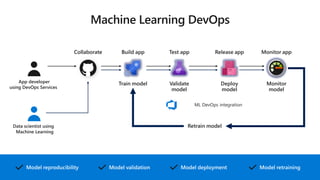
Train model Validate
model
Deploy
model
Monitor
model
Retrain model
Model reproducibility Model retrainingModel deploymentModel validation
Build appCollaborate Test app Release app Monitor app
ML DevOps integration
App developer
using DevOps Services
Data scientist using
Machine Learning
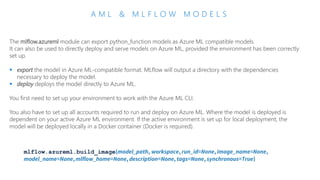
A M L & M L F L O W M O D E L S
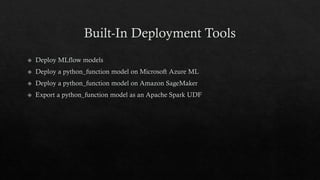
The mlflow.azureml module can export python_function models as Azure ML compatible models.
It can also be used to directly deploy and serve models on Azure ML, provided the environment has been correctly
set up.
▪ export the model in Azure ML-compatible format. MLflow will output a directory with the dependencies
necessary to deploy the model.
▪ deploy deploys the model directly to Azure ML.
You first need to set up your environment to work with the Azure ML CLI.
You also have to set up all accounts required to run and deploy on Azure ML. Where the model is deployed is
dependent on your active Azure ML environment. If the active environment is set up for local deployment, the
model will be deployed locally in a Docker container (Docker is required).
mlflow.azureml.build_image(model_path, workspace, run_id=None,image_name=None,
model_name=None,mlflow_home=None, description=None, tags=None, synchronous=True)
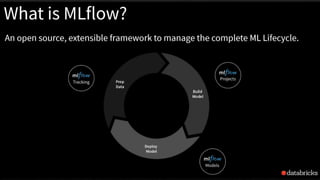
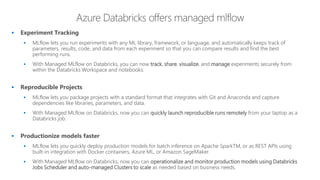
▪ Experiment Tracking
▪ MLflow lets you run experiments with any ML library, framework, or language, and automatically keeps track of
parameters, results, code, and data from each experiment so that you can compare results and find the best
performing runs.
▪ With Managed MLflow on Databricks, you can now track, share, visualize, and manage experiments securely from
within the Databricks Workspace and notebooks.
▪ Reproducible Projects
▪ MLflow lets you package projects with a standard format that integrates with Git and Anaconda and capture
dependencies like libraries, parameters, and data.
▪ With Managed MLflow on Databricks, now you can quickly launch reproducible runs remotely from your laptop as a
Databricks job.
▪ Productionize models faster
▪ MLflow lets you quickly deploy production models for batch inference on Apache SparkTM, or as REST APIs using
built-in integration with Docker containers, Azure ML, or Amazon SageMaker.
▪ With Managed MLflow on Databricks, now you can operationalize and monitor production models using Databricks
Jobs Scheduler and auto-managed Clusters to scale as needed based on business needs.
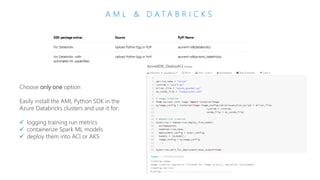
A M L & D A T A B R I C K S
Choose only one option
Easily install the AML Python SDK in the
Azure Databricks clusters and use it for:
✓ logging training run metrics
✓ containerize Spark ML models
✓ deploy them into ACI or AKS

Use MLflow to manage and deploy Machine Learning model on Spark