8/22/2015 1
CONTENTS:
 INTRODUCTION
 WIRELESS COMMUNICATION
 WIRELESS USB
 WUSB TOPOLOGY
 ADVANTAGES
 DISADVANTAGES
 CONCLUSION
8/22/2015 2
INTRODUCTION:
 The Wireless USB is the first the high speed Personal Wireless
Interconnect.
 Wireless USB will build on the success of wired USB, bringing USB
technology into the wireless future.
 Usage will be targeted at PCs and PC peripherals, consumer electronics
and mobile devices.
 To maintain the same usage and architecture as wired USB, the Wireless
USB specification is being defined as a high-speed host-to-device
connection.
 This will enable an easy migration path for today's wired USB solutions.
What is wireless communication?
 In modern usage, the term WIRELESS COMMUNICATION refers to
communication without cables or cords, chiefly using radio frequency
and infrared (i.e., IrDA) waves. E.g., wireless networking of computers.
 Similarly “Wireless Universal serial Bus (W.U.S.B.)” connects devices
like printers, mouse, external hard drives and digital camera to our PC’s
without a single wire and speed and accuracy is still the same as wired
connection.
 This technology operates over a range of around 10 meters(30 feet).
 Also no line of sight connection is required.
WIRELESS USB(WUSB):
 Wireless USB is a short-range, high-bandwidth wireless radio communication
protocol created by the wireless USB promoter group.
 Wireless USB is sometimes abbreviated as "WUSB", although the USB
implementers forum discourages this practice and instead prefers to call the
technology "Certified Wireless USB" to differentiate it from competitors.
 The basic transport mechanism for Wireless USB is the ultra-wide band (UWB)
radio platform.
USES OF WUSB:
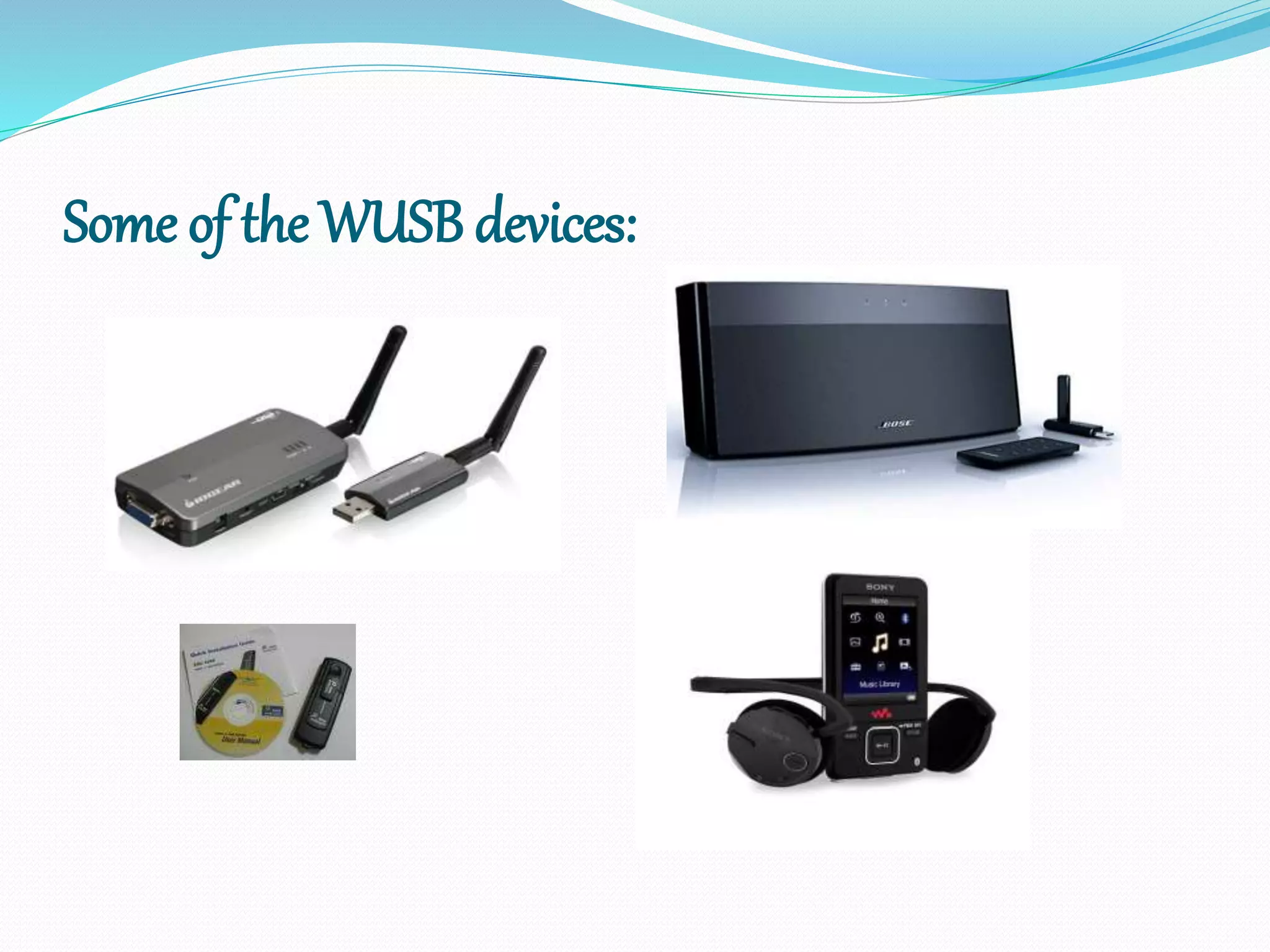
 Wireless USB is used in game controllers, printers, scanners, digital
cameras, MP3 players, hard disks and flash drives.
 It is also suitable for transferring parallel video streams, while utilizing the
Wireless USB over UWB bandwidth.
Some of the WUSB devices:
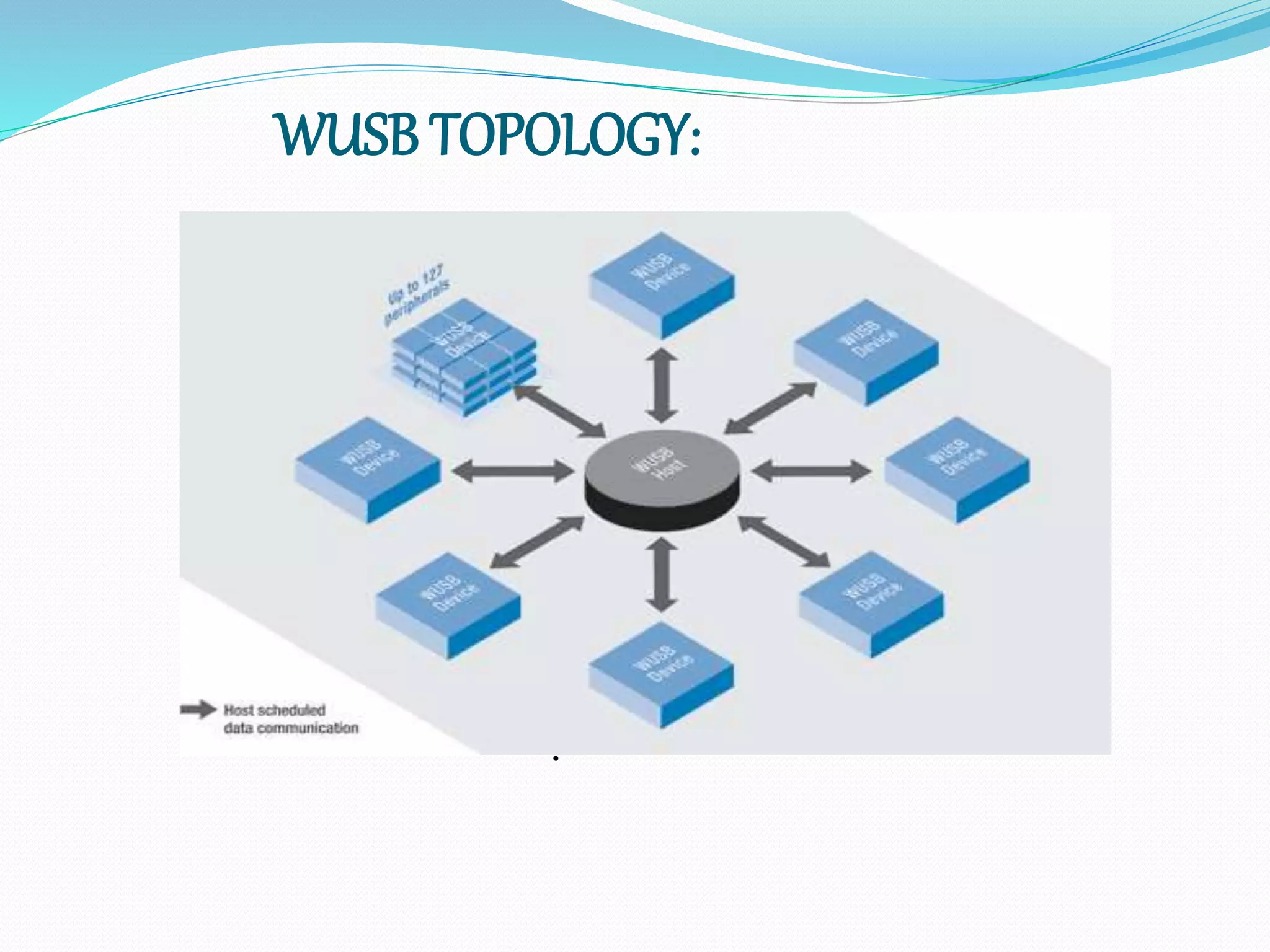
WUSB TOPOLOGY:
.
ADVANTAGES:
 You can connect wirelessly.
 it is the easy and secure from plugging it in / unplugging it
 You do not need to have a network cable between the device and the
network.
 You can connect fairly easily at home, work, multiple offices (since
there is no cable to carry around or leave behind).
 You can move around or work at any available or suitable location
without having to be near a socket.
DISADVANTAGES:
 Unless the security is not properly setup, both your laptop or desktop and
the network you are connecting to cannot be compromised and your data
can be accessed and read by others.
 The hardware is small, it can get damaged, lost or stolen.
 Reception is limited by distance and concrete and natural structures
between you and the antenna (radio waves don't always propagate in a
linear fashion in building, they get blocked by steel or concrete
structures).
CONCLUSION:
 Early 2007
 Initial devices being produced
 Late 2007
 Expect WUSB being built into laptops, PCs, multimedia devices
 2008
 Visiongain research firm predicts increase of WUSB by 400 percent
 2009-2010
 Wide scale interoperability
8/22/2015 11

wireless usb ppt

  • 1.
  • 2.
    CONTENTS:  INTRODUCTION  WIRELESSCOMMUNICATION  WIRELESS USB  WUSB TOPOLOGY  ADVANTAGES  DISADVANTAGES  CONCLUSION 8/22/2015 2
  • 3.
    INTRODUCTION:  The WirelessUSB is the first the high speed Personal Wireless Interconnect.  Wireless USB will build on the success of wired USB, bringing USB technology into the wireless future.  Usage will be targeted at PCs and PC peripherals, consumer electronics and mobile devices.  To maintain the same usage and architecture as wired USB, the Wireless USB specification is being defined as a high-speed host-to-device connection.  This will enable an easy migration path for today's wired USB solutions.
  • 4.
    What is wirelesscommunication?  In modern usage, the term WIRELESS COMMUNICATION refers to communication without cables or cords, chiefly using radio frequency and infrared (i.e., IrDA) waves. E.g., wireless networking of computers.  Similarly “Wireless Universal serial Bus (W.U.S.B.)” connects devices like printers, mouse, external hard drives and digital camera to our PC’s without a single wire and speed and accuracy is still the same as wired connection.  This technology operates over a range of around 10 meters(30 feet).  Also no line of sight connection is required.
  • 5.
    WIRELESS USB(WUSB):  WirelessUSB is a short-range, high-bandwidth wireless radio communication protocol created by the wireless USB promoter group.  Wireless USB is sometimes abbreviated as "WUSB", although the USB implementers forum discourages this practice and instead prefers to call the technology "Certified Wireless USB" to differentiate it from competitors.  The basic transport mechanism for Wireless USB is the ultra-wide band (UWB) radio platform. USES OF WUSB:  Wireless USB is used in game controllers, printers, scanners, digital cameras, MP3 players, hard disks and flash drives.  It is also suitable for transferring parallel video streams, while utilizing the Wireless USB over UWB bandwidth.
  • 6.
    Some of theWUSB devices:
  • 7.
  • 8.
    ADVANTAGES:  You canconnect wirelessly.  it is the easy and secure from plugging it in / unplugging it  You do not need to have a network cable between the device and the network.  You can connect fairly easily at home, work, multiple offices (since there is no cable to carry around or leave behind).  You can move around or work at any available or suitable location without having to be near a socket.
  • 9.
    DISADVANTAGES:  Unless thesecurity is not properly setup, both your laptop or desktop and the network you are connecting to cannot be compromised and your data can be accessed and read by others.  The hardware is small, it can get damaged, lost or stolen.  Reception is limited by distance and concrete and natural structures between you and the antenna (radio waves don't always propagate in a linear fashion in building, they get blocked by steel or concrete structures).
  • 10.
    CONCLUSION:  Early 2007 Initial devices being produced  Late 2007  Expect WUSB being built into laptops, PCs, multimedia devices  2008  Visiongain research firm predicts increase of WUSB by 400 percent  2009-2010  Wide scale interoperability
  • 11.