UNIT 4
AUTOMATION TESTING – BASICS
Dr. Pallawi Bulakh
Contents
 4.1 Introduction to Automation Testing
 4.2 What is Automation testing
 4.3 Benefits of Automation Testing
 4.4 Tool selection criteria
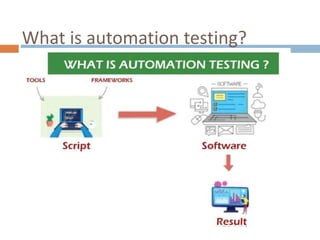
What is automation testing?
Automation testing
 Automation testing refers to the automatic
testing of the software in which developer or
tester write the test script once with the help of
testing tools and framework and run it on the
software.
 The test script automatically test the software
without human intervention and shows the result
(either error, bugs are present or software is free
from them).
Automation testing
 Automation testing is a type of software testing
that involves automated test case execution using
an automation tool.
 Automation testing needs manual effort when
creating initial scripts, and further process is
performed automatically to compare the actual
testing result with expected results. This can be
performed at these levels a) unit-level automation,
b) API testing c) user interface.
Automation testing
 It automates the manual testing process.
 The tester writes test scripts and then runs the test
scripts either on-demand or schedule them for
periodic executions.
 This reduces the overall testing time, thus helping
in faster product releases.
What to Automate?
 1. Test cases that test critical functionality of the
application
 2. Test cases that require repeated test execution
with a large dataset
 3. Tests that are time-consuming
 4. Test cases that require parallel execution
What not to Automate?
 1. UI test cases
 2. Usability test cases
 3. Functionalities that are rarely used and take
time for scripting
 4. Exploratory testing
Advantages of Automation testing
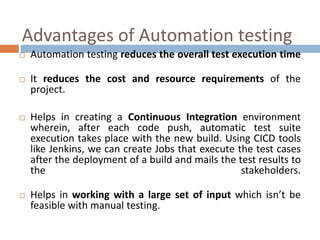
 Automation testing reduces the overall test execution time
 It reduces the cost and resource requirements of the
project.
 Helps in creating a Continuous Integration environment
wherein, after each code push, automatic test suite
execution takes place with the new build. Using CICD tools
like Jenkins, we can create Jobs that execute the test cases
after the deployment of a build and mails the test results to
the stakeholders.
 Helps in working with a large set of input which isn’t be
feasible with manual testing.
Popular Test Automation Testing
Tools
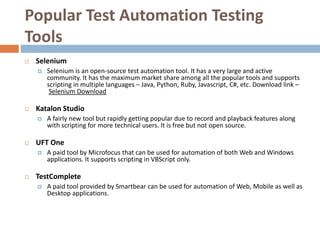
 Selenium
 Selenium is an open-source test automation tool. It has a very large and active
community. It has the maximum market share among all the popular tools and supports
scripting in multiple languages – Java, Python, Ruby, Javascript, C#, etc. Download link –
Selenium Download
 Katalon Studio
 A fairly new tool but rapidly getting popular due to record and playback features along
with scripting for more technical users. It is free but not open source.
 UFT One
 A paid tool by Microfocus that can be used for automation of both Web and Windows
applications. It supports scripting in VBScript only.
 TestComplete
 A paid tool provided by Smartbear can be used for automation of Web, Mobile as well as
Desktop applications.
Tool selection criteria
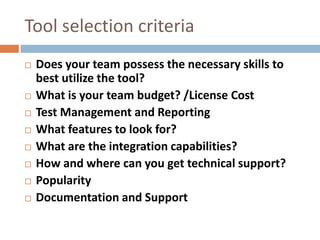
 Does your team possess the necessary skills to
best utilize the tool?
 What is your team budget? /License Cost
 Test Management and Reporting
 What features to look for?
 What are the integration capabilities?
 How and where can you get technical support?
 Popularity
 Documentation and Support
References
 https://www.javatpoint.com/automation-testing
 https://artoftesting.com/automation-testing
 https://www.hsc.com/resources/blog/automation-
tool-selection-criteria/
 https://www.softwaretestinggenius.com/automati
on-tool-selection-criteria-suggested-by-experts/
Thank you

SDET UNIT 4.pptx

  • 1.
    UNIT 4 AUTOMATION TESTING– BASICS Dr. Pallawi Bulakh
  • 2.
    Contents  4.1 Introductionto Automation Testing  4.2 What is Automation testing  4.3 Benefits of Automation Testing  4.4 Tool selection criteria
  • 3.
  • 4.
    Automation testing  Automationtesting refers to the automatic testing of the software in which developer or tester write the test script once with the help of testing tools and framework and run it on the software.  The test script automatically test the software without human intervention and shows the result (either error, bugs are present or software is free from them).
  • 5.
    Automation testing  Automationtesting is a type of software testing that involves automated test case execution using an automation tool.  Automation testing needs manual effort when creating initial scripts, and further process is performed automatically to compare the actual testing result with expected results. This can be performed at these levels a) unit-level automation, b) API testing c) user interface.
  • 6.
    Automation testing  Itautomates the manual testing process.  The tester writes test scripts and then runs the test scripts either on-demand or schedule them for periodic executions.  This reduces the overall testing time, thus helping in faster product releases.
  • 7.
    What to Automate? 1. Test cases that test critical functionality of the application  2. Test cases that require repeated test execution with a large dataset  3. Tests that are time-consuming  4. Test cases that require parallel execution
  • 8.
    What not toAutomate?  1. UI test cases  2. Usability test cases  3. Functionalities that are rarely used and take time for scripting  4. Exploratory testing
  • 9.
    Advantages of Automationtesting  Automation testing reduces the overall test execution time  It reduces the cost and resource requirements of the project.  Helps in creating a Continuous Integration environment wherein, after each code push, automatic test suite execution takes place with the new build. Using CICD tools like Jenkins, we can create Jobs that execute the test cases after the deployment of a build and mails the test results to the stakeholders.  Helps in working with a large set of input which isn’t be feasible with manual testing.
  • 11.
    Popular Test AutomationTesting Tools  Selenium  Selenium is an open-source test automation tool. It has a very large and active community. It has the maximum market share among all the popular tools and supports scripting in multiple languages – Java, Python, Ruby, Javascript, C#, etc. Download link – Selenium Download  Katalon Studio  A fairly new tool but rapidly getting popular due to record and playback features along with scripting for more technical users. It is free but not open source.  UFT One  A paid tool by Microfocus that can be used for automation of both Web and Windows applications. It supports scripting in VBScript only.  TestComplete  A paid tool provided by Smartbear can be used for automation of Web, Mobile as well as Desktop applications.
  • 12.
    Tool selection criteria Does your team possess the necessary skills to best utilize the tool?  What is your team budget? /License Cost  Test Management and Reporting  What features to look for?  What are the integration capabilities?  How and where can you get technical support?  Popularity  Documentation and Support
  • 15.
    References  https://www.javatpoint.com/automation-testing  https://artoftesting.com/automation-testing https://www.hsc.com/resources/blog/automation- tool-selection-criteria/  https://www.softwaretestinggenius.com/automati on-tool-selection-criteria-suggested-by-experts/
  • 16.