Defect Tracking and
Management
Defect Management
Defect Management
 A major test objective is to identify defects. Once identified,
defects need to be recorded, monitored, reported and corrected.
 The primary goal is to prevent defects.
 The defect management process like the entire software
development process, should be risk driven, i.e., strategies,
priorities and resources should be based on an assessment of the
risk.
 Defect measurement should be integrated into the development
process and be used by the project team to improve the
development process
 Defect information should be used to improve the process
 Imperfect or flawed processes cause most defects.
Defect Management
 A defect can be defined in one of two ways
– From the producer’s viewpoint
 A defect is a deviation from specifications, whether
missing, wrong, or extra
– From the Customer’s viewpoint
 A defect is anything that causes customer dissatisfaction,
whether in the requirements or not; this is know as ”fit for
use.”
Defect Management
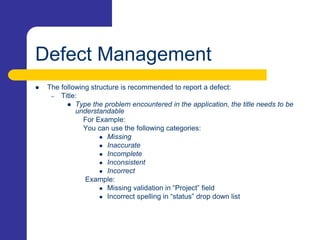
 The following structure is recommended to report a defect:
– Title:
 Type the problem encountered in the application, the title needs to be
understandable
For Example:
You can use the following categories:
 Missing
 Inaccurate
 Incomplete
 Inconsistent
 Incorrect
Example:
 Missing validation in “Project” field
 Incorrect spelling in “status” drop down list
Defect Management
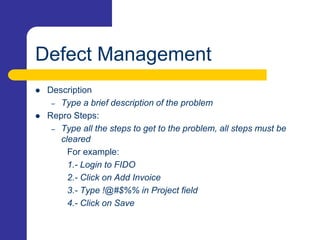
 Description
– Type a brief description of the problem
 Repro Steps:
– Type all the steps to get to the problem, all steps must be
cleared
For example:
1.- Login to FIDO
2.- Click on Add Invoice
3.- Type !@#$%% in Project field
4.- Click on Save
Defect Management
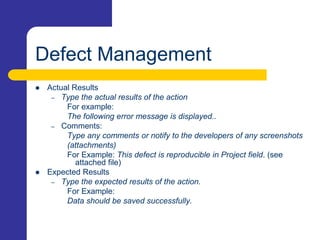
 Actual Results
– Type the actual results of the action
For example:
The following error message is displayed..
– Comments:
Type any comments or notify to the developers of any screenshots
(attachments)
For Example: This defect is reproducible in Project field. (see
attached file)
 Expected Results
– Type the expected results of the action.
For Example:
Data should be saved successfully.
Defect Management
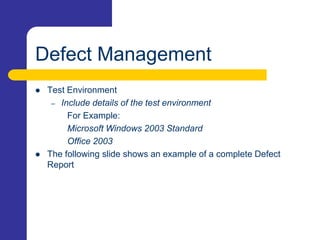
 Test Environment
– Include details of the test environment
For Example:
Microsoft Windows 2003 Standard
Office 2003
 The following slide shows an example of a complete Defect
Report
Defect Management
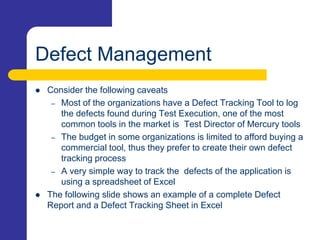
 Consider the following caveats
– Most of the organizations have a Defect Tracking Tool to log
the defects found during Test Execution, one of the most
common tools in the market is Test Director of Mercury tools
– The budget in some organizations is limited to afford buying a
commercial tool, thus they prefer to create their own defect
tracking process
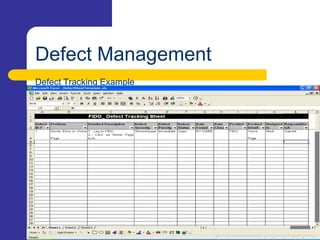
– A very simple way to track the defects of the application is
using a spreadsheet of Excel
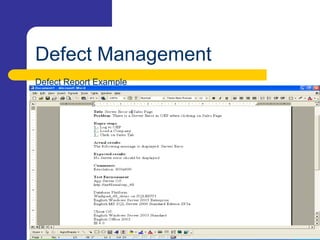
 The following slide shows an example of a complete Defect
Report and a Defect Tracking Sheet in Excel
Defect Management
Defect Report Example
Defect Management
Defect Tracking Example
Defect Management Process
Defect Tracking
 Keeping track of all the defects that have been discovered
 Keeping track of all the steps required to validate, correct, and take
preventative action for a defect
 Necessary because
– to not lose any reported defects
– to co-ordinate defect resolution
– to ensure coders don’t work on non-defects
 Features masquerading as defects
 Wasting time fixing something that isn’t broken
 Wasting time chasing down a badly reported defect
– to control defect correction activity
 ensure the right defects are being worked on
 In practice:
– A database of defect records
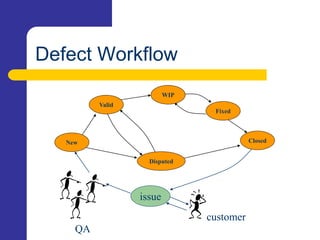
– A workflow driven by the state and owner fields.
Defect Workflow
New
Fixed
Closed
WIP
Disputed
issue
customer
Valid
QA
Defect Management Process
 The steps below describe a simple defect tracking process:
– Execute the test and compare the actual results to the
documented expected results.
– If a discrepancy exists, log the discrepancy with a status of
“open”. Supplementary documentation, such as screen prints
or program traces, should be attached if available.
– The test manager or tester should review the problem log with
the appropriate member of the development team to determine
if the discrepancy is truly a defect.
Defect Management Process
– Assign the defect to a developer for correction.
– Once the defect is corrected, the developer will usually enter a
description of the fix applied and update the defect status to
“Fixed” or “Retest”.
– The defect is routed back to the test team for retesting.
– Additional regression testing is performed as needed based on
the severity and impact of the fix applied.
– If the retest result match the expected result, the defect status
is updated to “closed”. If the test results indicate that the defect
is still not fixed, the status is changed to “open” and sent back
to the developer.
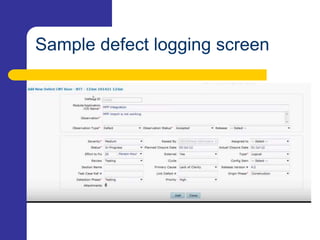
Sample defect logging screen
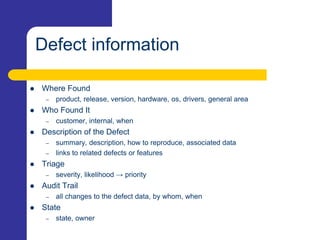
Defect information
 Where Found
– product, release, version, hardware, os, drivers, general area
 Who Found It
– customer, internal, when
 Description of the Defect
– summary, description, how to reproduce, associated data
– links to related defects or features
 Triage
– severity, likelihood → priority
 Audit Trail
– all changes to the defect data, by whom, when
 State
– state, owner
Defect Management
Organizational Process
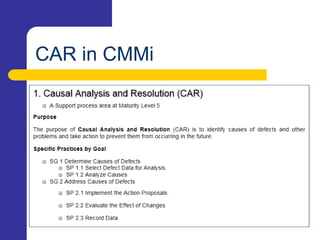
CAR in CMMi
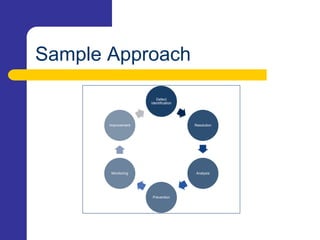
Sample Approach
Defect
Identification
Resolution
Analysis
Prevention
Monitoring
Improvement

defect tracking and management

  • 1.
  • 2.
  • 3.
    Defect Management  Amajor test objective is to identify defects. Once identified, defects need to be recorded, monitored, reported and corrected.  The primary goal is to prevent defects.  The defect management process like the entire software development process, should be risk driven, i.e., strategies, priorities and resources should be based on an assessment of the risk.  Defect measurement should be integrated into the development process and be used by the project team to improve the development process  Defect information should be used to improve the process  Imperfect or flawed processes cause most defects.
  • 4.
    Defect Management  Adefect can be defined in one of two ways – From the producer’s viewpoint  A defect is a deviation from specifications, whether missing, wrong, or extra – From the Customer’s viewpoint  A defect is anything that causes customer dissatisfaction, whether in the requirements or not; this is know as ”fit for use.”
  • 5.
    Defect Management  Thefollowing structure is recommended to report a defect: – Title:  Type the problem encountered in the application, the title needs to be understandable For Example: You can use the following categories:  Missing  Inaccurate  Incomplete  Inconsistent  Incorrect Example:  Missing validation in “Project” field  Incorrect spelling in “status” drop down list
  • 6.
    Defect Management  Description –Type a brief description of the problem  Repro Steps: – Type all the steps to get to the problem, all steps must be cleared For example: 1.- Login to FIDO 2.- Click on Add Invoice 3.- Type !@#$%% in Project field 4.- Click on Save
  • 7.
    Defect Management  ActualResults – Type the actual results of the action For example: The following error message is displayed.. – Comments: Type any comments or notify to the developers of any screenshots (attachments) For Example: This defect is reproducible in Project field. (see attached file)  Expected Results – Type the expected results of the action. For Example: Data should be saved successfully.
  • 8.
    Defect Management  TestEnvironment – Include details of the test environment For Example: Microsoft Windows 2003 Standard Office 2003  The following slide shows an example of a complete Defect Report
  • 9.
    Defect Management  Considerthe following caveats – Most of the organizations have a Defect Tracking Tool to log the defects found during Test Execution, one of the most common tools in the market is Test Director of Mercury tools – The budget in some organizations is limited to afford buying a commercial tool, thus they prefer to create their own defect tracking process – A very simple way to track the defects of the application is using a spreadsheet of Excel  The following slide shows an example of a complete Defect Report and a Defect Tracking Sheet in Excel
  • 10.
  • 11.
  • 12.
  • 13.
    Defect Tracking  Keepingtrack of all the defects that have been discovered  Keeping track of all the steps required to validate, correct, and take preventative action for a defect  Necessary because – to not lose any reported defects – to co-ordinate defect resolution – to ensure coders don’t work on non-defects  Features masquerading as defects  Wasting time fixing something that isn’t broken  Wasting time chasing down a badly reported defect – to control defect correction activity  ensure the right defects are being worked on  In practice: – A database of defect records – A workflow driven by the state and owner fields.
  • 14.
  • 15.
    Defect Management Process The steps below describe a simple defect tracking process: – Execute the test and compare the actual results to the documented expected results. – If a discrepancy exists, log the discrepancy with a status of “open”. Supplementary documentation, such as screen prints or program traces, should be attached if available. – The test manager or tester should review the problem log with the appropriate member of the development team to determine if the discrepancy is truly a defect.
  • 16.
    Defect Management Process –Assign the defect to a developer for correction. – Once the defect is corrected, the developer will usually enter a description of the fix applied and update the defect status to “Fixed” or “Retest”. – The defect is routed back to the test team for retesting. – Additional regression testing is performed as needed based on the severity and impact of the fix applied. – If the retest result match the expected result, the defect status is updated to “closed”. If the test results indicate that the defect is still not fixed, the status is changed to “open” and sent back to the developer.
  • 17.
  • 18.
    Defect information  WhereFound – product, release, version, hardware, os, drivers, general area  Who Found It – customer, internal, when  Description of the Defect – summary, description, how to reproduce, associated data – links to related defects or features  Triage – severity, likelihood → priority  Audit Trail – all changes to the defect data, by whom, when  State – state, owner
  • 19.
  • 20.
  • 21.