Twitter
Tips, Tricks & Best Practices
• Tweet – the messages posted on Twitter.
• Retweet (RT) - when you repost something from another person.
• Modified Tweet (MT) - when you share someone else’s tweet, but make edits to include
your own thoughts.
• Subtweet- a tweet written about a person without a direct mention of that person.
• Trending Topic (TT) - discussed by many people at one time.
• Direct Message (DM) - a private message that you send to a follower.
• Handle – the name you choose to represent yourself on Twitter.
• Verified Account- accounts that have certified that the user is who they claim to be.
These profiles are marked with a blue checkmark.
2
Terms
3
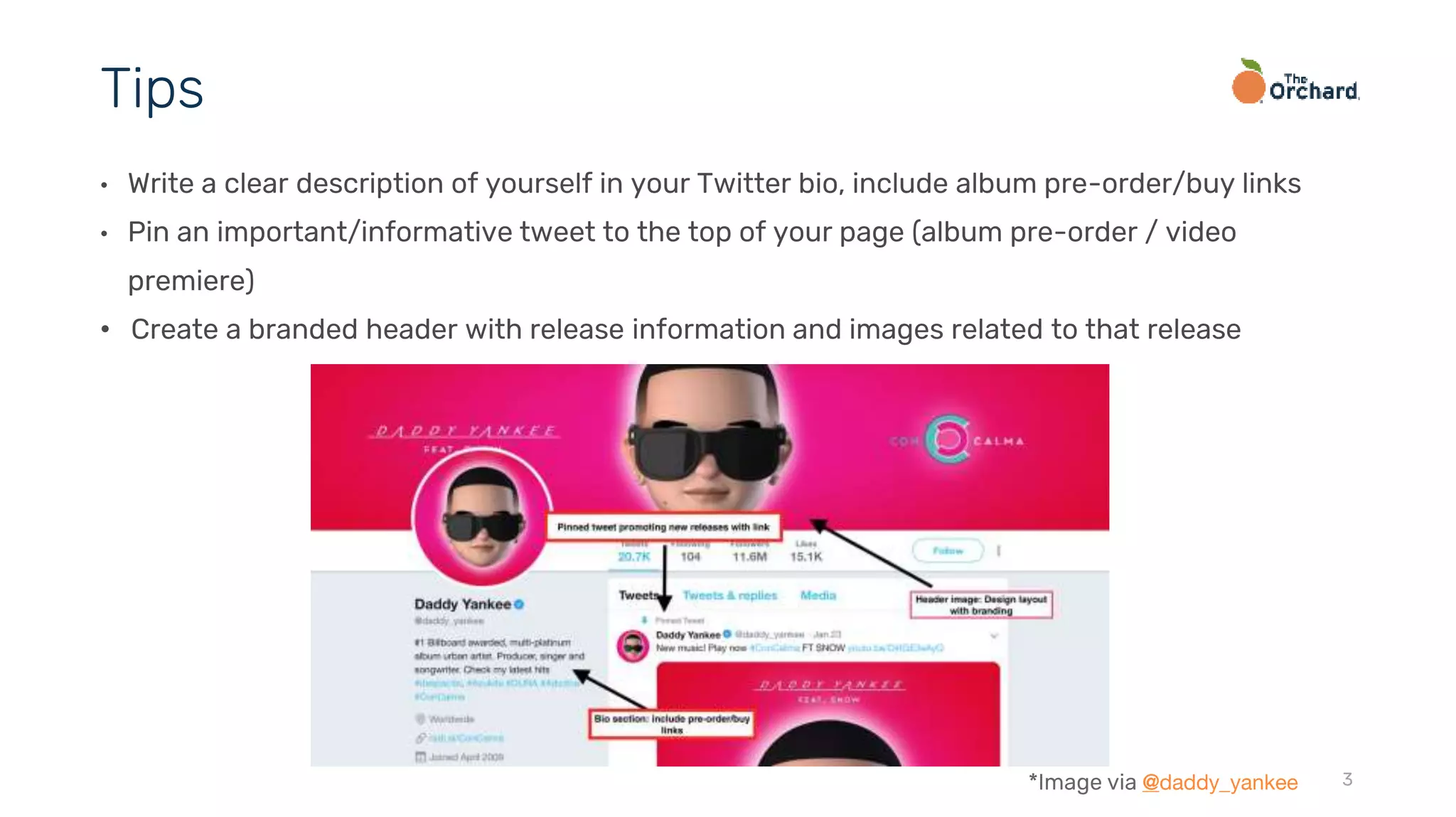
• Write a clear description of yourself in your Twitter bio, include album pre-order/buy links
• Pin an important/informative tweet to the top of your page (album pre-order / video
premiere)
• Create a branded header with release information and images related to that release
Tips
*Image via @daddy_yankee
• Mix up your posts with an array of tweets.
• Engage your fans by replying to their questions and comments
• Plan your tweets often. Around 3-5 times a day.
• Keep tweets short and sweet.
• Use relevant hashtags in posts to allow users tracking a hashtag to see your
posts even if they do not follow you.
• Tweet about relevant trending topics.
4
DO…
• Overdo it… excessive selling, self-promotions, and retweeting will clutter fan
feeds.
• Link to other social networks.
• Share news without a link.
• Use too many hashtags. Regularly including three or more hashtags in your
tweets will often result in fans overlooking them, because they tend to look like
spam and are harder to read quickly.
5
DO NOT…
6
• Twitter allows for posts tagging retailers and linking to releases, sales, or promotions
• Posts should only tag one retailer at a time
• Posts tagging retailers should include a relevant photo, video or GIF to be eligible for a
retweet
Release Promotions
*Image via @TheWatsonTwins
New and Key Features
8
• iOS and web have muted auto-play for native videos and GIFs.
• Clicking/tapping causes full screen video with sound to pop up
• Tweets with videos appear larger in user timelines than text tweets
Auto-Playing Video
*Image via @joywilliams
9
• Go Live via periscope by composing a tweet and pressing the “live” button
• Clicking/tapping in feed allows full screen video and sound
• Take fans behind the scenes of a concert, in the recording studio, photo shoot or while
making a music video
Live Videos
*Image via help.twitter.com
10
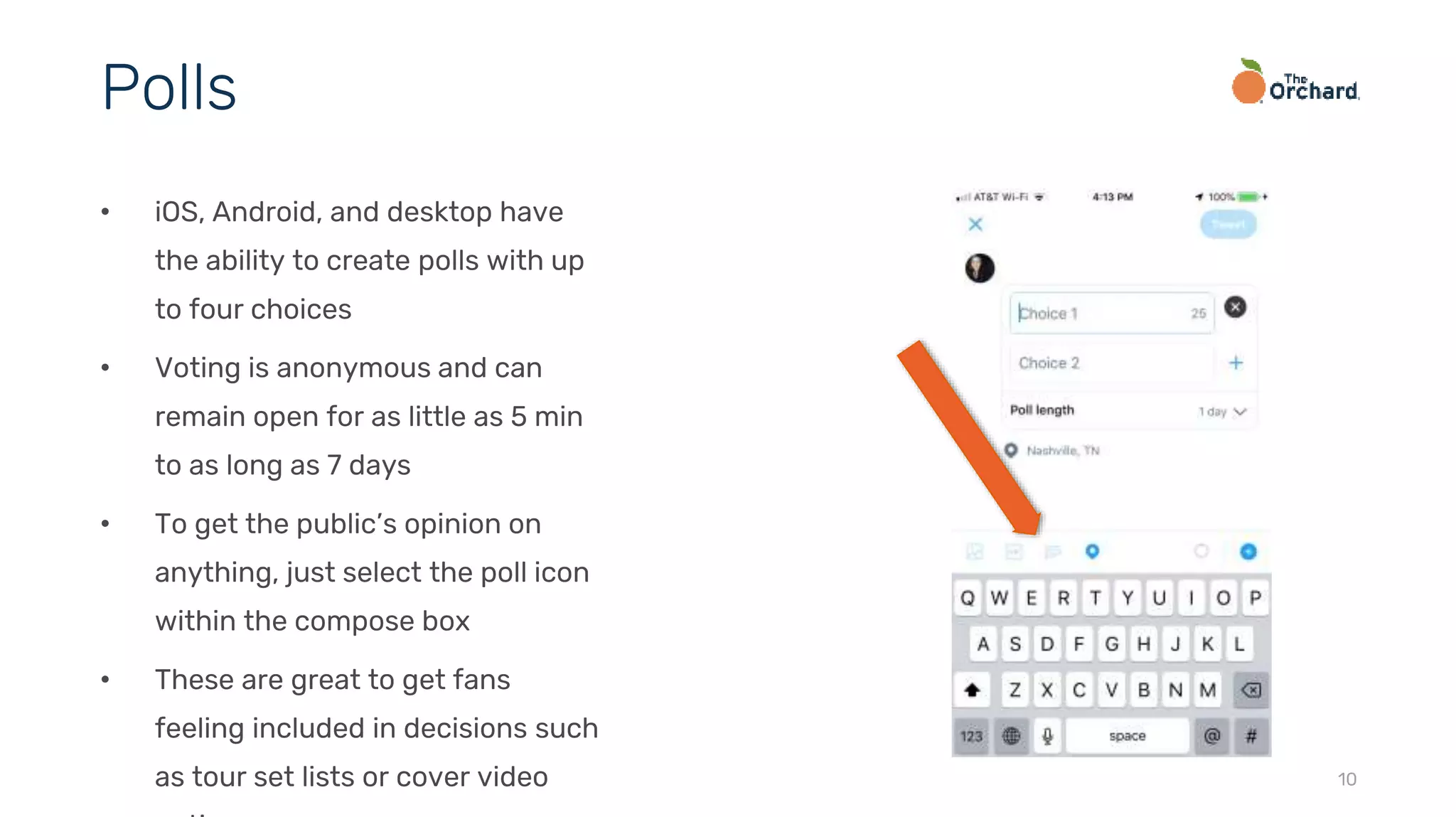
• iOS, Android, and desktop have
the ability to create polls with up
to four choices
• Voting is anonymous and can
remain open for as little as 5 min
to as long as 7 days
• To get the public’s opinion on
anything, just select the poll icon
within the compose box
• These are great to get fans
feeling included in decisions such
as tour set lists or cover video
Polls
11
● Twitter has extended the 140 character limit rule to 280 characters
with the exception of Japanese, Korean or Chinese-language tweets
● Media attachments (images, videos, GIF’s, polls, etc.) and quoted
tweets will no longer reduce the count
280-Character Limit
*Image via
12
• If the 280 character limit is not
enough or you would like to
serialize a story, Twitter has
created threads to make it easier
for fans to find and follow multiple
tweets
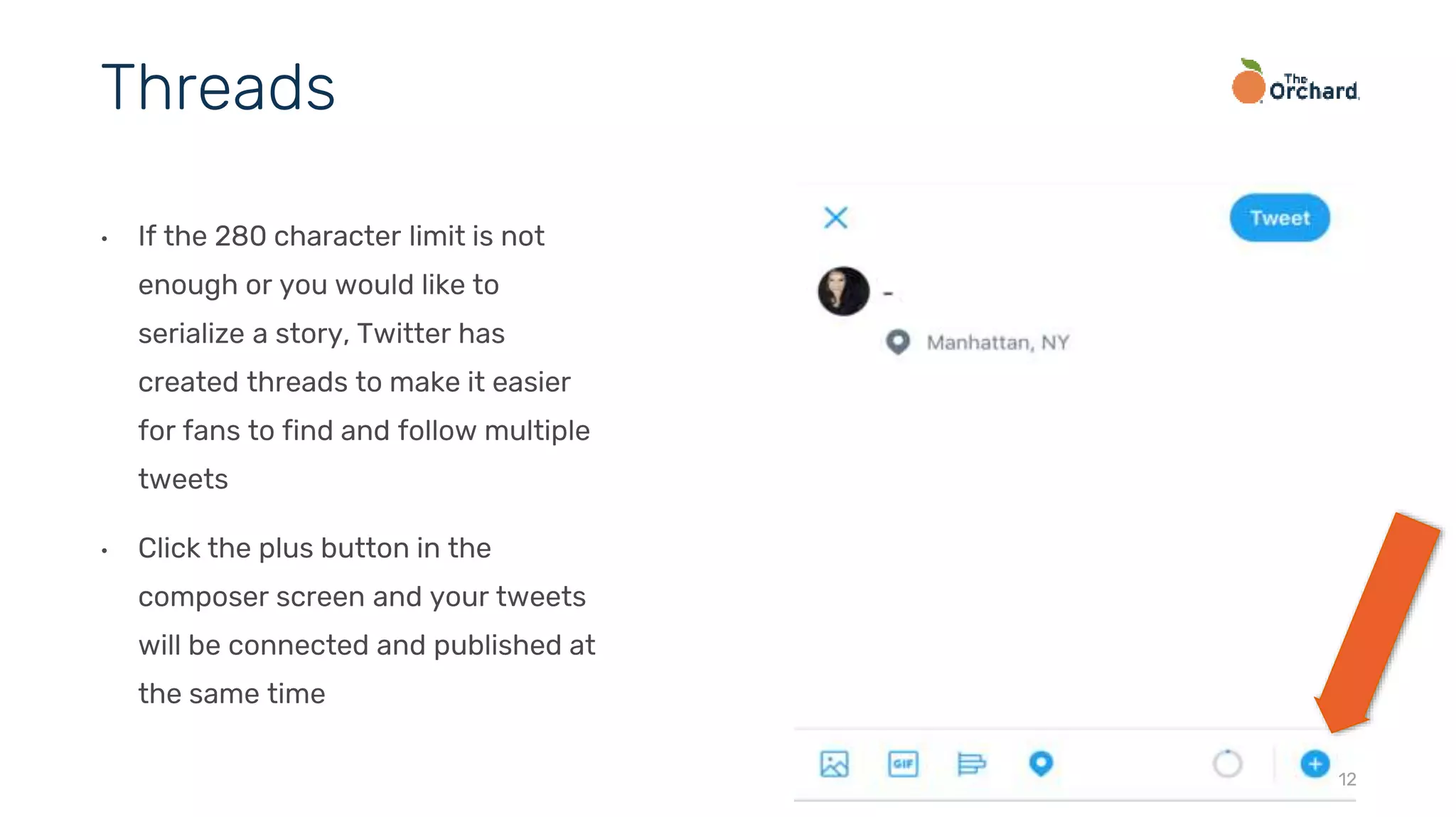
• Click the plus button in the
composer screen and your tweets
will be connected and published at
the same time
Threads
13
• Twitter gives you the option to retweet and quote your previous tweets
• Keep in mind you can only retweet each tweet once keeping user newsfeeds from being full
of tweets they have already seen
• Do this to reflect on a previous tweet you think may have gone unnoticed or a tweet that is
relevant again
Retweeting Yourself
14
• The Explore tab showcases the
top current stories happening on
Twitter. This allows users to
discover popular and relevant
news in an instant.
• The tab is categorized by News,
Sports, Entertainment and more.
• This tab makes it easier for artists
to find and engage with relevant
topics on the platform.
Explore Tab
15
● Twitter allows you to search
for GIF’s within the platform
while composing a new
tweet
● Use a GIF to enhance your
post with visual content
GIF Search
16
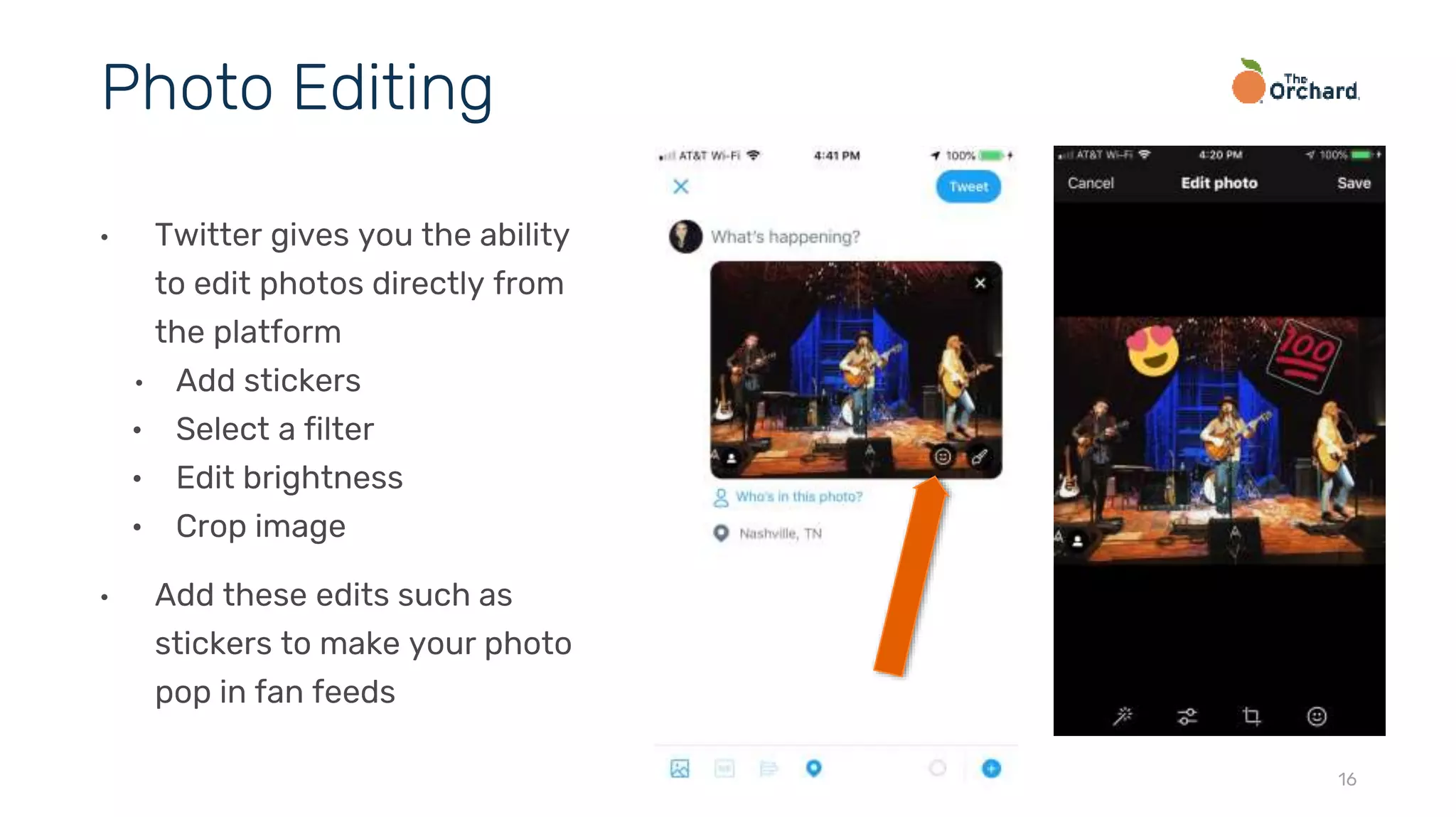
• Twitter gives you the ability
to edit photos directly from
the platform
• Add stickers
• Select a filter
• Edit brightness
• Crop image
• Add these edits such as
stickers to make your photo
pop in fan feeds
Photo Editing
17
Twitter analytics (analytics.twitter.com) are a great way to track the performance
of your Twitter page and will help you drive strategic marketing decisions based on
audience behavior
Twitter Analytics
twitter.com/orchtweets facebook.com/theorchard linkedin.com/company/the-orchard
Thank You

Twitter Best Practices 2019

  • 1.
    Twitter Tips, Tricks &Best Practices
  • 2.
    • Tweet –the messages posted on Twitter. • Retweet (RT) - when you repost something from another person. • Modified Tweet (MT) - when you share someone else’s tweet, but make edits to include your own thoughts. • Subtweet- a tweet written about a person without a direct mention of that person. • Trending Topic (TT) - discussed by many people at one time. • Direct Message (DM) - a private message that you send to a follower. • Handle – the name you choose to represent yourself on Twitter. • Verified Account- accounts that have certified that the user is who they claim to be. These profiles are marked with a blue checkmark. 2 Terms
  • 3.
    3 • Write aclear description of yourself in your Twitter bio, include album pre-order/buy links • Pin an important/informative tweet to the top of your page (album pre-order / video premiere) • Create a branded header with release information and images related to that release Tips *Image via @daddy_yankee
  • 4.
    • Mix upyour posts with an array of tweets. • Engage your fans by replying to their questions and comments • Plan your tweets often. Around 3-5 times a day. • Keep tweets short and sweet. • Use relevant hashtags in posts to allow users tracking a hashtag to see your posts even if they do not follow you. • Tweet about relevant trending topics. 4 DO…
  • 5.
    • Overdo it…excessive selling, self-promotions, and retweeting will clutter fan feeds. • Link to other social networks. • Share news without a link. • Use too many hashtags. Regularly including three or more hashtags in your tweets will often result in fans overlooking them, because they tend to look like spam and are harder to read quickly. 5 DO NOT…
  • 6.
    6 • Twitter allowsfor posts tagging retailers and linking to releases, sales, or promotions • Posts should only tag one retailer at a time • Posts tagging retailers should include a relevant photo, video or GIF to be eligible for a retweet Release Promotions *Image via @TheWatsonTwins
  • 7.
    New and KeyFeatures
  • 8.
    8 • iOS andweb have muted auto-play for native videos and GIFs. • Clicking/tapping causes full screen video with sound to pop up • Tweets with videos appear larger in user timelines than text tweets Auto-Playing Video *Image via @joywilliams
  • 9.
    9 • Go Livevia periscope by composing a tweet and pressing the “live” button • Clicking/tapping in feed allows full screen video and sound • Take fans behind the scenes of a concert, in the recording studio, photo shoot or while making a music video Live Videos *Image via help.twitter.com
  • 10.
    10 • iOS, Android,and desktop have the ability to create polls with up to four choices • Voting is anonymous and can remain open for as little as 5 min to as long as 7 days • To get the public’s opinion on anything, just select the poll icon within the compose box • These are great to get fans feeling included in decisions such as tour set lists or cover video Polls
  • 11.
    11 ● Twitter hasextended the 140 character limit rule to 280 characters with the exception of Japanese, Korean or Chinese-language tweets ● Media attachments (images, videos, GIF’s, polls, etc.) and quoted tweets will no longer reduce the count 280-Character Limit *Image via
  • 12.
    12 • If the280 character limit is not enough or you would like to serialize a story, Twitter has created threads to make it easier for fans to find and follow multiple tweets • Click the plus button in the composer screen and your tweets will be connected and published at the same time Threads
  • 13.
    13 • Twitter givesyou the option to retweet and quote your previous tweets • Keep in mind you can only retweet each tweet once keeping user newsfeeds from being full of tweets they have already seen • Do this to reflect on a previous tweet you think may have gone unnoticed or a tweet that is relevant again Retweeting Yourself
  • 14.
    14 • The Exploretab showcases the top current stories happening on Twitter. This allows users to discover popular and relevant news in an instant. • The tab is categorized by News, Sports, Entertainment and more. • This tab makes it easier for artists to find and engage with relevant topics on the platform. Explore Tab
  • 15.
    15 ● Twitter allowsyou to search for GIF’s within the platform while composing a new tweet ● Use a GIF to enhance your post with visual content GIF Search
  • 16.
    16 • Twitter givesyou the ability to edit photos directly from the platform • Add stickers • Select a filter • Edit brightness • Crop image • Add these edits such as stickers to make your photo pop in fan feeds Photo Editing
  • 17.
    17 Twitter analytics (analytics.twitter.com)are a great way to track the performance of your Twitter page and will help you drive strategic marketing decisions based on audience behavior Twitter Analytics
  • 18.