Transaction Management and
    Concurrency Control
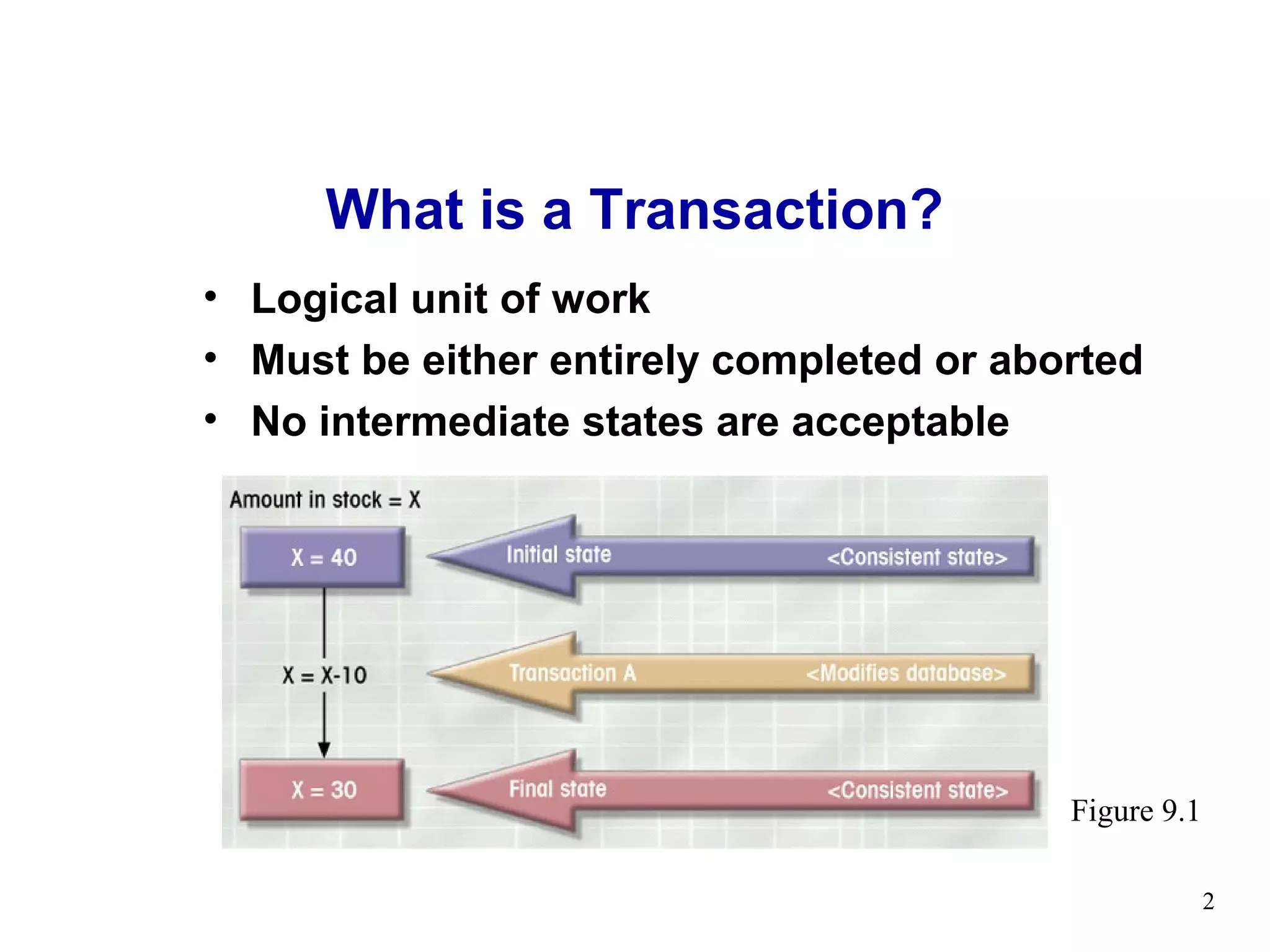
What is a Transaction?
• Logical unit of work
• Must be either entirely completed or aborted
• No intermediate states are acceptable


                                          Figure 9.1

                                                       2
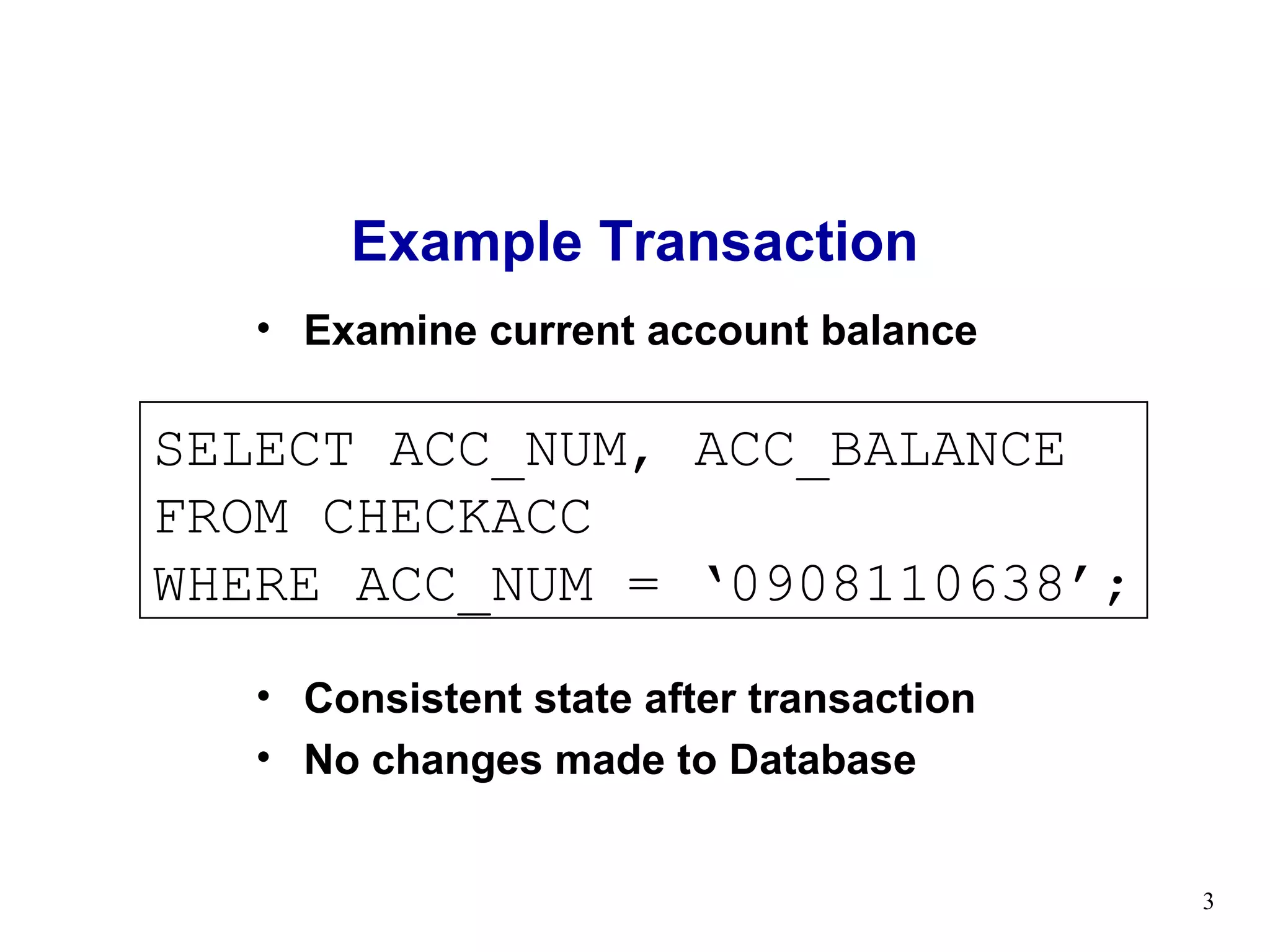
Example Transaction
   • Examine current account balance

SELECT ACC_NUM, ACC_BALANCE
FROM CHECKACC
WHERE ACC_NUM = ‘0908110638’;
   • Consistent state after transaction
   • No changes made to Database


                                          3
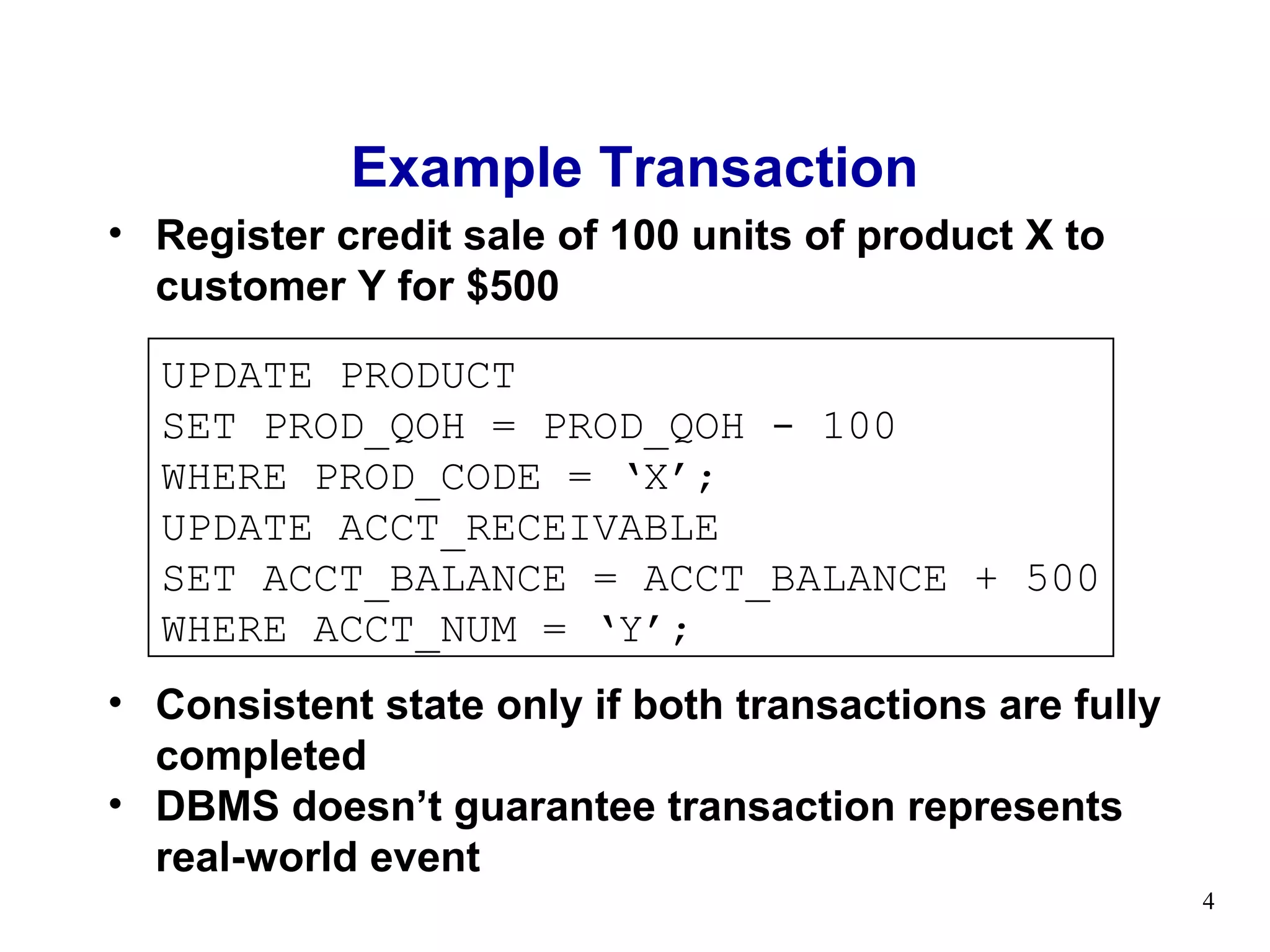
Example Transaction
• Register credit sale of 100 units of product X to
  customer Y for $500

  UPDATE PRODUCT
  SET PROD_QOH = PROD_QOH - 100
  WHERE PROD_CODE = ‘X’;
  UPDATE ACCT_RECEIVABLE
  SET ACCT_BALANCE = ACCT_BALANCE + 500
  WHERE ACCT_NUM = ‘Y’;
• Consistent state only if both transactions are fully
  completed
• DBMS doesn’t guarantee transaction represents
  real-world event
                                                         4
Transaction Properties (ACID)
• Atomicity
   – All transaction operations must be completed
   – Incomplete transactions aborted
• Durability
   – Permanence of consistent database state
• Consistency / Serializability
   – Conducts transactions in serial order
   – Important in multi-user and distributed databases
• Isolation
   – Transaction data cannot be reused until its
     execution complete
                                                         5
Example of Fund Transfer

• Transaction to transfer $50 from account A to
  account B:
   1. read(A)
   2. A := A – 50
   3. write(A)
   4. read(B)
   5. B := B + 50
   6. write(B)


                                                  6
Example of Fund Transfer

• Consistency requirement – the sum of A and B is
  unchanged by the execution of the transaction.

• Atomicity requirement — if the transaction fails
  after step 3 and before step 6, the system should
  ensure that its updates are not reflected in the
  database, else an inconsistency will result.


                                                      7
Example of Fund Transfer

• Durability requirement — once the user has been
  notified that the transaction has completed (i.e., the
  transfer of the $50 has taken place), the updates to
  the database by the transaction must persist despite
  failures.


                                                           8
Example of Fund Transfer

• Isolation requirement — if between steps 3 and 6,
  another transaction is allowed to access the partially
  updated database, it will see an inconsistent
  database

  (the sum A + B will be less than it should be).
  Can be ensured by running transactions serially, that
  is one after the other.


                                                           9
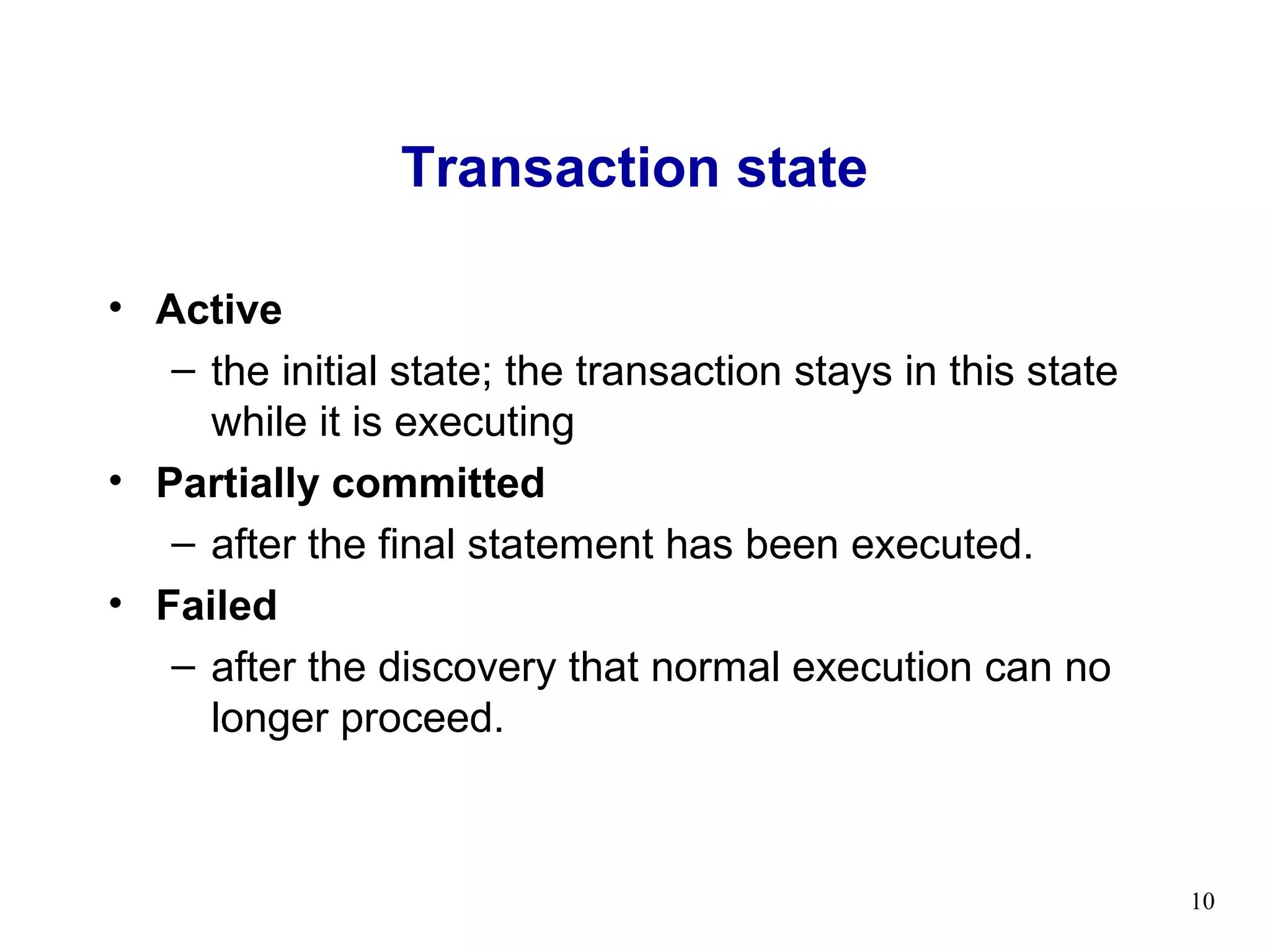
Transaction state

• Active
   – the initial state; the transaction stays in this state
     while it is executing
• Partially committed
   – after the final statement has been executed.
• Failed
   – after the discovery that normal execution can no
     longer proceed.


                                                              10
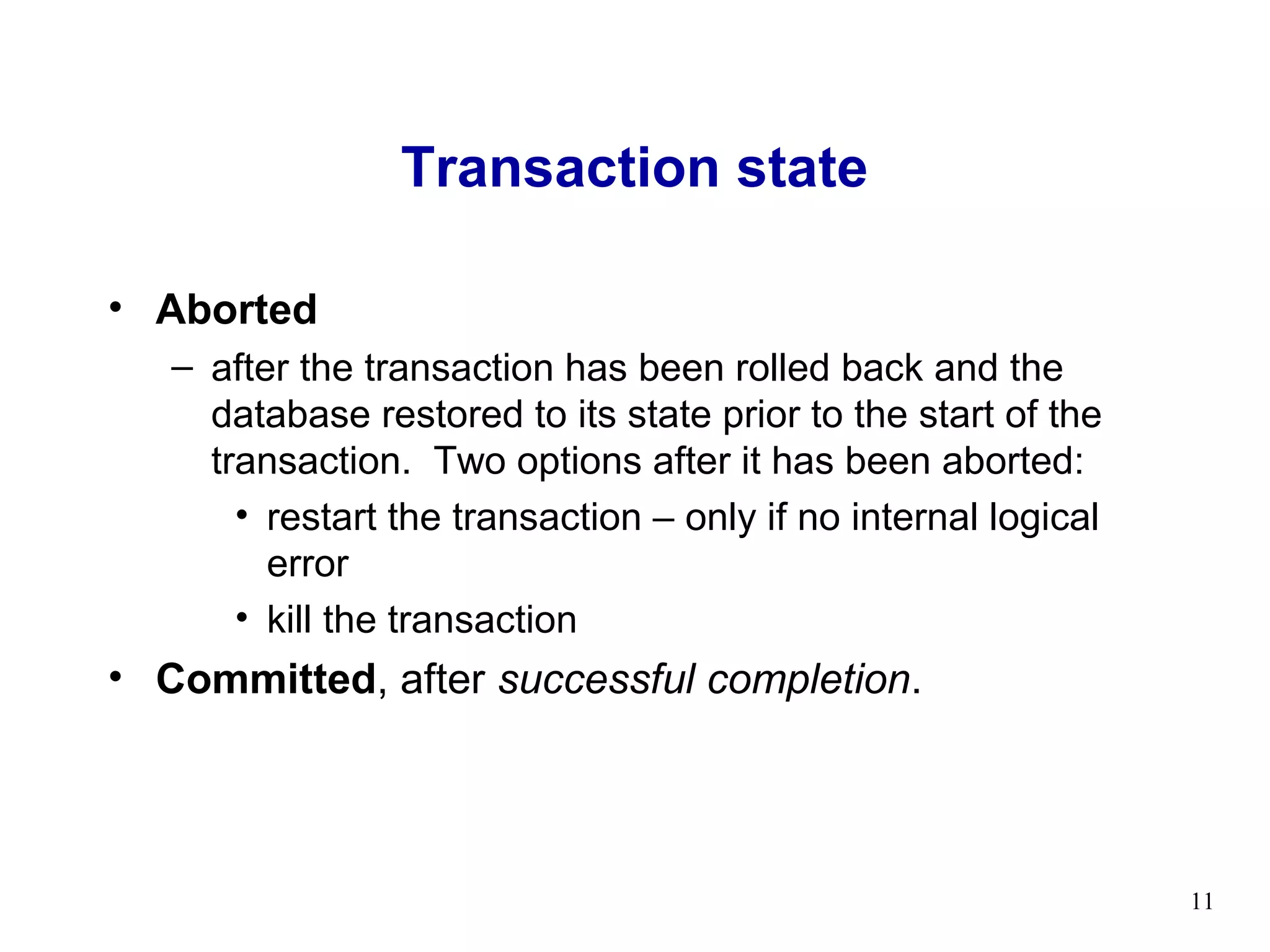
Transaction state

• Aborted
   – after the transaction has been rolled back and the
     database restored to its state prior to the start of the
     transaction. Two options after it has been aborted:
       • restart the transaction – only if no internal logical
         error
       • kill the transaction
• Committed, after successful completion.


                                                                 11
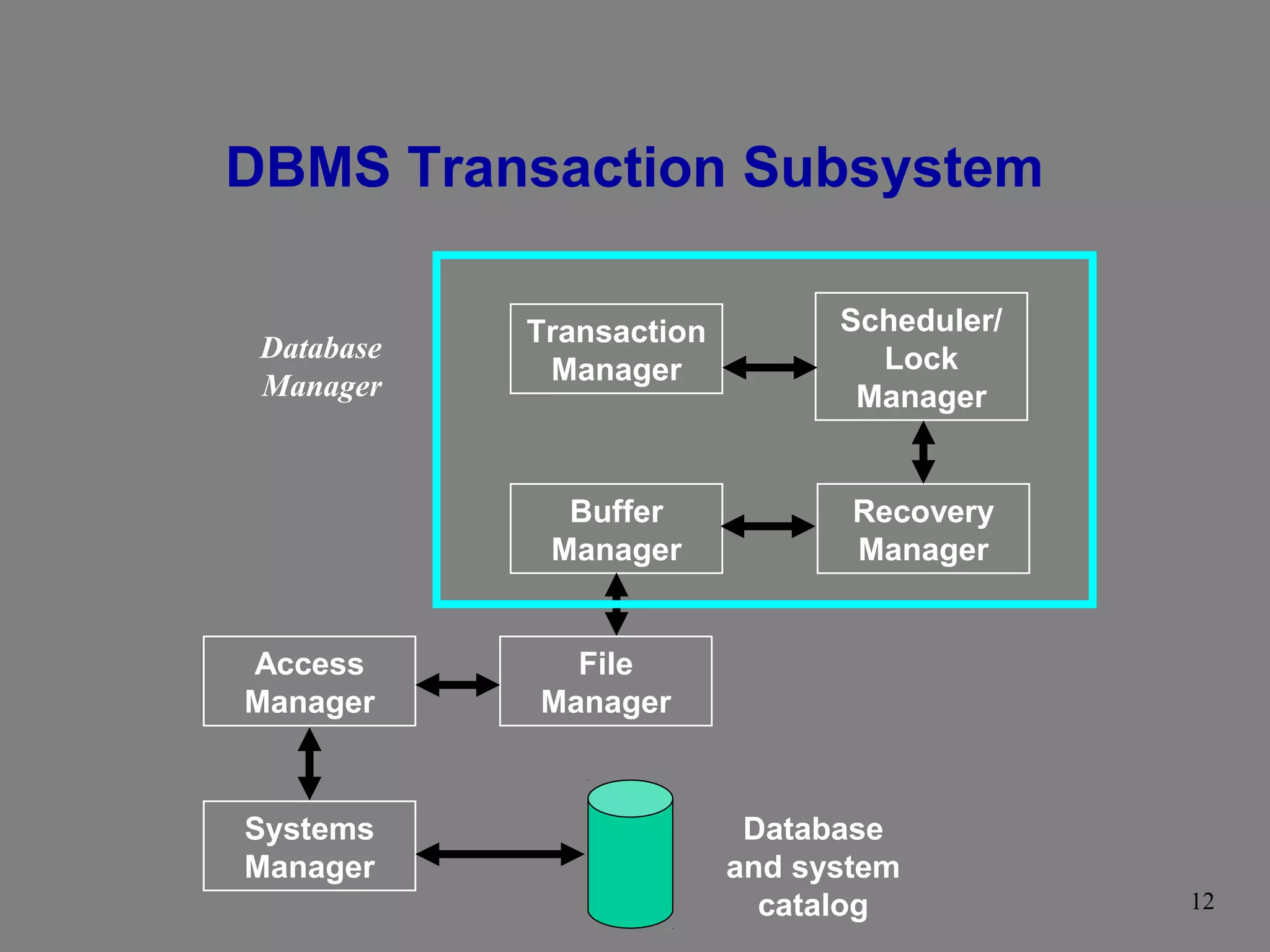
DBMS Transaction Subsystem

            Transaction         Scheduler/
 Database                         Lock
 Manager     Manager
                                 Manager


              Buffer             Recovery
             Manager             Manager


Access        File
Manager     Manager


Systems                    Database
Manager                   and system
                            catalog          12
DBMS Transaction Subsystem

• Trans. Mgr.
  – coordinates transactions on behalf of application
    program. It communicates with scheduler.
• Scheduler
  – implements a strategy for concurrency control.
• Recovery manager
  – If any failure occurs, recovery manager handles it.
• Buffer manager
  – in charge of transferring data between disk storage and
    main memory.

                                                              13
DBMS Transaction Subsystem

• File manager
  – manipulates the underlying storage files and manages
    the allocation of storage space on disk.
• Access manager
  – File manager does not directly manage the physical
    input and output of data, rather it passes the requests
    on to the access manager.
• System manager
  – Appropriate access method is used to either read or
    write data into the system manager.

                                                              14
Transaction Management with SQL
 • Transaction support
    – COMMIT
    – ROLLBACK
 • User initiated transaction sequence must
   continue until:
    –   COMMIT statement is reached
    –   ROLLBACK statement is reached
    –   End of a program reached
    –   Program reaches abnormal termination


                                               15
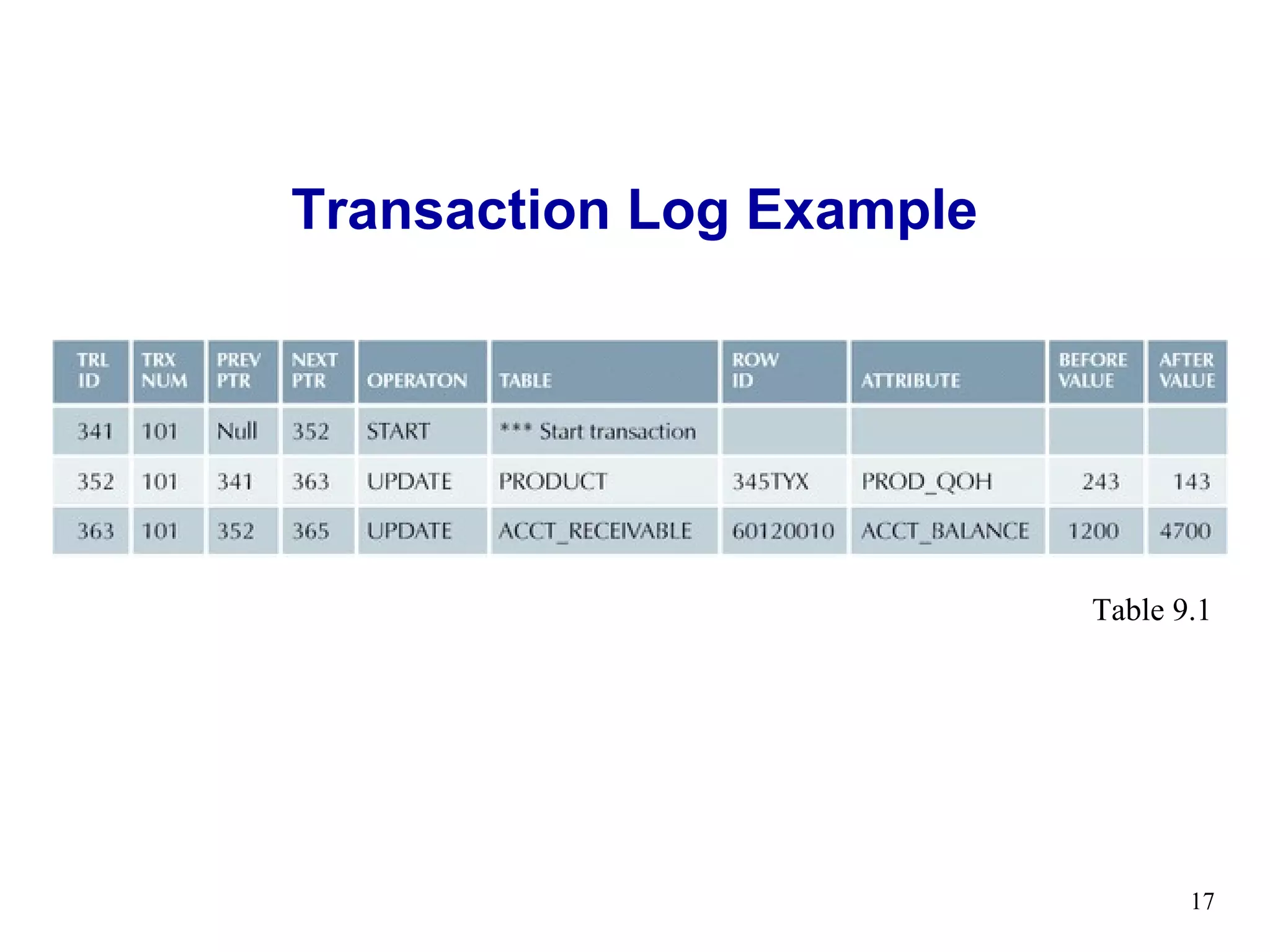
Transaction Log
•   Tracks all transactions that update database
•   May be used by ROLLBACK command
•   May be used to recover from system failure
•   Log stores
    – Record for beginning of transaction
    – Each SQL statement
       •   Operation
       •   Names of objects
       •   Before and after values for updated fields
       •   Pointers to previous and next entries
    – Commit Statement
                                                        16
Transaction Log Example


                          Table 9.1


                                 17
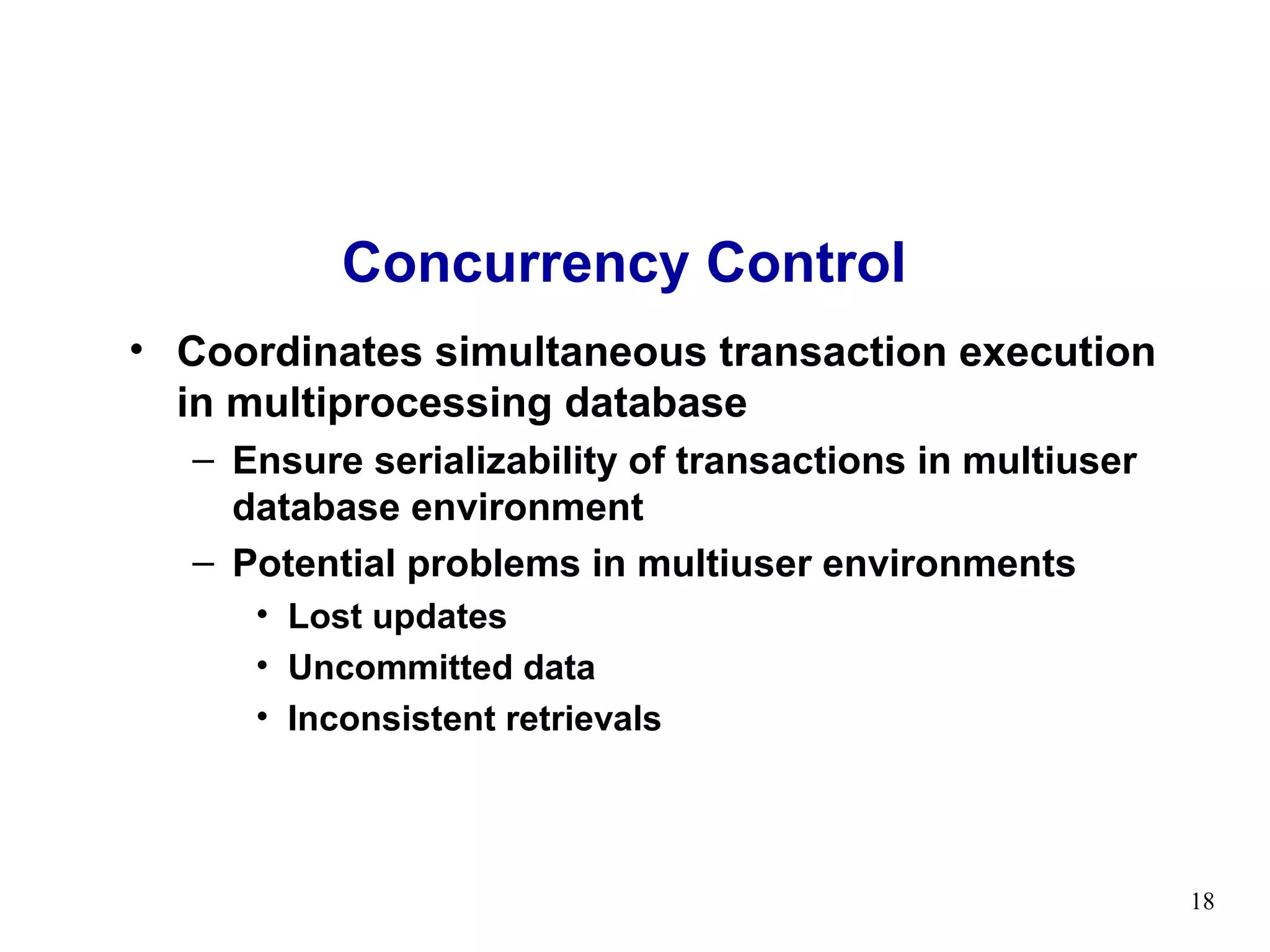
Concurrency Control
• Coordinates simultaneous transaction execution
  in multiprocessing database
  – Ensure serializability of transactions in multiuser
    database environment
  – Potential problems in multiuser environments
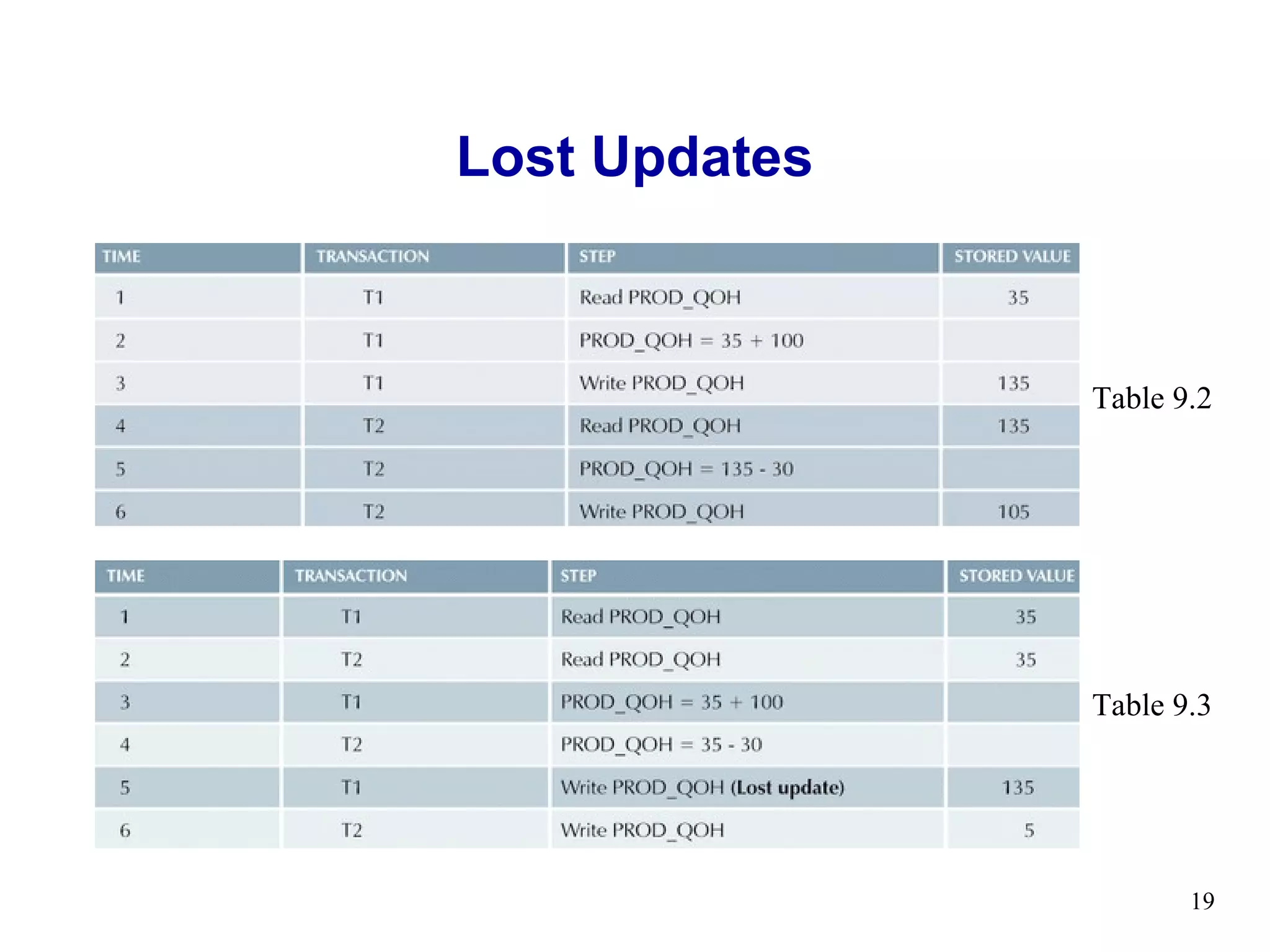
     • Lost updates
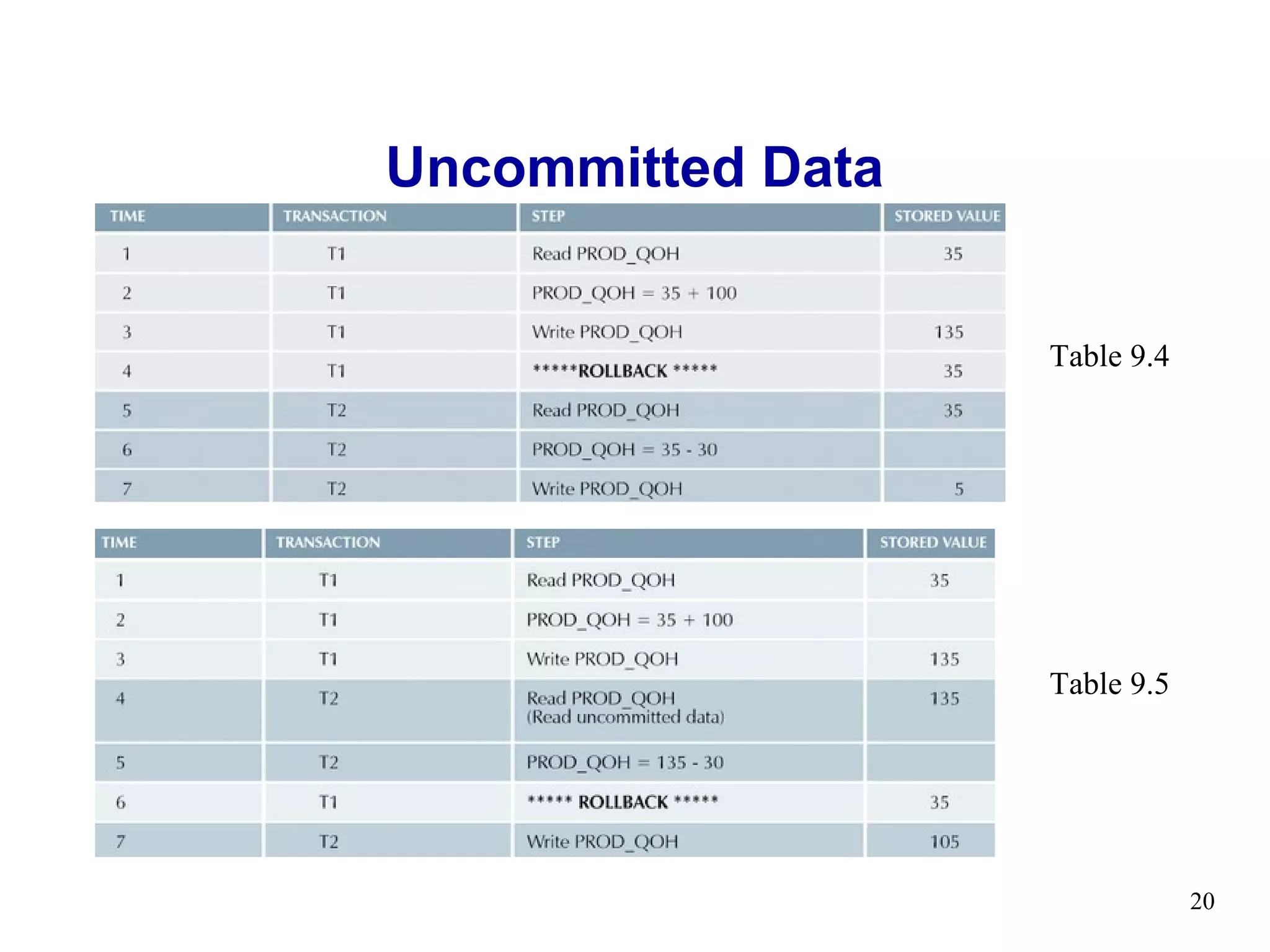
     • Uncommitted data
     • Inconsistent retrievals


                                                          18
Lost Updates


               Table 9.2


               Table 9.3


                      19
Uncommitted Data


                   Table 9.4


                   Table 9.5


                               20
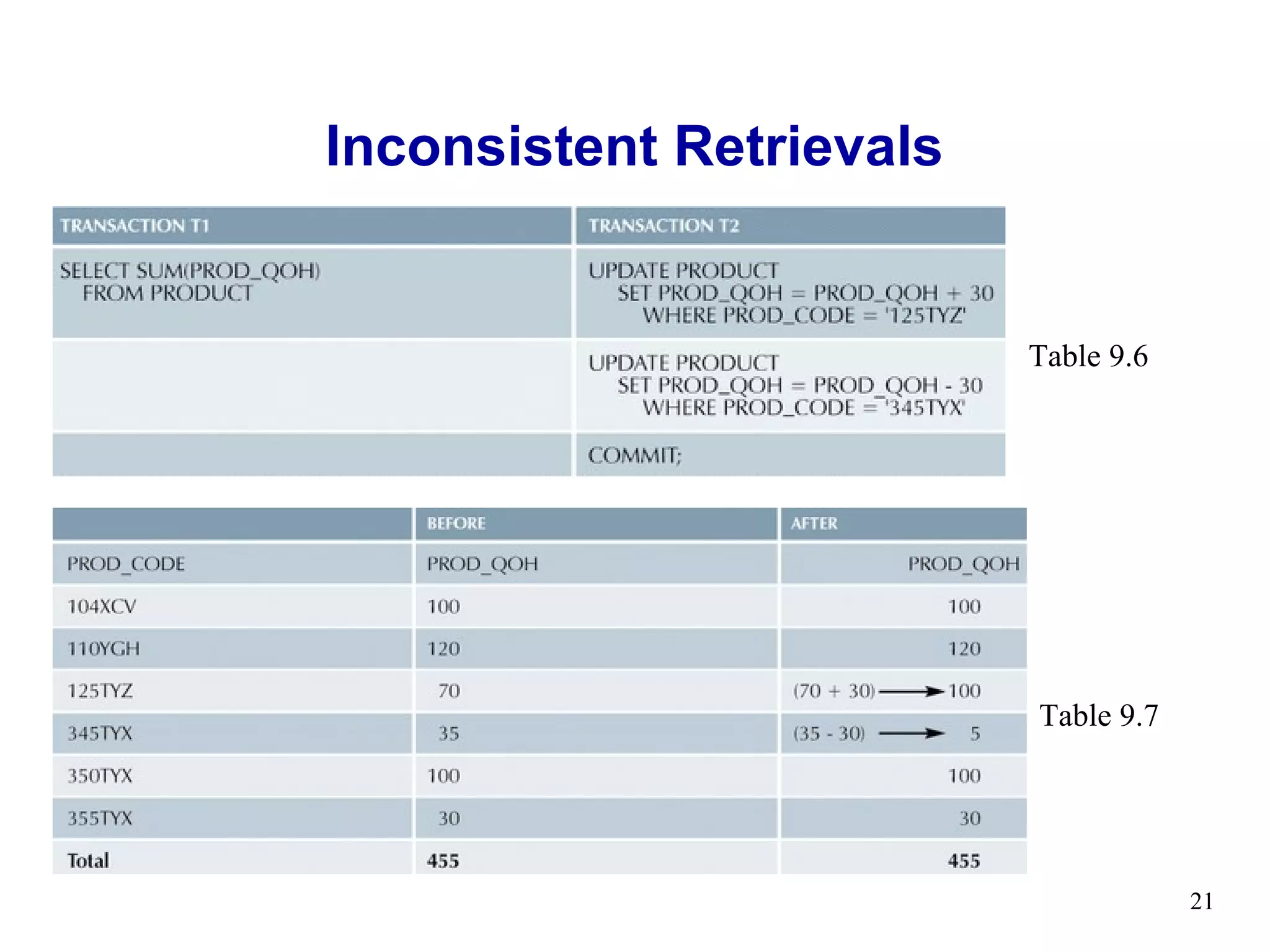
Inconsistent Retrievals


                          Table 9.6


                          Table 9.7


                                      21
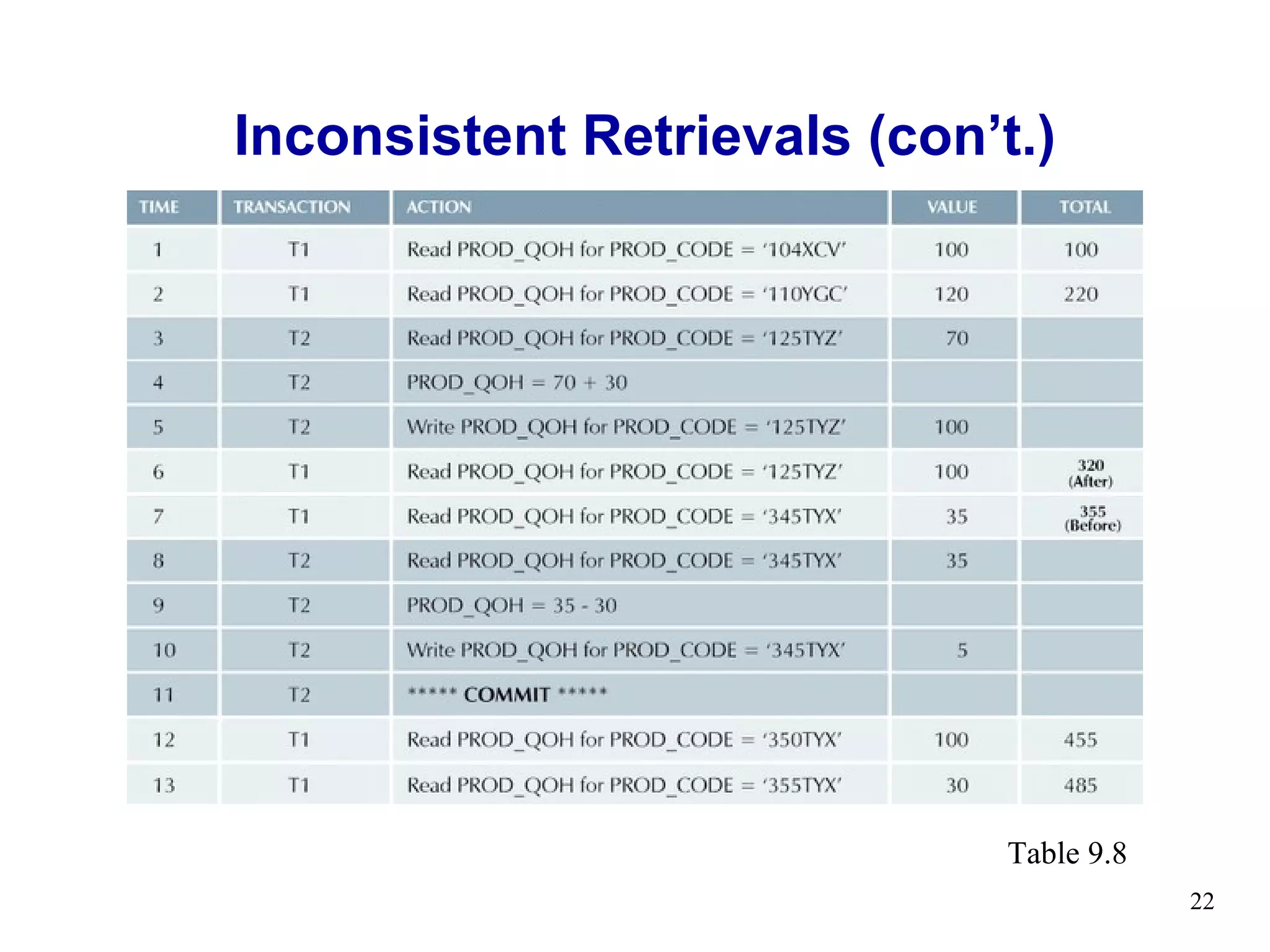
Inconsistent Retrievals (con’t.)


                              Table 9.8
                                          22
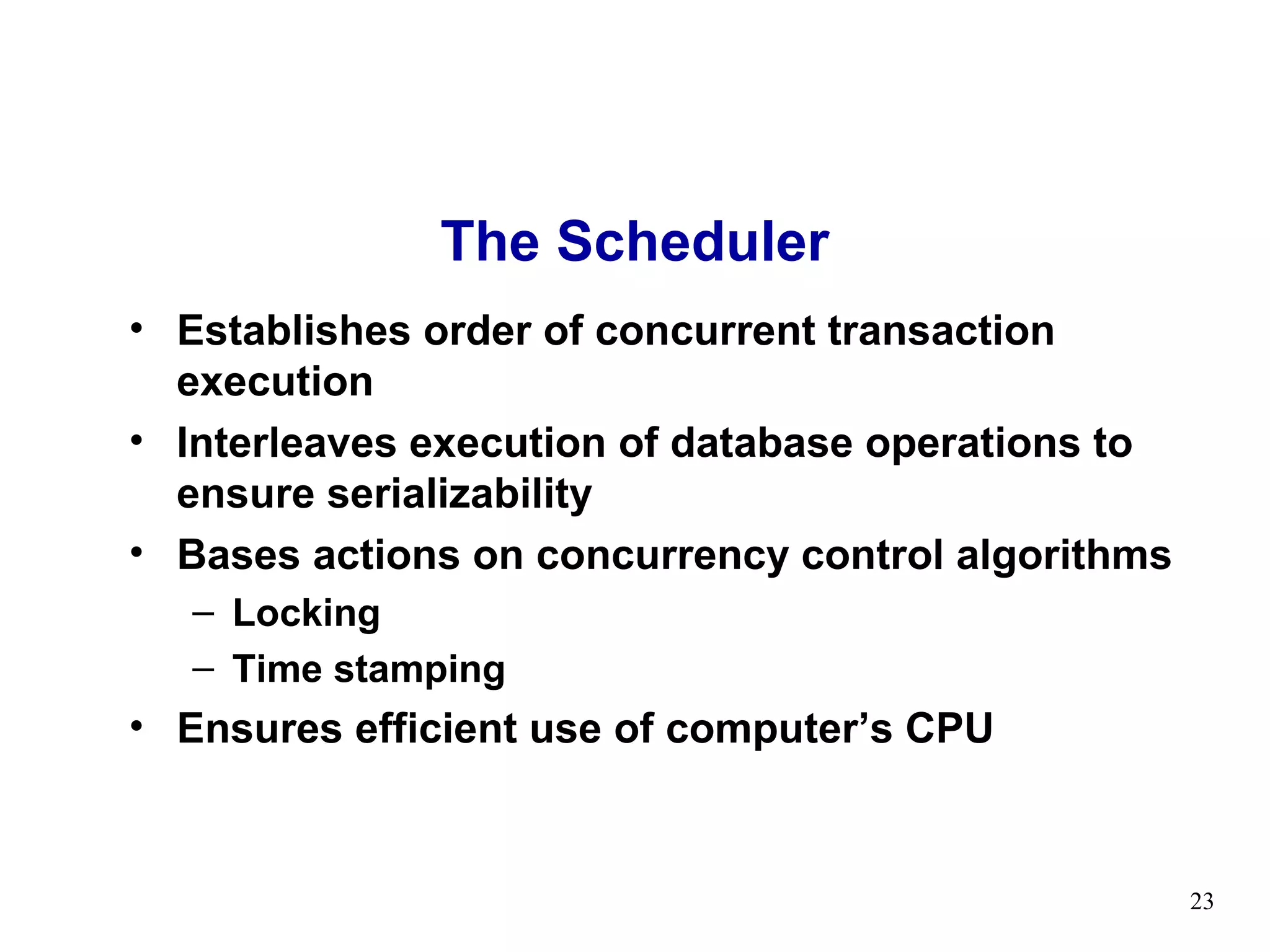
The Scheduler
• Establishes order of concurrent transaction
  execution
• Interleaves execution of database operations to
  ensure serializability
• Bases actions on concurrency control algorithms
   – Locking
   – Time stamping
• Ensures efficient use of computer’s CPU


                                                    23
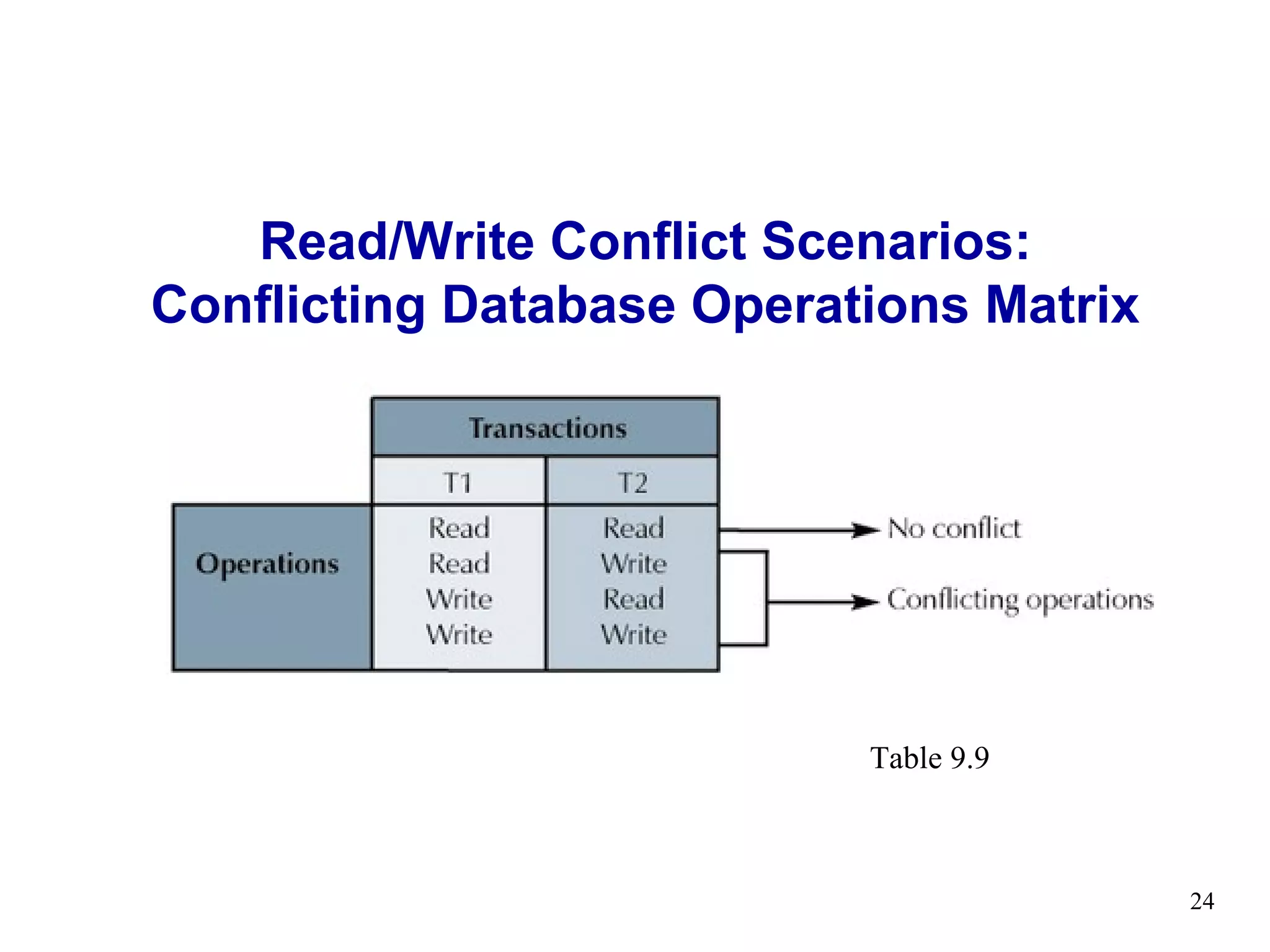
Read/Write Conflict Scenarios:
Conflicting Database Operations Matrix


                           Table 9.9


                                         24
Concurrency Control
    with Locking Methods
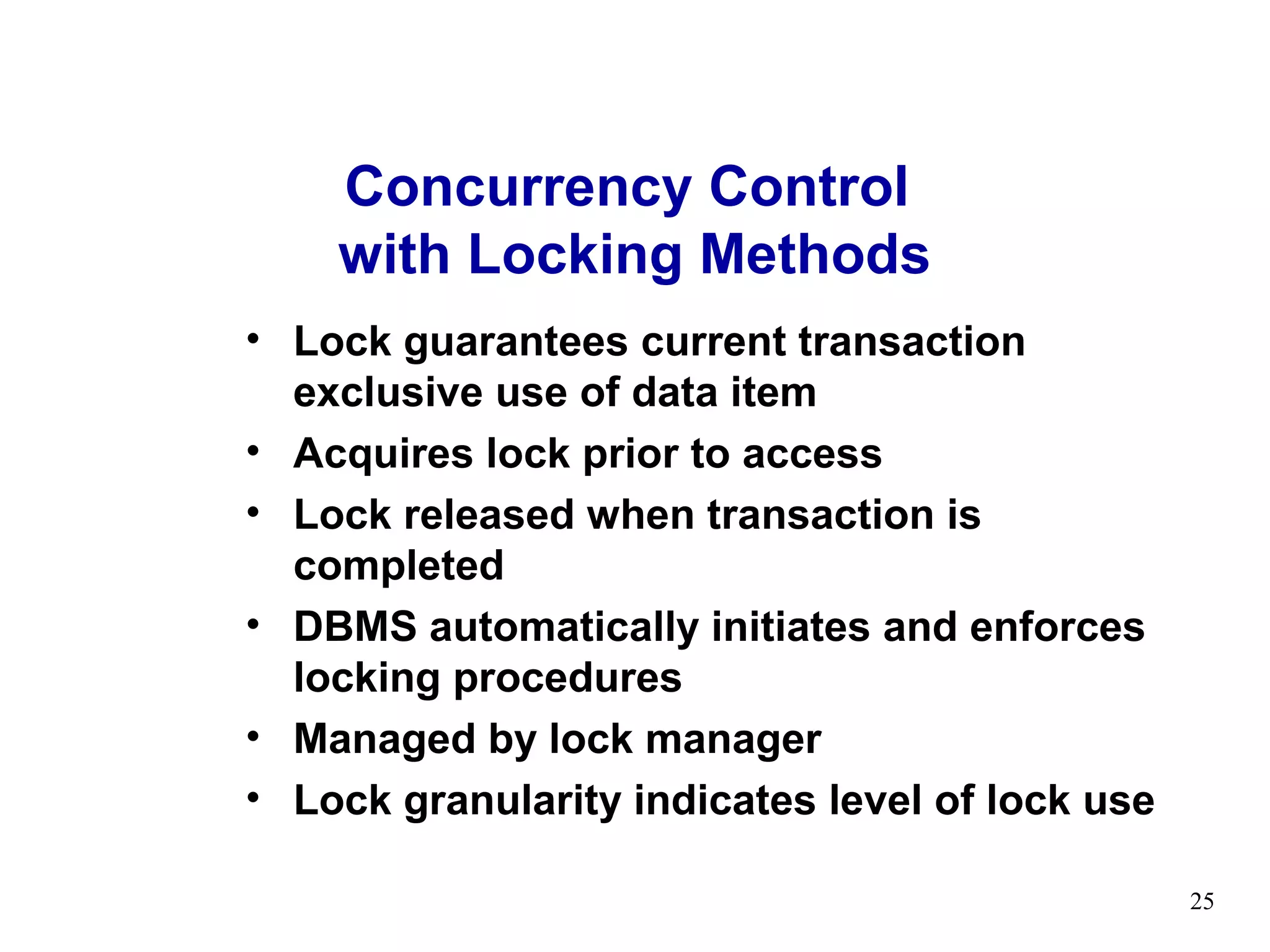
• Lock guarantees current transaction
  exclusive use of data item
• Acquires lock prior to access
• Lock released when transaction is
  completed
• DBMS automatically initiates and enforces
  locking procedures
• Managed by lock manager
• Lock granularity indicates level of lock use

                                                 25
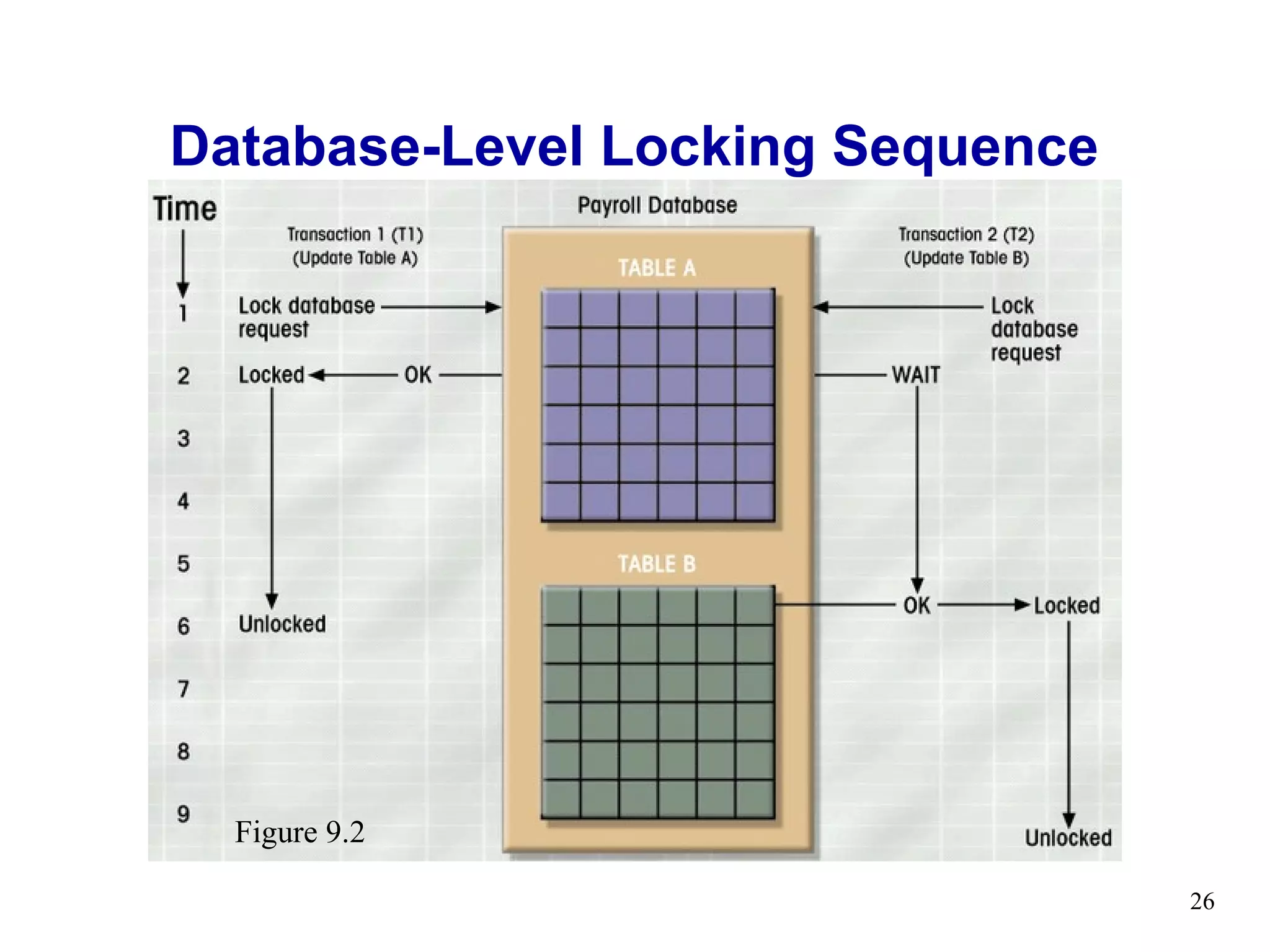
Database-Level Locking Sequence


  Figure 9.2

                                  26
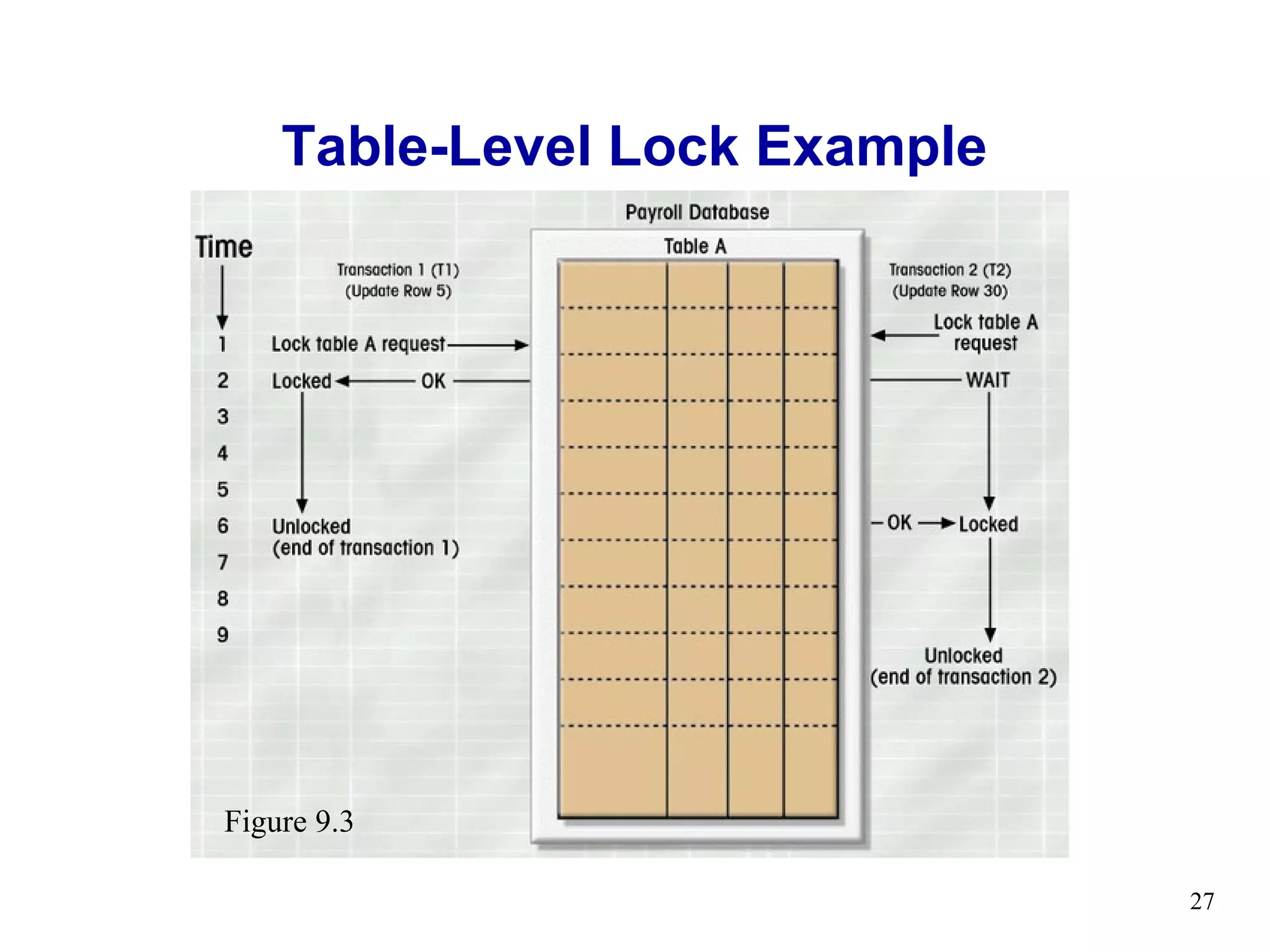
Table-Level Lock Example


Figure 9.3

                               27
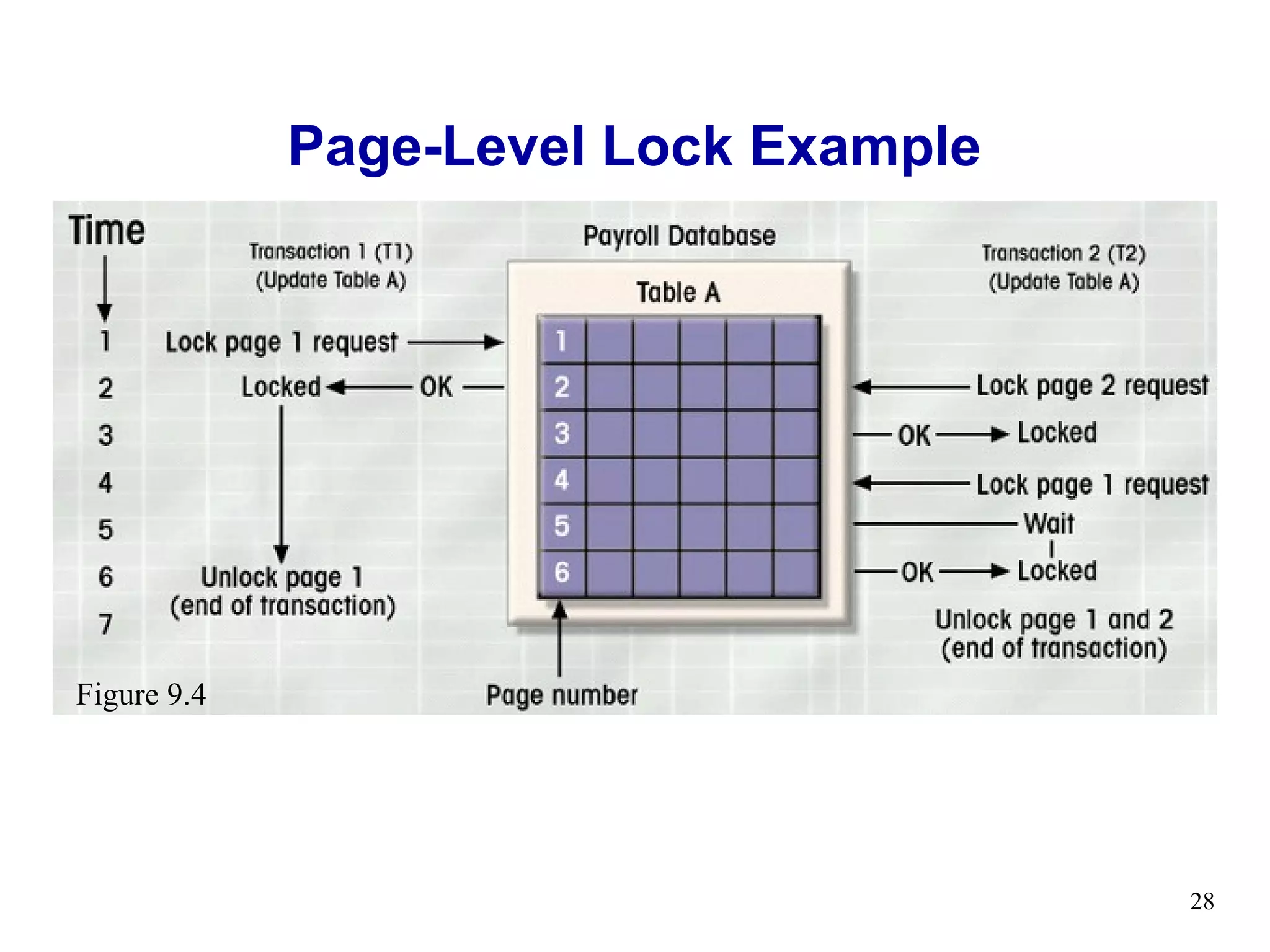
Page-Level Lock Example


Figure 9.4


                                       28
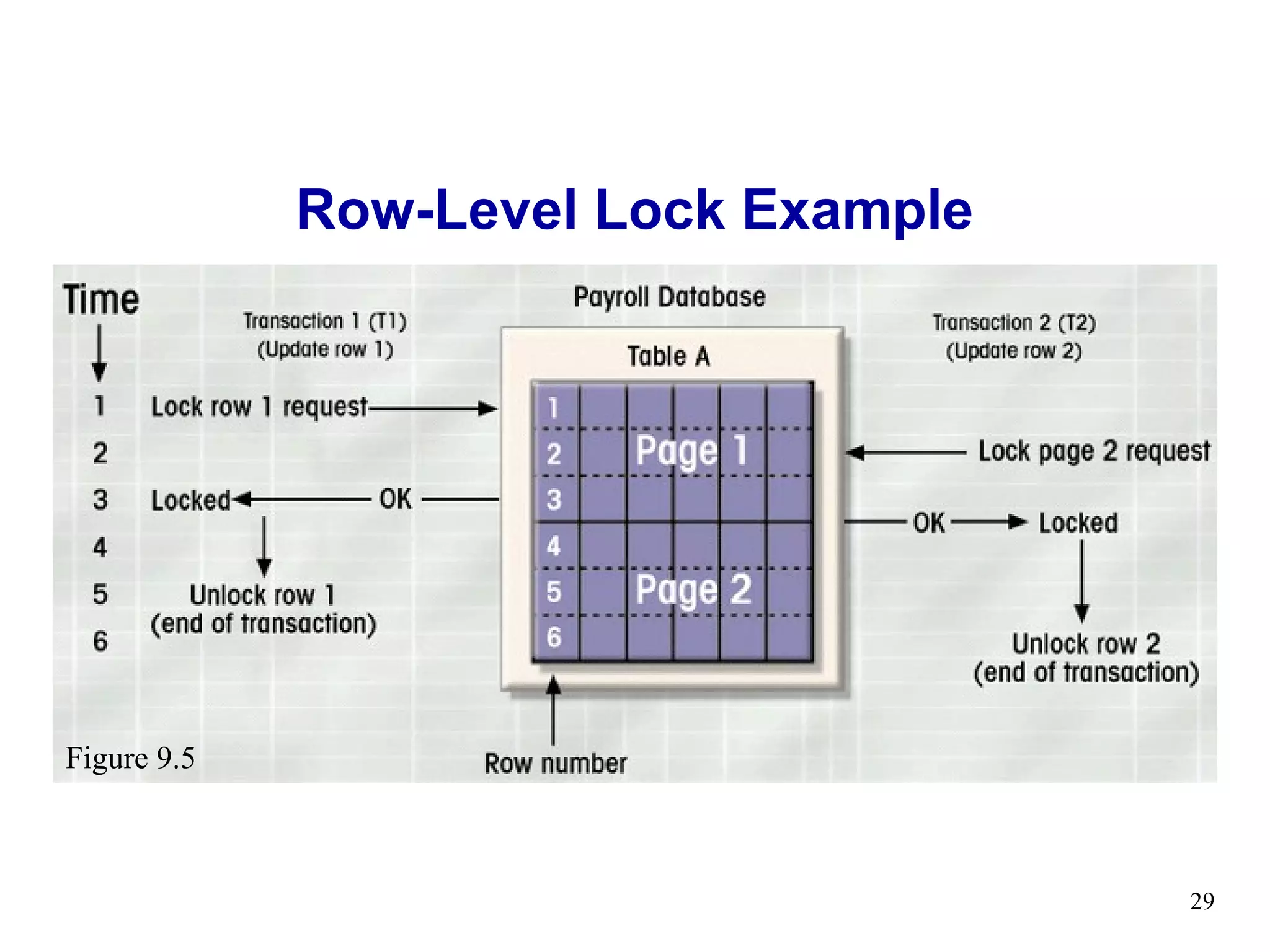
Row-Level Lock Example


Figure 9.5


                                      29
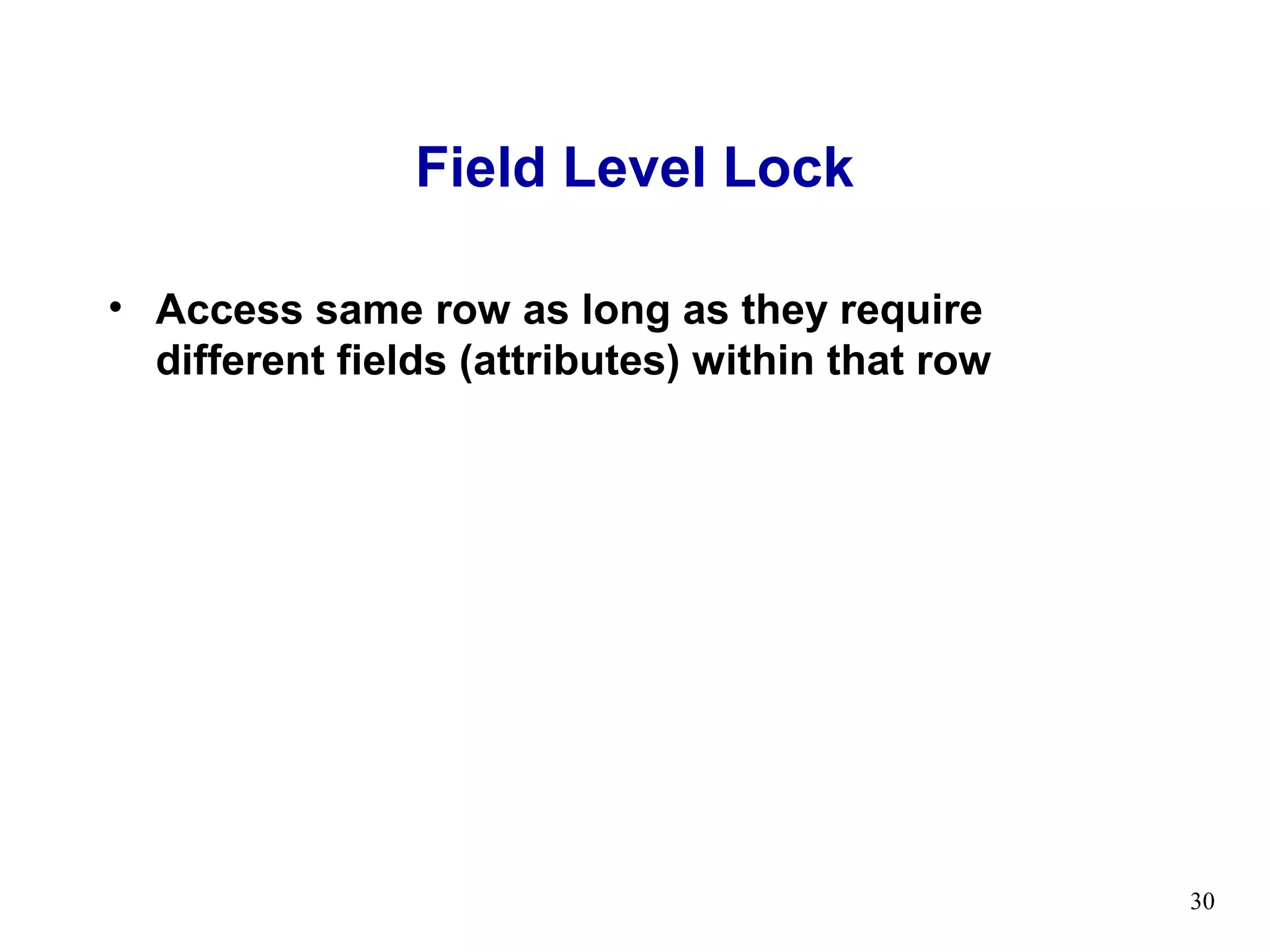
Field Level Lock

• Access same row as long as they require
  different fields (attributes) within that row


                                                  30
Lock Types

• Binary Locks
• Shared/Exclusive Locks


                             31
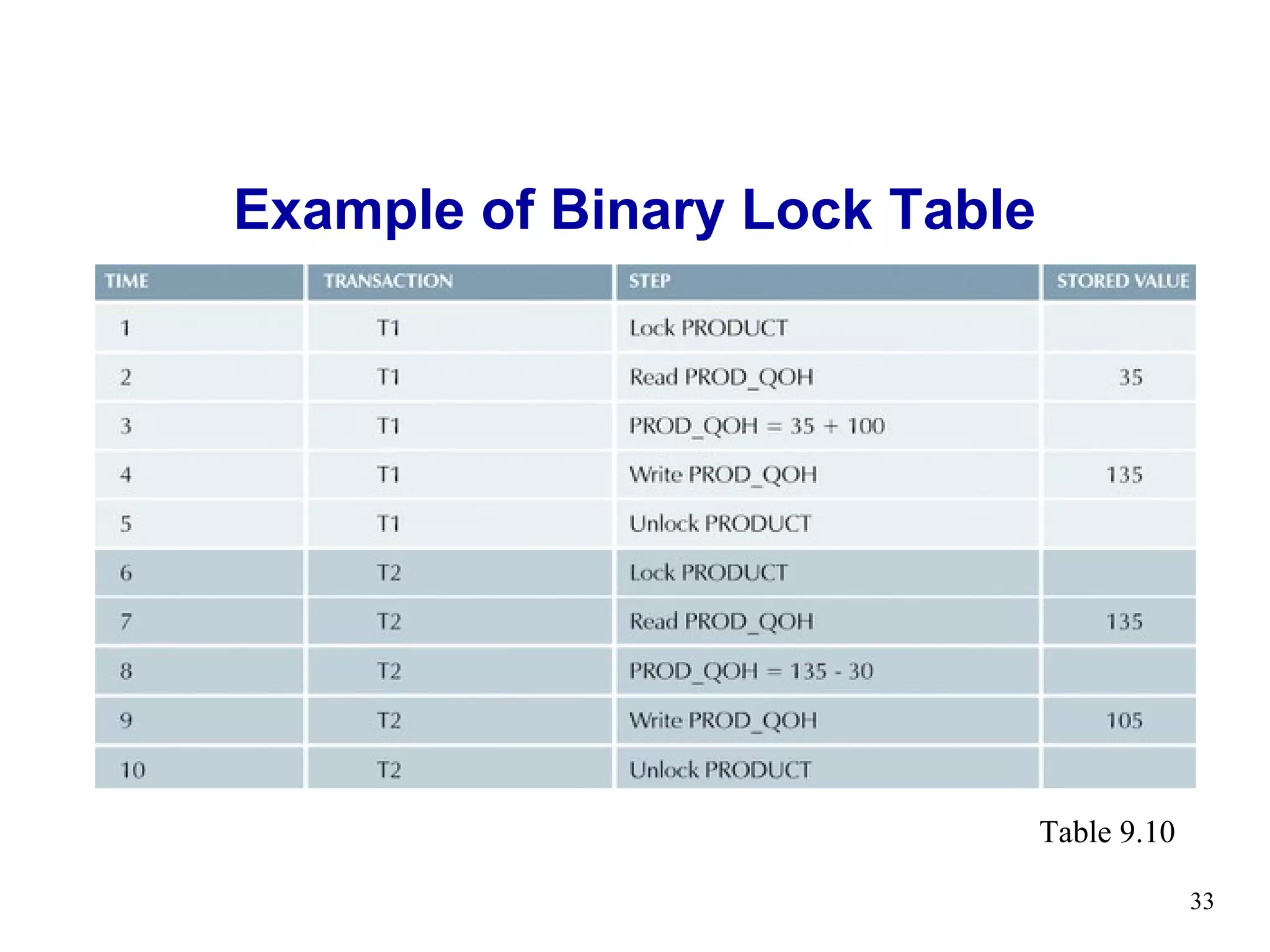
Binary Locks
• Two states
   – Locked (1)
   – Unlocked (0)
• Locked objects unavailable to other objects
   – Unlocked objects open to any transaction
   – Transaction unlocks object when complete


                                                32
Example of Binary Lock Table


                               Table 9.10

                                            33
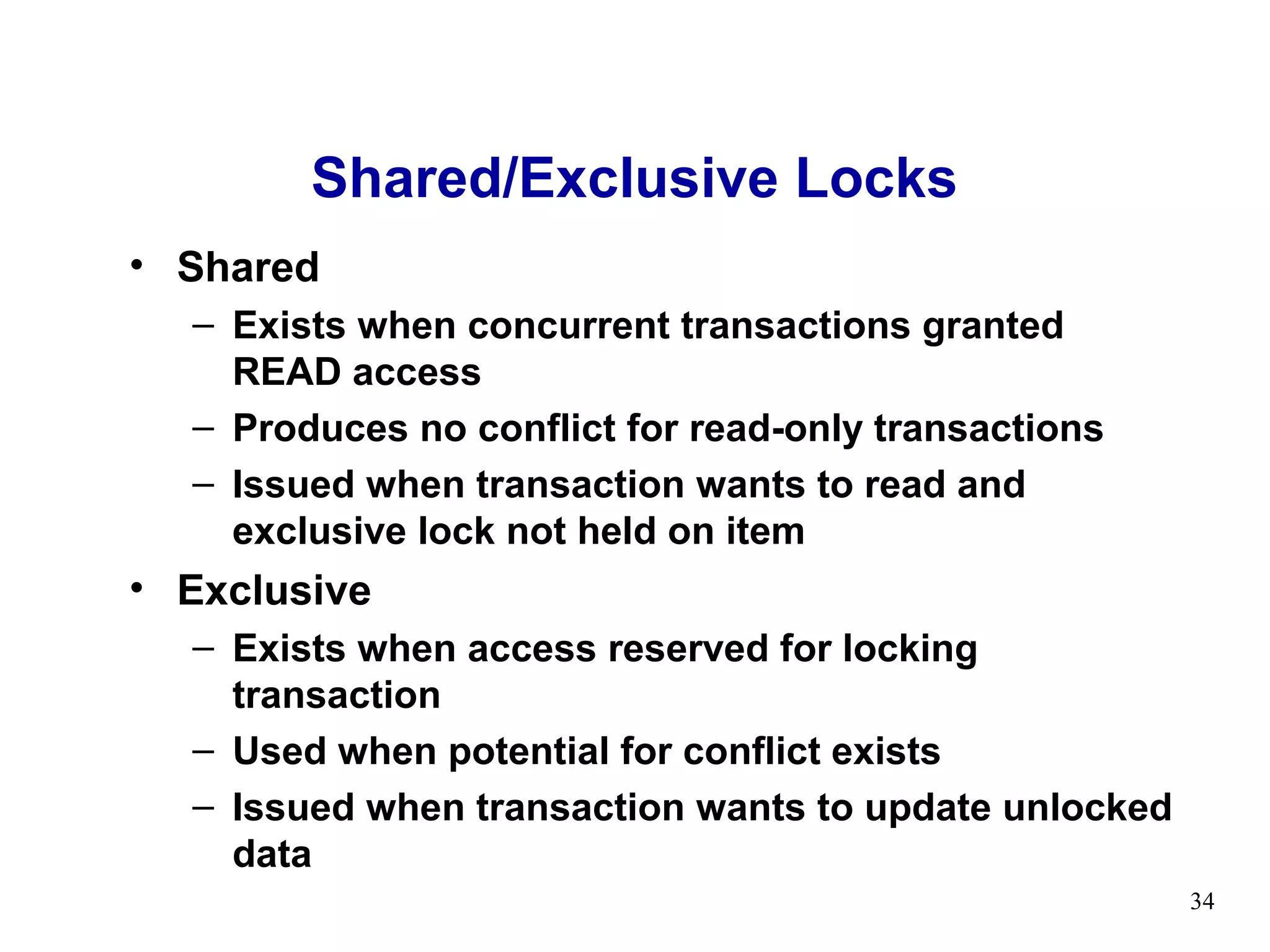
Shared/Exclusive Locks
• Shared
  – Exists when concurrent transactions granted
    READ access
  – Produces no conflict for read-only transactions
  – Issued when transaction wants to read and
    exclusive lock not held on item
• Exclusive
  – Exists when access reserved for locking
    transaction
  – Used when potential for conflict exists
  – Issued when transaction wants to update unlocked
    data
                                                       34
Problems with Locking
• Transaction schedule may not be serializable
   – Managed through two-phase locking
• Schedule may create deadlocks
   – Managed by using deadlock detection and
     prevention techniques


                                                 35
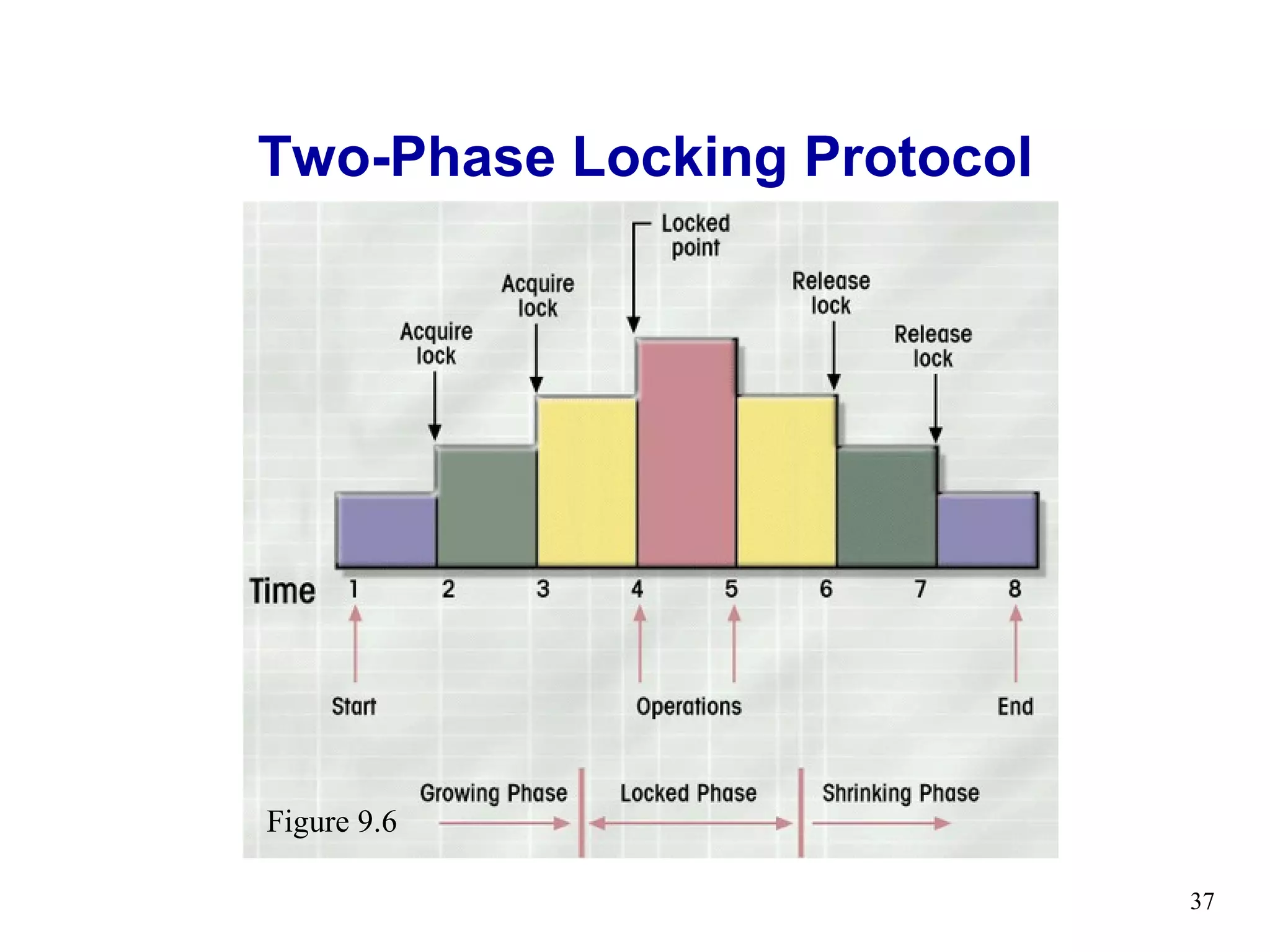
Two-Phase Locking
• Growing phase
• Shrinking phase
• Governing rules
  – Two transactions cannot have conflicting locks
  – No unlock operation can precede a lock operation
    in the same transaction
  – No data are affected until all locks are obtained


                                                        36
Two-Phase Locking Protocol


Figure 9.6

                             37
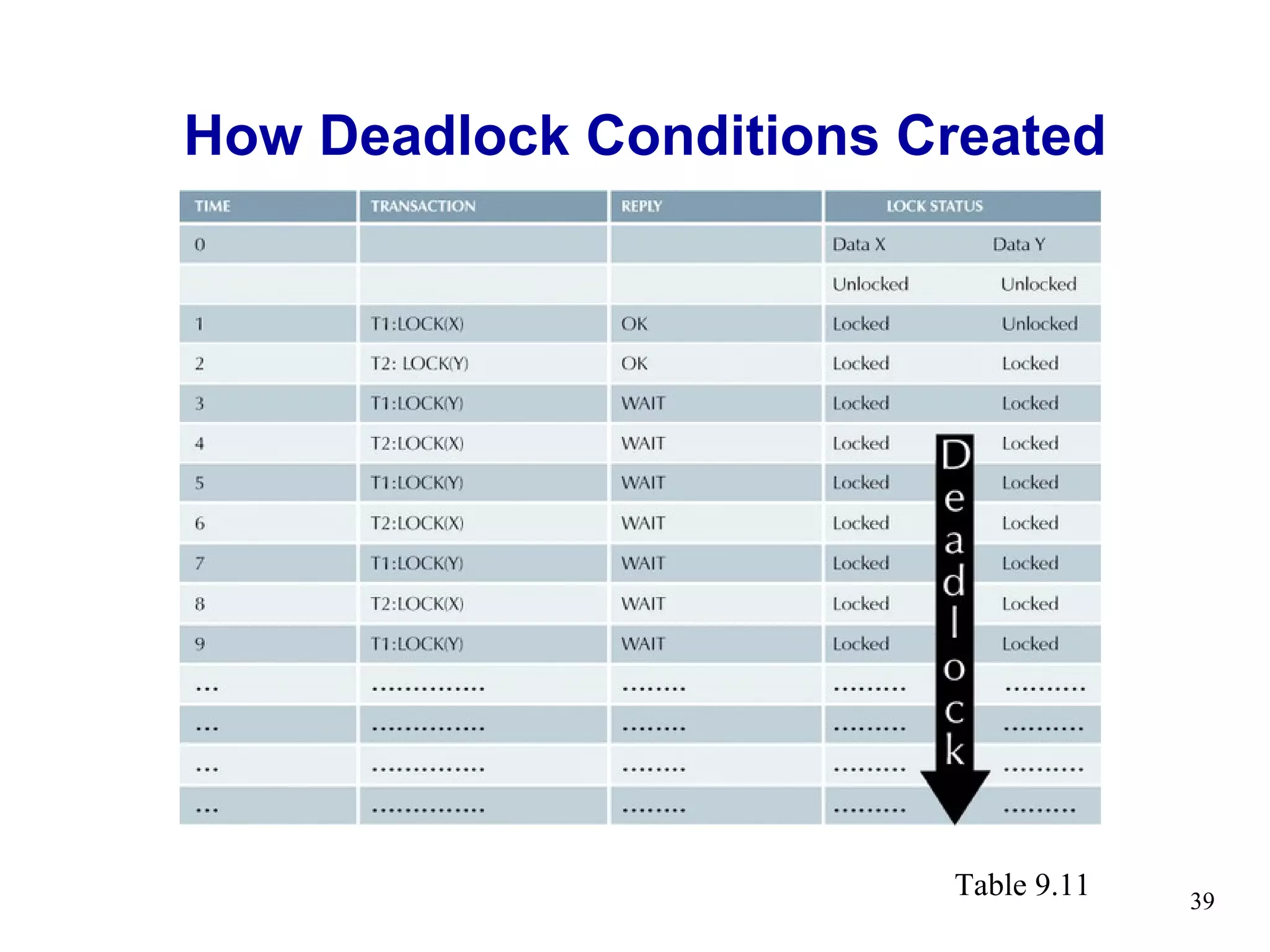
Deadlocks
• Occurs when two transactions
  wait for each other to unlock data
• Called deadly embrace
• Control techniques
   – Deadlock prevention
   – Deadlock detection
   – Deadlock avoidance


                                       38
How Deadlock Conditions Created


                         Table 9.11   39
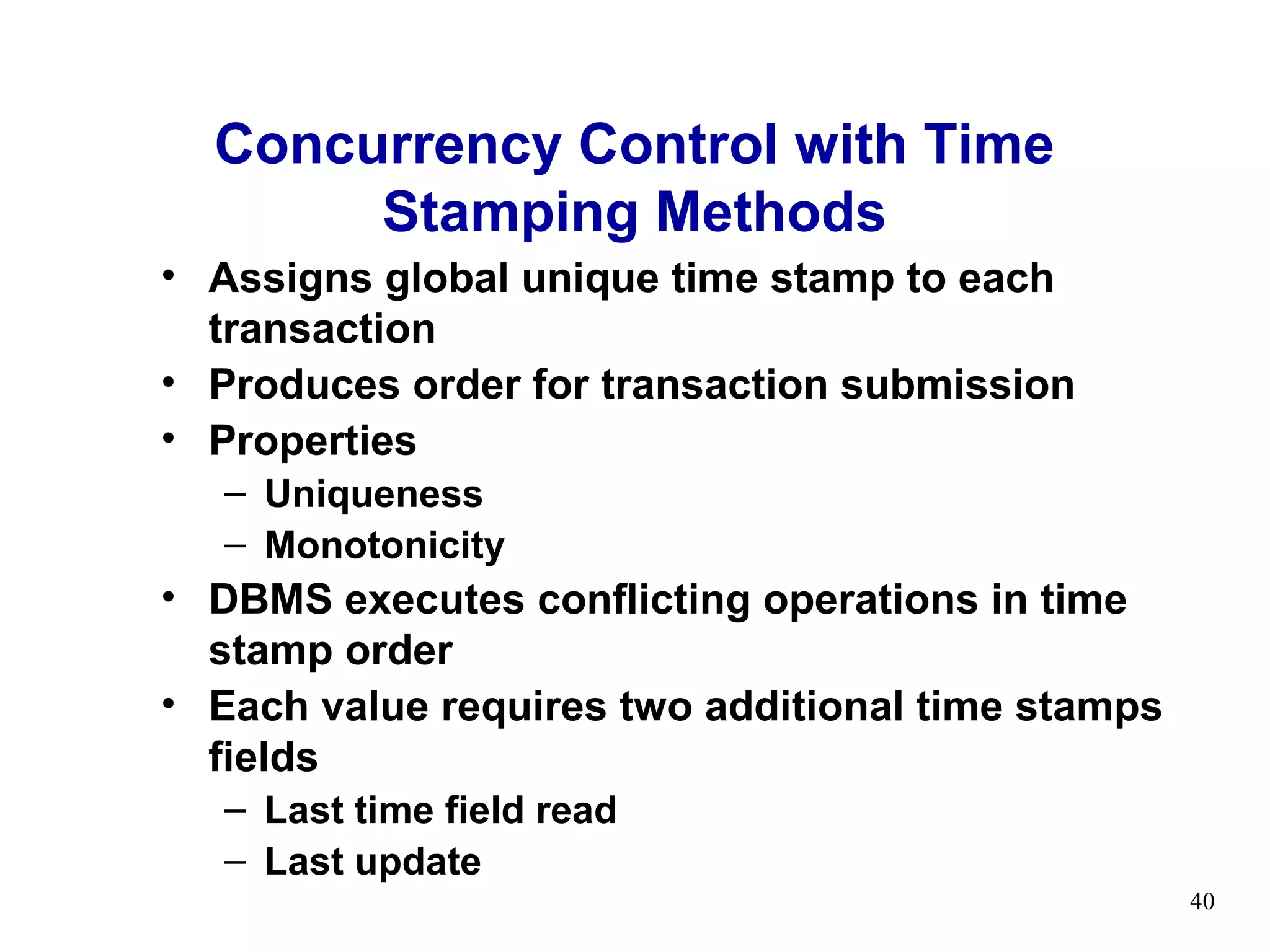
Concurrency Control with Time
       Stamping Methods
• Assigns global unique time stamp to each
  transaction
• Produces order for transaction submission
• Properties
   – Uniqueness
   – Monotonicity
• DBMS executes conflicting operations in time
  stamp order
• Each value requires two additional time stamps
  fields
   – Last time field read
   – Last update
                                                   40
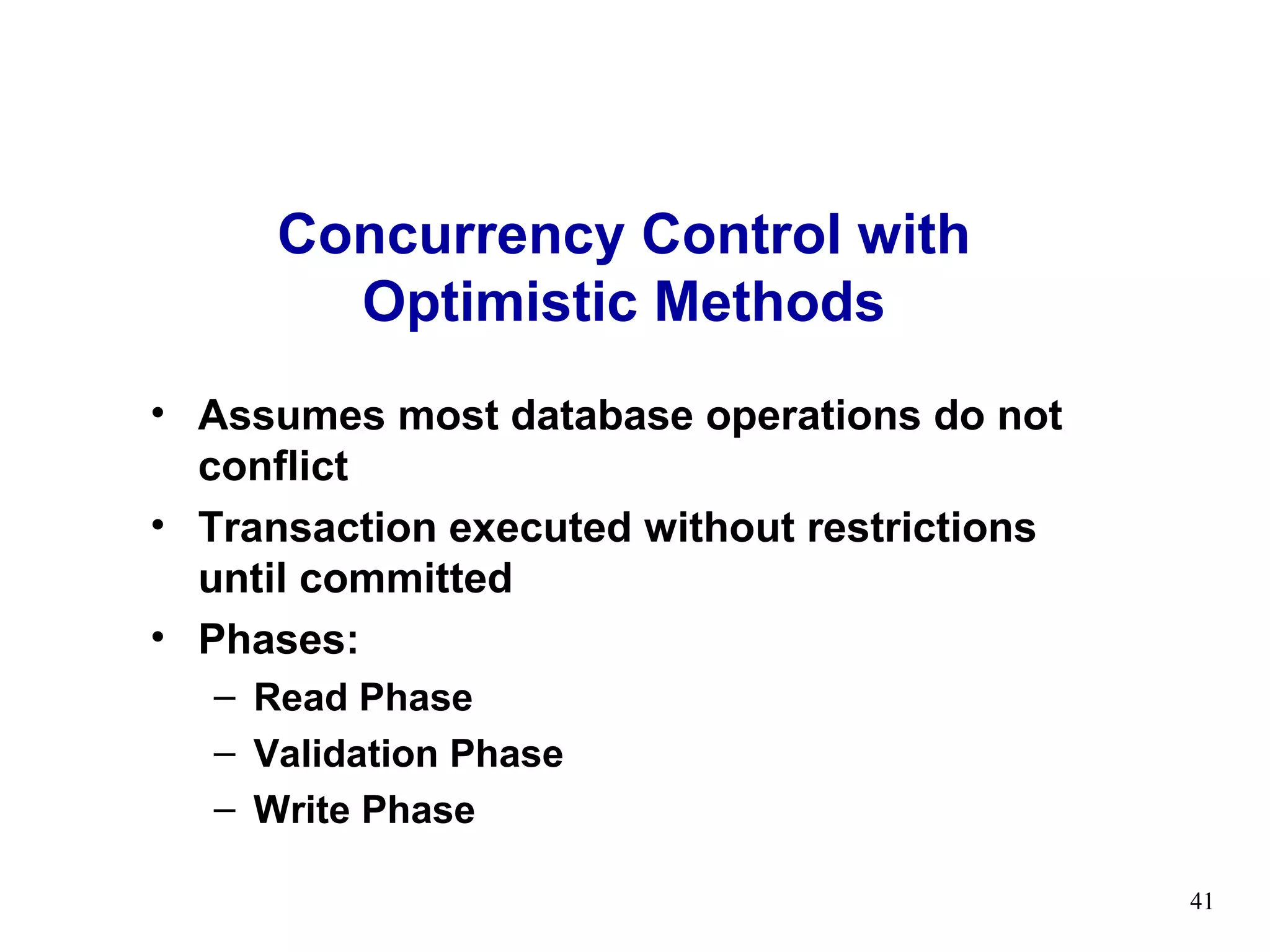
Concurrency Control with
       Optimistic Methods
• Assumes most database operations do not
  conflict
• Transaction executed without restrictions
  until committed
• Phases:
  – Read Phase
  – Validation Phase
  – Write Phase

                                              41
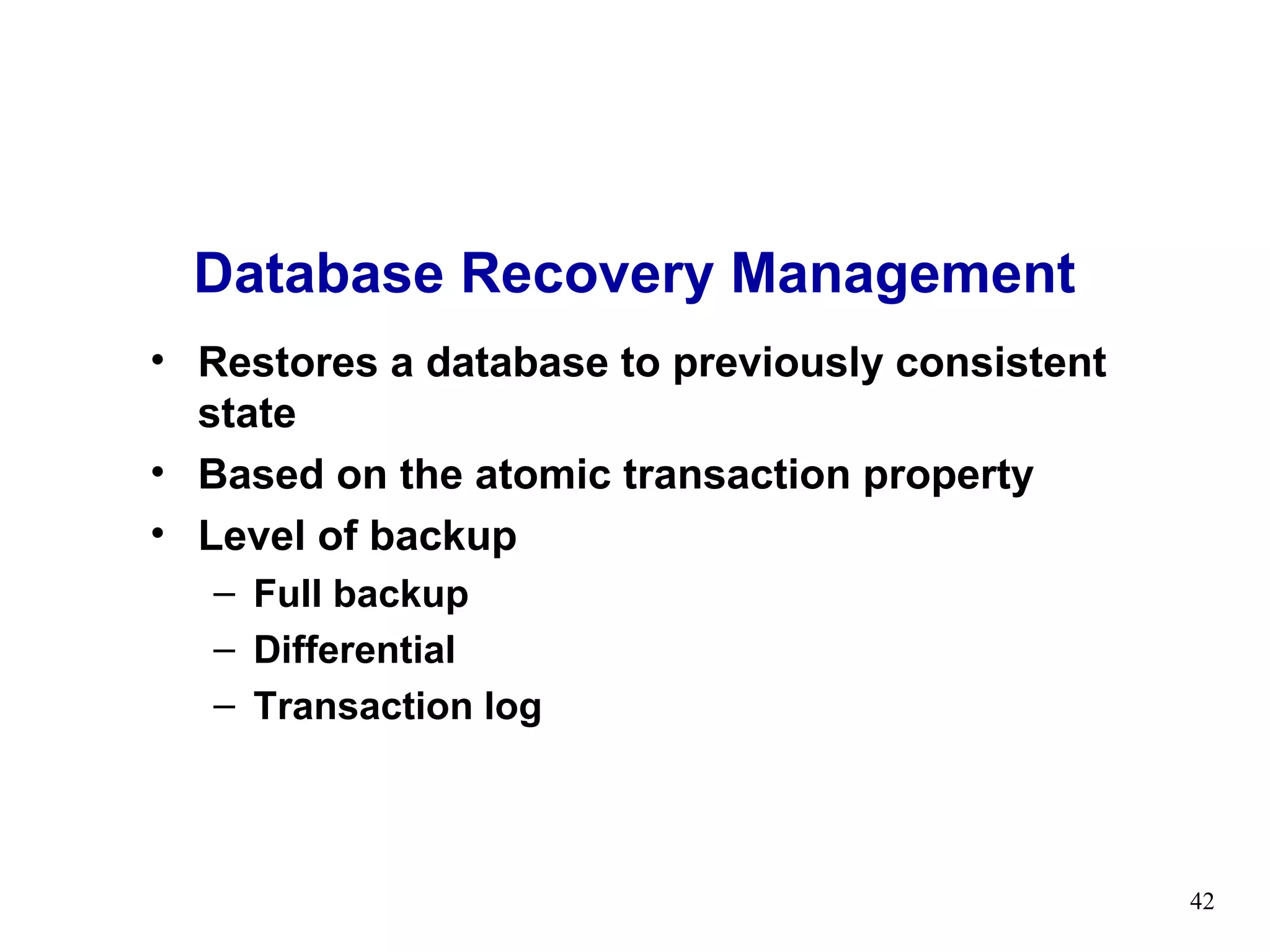
Database Recovery Management
• Restores a database to previously consistent
  state
• Based on the atomic transaction property
• Level of backup
   – Full backup
   – Differential
   – Transaction log


                                                 42
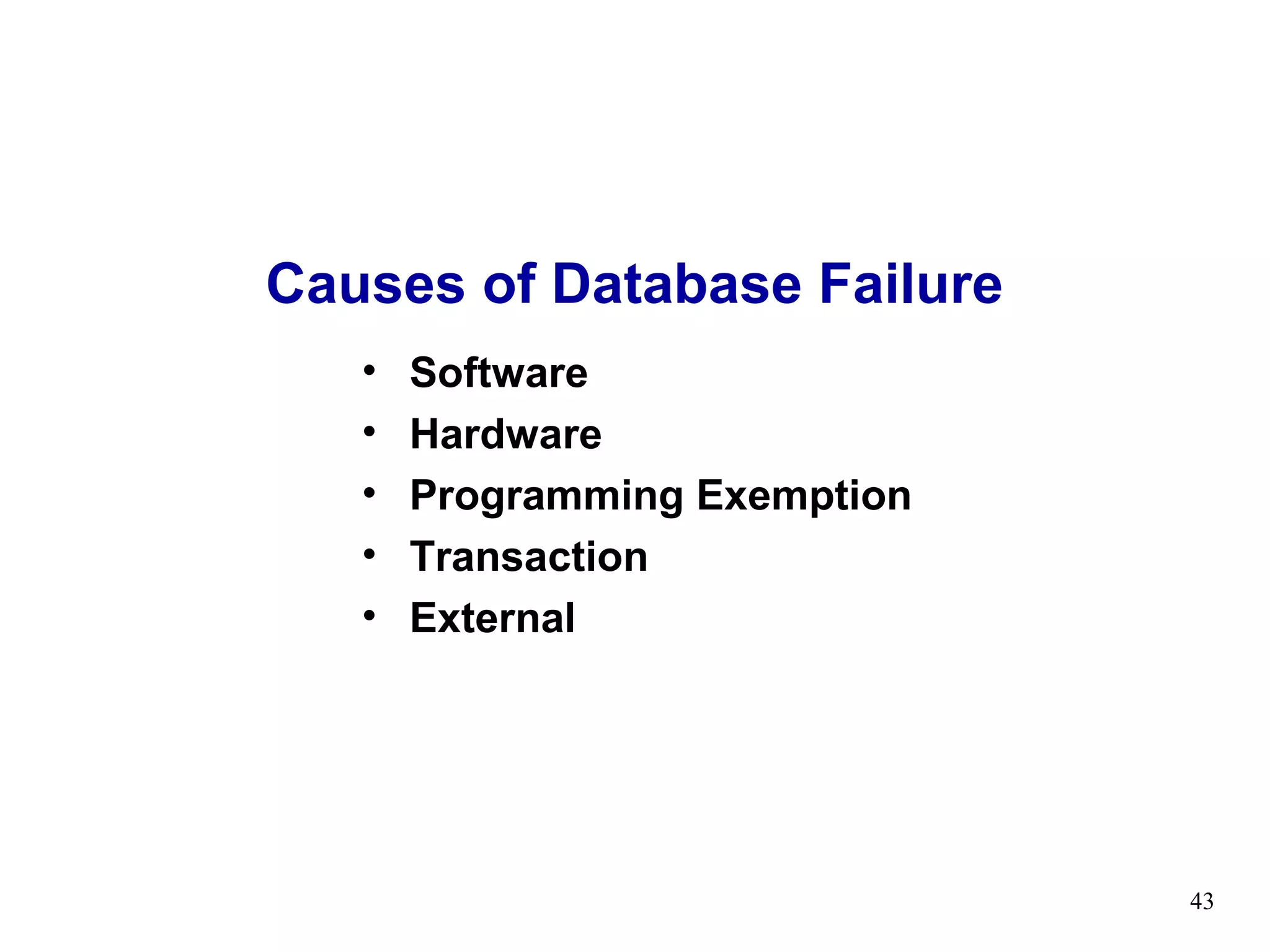
Causes of Database Failure
   •   Software
   •   Hardware
   •   Programming Exemption
   •   Transaction
   •   External


                               43
Transaction Recovery
• Deferred-write and Deferred-update
   – Changes are written to the transaction log
   – Database updated after transaction reaches
     commit point
• Write-through
   –   Immediately updated by during execution
   –   Before the transaction reaches its commit point
   –   Transaction log also updated
   –   Transaction fails, database uses log information
       to ROLLBACK

                                                          44

Transaction concurrency control

  • 1.
    Transaction Management and Concurrency Control
  • 2.
    What is aTransaction? • Logical unit of work • Must be either entirely completed or aborted • No intermediate states are acceptable Figure 9.1 2
  • 3.
    Example Transaction • Examine current account balance SELECT ACC_NUM, ACC_BALANCE FROM CHECKACC WHERE ACC_NUM = ‘0908110638’; • Consistent state after transaction • No changes made to Database 3
  • 4.
    Example Transaction • Registercredit sale of 100 units of product X to customer Y for $500 UPDATE PRODUCT SET PROD_QOH = PROD_QOH - 100 WHERE PROD_CODE = ‘X’; UPDATE ACCT_RECEIVABLE SET ACCT_BALANCE = ACCT_BALANCE + 500 WHERE ACCT_NUM = ‘Y’; • Consistent state only if both transactions are fully completed • DBMS doesn’t guarantee transaction represents real-world event 4
  • 5.
    Transaction Properties (ACID) •Atomicity – All transaction operations must be completed – Incomplete transactions aborted • Durability – Permanence of consistent database state • Consistency / Serializability – Conducts transactions in serial order – Important in multi-user and distributed databases • Isolation – Transaction data cannot be reused until its execution complete 5
  • 6.
    Example of FundTransfer • Transaction to transfer $50 from account A to account B: 1. read(A) 2. A := A – 50 3. write(A) 4. read(B) 5. B := B + 50 6. write(B) 6
  • 7.
    Example of FundTransfer • Consistency requirement – the sum of A and B is unchanged by the execution of the transaction. • Atomicity requirement — if the transaction fails after step 3 and before step 6, the system should ensure that its updates are not reflected in the database, else an inconsistency will result. 7
  • 8.
    Example of FundTransfer • Durability requirement — once the user has been notified that the transaction has completed (i.e., the transfer of the $50 has taken place), the updates to the database by the transaction must persist despite failures. 8
  • 9.
    Example of FundTransfer • Isolation requirement — if between steps 3 and 6, another transaction is allowed to access the partially updated database, it will see an inconsistent database (the sum A + B will be less than it should be). Can be ensured by running transactions serially, that is one after the other. 9
  • 10.
    Transaction state • Active – the initial state; the transaction stays in this state while it is executing • Partially committed – after the final statement has been executed. • Failed – after the discovery that normal execution can no longer proceed. 10
  • 11.
    Transaction state • Aborted – after the transaction has been rolled back and the database restored to its state prior to the start of the transaction. Two options after it has been aborted: • restart the transaction – only if no internal logical error • kill the transaction • Committed, after successful completion. 11
  • 12.
    DBMS Transaction Subsystem Transaction Scheduler/ Database Lock Manager Manager Manager Buffer Recovery Manager Manager Access File Manager Manager Systems Database Manager and system catalog 12
  • 13.
    DBMS Transaction Subsystem •Trans. Mgr. – coordinates transactions on behalf of application program. It communicates with scheduler. • Scheduler – implements a strategy for concurrency control. • Recovery manager – If any failure occurs, recovery manager handles it. • Buffer manager – in charge of transferring data between disk storage and main memory. 13
  • 14.
    DBMS Transaction Subsystem •File manager – manipulates the underlying storage files and manages the allocation of storage space on disk. • Access manager – File manager does not directly manage the physical input and output of data, rather it passes the requests on to the access manager. • System manager – Appropriate access method is used to either read or write data into the system manager. 14
  • 15.
    Transaction Management withSQL • Transaction support – COMMIT – ROLLBACK • User initiated transaction sequence must continue until: – COMMIT statement is reached – ROLLBACK statement is reached – End of a program reached – Program reaches abnormal termination 15
  • 16.
    Transaction Log • Tracks all transactions that update database • May be used by ROLLBACK command • May be used to recover from system failure • Log stores – Record for beginning of transaction – Each SQL statement • Operation • Names of objects • Before and after values for updated fields • Pointers to previous and next entries – Commit Statement 16
  • 17.
  • 18.
    Concurrency Control • Coordinatessimultaneous transaction execution in multiprocessing database – Ensure serializability of transactions in multiuser database environment – Potential problems in multiuser environments • Lost updates • Uncommitted data • Inconsistent retrievals 18
  • 19.
    Lost Updates Table 9.2 Table 9.3 19
  • 20.
    Uncommitted Data Table 9.4 Table 9.5 20
  • 21.
    Inconsistent Retrievals Table 9.6 Table 9.7 21
  • 22.
  • 23.
    The Scheduler • Establishesorder of concurrent transaction execution • Interleaves execution of database operations to ensure serializability • Bases actions on concurrency control algorithms – Locking – Time stamping • Ensures efficient use of computer’s CPU 23
  • 24.
    Read/Write Conflict Scenarios: ConflictingDatabase Operations Matrix Table 9.9 24
  • 25.
    Concurrency Control with Locking Methods • Lock guarantees current transaction exclusive use of data item • Acquires lock prior to access • Lock released when transaction is completed • DBMS automatically initiates and enforces locking procedures • Managed by lock manager • Lock granularity indicates level of lock use 25
  • 26.
  • 27.
  • 28.
  • 29.
  • 30.
    Field Level Lock •Access same row as long as they require different fields (attributes) within that row 30
  • 31.
    Lock Types • BinaryLocks • Shared/Exclusive Locks 31
  • 32.
    Binary Locks • Twostates – Locked (1) – Unlocked (0) • Locked objects unavailable to other objects – Unlocked objects open to any transaction – Transaction unlocks object when complete 32
  • 33.
    Example of BinaryLock Table Table 9.10 33
  • 34.
    Shared/Exclusive Locks • Shared – Exists when concurrent transactions granted READ access – Produces no conflict for read-only transactions – Issued when transaction wants to read and exclusive lock not held on item • Exclusive – Exists when access reserved for locking transaction – Used when potential for conflict exists – Issued when transaction wants to update unlocked data 34
  • 35.
    Problems with Locking •Transaction schedule may not be serializable – Managed through two-phase locking • Schedule may create deadlocks – Managed by using deadlock detection and prevention techniques 35
  • 36.
    Two-Phase Locking • Growingphase • Shrinking phase • Governing rules – Two transactions cannot have conflicting locks – No unlock operation can precede a lock operation in the same transaction – No data are affected until all locks are obtained 36
  • 37.
  • 38.
    Deadlocks • Occurs whentwo transactions wait for each other to unlock data • Called deadly embrace • Control techniques – Deadlock prevention – Deadlock detection – Deadlock avoidance 38
  • 39.
    How Deadlock ConditionsCreated Table 9.11 39
  • 40.
    Concurrency Control withTime Stamping Methods • Assigns global unique time stamp to each transaction • Produces order for transaction submission • Properties – Uniqueness – Monotonicity • DBMS executes conflicting operations in time stamp order • Each value requires two additional time stamps fields – Last time field read – Last update 40
  • 41.
    Concurrency Control with Optimistic Methods • Assumes most database operations do not conflict • Transaction executed without restrictions until committed • Phases: – Read Phase – Validation Phase – Write Phase 41
  • 42.
    Database Recovery Management •Restores a database to previously consistent state • Based on the atomic transaction property • Level of backup – Full backup – Differential – Transaction log 42
  • 43.
    Causes of DatabaseFailure • Software • Hardware • Programming Exemption • Transaction • External 43
  • 44.
    Transaction Recovery • Deferred-writeand Deferred-update – Changes are written to the transaction log – Database updated after transaction reaches commit point • Write-through – Immediately updated by during execution – Before the transaction reaches its commit point – Transaction log also updated – Transaction fails, database uses log information to ROLLBACK 44

Editor's Notes