
Top Challenges Facing Your Business
Nicholas Davis, CISSP, CISA, CRISC
September 26, 2019
2
Introduction
• Everyone is concerned about information security related incidents
• The number of issues is overwhelming
• Tonight’s session will deliver actionable items
• First, we will look at cybersecurity concerns from a high level
• Second, we will look at ground level concerns
• Third, and most importantly, we will examine common, overlooked threats
High Level
• Concepts
• Organizational-wide initiatives
3
4
Types of Risks
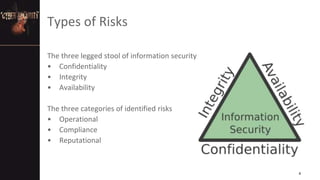
The three legged stool of information security
• Confidentiality
• Integrity
• Availability
The three categories of identified risks
• Operational
• Compliance
• Reputational
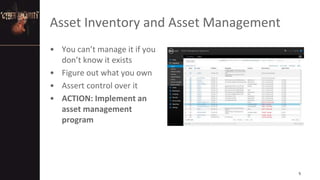
Asset Inventory and Asset Management
• You can’t manage it if you
don’t know it exists
• Figure out what you own
• Assert control over it
• ACTION: Implement an
asset management
program
5
Failure to Cover the Basics of Patching
• The common vulnerabilities and exploits used by attackers in the
past year reveal that fundamental cybersecurity measures are
lacking.
• Cyber criminals use less than a dozen vulnerabilities to hack into
organizations and their systems, because they don’t need more.
• This isn’t about making sure that all your windows are closed, but
rather, about making sure the front door isn’t open
• ACTION: Implement a patch management program
6
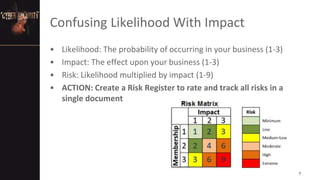
Confusing Likelihood With Impact
• Likelihood: The probability of occurring in your business (1-3)
• Impact: The effect upon your business (1-3)
• Risk: Likelihood multiplied by impact (1-9)
• ACTION: Create a Risk Register to rate and track all risks in a
single document
7
Lack of Information Security Policies
• Identify risks related to cybersecurity
• Establish cybersecurity governance, risk
and compliance structure
• Develop policies, procedures, and
oversight processes to address identified
risks and governance, risk and
compliance
• ACTION: Use NIST 800-53 control
families as a policy development guide
8
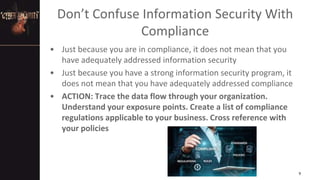
Don’t Confuse Information Security With
Compliance
• Just because you are in compliance, it does not mean that you
have adequately addressed information security
• Just because you have a strong information security program, it
does not mean that you have adequately addressed compliance
• ACTION: Trace the data flow through your organization.
Understand your exposure points. Create a list of compliance
regulations applicable to your business. Cross reference with
your policies
9
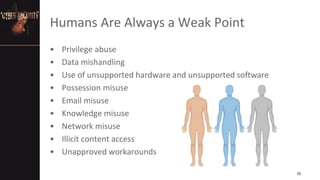
Humans Are Always a Weak Point
• Privilege abuse
• Data mishandling
• Use of unsupported hardware and unsupported software
• Possession misuse
• Email misuse
• Knowledge misuse
• Network misuse
• Illicit content access
• Unapproved workarounds
10
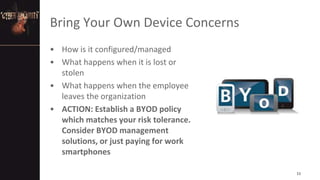
Bring Your Own Device Concerns
• How is it configured/managed
• What happens when it is lost or
stolen
• What happens when the employee
leaves the organization
• ACTION: Establish a BYOD policy
which matches your risk tolerance.
Consider BYOD management
solutions, or just paying for work
smartphones
11
Funding, Talent and Time
• The challenges are immense
• You can’t do everything
• The model is changing
• ACTION: Figure out what you can cloudsource, and/or automate
12
Training and Awareness
• An ounce of prevention is worth a
pound of cure
• Necessary to demonstrate
compliance
• Needs to be continuous, a year
round effort
• Lowers stress in the workplace
• Inexpensive and actually works
• ACTION: Formalize your information
security training and awareness
program
13
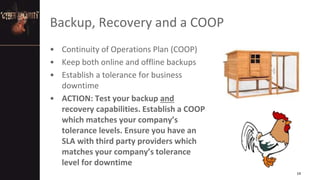
Backup, Recovery and a COOP
• Continuity of Operations Plan (COOP)
• Keep both online and offline backups
• Establish a tolerance for business
downtime
• ACTION: Test your backup and
recovery capabilities. Establish a COOP
which matches your company’s
tolerance levels. Ensure you have an
SLA with third party providers which
matches your company’s tolerance
level for downtime
14
There is No Network Border
• Your firewall can’t save
you….This isn’t 1998
• Protect your data
everywhere, via technical,
physical and administrative
means
• ACTION: Implement
technologies and processes
which work in a borderless
environment…Encrypt,
encrypt, encrypt
15
Ground Level
• Technical threats
16
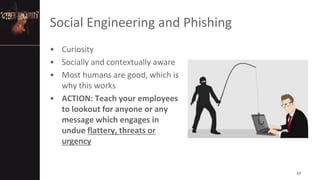
Social Engineering and Phishing
• Curiosity
• Socially and contextually aware
• Most humans are good, which is
why this works
• ACTION: Teach your employees
to lookout for anyone or any
message which engages in
undue flattery, threats or
urgency
17
Cloud Security
• The majority of malware attacks
originate from Amazon, Microsoft and
Google cloud services
• Why do you think this is?
• ACTION: Verify cloud service
configurations, don’t trust cloud
services by default, review CSPs SOC II
reports, statements of compliance,
assessments and audits. Ask them to
identify reportable security incidents in
the past 5 years
18
Shadow IT Systems
• “Who knows what evil lurks in the hearts of men…Only the
Shadow knows”
• It is everywhere, creating complexity, inconsistency and exposure
• ACTION: Interview employees, seek out shadow systems,
integrate their features into core systems and then eliminate
the Shadow!
19
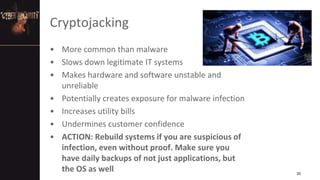
Cryptojacking
• More common than malware
• Slows down legitimate IT systems
• Makes hardware and software unstable and
unreliable
• Potentially creates exposure for malware infection
• Increases utility bills
• Undermines customer confidence
• ACTION: Rebuild systems if you are suspicious of
infection, even without proof. Make sure you
have daily backups of not just applications, but
the OS as well 20
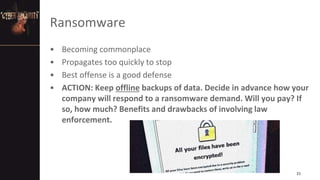
Ransomware
• Becoming commonplace
• Propagates too quickly to stop
• Best offense is a good defense
• ACTION: Keep offline backups of data. Decide in advance how your
company will respond to a ransomware demand. Will you pay? If
so, how much? Benefits and drawbacks of involving law
enforcement.
21
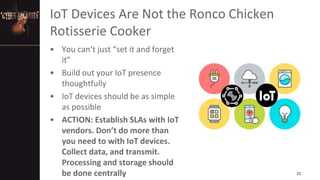
IoT Devices Are Not the Ronco Chicken
Rotisserie Cooker
• You can’t just “set it and forget
it”
• Build out your IoT presence
thoughtfully
• IoT devices should be as simple
as possible
• ACTION: Establish SLAs with IoT
vendors. Don’t do more than
you need to with IoT devices.
Collect data, and transmit.
Processing and storage should
be done centrally 22
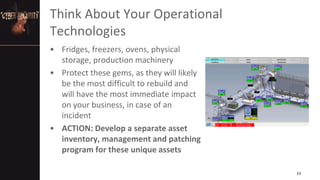
Think About Your Operational
Technologies
• Fridges, freezers, ovens, physical
storage, production machinery
• Protect these gems, as they will likely
be the most difficult to rebuild and
will have the most immediate impact
on your business, in case of an
incident
• ACTION: Develop a separate asset
inventory, management and patching
program for these unique assets
23
Overlooked Threats
• Seriously, it can’t be that easy, can it?
24
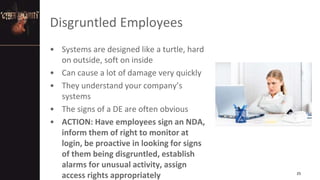
Disgruntled Employees
• Systems are designed like a turtle, hard
on outside, soft on inside
• Can cause a lot of damage very quickly
• They understand your company’s
systems
• The signs of a DE are often obvious
• ACTION: Have employees sign an NDA,
inform them of right to monitor at
login, be proactive in looking for signs
of them being disgruntled, establish
alarms for unusual activity, assign
access rights appropriately 25
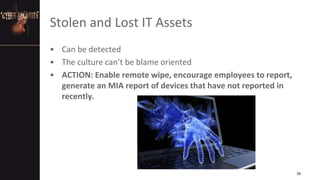
Stolen and Lost IT Assets
• Can be detected
• The culture can’t be blame oriented
• ACTION: Enable remote wipe, encourage employees to report,
generate an MIA report of devices that have not reported in
recently.
26
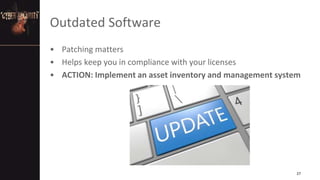
Outdated Software
• Patching matters
• Helps keep you in compliance with your licenses
• ACTION: Implement an asset inventory and management system
27
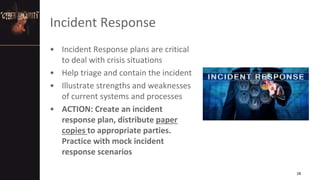
Incident Response
• Incident Response plans are critical
to deal with crisis situations
• Help triage and contain the incident
• Illustrate strengths and weaknesses
of current systems and processes
• ACTION: Create an incident
response plan, distribute paper
copies to appropriate parties.
Practice with mock incident
response scenarios
28
Anticipate Human Error
• People will forget to logout
• People will share passwords
• People will accidently delete entire
database tables
• Action: Implement “defense in
depth”, which means multiple
controls, in case your primary
control does not work. Examples
include, short inactivity timeouts to
lock screens and frequent password
reset, every 30 days
29
Physical Security Matters
• Keep important assets, both physical
and informational, secured
• Shredding is always better than
throwing away
• “Familiarity breeds contempt”
• Deterrence can be a more powerful
tool than detection and/or response
• ACTION: Create and enforce physical
security standards and protocols.
“Out of sight is out of mind”
30
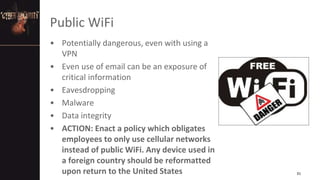
Public WiFi
• Potentially dangerous, even with using a
VPN
• Even use of email can be an exposure of
critical information
• Eavesdropping
• Malware
• Data integrity
• ACTION: Enact a policy which obligates
employees to only use cellular networks
instead of public WiFi. Any device used in
a foreign country should be reformatted
upon return to the United States 31
We Covered a Lot of Ground This Evening
• Questions
• Comments
Contact me if you would like to talk more
Nicholas Davis, CISSP, CISA, CRISC
nicholas@nicholasdavis.net
Telephone: 608 347 2486
32

Top Cybersecurity Challenges Facing Your Business

  • 1.
    Top Challenges FacingYour Business Nicholas Davis, CISSP, CISA, CRISC September 26, 2019
  • 2.
    2 Introduction • Everyone isconcerned about information security related incidents • The number of issues is overwhelming • Tonight’s session will deliver actionable items • First, we will look at cybersecurity concerns from a high level • Second, we will look at ground level concerns • Third, and most importantly, we will examine common, overlooked threats
  • 3.
    High Level • Concepts •Organizational-wide initiatives 3
  • 4.
    4 Types of Risks Thethree legged stool of information security • Confidentiality • Integrity • Availability The three categories of identified risks • Operational • Compliance • Reputational
  • 5.
    Asset Inventory andAsset Management • You can’t manage it if you don’t know it exists • Figure out what you own • Assert control over it • ACTION: Implement an asset management program 5
  • 6.
    Failure to Coverthe Basics of Patching • The common vulnerabilities and exploits used by attackers in the past year reveal that fundamental cybersecurity measures are lacking. • Cyber criminals use less than a dozen vulnerabilities to hack into organizations and their systems, because they don’t need more. • This isn’t about making sure that all your windows are closed, but rather, about making sure the front door isn’t open • ACTION: Implement a patch management program 6
  • 7.
    Confusing Likelihood WithImpact • Likelihood: The probability of occurring in your business (1-3) • Impact: The effect upon your business (1-3) • Risk: Likelihood multiplied by impact (1-9) • ACTION: Create a Risk Register to rate and track all risks in a single document 7
  • 8.
    Lack of InformationSecurity Policies • Identify risks related to cybersecurity • Establish cybersecurity governance, risk and compliance structure • Develop policies, procedures, and oversight processes to address identified risks and governance, risk and compliance • ACTION: Use NIST 800-53 control families as a policy development guide 8
  • 9.
    Don’t Confuse InformationSecurity With Compliance • Just because you are in compliance, it does not mean that you have adequately addressed information security • Just because you have a strong information security program, it does not mean that you have adequately addressed compliance • ACTION: Trace the data flow through your organization. Understand your exposure points. Create a list of compliance regulations applicable to your business. Cross reference with your policies 9
  • 10.
    Humans Are Alwaysa Weak Point • Privilege abuse • Data mishandling • Use of unsupported hardware and unsupported software • Possession misuse • Email misuse • Knowledge misuse • Network misuse • Illicit content access • Unapproved workarounds 10
  • 11.
    Bring Your OwnDevice Concerns • How is it configured/managed • What happens when it is lost or stolen • What happens when the employee leaves the organization • ACTION: Establish a BYOD policy which matches your risk tolerance. Consider BYOD management solutions, or just paying for work smartphones 11
  • 12.
    Funding, Talent andTime • The challenges are immense • You can’t do everything • The model is changing • ACTION: Figure out what you can cloudsource, and/or automate 12
  • 13.
    Training and Awareness •An ounce of prevention is worth a pound of cure • Necessary to demonstrate compliance • Needs to be continuous, a year round effort • Lowers stress in the workplace • Inexpensive and actually works • ACTION: Formalize your information security training and awareness program 13
  • 14.
    Backup, Recovery anda COOP • Continuity of Operations Plan (COOP) • Keep both online and offline backups • Establish a tolerance for business downtime • ACTION: Test your backup and recovery capabilities. Establish a COOP which matches your company’s tolerance levels. Ensure you have an SLA with third party providers which matches your company’s tolerance level for downtime 14
  • 15.
    There is NoNetwork Border • Your firewall can’t save you….This isn’t 1998 • Protect your data everywhere, via technical, physical and administrative means • ACTION: Implement technologies and processes which work in a borderless environment…Encrypt, encrypt, encrypt 15
  • 16.
  • 17.
    Social Engineering andPhishing • Curiosity • Socially and contextually aware • Most humans are good, which is why this works • ACTION: Teach your employees to lookout for anyone or any message which engages in undue flattery, threats or urgency 17
  • 18.
    Cloud Security • Themajority of malware attacks originate from Amazon, Microsoft and Google cloud services • Why do you think this is? • ACTION: Verify cloud service configurations, don’t trust cloud services by default, review CSPs SOC II reports, statements of compliance, assessments and audits. Ask them to identify reportable security incidents in the past 5 years 18
  • 19.
    Shadow IT Systems •“Who knows what evil lurks in the hearts of men…Only the Shadow knows” • It is everywhere, creating complexity, inconsistency and exposure • ACTION: Interview employees, seek out shadow systems, integrate their features into core systems and then eliminate the Shadow! 19
  • 20.
    Cryptojacking • More commonthan malware • Slows down legitimate IT systems • Makes hardware and software unstable and unreliable • Potentially creates exposure for malware infection • Increases utility bills • Undermines customer confidence • ACTION: Rebuild systems if you are suspicious of infection, even without proof. Make sure you have daily backups of not just applications, but the OS as well 20
  • 21.
    Ransomware • Becoming commonplace •Propagates too quickly to stop • Best offense is a good defense • ACTION: Keep offline backups of data. Decide in advance how your company will respond to a ransomware demand. Will you pay? If so, how much? Benefits and drawbacks of involving law enforcement. 21
  • 22.
    IoT Devices AreNot the Ronco Chicken Rotisserie Cooker • You can’t just “set it and forget it” • Build out your IoT presence thoughtfully • IoT devices should be as simple as possible • ACTION: Establish SLAs with IoT vendors. Don’t do more than you need to with IoT devices. Collect data, and transmit. Processing and storage should be done centrally 22
  • 23.
    Think About YourOperational Technologies • Fridges, freezers, ovens, physical storage, production machinery • Protect these gems, as they will likely be the most difficult to rebuild and will have the most immediate impact on your business, in case of an incident • ACTION: Develop a separate asset inventory, management and patching program for these unique assets 23
  • 24.
    Overlooked Threats • Seriously,it can’t be that easy, can it? 24
  • 25.
    Disgruntled Employees • Systemsare designed like a turtle, hard on outside, soft on inside • Can cause a lot of damage very quickly • They understand your company’s systems • The signs of a DE are often obvious • ACTION: Have employees sign an NDA, inform them of right to monitor at login, be proactive in looking for signs of them being disgruntled, establish alarms for unusual activity, assign access rights appropriately 25
  • 26.
    Stolen and LostIT Assets • Can be detected • The culture can’t be blame oriented • ACTION: Enable remote wipe, encourage employees to report, generate an MIA report of devices that have not reported in recently. 26
  • 27.
    Outdated Software • Patchingmatters • Helps keep you in compliance with your licenses • ACTION: Implement an asset inventory and management system 27
  • 28.
    Incident Response • IncidentResponse plans are critical to deal with crisis situations • Help triage and contain the incident • Illustrate strengths and weaknesses of current systems and processes • ACTION: Create an incident response plan, distribute paper copies to appropriate parties. Practice with mock incident response scenarios 28
  • 29.
    Anticipate Human Error •People will forget to logout • People will share passwords • People will accidently delete entire database tables • Action: Implement “defense in depth”, which means multiple controls, in case your primary control does not work. Examples include, short inactivity timeouts to lock screens and frequent password reset, every 30 days 29
  • 30.
    Physical Security Matters •Keep important assets, both physical and informational, secured • Shredding is always better than throwing away • “Familiarity breeds contempt” • Deterrence can be a more powerful tool than detection and/or response • ACTION: Create and enforce physical security standards and protocols. “Out of sight is out of mind” 30
  • 31.
    Public WiFi • Potentiallydangerous, even with using a VPN • Even use of email can be an exposure of critical information • Eavesdropping • Malware • Data integrity • ACTION: Enact a policy which obligates employees to only use cellular networks instead of public WiFi. Any device used in a foreign country should be reformatted upon return to the United States 31
  • 32.
    We Covered aLot of Ground This Evening • Questions • Comments Contact me if you would like to talk more Nicholas Davis, CISSP, CISA, CRISC nicholas@nicholasdavis.net Telephone: 608 347 2486 32