
Titanium Mobile
 Build iPhone apps w/ Javascript
Who am I?
• Scott Motte / 25 / Perris, CA
• mid-level rubyist that prefers Merb
• spitfiresky.com
• twitter.com/spitfiresky
• github.com/scottmotte
• scott@spitfiresky.com
Install

•   Download iPhone SDK

•   Download Titanium Developer

•   Request Mobile access

•   send a nice email (friend http://Jeromegn.com
    received his invite within the hour)

                *http://www.appcelerator.com/products/download-titanium/download/
                  *http://www.appcelerator.com/products/request-titanium-mobile/
Setup

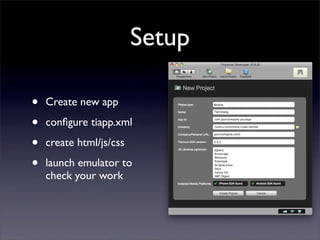
•   Create new app

•   configure tiapp.xml

•   create html/js/css

•   launch emulator to
    check your work
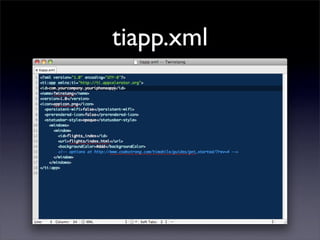
tiapp.xml
tiapp.xml

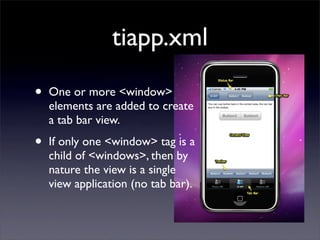
•   One or more <window>
    elements are added to create
    a tab bar view.

•   If only one <window> tag is a
    child of <windows>, then by
    nature the view is a single
    view application (no tab bar).
Layout
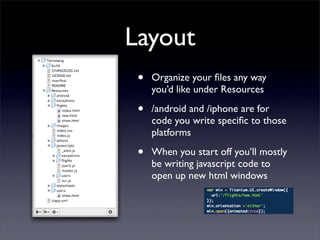
 •   Organize your files any way
     you’d like under Resources

 •   /android and /iphone are for
     code you write specific to those
     platforms

 •   When you start off you’ll mostly
     be writing javascript code to
     open up new html windows
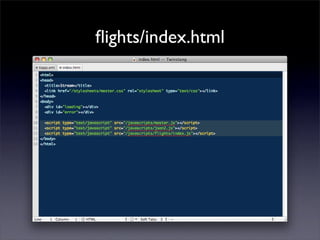
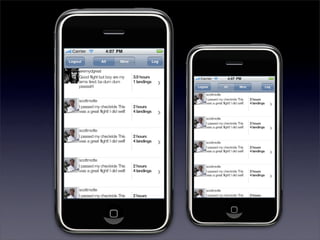
flights/index.html
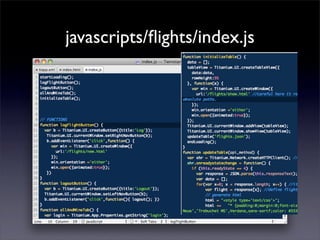
javascripts/flights/index.js
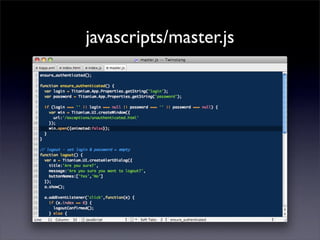
javascripts/master.js
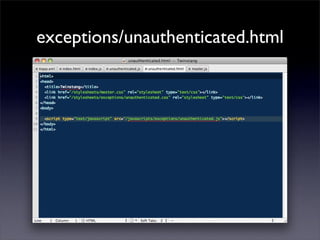
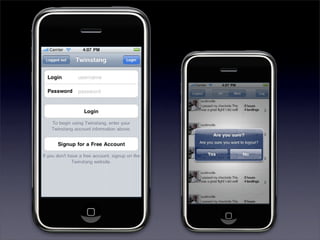
exceptions/unauthenticated.html
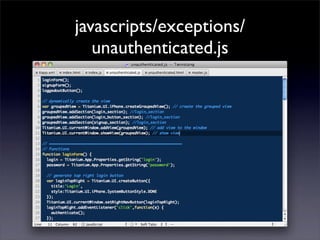
javascripts/exceptions/
   unauthenticated.js
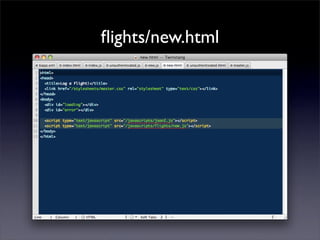
flights/new.html
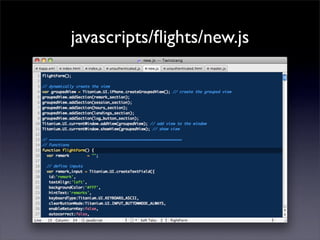
javascripts/flights/new.js
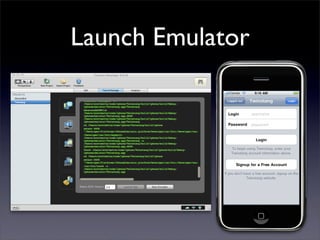
Launch Emulator
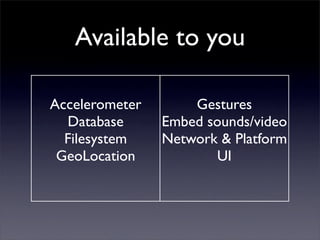
Available to you

Accelerometer       Gestures
  Database      Embed sounds/video
  Filesystem    Network & Platform
 GeoLocation           UI
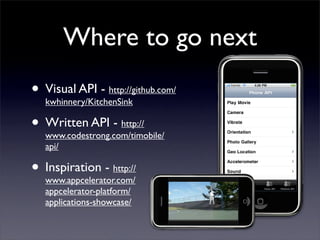
Where to go next
• Visual API - http://github.com/
  kwhinnery/KitchenSink

• Written API - http://
  www.codestrong.com/timobile/
   api/

• Inspiration - http://
  www.appcelerator.com/
   appcelerator-platform/
   applications-showcase/

Titanium Mobile

  • 1.
    Titanium Mobile BuildiPhone apps w/ Javascript
  • 2.
    Who am I? •Scott Motte / 25 / Perris, CA • mid-level rubyist that prefers Merb • spitfiresky.com • twitter.com/spitfiresky • github.com/scottmotte • scott@spitfiresky.com
  • 3.
    Install • Download iPhone SDK • Download Titanium Developer • Request Mobile access • send a nice email (friend http://Jeromegn.com received his invite within the hour) *http://www.appcelerator.com/products/download-titanium/download/ *http://www.appcelerator.com/products/request-titanium-mobile/
  • 4.
    Setup • Create new app • configure tiapp.xml • create html/js/css • launch emulator to check your work
  • 5.
  • 6.
    tiapp.xml • One or more <window> elements are added to create a tab bar view. • If only one <window> tag is a child of <windows>, then by nature the view is a single view application (no tab bar).
  • 7.
    Layout • Organize your files any way you’d like under Resources • /android and /iphone are for code you write specific to those platforms • When you start off you’ll mostly be writing javascript code to open up new html windows
  • 8.
  • 9.
  • 11.
  • 12.
  • 13.
    javascripts/exceptions/ unauthenticated.js
  • 15.
  • 16.
  • 18.
  • 19.
    Available to you Accelerometer Gestures Database Embed sounds/video Filesystem Network & Platform GeoLocation UI
  • 20.
    Where to gonext • Visual API - http://github.com/ kwhinnery/KitchenSink • Written API - http:// www.codestrong.com/timobile/ api/ • Inspiration - http:// www.appcelerator.com/ appcelerator-platform/ applications-showcase/