Dick Pepper
How to      dick.pepper@gmail.com

Build a      Emergent Design Group
Native    http://emergentdg.com/bcn11

iPhone
  App
 in 30
Minutes
or Less
Vocabulary
•   Native Apps vs Web Apps:
    The Difference
• Web Apps: HTML styled with CSS, no
     compiling, available on website
• Web apps mainly run online.
Vocabulary
•   Native Apps vs Web Apps:
    The Difference
• Native Apps: Objective C, compiled with
     special software, available in iTunes.
• Native apps can use device hardware
     (camera, gps, accelerometer) and
     software.
• Native apps can be built to run offline
Vocabulary
•   Hybrid Apps
• Use HTML5 styled with CSS3/Webkit
• Use JavaScript instead of Objective-C
     Can be submitted to app store
• Compiled within
     FRAMEWORK:NimbleKit, PhoneGap,
     Titanium
Vocabulary
•   Hybrid Apps
• Can use UI frameworks like Sencha,
     iWebkit, etc.
• SOME frameworks can tie in Objective-C
• IDEAL for presentation-focused apps,
     content-rich apps, HTML5.
• Supports ALL WebKit features
Let’s Build An App
• One of the most popular ways to make
  critical business and personal decisions.
• You need:
 • An Apple Developers Account, configured
 • Xcode with NimbleKit installed
 • Latest build of JQuery
 • A PNG of a Penny, both sides
 • Some other icons we’ll talk about later.
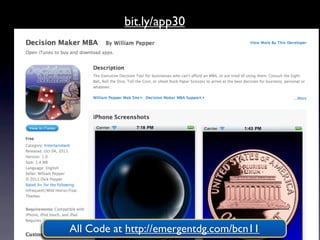
bit.ly/app30


All Code at http://emergentdg.com/bcn11
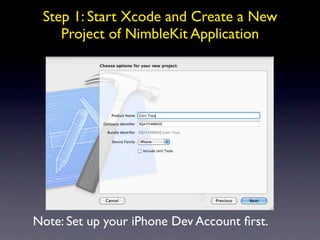
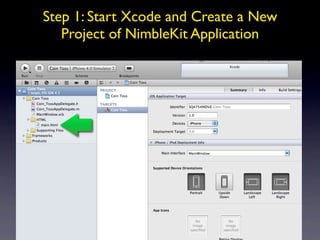
Step 1: Start Xcode and Create a New
    Project of NimbleKit Application


Note: Set up your iPhone Dev Account first.
Step 1: Start Xcode and Create a New
   Project of NimbleKit Application
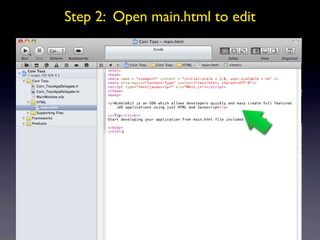
Step 2: Open main.html to edit
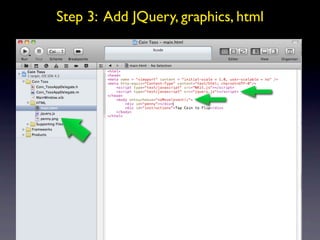
Step 3: Add JQuery, graphics, html
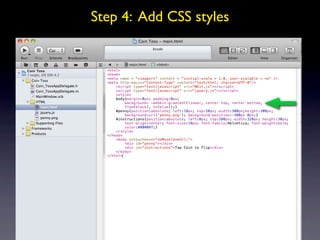
Step 4: Add CSS styles
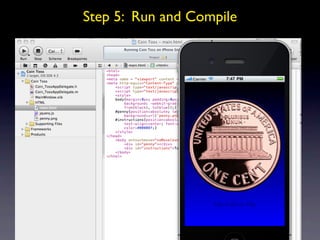
Step 5: Run and Compile
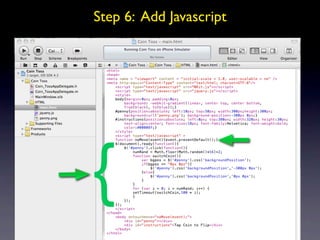
Step 6: Add Javascript


{
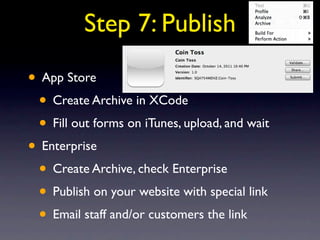
Step 7: Publish

• App Store
 • Create Archive in XCode
 • Fill out forms on iTunes, upload, and wait
• Enterprise
 • Create Archive, check Enterprise
 • Publish on your website with special link
 • Email staff and/or customers the link
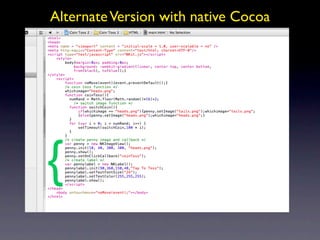
Alternate Version with native Cocoa


{
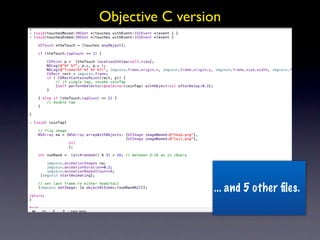
Objective C version


                 ... and 5 other files.
Questions?
Time Check?
Data and Apps
• Local or External?
• SQLite is built in.
• JQuery and Ajax help you transact from
  your app to your server.
• $.post('http://abc.com/test.html',
  function(data) {$('.result').html(data);});
• There are no cross-domain issues. It just
  works.

Test+video+upload

  • 1.
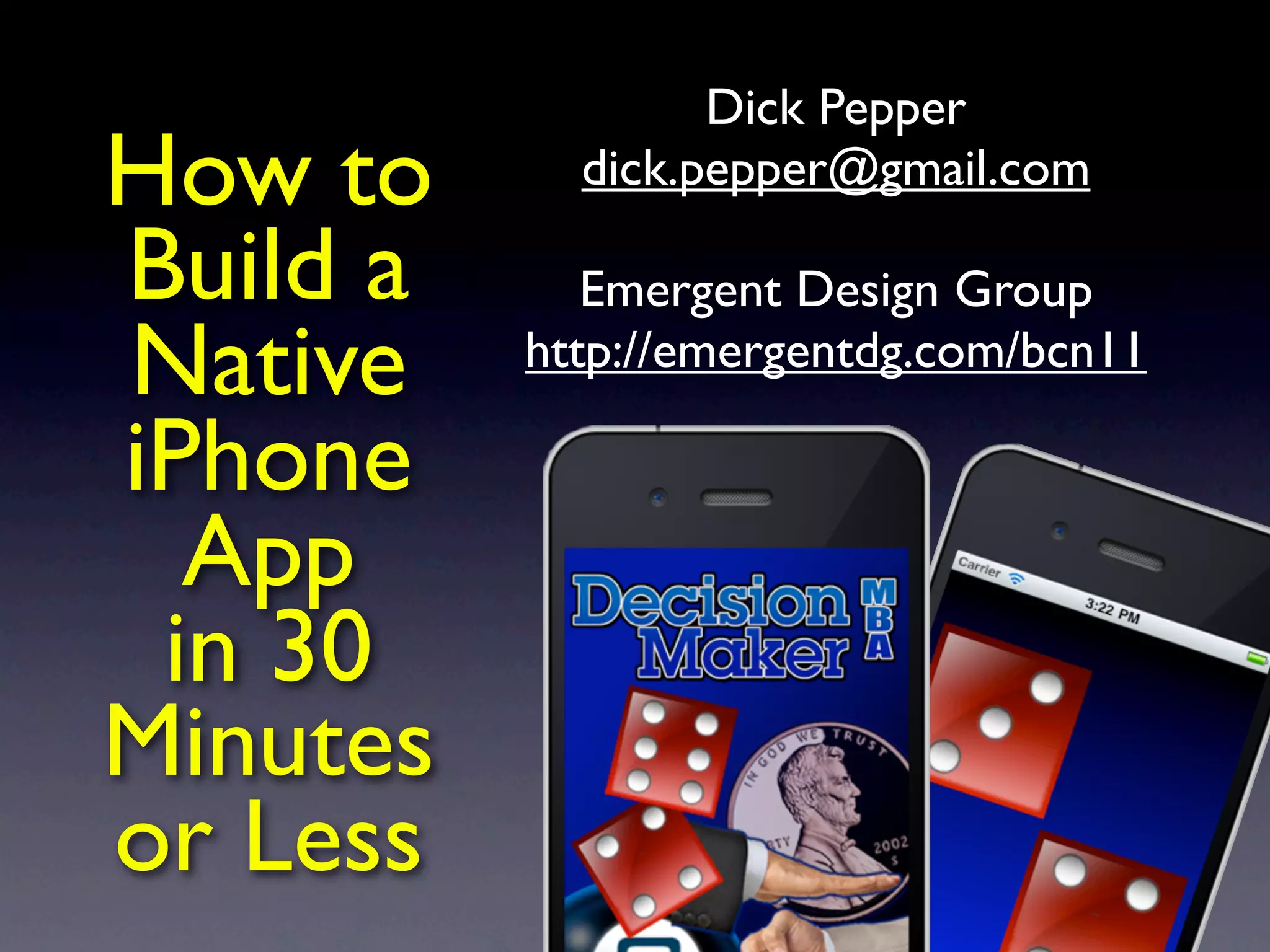
    Dick Pepper How to dick.pepper@gmail.com Build a Emergent Design Group Native http://emergentdg.com/bcn11 iPhone App in 30 Minutes or Less
  • 2.
    Vocabulary • Native Apps vs Web Apps: The Difference • Web Apps: HTML styled with CSS, no compiling, available on website • Web apps mainly run online.
  • 3.
    Vocabulary • Native Apps vs Web Apps: The Difference • Native Apps: Objective C, compiled with special software, available in iTunes. • Native apps can use device hardware (camera, gps, accelerometer) and software. • Native apps can be built to run offline
  • 4.
    Vocabulary • Hybrid Apps • Use HTML5 styled with CSS3/Webkit • Use JavaScript instead of Objective-C Can be submitted to app store • Compiled within FRAMEWORK:NimbleKit, PhoneGap, Titanium
  • 5.
    Vocabulary • Hybrid Apps • Can use UI frameworks like Sencha, iWebkit, etc. • SOME frameworks can tie in Objective-C • IDEAL for presentation-focused apps, content-rich apps, HTML5. • Supports ALL WebKit features
  • 6.
    Let’s Build AnApp • One of the most popular ways to make critical business and personal decisions. • You need: • An Apple Developers Account, configured • Xcode with NimbleKit installed • Latest build of JQuery • A PNG of a Penny, both sides • Some other icons we’ll talk about later.
  • 7.
    bit.ly/app30 All Code athttp://emergentdg.com/bcn11
  • 8.
    Step 1: StartXcode and Create a New Project of NimbleKit Application Note: Set up your iPhone Dev Account first.
  • 9.
    Step 1: StartXcode and Create a New Project of NimbleKit Application
  • 10.
    Step 2: Openmain.html to edit
  • 11.
    Step 3: AddJQuery, graphics, html
  • 12.
    Step 4: AddCSS styles
  • 13.
    Step 5: Runand Compile
  • 14.
    Step 6: AddJavascript {
  • 15.
    Step 7: Publish •App Store • Create Archive in XCode • Fill out forms on iTunes, upload, and wait • Enterprise • Create Archive, check Enterprise • Publish on your website with special link • Email staff and/or customers the link
  • 16.
    Alternate Version withnative Cocoa {
  • 17.
    Objective C version ... and 5 other files.
  • 18.
  • 19.
    Data and Apps •Local or External? • SQLite is built in. • JQuery and Ajax help you transact from your app to your server. • $.post('http://abc.com/test.html', function(data) {$('.result').html(data);}); • There are no cross-domain issues. It just works.

Editor's Notes

  • #2 \n
  • #3 \n
  • #4 In a recent report by Nielsen, smartphone penetration rate in US is predicted to reach over 50% reaching over 95 millions units in the 2011(Nielsen 2011). A smartphone, is defined here as a mobile phone “that offers more advanced computing ability and connectivity than a contemporary feature phone”(Nusca 2009)\n
  • #5 \n
  • #6 \n
  • #7 \n
  • #8 \n
  • #9 \n
  • #10 \n
  • #11 \n
  • #12 \n
  • #13 \n
  • #14 \n
  • #15 \n
  • #16 \n
  • #17 \n
  • #18 \n
  • #19 \n
  • #20 \n
  • #21 \n
  • #22 \n
  • #23 \n
  • #24 \n
  • #25 \n
  • #26 \n
  • #27 \n
  • #28 \n
  • #29 A open source peer to peer framework which allow for inter-connectivity between devices.\n
  • #30 \n
  • #31 \n
  • #32 \n
  • #33 According to the experimental measurements obtained from the transferring of multiple Image files of 350 - 380 kbytes, we observed that the throughput rate stabilizes at around 54Kbits/s for nodes that are more than 1 mores away from the original node.\n
  • #34 \n
  • #35 \n
  • #36 \n
  • #37 \n