Thinking That Clicks! Developing Habits of Mind with Technology Presented by Catherine Douthard 5 th  Grade Teacher Instructional Technology Specialist Cleveland Elementary School Fayette County Schools [email_address] Teacher-Created Lessons
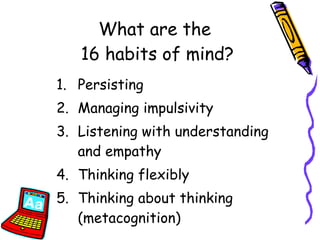
What are the  16 habits of mind? Persisting Managing impulsivity Listening with understanding and empathy Thinking flexibly Thinking about thinking (metacognition)
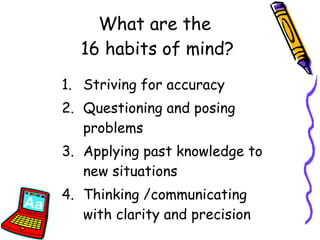
Striving for accuracy Questioning and posing problems Applying past knowledge to new situations Thinking /communicating with clarity and precision What are the  16 habits of mind?
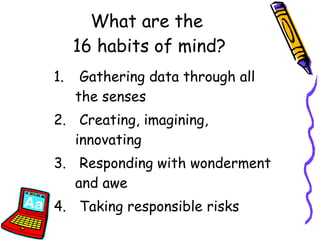
Gathering data through all the senses Creating, imagining, innovating Responding with wonderment and awe Taking responsible risks What are the  16 habits of mind?
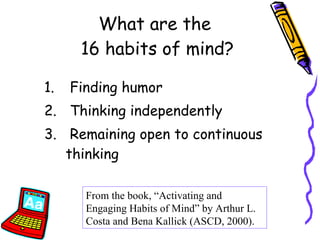
Finding humor Thinking independently Remaining open to continuous thinking What are the  16 habits of mind? From the book, “Activating and Engaging Habits of Mind” by Arthur L. Costa and Bena Kallick (ASCD, 2000).
“ Students must work in a rich, responsive environment if they are going to make the habits of mind their own.”  (Costa and Kallick, 2000)
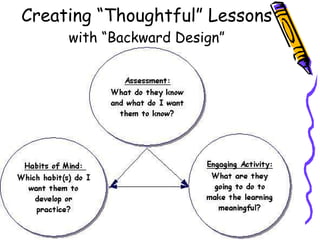
Creating “Thoughtful” Lessons with “Backward Design”
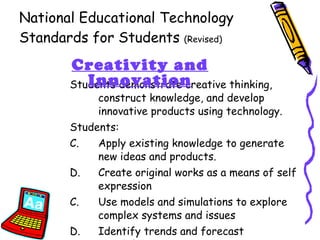
National Educational Technology Standards for Students  (Revised) Students demonstrate creative thinking, construct knowledge, and develop innovative products using technology. Students: Apply existing knowledge to generate new ideas and products. Create original works as a means of self expression C.  Use models and simulations to explore complex systems and issues D.  Identify trends and forecast possibilities Creativity and Innovation
National Educational Technology Standards for Students Assessment Benchmarks: Primary (K-2) “Everyone is Important”:  Grade 2 Benchmark Assessment Intermediate (3-5) “You Were There”:  Grade 5 Benchmark Assessment Source:  NETS*S Resources for Student Assesment  (ISTE, 2006)
How can you put it all together? Re-tool the lessons you have already created to be more “thoughtful”  Use lessons from free or inexpensive sources Take a simple software program and make it more engaging Use the technology hardware/software already located in your school
1. Use Computer Aided Instruction Examples: Student Response Systems  (SRS) Interactive Whiteboards/Tablets Mouse Mischief :   Free software by Microsoft Ipads
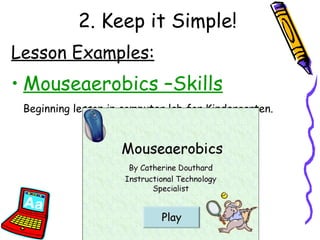
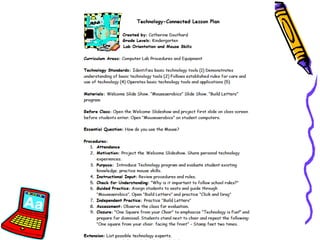
2. Keep it Simple! Lesson Examples: Mouseaerobics –Skills Beginning lesson in computer lab for Kindergarten.
 
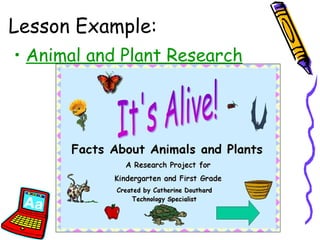
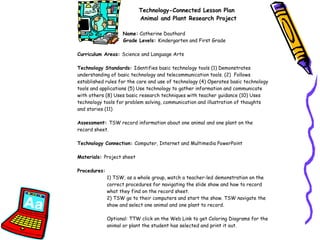
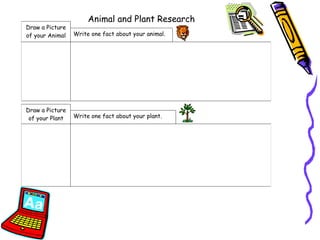
Lesson Example: Animal and Plant Research
 
 
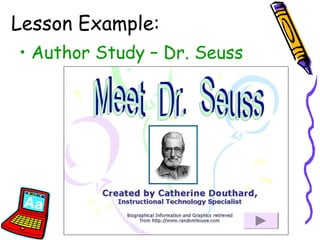
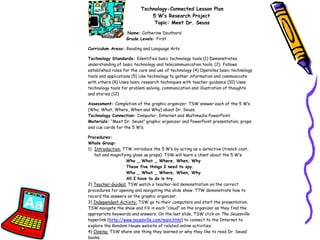
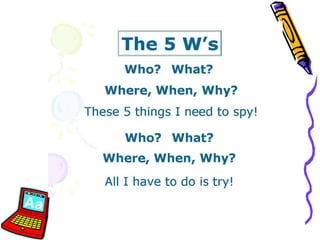
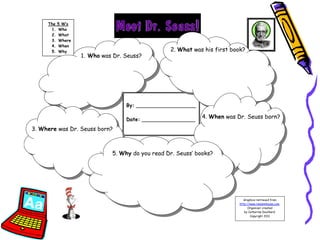
Lesson Example: Author Study – Dr. Seuss


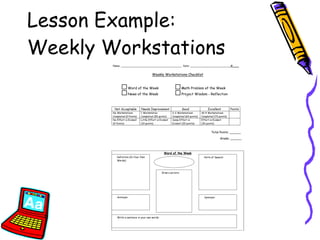
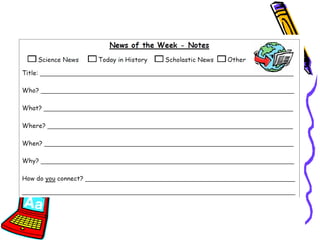
Lesson Example:  Weekly Workstations
 
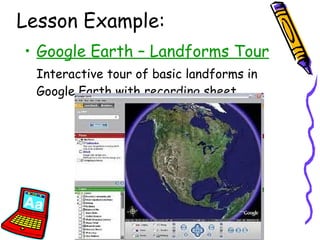
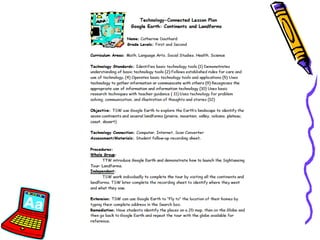
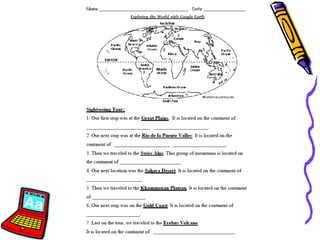
Lesson Example: Google Earth – Landforms Tour Interactive tour of basic landforms in Google Earth with recording sheet.
 
 
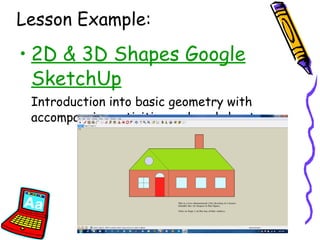
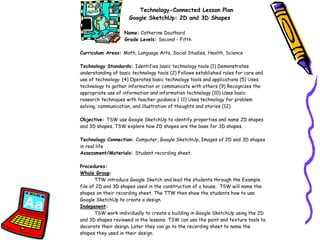
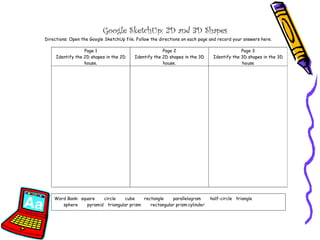
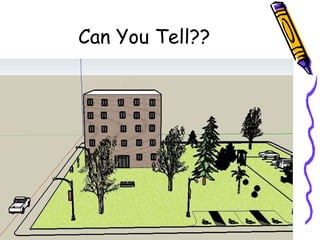
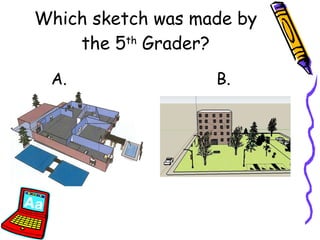
Lesson Example: 2D & 3D Shapes Google SketchUp Introduction into basic geometry with accompanying activities and worksheet.
 
 
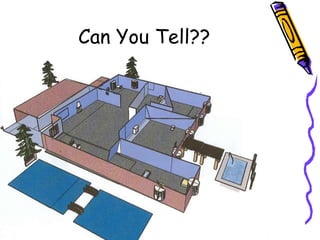
Can You Tell??
Can You Tell??
Which sketch was made by the 5 th  Grader? A. B.
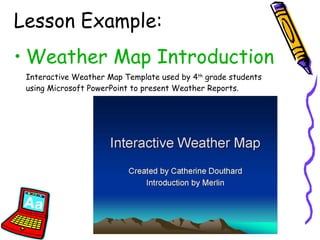
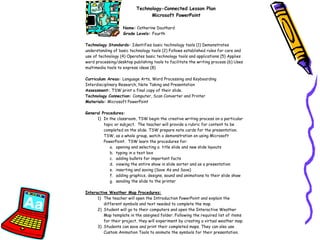
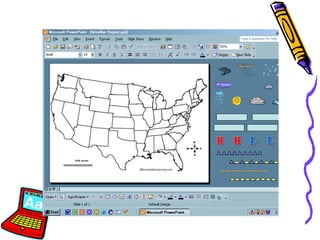
Lesson Example: Weather Map Introduction Interactive Weather Map Template used by 4 th  grade students using Microsoft PowerPoint to present Weather Reports.
 
 
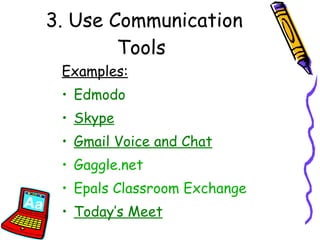
3. Use Communication Tools  Examples: Edmodo Skype Gmail Voice and Chat Gaggle.net Epals  Classroom Exchange Today’s Meet
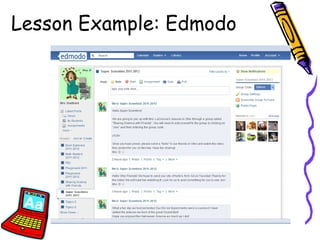
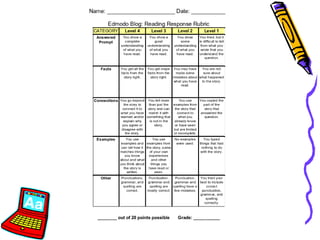
Lesson Example: Edmodo
 
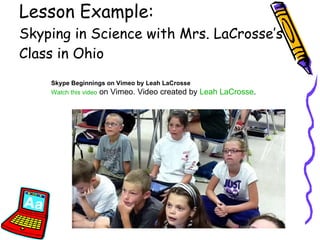
Lesson Example:  Skyping in Science with Mrs. LaCrosse’s Class in Ohio Skype Beginnings on Vimeo by Leah LaCrosse Watch this video  on Vimeo. Video created by  Leah  LaCrosse .
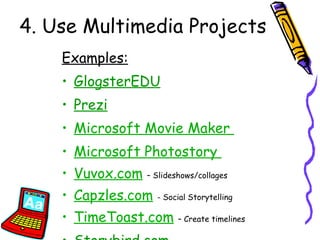
4. Use Multimedia Projects Examples: GlogsterEDU Prezi Microsoft Movie Maker   Microsoft Photostory   Vuvox.com   – Slideshows/collages Capzles.com   - Social Storytelling TimeToast.com   – Create timelines Storybird.com
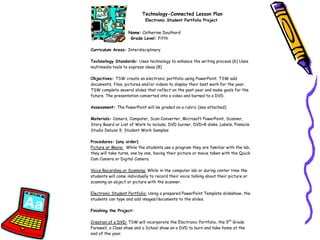
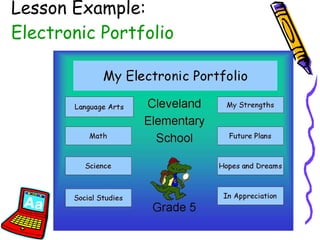
Lesson Example:  Electronic Portfolio
 
 
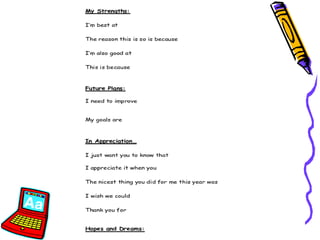
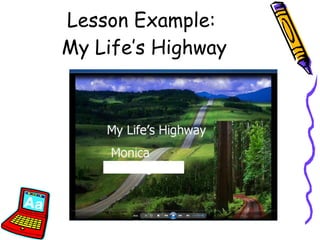
Lesson Example:  My Life’s Highway
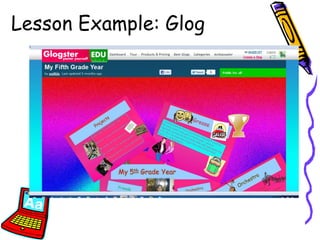
Lesson Example: Glog
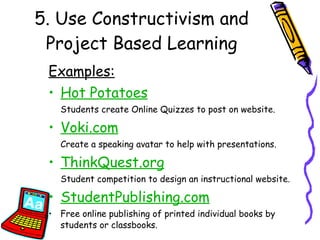
5. Use Constructivism and Project Based Learning Examples: Hot Potatoes Students create Online Quizzes to post on website. Voki.com   Create a speaking avatar to help with presentations. ThinkQuest.org Student competition to design an instructional website. StudentPublishing.com Free online publishing of printed individual books by students or classbooks.
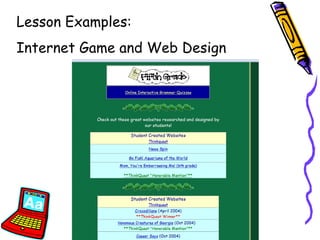
Lesson Examples:  Internet Game and Web Design
6.  Use Online Collaboration Tools Examples: Eduweb  Adventures Quest Network Blue Zone Expeditions KOL Expeditions CIESE  Projects Voice Thread
In Summary: You  have the creativity and the motivation to ensure that  all  our students are ready for what the future holds! “ Teach, Practice and Connect”
Teach  the habits of mind as a part of your lessons and activities Practice  the habits of mind through engaging, meaningful, constructive activities Connect  the habits of mind to the “Real World” And now, it’s your turn… “ Teach, Practice and Connect”
 
Thinking That Clicks! Developing Habits of Mind with Technology Presented by Catherine Douthard 5 th  Grade Teacher Instructional Technology Specialist Cleveland Elementary School Fayette County Schools [email_address] Teacher-Created Lessons

Thinking That Clicks: GaETC2011

  • 1.
    Thinking That Clicks!Developing Habits of Mind with Technology Presented by Catherine Douthard 5 th Grade Teacher Instructional Technology Specialist Cleveland Elementary School Fayette County Schools [email_address] Teacher-Created Lessons
  • 2.
    What are the 16 habits of mind? Persisting Managing impulsivity Listening with understanding and empathy Thinking flexibly Thinking about thinking (metacognition)
  • 3.
    Striving for accuracyQuestioning and posing problems Applying past knowledge to new situations Thinking /communicating with clarity and precision What are the 16 habits of mind?
  • 4.
    Gathering data throughall the senses Creating, imagining, innovating Responding with wonderment and awe Taking responsible risks What are the 16 habits of mind?
  • 5.
    Finding humor Thinkingindependently Remaining open to continuous thinking What are the 16 habits of mind? From the book, “Activating and Engaging Habits of Mind” by Arthur L. Costa and Bena Kallick (ASCD, 2000).
  • 6.
    “ Students mustwork in a rich, responsive environment if they are going to make the habits of mind their own.” (Costa and Kallick, 2000)
  • 7.
    Creating “Thoughtful” Lessonswith “Backward Design”
  • 8.
    National Educational TechnologyStandards for Students (Revised) Students demonstrate creative thinking, construct knowledge, and develop innovative products using technology. Students: Apply existing knowledge to generate new ideas and products. Create original works as a means of self expression C. Use models and simulations to explore complex systems and issues D. Identify trends and forecast possibilities Creativity and Innovation
  • 9.
    National Educational TechnologyStandards for Students Assessment Benchmarks: Primary (K-2) “Everyone is Important”: Grade 2 Benchmark Assessment Intermediate (3-5) “You Were There”: Grade 5 Benchmark Assessment Source: NETS*S Resources for Student Assesment (ISTE, 2006)
  • 10.
    How can youput it all together? Re-tool the lessons you have already created to be more “thoughtful” Use lessons from free or inexpensive sources Take a simple software program and make it more engaging Use the technology hardware/software already located in your school
  • 11.
    1. Use ComputerAided Instruction Examples: Student Response Systems (SRS) Interactive Whiteboards/Tablets Mouse Mischief : Free software by Microsoft Ipads
  • 12.
    2. Keep itSimple! Lesson Examples: Mouseaerobics –Skills Beginning lesson in computer lab for Kindergarten.
  • 13.
  • 14.
    Lesson Example: Animaland Plant Research
  • 15.
  • 16.
  • 17.
    Lesson Example: AuthorStudy – Dr. Seuss
  • 18.
  • 19.
  • 20.
  • 21.
    Lesson Example: Weekly Workstations
  • 22.
  • 23.
    Lesson Example: GoogleEarth – Landforms Tour Interactive tour of basic landforms in Google Earth with recording sheet.
  • 24.
  • 25.
  • 26.
    Lesson Example: 2D& 3D Shapes Google SketchUp Introduction into basic geometry with accompanying activities and worksheet.
  • 27.
  • 28.
  • 29.
  • 30.
  • 31.
    Which sketch wasmade by the 5 th Grader? A. B.
  • 32.
    Lesson Example: WeatherMap Introduction Interactive Weather Map Template used by 4 th grade students using Microsoft PowerPoint to present Weather Reports.
  • 33.
  • 34.
  • 35.
    3. Use CommunicationTools Examples: Edmodo Skype Gmail Voice and Chat Gaggle.net Epals Classroom Exchange Today’s Meet
  • 36.
  • 37.
  • 38.
    Lesson Example: Skyping in Science with Mrs. LaCrosse’s Class in Ohio Skype Beginnings on Vimeo by Leah LaCrosse Watch this video on Vimeo. Video created by Leah LaCrosse .
  • 39.
    4. Use MultimediaProjects Examples: GlogsterEDU Prezi Microsoft Movie Maker Microsoft Photostory Vuvox.com – Slideshows/collages Capzles.com - Social Storytelling TimeToast.com – Create timelines Storybird.com
  • 40.
    Lesson Example: Electronic Portfolio
  • 41.
  • 42.
  • 43.
    Lesson Example: My Life’s Highway
  • 44.
  • 45.
    5. Use Constructivismand Project Based Learning Examples: Hot Potatoes Students create Online Quizzes to post on website. Voki.com Create a speaking avatar to help with presentations. ThinkQuest.org Student competition to design an instructional website. StudentPublishing.com Free online publishing of printed individual books by students or classbooks.
  • 46.
    Lesson Examples: Internet Game and Web Design
  • 47.
    6. UseOnline Collaboration Tools Examples: Eduweb Adventures Quest Network Blue Zone Expeditions KOL Expeditions CIESE Projects Voice Thread
  • 48.
    In Summary: You have the creativity and the motivation to ensure that all our students are ready for what the future holds! “ Teach, Practice and Connect”
  • 49.
    Teach thehabits of mind as a part of your lessons and activities Practice the habits of mind through engaging, meaningful, constructive activities Connect the habits of mind to the “Real World” And now, it’s your turn… “ Teach, Practice and Connect”
  • 50.
  • 51.
    Thinking That Clicks!Developing Habits of Mind with Technology Presented by Catherine Douthard 5 th Grade Teacher Instructional Technology Specialist Cleveland Elementary School Fayette County Schools [email_address] Teacher-Created Lessons