GOING PAPERLESS
BY USING TECH TOOLS
    If I can do it, then it must be easy!


                      1
Agenda
Need for Going Paperless


CPM Class Use of Paper


eBook Review


Possible Solutions


“Finding the Balance”


Reflections


Sharing (It’s your turn!)


Closure


                              2
NEED FOR GOING
PAPERLESS

In 2011 ISB used more than 7,000,000 sheets of paper (That’s 22 pieces
of paper per student per day!) 1,800 feet tall when stacked! (Almost
twice as high as the Eiffel Tower, or 12 times the height of the Statue of
Liberty.)

According to Recycle Now Schools.com website, paper waste for
secondary school students it is approximately 22kg or 48.4 lbs, and for
primary school students, approximately 45kg or 99 lbs (per academic
year, per student).


                                   3
QUESTIONS:


Is it realistic to go COMPLETELY paperless?

Is going COMPLETELY paperless best for kids?


                         4
MY GOAL...


Re-train my brain

Reduce further my paper usage

“Control what you can control.” -Andre Agassi


                      5
SO, I ASK MYSELF:


“Do I need to make a copy of this?”


                             6
CPM Class Use of Paper

Daily work with Math Problems (on graph paper)

HW Record

HW Checks

Resource Pages

Math Notes


                            7
CPM Class Use of Paper

Learning Logs

Communication

Letters of Advice

Quizzes/Tests

Study Team Strategies


                        8
eBook Review


eBooks are a wonderful solution!


                            9
Possible Solutions

Daily work with Math Problems...

Use both sides of the paper

use Googledocs (G&C Tables, MN, LL1, Team Problems)

use Geogebra (for graphing, instead of team posters)

Forum for Team Brainstorms


                              10
Possible Solutions


HW Records...[show paper record]

use Google Calendar and electronic gradebook

Stickies (some kids use these as reminders)


                            11
Possible Solutions


HW Checks...

Use a moodle site (scan, save and post!)


                            12
Possible Solutions


Resource Pages...

Most are already Geogebra Apps! [Newton’s Revenge,
Eucalyptus Tree @ 1.1.2]

Save to your student Blog (a great student portfolio)


                             13
Possible Solutions


Math Notes and Learning Logs...

Googledocs/ScreenShots

Student Blogs [Jamie- MN; Sean- LL][link student blog to
teacher blog]

MathCasts using QuickTime Player, (screenr.com (no “e”))


                           14
Possible Solutions
Communication...

Teacher Blog (challenge is how to get traffic)

Google Calendar (subscribe- directions on my Blog)

Kids Reflecting for Conferences [in collections folder, “make
a copy”]

WallWishers (corkboard.me)

Glogster.com
                             15
Possible Solutions


Letters of Advice...

Post on Teacher’s Blog


                         16
Possible Solutions

Quizzes/Tests...

Googledocs “Collections” folder

Moodle Site

Socrative.com

GoSoapBox.com


                            17
Possible Solutions


Study Team Strategies...

Googledocs (Silent Debate, Fortune Cookie, Hot Potato...)

Moodle Chat vs. Google Chat

Math Chat (Googledoc vs. Posters- show PhotoBooth Pics)


                            18
19
MATH CHAT


        20
“Finding the Balance”


+/- of computers and tech use in a math classroom...

What would you say?


                            21
“Finding the Balance”
+/- of computers and tech use in a math classroom...

+/- “Build a Bridge vs. Build a Wall”

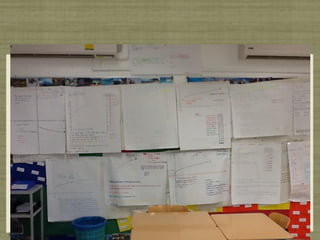
+/- Displaying kids’ work (online vs. on-wall)

+/- “Would you like paper or plastic?”

- internet bandwidth (need a paper or pdf back-up)

+ eLearning [reference blog, calendar, eBook, HW, docs,
etc.]

                             22
C


    23
24
Reflections
How to better meet my goals next year...

Add “comments” on LL’s (GoogleDocs and Blogs) to make this a “living
document” and to generate traffic [have kids comment on kids’ blogs, too]

Include Closure problems on a student’s Blog as a portfolio entry

Have kids make more/embed Math Casts as LL entries, AND of better quality

Use my Blog more

Better training on checking Google Calendar daily (Treasure Hunt...)

Splashtop [use 2.1.2]
                                      25
Sharing

It’s your turn?

Think, Pair, be ready to Share


                                 26
CLOSURE


video

Try Socrative Exit slips

Slideshare.net url:

brucem@isb.ac.th


                           27

Going Paperless in a Math Classroom

  • 1.
    GOING PAPERLESS BY USINGTECH TOOLS If I can do it, then it must be easy! 1
  • 2.
    Agenda Need for GoingPaperless CPM Class Use of Paper eBook Review Possible Solutions “Finding the Balance” Reflections Sharing (It’s your turn!) Closure 2
  • 3.
    NEED FOR GOING PAPERLESS In2011 ISB used more than 7,000,000 sheets of paper (That’s 22 pieces of paper per student per day!) 1,800 feet tall when stacked! (Almost twice as high as the Eiffel Tower, or 12 times the height of the Statue of Liberty.) According to Recycle Now Schools.com website, paper waste for secondary school students it is approximately 22kg or 48.4 lbs, and for primary school students, approximately 45kg or 99 lbs (per academic year, per student). 3
  • 4.
    QUESTIONS: Is it realisticto go COMPLETELY paperless? Is going COMPLETELY paperless best for kids? 4
  • 5.
    MY GOAL... Re-train mybrain Reduce further my paper usage “Control what you can control.” -Andre Agassi 5
  • 6.
    SO, I ASKMYSELF: “Do I need to make a copy of this?” 6
  • 7.
    CPM Class Useof Paper Daily work with Math Problems (on graph paper) HW Record HW Checks Resource Pages Math Notes 7
  • 8.
    CPM Class Useof Paper Learning Logs Communication Letters of Advice Quizzes/Tests Study Team Strategies 8
  • 9.
    eBook Review eBooks area wonderful solution! 9
  • 10.
    Possible Solutions Daily workwith Math Problems... Use both sides of the paper use Googledocs (G&C Tables, MN, LL1, Team Problems) use Geogebra (for graphing, instead of team posters) Forum for Team Brainstorms 10
  • 11.
    Possible Solutions HW Records...[showpaper record] use Google Calendar and electronic gradebook Stickies (some kids use these as reminders) 11
  • 12.
    Possible Solutions HW Checks... Usea moodle site (scan, save and post!) 12
  • 13.
    Possible Solutions Resource Pages... Mostare already Geogebra Apps! [Newton’s Revenge, Eucalyptus Tree @ 1.1.2] Save to your student Blog (a great student portfolio) 13
  • 14.
    Possible Solutions Math Notesand Learning Logs... Googledocs/ScreenShots Student Blogs [Jamie- MN; Sean- LL][link student blog to teacher blog] MathCasts using QuickTime Player, (screenr.com (no “e”)) 14
  • 15.
    Possible Solutions Communication... Teacher Blog(challenge is how to get traffic) Google Calendar (subscribe- directions on my Blog) Kids Reflecting for Conferences [in collections folder, “make a copy”] WallWishers (corkboard.me) Glogster.com 15
  • 16.
    Possible Solutions Letters ofAdvice... Post on Teacher’s Blog 16
  • 17.
    Possible Solutions Quizzes/Tests... Googledocs “Collections”folder Moodle Site Socrative.com GoSoapBox.com 17
  • 18.
    Possible Solutions Study TeamStrategies... Googledocs (Silent Debate, Fortune Cookie, Hot Potato...) Moodle Chat vs. Google Chat Math Chat (Googledoc vs. Posters- show PhotoBooth Pics) 18
  • 19.
  • 20.
  • 21.
    “Finding the Balance” +/-of computers and tech use in a math classroom... What would you say? 21
  • 22.
    “Finding the Balance” +/-of computers and tech use in a math classroom... +/- “Build a Bridge vs. Build a Wall” +/- Displaying kids’ work (online vs. on-wall) +/- “Would you like paper or plastic?” - internet bandwidth (need a paper or pdf back-up) + eLearning [reference blog, calendar, eBook, HW, docs, etc.] 22
  • 23.
    C 23
  • 24.
  • 25.
    Reflections How to bettermeet my goals next year... Add “comments” on LL’s (GoogleDocs and Blogs) to make this a “living document” and to generate traffic [have kids comment on kids’ blogs, too] Include Closure problems on a student’s Blog as a portfolio entry Have kids make more/embed Math Casts as LL entries, AND of better quality Use my Blog more Better training on checking Google Calendar daily (Treasure Hunt...) Splashtop [use 2.1.2] 25
  • 26.
    Sharing It’s your turn? Think,Pair, be ready to Share 26
  • 27.
    CLOSURE video Try Socrative Exitslips Slideshare.net url: brucem@isb.ac.th 27