“Creativity is as important as literacy and numeracy, and I
actually think people understand that creativity is
important - they just don't understand what it is.”
~Ken Robinson
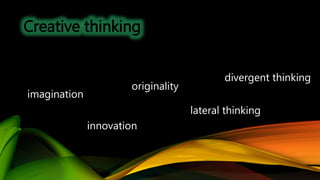
Creative thinking
imagination
innovation
originality
lateral thinking
divergent thinking
CRITICAL & CREATIVE THINKING
• Current definitions of literacy only account for the gaining
of new knowledge, skills, and attitudes, but do not
include the deeper components of intention, reflection,
and generativity.
• The addition of aptitude and creativity to the definition
emphasizes that digital literacy is an iterative process that
involves students learning about, interacting with, and
then demonstrating or sharing their new knowledge
(New Media Consortium, 2015)
DIGITAL TRENDS
• The trend in instructional environments is one of encouraging teachers to use
digital tools that teach production skills as well as fostering creativity.
• Educators become creators
• Professors of educational technologies must take a leadership role in teaching
future teachers how to embrace the creative spirit
• Can be done both the undergraduate and graduate levels, with professors being
encouraged to dive into their own creativity in teaching
• Adding that failure can enrich the drive for creativity.
CREATIVE ROADBLOCK & SOLUTION
College student is often afraid of failure…
….which in their minds will lead to a lower score on rubric.
Create a comfort zone for students showing that failure is
important for creative growth
DIVERSE INSTRUCTORS
Seton Hall instructors have backgrounds in
photography, digital design, curriculum design, instructional design
and museum studies.
The more diverse the instructor background, the more creative the course
experiences.
Students who have taken courses in the educational technology program, have
shown to be innovative in their other education courses.
CHANGE IMPLEMENTATION
Changing educational technology instruction within the CEHS Instructional
Design and Technology Program at SHU.
Have shifted over the last two years, from traditional classroom settings
environments but also online and blended.
Creativity is woven throughout course curriculums and its importance is even
higher in the three production courses which focus on innovative student
created products.
• Graduate students are encouraged to take creative risks, and be comfortable
with being messy because it can lead to inspire and produce new knowledge
and practices.
• Students are encouraged to be innovative and creative without the fear of
failure.
• Projects assigned to both graduate and undergraduates in these course are
projects that require creation and transformation, not just reading and
writing, student learning takes place by doing something with the
information that they have consumed.
CHANGE IMPLEMENTATION
CHANGING THE MINDSET
If creativity thrives in intellectually messy environments, where
collaboration is encouraged and students are allowed to make
decisions as well as becoming risk takers then the question
remains…how can I help shift the mindset of the current student?
SCAMPER
is a creative thinking strategy. It is based on the
idea that everything new is based upon something that
already exists.
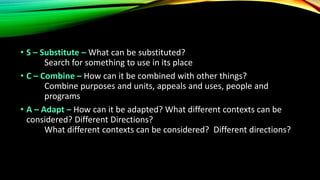
• S – Substitute – What can be substituted?
Search for something to use in its place
• C – Combine – How can it be combined with other things?
Combine purposes and units, appeals and uses, people and
programs
• A – Adapt – How can it be adapted? What different contexts can be
considered? Different Directions?
What different contexts can be considered? Different directions?
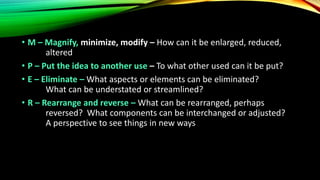
• M – Magnify, minimize, modify – How can it be enlarged, reduced,
altered
• P – Put the idea to another use – To what other used can it be put?
• E – Eliminate – What aspects or elements can be eliminated?
What can be understated or streamlined?
• R – Rearrange and reverse – What can be rearranged, perhaps
reversed? What components can be interchanged or adjusted?
A perspective to see things in new ways
INTEGRATING GOOGLE DRIVE
The Course
BMIE 1001/EDST 6210 Real World Technologies
Delivery
ONLINE over 7 Weeks
Demographics
Freshman through Graduate
COURSE DESCRIPTION
Course Description
• This course is an introduction to computers and computing,
problem solving and the impact of computers and technology in
our lives. This course will provide a working knowledge of
computers, hardware and software programs including word
processing and presentation tools and online collaboration and
storage options. Specific topics of focus for this course include
ethics in a digital age, the impact of technology in specific
industries, collaborating and communicating in a digital age and
environment and cybercrime and the importance of protecting
your data and personal information.
REASON FOR USE
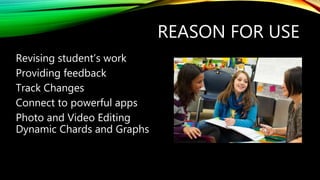
Revising student’s work
Providing feedback
Track Changes
Connect to powerful apps
Photo and Video Editing
Dynamic Chards and Graphs
Explore the Apps
Think of it as playing in
a sandbox of free
tech tools
REASON FOR USE
STUDENT FEEDBACK
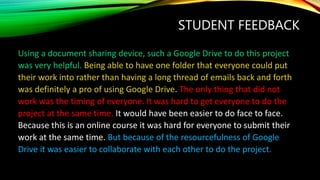
Using a document sharing device, such a Google Drive to do this project
was very helpful. Being able to have one folder that everyone could put
their work into rather than having a long thread of emails back and forth
was definitely a pro of using Google Drive. The only thing that did not
work was the timing of everyone. It was hard to get everyone to do the
project at the same time. It would have been easier to do face to face.
Because this is an online course it was hard for everyone to submit their
work at the same time. But because of the resourcefulness of Google
Drive it was easier to collaborate with each other to do the project.
STUDENT FEEDBACK
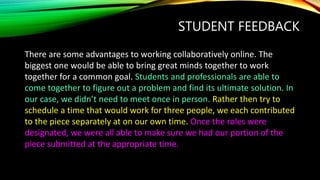
There are some advantages to working collaboratively online. The
biggest one would be able to bring great minds together to work
together for a common goal. Students and professionals are able to
come together to figure out a problem and find its ultimate solution. In
our case, we didn’t need to meet once in person. Rather then try to
schedule a time that would work for three people, we each contributed
to the piece separately at on our own time. Once the roles were
designated, we were all able to make sure we had our portion of the
piece submitted at the appropriate time.
STUDENT FEEDBACK
I have never done a project like this before, using a shared document to produce a
group paper. What I think is a positive of using this is we can working on the paper
and make changes to it at any time. We don’t all have to try and figure out a day to
meet up and try and writing everything all at once. This method definitely works
well with people like me who I play a sport and always am traveling so I could work
on the paper while I am away at a game. What I think is hard is we can’t really sit
and talk about any questions we have or issues we have with the paper. Everything
is done through this program or email which sometimes can make it a little
difficult. For a college courses I just think this program is very useful for all types of
people and their schedules. The program can do a lot of different activities and I
think gives projects a little twist and makes it more interesting.
COURSE PRODUCTS
Assignment #1: Discussion Questions
Assignment #2: Create Google Drive Account and Shared Folder
Assignment #3: Introduce Yourself
Assignment #4: Ethical Computing
Assignment #5: Web Site Evaluation
Assignment #6: Plagiarism Copyright Project
Assignment #7: Citing Website Sources
Assignment #8: Professional Development Resource List
Assignment #9 : 7 Things You Should Know Paper - EDUCAUSE
Assignment #10: Things You Should Know Presentation -
THE SEVEN QUESTIONS
1.What is it?
2.How does it work?
3.Who's doing it?
4.Why is it significant?
5.What are the downsides?
6.Where is it going?
7.What are the implications for
higher education?
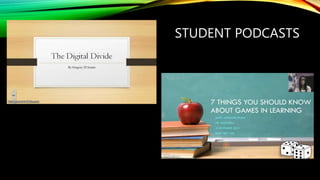
STUDENT PODCASTS
~Ken Robinson
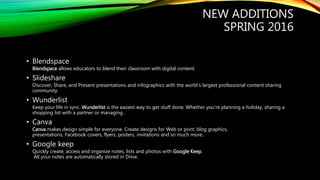
NEW ADDITIONS
SPRING 2016
• Blendspace
Blendspace allows educators to blend their classroom with digital content.
• Slideshare
Discover, Share, and Present presentations and infographics with the world’s largest professional content sharing
community.
• Wunderlist
Keep your life in sync. Wunderlist is the easiest way to get stuff done. Whether you’re planning a holiday, sharing a
shopping list with a partner or managing .
• Canva
Canva makes design simple for everyone. Create designs for Web or print: blog graphics,
presentations, Facebook covers, flyers, posters, invitations and so much more..
• Google keep
Quickly create, access and organize notes, lists and photos with Google Keep.
All your notes are automatically stored in Drive.
JOSEPH MARTINELLI, ED.D.
ASSOCIATE DEAN
COLLEGE OF EDUCATION AND HUMAN SERVICES
SETON HALL UNIVERSITY
Joseph.martinelli@shu.edu
References
Grant, P. (2014, June 16). Teaching Creativity - Can We Do It? And If We Can, How? Retrieved from Clarity
Innovations: https://www.clarity-innovations.com/blog/pgrant/teaching-creativity-can-we-do-it-and-if-we-can-how
Johnson, D. (2014, April). Power Up! / Technology and the Illusion of Creativity. ASCD Educational Leadership, 84-85.
Retrieved from ASCD: http://www.ascd.org/publications/educational-leadership/apr14/vol71/num07/Technology-
and-the-Illusion-of-Creativity.aspx
New Media Consortium. (2015). Horizon Report 2015 Higher Education Edition. Austin, Texas: New Media
Consortium.
Preble, L. (2015). Teachers Must Encourage Student Creativity. Retrieved from TeachHub:
http://www.teachhub.com/teaching-creativity
Provenzano, N. (2015, July 15). Fostering Creativity With Makerspaces. Retrieved from Edutopia:
http://www.edutopia.org/blog/fostering-creativity-with-makerspaces-nicholas-provenzano
Robinson, K. (2001). Out of Our Minds: Learning to be Creative. New York: Wiley.
Satell, G. (2014, January 27). How Technology Enhances Creativity. Forbes.

Njedgefall2015

  • 2.
    “Creativity is asimportant as literacy and numeracy, and I actually think people understand that creativity is important - they just don't understand what it is.” ~Ken Robinson
  • 3.
  • 4.
    CRITICAL & CREATIVETHINKING • Current definitions of literacy only account for the gaining of new knowledge, skills, and attitudes, but do not include the deeper components of intention, reflection, and generativity. • The addition of aptitude and creativity to the definition emphasizes that digital literacy is an iterative process that involves students learning about, interacting with, and then demonstrating or sharing their new knowledge (New Media Consortium, 2015)
  • 5.
    DIGITAL TRENDS • Thetrend in instructional environments is one of encouraging teachers to use digital tools that teach production skills as well as fostering creativity. • Educators become creators • Professors of educational technologies must take a leadership role in teaching future teachers how to embrace the creative spirit • Can be done both the undergraduate and graduate levels, with professors being encouraged to dive into their own creativity in teaching • Adding that failure can enrich the drive for creativity.
  • 6.
    CREATIVE ROADBLOCK &SOLUTION College student is often afraid of failure… ….which in their minds will lead to a lower score on rubric. Create a comfort zone for students showing that failure is important for creative growth
  • 7.
    DIVERSE INSTRUCTORS Seton Hallinstructors have backgrounds in photography, digital design, curriculum design, instructional design and museum studies. The more diverse the instructor background, the more creative the course experiences. Students who have taken courses in the educational technology program, have shown to be innovative in their other education courses.
  • 8.
    CHANGE IMPLEMENTATION Changing educationaltechnology instruction within the CEHS Instructional Design and Technology Program at SHU. Have shifted over the last two years, from traditional classroom settings environments but also online and blended. Creativity is woven throughout course curriculums and its importance is even higher in the three production courses which focus on innovative student created products.
  • 9.
    • Graduate studentsare encouraged to take creative risks, and be comfortable with being messy because it can lead to inspire and produce new knowledge and practices. • Students are encouraged to be innovative and creative without the fear of failure. • Projects assigned to both graduate and undergraduates in these course are projects that require creation and transformation, not just reading and writing, student learning takes place by doing something with the information that they have consumed. CHANGE IMPLEMENTATION
  • 10.
    CHANGING THE MINDSET Ifcreativity thrives in intellectually messy environments, where collaboration is encouraged and students are allowed to make decisions as well as becoming risk takers then the question remains…how can I help shift the mindset of the current student?
  • 11.
    SCAMPER is a creativethinking strategy. It is based on the idea that everything new is based upon something that already exists.
  • 12.
    • S –Substitute – What can be substituted? Search for something to use in its place • C – Combine – How can it be combined with other things? Combine purposes and units, appeals and uses, people and programs • A – Adapt – How can it be adapted? What different contexts can be considered? Different Directions? What different contexts can be considered? Different directions?
  • 13.
    • M –Magnify, minimize, modify – How can it be enlarged, reduced, altered • P – Put the idea to another use – To what other used can it be put? • E – Eliminate – What aspects or elements can be eliminated? What can be understated or streamlined? • R – Rearrange and reverse – What can be rearranged, perhaps reversed? What components can be interchanged or adjusted? A perspective to see things in new ways
  • 14.
    INTEGRATING GOOGLE DRIVE TheCourse BMIE 1001/EDST 6210 Real World Technologies Delivery ONLINE over 7 Weeks Demographics Freshman through Graduate
  • 15.
    COURSE DESCRIPTION Course Description •This course is an introduction to computers and computing, problem solving and the impact of computers and technology in our lives. This course will provide a working knowledge of computers, hardware and software programs including word processing and presentation tools and online collaboration and storage options. Specific topics of focus for this course include ethics in a digital age, the impact of technology in specific industries, collaborating and communicating in a digital age and environment and cybercrime and the importance of protecting your data and personal information.
  • 17.
    REASON FOR USE Revisingstudent’s work Providing feedback Track Changes Connect to powerful apps Photo and Video Editing Dynamic Chards and Graphs
  • 18.
    Explore the Apps Thinkof it as playing in a sandbox of free tech tools REASON FOR USE
  • 19.
    STUDENT FEEDBACK Using adocument sharing device, such a Google Drive to do this project was very helpful. Being able to have one folder that everyone could put their work into rather than having a long thread of emails back and forth was definitely a pro of using Google Drive. The only thing that did not work was the timing of everyone. It was hard to get everyone to do the project at the same time. It would have been easier to do face to face. Because this is an online course it was hard for everyone to submit their work at the same time. But because of the resourcefulness of Google Drive it was easier to collaborate with each other to do the project.
  • 20.
    STUDENT FEEDBACK There aresome advantages to working collaboratively online. The biggest one would be able to bring great minds together to work together for a common goal. Students and professionals are able to come together to figure out a problem and find its ultimate solution. In our case, we didn’t need to meet once in person. Rather then try to schedule a time that would work for three people, we each contributed to the piece separately at on our own time. Once the roles were designated, we were all able to make sure we had our portion of the piece submitted at the appropriate time.
  • 21.
    STUDENT FEEDBACK I havenever done a project like this before, using a shared document to produce a group paper. What I think is a positive of using this is we can working on the paper and make changes to it at any time. We don’t all have to try and figure out a day to meet up and try and writing everything all at once. This method definitely works well with people like me who I play a sport and always am traveling so I could work on the paper while I am away at a game. What I think is hard is we can’t really sit and talk about any questions we have or issues we have with the paper. Everything is done through this program or email which sometimes can make it a little difficult. For a college courses I just think this program is very useful for all types of people and their schedules. The program can do a lot of different activities and I think gives projects a little twist and makes it more interesting.
  • 22.
    COURSE PRODUCTS Assignment #1:Discussion Questions Assignment #2: Create Google Drive Account and Shared Folder Assignment #3: Introduce Yourself Assignment #4: Ethical Computing Assignment #5: Web Site Evaluation Assignment #6: Plagiarism Copyright Project Assignment #7: Citing Website Sources Assignment #8: Professional Development Resource List Assignment #9 : 7 Things You Should Know Paper - EDUCAUSE Assignment #10: Things You Should Know Presentation - THE SEVEN QUESTIONS 1.What is it? 2.How does it work? 3.Who's doing it? 4.Why is it significant? 5.What are the downsides? 6.Where is it going? 7.What are the implications for higher education?
  • 23.
  • 24.
  • 25.
    NEW ADDITIONS SPRING 2016 •Blendspace Blendspace allows educators to blend their classroom with digital content. • Slideshare Discover, Share, and Present presentations and infographics with the world’s largest professional content sharing community. • Wunderlist Keep your life in sync. Wunderlist is the easiest way to get stuff done. Whether you’re planning a holiday, sharing a shopping list with a partner or managing . • Canva Canva makes design simple for everyone. Create designs for Web or print: blog graphics, presentations, Facebook covers, flyers, posters, invitations and so much more.. • Google keep Quickly create, access and organize notes, lists and photos with Google Keep. All your notes are automatically stored in Drive.
  • 26.
    JOSEPH MARTINELLI, ED.D. ASSOCIATEDEAN COLLEGE OF EDUCATION AND HUMAN SERVICES SETON HALL UNIVERSITY Joseph.martinelli@shu.edu
  • 27.
    References Grant, P. (2014,June 16). Teaching Creativity - Can We Do It? And If We Can, How? Retrieved from Clarity Innovations: https://www.clarity-innovations.com/blog/pgrant/teaching-creativity-can-we-do-it-and-if-we-can-how Johnson, D. (2014, April). Power Up! / Technology and the Illusion of Creativity. ASCD Educational Leadership, 84-85. Retrieved from ASCD: http://www.ascd.org/publications/educational-leadership/apr14/vol71/num07/Technology- and-the-Illusion-of-Creativity.aspx New Media Consortium. (2015). Horizon Report 2015 Higher Education Edition. Austin, Texas: New Media Consortium. Preble, L. (2015). Teachers Must Encourage Student Creativity. Retrieved from TeachHub: http://www.teachhub.com/teaching-creativity Provenzano, N. (2015, July 15). Fostering Creativity With Makerspaces. Retrieved from Edutopia: http://www.edutopia.org/blog/fostering-creativity-with-makerspaces-nicholas-provenzano Robinson, K. (2001). Out of Our Minds: Learning to be Creative. New York: Wiley. Satell, G. (2014, January 27). How Technology Enhances Creativity. Forbes.

Editor's Notes

  • #3 As educators this is the time to remember that critical thinking, which is a founding block of teaching, can be deepened through the use of creativity and innovation.
  • #6 It is time for preservice education programs to take the lead on the teaching of STEM disciplines by extending the focus on STEAM infused lessons.
  • #7 Products created by creative students can be critiqued, built upon or remixed and ultimately explain complex concepts.
  • #8 Our course instructors have backgrounds in photography, digital design, curriculum design, and instructional design and museum studies. What we have seen is that the more diverse the instructor background, the more creative the course experiences. Undergraduate students who have taken courses in the educational technology program, have shown to be innovative in their other education courses. Our course instructors have backgrounds in photography, digital design, curriculum design, and instructional design and museum studies. What we have seen is that the more diverse the instructor background, the more creative the course experiences. Undergraduate students who have taken courses in the educational technology program, have shown to be innovative in their other education courses.