
The use of social media and
development of digital skills to
enhance learning and teaching in
Computing
Sue Beckingham | @suebecks
Sheffield Hallam University
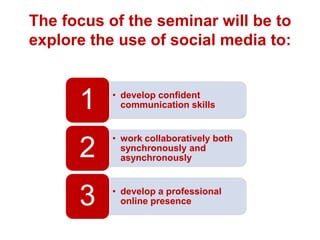
The focus of the seminar will be to
explore the use of social media to:

1

• develop confident
communication skills

2

• work collaboratively both
synchronously and
asynchronously

3

• develop a professional
online presence
1

develop confident
communication skills
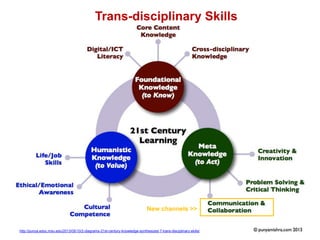
Trans-disciplinary Skills

New channels >>

http://punya.educ.msu.edu/2013/05/10/2-diagrams-21st-century-knowledge-synthesized-7-trans-disciplinary-skills/
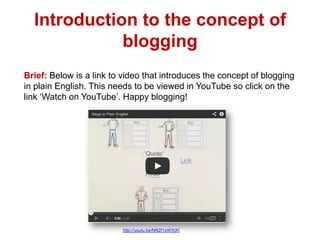
Introduction to the concept of
blogging
Brief: Below is a link to video that introduces the concept of blogging
in plain English. This needs to be viewed in YouTube so click on the
link ‘Watch on YouTube’. Happy blogging!

http://youtu.be/NN2I1pWXjXI
Reflective Blogging
Brief: There are a number of blog tools you can choose from.
These include WordPress, Blogger and Tumblr. Your blog will
form the digital portfolio for your assessment. You are
expected to make a minimum of 10 posts over the semester.

Give directed topics weekly to help students
focus on an aspect of their learning whilst
encouraging additional posts
Encourage use of images, video and audio
Digital ‘About Me’ Video
Brief: You need to create a digital ‘about me’. This
can be a video or a screencast with voice over. It
should include both information to introduce
yourself and also a professional you. Think about
your skills and aspirations. It should be recorded
and saved as a YouTube file so that you may
embed it into your blog. The duration should be
approximately 2-3 minutes.
Note: Students selected a private setting and then
invited just myself as Tutor to view.
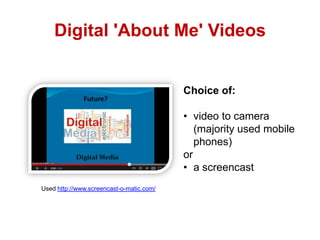
Digital 'About Me' Videos

Choice of:

• video to camera
(majority used mobile
phones)
or
• a screencast
Used http://www.screencast-o-matic.com/
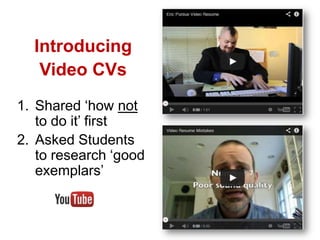
Introducing
Video CVs
1. Shared ‘how not
to do it’ first
2. Asked Students
to research ‘good
exemplars’
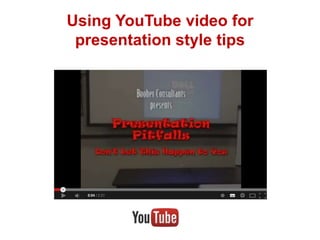
Using YouTube video for
presentation style tips
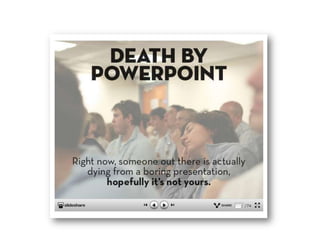
Inspiration from Slideshare
2

work collaboratively both
synchronously and
asynchronously

Why collaborate?
To share and develop ideas, contribute different skills.
What are the advantages of digital collaboration?
Sharing of ideas and information using online
technology
Enables the development of valuable connections
amongst people
Allows both synchronous and asynchronous
interactions removing barriers of place and time
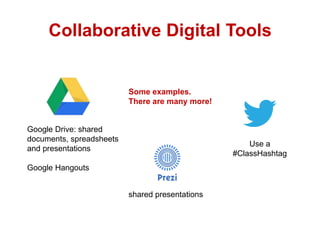
Collaborative Digital Tools

Some examples.
There are many more!

Google Drive: shared
documents, spreadsheets
and presentations

Use a
#ClassHashtag

Google Hangouts
shared presentations
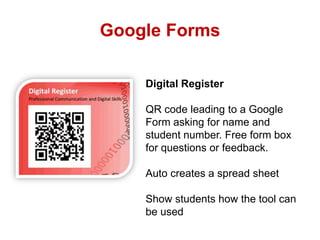
Google Forms
Digital Register
QR code leading to a Google
Form asking for name and
student number. Free form box
for questions or feedback.
Auto creates a spread sheet
Show students how the tool can
be used
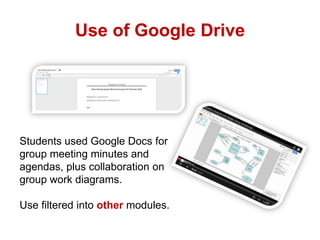
Use of Google Drive

Students used Google Docs for
group meeting minutes and
agendas, plus collaboration on
group work diagrams.
Use filtered into other modules.
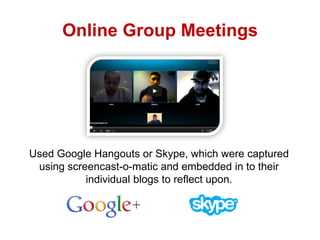
Online Group Meetings

Used Google Hangouts or Skype, which were captured
using screencast-o-matic and embedded in to their
individual blogs to reflect upon.
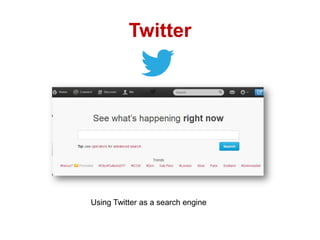
Twitter

Using Twitter as a search engine
Resource
building
10. Direct
(private)
messaging

2.
Interactive
lectures

3. Quickfire recaps

9. Survey

10 Ways
to use
Twitter in
Teaching
4. Instant
feedback

8. Reviews

7.
Research
using the
advanced
search

5.
Reminders
6. Set up a
Twitter
chat
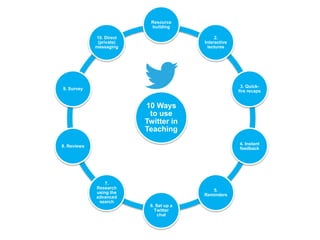
1. Resource building - tutors AND students can use a course hashtag to
share links to relevant resources. These could include websites, news
articles, videos, podcasts, images, SlideShare presentations as well as
books and journal papers.
2. Interactive lectures - ask students to answer questions during a lecture.
Or, get people talking before the lecture or the seminar by raising
questions.
3. Quick-fire recap of a lecture - ask students to summarise key points
4. Instant feedback - areas they would like to go over again
5. Reminders of deadlines and events
6. Set up a Twitter chat with an industry expert, client group or professional
community
7. Research ideas and opinions using the advanced search
8. Reviews - write a concise micro review of a book, an article, a film or
event
9. Survey - set up a poll or an online questionnaire and tweet the link
10. Direct messaging - use DM for private tutorial questions

https://blogs.shu.ac.uk/ltconference/files/2013/09/10-Ways-to-Use-Twitter1.pdf
3

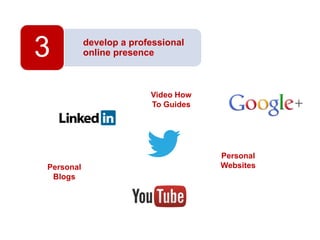
develop a professional
online presence

Video How
To Guides

Personal
Blogs

Personal
Websites
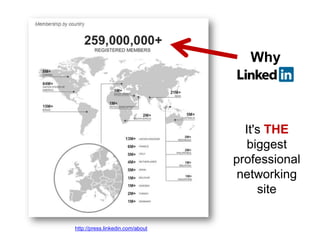
Why

It's THE
biggest
professional
networking
site
http://press.linkedin.com/about
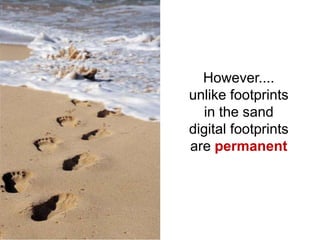
However....
unlike footprints
in the sand
digital footprints
are permanent
!
http://www.alexa.com/topsites/global

will find your digital
footprints!
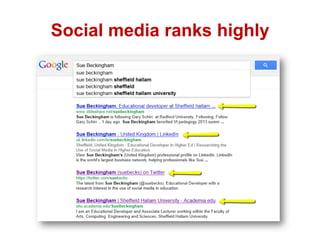
Social media ranks highly
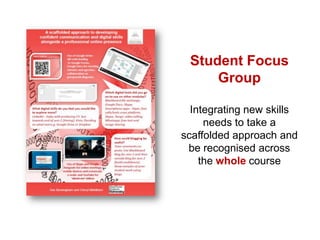
Student Focus
Group
Integrating new skills
needs to take a
scaffolded approach and
be recognised across
the whole course
The use of social media and
development of digital skills to
enhance learning and
teaching in Computing
Sue Beckingham | @suebecks
Sheffield Hallam University

The Use of Social Media and Digital Skills Development in Computing

  • 1.
    The use ofsocial media and development of digital skills to enhance learning and teaching in Computing Sue Beckingham | @suebecks Sheffield Hallam University
  • 2.
    The focus ofthe seminar will be to explore the use of social media to: 1 • develop confident communication skills 2 • work collaboratively both synchronously and asynchronously 3 • develop a professional online presence
  • 3.
  • 4.
    Trans-disciplinary Skills New channels>> http://punya.educ.msu.edu/2013/05/10/2-diagrams-21st-century-knowledge-synthesized-7-trans-disciplinary-skills/
  • 5.
    Introduction to theconcept of blogging Brief: Below is a link to video that introduces the concept of blogging in plain English. This needs to be viewed in YouTube so click on the link ‘Watch on YouTube’. Happy blogging! http://youtu.be/NN2I1pWXjXI
  • 6.
    Reflective Blogging Brief: Thereare a number of blog tools you can choose from. These include WordPress, Blogger and Tumblr. Your blog will form the digital portfolio for your assessment. You are expected to make a minimum of 10 posts over the semester. Give directed topics weekly to help students focus on an aspect of their learning whilst encouraging additional posts Encourage use of images, video and audio
  • 7.
    Digital ‘About Me’Video Brief: You need to create a digital ‘about me’. This can be a video or a screencast with voice over. It should include both information to introduce yourself and also a professional you. Think about your skills and aspirations. It should be recorded and saved as a YouTube file so that you may embed it into your blog. The duration should be approximately 2-3 minutes. Note: Students selected a private setting and then invited just myself as Tutor to view.
  • 8.
    Digital 'About Me'Videos Choice of: • video to camera (majority used mobile phones) or • a screencast Used http://www.screencast-o-matic.com/
  • 9.
    Introducing Video CVs 1. Shared‘how not to do it’ first 2. Asked Students to research ‘good exemplars’
  • 10.
    Using YouTube videofor presentation style tips
  • 11.
  • 13.
    2 work collaboratively both synchronouslyand asynchronously Why collaborate? To share and develop ideas, contribute different skills. What are the advantages of digital collaboration? Sharing of ideas and information using online technology Enables the development of valuable connections amongst people Allows both synchronous and asynchronous interactions removing barriers of place and time
  • 14.
    Collaborative Digital Tools Someexamples. There are many more! Google Drive: shared documents, spreadsheets and presentations Use a #ClassHashtag Google Hangouts shared presentations
  • 15.
    Google Forms Digital Register QRcode leading to a Google Form asking for name and student number. Free form box for questions or feedback. Auto creates a spread sheet Show students how the tool can be used
  • 16.
    Use of GoogleDrive Students used Google Docs for group meeting minutes and agendas, plus collaboration on group work diagrams. Use filtered into other modules.
  • 17.
    Online Group Meetings UsedGoogle Hangouts or Skype, which were captured using screencast-o-matic and embedded in to their individual blogs to reflect upon.
  • 18.
    Twitter Using Twitter asa search engine
  • 19.
    Resource building 10. Direct (private) messaging 2. Interactive lectures 3. Quickfirerecaps 9. Survey 10 Ways to use Twitter in Teaching 4. Instant feedback 8. Reviews 7. Research using the advanced search 5. Reminders 6. Set up a Twitter chat
  • 20.
    1. Resource building- tutors AND students can use a course hashtag to share links to relevant resources. These could include websites, news articles, videos, podcasts, images, SlideShare presentations as well as books and journal papers. 2. Interactive lectures - ask students to answer questions during a lecture. Or, get people talking before the lecture or the seminar by raising questions. 3. Quick-fire recap of a lecture - ask students to summarise key points 4. Instant feedback - areas they would like to go over again 5. Reminders of deadlines and events 6. Set up a Twitter chat with an industry expert, client group or professional community 7. Research ideas and opinions using the advanced search 8. Reviews - write a concise micro review of a book, an article, a film or event 9. Survey - set up a poll or an online questionnaire and tweet the link 10. Direct messaging - use DM for private tutorial questions https://blogs.shu.ac.uk/ltconference/files/2013/09/10-Ways-to-Use-Twitter1.pdf
  • 21.
    3 develop a professional onlinepresence Video How To Guides Personal Blogs Personal Websites
  • 22.
  • 23.
    However.... unlike footprints in thesand digital footprints are permanent
  • 24.
  • 25.
  • 29.
    Student Focus Group Integrating newskills needs to take a scaffolded approach and be recognised across the whole course
  • 30.
    The use ofsocial media and development of digital skills to enhance learning and teaching in Computing Sue Beckingham | @suebecks Sheffield Hallam University

Editor's Notes

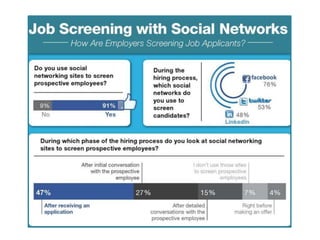
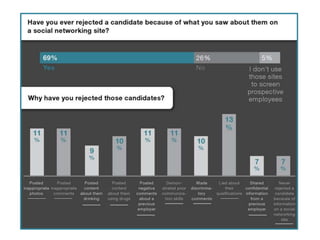
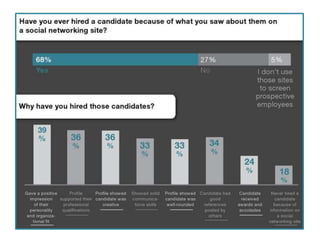
  • #27 http://mashable.com/2011/10/23/how-recruiters-use-social-networks-to-screen-candidates-infographic/