The Journey to SharePoint:
Innovation on People, Process and
Technology


Steve Sofian – Consulting Manager
Arvato Systems Singapore
MVP SharePoint Server


                                    Slide 1
ABOUT ME

 •   Consulting Manager for Arvato System Singapore
 •   Worked with SharePoint since 2006
 •   Microsoft MVP – SharePoint Server since 2007
 •   Founder SharePointPROs.SG User Group
 •   Organizer for SharePoint Conference SEA 2010


                                                      Slide 2
AGENDA


 •   SharePoint 2010 Overview
 •   ECM with SharePoint 2010 Rocks!
 •   Discovery with Search and FAST Search
 •   Solution Idea: Knowledge Management
 •   Q&A


                                             Slide 3
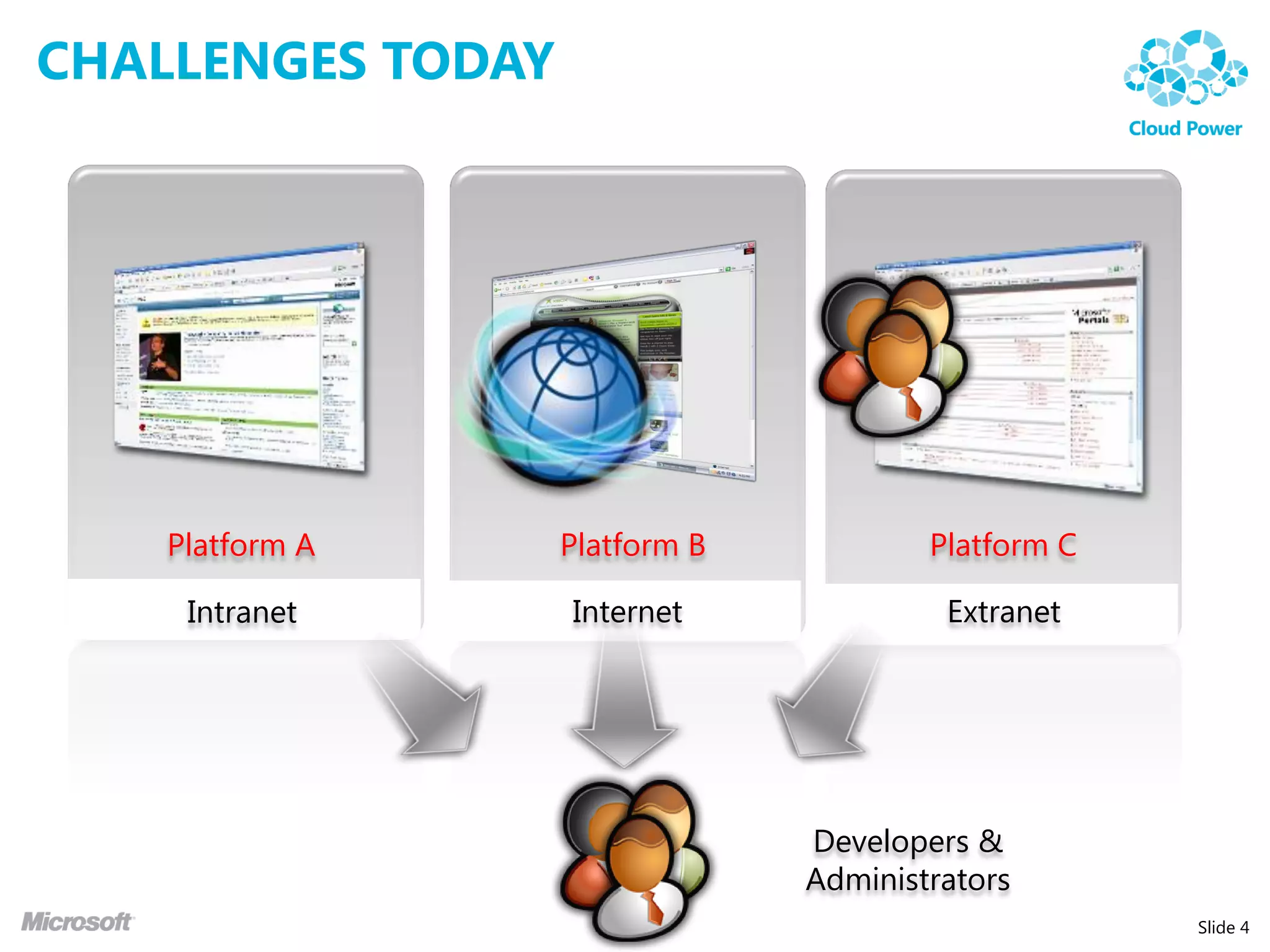
CHALLENGES TODAY


    Platform A     Platform B           Platform C

     Intranet      Internet              Extranet


                                Developers &
                                Administrators
                                                     Slide 4
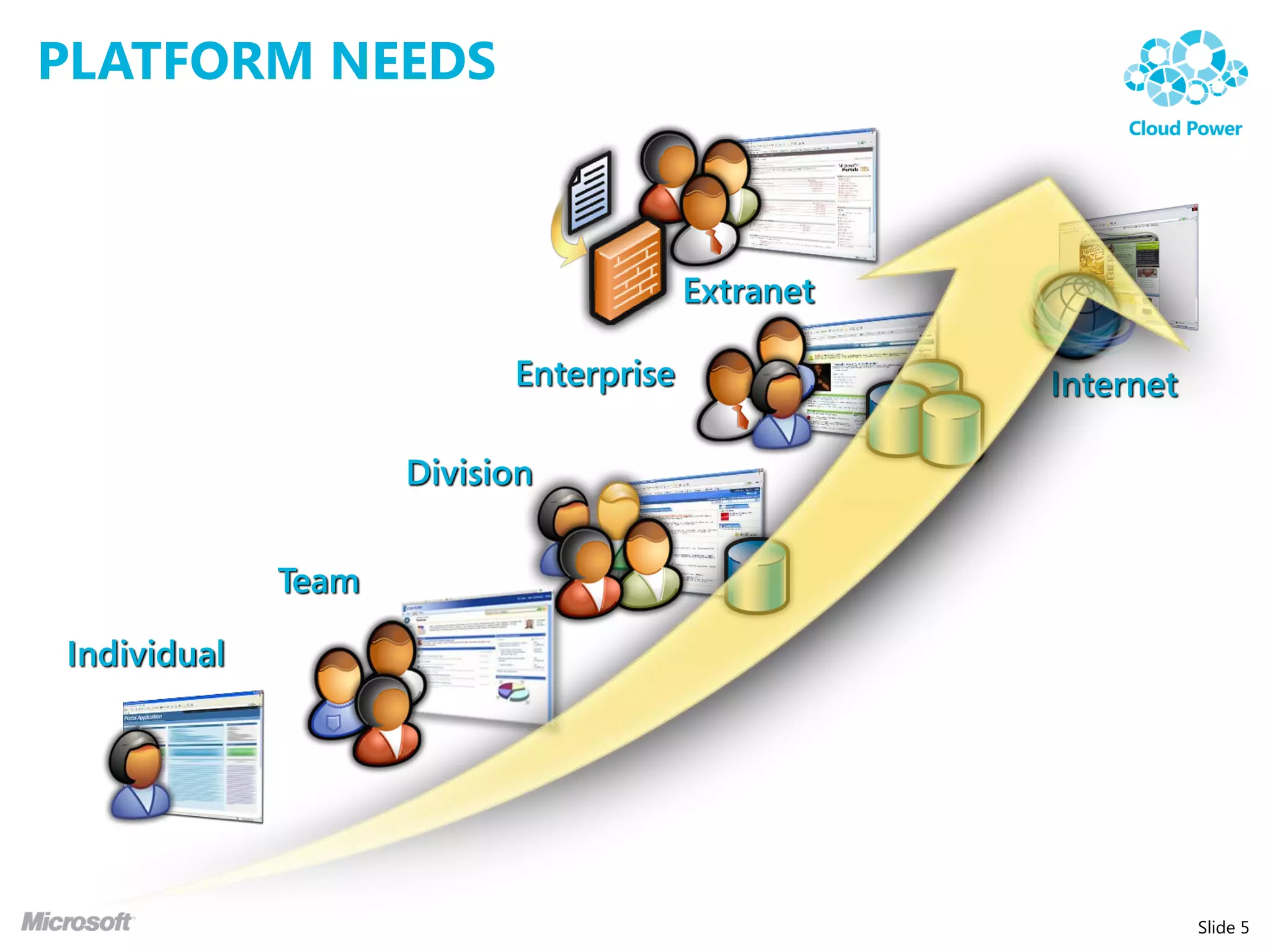
PLATFORM NEEDS


                                       Extranet

                          Enterprise              Internet

                    Division


             Team

Individual


                                                             Slide 5
PLATFORM NEEDS


                         Extend the reach of Enterprise Data

Common
infrastructure to meet
and fulfill business     Centrally manage content
needs. Lower Total
Cost of Ownership
(TCO).

                         Easily create custom solutions


                                                               Slide 6
SO, WHAT IS SHAREPOINT?


                          Slide 7
SHAREPOINT 2010

 • Application Platform that comes with set of rich features
   that you can build on.
 • Application platform that provides a basic set of services:
    •   Authentication
    •   Authorization
    •   Storage
    •   Many more….


                                                                 Slide 8
SHAREPOINT 2010


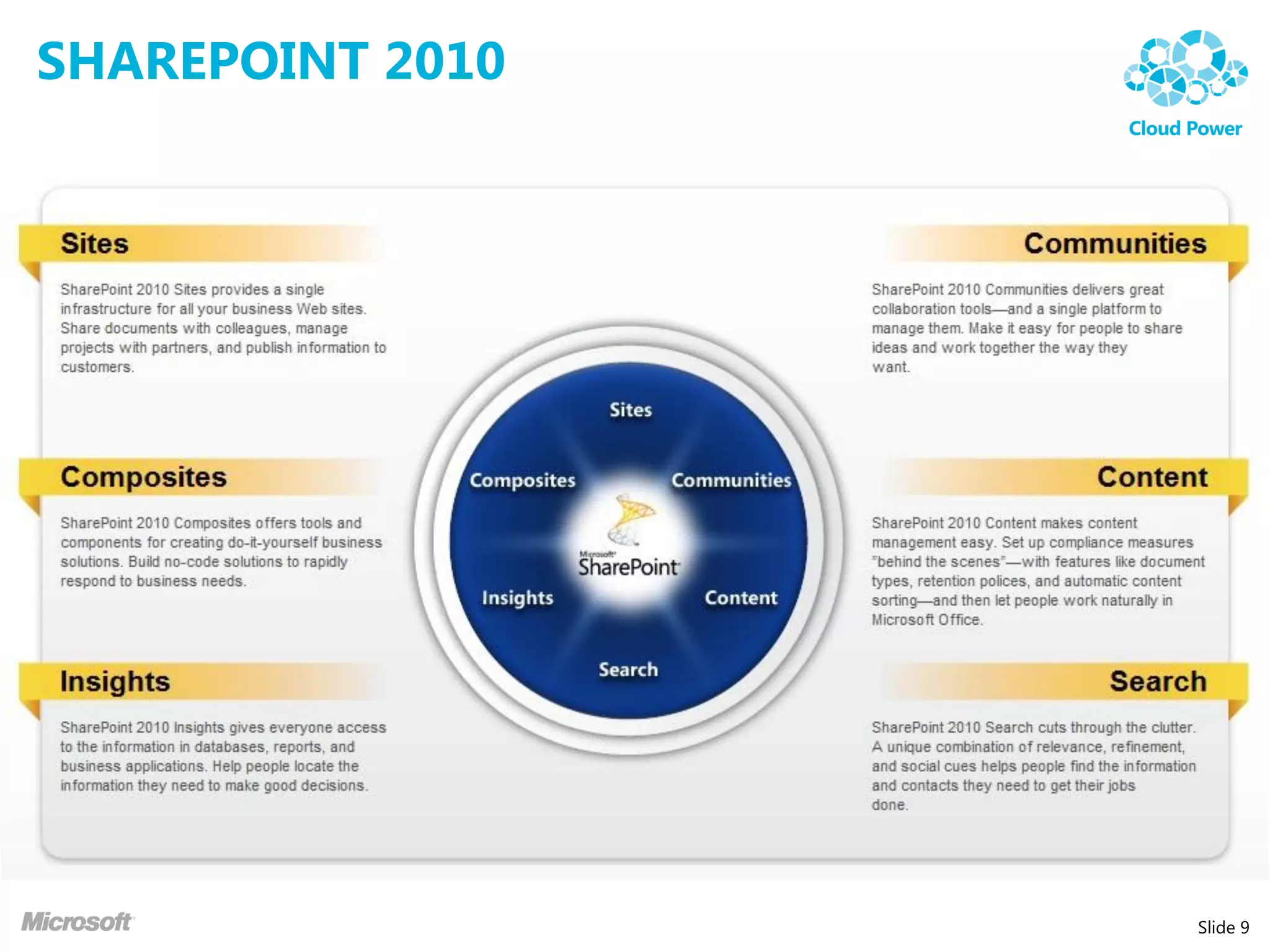
                  Slide 9
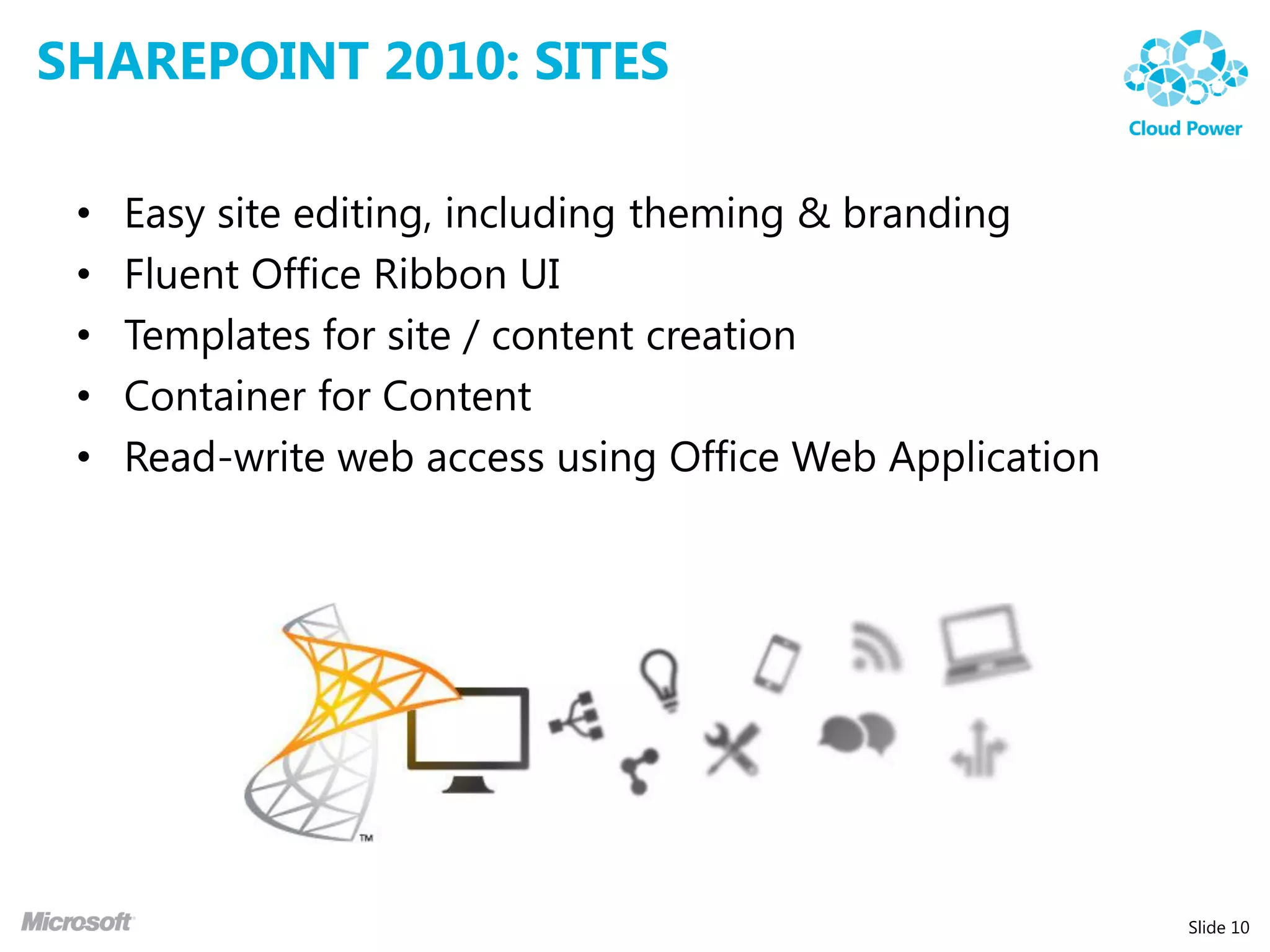
SHAREPOINT 2010: SITES

 •   Easy site editing, including theming & branding
 •   Fluent Office Ribbon UI
 •   Templates for site / content creation
 •   Container for Content
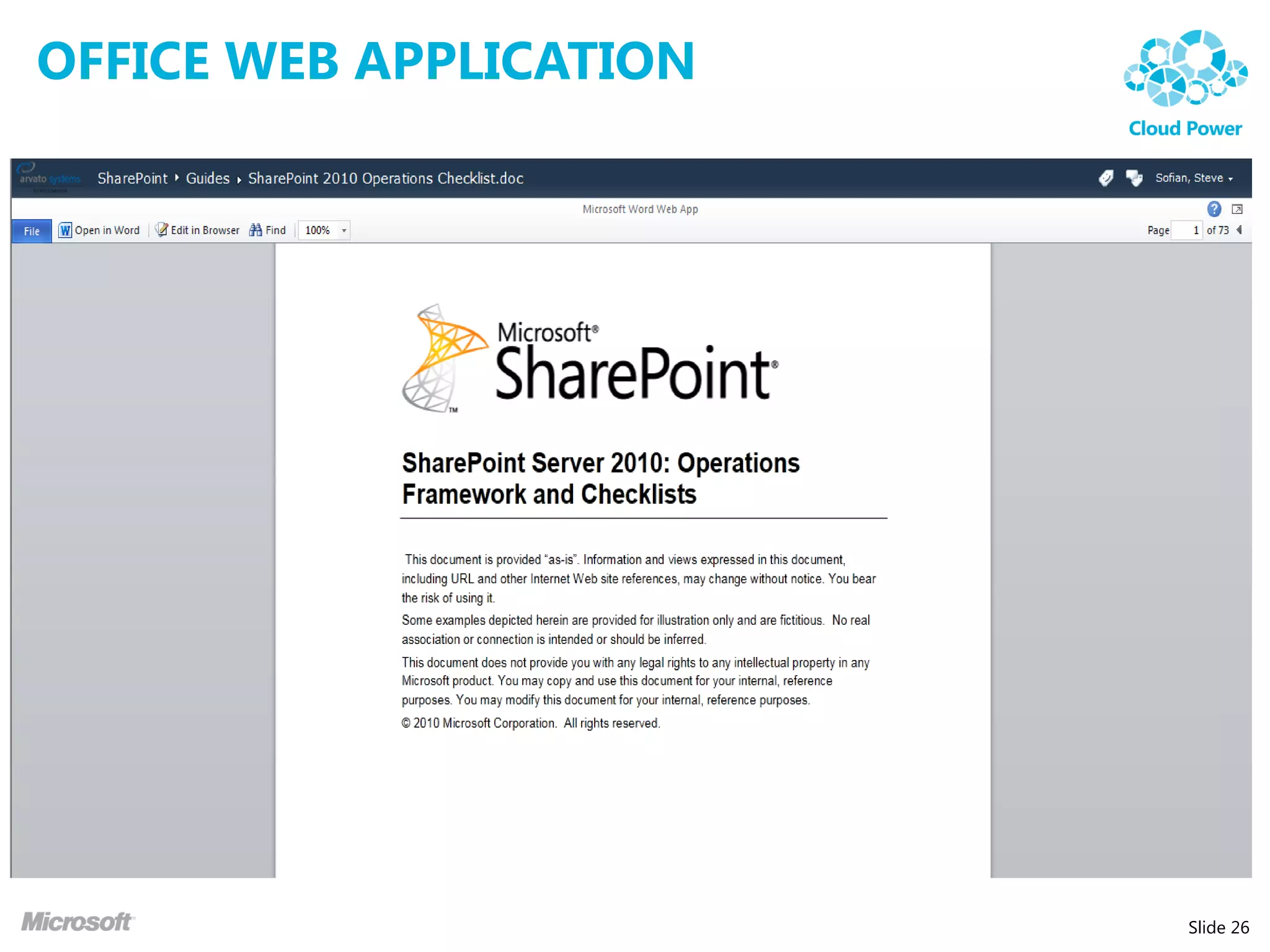
 •   Read-write web access using Office Web Application


                                                          Slide 10
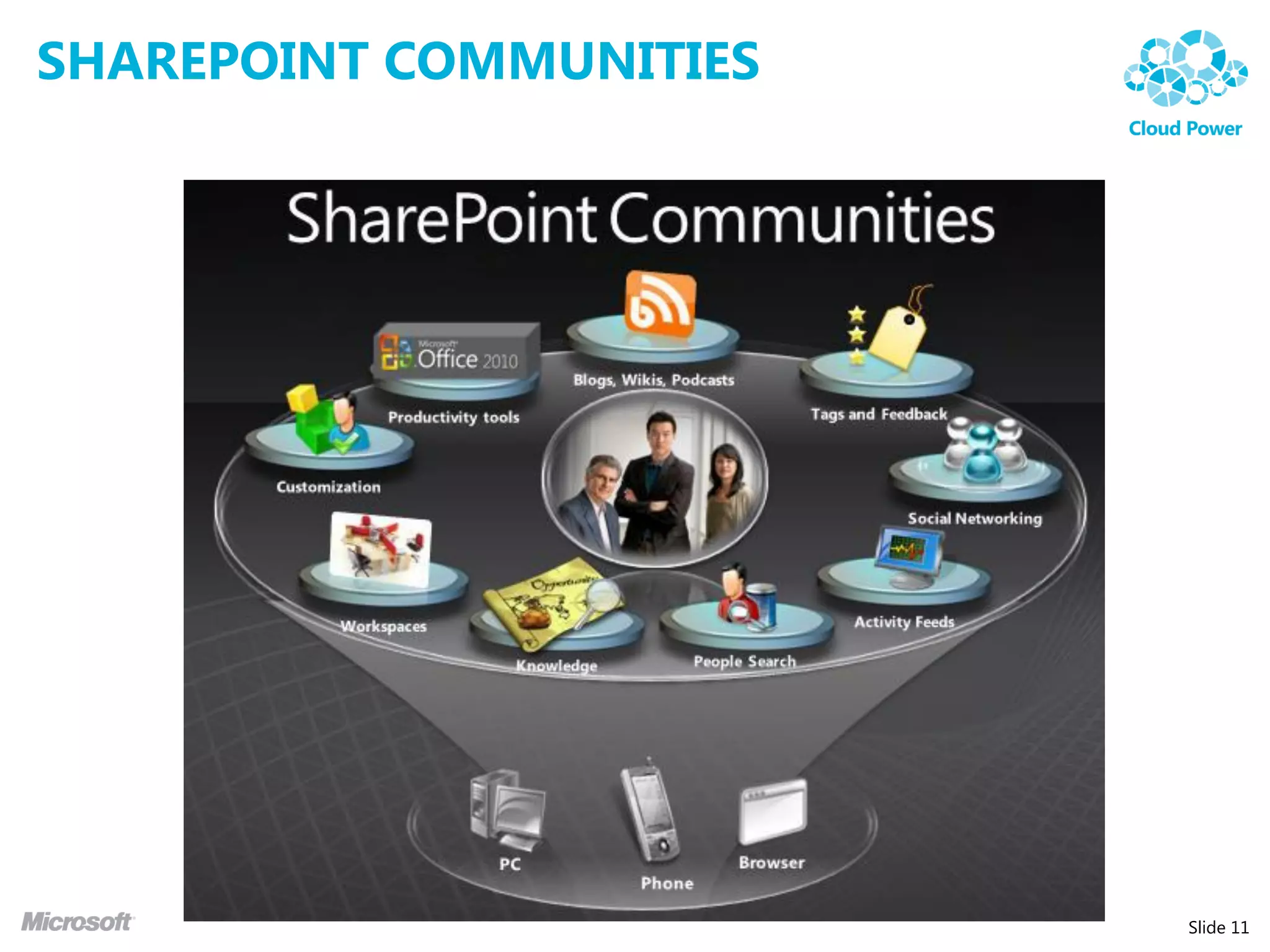
SHAREPOINT COMMUNITIES


                         Slide 11
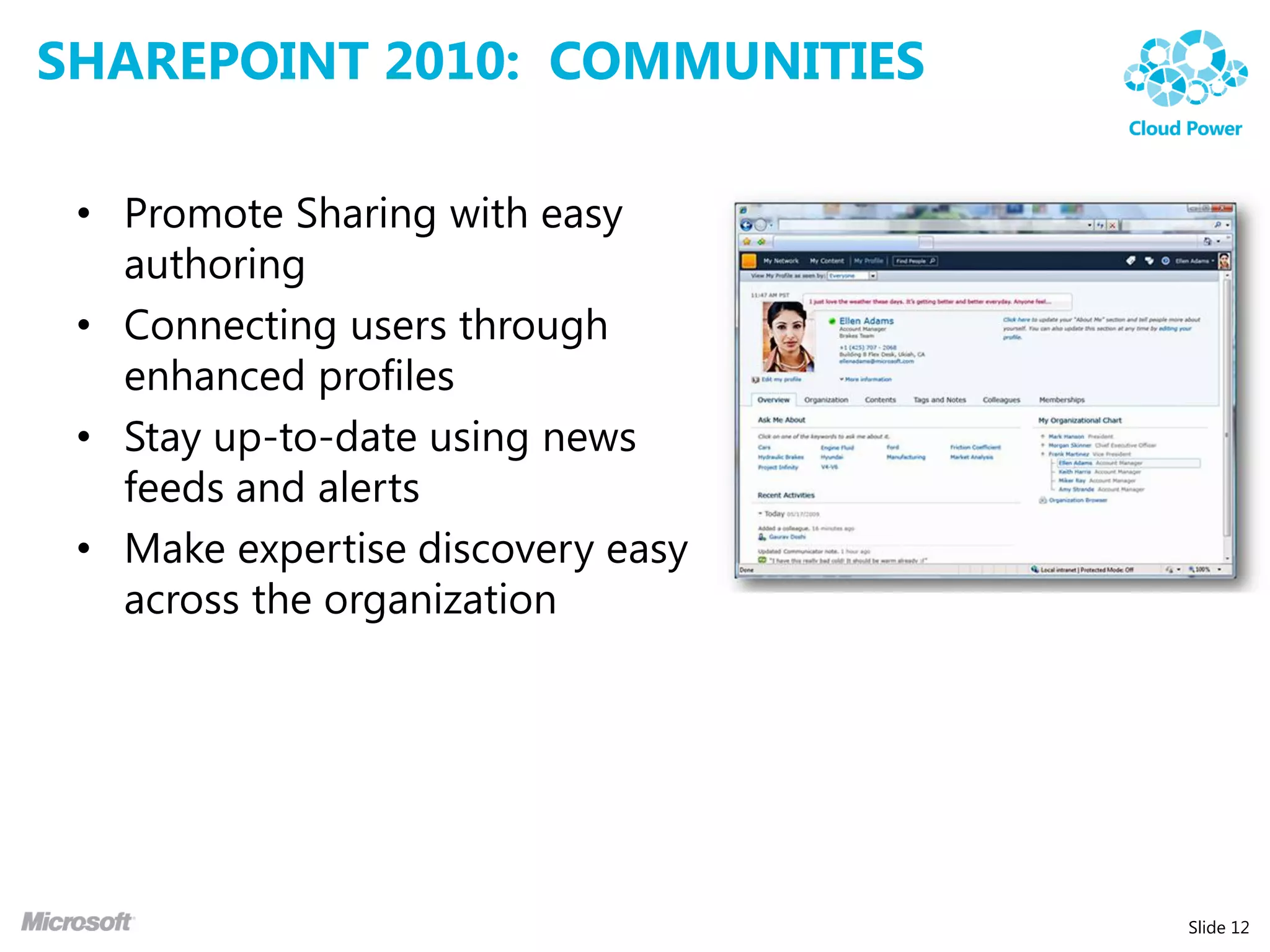
SHAREPOINT 2010: COMMUNITIES

 • Promote Sharing with easy
   authoring
 • Connecting users through
   enhanced profiles
 • Stay up-to-date using news
   feeds and alerts
 • Make expertise discovery easy
   across the organization


                                   Slide 12
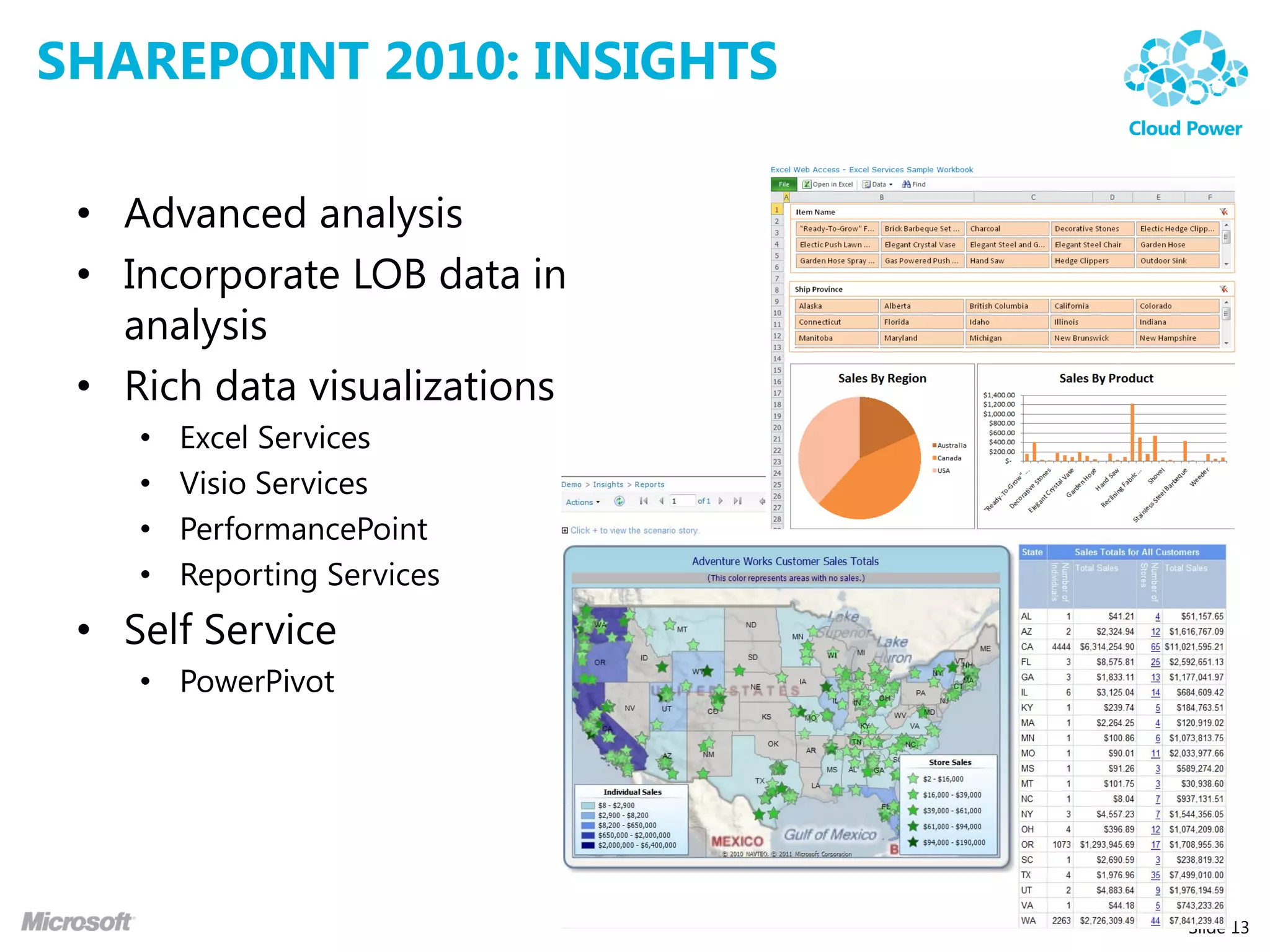
SHAREPOINT 2010: INSIGHTS

 • Advanced analysis
 • Incorporate LOB data in
   analysis
 • Rich data visualizations
    •   Excel Services
    •   Visio Services
    •   PerformancePoint
    •   Reporting Services
 • Self Service
    • PowerPivot


                              Slide 13
SHAREPOINT 2010: COMPOSITES

 • Integration and Application Features
 • Provide users with a set of standardized, self-service
   tools to build productivity solutions
 • Tools may need to work together and form a powerful
   business solutions
 • Features:
    •   SharePoint Designer
    •   SharePoint Workspace
    •   Access Services
    •   InfoPath Forms Services
    •   Business Connectivity Services
    •   Etc….


                                                            Slide 14
DEMO - SHAREPOINT


                    Slide 15
ENTERPRISE CONTENT MANAGEMENT


                                Slide 16
WHAT IS ECM?

 “Enterprise Content Management (ECM) is the strategies,
 methods, and tools used to capture, manage, store,
 preserve, and deliver contents and documents related to
 organizational processes. ECM tools and strategies allow
 the management of an organization’s unstructured
 information, wherever the information exists”

 Association for Information and Image Management (AIIM)


                                                            Slide 17
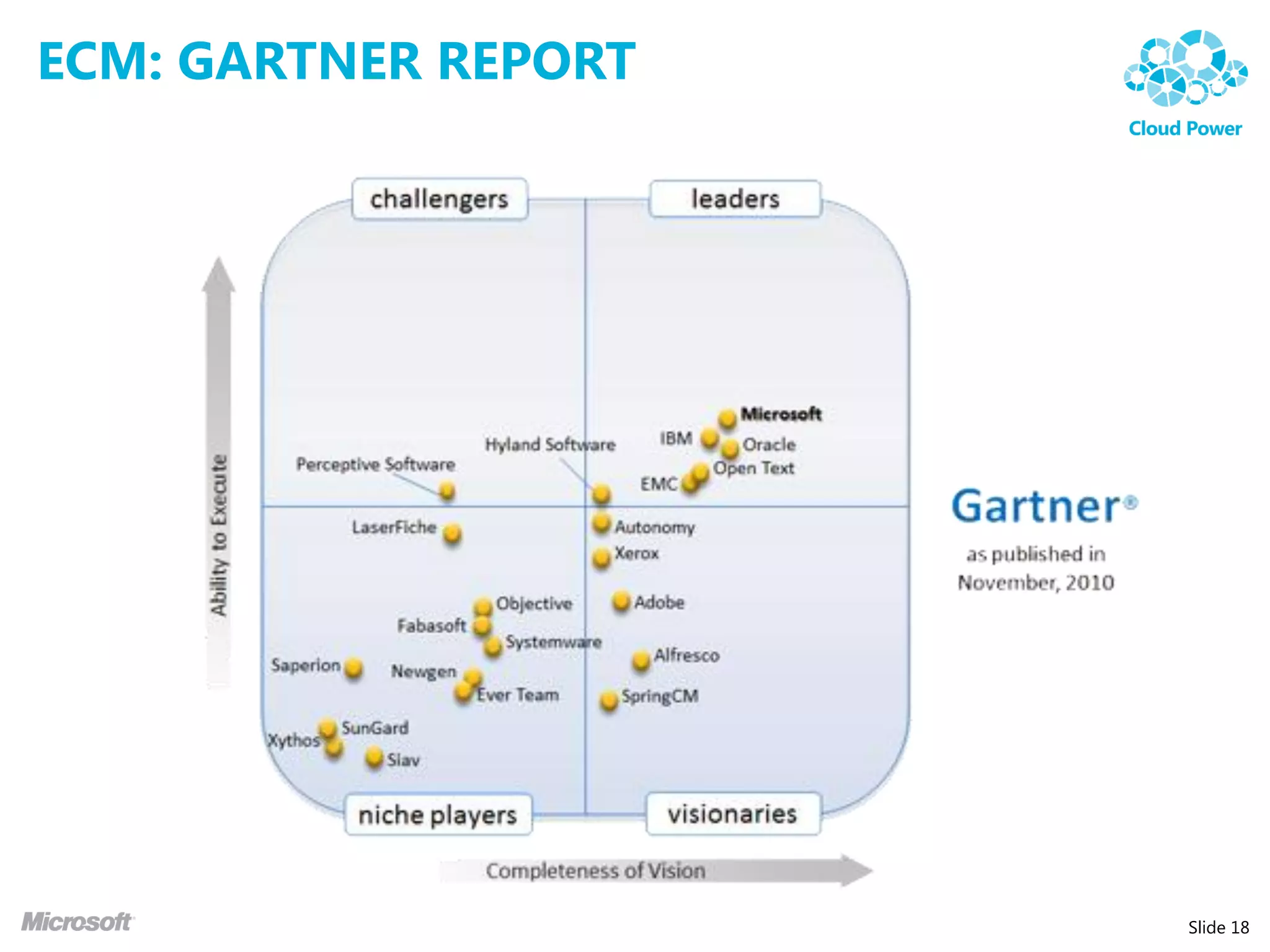
ECM: GARTNER REPORT


                      Slide 18
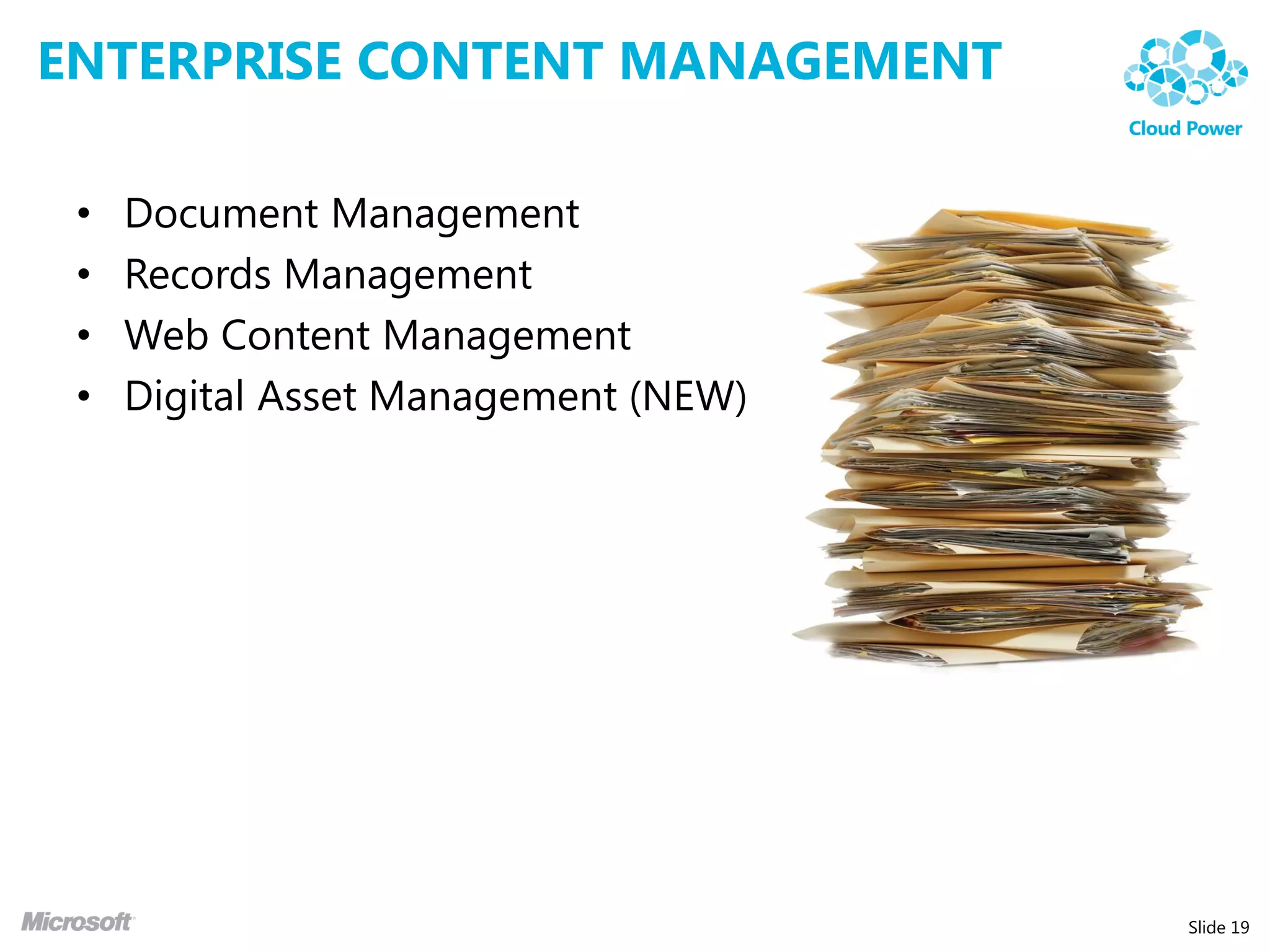
ENTERPRISE CONTENT MANAGEMENT

 •   Document Management
 •   Records Management
 •   Web Content Management
 •   Digital Asset Management (NEW)


                                      Slide 19
SHAREPOINT 2010: ECM KEY FEATURES

 •   Taxonomy / Metadata
 •   Document Features
 •   Content Organizer
 •   Document Sets
 •   Office Web Application


                                    Slide 20
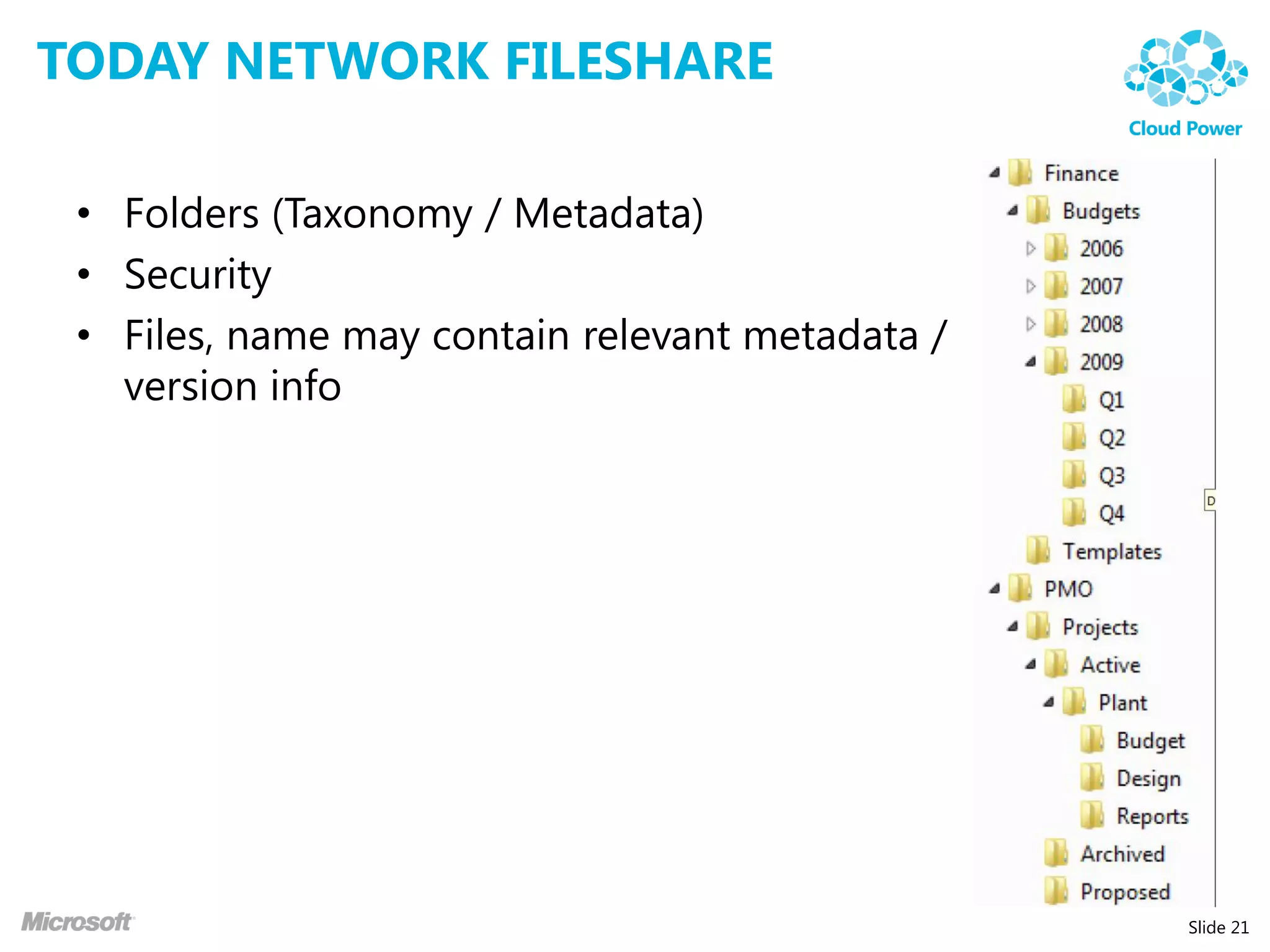
TODAY NETWORK FILESHARE

 • Folders (Taxonomy / Metadata)
 • Security
 • Files, name may contain relevant metadata /
   version info


                                                 Slide 21
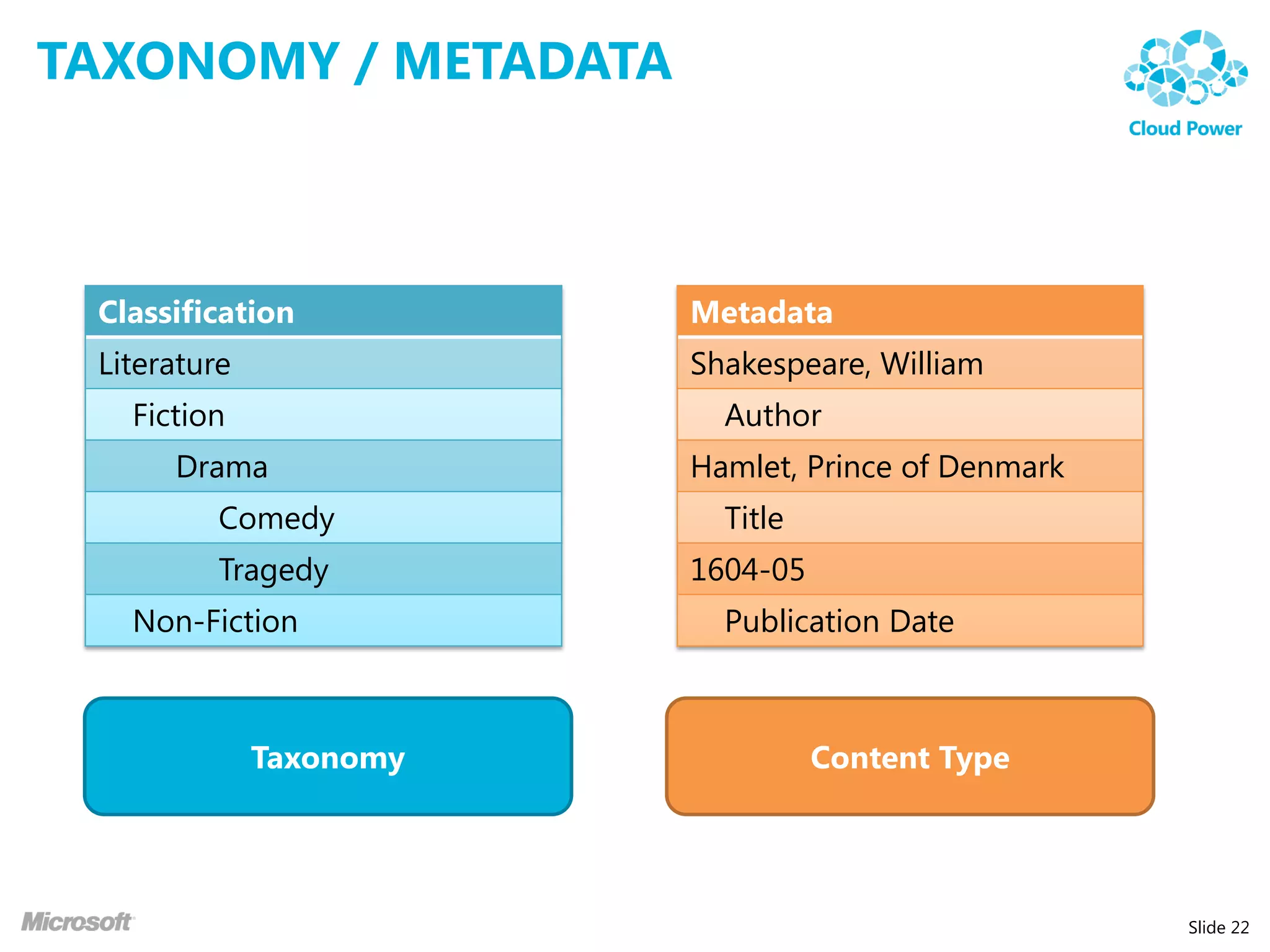
TAXONOMY / METADATA


 Classification          Metadata
 Literature              Shakespeare, William
   Fiction                 Author
      Drama              Hamlet, Prince of Denmark
          Comedy           Title
          Tragedy        1604-05
   Non-Fiction             Publication Date


              Taxonomy             Content Type


                                                     Slide 22
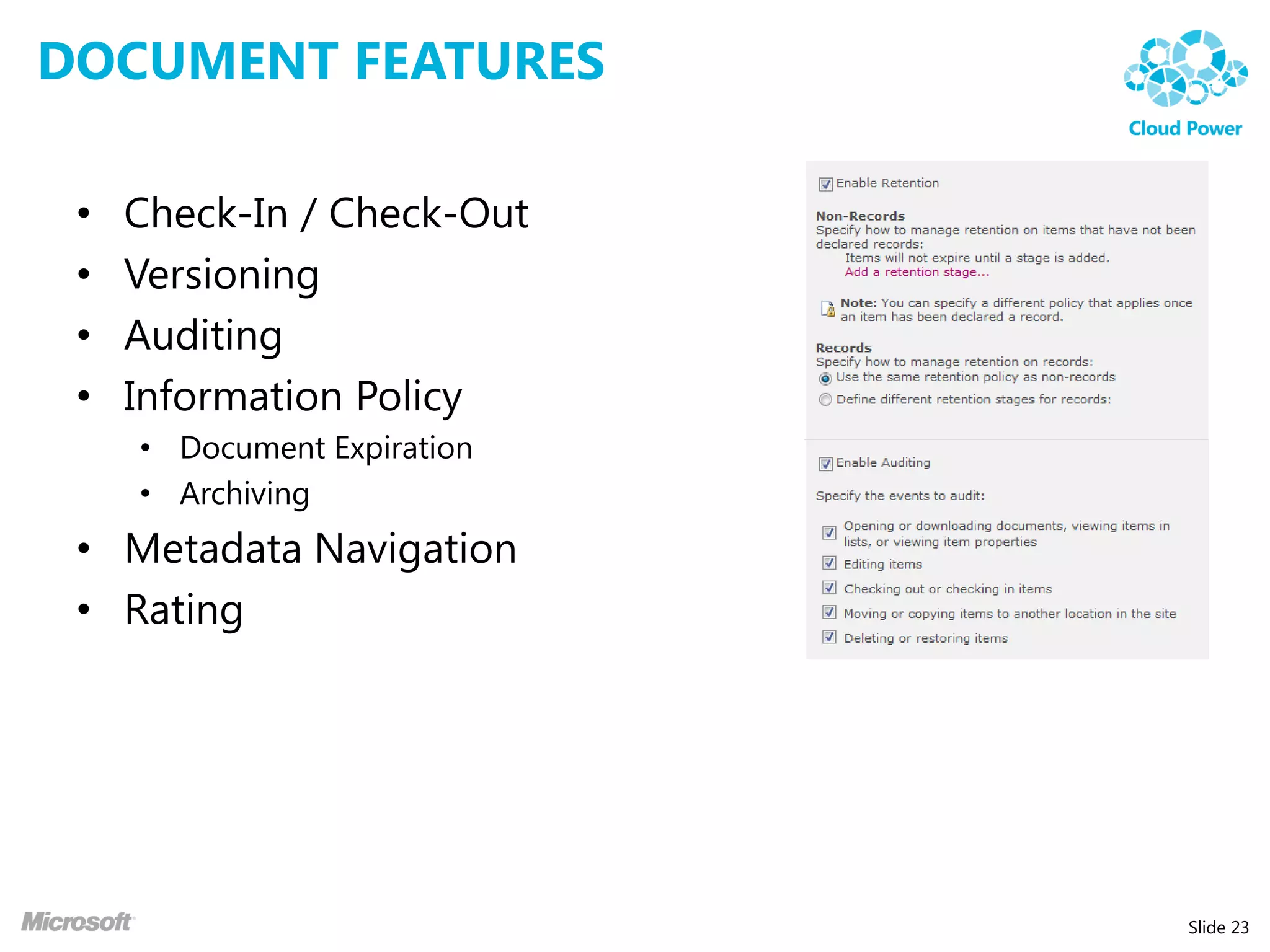
DOCUMENT FEATURES

 •   Check-In / Check-Out
 •   Versioning
 •   Auditing
 •   Information Policy
     • Document Expiration
     • Archiving
 • Metadata Navigation
 • Rating


                             Slide 23
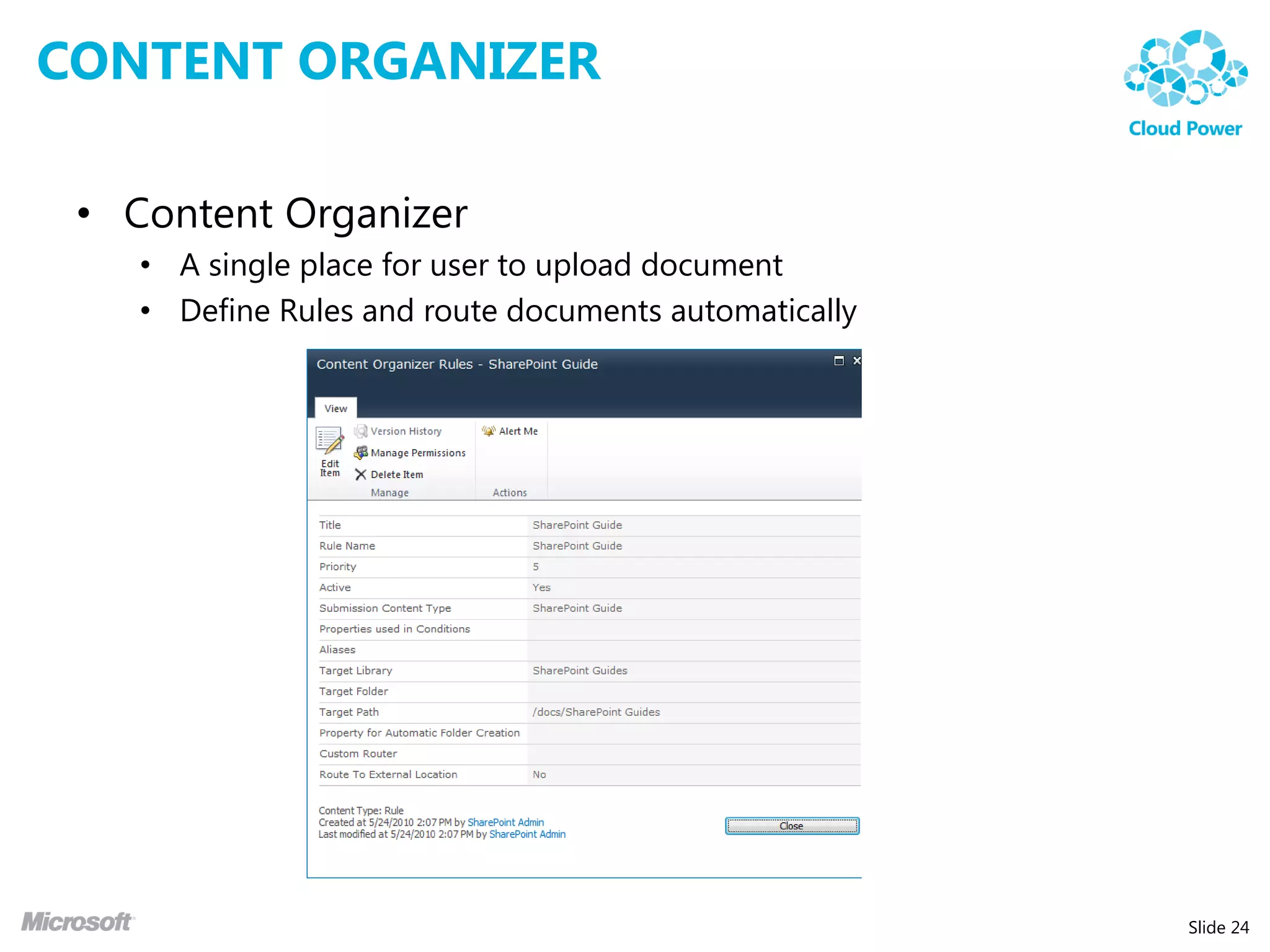
CONTENT ORGANIZER

 • Content Organizer
    • A single place for user to upload document
    • Define Rules and route documents automatically


                                                       Slide 24
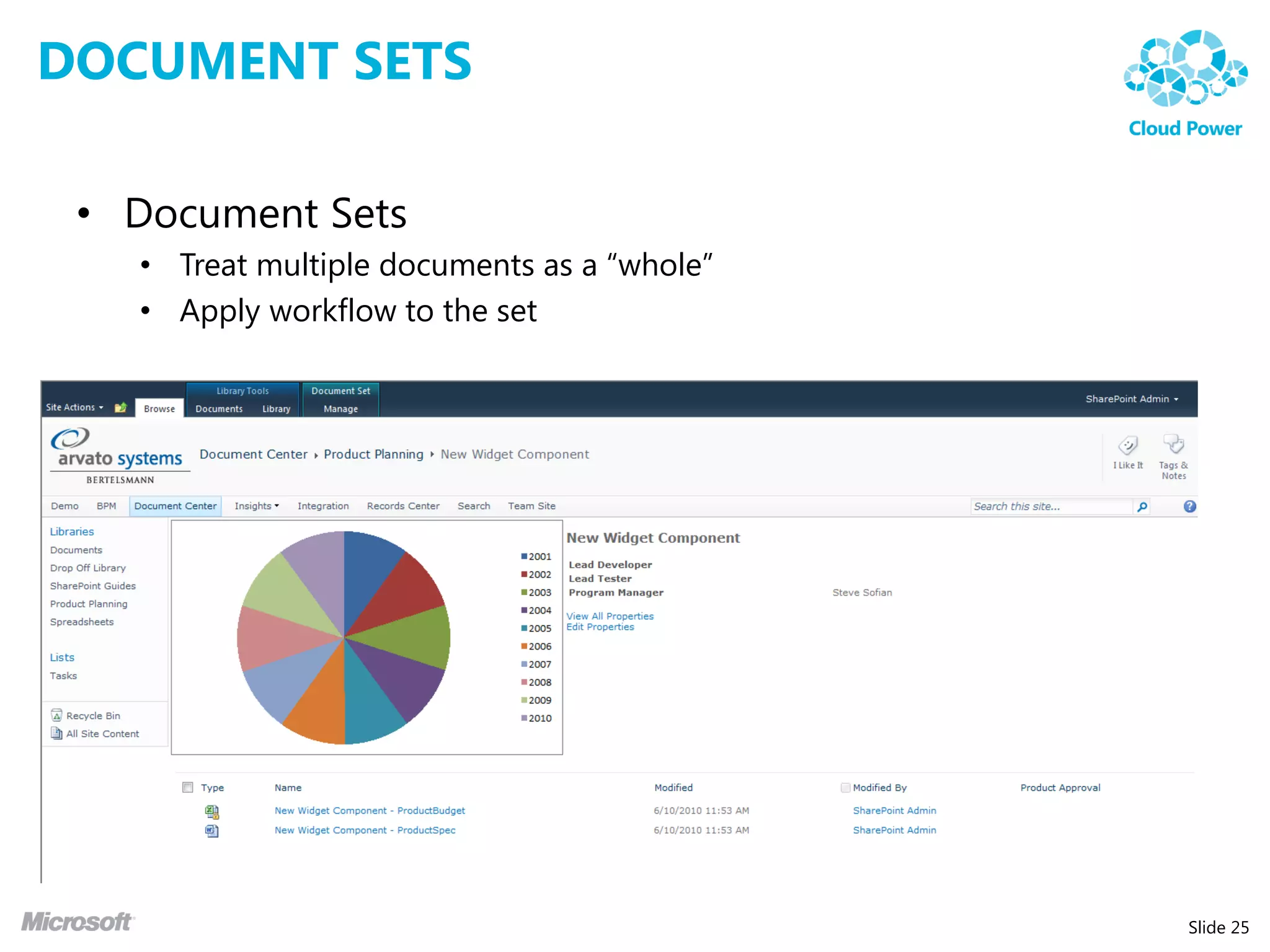
DOCUMENT SETS

 • Document Sets
   • Treat multiple documents as a “whole”
   • Apply workflow to the set


                                             Slide 25
OFFICE WEB APPLICATION


                         Slide 26
DEMO: ECM


            Slide 28
SHAREPOINT 2010 SEARCH


                         Slide 29
Slide 30
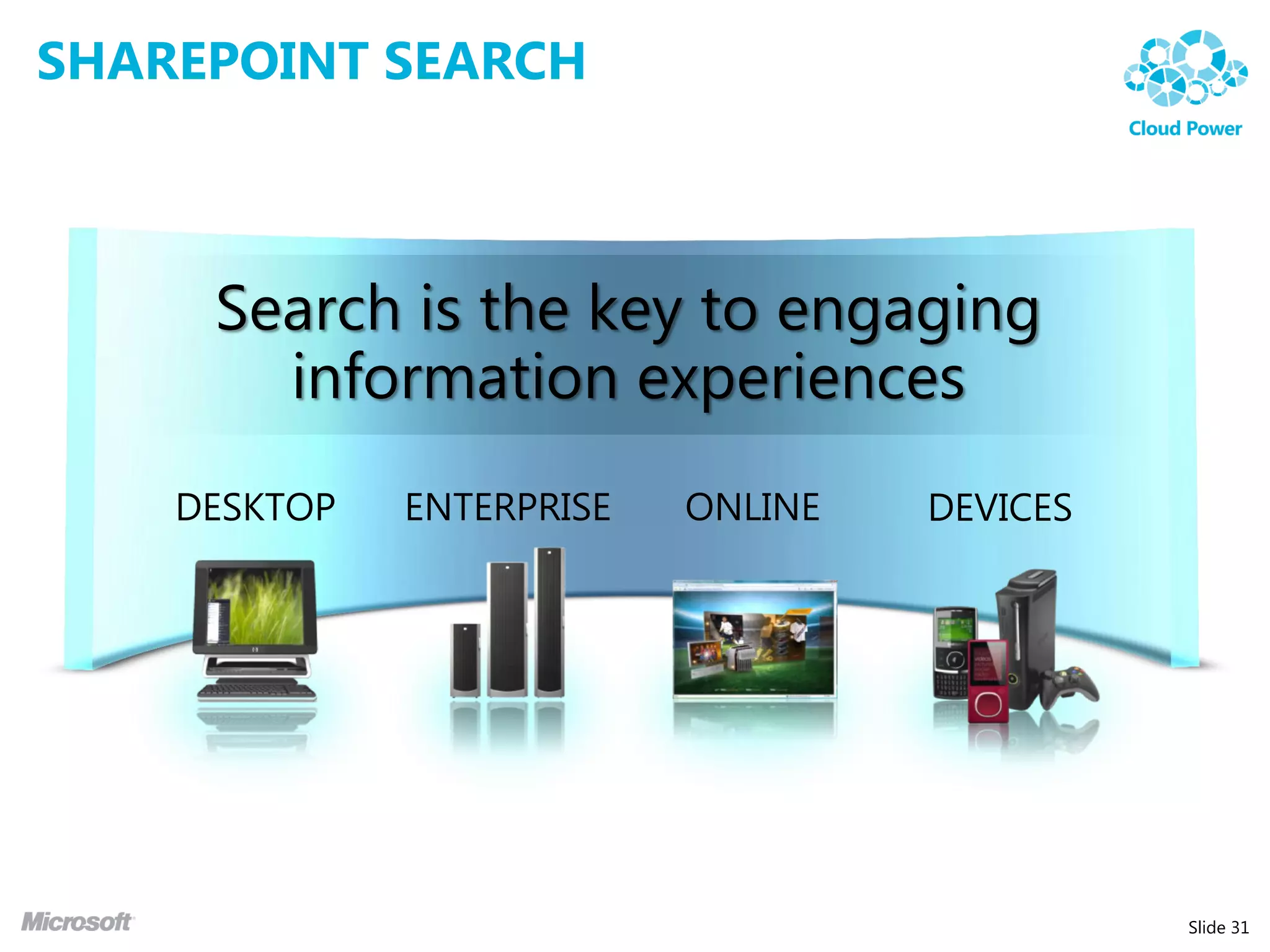
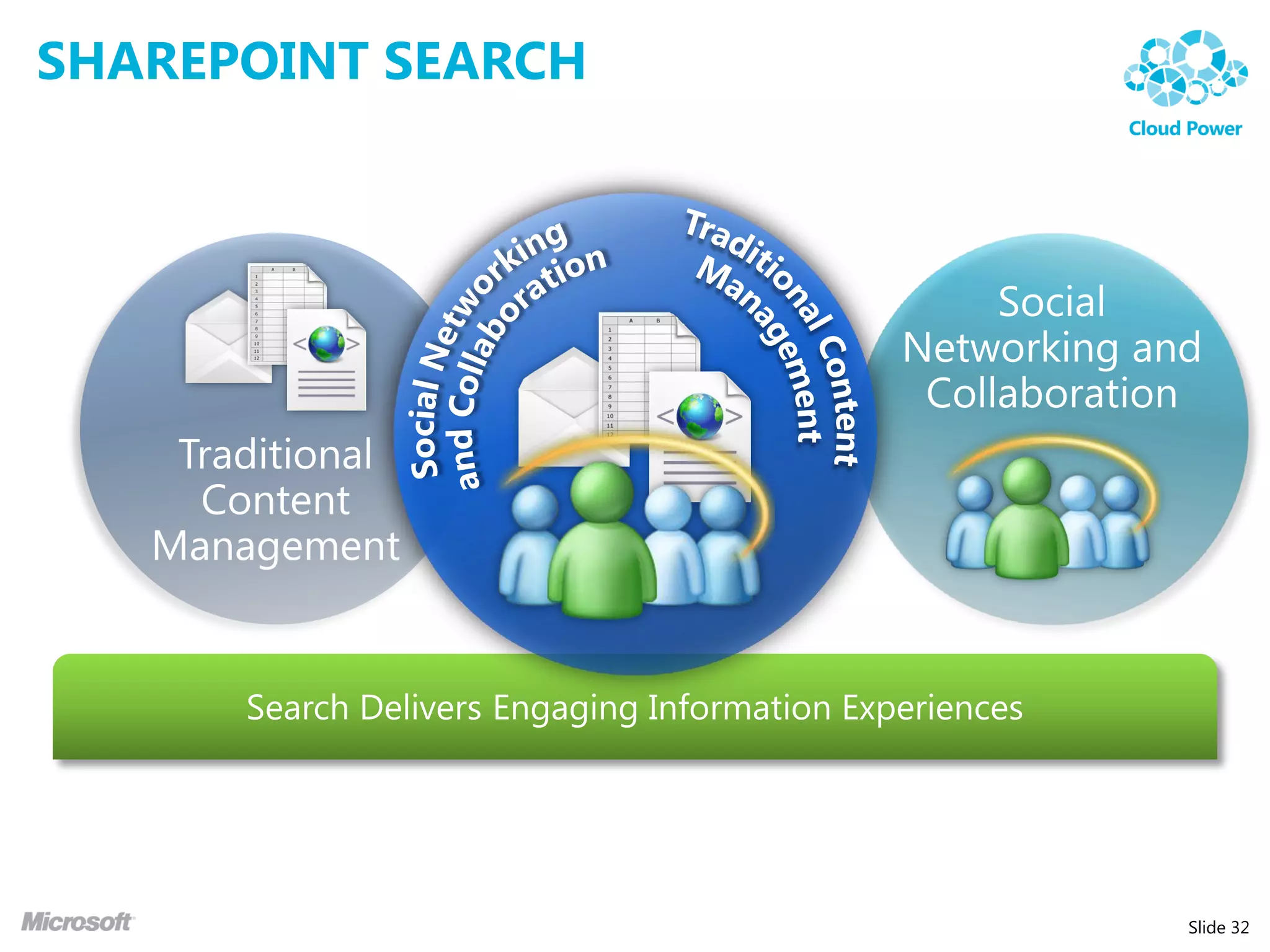
SHAREPOINT SEARCH


     Search is the key to engaging
       information experiences


                                     Slide 31
SHAREPOINT SEARCH


                    Slide 32
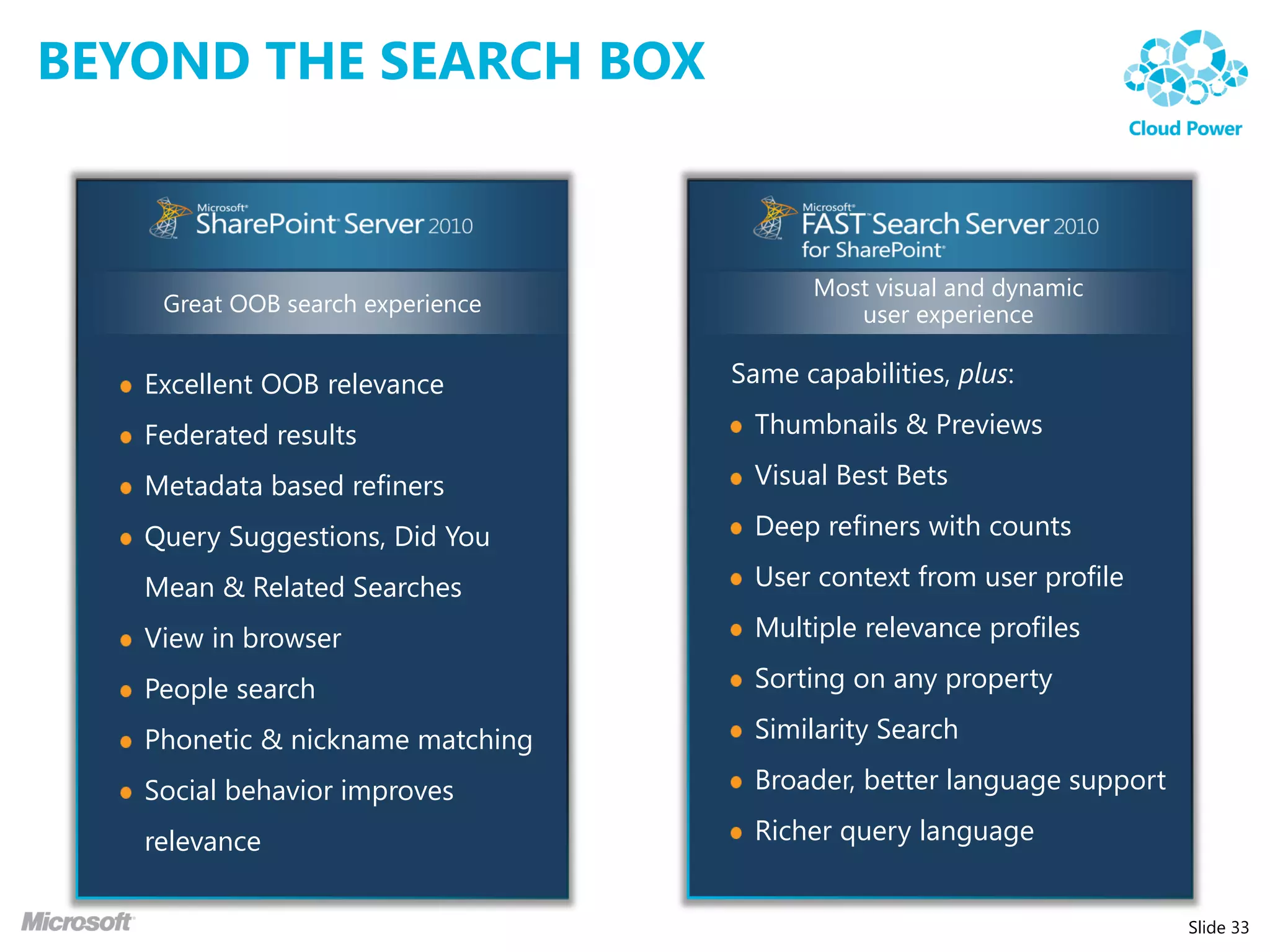
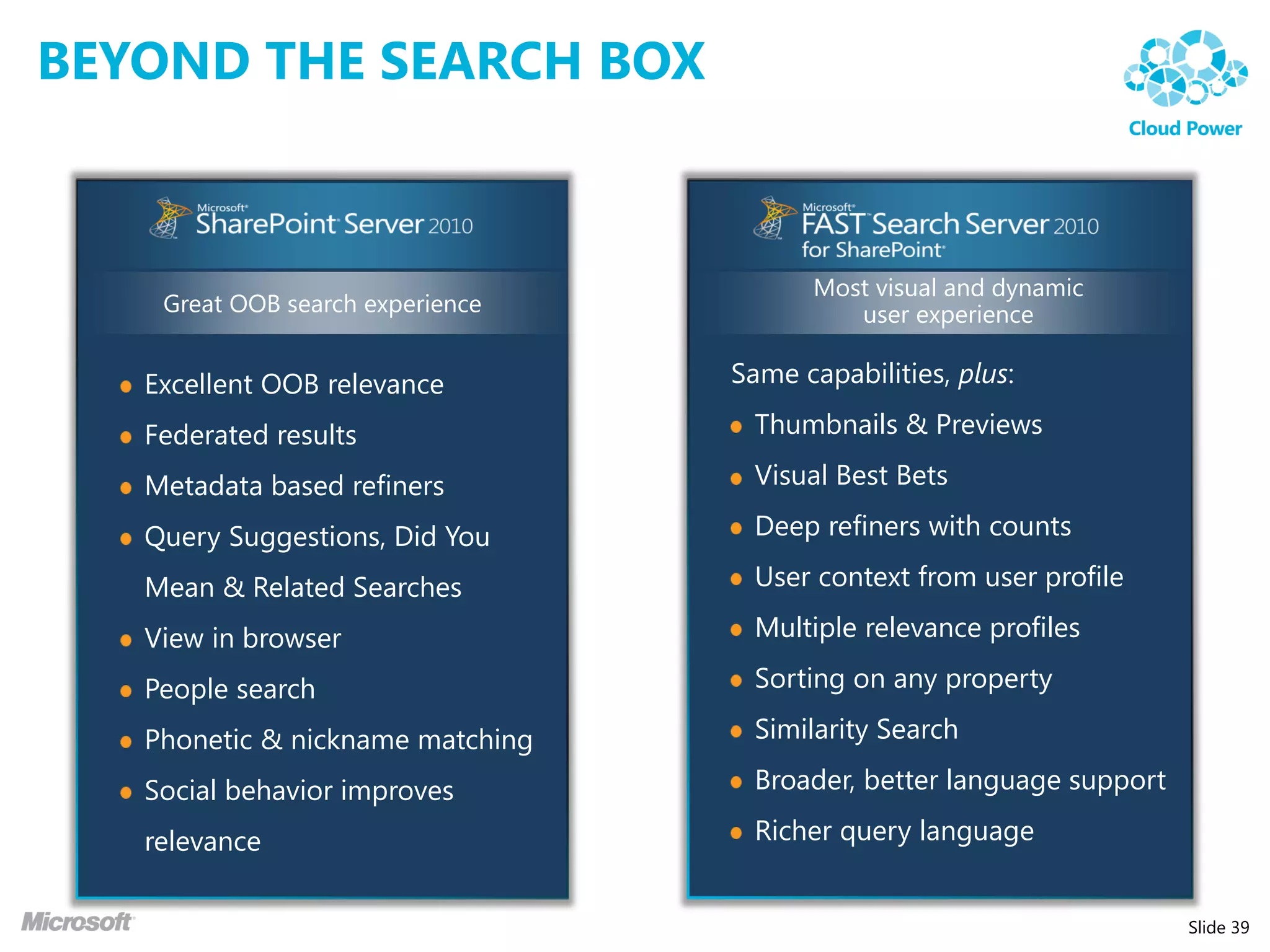
BEYOND THE SEARCH BOX


                                        Most visual and dynamic
    Great OOB search experience            user experience

   Excellent OOB relevance        Same capabilities, plus:

   Federated results                Thumbnails & Previews

   Metadata based refiners          Visual Best Bets

   Query Suggestions, Did You       Deep refiners with counts

   Mean & Related Searches          User context from user profile

   View in browser                  Multiple relevance profiles

   People search                    Sorting on any property

   Phonetic & nickname matching     Similarity Search

   Social behavior improves         Broader, better language support

   relevance                        Richer query language


                                                                       Slide 33
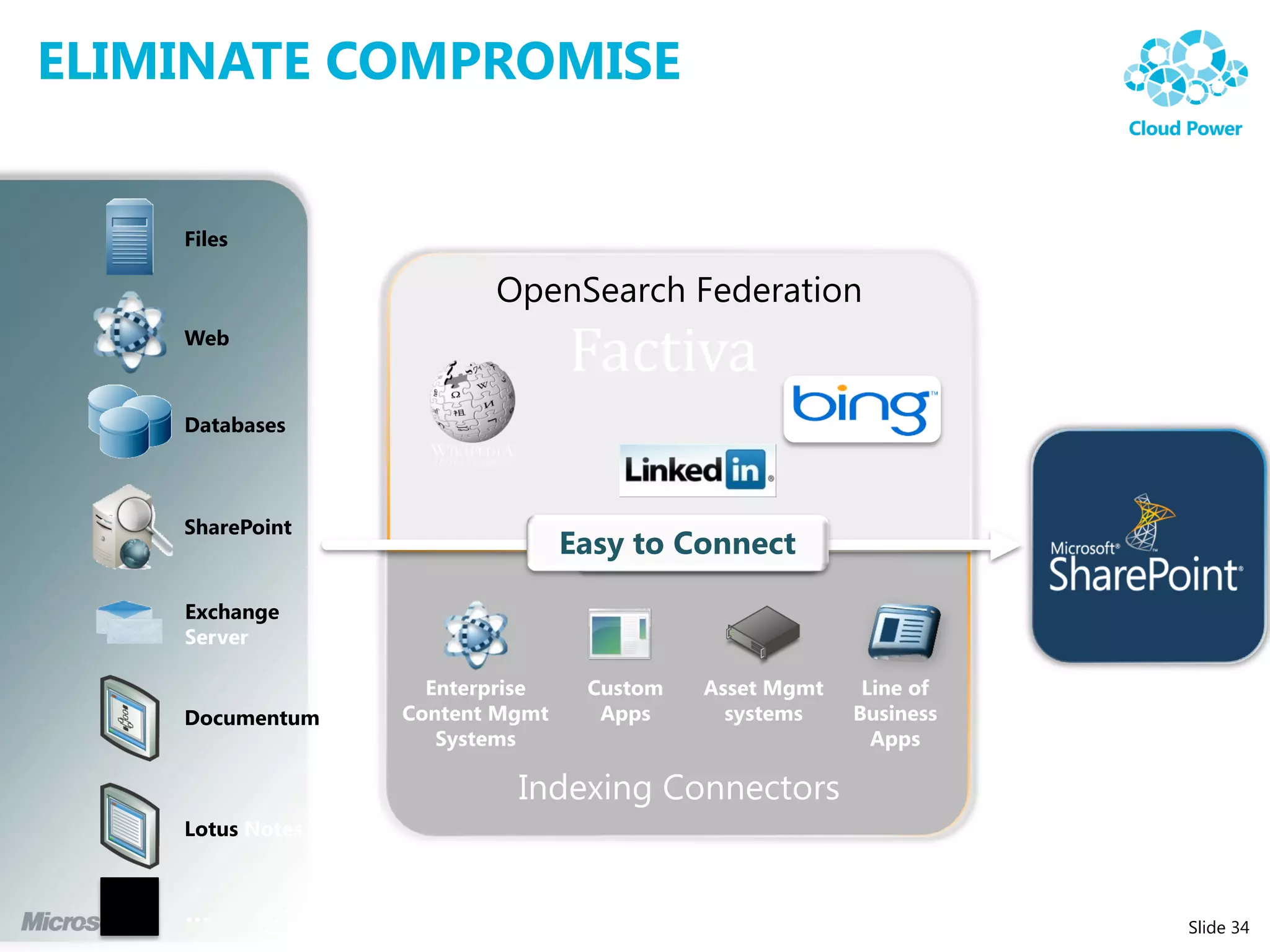
ELIMINATE COMPROMISE


    Files

                 OpenSearch Federation
    Web


    Databases


    SharePoint


    Exchange


    Documentum


    Lotus


                                         Slide 34
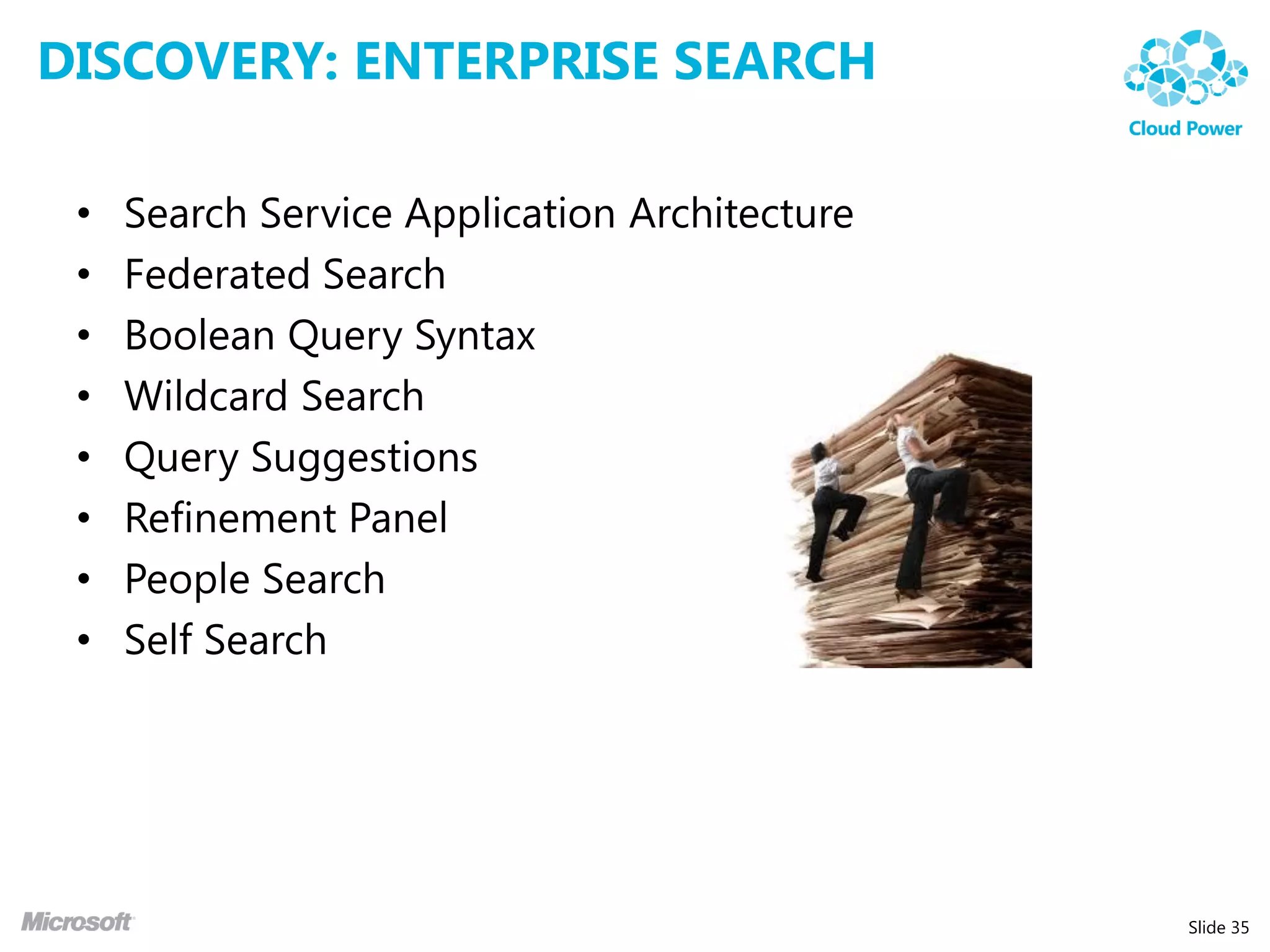
DISCOVERY: ENTERPRISE SEARCH

 •   Search Service Application Architecture
 •   Federated Search
 •   Boolean Query Syntax
 •   Wildcard Search
 •   Query Suggestions
 •   Refinement Panel
 •   People Search
 •   Self Search


                                               Slide 35
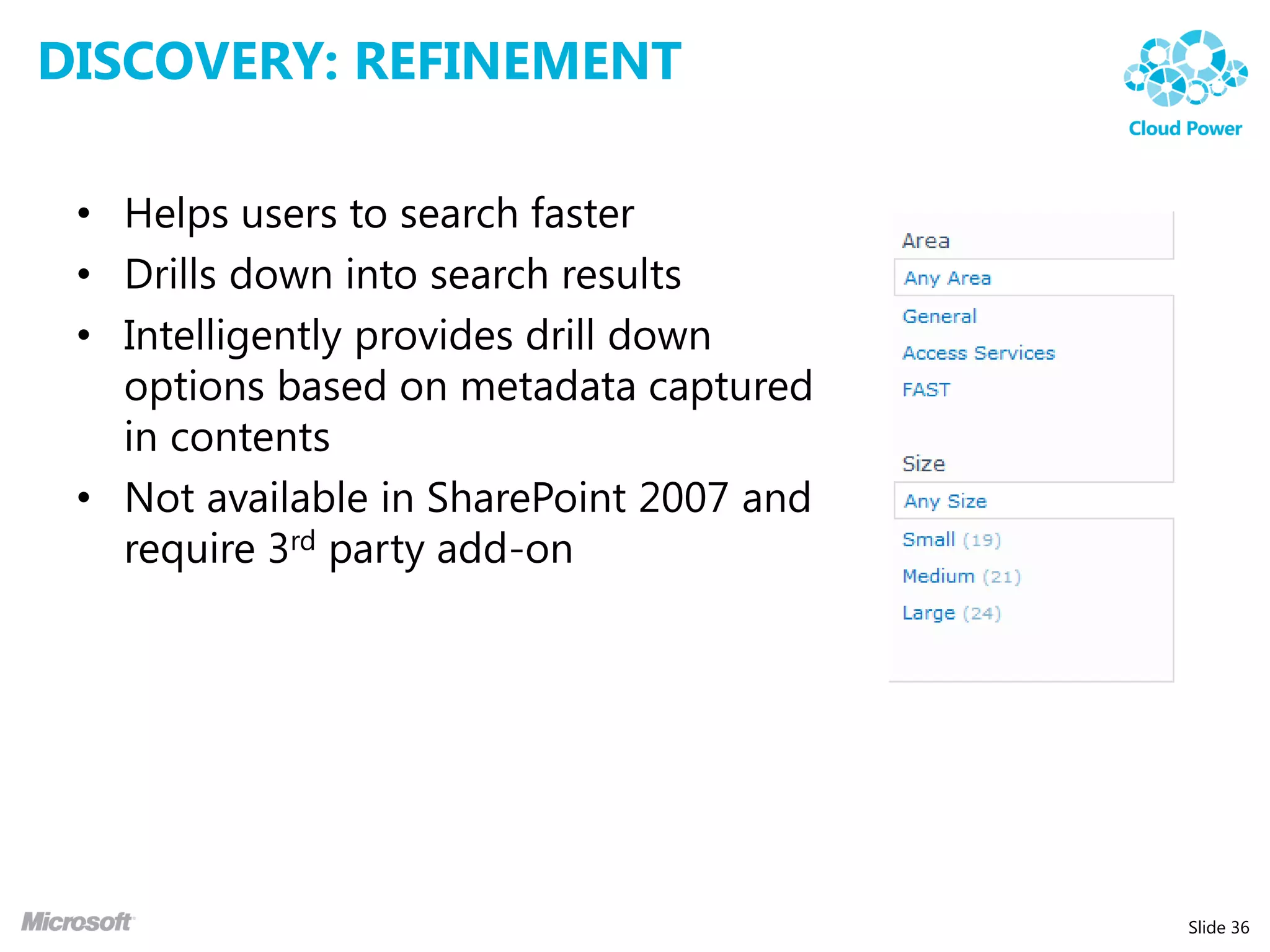
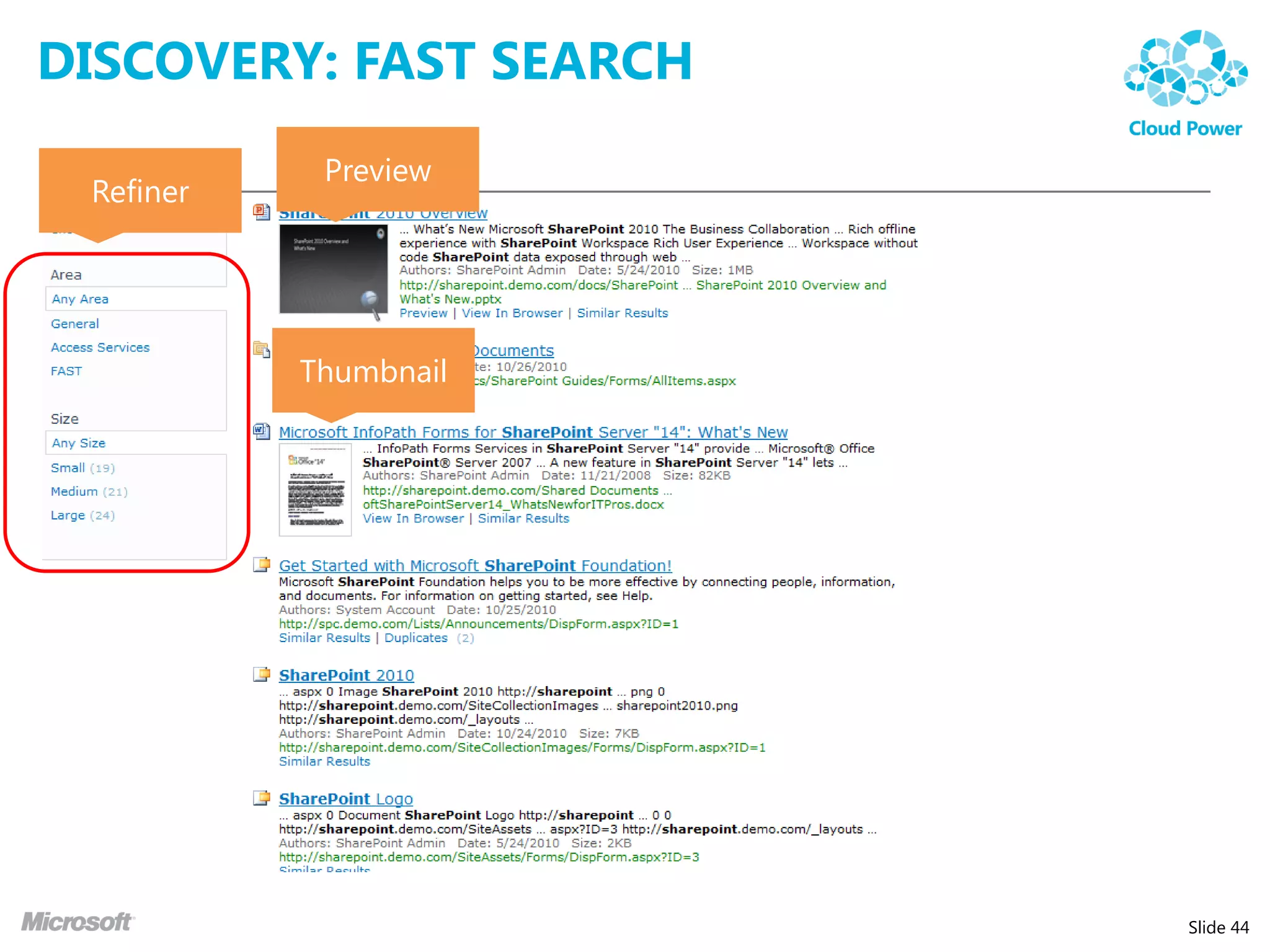
DISCOVERY: REFINEMENT

 • Helps users to search faster
 • Drills down into search results
 • Intelligently provides drill down
   options based on metadata captured
   in contents
 • Not available in SharePoint 2007 and
   require 3rd party add-on


                                          Slide 36
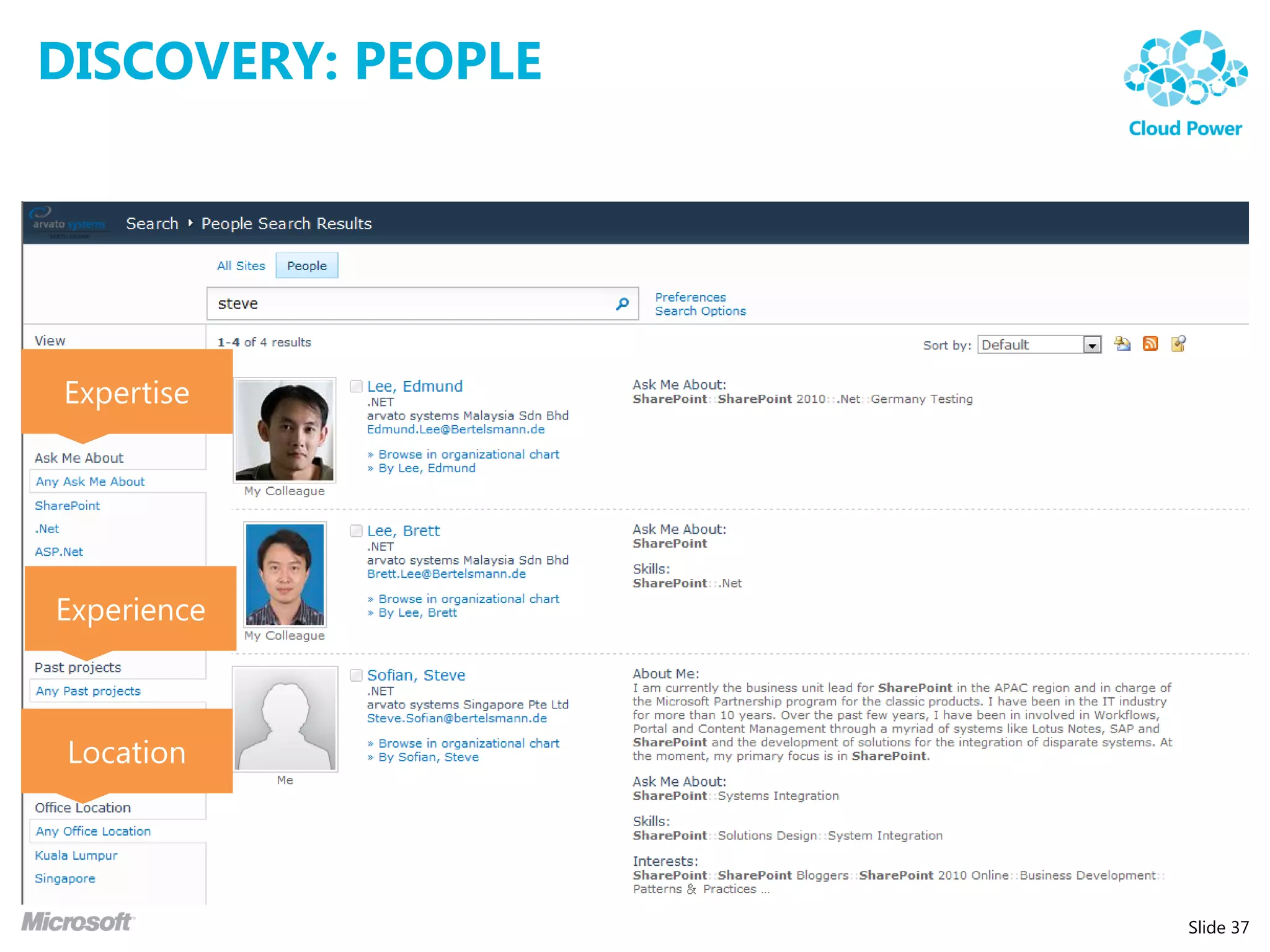
DISCOVERY: PEOPLE


Expertise


Experience


 Location


                    Slide 37
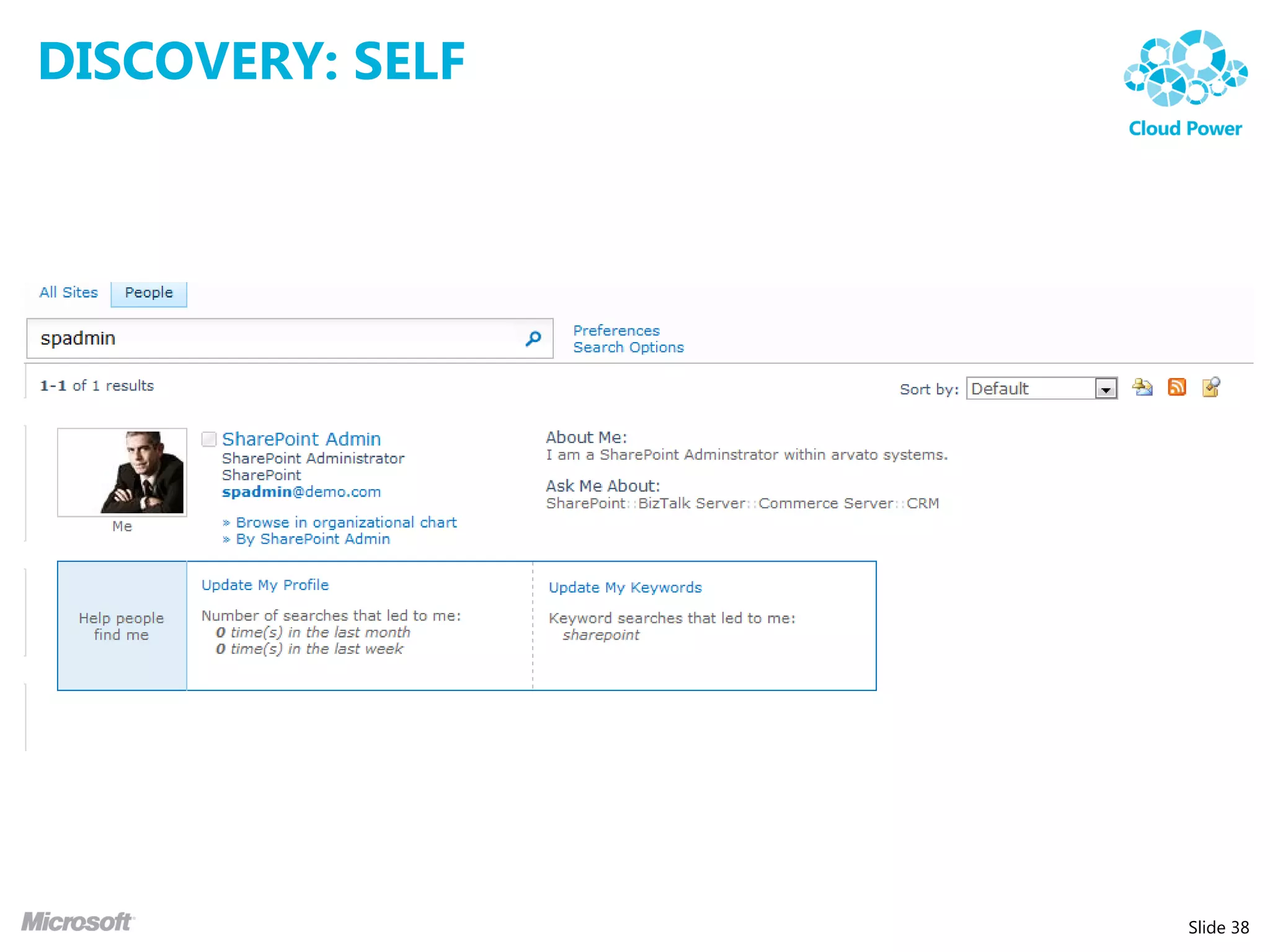
DISCOVERY: SELF


                  Slide 38
BEYOND THE SEARCH BOX


                                        Most visual and dynamic
    Great OOB search experience            user experience

   Excellent OOB relevance        Same capabilities, plus:

   Federated results                Thumbnails & Previews

   Metadata based refiners          Visual Best Bets

   Query Suggestions, Did You       Deep refiners with counts

   Mean & Related Searches          User context from user profile

   View in browser                  Multiple relevance profiles

   People search                    Sorting on any property

   Phonetic & nickname matching     Similarity Search

   Social behavior improves         Broader, better language support

   relevance                        Richer query language


                                                                       Slide 39
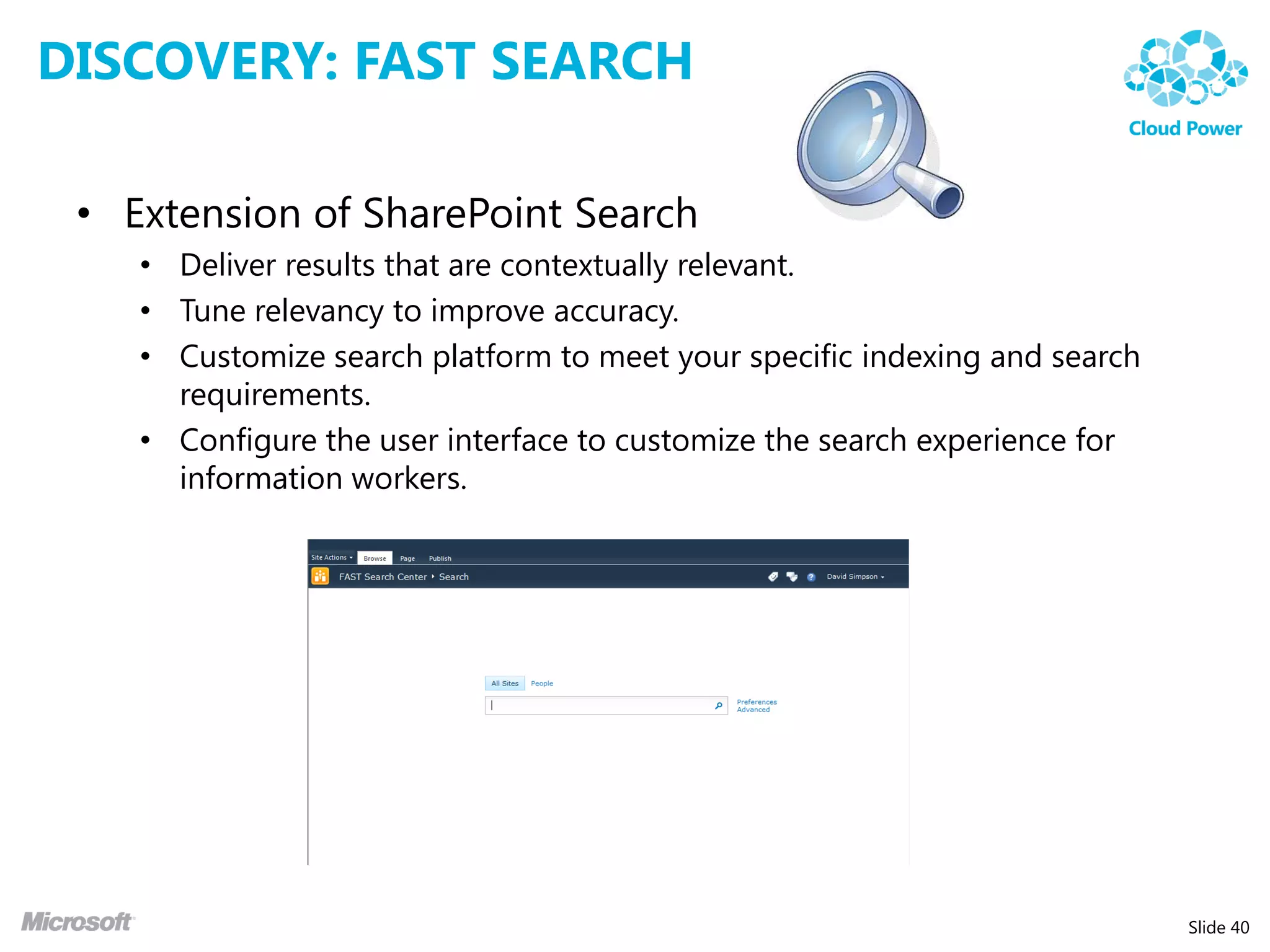
DISCOVERY: FAST SEARCH

 • Extension of SharePoint Search
    • Deliver results that are contextually relevant.
    • Tune relevancy to improve accuracy.
    • Customize search platform to meet your specific indexing and search
      requirements.
    • Configure the user interface to customize the search experience for
      information workers.


                                                                            Slide 40
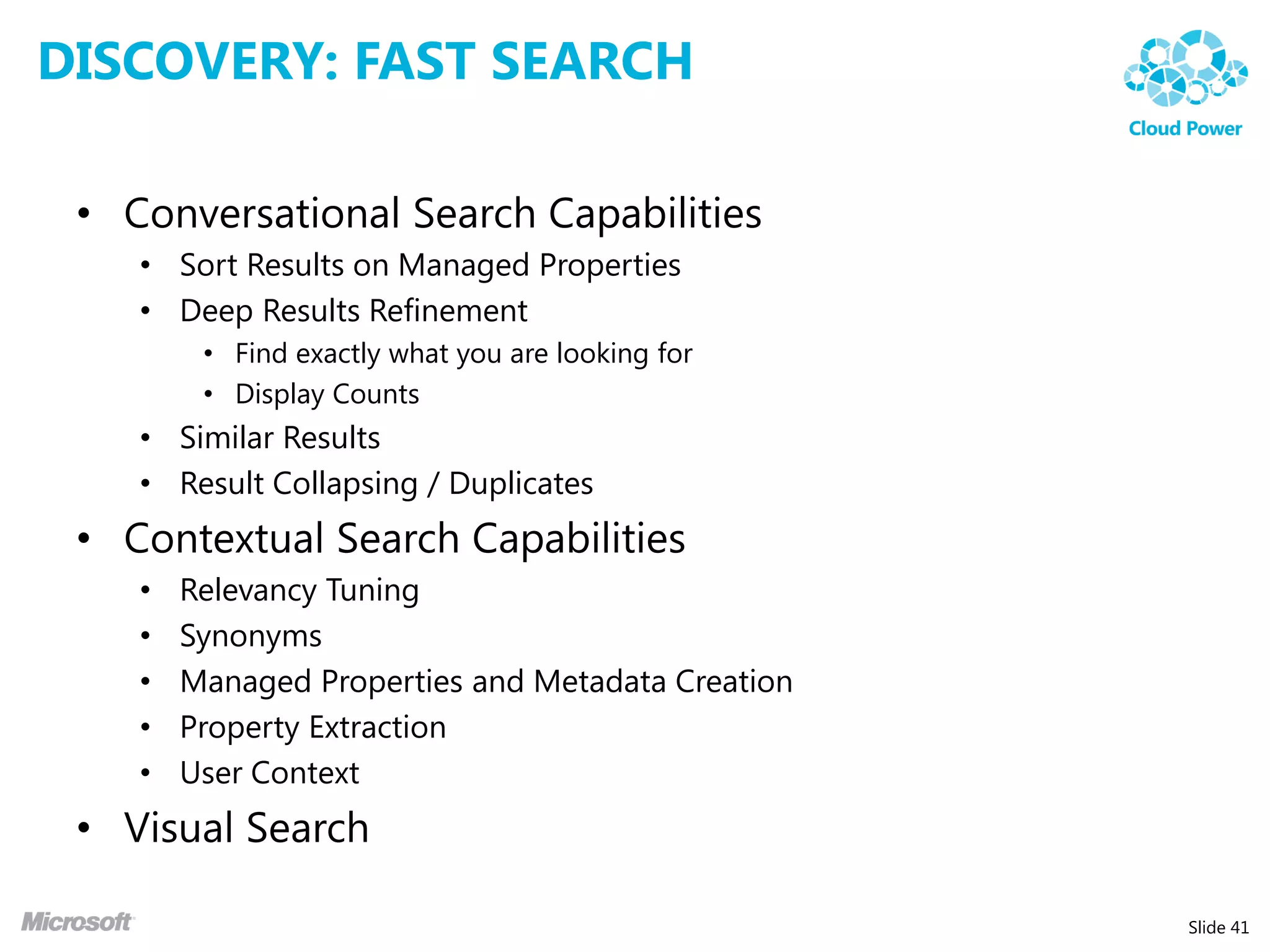
DISCOVERY: FAST SEARCH

 • Conversational Search Capabilities
    • Sort Results on Managed Properties
    • Deep Results Refinement
         • Find exactly what you are looking for
         • Display Counts
    • Similar Results
    • Result Collapsing / Duplicates
 • Contextual Search Capabilities
    •   Relevancy Tuning
    •   Synonyms
    •   Managed Properties and Metadata Creation
    •   Property Extraction
    •   User Context
 • Visual Search

                                                   Slide 41
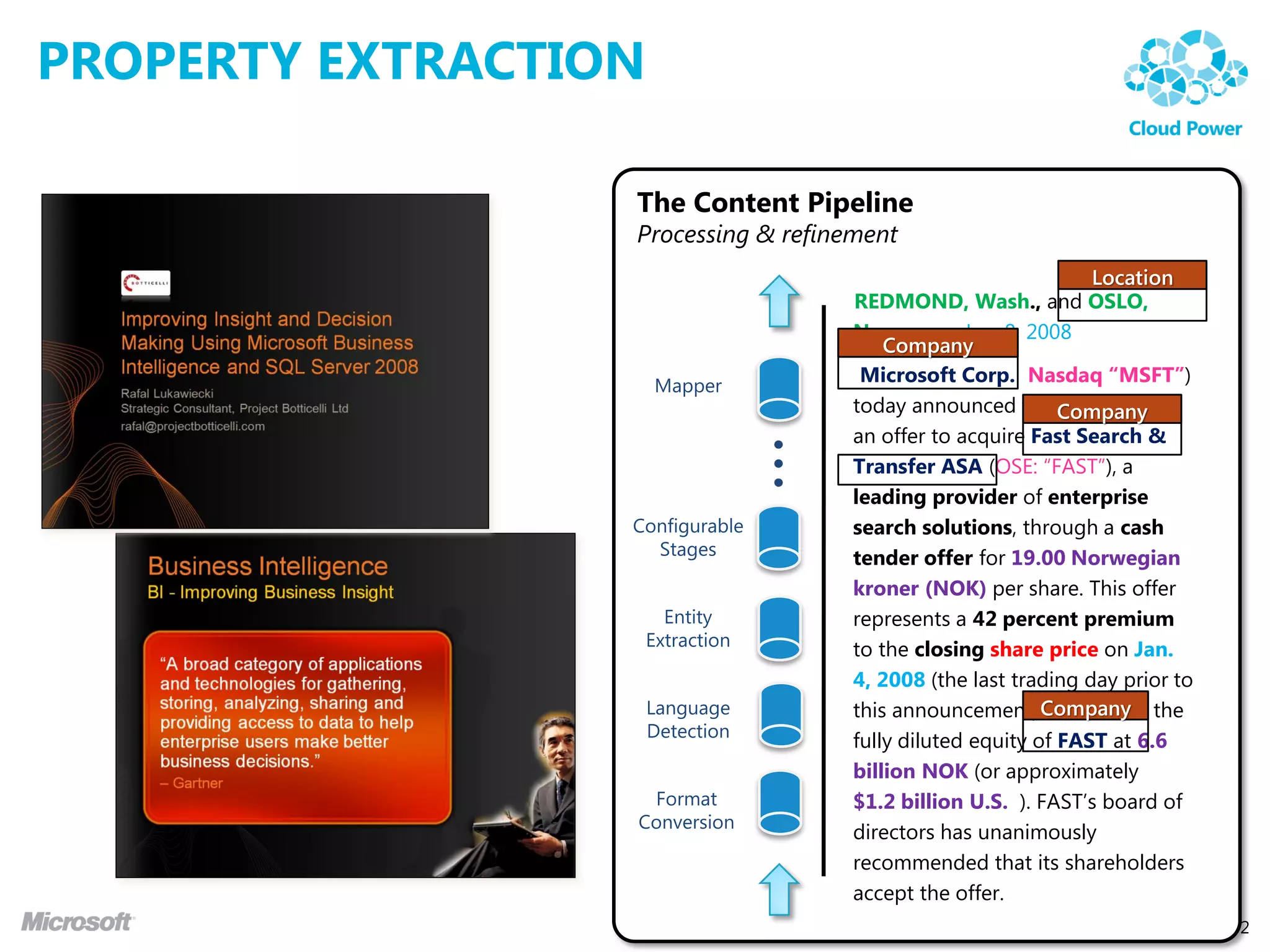
PROPERTY EXTRACTION

                  The Content Pipeline
                  Processing & refinement
                                                                  Location
                                     REDMOND, Wash., and OSLO,
                                     Norway — Jan. 8, 2008
                                         Company
                                      Microsoft Corp. (Nasdaq “MSFT”)
                                     today announced thatCompany
                                                              it will make
                                     an offer to acquire Fast Search &


                            …
                                     Transfer ASA (OSE: “FAST”), a
                                     leading provider of enterprise
                                     search solutions, through a cash
                                     tender offer for 19.00 Norwegian
                                     kroner (NOK) per share. This offer
                                     represents a 42 percent premium
                                     to the closing share price on Jan.
                                     4, 2008 (the last trading day prior to
                                     this announcement),Company the
                                                            and values
                                     fully diluted equity of FAST at 6.6
                                     billion NOK (or approximately
                                     $1.2 billion U.S. ). FAST’s board of
                                     directors has unanimously
                                     recommended that its shareholders
                                     accept the offer.
                                                                          Slide 42
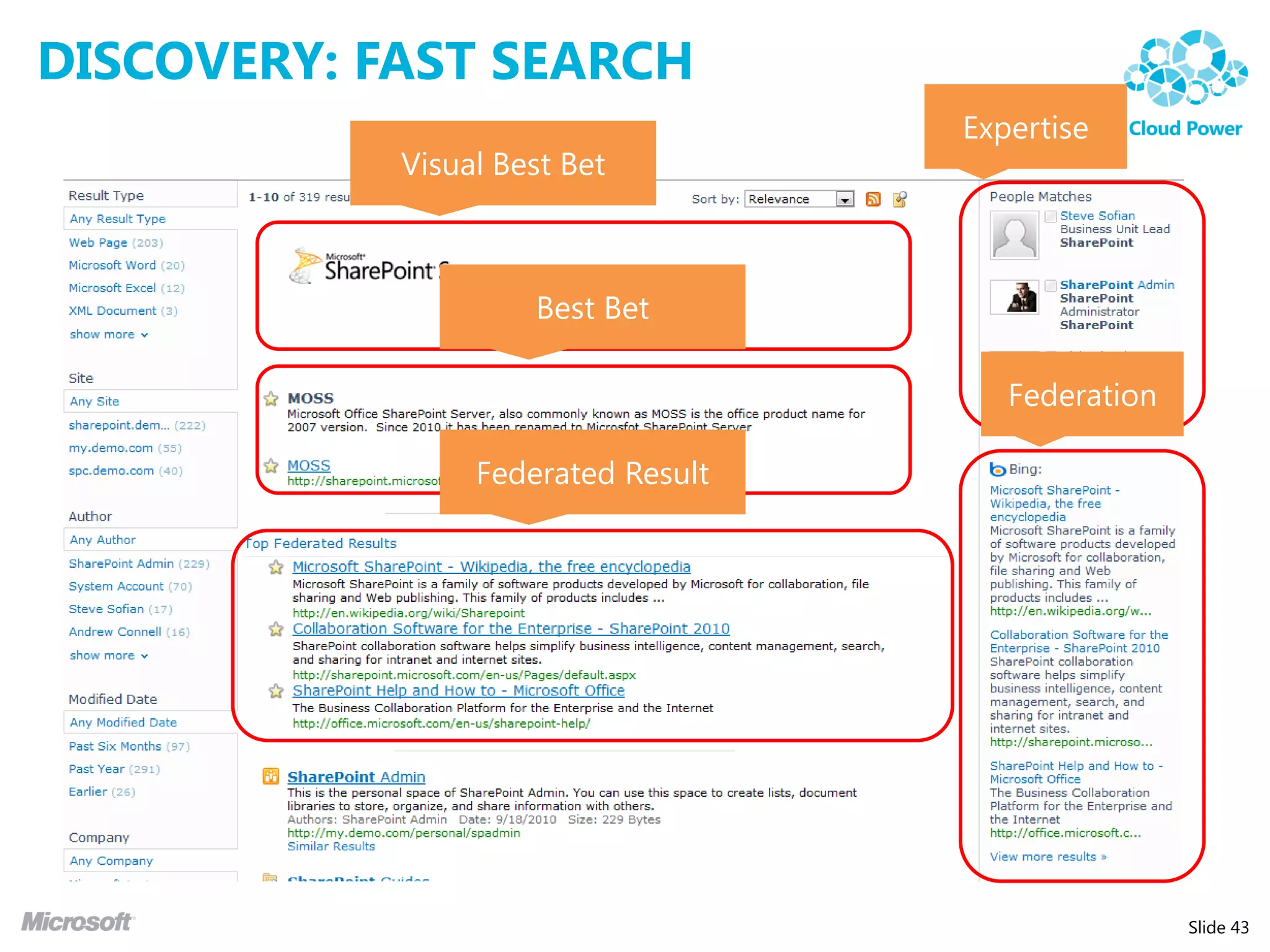
DISCOVERY: FAST SEARCH
                                    Expertise
            Visual Best Bet


                     Best Bet

                                       Federation

                 Federated Result


                                                    Slide 43
DISCOVERY: FAST SEARCH
            Preview
 Refiner


           Thumbnail


                         Slide 44
DEMO: SEARCH


               Slide 45
SOLUTION SAMPLE
KNOWLEDGE CENTER


                   Slide 46
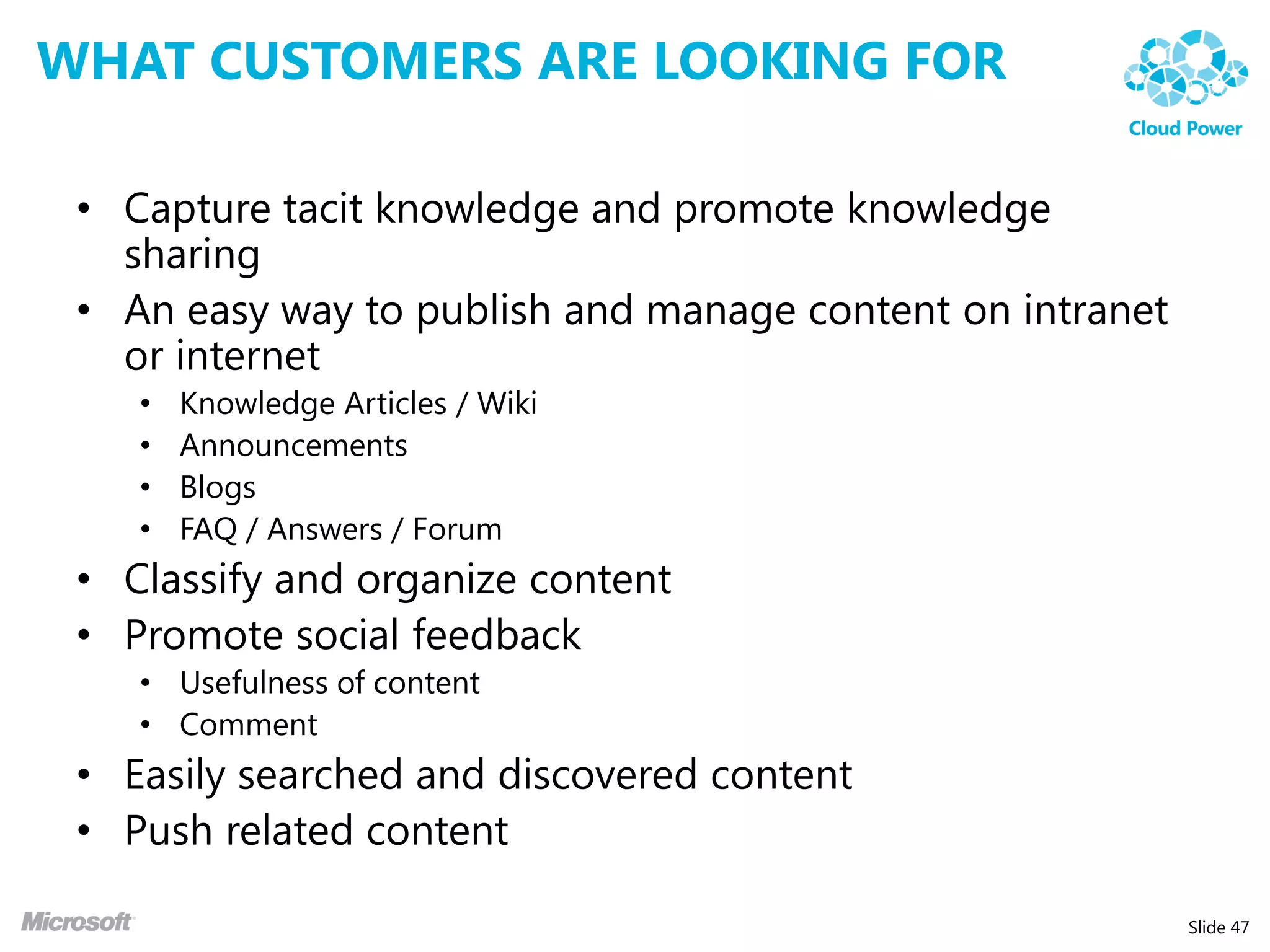
WHAT CUSTOMERS ARE LOOKING FOR

 • Capture tacit knowledge and promote knowledge
   sharing
 • An easy way to publish and manage content on intranet
   or internet
    •   Knowledge Articles / Wiki
    •   Announcements
    •   Blogs
    •   FAQ / Answers / Forum
 • Classify and organize content
 • Promote social feedback
    • Usefulness of content
    • Comment
 • Easily searched and discovered content
 • Push related content

                                                           Slide 47
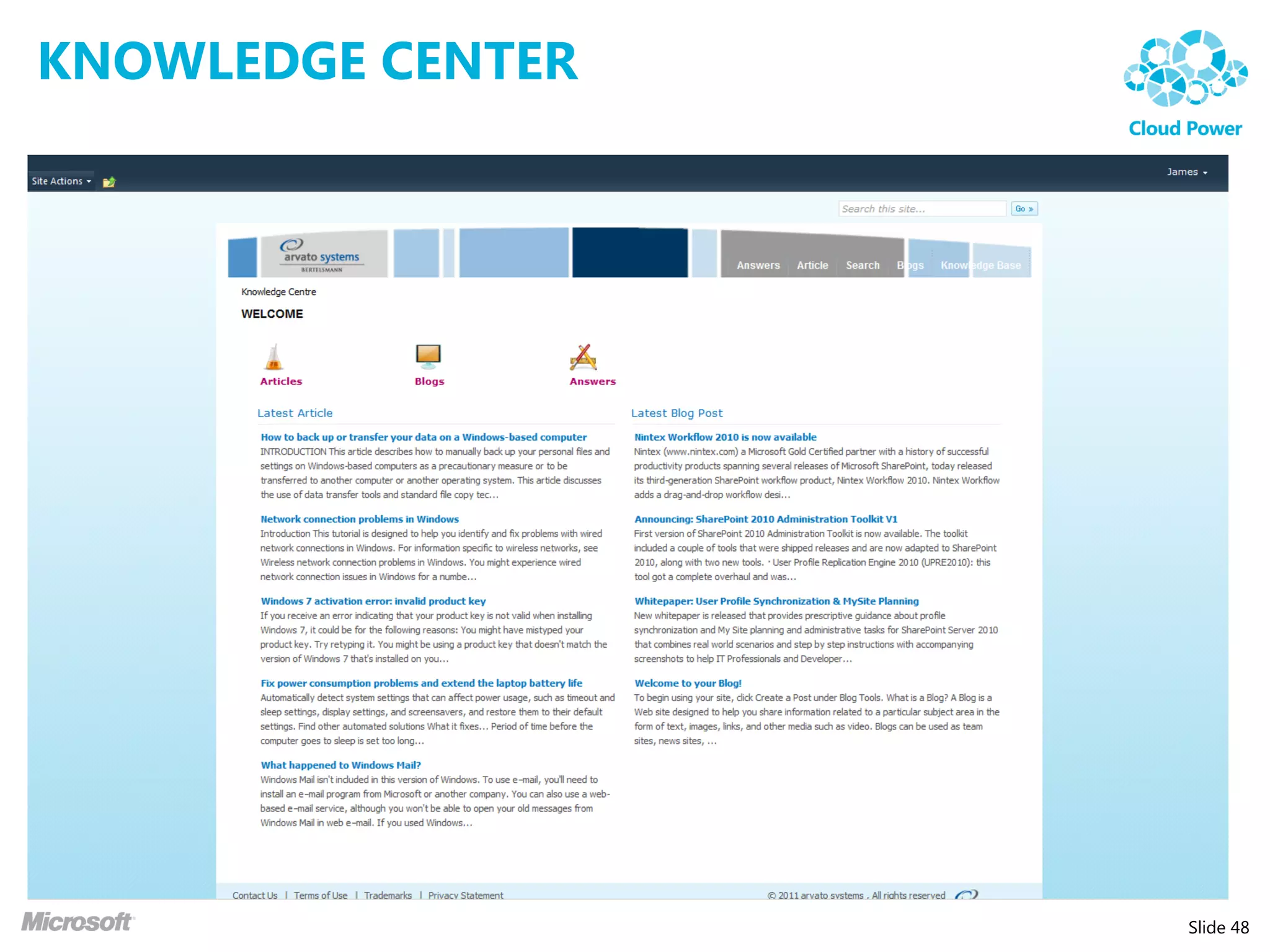
KNOWLEDGE CENTER


                   Slide 48
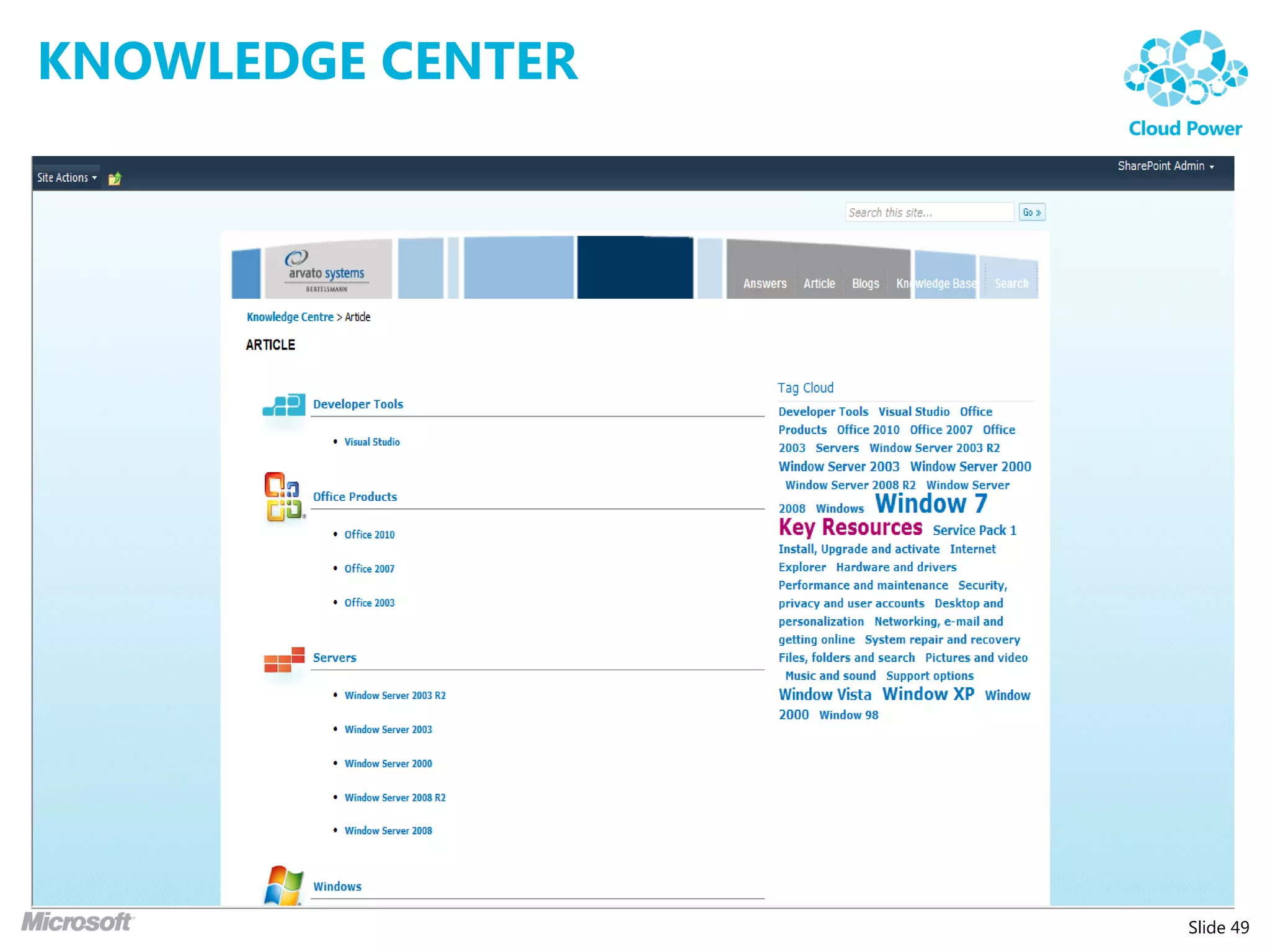
KNOWLEDGE CENTER


                   Slide 49
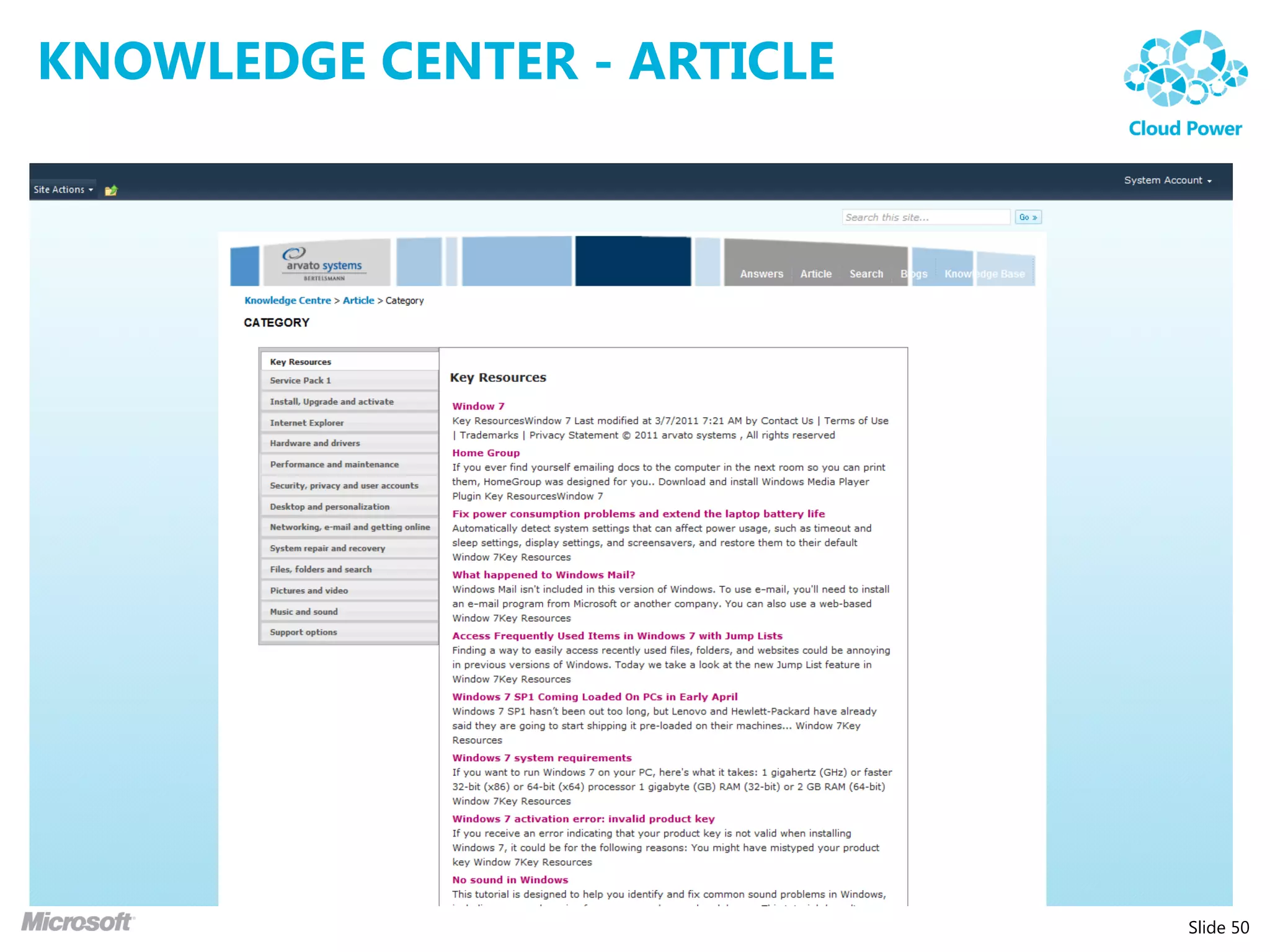
KNOWLEDGE CENTER - ARTICLE


                             Slide 50
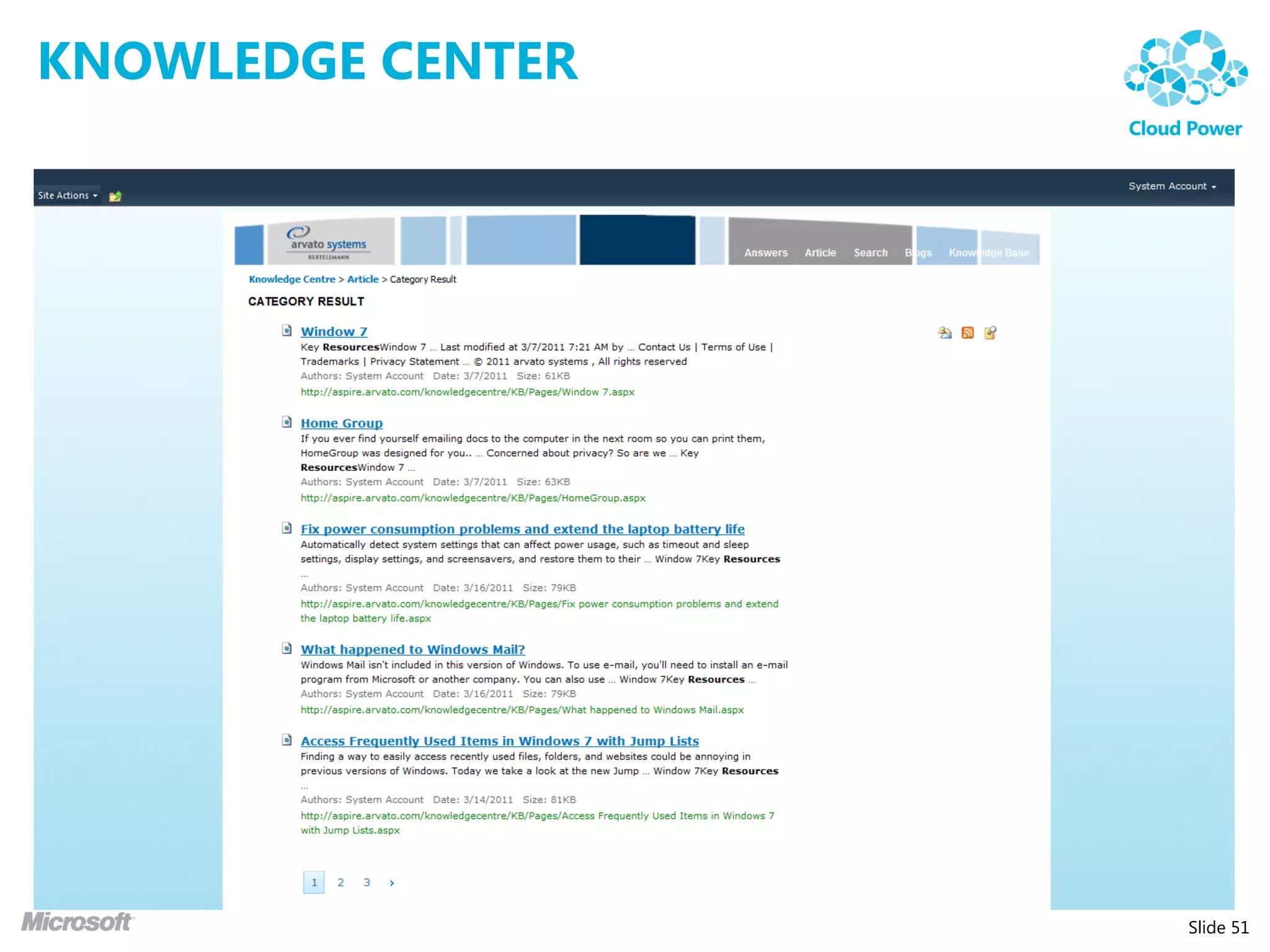
KNOWLEDGE CENTER


                   Slide 51
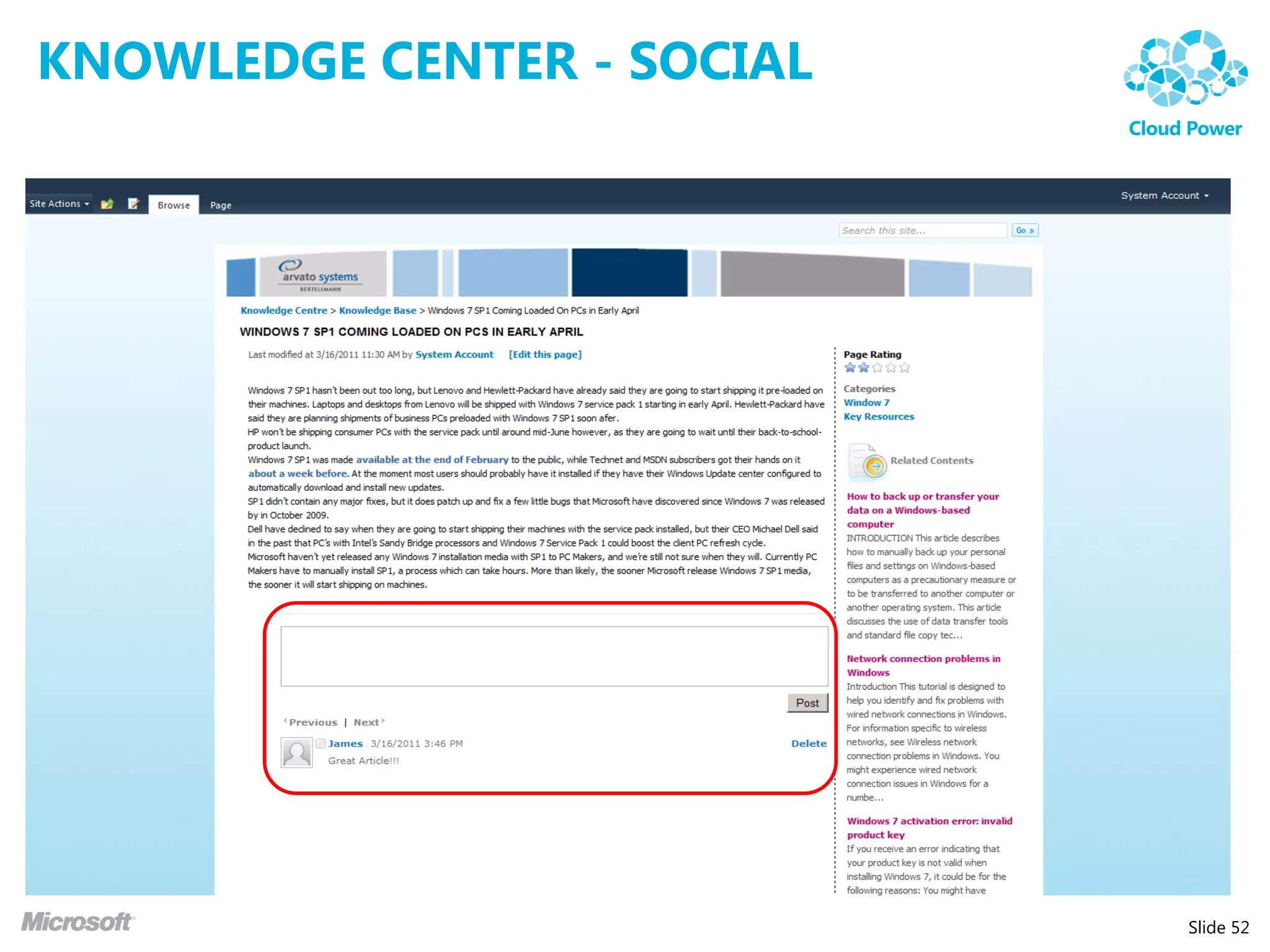
KNOWLEDGE CENTER - SOCIAL


                            Slide 52
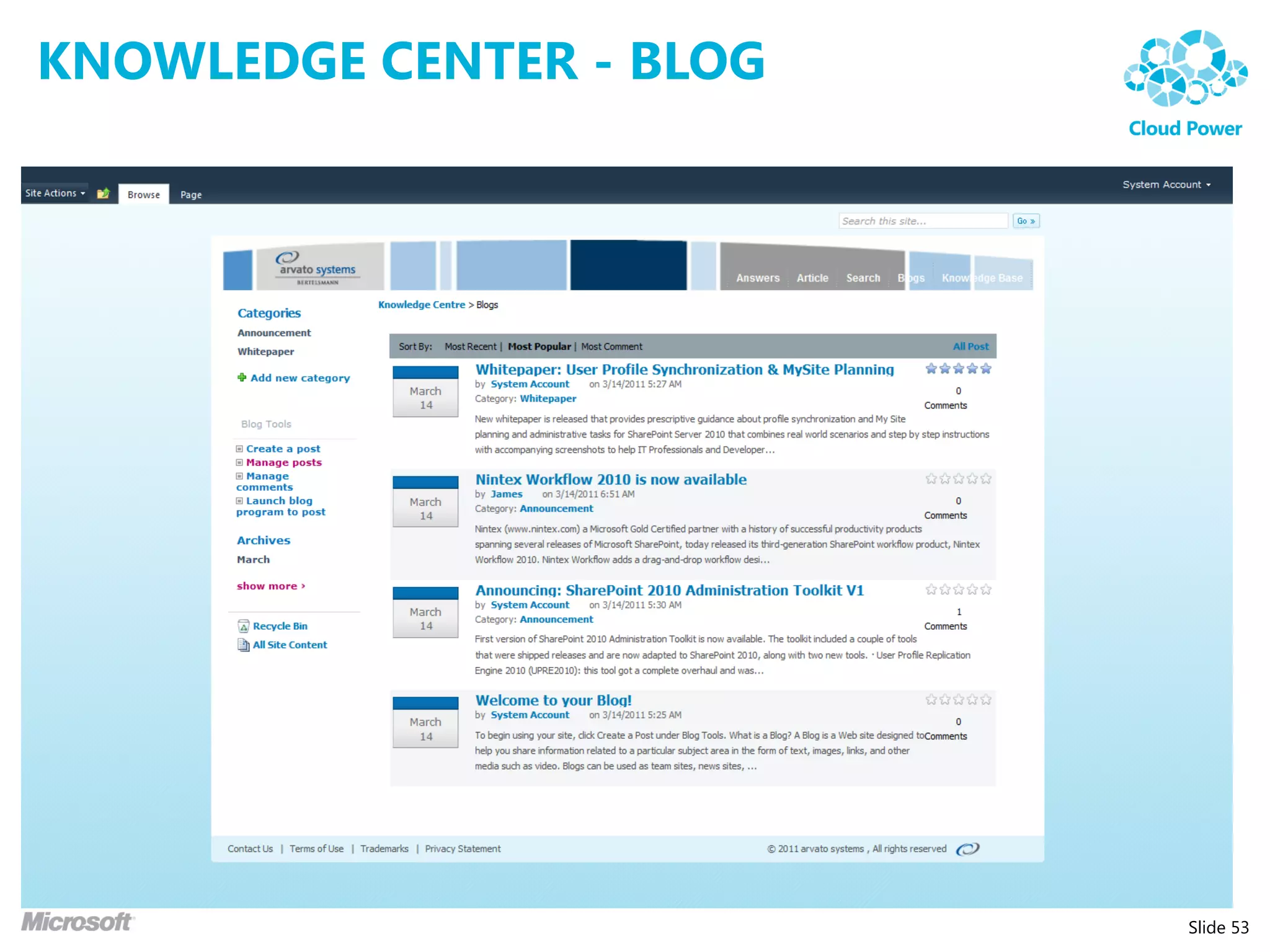
KNOWLEDGE CENTER - BLOG


                          Slide 53
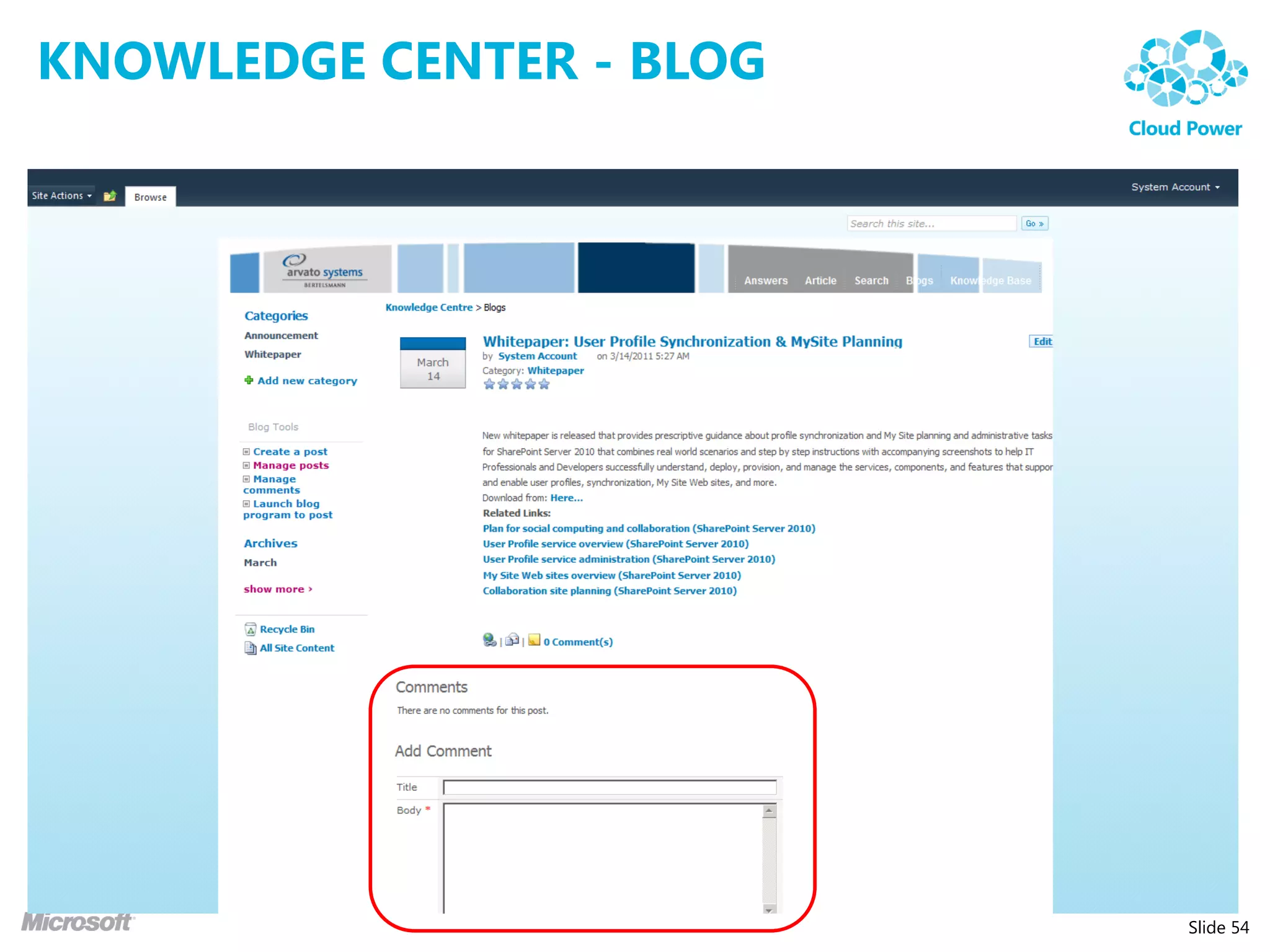
KNOWLEDGE CENTER - BLOG


                          Slide 54
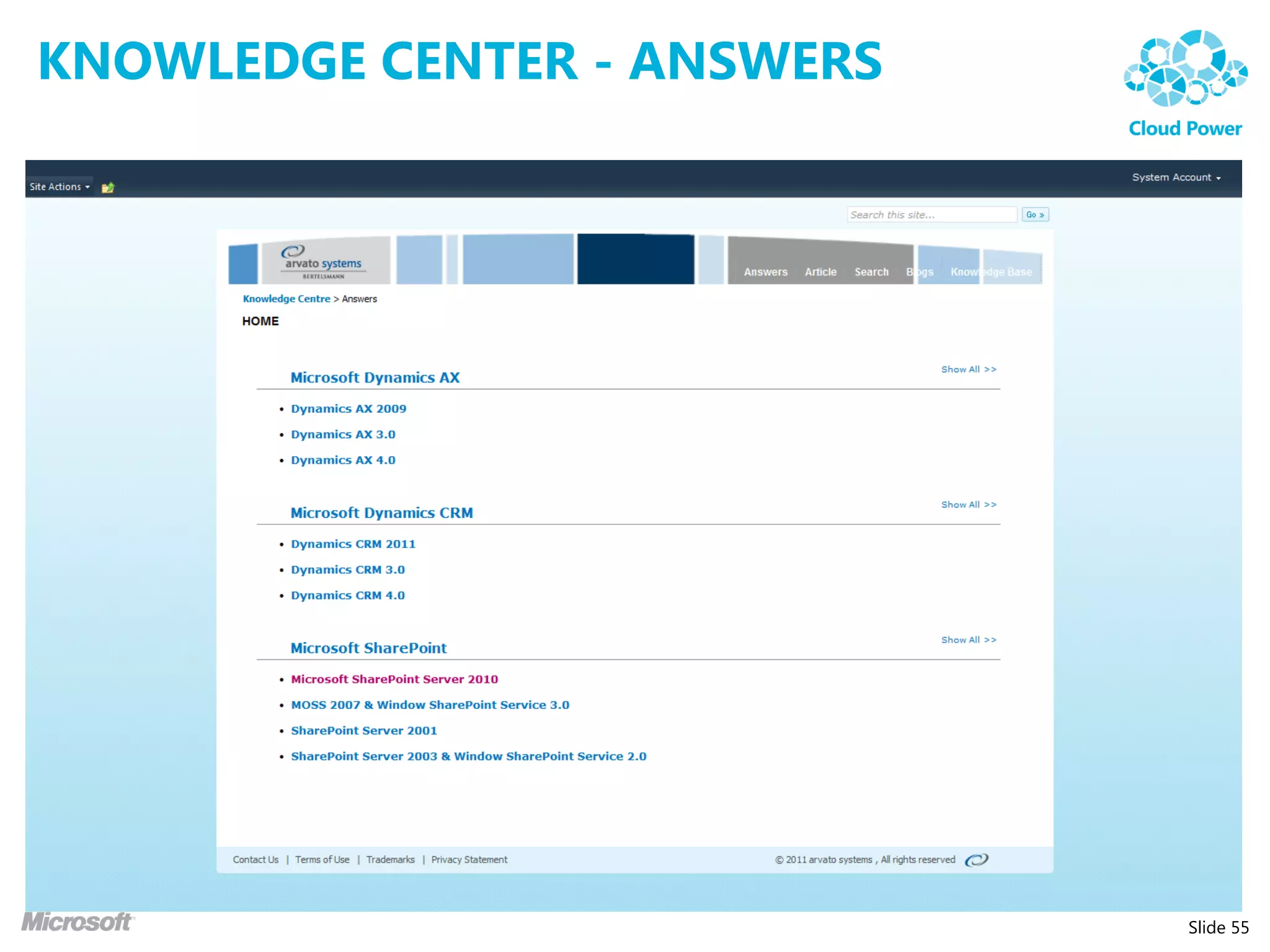
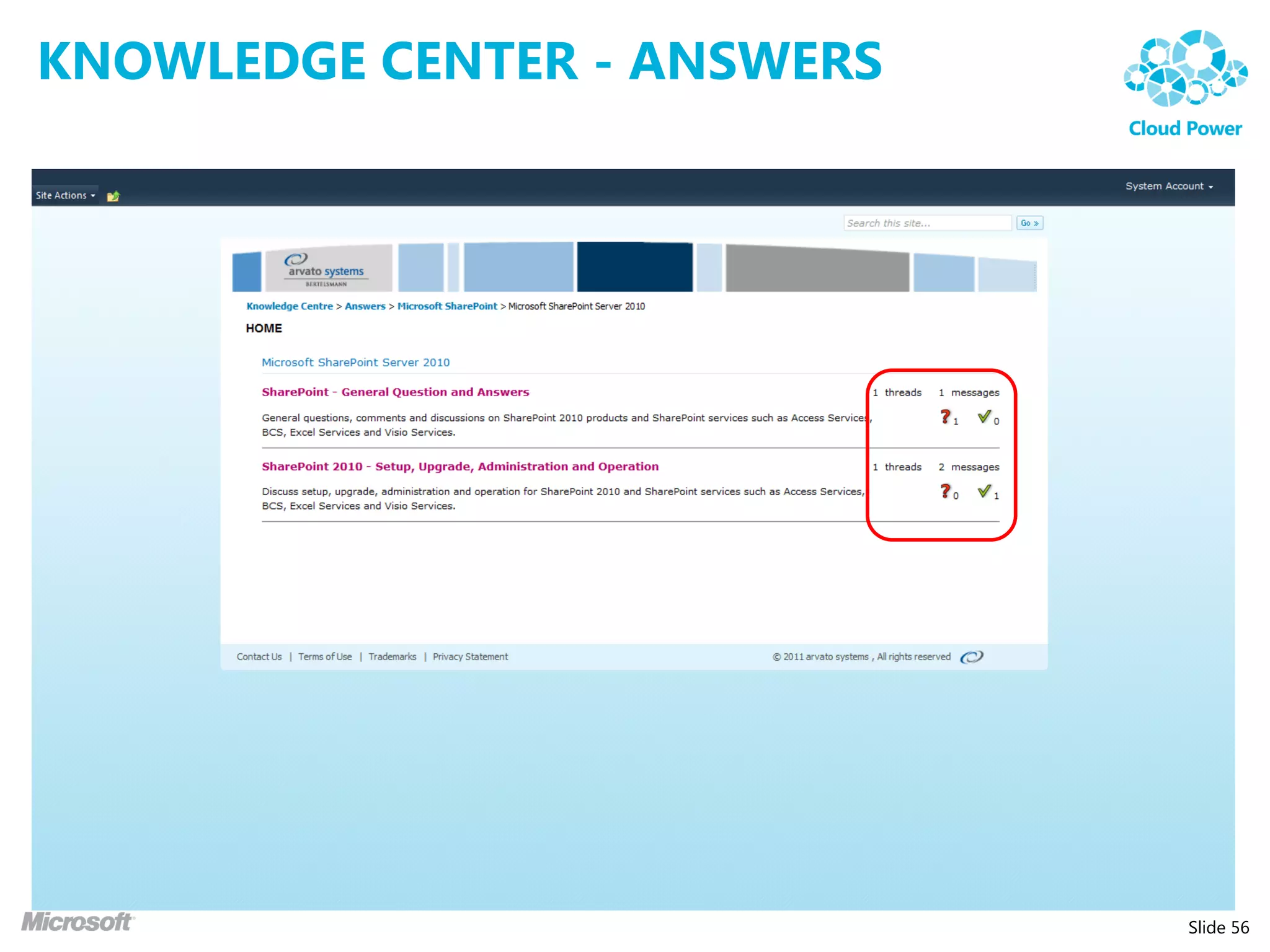
KNOWLEDGE CENTER - ANSWERS


                             Slide 55
KNOWLEDGE CENTER - ANSWERS


                             Slide 56
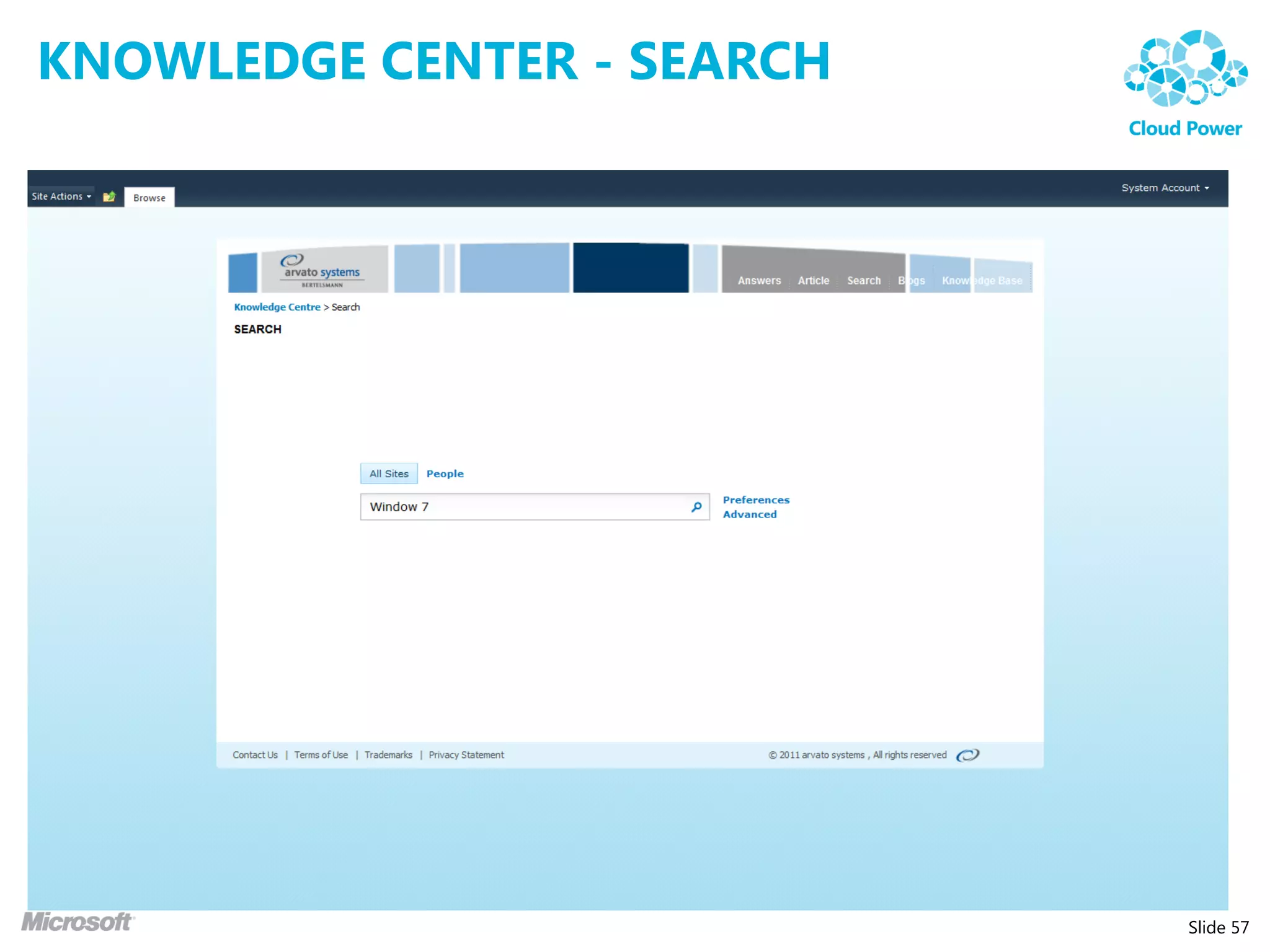
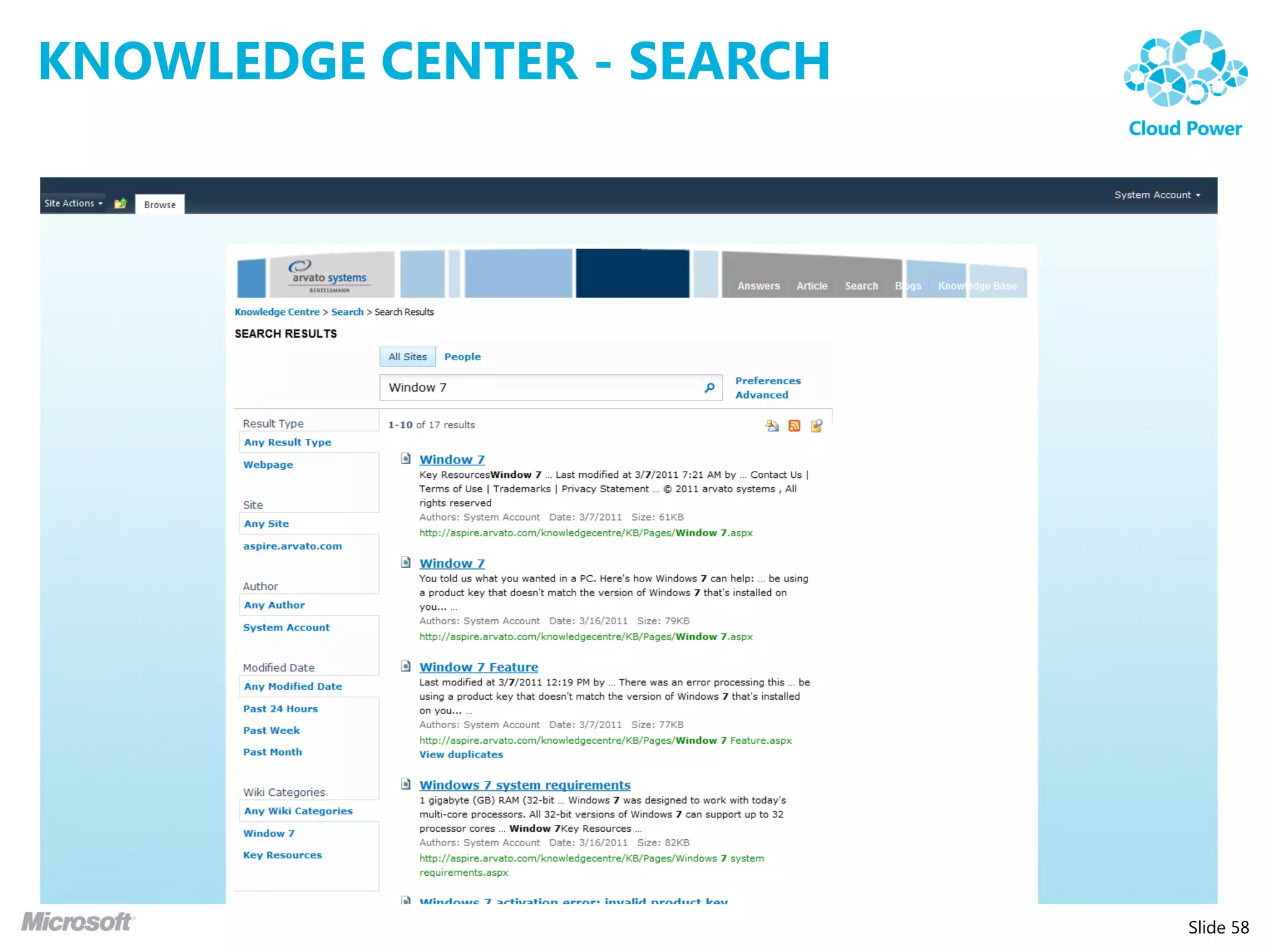
KNOWLEDGE CENTER - SEARCH


                            Slide 57
KNOWLEDGE CENTER - SEARCH


                            Slide 58
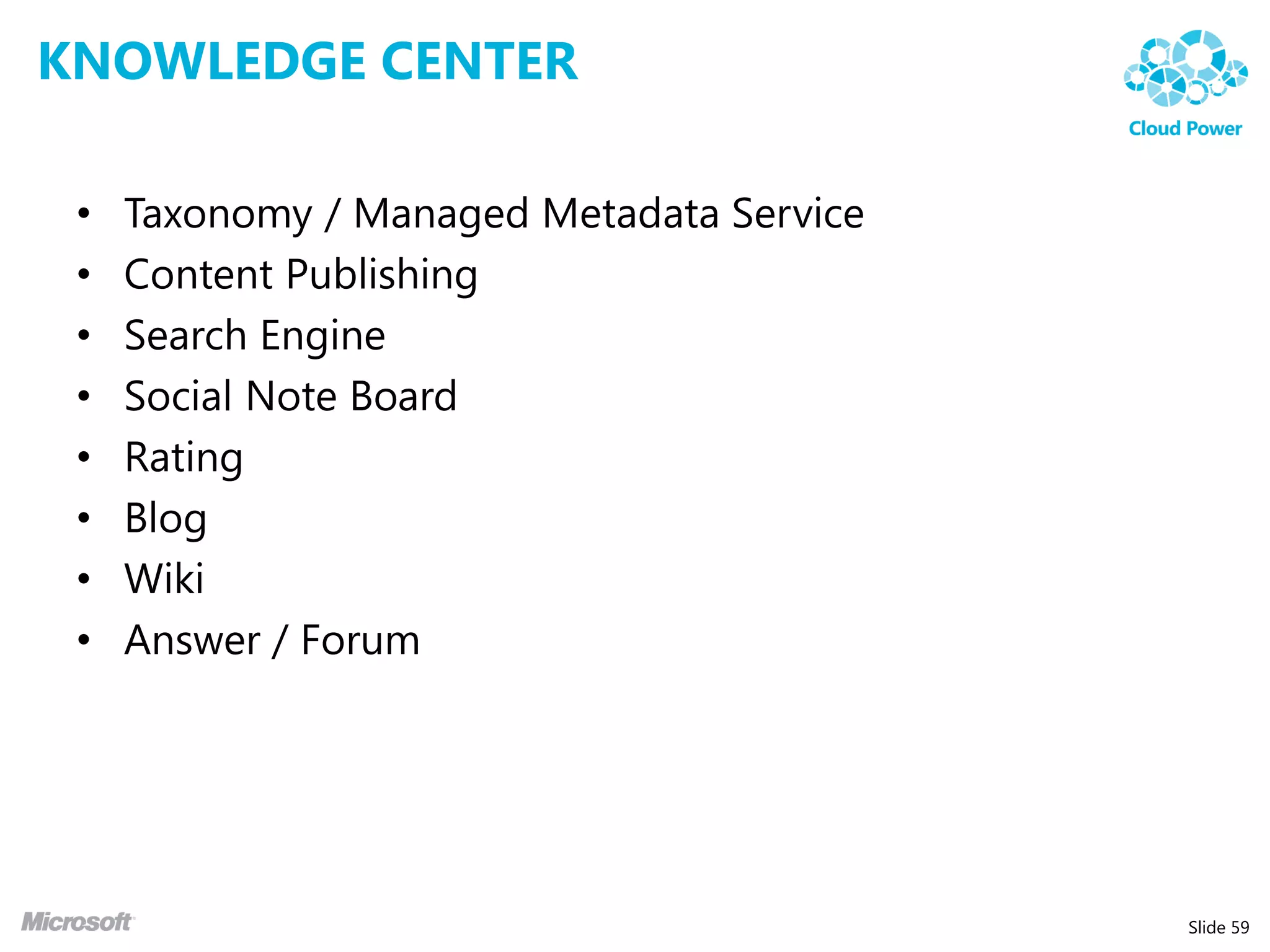
KNOWLEDGE CENTER

 •   Taxonomy / Managed Metadata Service
 •   Content Publishing
 •   Search Engine
 •   Social Note Board
 •   Rating
 •   Blog
 •   Wiki
 •   Answer / Forum


                                           Slide 59
OTHER SOLUTION IDEAS


                       Slide 60
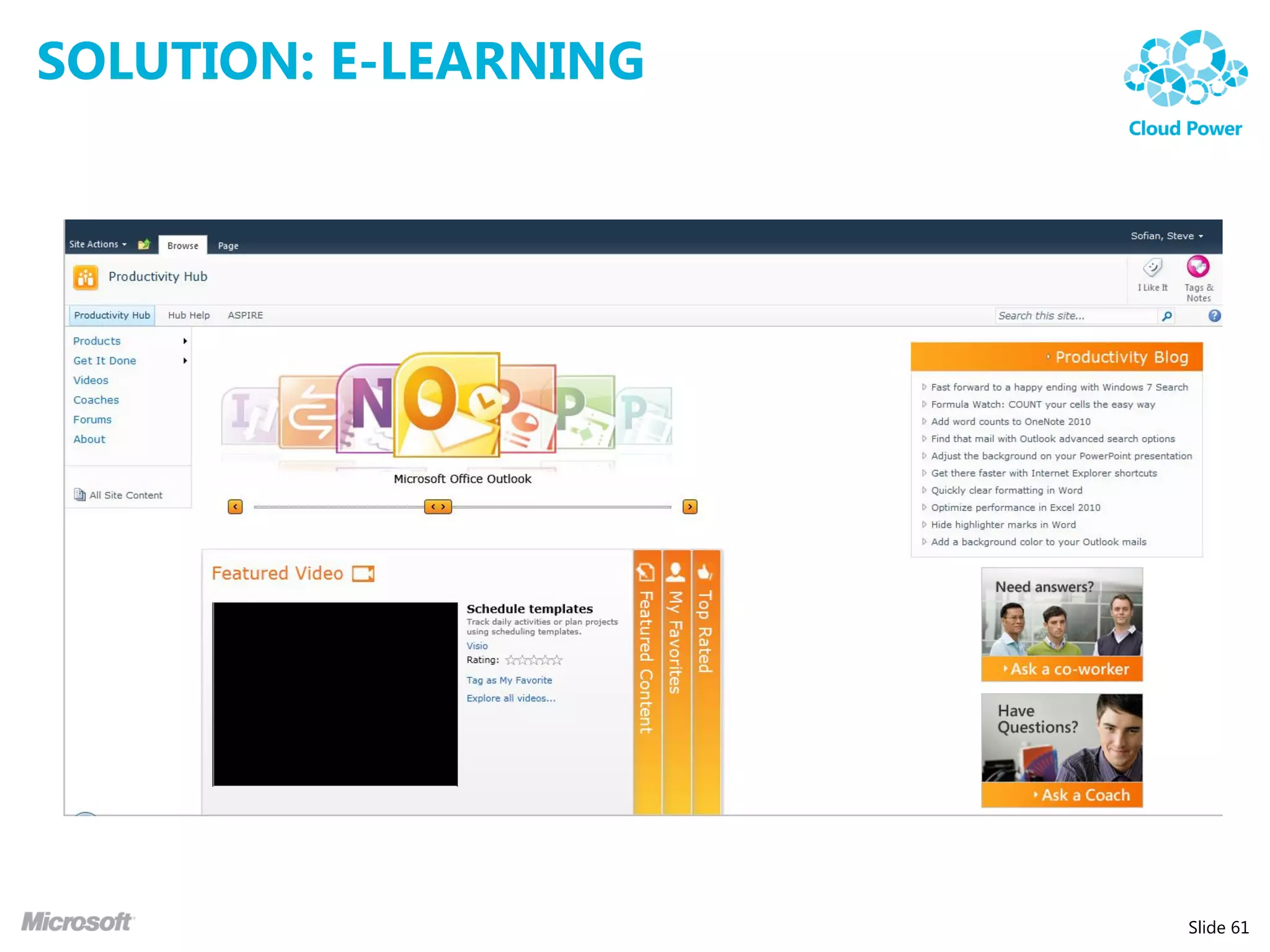
SOLUTION: E-LEARNING


                       Slide 61
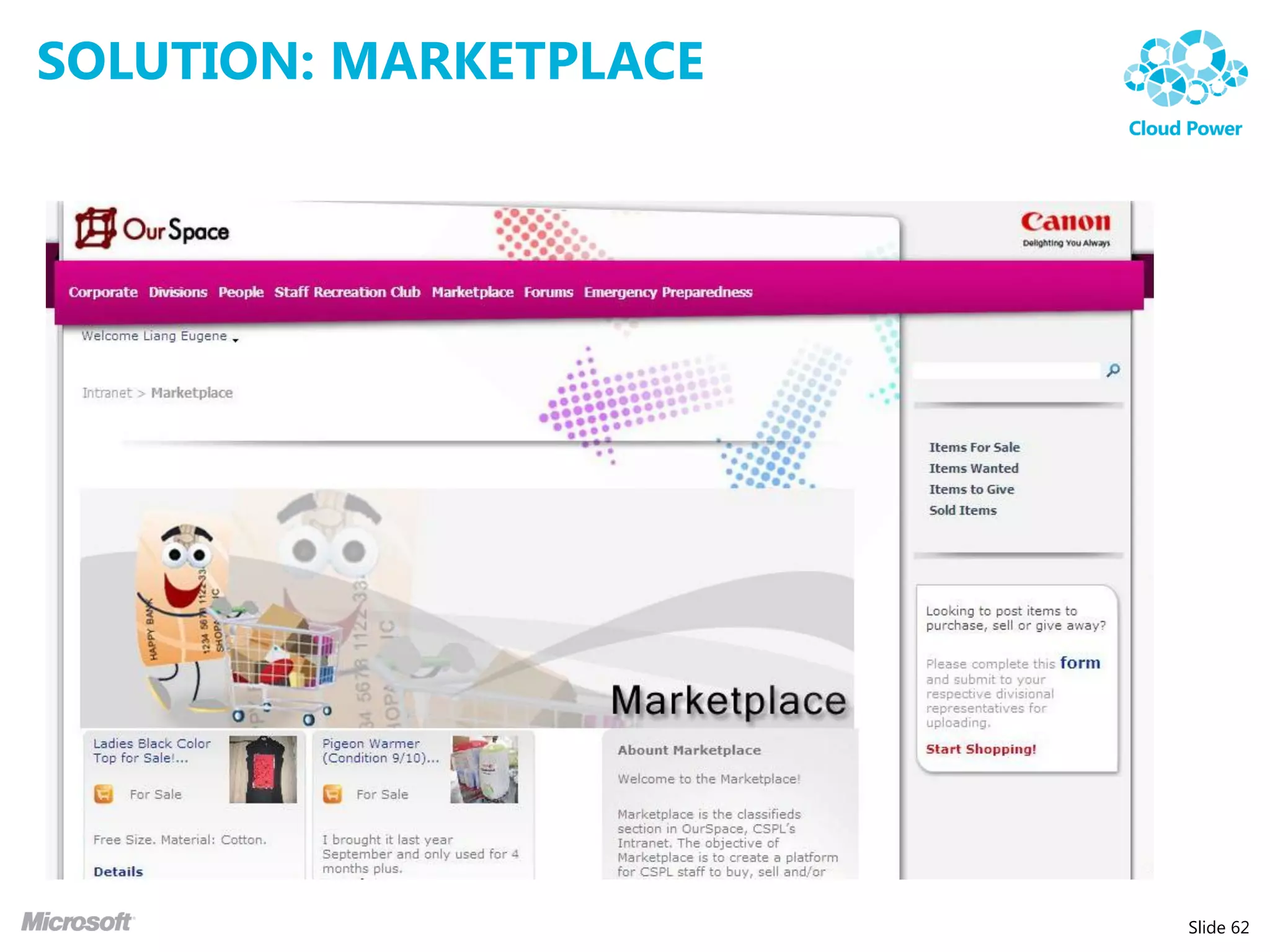
SOLUTION: MARKETPLACE


                        Slide 62
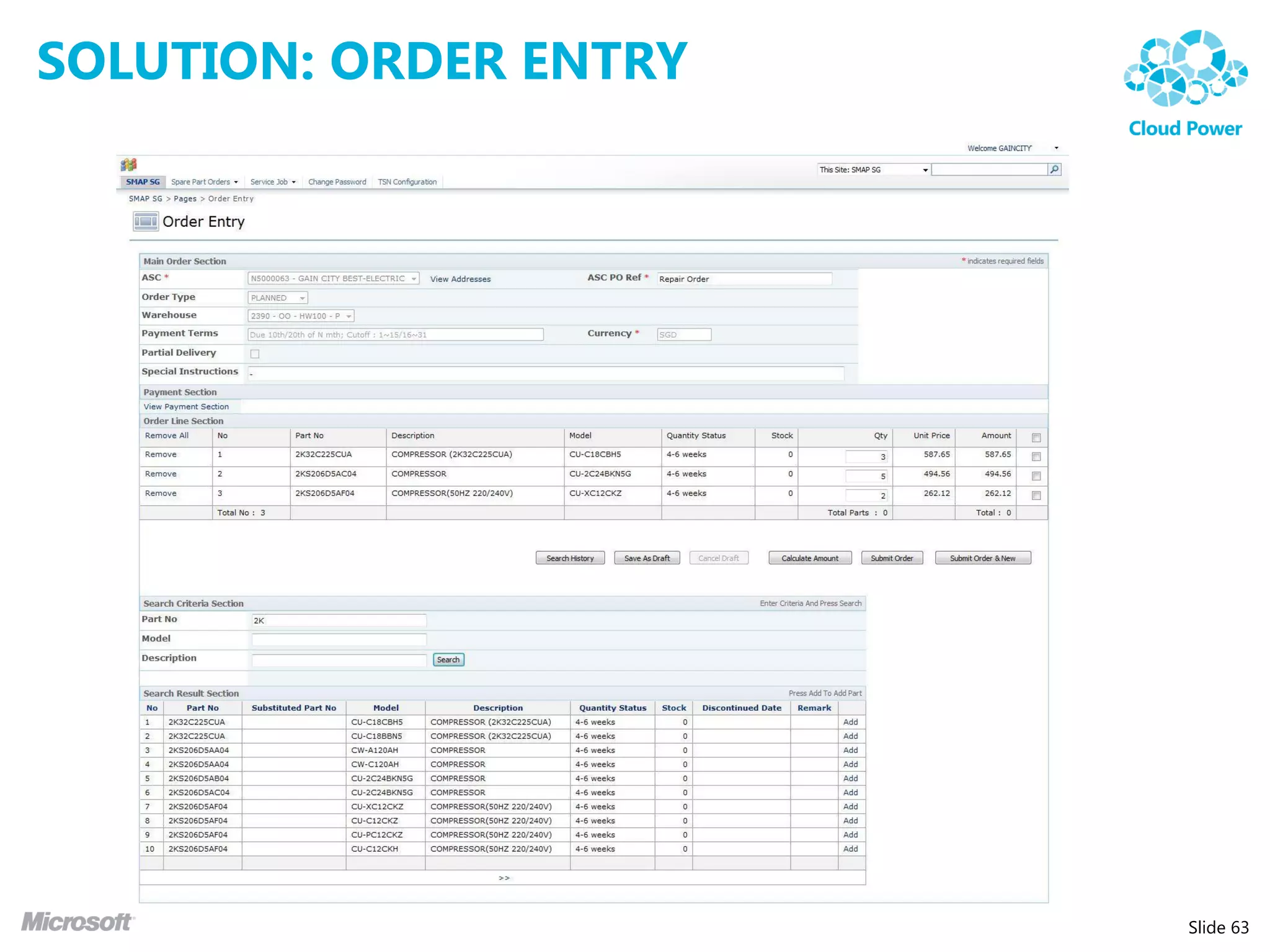
SOLUTION: ORDER ENTRY


                        Slide 63
HOW TO GET STARTED

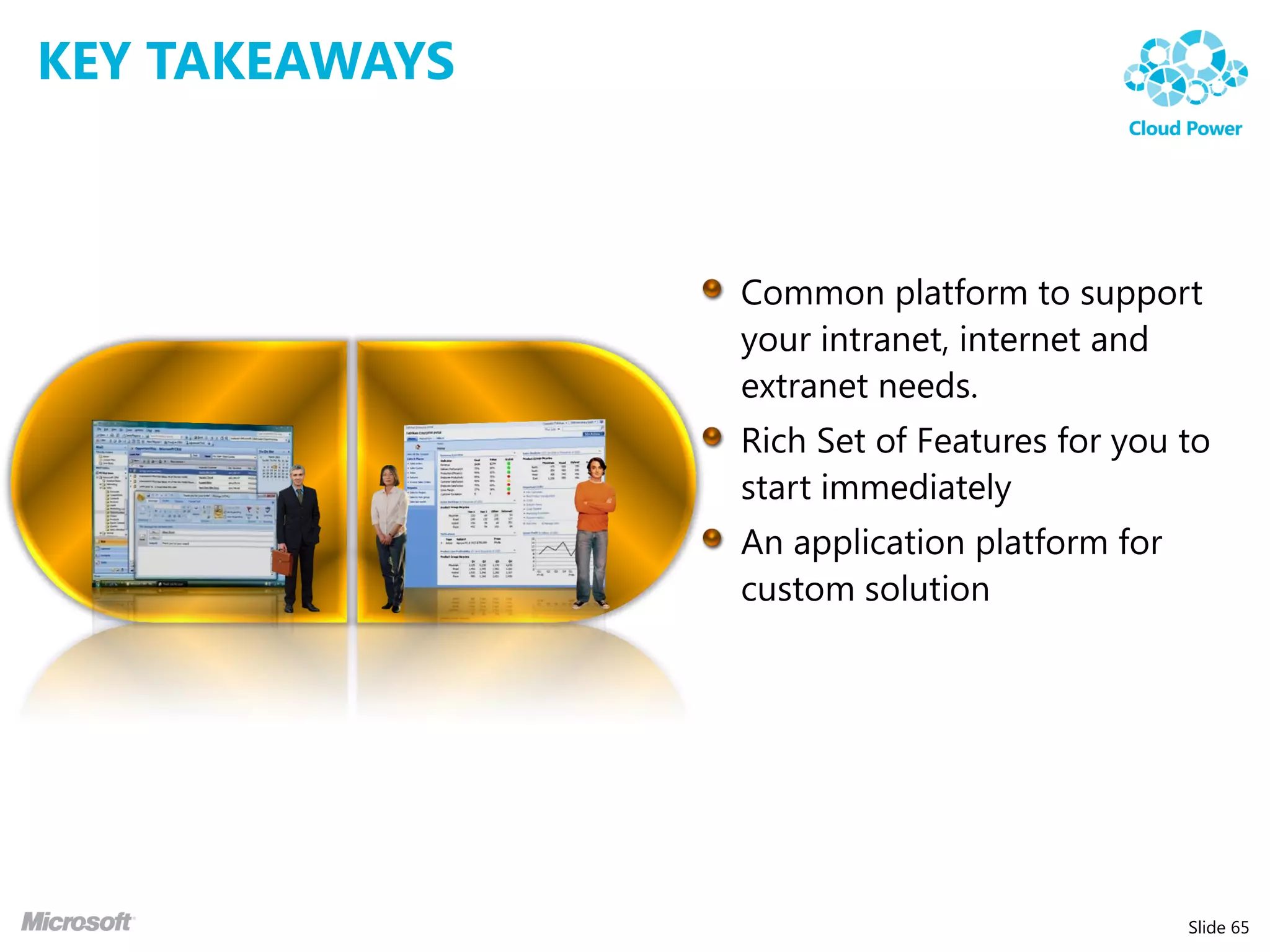
 • Have a vision or roadmap towards an ecosystem for
   information, documents and applications
 • Identify content needs within the organization
   (Information Architecture)
 • Start off small to address the most immediate need
    • Replacing the network file share
    • Digitization of hard copy form to electronic forms
    • Custom solution for an application initiative


                                                           Slide 64
KEY TAKEAWAYS


                Slide 65
Q&A


      Slide 66
Slide 67
The Journey to SharePoint:
Innovation on People, Process and
Technology


Steve Sofian – Consulting Manager
Arvato Systems Singapore
MVP SharePoint Server


                                    Slide 68

The journey to share point steve sofian_arvato

  • 1.
    The Journey toSharePoint: Innovation on People, Process and Technology Steve Sofian – Consulting Manager Arvato Systems Singapore MVP SharePoint Server Slide 1
  • 2.
    ABOUT ME • Consulting Manager for Arvato System Singapore • Worked with SharePoint since 2006 • Microsoft MVP – SharePoint Server since 2007 • Founder SharePointPROs.SG User Group • Organizer for SharePoint Conference SEA 2010 Slide 2
  • 3.
    AGENDA • SharePoint 2010 Overview • ECM with SharePoint 2010 Rocks! • Discovery with Search and FAST Search • Solution Idea: Knowledge Management • Q&A Slide 3
  • 4.
    CHALLENGES TODAY Platform A Platform B Platform C Intranet Internet Extranet Developers & Administrators Slide 4
  • 5.
    PLATFORM NEEDS Extranet Enterprise Internet Division Team Individual Slide 5
  • 6.
    PLATFORM NEEDS Extend the reach of Enterprise Data Common infrastructure to meet and fulfill business Centrally manage content needs. Lower Total Cost of Ownership (TCO). Easily create custom solutions Slide 6
  • 7.
    SO, WHAT ISSHAREPOINT? Slide 7
  • 8.
    SHAREPOINT 2010 •Application Platform that comes with set of rich features that you can build on. • Application platform that provides a basic set of services: • Authentication • Authorization • Storage • Many more…. Slide 8
  • 9.
  • 10.
    SHAREPOINT 2010: SITES • Easy site editing, including theming & branding • Fluent Office Ribbon UI • Templates for site / content creation • Container for Content • Read-write web access using Office Web Application Slide 10
  • 11.
  • 12.
    SHAREPOINT 2010: COMMUNITIES • Promote Sharing with easy authoring • Connecting users through enhanced profiles • Stay up-to-date using news feeds and alerts • Make expertise discovery easy across the organization Slide 12
  • 13.
    SHAREPOINT 2010: INSIGHTS • Advanced analysis • Incorporate LOB data in analysis • Rich data visualizations • Excel Services • Visio Services • PerformancePoint • Reporting Services • Self Service • PowerPivot Slide 13
  • 14.
    SHAREPOINT 2010: COMPOSITES • Integration and Application Features • Provide users with a set of standardized, self-service tools to build productivity solutions • Tools may need to work together and form a powerful business solutions • Features: • SharePoint Designer • SharePoint Workspace • Access Services • InfoPath Forms Services • Business Connectivity Services • Etc…. Slide 14
  • 15.
  • 16.
  • 17.
    WHAT IS ECM? “Enterprise Content Management (ECM) is the strategies, methods, and tools used to capture, manage, store, preserve, and deliver contents and documents related to organizational processes. ECM tools and strategies allow the management of an organization’s unstructured information, wherever the information exists” Association for Information and Image Management (AIIM) Slide 17
  • 18.
  • 19.
    ENTERPRISE CONTENT MANAGEMENT • Document Management • Records Management • Web Content Management • Digital Asset Management (NEW) Slide 19
  • 20.
    SHAREPOINT 2010: ECMKEY FEATURES • Taxonomy / Metadata • Document Features • Content Organizer • Document Sets • Office Web Application Slide 20
  • 21.
    TODAY NETWORK FILESHARE • Folders (Taxonomy / Metadata) • Security • Files, name may contain relevant metadata / version info Slide 21
  • 22.
    TAXONOMY / METADATA Classification Metadata Literature Shakespeare, William Fiction Author Drama Hamlet, Prince of Denmark Comedy Title Tragedy 1604-05 Non-Fiction Publication Date Taxonomy Content Type Slide 22
  • 23.
    DOCUMENT FEATURES • Check-In / Check-Out • Versioning • Auditing • Information Policy • Document Expiration • Archiving • Metadata Navigation • Rating Slide 23
  • 24.
    CONTENT ORGANIZER •Content Organizer • A single place for user to upload document • Define Rules and route documents automatically Slide 24
  • 25.
    DOCUMENT SETS •Document Sets • Treat multiple documents as a “whole” • Apply workflow to the set Slide 25
  • 26.
  • 27.
    DEMO: ECM Slide 28
  • 28.
  • 29.
  • 30.
    SHAREPOINT SEARCH Search is the key to engaging information experiences Slide 31
  • 31.
  • 32.
    BEYOND THE SEARCHBOX Most visual and dynamic Great OOB search experience user experience Excellent OOB relevance Same capabilities, plus: Federated results Thumbnails & Previews Metadata based refiners Visual Best Bets Query Suggestions, Did You Deep refiners with counts Mean & Related Searches User context from user profile View in browser Multiple relevance profiles People search Sorting on any property Phonetic & nickname matching Similarity Search Social behavior improves Broader, better language support relevance Richer query language Slide 33
  • 33.
    ELIMINATE COMPROMISE Files OpenSearch Federation Web Databases SharePoint Exchange Documentum Lotus Slide 34
  • 34.
    DISCOVERY: ENTERPRISE SEARCH • Search Service Application Architecture • Federated Search • Boolean Query Syntax • Wildcard Search • Query Suggestions • Refinement Panel • People Search • Self Search Slide 35
  • 35.
    DISCOVERY: REFINEMENT •Helps users to search faster • Drills down into search results • Intelligently provides drill down options based on metadata captured in contents • Not available in SharePoint 2007 and require 3rd party add-on Slide 36
  • 36.
  • 37.
  • 38.
    BEYOND THE SEARCHBOX Most visual and dynamic Great OOB search experience user experience Excellent OOB relevance Same capabilities, plus: Federated results Thumbnails & Previews Metadata based refiners Visual Best Bets Query Suggestions, Did You Deep refiners with counts Mean & Related Searches User context from user profile View in browser Multiple relevance profiles People search Sorting on any property Phonetic & nickname matching Similarity Search Social behavior improves Broader, better language support relevance Richer query language Slide 39
  • 39.
    DISCOVERY: FAST SEARCH • Extension of SharePoint Search • Deliver results that are contextually relevant. • Tune relevancy to improve accuracy. • Customize search platform to meet your specific indexing and search requirements. • Configure the user interface to customize the search experience for information workers. Slide 40
  • 40.
    DISCOVERY: FAST SEARCH • Conversational Search Capabilities • Sort Results on Managed Properties • Deep Results Refinement • Find exactly what you are looking for • Display Counts • Similar Results • Result Collapsing / Duplicates • Contextual Search Capabilities • Relevancy Tuning • Synonyms • Managed Properties and Metadata Creation • Property Extraction • User Context • Visual Search Slide 41
  • 41.
    PROPERTY EXTRACTION The Content Pipeline Processing & refinement Location REDMOND, Wash., and OSLO, Norway — Jan. 8, 2008 Company Microsoft Corp. (Nasdaq “MSFT”) today announced thatCompany it will make an offer to acquire Fast Search & … Transfer ASA (OSE: “FAST”), a leading provider of enterprise search solutions, through a cash tender offer for 19.00 Norwegian kroner (NOK) per share. This offer represents a 42 percent premium to the closing share price on Jan. 4, 2008 (the last trading day prior to this announcement),Company the and values fully diluted equity of FAST at 6.6 billion NOK (or approximately $1.2 billion U.S. ). FAST’s board of directors has unanimously recommended that its shareholders accept the offer. Slide 42
  • 42.
    DISCOVERY: FAST SEARCH Expertise Visual Best Bet Best Bet Federation Federated Result Slide 43
  • 43.
    DISCOVERY: FAST SEARCH Preview Refiner Thumbnail Slide 44
  • 44.
    DEMO: SEARCH Slide 45
  • 45.
  • 46.
    WHAT CUSTOMERS ARELOOKING FOR • Capture tacit knowledge and promote knowledge sharing • An easy way to publish and manage content on intranet or internet • Knowledge Articles / Wiki • Announcements • Blogs • FAQ / Answers / Forum • Classify and organize content • Promote social feedback • Usefulness of content • Comment • Easily searched and discovered content • Push related content Slide 47
  • 47.
  • 48.
  • 49.
    KNOWLEDGE CENTER -ARTICLE Slide 50
  • 50.
  • 51.
    KNOWLEDGE CENTER -SOCIAL Slide 52
  • 52.
    KNOWLEDGE CENTER -BLOG Slide 53
  • 53.
    KNOWLEDGE CENTER -BLOG Slide 54
  • 54.
    KNOWLEDGE CENTER -ANSWERS Slide 55
  • 55.
    KNOWLEDGE CENTER -ANSWERS Slide 56
  • 56.
    KNOWLEDGE CENTER -SEARCH Slide 57
  • 57.
    KNOWLEDGE CENTER -SEARCH Slide 58
  • 58.
    KNOWLEDGE CENTER • Taxonomy / Managed Metadata Service • Content Publishing • Search Engine • Social Note Board • Rating • Blog • Wiki • Answer / Forum Slide 59
  • 59.
  • 60.
  • 61.
  • 62.
  • 63.
    HOW TO GETSTARTED • Have a vision or roadmap towards an ecosystem for information, documents and applications • Identify content needs within the organization (Information Architecture) • Start off small to address the most immediate need • Replacing the network file share • Digitization of hard copy form to electronic forms • Custom solution for an application initiative Slide 64
  • 64.
  • 65.
    Q&A Slide 66
  • 66.
  • 67.
    The Journey toSharePoint: Innovation on People, Process and Technology Steve Sofian – Consulting Manager Arvato Systems Singapore MVP SharePoint Server Slide 68