


Content is King - Enterprise Content
  Management in SharePoint 2010
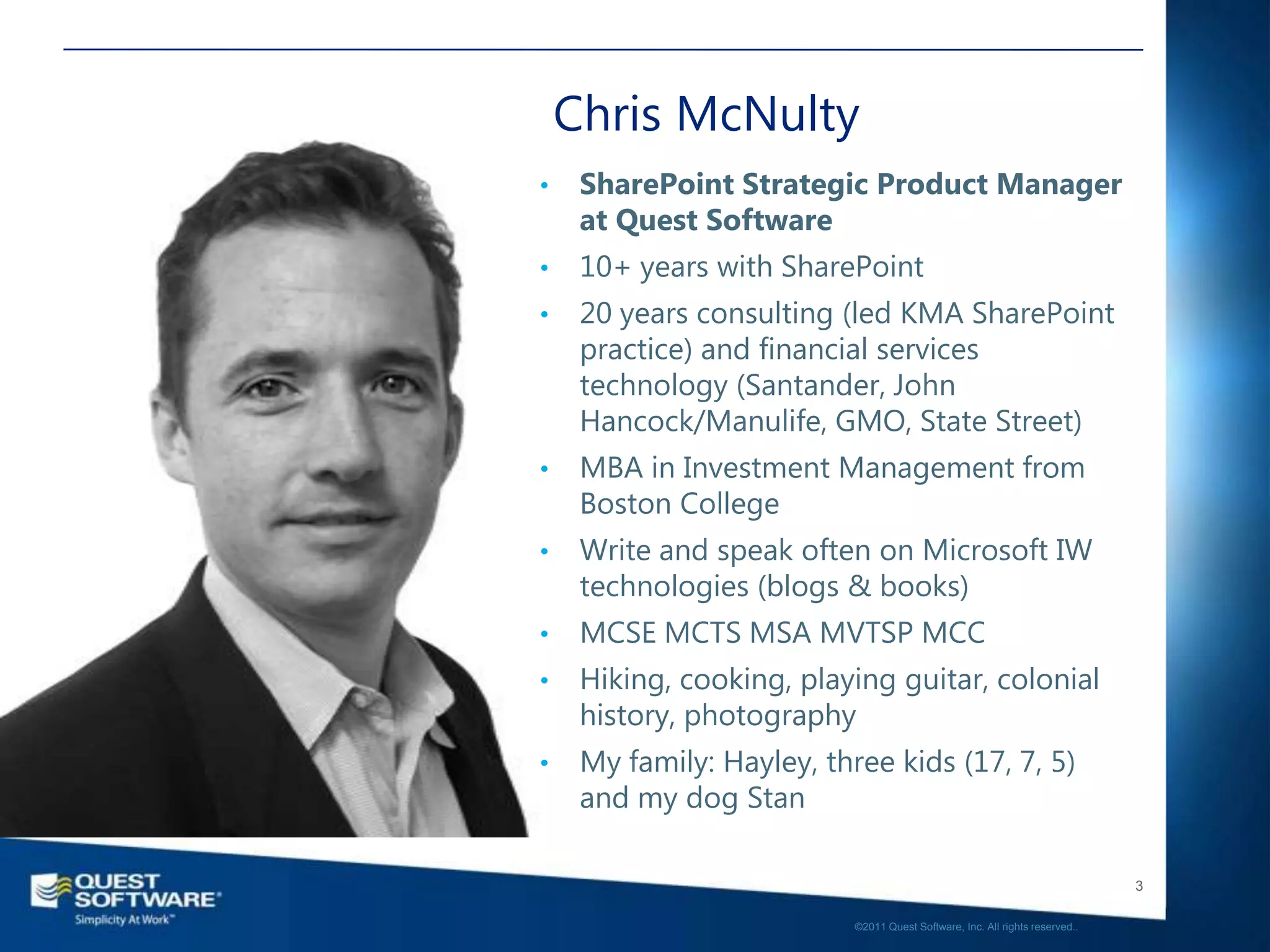
                               Chris McNulty
       SharePoint Strategic Product Manager
                              Quest Software
Chris McNulty
•    SharePoint Strategic Product Manager
     at Quest Software
•    10+ years with SharePoint
•    20 years consulting (led KMA SharePoint
     practice) and financial services
     technology (Santander, John
     Hancock/Manulife, GMO, State Street)
•    MBA in Investment Management from
     Boston College
•    Write and speak often on Microsoft IW
     technologies (blogs & books)
•    MCSE MCTS MSA MVTSP MCC
•    Hiking, cooking, playing guitar, colonial
     history, photography
•    My family: Hayley, three kids (17, 7, 5)
     and my dog Stan

                                                                              3

                           ©2011 Quest Software, Inc. All rights reserved..
About Home
About Home
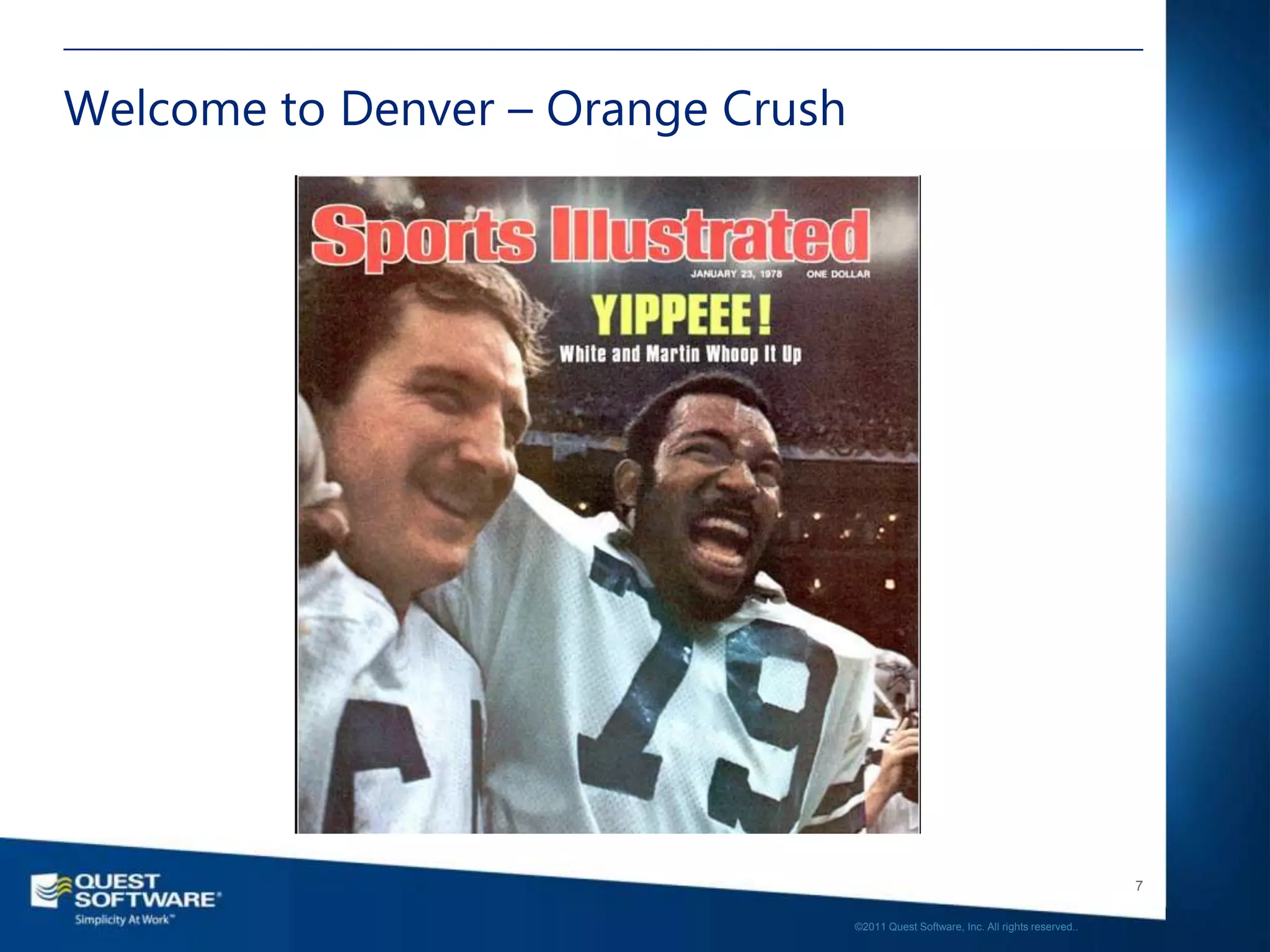
Welcome to Denver – Orange Crush


                                                                                      7

                                   ©2011 Quest Software, Inc. All rights reserved..
Agenda
• Solution Overview
• Managed Metadata – Keys to ECM
• ECM – Enterprise Content Management
 • Versioning and Approvals
 • Drop-off library
 • Records Management – In Place vs. Records Center
 • Document Hold
 • Disposition and ILM
• Putting it Together
• The classification challenges…and answers
• Q&A and Summary


                                                                                                         8

                                                      ©2011 Quest Software, Inc. All rights reserved..
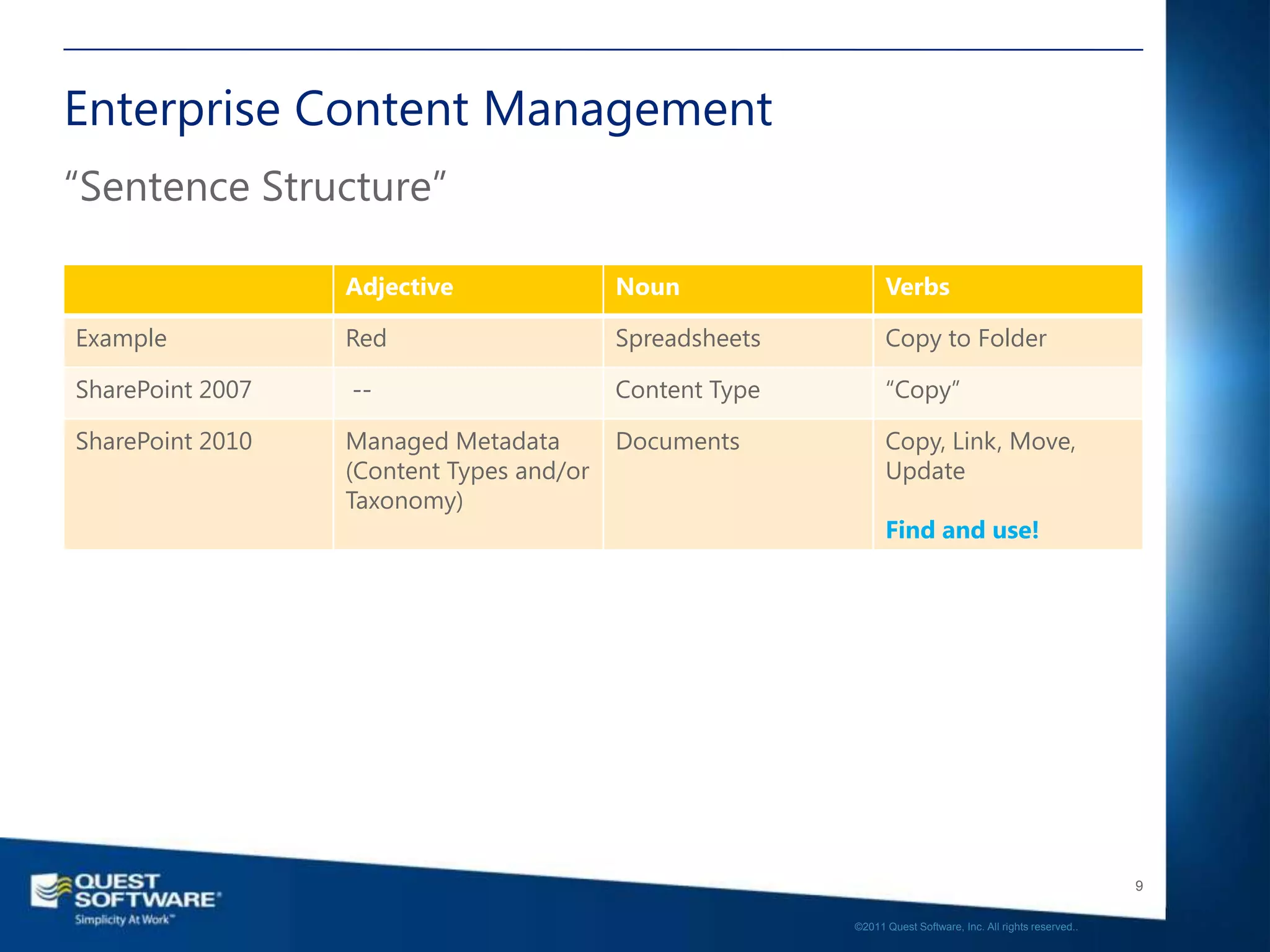
Enterprise Content Management
“Sentence Structure”

                  Adjective               Noun                 Verbs

Example           Red                     Spreadsheets         Copy to Folder

SharePoint 2007   --                      Content Type         “Copy”

SharePoint 2010   Managed Metadata        Documents            Copy, Link, Move,
                  (Content Types and/or                        Update
                  Taxonomy)
                                                               Find and use!


                                                                                                            9

                                                         ©2011 Quest Software, Inc. All rights reserved..
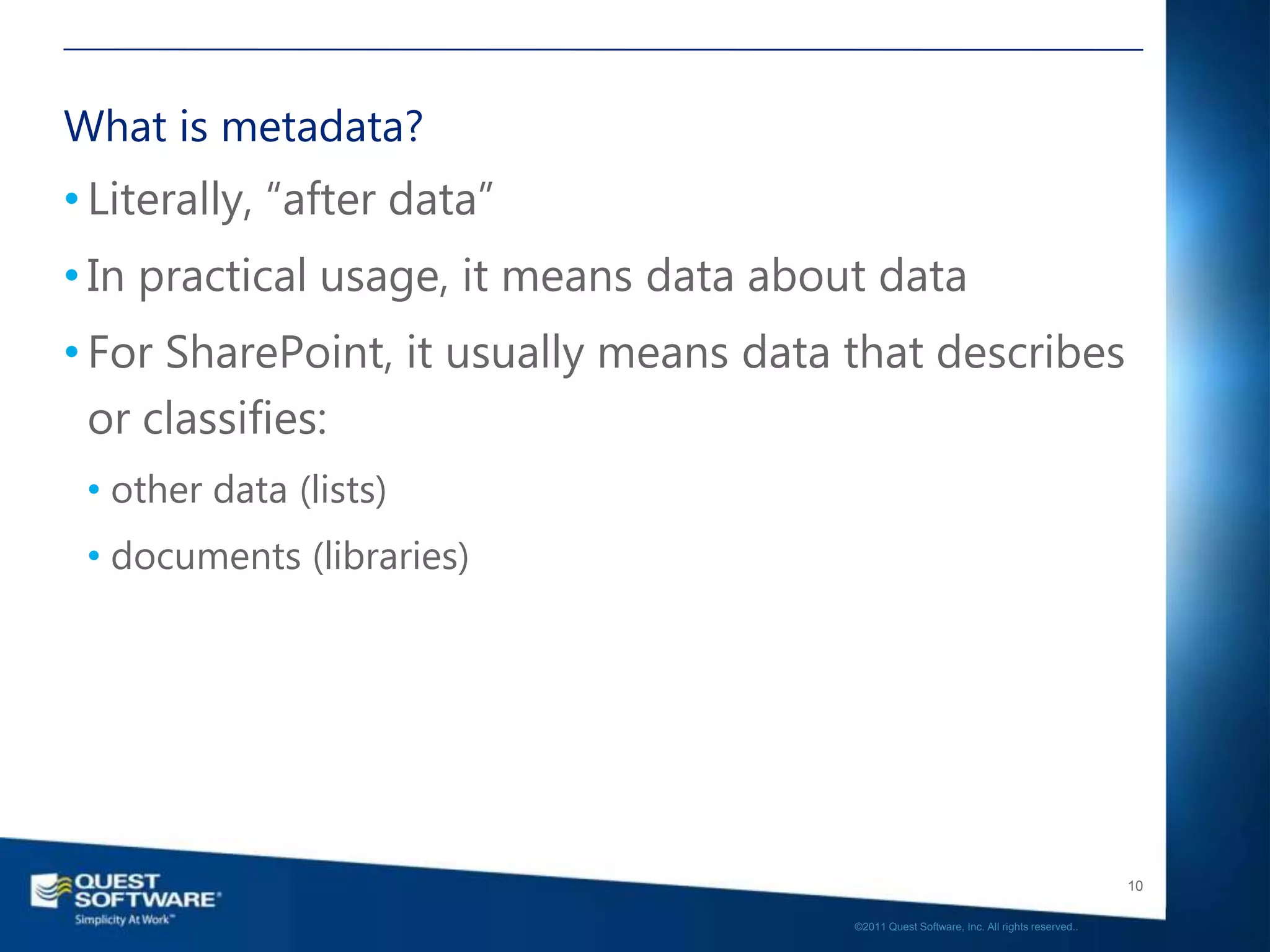
What is metadata?
• Literally, “after data”
• In practical usage, it means data about data
• For SharePoint, it usually means data that describes
  or classifies:
 • other data (lists)
 • documents (libraries)


                                                                                           10

                                        ©2011 Quest Software, Inc. All rights reserved..
Wait, what was SharePoint again?


                                                                               11

                            ©2011 Quest Software, Inc. All rights reserved..
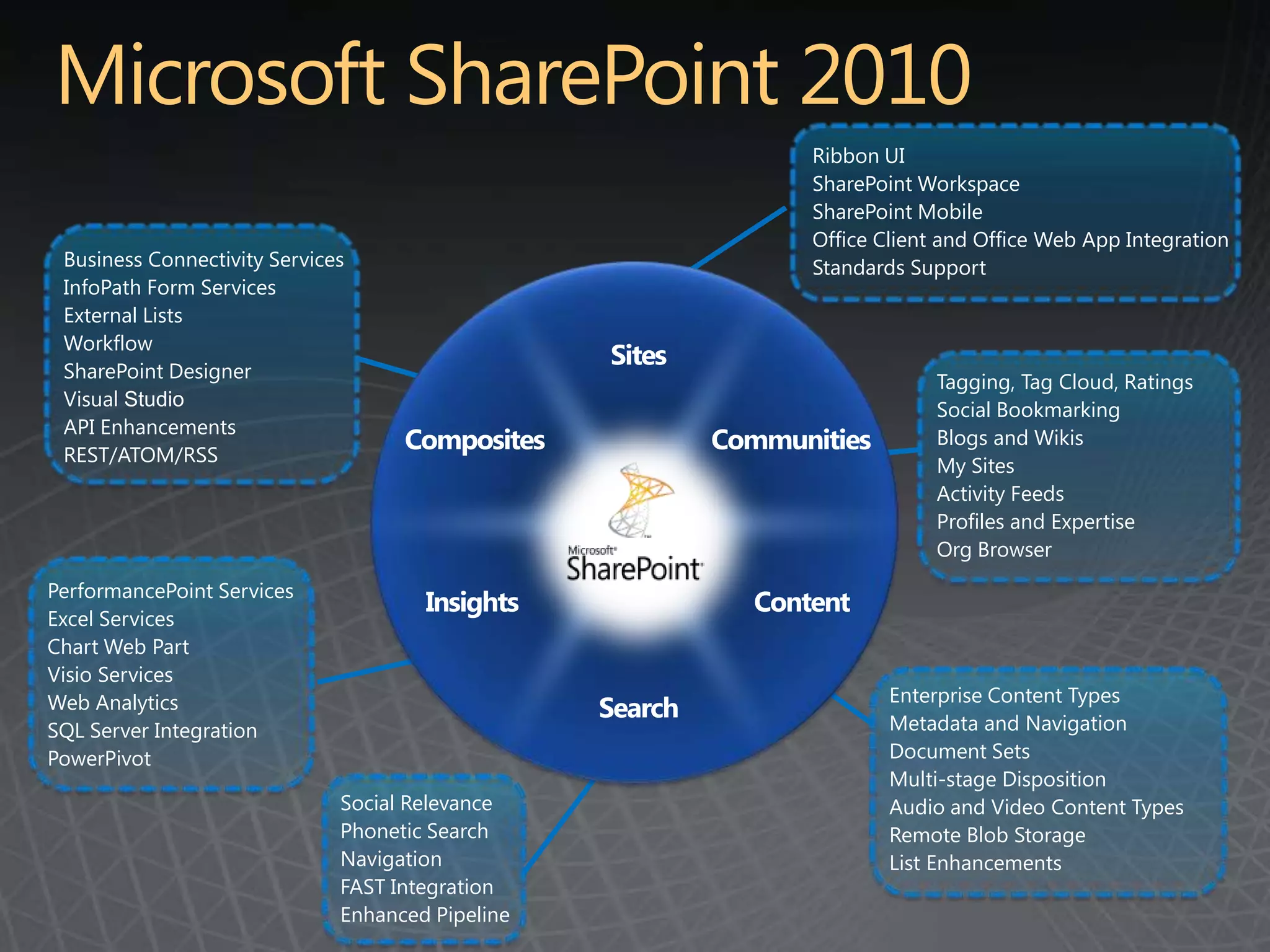
Ribbon UI
                                                                 SharePoint Workspace
                                                                 SharePoint Mobile
                                                                 Office Client and Office Web App Integration
 Business Connectivity Services                                  Standards Support
 InfoPath Form Services
 External Lists
 Workflow
 SharePoint Designer
                                                  Sites
                                                                              Tagging, Tag Cloud, Ratings
 Visual Studio
                                                                              Social Bookmarking
 API Enhancements
 REST/ATOM/RSS
                                    Composites             Communities        Blogs and Wikis
                                                                              My Sites
                                                                              Activity Feeds
                                                                              Profiles and Expertise
                                                                              Org Browser
PerformancePoint Services
                                      Insights               Content
Excel Services
Chart Web Part
Visio Services
Web Analytics                                                            Enterprise Content Types
                                                  Search                 Metadata and Navigation
SQL Server Integration
PowerPivot                                                               Document Sets
                                                                         Multi-stage Disposition
                              Social Relevance                           Audio and Video Content Types
                              Phonetic Search                            Remote Blob Storage
                              Navigation                                 List Enhancements
                              FAST Integration
                              Enhanced Pipeline
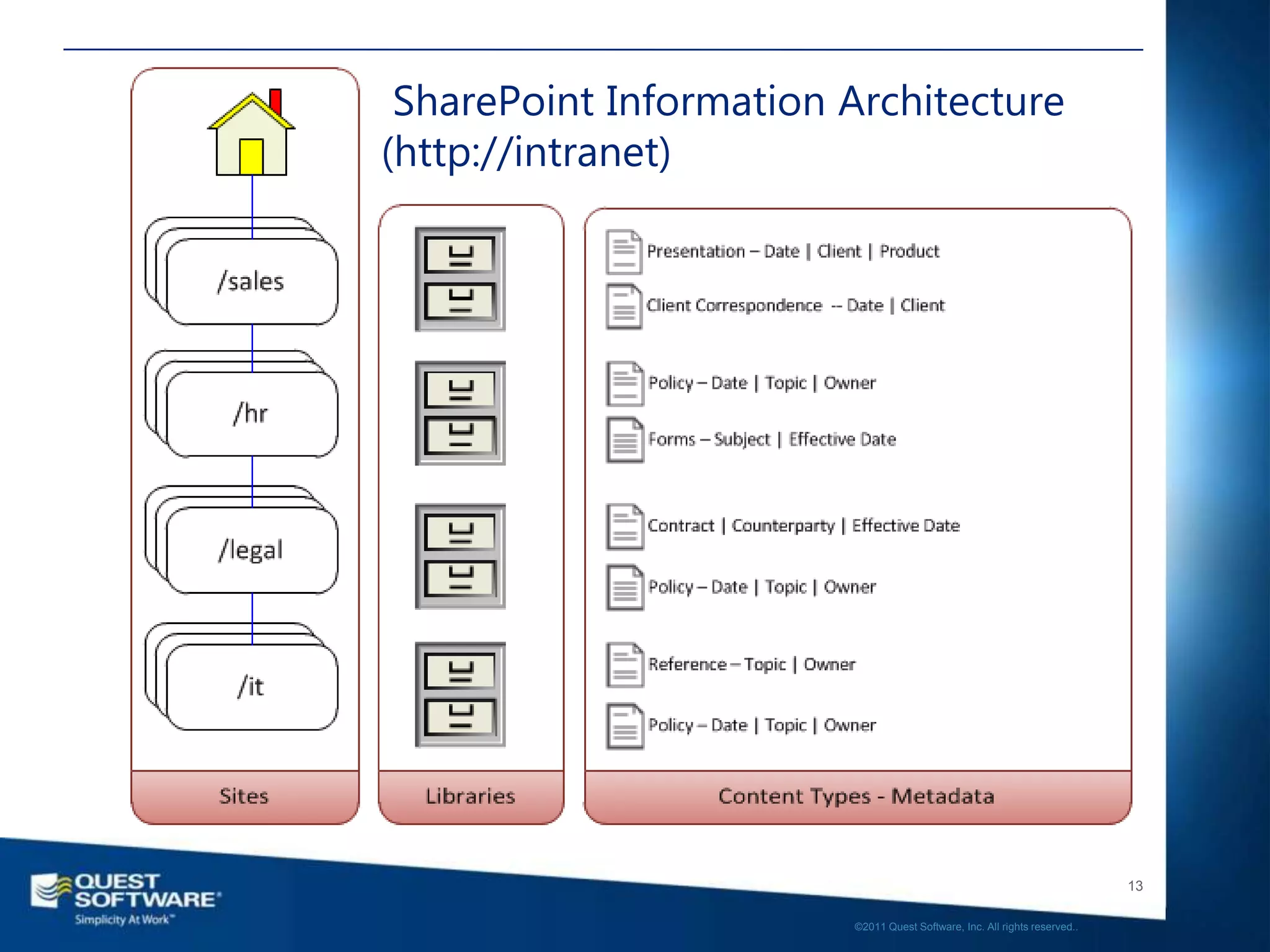
SharePoint Information Architecture
(http://intranet)


                                                                           13

                        ©2011 Quest Software, Inc. All rights reserved..
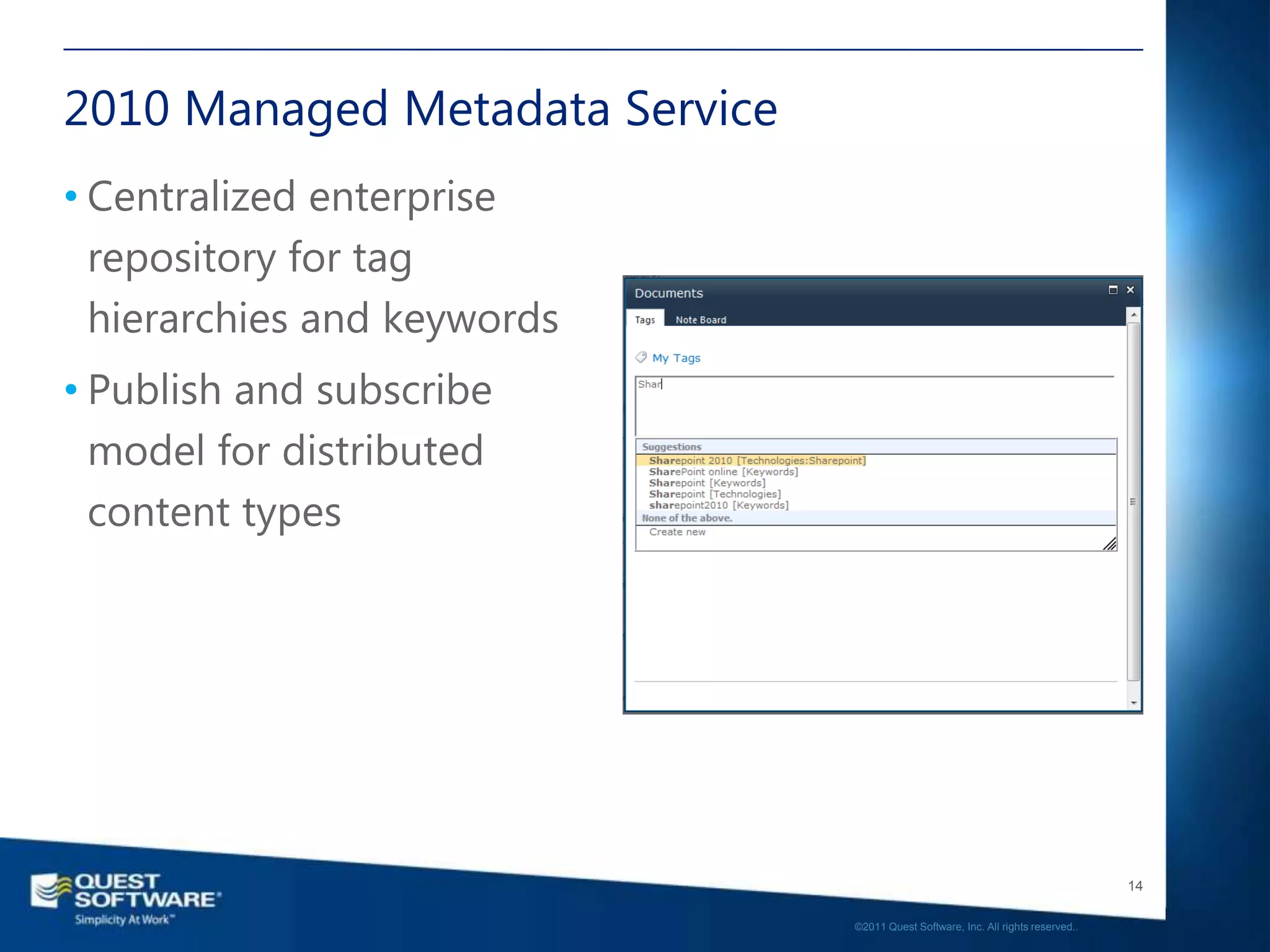
2010 Managed Metadata Service
• Centralized enterprise
  repository for tag
  hierarchies and keywords
• Publish and subscribe
  model for distributed
  content types


                                                                                   14

                                ©2011 Quest Software, Inc. All rights reserved..
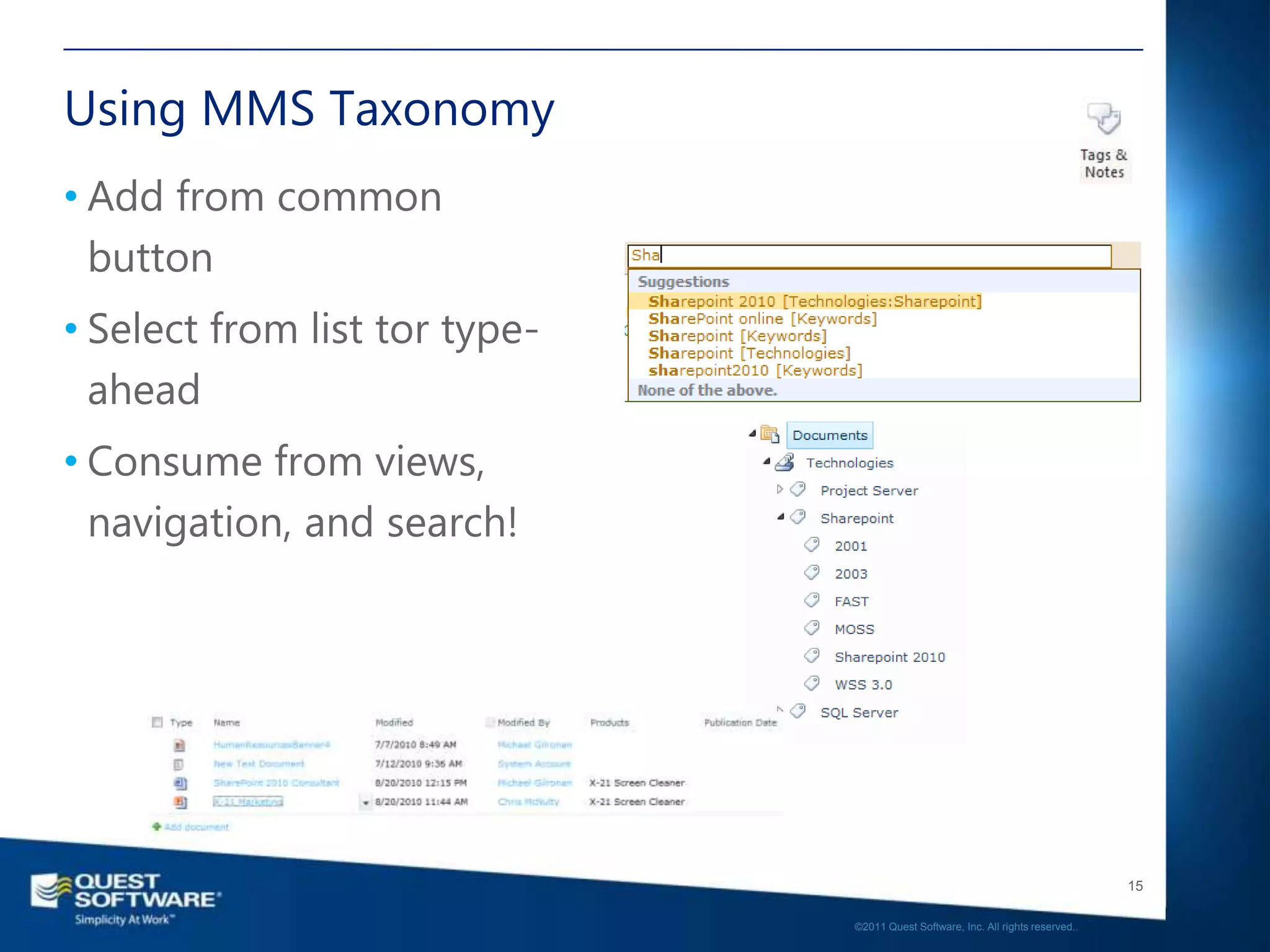
Using MMS Taxonomy
• Add from common
  button
• Select from list tor type-
  ahead
• Consume from views,
  navigation, and search!


                                                                                  15

                               ©2011 Quest Software, Inc. All rights reserved..
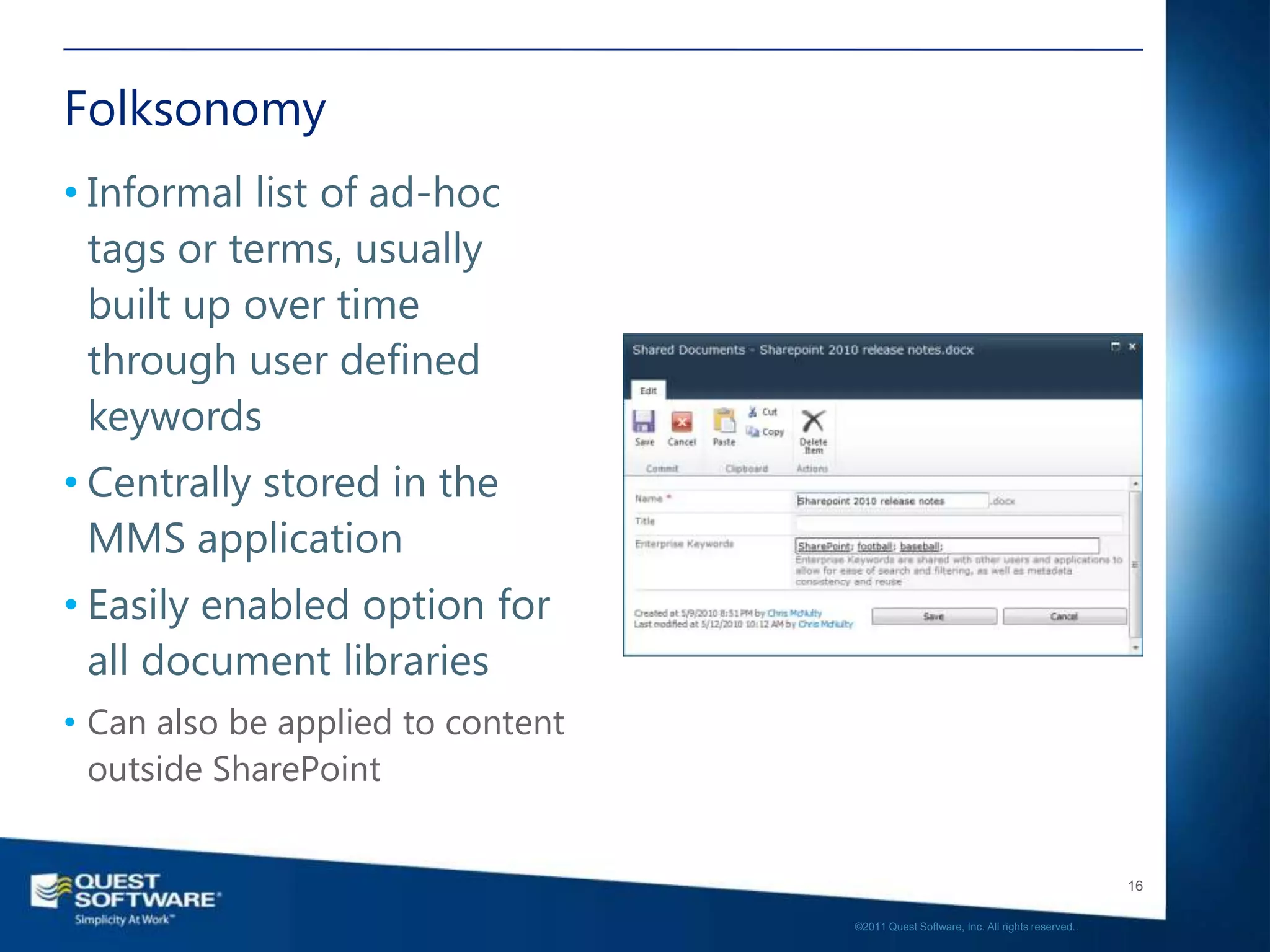
Folksonomy
• Informal list of ad-hoc
  tags or terms, usually
  built up over time
  through user defined
  keywords
• Centrally stored in the
  MMS application
• Easily enabled option for
  all document libraries
• Can also be applied to content
  outside SharePoint


                                                                                      16

                                   ©2011 Quest Software, Inc. All rights reserved..
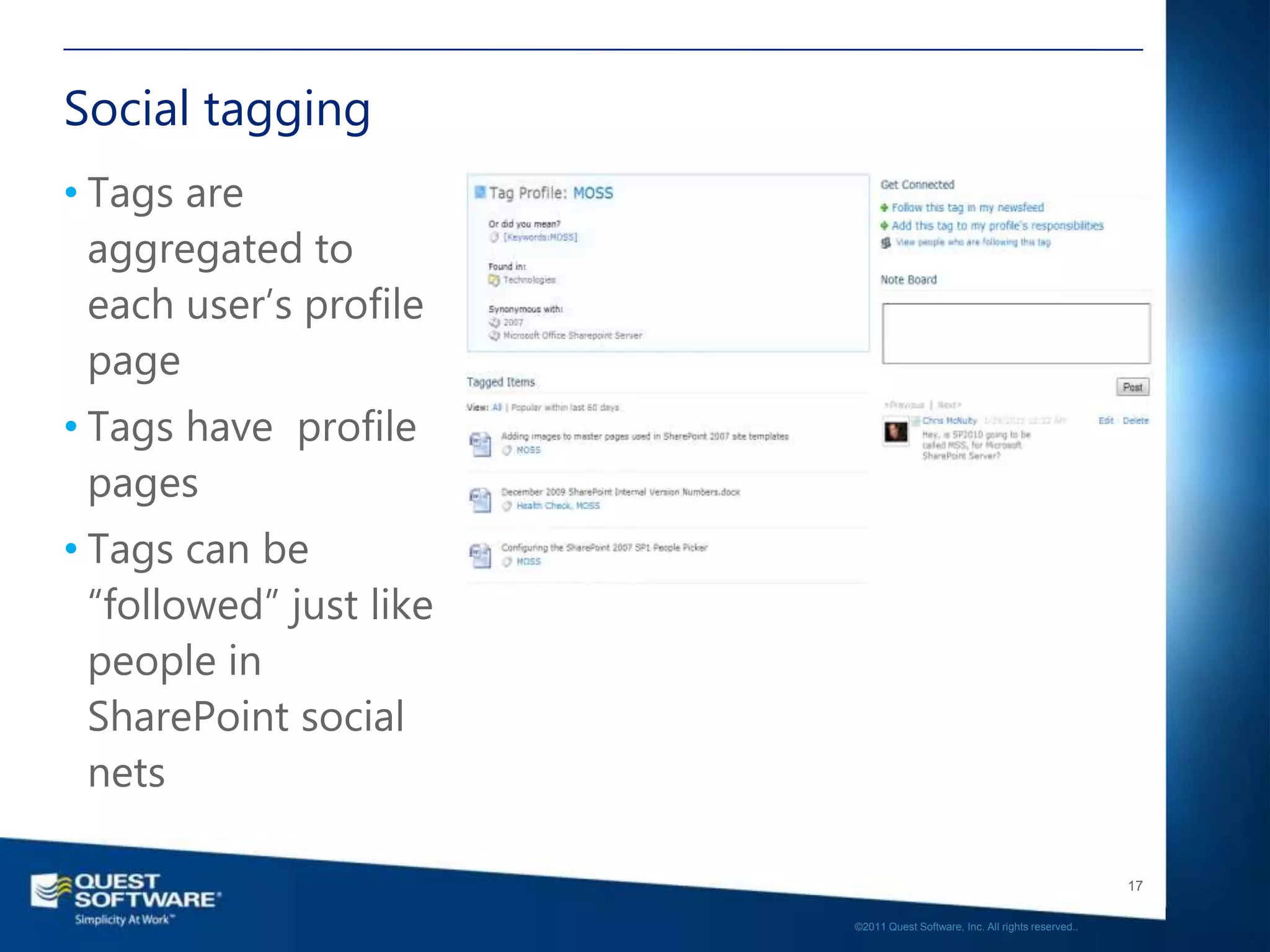
Social tagging
• Tags are
  aggregated to
  each user’s profile
  page
• Tags have profile
  pages
• Tags can be
  “followed” just like
  people in
  SharePoint social
  nets

                                                                            17

                         ©2011 Quest Software, Inc. All rights reserved..
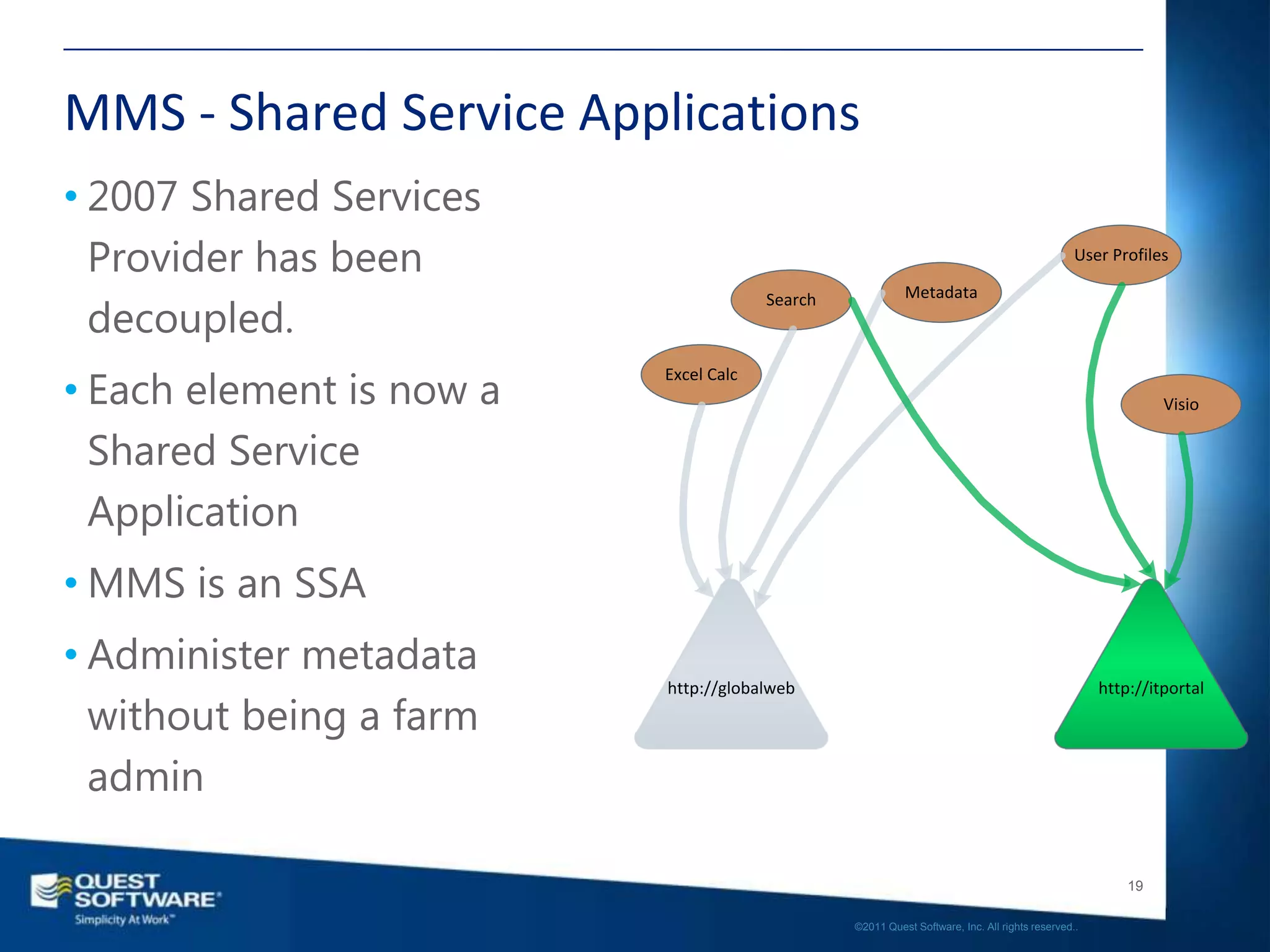
MMS - Shared Service Applications
• 2007 Shared Services
  Provider has been                                                                            User Profiles

                                                          Metadata
  decoupled.
                                       Search


• Each element is now a
                          Excel Calc
                                                                                                            Visio


  Shared Service
  Application
• MMS is an SSA
• Administer metadata
                          http://globalweb                                                         http://itportal
  without being a farm
  admin

                                                                                                       19

                                                ©2011 Quest Software, Inc. All rights reserved..
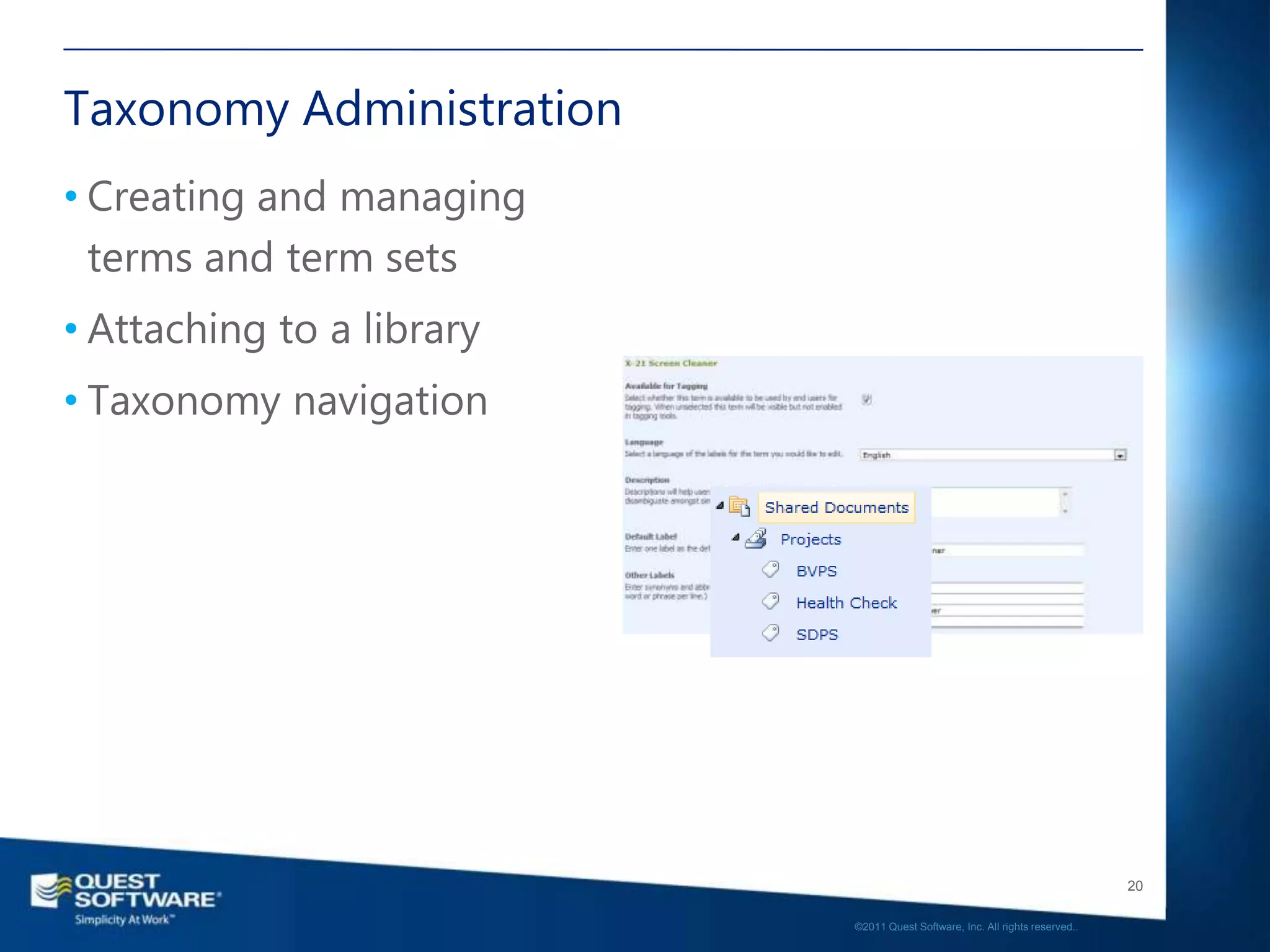
Taxonomy Administration
• Creating and managing
  terms and term sets
• Attaching to a library
• Taxonomy navigation


                                                                              20

                           ©2011 Quest Software, Inc. All rights reserved..
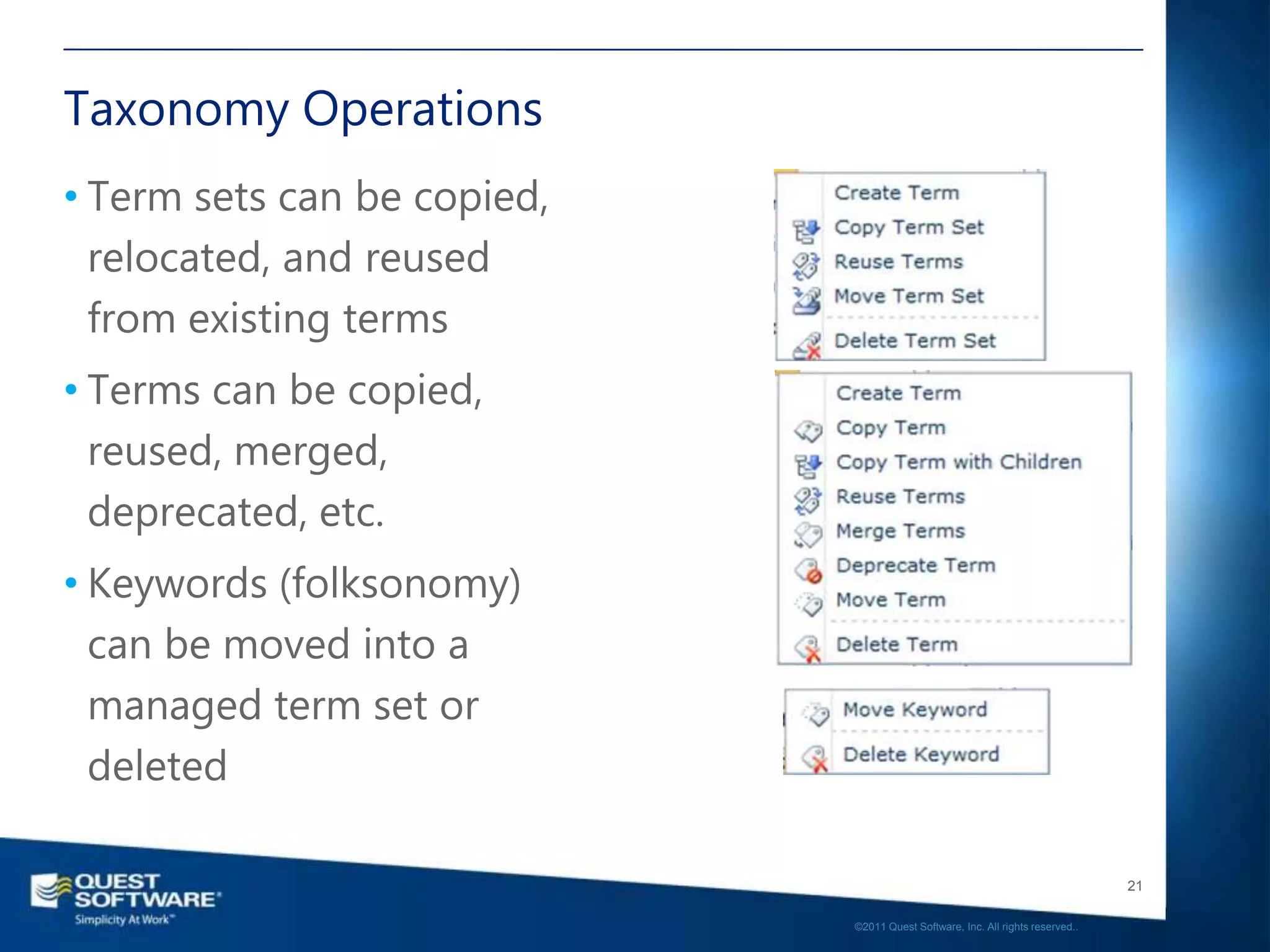
Taxonomy Operations
• Term sets can be copied,
  relocated, and reused
  from existing terms
• Terms can be copied,
  reused, merged,
  deprecated, etc.
• Keywords (folksonomy)
  can be moved into a
  managed term set or
  deleted

                                                                                21

                             ©2011 Quest Software, Inc. All rights reserved..
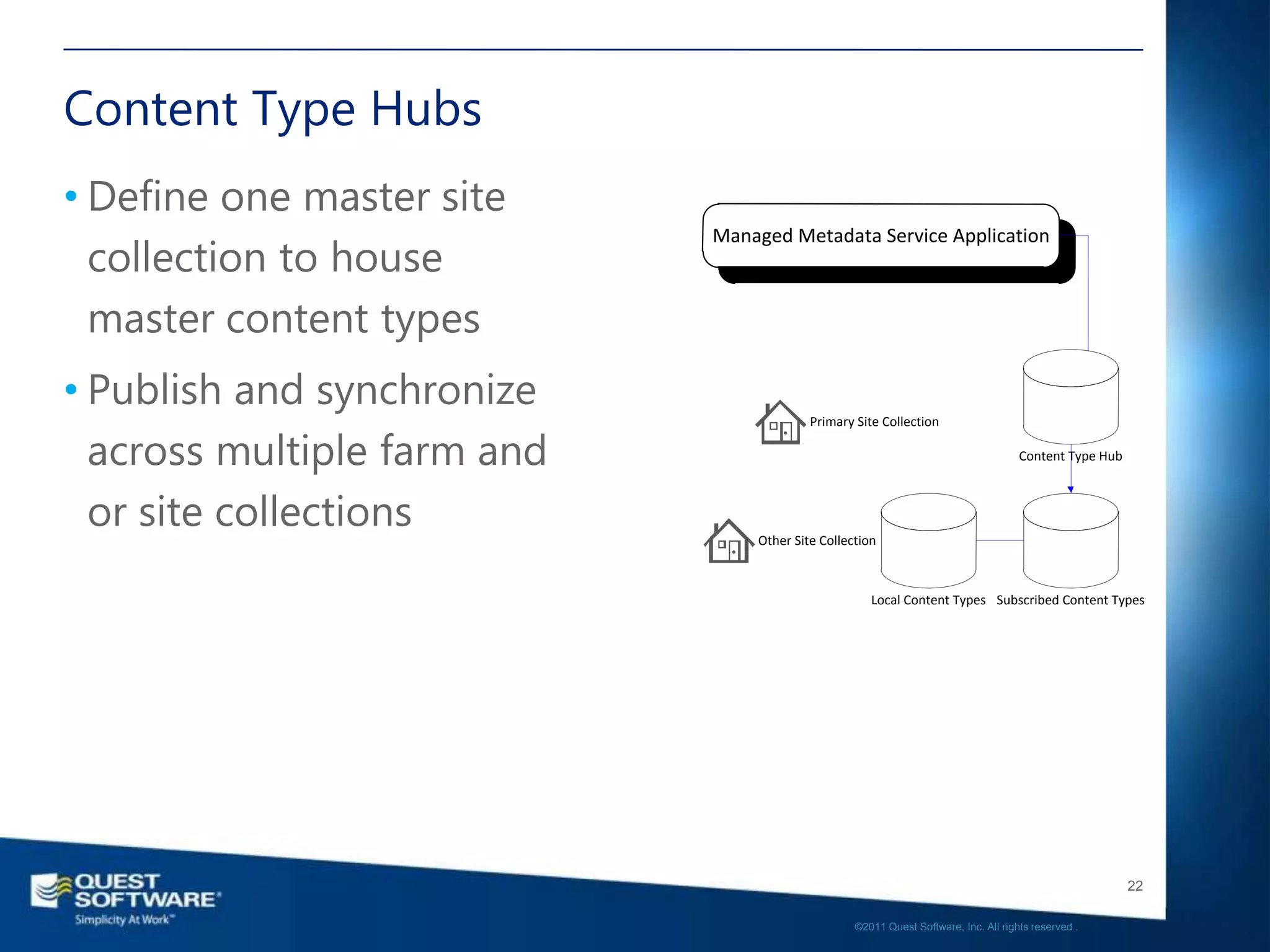
Content Type Hubs
• Define one master site
  collection to house
                             Managed Metadata Service Application


  master content types
• Publish and synchronize
                                          Primary Site Collection

  across multiple farm and                                                           Content Type Hub


  or site collections            Other Site Collection


                                                     Local Content Types Subscribed Content Types


                                                                                                        22

                                                  ©2011 Quest Software, Inc. All rights reserved..
DEMO
• MMS Usage


                                                                 23

              ©2011 Quest Software, Inc. All rights reserved..
Enterprise Content Management
• Content Aggregation
• Approvals and Versioning
• Drop-off Library & Content Organizer
• Digital Media Management
• Records Management & Records Center
 • In Place vs. Records Center

• Hold and Discovery
• ILM and Retention Policies


                                                                                            24

                                         ©2011 Quest Software, Inc. All rights reserved..
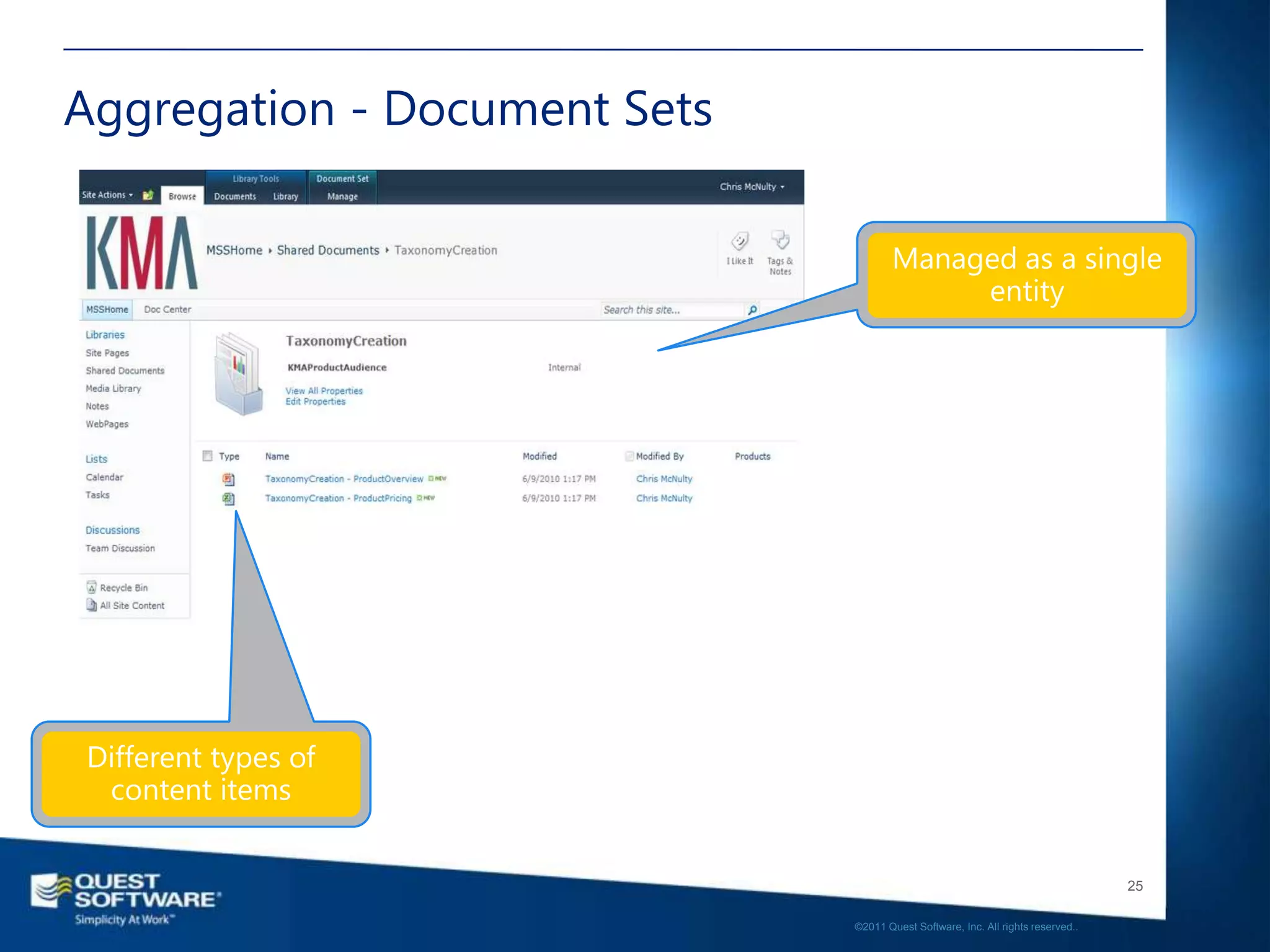
Aggregation - Document Sets


                                                                                 25

                              ©2011 Quest Software, Inc. All rights reserved..
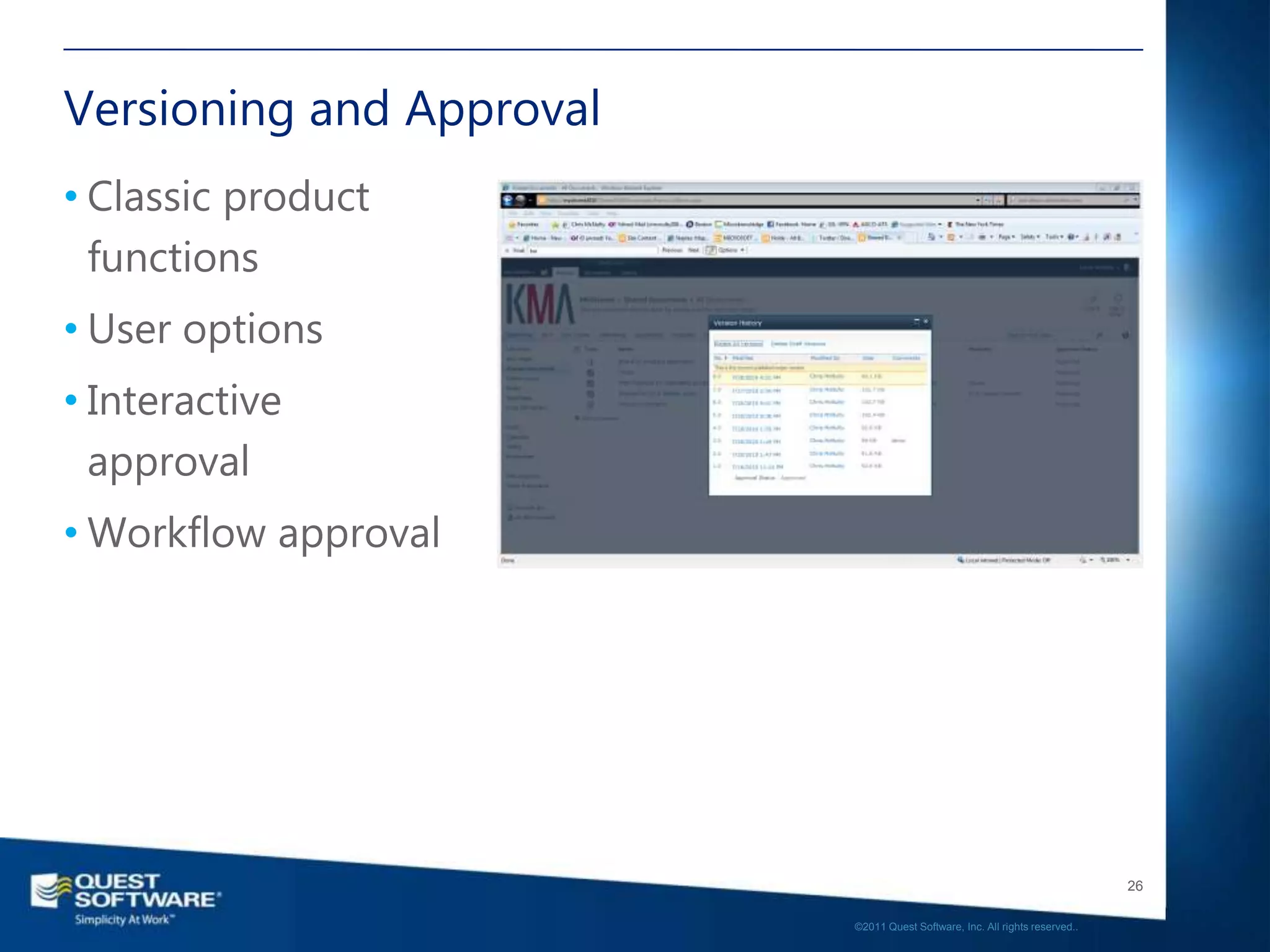
Versioning and Approval
• Classic product
  functions
• User options
• Interactive
  approval
• Workflow approval


                                                                             26

                          ©2011 Quest Software, Inc. All rights reserved..
DEMO
• Versioning and Approval
• Document Sets


                                                                         27

                      ©2011 Quest Software, Inc. All rights reserved..
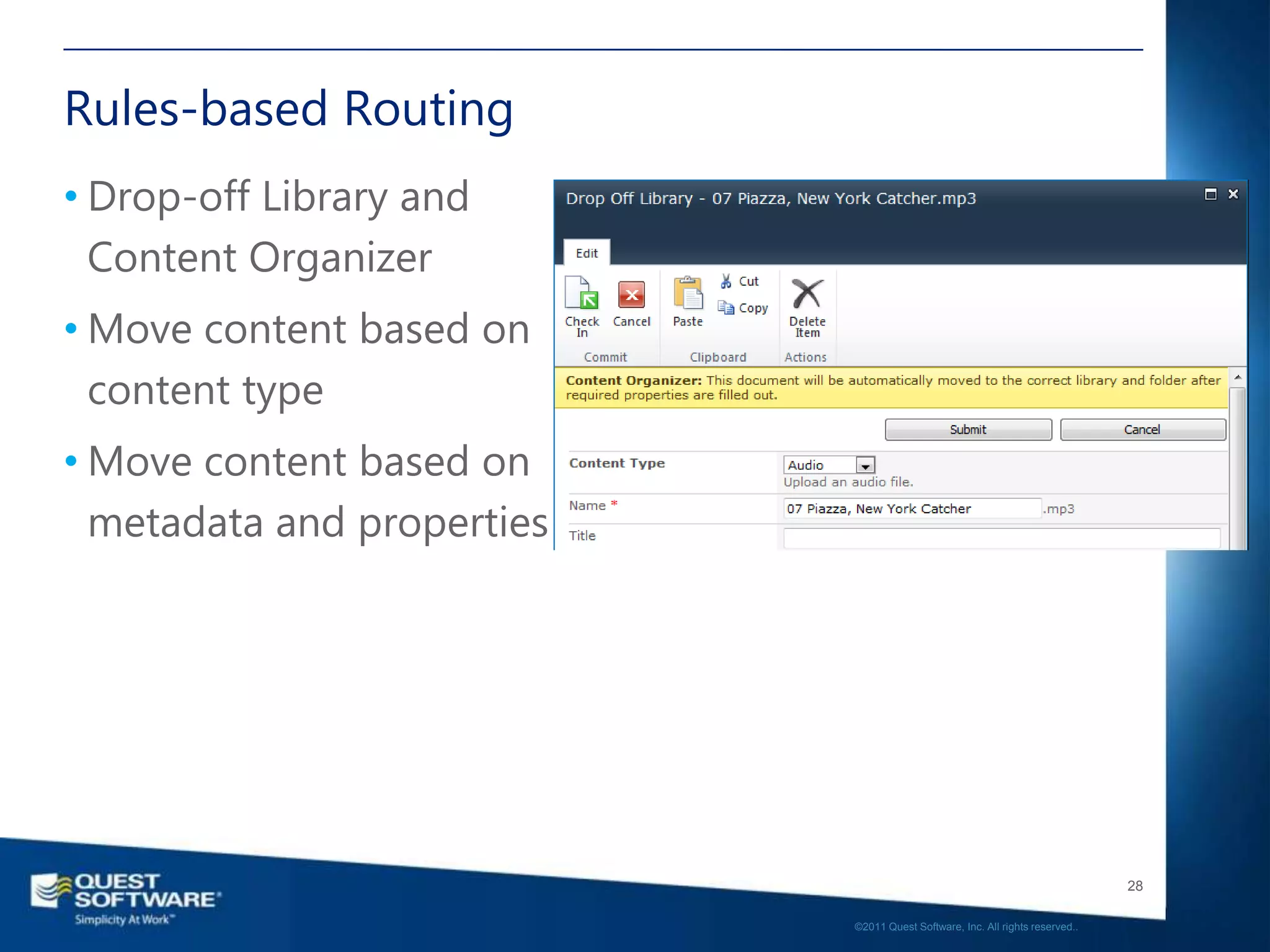
Rules-based Routing
• Drop-off Library and
  Content Organizer
• Move content based on
  content type
• Move content based on
  metadata and properties


                                                                               28

                            ©2011 Quest Software, Inc. All rights reserved..
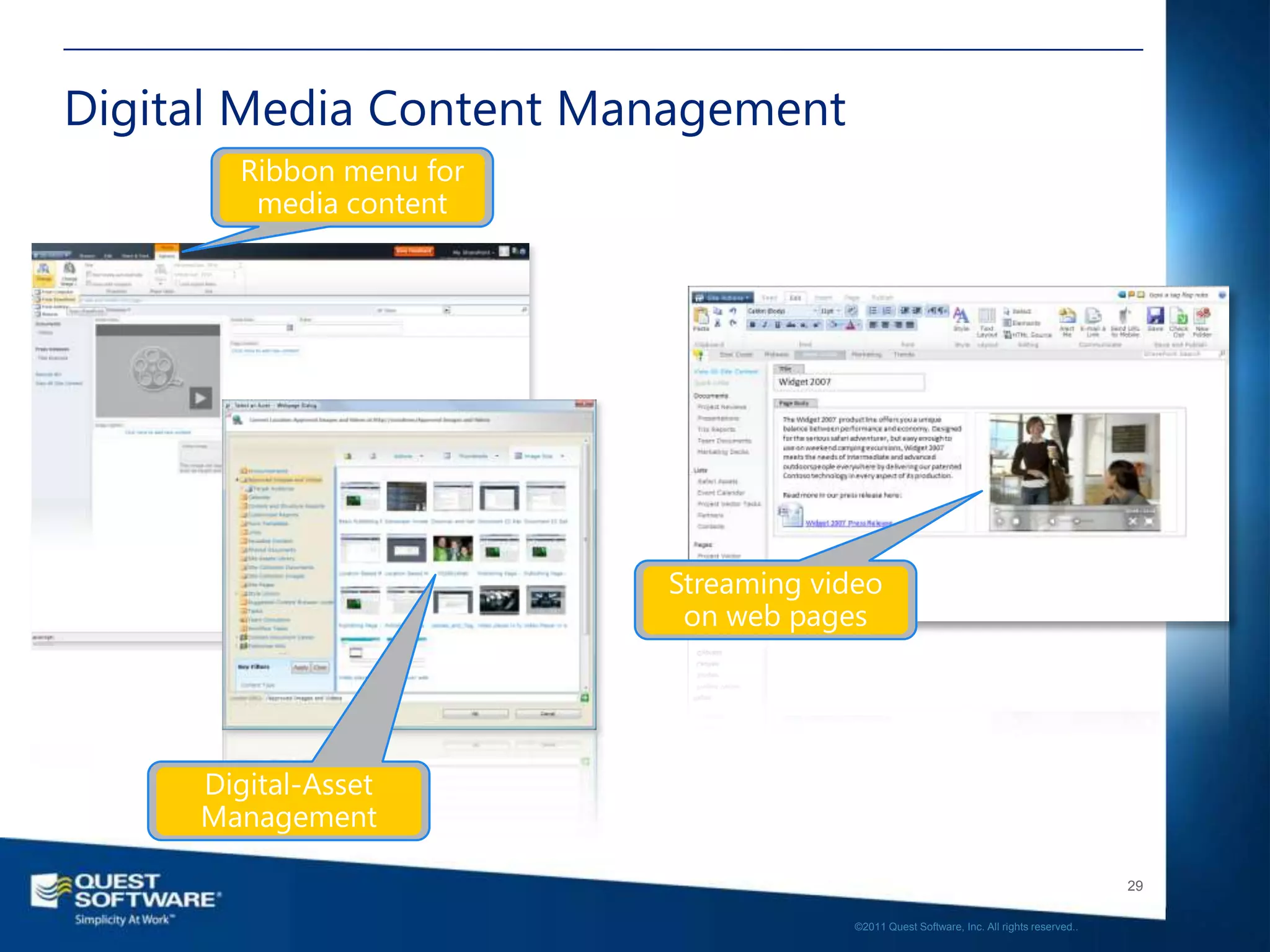
Digital Media Content Management


                                                                                      29

                                   ©2011 Quest Software, Inc. All rights reserved..
DEMO
• Content Organizer
• Digital Media Management


                                                                       30

                    ©2011 Quest Software, Inc. All rights reserved..
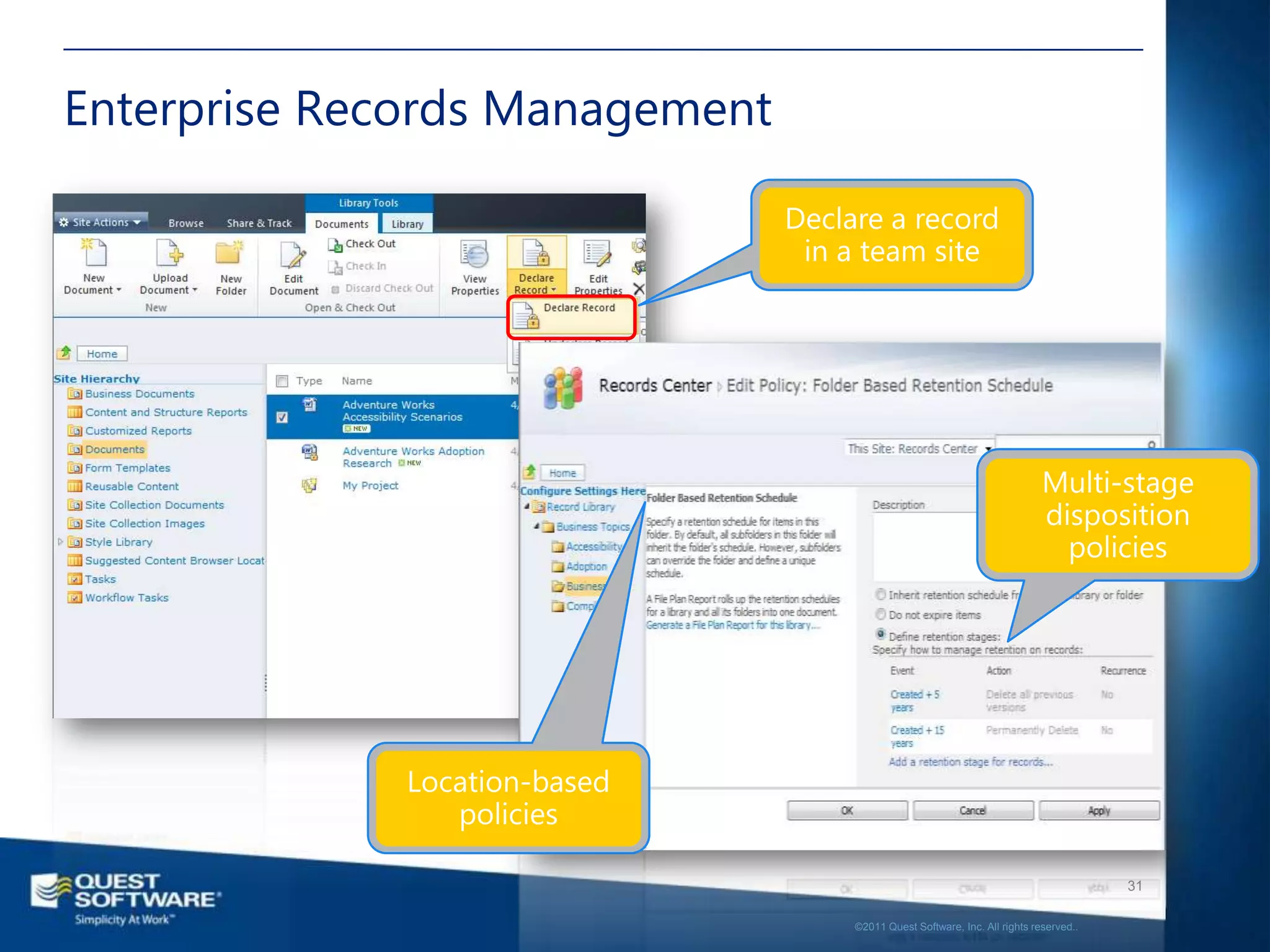
Enterprise Records Management


                                                                                   31

                                ©2011 Quest Software, Inc. All rights reserved..
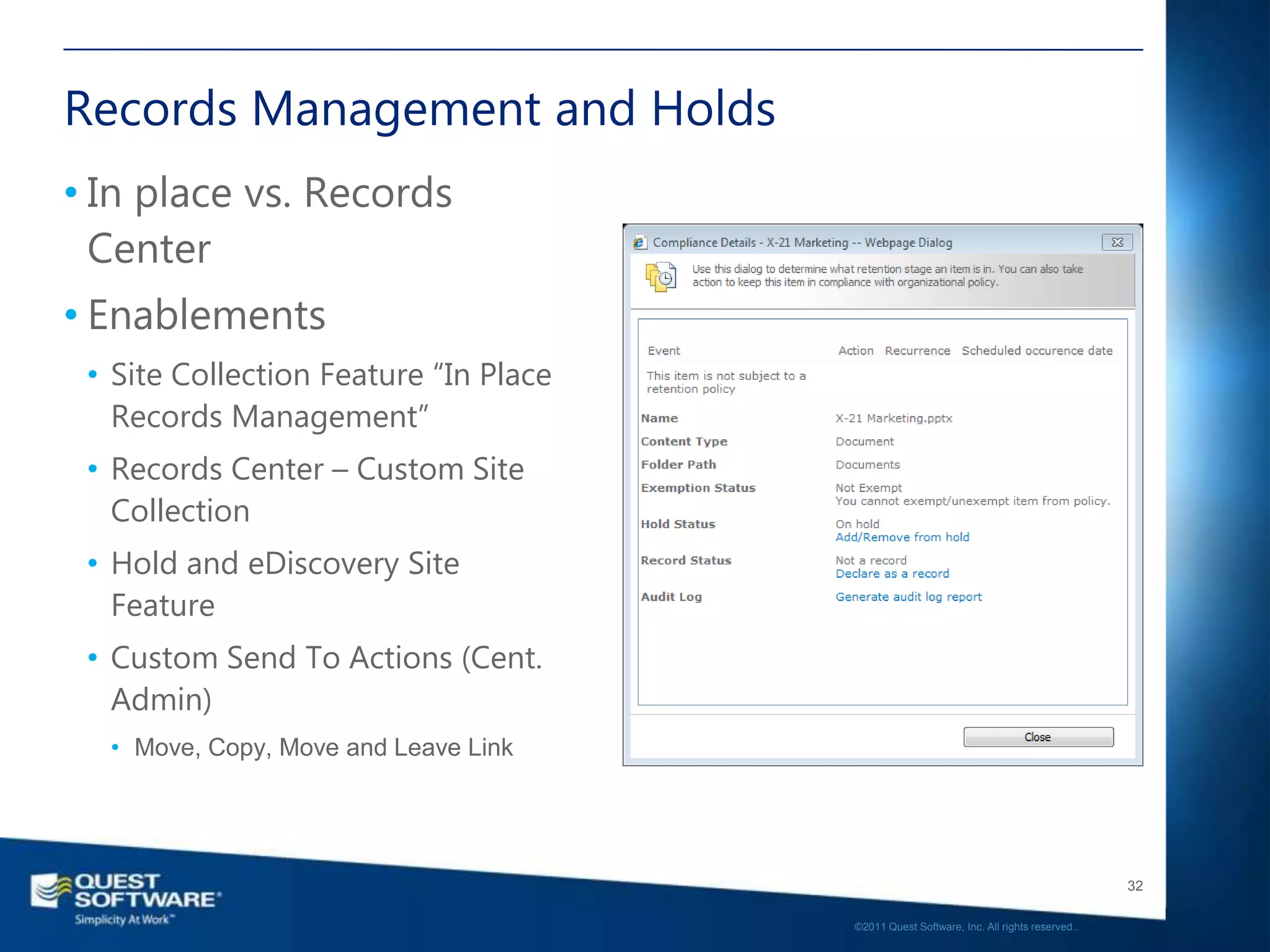
Records Management and Holds
• In place vs. Records
  Center
• Enablements
 • Site Collection Feature “In Place
   Records Management”
 • Records Center – Custom Site
   Collection
 • Hold and eDiscovery Site
   Feature
 • Custom Send To Actions (Cent.
   Admin)
  • Move, Copy, Move and Leave Link


                                                                                          32

                                       ©2011 Quest Software, Inc. All rights reserved..
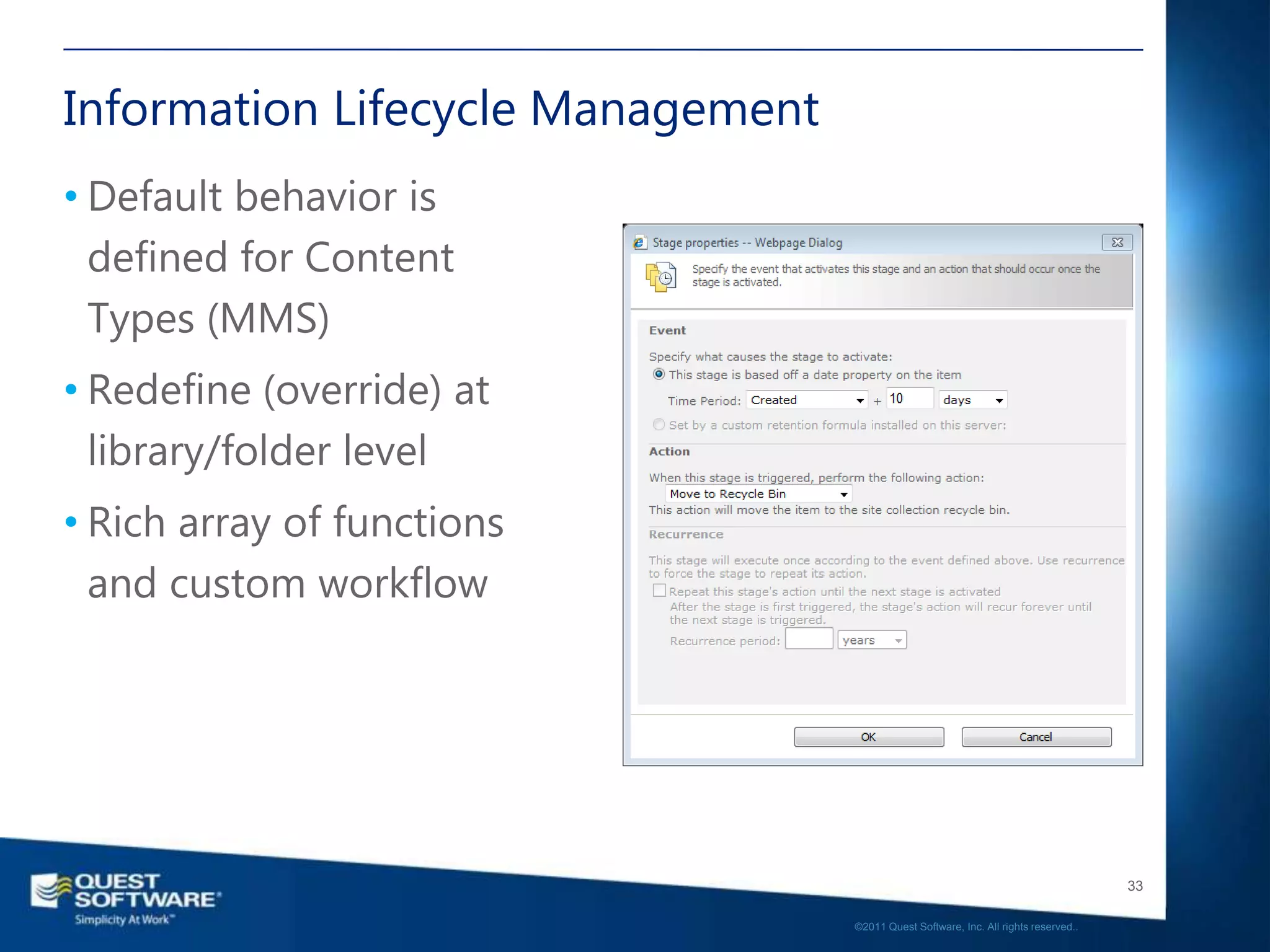
Information Lifecycle Management
• Default behavior is
  defined for Content
  Types (MMS)
• Redefine (override) at
  library/folder level
• Rich array of functions
  and custom workflow


                                                                                      33

                                   ©2011 Quest Software, Inc. All rights reserved..
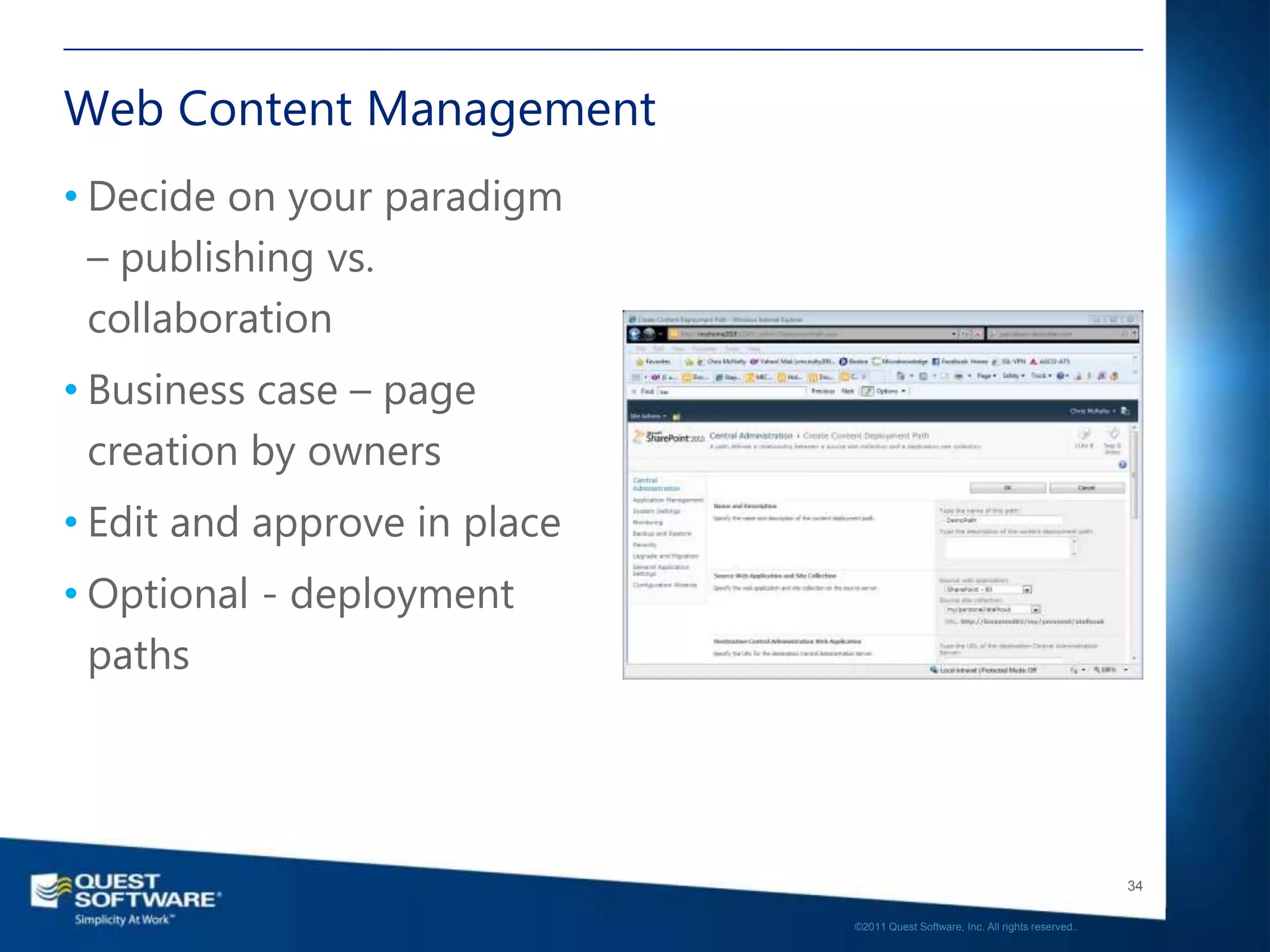
Web Content Management
• Decide on your paradigm
  – publishing vs.
  collaboration
• Business case – page
  creation by owners
• Edit and approve in place
• Optional - deployment
  paths


                                                                                 34

                              ©2011 Quest Software, Inc. All rights reserved..
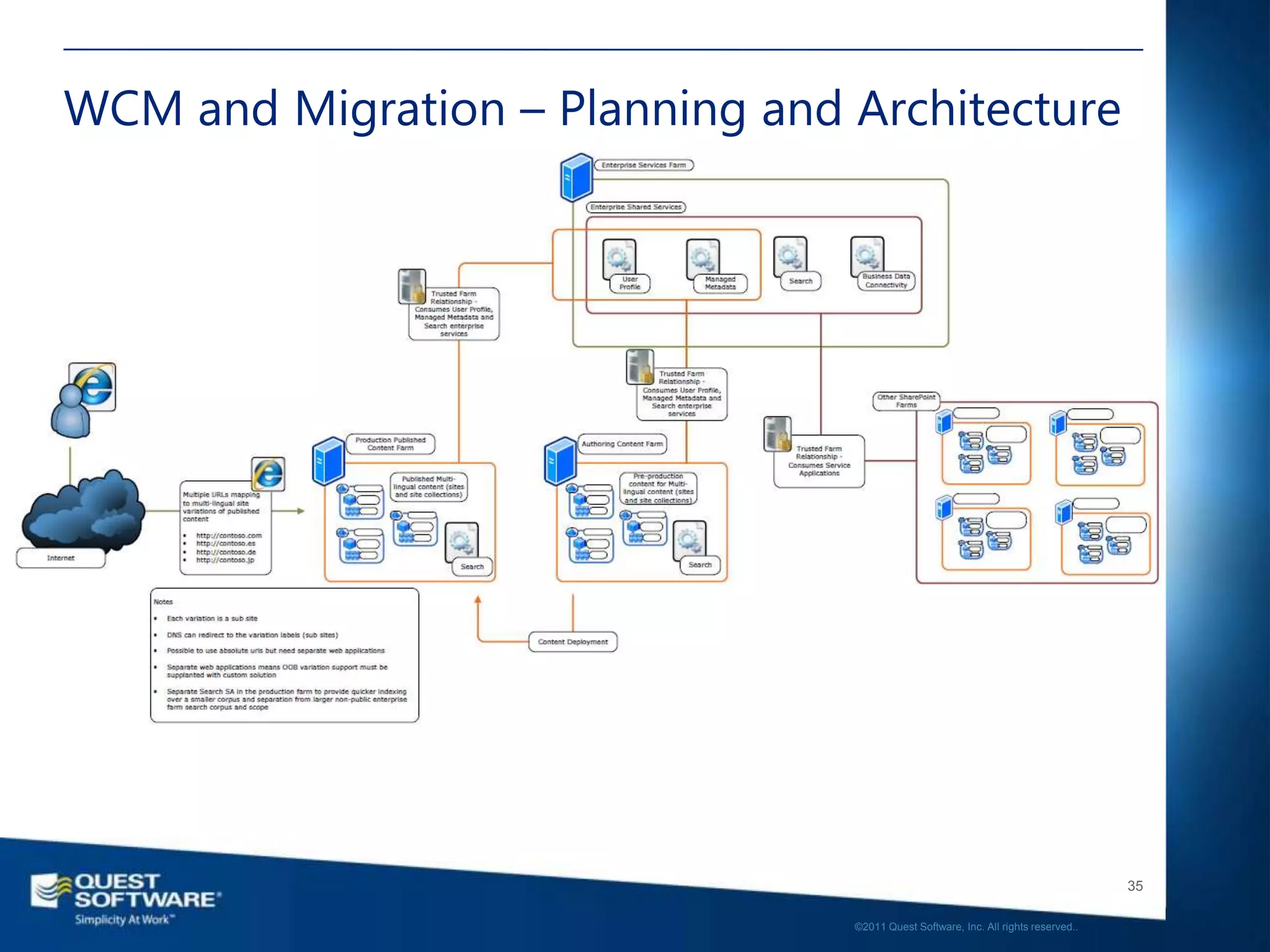
WCM and Migration – Planning and Architecture


                                                                                    35

                                 ©2011 Quest Software, Inc. All rights reserved..
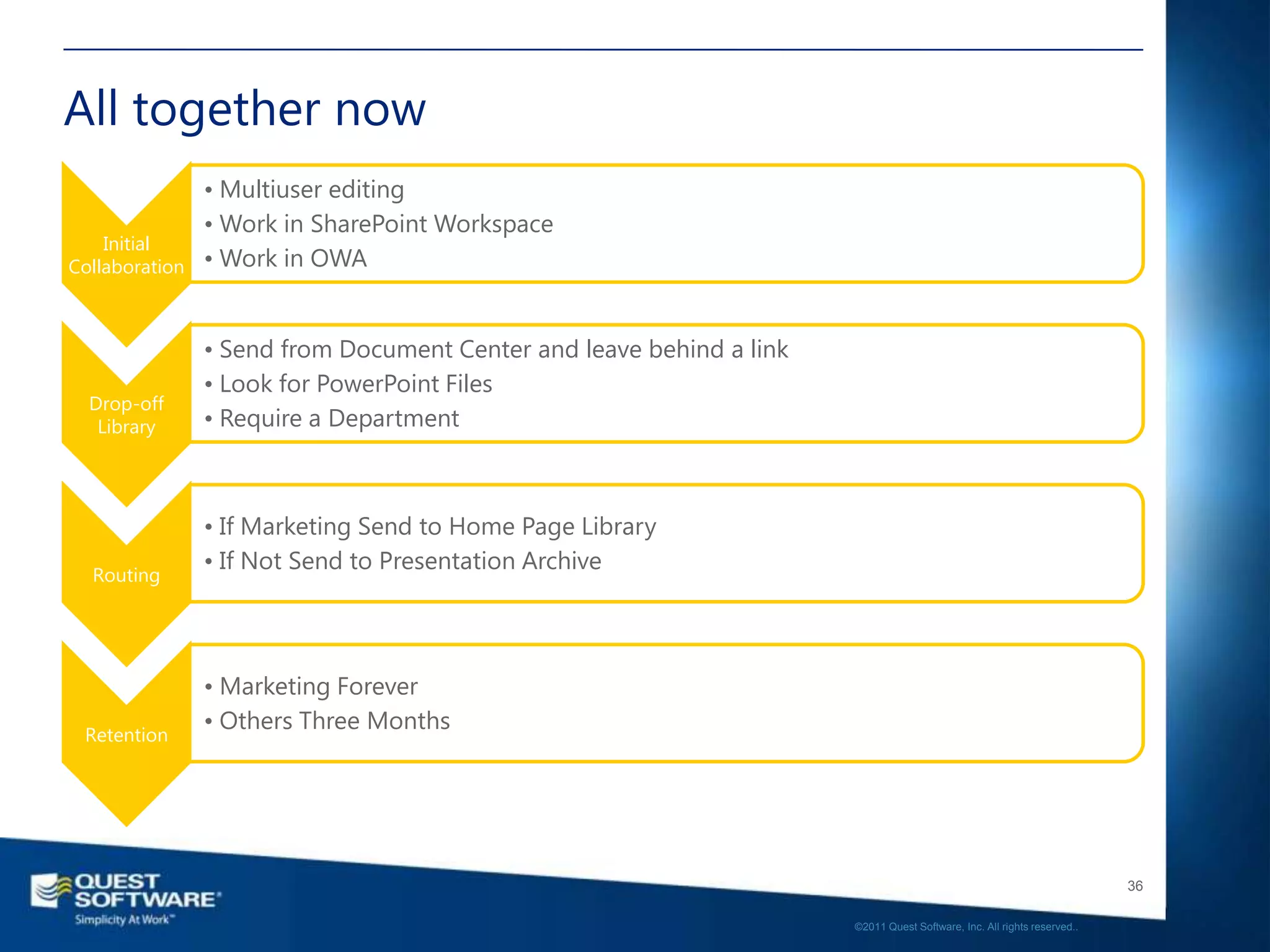
All together now
                • Multiuser editing
                • Work in SharePoint Workspace
    Initial
Collaboration   • Work in OWA


                • Send from Document Center and leave behind a link
                • Look for PowerPoint Files
  Drop-off
   Library      • Require a Department


                • If Marketing Send to Home Page Library
                • If Not Send to Presentation Archive
  Routing


                • Marketing Forever
                • Others Three Months
 Retention


                                                                                                                         36

                                                                      ©2011 Quest Software, Inc. All rights reserved..
Demo – SharePoint ECM


                                                                       37

                    ©2011 Quest Software, Inc. All rights reserved..
So many documents, so little
time…
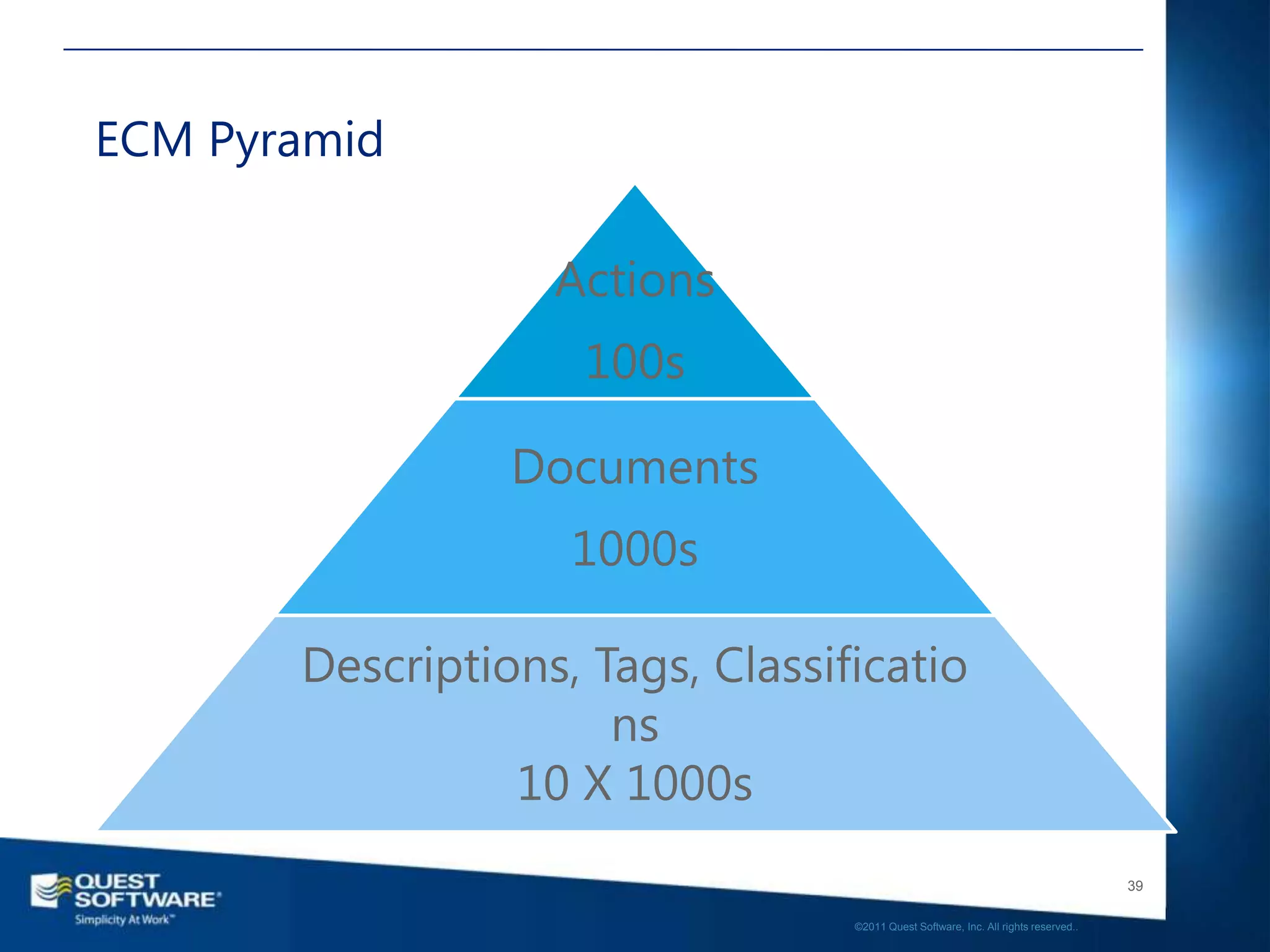
ECM Pyramid

                   Actions
                     100s

                 Documents
                    1000s

       Descriptions, Tags, Classificatio
                      ns
                 10 X 1000s
                                                                                     39

                                  ©2011 Quest Software, Inc. All rights reserved..
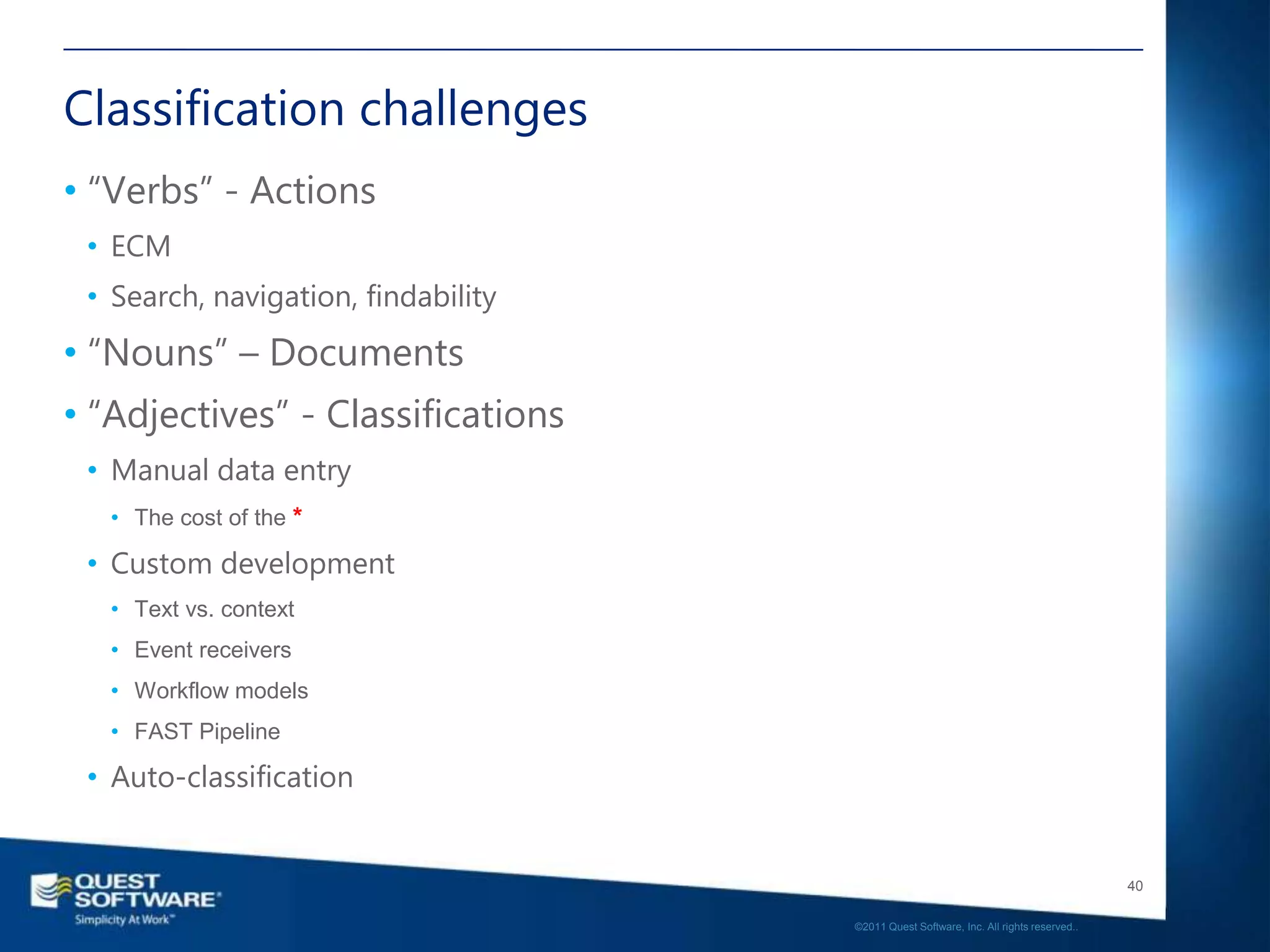
Classification challenges
• “Verbs” - Actions
 • ECM
 • Search, navigation, findability
• “Nouns” – Documents
• “Adjectives” - Classifications
 • Manual data entry
   • The cost of the *

 • Custom development
   • Text vs. context
   • Event receivers
   • Workflow models
   • FAST Pipeline

 • Auto-classification


                                                                                        40

                                     ©2011 Quest Software, Inc. All rights reserved..
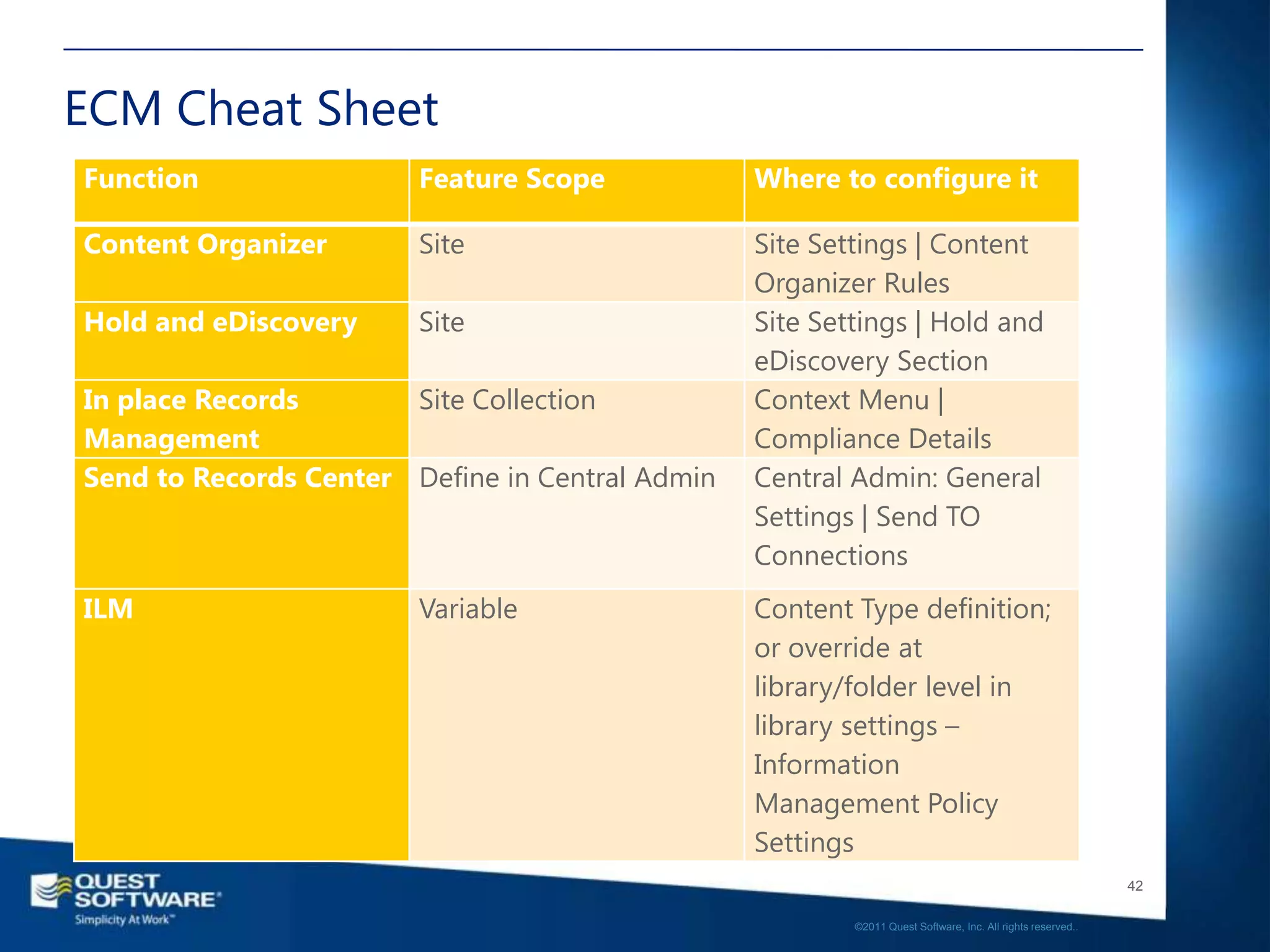
ECM Cheat Sheet
Function                Feature Scope            Where to configure it

Content Organizer       Site                     Site Settings | Content
                                                 Organizer Rules
Hold and eDiscovery     Site                     Site Settings | Hold and
                                                 eDiscovery Section
In place Records       Site Collection           Context Menu |
Management                                       Compliance Details
Send to Records Center Define in Central Admin   Central Admin: General
                                                 Settings | Send TO
                                                 Connections
ILM                     Variable                 Content Type definition;
                                                 or override at
                                                 library/folder level in
                                                 library settings –
                                                 Information
                                                 Management Policy
                                                 Settings
                                                                                                            42

                                                         ©2011 Quest Software, Inc. All rights reserved..
Resources
• From Microsoft:
 • SharePoint 2010 site: http://sharepoint.microsoft.com
 • SharePoint Team Blog: http://blogs.msdn.com/sharepoint/default.aspx

• From Quest
 • www.quest.com
 • www.sharepointforall.com


                                                                                                          45

                                                       ©2011 Quest Software, Inc. All rights reserved..
46

©2011 Quest Software, Inc. All rights reserved..
•Questions
•Contact Me
•SharePint Saturday –
 Katie Mullins

                                                                           47

                        ©2011 Quest Software, Inc. All rights reserved..
Thank you…
• Contact
 • Email chris.mcnulty@quest.com
 • Blog http://www.chrismcnulty.net/blog
   • Also http://www.sharepointforall.com
  • Also http://blogs.kma-llc.net/microknowledge
 • Twitter: @cmcnulty2000
 • LinkedIn:http://www.linkedin.com/in/cmcnulty
• Upcoming:
 • Nov. 2011 – Microsoft New England (Best of SPC2011)
 • Dec. 2011 – SPS South Florida, PSSPUG/Seattle, Gilbane
   Boston
 • Jan. 2011 – SPS Austin TX (Business Intelligence)


                                                                                                      48

                                                   ©2011 Quest Software, Inc. All rights reserved..
Questions?
Get more information at
www.Quest.com/ControlYourChaos


                                                                                    49

                                 ©2011 Quest Software, Inc. All rights reserved..

Content is King - ECM in SharePoint 2010 - SharePoint Saturday Denver

  • 1.
    Content is King- Enterprise Content Management in SharePoint 2010 Chris McNulty SharePoint Strategic Product Manager Quest Software
  • 2.
    Chris McNulty • SharePoint Strategic Product Manager at Quest Software • 10+ years with SharePoint • 20 years consulting (led KMA SharePoint practice) and financial services technology (Santander, John Hancock/Manulife, GMO, State Street) • MBA in Investment Management from Boston College • Write and speak often on Microsoft IW technologies (blogs & books) • MCSE MCTS MSA MVTSP MCC • Hiking, cooking, playing guitar, colonial history, photography • My family: Hayley, three kids (17, 7, 5) and my dog Stan 3 ©2011 Quest Software, Inc. All rights reserved..
  • 4.
  • 5.
  • 6.
    Welcome to Denver– Orange Crush 7 ©2011 Quest Software, Inc. All rights reserved..
  • 7.
    Agenda • Solution Overview •Managed Metadata – Keys to ECM • ECM – Enterprise Content Management • Versioning and Approvals • Drop-off library • Records Management – In Place vs. Records Center • Document Hold • Disposition and ILM • Putting it Together • The classification challenges…and answers • Q&A and Summary 8 ©2011 Quest Software, Inc. All rights reserved..
  • 8.
    Enterprise Content Management “SentenceStructure” Adjective Noun Verbs Example Red Spreadsheets Copy to Folder SharePoint 2007 -- Content Type “Copy” SharePoint 2010 Managed Metadata Documents Copy, Link, Move, (Content Types and/or Update Taxonomy) Find and use! 9 ©2011 Quest Software, Inc. All rights reserved..
  • 9.
    What is metadata? •Literally, “after data” • In practical usage, it means data about data • For SharePoint, it usually means data that describes or classifies: • other data (lists) • documents (libraries) 10 ©2011 Quest Software, Inc. All rights reserved..
  • 10.
    Wait, what wasSharePoint again? 11 ©2011 Quest Software, Inc. All rights reserved..
  • 11.
    Ribbon UI SharePoint Workspace SharePoint Mobile Office Client and Office Web App Integration Business Connectivity Services Standards Support InfoPath Form Services External Lists Workflow SharePoint Designer Sites Tagging, Tag Cloud, Ratings Visual Studio Social Bookmarking API Enhancements REST/ATOM/RSS Composites Communities Blogs and Wikis My Sites Activity Feeds Profiles and Expertise Org Browser PerformancePoint Services Insights Content Excel Services Chart Web Part Visio Services Web Analytics Enterprise Content Types Search Metadata and Navigation SQL Server Integration PowerPivot Document Sets Multi-stage Disposition Social Relevance Audio and Video Content Types Phonetic Search Remote Blob Storage Navigation List Enhancements FAST Integration Enhanced Pipeline
  • 12.
    SharePoint Information Architecture (http://intranet) 13 ©2011 Quest Software, Inc. All rights reserved..
  • 13.
    2010 Managed MetadataService • Centralized enterprise repository for tag hierarchies and keywords • Publish and subscribe model for distributed content types 14 ©2011 Quest Software, Inc. All rights reserved..
  • 14.
    Using MMS Taxonomy •Add from common button • Select from list tor type- ahead • Consume from views, navigation, and search! 15 ©2011 Quest Software, Inc. All rights reserved..
  • 15.
    Folksonomy • Informal listof ad-hoc tags or terms, usually built up over time through user defined keywords • Centrally stored in the MMS application • Easily enabled option for all document libraries • Can also be applied to content outside SharePoint 16 ©2011 Quest Software, Inc. All rights reserved..
  • 16.
    Social tagging • Tagsare aggregated to each user’s profile page • Tags have profile pages • Tags can be “followed” just like people in SharePoint social nets 17 ©2011 Quest Software, Inc. All rights reserved..
  • 17.
    MMS - SharedService Applications • 2007 Shared Services Provider has been User Profiles Metadata decoupled. Search • Each element is now a Excel Calc Visio Shared Service Application • MMS is an SSA • Administer metadata http://globalweb http://itportal without being a farm admin 19 ©2011 Quest Software, Inc. All rights reserved..
  • 18.
    Taxonomy Administration • Creatingand managing terms and term sets • Attaching to a library • Taxonomy navigation 20 ©2011 Quest Software, Inc. All rights reserved..
  • 19.
    Taxonomy Operations • Termsets can be copied, relocated, and reused from existing terms • Terms can be copied, reused, merged, deprecated, etc. • Keywords (folksonomy) can be moved into a managed term set or deleted 21 ©2011 Quest Software, Inc. All rights reserved..
  • 20.
    Content Type Hubs •Define one master site collection to house Managed Metadata Service Application master content types • Publish and synchronize Primary Site Collection across multiple farm and Content Type Hub or site collections Other Site Collection Local Content Types Subscribed Content Types 22 ©2011 Quest Software, Inc. All rights reserved..
  • 21.
    DEMO • MMS Usage 23 ©2011 Quest Software, Inc. All rights reserved..
  • 22.
    Enterprise Content Management •Content Aggregation • Approvals and Versioning • Drop-off Library & Content Organizer • Digital Media Management • Records Management & Records Center • In Place vs. Records Center • Hold and Discovery • ILM and Retention Policies 24 ©2011 Quest Software, Inc. All rights reserved..
  • 23.
    Aggregation - DocumentSets 25 ©2011 Quest Software, Inc. All rights reserved..
  • 24.
    Versioning and Approval •Classic product functions • User options • Interactive approval • Workflow approval 26 ©2011 Quest Software, Inc. All rights reserved..
  • 25.
    DEMO • Versioning andApproval • Document Sets 27 ©2011 Quest Software, Inc. All rights reserved..
  • 26.
    Rules-based Routing • Drop-offLibrary and Content Organizer • Move content based on content type • Move content based on metadata and properties 28 ©2011 Quest Software, Inc. All rights reserved..
  • 27.
    Digital Media ContentManagement 29 ©2011 Quest Software, Inc. All rights reserved..
  • 28.
    DEMO • Content Organizer •Digital Media Management 30 ©2011 Quest Software, Inc. All rights reserved..
  • 29.
    Enterprise Records Management 31 ©2011 Quest Software, Inc. All rights reserved..
  • 30.
    Records Management andHolds • In place vs. Records Center • Enablements • Site Collection Feature “In Place Records Management” • Records Center – Custom Site Collection • Hold and eDiscovery Site Feature • Custom Send To Actions (Cent. Admin) • Move, Copy, Move and Leave Link 32 ©2011 Quest Software, Inc. All rights reserved..
  • 31.
    Information Lifecycle Management •Default behavior is defined for Content Types (MMS) • Redefine (override) at library/folder level • Rich array of functions and custom workflow 33 ©2011 Quest Software, Inc. All rights reserved..
  • 32.
    Web Content Management •Decide on your paradigm – publishing vs. collaboration • Business case – page creation by owners • Edit and approve in place • Optional - deployment paths 34 ©2011 Quest Software, Inc. All rights reserved..
  • 33.
    WCM and Migration– Planning and Architecture 35 ©2011 Quest Software, Inc. All rights reserved..
  • 34.
    All together now • Multiuser editing • Work in SharePoint Workspace Initial Collaboration • Work in OWA • Send from Document Center and leave behind a link • Look for PowerPoint Files Drop-off Library • Require a Department • If Marketing Send to Home Page Library • If Not Send to Presentation Archive Routing • Marketing Forever • Others Three Months Retention 36 ©2011 Quest Software, Inc. All rights reserved..
  • 35.
    Demo – SharePointECM 37 ©2011 Quest Software, Inc. All rights reserved..
  • 36.
    So many documents,so little time…
  • 37.
    ECM Pyramid Actions 100s Documents 1000s Descriptions, Tags, Classificatio ns 10 X 1000s 39 ©2011 Quest Software, Inc. All rights reserved..
  • 38.
    Classification challenges • “Verbs”- Actions • ECM • Search, navigation, findability • “Nouns” – Documents • “Adjectives” - Classifications • Manual data entry • The cost of the * • Custom development • Text vs. context • Event receivers • Workflow models • FAST Pipeline • Auto-classification 40 ©2011 Quest Software, Inc. All rights reserved..
  • 39.
    ECM Cheat Sheet Function Feature Scope Where to configure it Content Organizer Site Site Settings | Content Organizer Rules Hold and eDiscovery Site Site Settings | Hold and eDiscovery Section In place Records Site Collection Context Menu | Management Compliance Details Send to Records Center Define in Central Admin Central Admin: General Settings | Send TO Connections ILM Variable Content Type definition; or override at library/folder level in library settings – Information Management Policy Settings 42 ©2011 Quest Software, Inc. All rights reserved..
  • 40.
    Resources • From Microsoft: • SharePoint 2010 site: http://sharepoint.microsoft.com • SharePoint Team Blog: http://blogs.msdn.com/sharepoint/default.aspx • From Quest • www.quest.com • www.sharepointforall.com 45 ©2011 Quest Software, Inc. All rights reserved..
  • 41.
    46 ©2011 Quest Software,Inc. All rights reserved..
  • 42.
    •Questions •Contact Me •SharePint Saturday– Katie Mullins 47 ©2011 Quest Software, Inc. All rights reserved..
  • 43.
    Thank you… • Contact • Email chris.mcnulty@quest.com • Blog http://www.chrismcnulty.net/blog • Also http://www.sharepointforall.com • Also http://blogs.kma-llc.net/microknowledge • Twitter: @cmcnulty2000 • LinkedIn:http://www.linkedin.com/in/cmcnulty • Upcoming: • Nov. 2011 – Microsoft New England (Best of SPC2011) • Dec. 2011 – SPS South Florida, PSSPUG/Seattle, Gilbane Boston • Jan. 2011 – SPS Austin TX (Business Intelligence) 48 ©2011 Quest Software, Inc. All rights reserved..
  • 44.
    Questions? Get more informationat www.Quest.com/ControlYourChaos 49 ©2011 Quest Software, Inc. All rights reserved..

Editor's Notes

  • #13 Let’s break down investments by workloads…SitesCommunitiesContentSearchInsightsComposites
  • #26 Doc sets adds cap to bundle together types of content as a single entityAdd metadata to doc setAdd policy to doc set
  • #30 1) Media is more native2) Shows streaming of video3) OOB media webpart
  • #32 More users are now part of the RM scenarioDeclare rec in team siteDisp pol is broken down in to stagesCreateArchiveElimination
  • #45 Use of tags and metadataUser is prompted to enter data (on right)Left hand side is showing navigation via metadata or taxonomy tree