For Future Teachers:
incorporating technologies to use in your classroom
Twitter

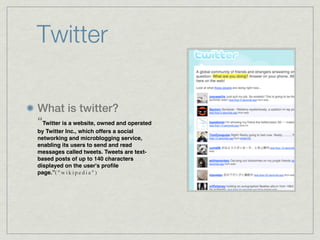
What is twitter?
“Twitter is a website, owned and operated
by Twitter Inc., which offers a social
networking and microblogging service,
enabling its users to send and read
messages called tweets. Tweets are text-
based posts of up to 140 characters
displayed on the user's profile
page.”( " w i k i p e d i a " )
Twitter in the Classroom
How can it be used in the classroom?

Students can connect and communicate via twitter, group projects can be discussed and each
student will have an idea of what needs to be worked on.

Twitter is a great source of collaborative projects.

The 140 character limit can help eliminate “filler” words and students can focus on the important
information and the focus of the topic.

Twitter can hold students accountable on their work or their section of the topic.

The teacher can send out a message and call out to each and every student.
Video of Using Twitter in
    the Classroom


http://youtu.be/6WPVWDkF7U8
Google Docs
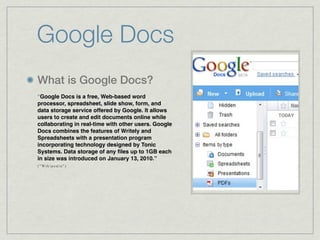
What is Google Docs?
“Google Docs is a free, Web-based word
processor, spreadsheet, slide show, form, and
data storage service offered by Google. It allows
users to create and edit documents online while
collaborating in real-time with other users. Google
Docs combines the features of Writely and
Spreadsheets with a presentation program
incorporating technology designed by Tonic
Systems. Data storage of any files up to 1GB each
in size was introduced on January 13, 2010.”
( " Wi k i p e d i a " )
Google Docs in the
            Classroom
    The Pros of Using                          Teachers can publish announcements on
                                               upcoming assignments and due dates.

    Google Docs in the                         Teachers can monitor progress on any written
       Classroom                               assignment and use real time to check what
                                               changes were made.

                                               The teacher can see who contributed what
                                               information to the assignment.
Students and teachers can decide on who can
access and edit their work.
                                               Google Docs will help students stay organized
                                               in a timely matter.
Helps promote group work and peer editing.
Students can have their classmates look and
edit their work with a fresh pair of eyes.     Never will have to save work - Google docs
                                               automatically save
Encourages writing as a process and multiple
editing can take place.
Video of Using Google
 Docs in the Classroom
http://youtu.be/
gH_Zsu8_S7U

Testonfinal

  • 1.
    For Future Teachers: incorporatingtechnologies to use in your classroom
  • 2.
    Twitter What is twitter? “Twitteris a website, owned and operated by Twitter Inc., which offers a social networking and microblogging service, enabling its users to send and read messages called tweets. Tweets are text- based posts of up to 140 characters displayed on the user's profile page.”( " w i k i p e d i a " )
  • 3.
    Twitter in theClassroom How can it be used in the classroom? Students can connect and communicate via twitter, group projects can be discussed and each student will have an idea of what needs to be worked on. Twitter is a great source of collaborative projects. The 140 character limit can help eliminate “filler” words and students can focus on the important information and the focus of the topic. Twitter can hold students accountable on their work or their section of the topic. The teacher can send out a message and call out to each and every student.
  • 4.
    Video of UsingTwitter in the Classroom http://youtu.be/6WPVWDkF7U8
  • 5.
    Google Docs What isGoogle Docs? “Google Docs is a free, Web-based word processor, spreadsheet, slide show, form, and data storage service offered by Google. It allows users to create and edit documents online while collaborating in real-time with other users. Google Docs combines the features of Writely and Spreadsheets with a presentation program incorporating technology designed by Tonic Systems. Data storage of any files up to 1GB each in size was introduced on January 13, 2010.” ( " Wi k i p e d i a " )
  • 6.
    Google Docs inthe Classroom The Pros of Using Teachers can publish announcements on upcoming assignments and due dates. Google Docs in the Teachers can monitor progress on any written Classroom assignment and use real time to check what changes were made. The teacher can see who contributed what information to the assignment. Students and teachers can decide on who can access and edit their work. Google Docs will help students stay organized in a timely matter. Helps promote group work and peer editing. Students can have their classmates look and edit their work with a fresh pair of eyes. Never will have to save work - Google docs automatically save Encourages writing as a process and multiple editing can take place.
  • 7.
    Video of UsingGoogle Docs in the Classroom http://youtu.be/ gH_Zsu8_S7U

Editor's Notes