Terraform:
Cloud Configuration Management
Martin Schütte
26 October 2016
Concepts
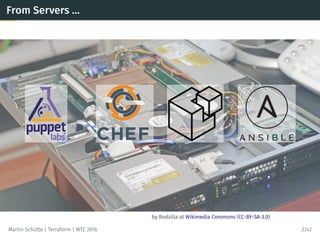
by Rodzilla at Wikimedia Commons (CC-BY-SA-3.0)
From Servers …
Martin Schütte | Terraform | WTC 2016 2/42
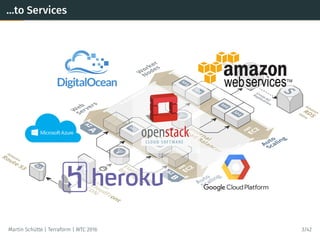
…to Services
Martin Schütte | Terraform | WTC 2016 3/42
Services also need Configuration Management
• Replace “click paths” with source code in VCS
• Lifecycle awareness, not just a setup.sh
• Reproducible environments
• Specification, documentation, policy enforcement
⇒ Infrastructure as Code
Martin Schütte | Terraform | WTC 2016 4/42
TERRAFORM
Build,  Combine,  and  Launch  Infrastructure
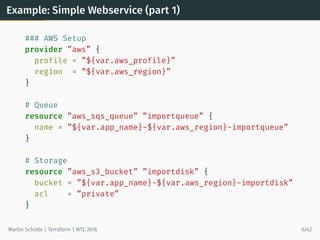
Example: Simple Webservice (part 1)
### AWS Setup
provider ”aws” {
profile = ”${var.aws_profile}”
region = ”${var.aws_region}”
}
# Queue
resource ”aws_sqs_queue” ”importqueue” {
name = ”${var.app_name}-${var.aws_region}-importqueue”
}
# Storage
resource ”aws_s3_bucket” ”importdisk” {
bucket = ”${var.app_name}-${var.aws_region}-importdisk”
acl = ”private”
}
Martin Schütte | Terraform | WTC 2016 6/42
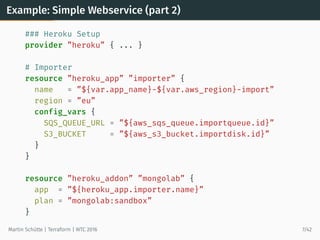
Example: Simple Webservice (part 2)
### Heroku Setup
provider ”heroku” { ... }
# Importer
resource ”heroku_app” ”importer” {
name = ”${var.app_name}-${var.aws_region}-import”
region = ”eu”
config_vars {
SQS_QUEUE_URL = ”${aws_sqs_queue.importqueue.id}”
S3_BUCKET = ”${aws_s3_bucket.importdisk.id}”
}
}
resource ”heroku_addon” ”mongolab” {
app = ”${heroku_app.importer.name}”
plan = ”mongolab:sandbox”
}
Martin Schütte | Terraform | WTC 2016 7/42
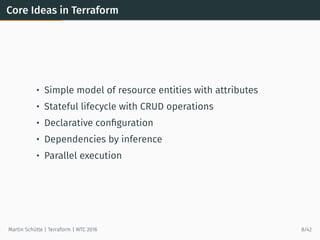
Core Ideas in Terraform
• Simple model of resource entities with attributes
• Stateful lifecycle with CRUD operations
• Declarative configuration
• Dependencies by inference
• Parallel execution
Martin Schütte | Terraform | WTC 2016 8/42
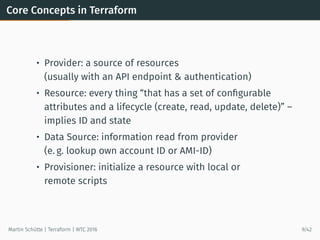
Core Concepts in Terraform
• Provider: a source of resources
(usually with an API endpoint & authentication)
• Resource: every thing “that has a set of configurable
attributes and a lifecycle (create, read, update, delete)” –
implies ID and state
• Data Source: information read from provider
(e. g. lookup own account ID or AMI-ID)
• Provisioner: initialize a resource with local or
remote scripts
Martin Schütte | Terraform | WTC 2016 9/42
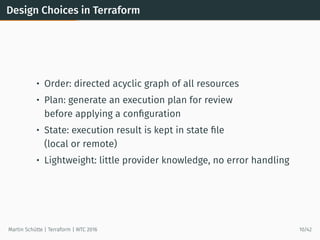
Design Choices in Terraform
• Order: directed acyclic graph of all resources
• Plan: generate an execution plan for review
before applying a configuration
• State: execution result is kept in state file
(local or remote)
• Lightweight: little provider knowledge, no error handling
Martin Schütte | Terraform | WTC 2016 10/42
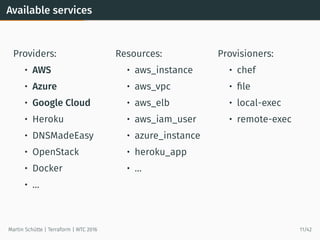
Available services
Providers:
• AWS
• Azure
• Google Cloud
• Heroku
• DNSMadeEasy
• OpenStack
• Docker
• …
Resources:
• aws_instance
• aws_vpc
• aws_elb
• aws_iam_user
• azure_instance
• heroku_app
• …
Provisioners:
• chef
• file
• local-exec
• remote-exec
Martin Schütte | Terraform | WTC 2016 11/42
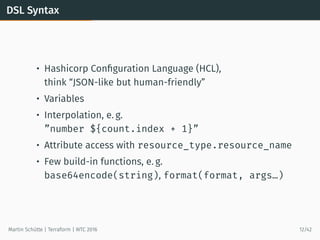
DSL Syntax
• Hashicorp Configuration Language (HCL),
think “JSON-like but human-friendly”
• Variables
• Interpolation, e. g.
”number ${count.index + 1}”
• Attribute access with resource_type.resource_name
• Few build-in functions, e. g.
base64encode(string), format(format, args…)
Martin Schütte | Terraform | WTC 2016 12/42
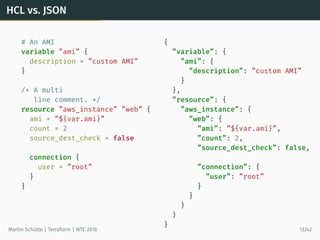
HCL vs. JSON
# An AMI
variable ”ami” {
description = ”custom AMI”
}
/* A multi
line comment. */
resource ”aws_instance” ”web” {
ami = ”${var.ami}”
count = 2
source_dest_check = false
connection {
user = ”root”
}
}
{
”variable”: {
”ami”: {
”description”: ”custom AMI”
}
},
”resource”: {
”aws_instance”: {
”web”: {
”ami”: ”${var.ami}”,
”count”: 2,
”source_dest_check”: false,
”connection”: {
”user”: ”root”
}
}
}
}
}
Martin Schütte | Terraform | WTC 2016 13/42
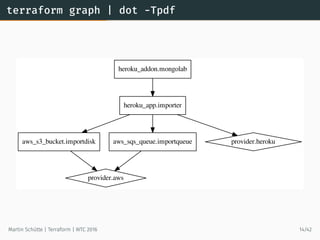
terraform graph | dot -Tpdf
aws_s3_bucket.importdisk
provider.aws
aws_sqs_queue.importqueue
heroku_addon.mongolab
heroku_app.importer
provider.heroku
Martin Schütte | Terraform | WTC 2016 14/42
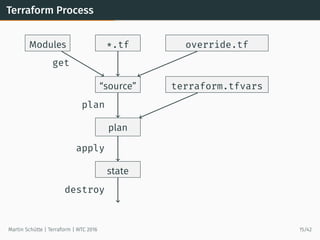
Terraform Process
*.tf override.tfModules
“source” terraform.tfvars
plan
state
get
plan
apply
destroy
Martin Schütte | Terraform | WTC 2016 15/42
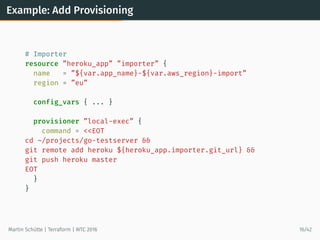
Example: Add Provisioning
# Importer
resource ”heroku_app” ”importer” {
name = ”${var.app_name}-${var.aws_region}-import”
region = ”eu”
config_vars { ... }
provisioner ”local-exec” {
command = <<EOT
cd ~/projects/go-testserver &&
git remote add heroku ${heroku_app.importer.git_url} &&
git push heroku master
EOT
}
}
Martin Schütte | Terraform | WTC 2016 16/42
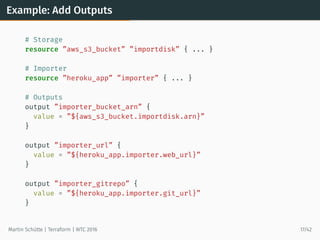
Example: Add Outputs
# Storage
resource ”aws_s3_bucket” ”importdisk” { ... }
# Importer
resource ”heroku_app” ”importer” { ... }
# Outputs
output ”importer_bucket_arn” {
value = ”${aws_s3_bucket.importdisk.arn}”
}
output ”importer_url” {
value = ”${heroku_app.importer.web_url}”
}
output ”importer_gitrepo” {
value = ”${heroku_app.importer.git_url}”
}
Martin Schütte | Terraform | WTC 2016 17/42
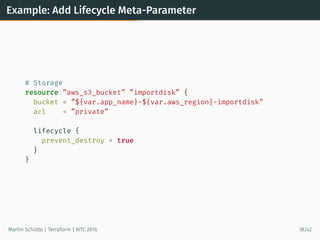
Example: Add Lifecycle Meta-Parameter
# Storage
resource ”aws_s3_bucket” ”importdisk” {
bucket = ”${var.app_name}-${var.aws_region}-importdisk”
acl = ”private”
lifecycle {
prevent_destroy = true
}
}
Martin Schütte | Terraform | WTC 2016 18/42
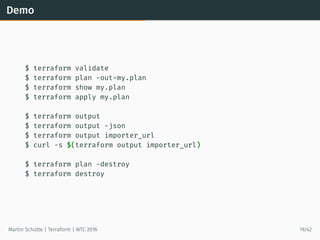
Demo
$ terraform validate
$ terraform plan -out=my.plan
$ terraform show my.plan
$ terraform apply my.plan
$ terraform output
$ terraform output -json
$ terraform output importer_url
$ curl -s $(terraform output importer_url)
$ terraform plan -destroy
$ terraform destroy
Martin Schütte | Terraform | WTC 2016 19/42
Features
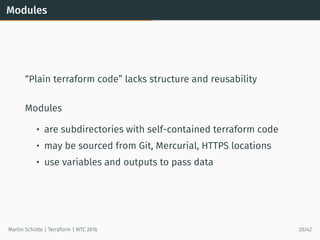
Modules
“Plain terraform code” lacks structure and reusability
Modules
• are subdirectories with self-contained terraform code
• may be sourced from Git, Mercurial, HTTPS locations
• use variables and outputs to pass data
Martin Schütte | Terraform | WTC 2016 20/42
Module Example
Every Terraform directory may be used as a module.
Here I use the previous webservice example.
Martin Schütte | Terraform | WTC 2016 21/42
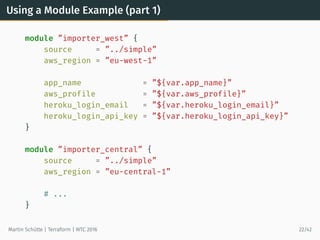
Using a Module Example (part 1)
module ”importer_west” {
source = ”../simple”
aws_region = ”eu-west-1”
app_name = ”${var.app_name}”
aws_profile = ”${var.aws_profile}”
heroku_login_email = ”${var.heroku_login_email}”
heroku_login_api_key = ”${var.heroku_login_api_key}”
}
module ”importer_central” {
source = ”../simple”
aws_region = ”eu-central-1”
# ...
}
Martin Schütte | Terraform | WTC 2016 22/42
Using a Module Example (part 2)
# Main App, using modules
resource ”heroku_app” ”main” {
name = ”${var.app_name}-main”
region = ”eu”
config_vars {
IMPORTER_URL_LIST = <<EOT
[ ”${module.importer_west.importer_url}”,
”${module.importer_central.importer_url}” ]
EOT
}
}
output ”main_url” {
value = ”${heroku_app.main.web_url}”
}
Martin Schütte | Terraform | WTC 2016 23/42
terraform.tfstate
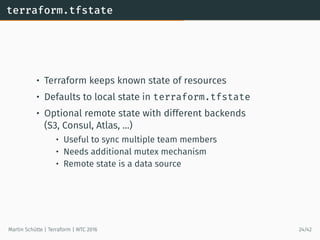
• Terraform keeps known state of resources
• Defaults to local state in terraform.tfstate
• Optional remote state with different backends
(S3, Consul, Atlas, …)
• Useful to sync multiple team members
• Needs additional mutex mechanism
• Remote state is a data source
Martin Schütte | Terraform | WTC 2016 24/42
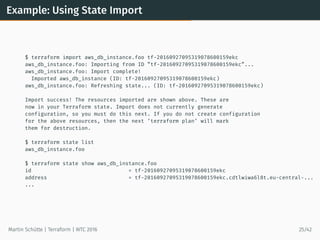
Example: Using State Import
$ terraform import aws_db_instance.foo tf-20160927095319078600159ekc
aws_db_instance.foo: Importing from ID ”tf-20160927095319078600159ekc”...
aws_db_instance.foo: Import complete!
Imported aws_db_instance (ID: tf-20160927095319078600159ekc)
aws_db_instance.foo: Refreshing state... (ID: tf-20160927095319078600159ekc)
Import success! The resources imported are shown above. These are
now in your Terraform state. Import does not currently generate
configuration, so you must do this next. If you do not create configuration
for the above resources, then the next ‘terraform plan‘ will mark
them for destruction.
$ terraform state list
aws_db_instance.foo
$ terraform state show aws_db_instance.foo
id = tf-20160927095319078600159ekc
address = tf-20160927095319078600159ekc.cdtlwiwa6l8t.eu-central-...
...
Martin Schütte | Terraform | WTC 2016 25/42
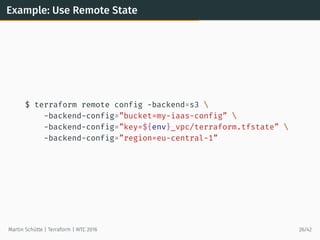
Example: Use Remote State
$ terraform remote config -backend=s3 
-backend-config=”bucket=my-iaas-config” 
-backend-config=”key=${env}_vpc/terraform.tfstate” 
-backend-config=”region=eu-central-1”
Martin Schütte | Terraform | WTC 2016 26/42
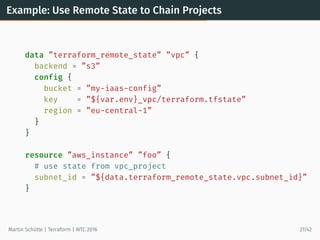
Example: Use Remote State to Chain Projects
data ”terraform_remote_state” ”vpc” {
backend = ”s3”
config {
bucket = ”my-iaas-config”
key = ”${var.env}_vpc/terraform.tfstate”
region = ”eu-central-1”
}
}
resource ”aws_instance” ”foo” {
# use state from vpc_project
subnet_id = ”${data.terraform_remote_state.vpc.subnet_id}”
}
Martin Schütte | Terraform | WTC 2016 27/42
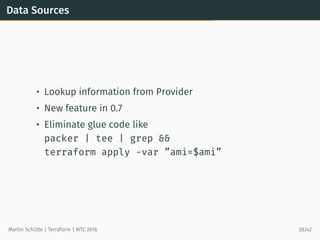
Data Sources
• Lookup information from Provider
• New feature in 0.7
• Eliminate glue code like
packer | tee | grep &&
terraform apply -var ”ami=$ami”
Martin Schütte | Terraform | WTC 2016 28/42
Example: Using Data Source
# searches for most recent tagged AMI in own account
data ”aws_ami” ”webami” {
most_recent = true
owners = [”self”]
filter {
name = ”tag:my_key”
values = [”my_value”]
}
}
# use AMI
resource ”aws_instance” ”web” {
instance_type = ”t2.micro”
ami = ”${data.aws_ami.webami.id}”
}
Martin Schütte | Terraform | WTC 2016 29/42
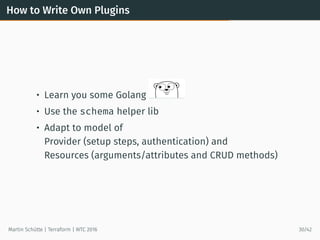
How to Write Own Plugins
• Learn you some Golang
• Use the schema helper lib
• Adapt to model of
Provider (setup steps, authentication) and
Resources (arguments/attributes and CRUD methods)
Martin Schütte | Terraform | WTC 2016 30/42
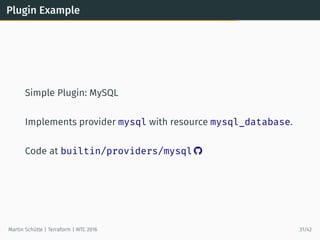
Plugin Example
Simple Plugin: MySQL
Implements provider mysql with resource mysql_database.
Code at builtin/providers/mysql 
Martin Schütte | Terraform | WTC 2016 31/42
Usage
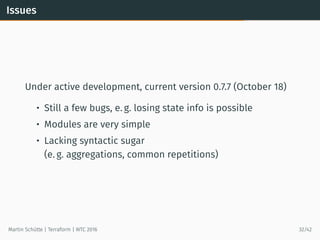
Issues
Under active development, current version 0.7.7 (October 18)
• Still a few bugs, e. g. losing state info is possible
• Modules are very simple
• Lacking syntactic sugar
(e. g. aggregations, common repetitions)
Martin Schütte | Terraform | WTC 2016 32/42
General Problemes for all Tools
• Testing is inherently difficult
• Provider coverage largely depends on community
• Resource model mismatches, e. g. with Heroku apps, or
with multiple ways to represent AWS security groups
• Ignorant of API rate limits, account ressource limits, etc.
Martin Schütte | Terraform | WTC 2016 33/42
Reasons to Upgrate to 0.7.x
• terraform fmt (ok, actually since 0.6.15)
• Internal Plugins, reduced binary size
• Output flag -json
• Lists and Maps may be passed to modules
• State Import
• Data Sources
Martin Schütte | Terraform | WTC 2016 34/42
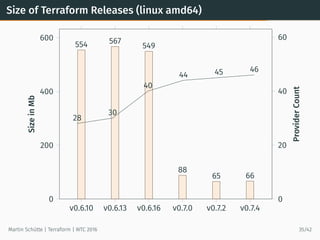
Size of Terraform Releases (linux amd64)
v0.6.10 v0.6.13 v0.6.16 v0.7.0 v0.7.2 v0.7.4
0
200
400
600
554 567
549
88
65 66
SizeinMb
0
20
40
60
28
30
40
44 45 46
ProviderCount
Martin Schütte | Terraform | WTC 2016 35/42
Comparable Tools
Configuration Management Tools:
• SaltStack Salt Cloud
• Ansible modules
• Puppet modules
Libraries:
• libcloud, Python cloud abstraction library
• fog, Ruby cloud abstraction library
Tools:
• AWS CloudFormation
• OpenStack Heat
• Azure Resource Manager Templates
Martin Schütte | Terraform | WTC 2016 37/42
Workflow
• Avoid user credentials in Terraform code,
use e. g. profiles and assume-role wrapper scripts
• At least use separate user credentials,
know how to revoke them
• To hold credentials in VCS use PGP encryption,
e. g. with Blackbox
Martin Schütte | Terraform | WTC 2016 38/42
Workflow (contd.)
• Use a VCS, i. e. git
• Always add some ”${var.shortname}” to namespace
• Use remote state and consider access locking,
e. g. with a single build server
• Take a look at Hashicorp Atlas and its workflow
Martin Schütte | Terraform | WTC 2016 39/42
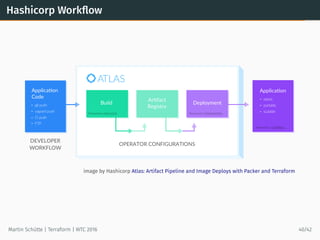
Hashicorp Workflow
image by Hashicorp Atlas: Artifact Pipeline and Image Deploys with Packer and Terraform
Martin Schütte | Terraform | WTC 2016 40/42
Links and Resources
• Terraform.io and hashicorp/terraform 
• terraform-community-modules 
• StackExchange/blackbox 
• newcontext/kitchen-terraform 
• Terraforming – Export existing AWS resources
• Terraform: Beyond the Basics with AWS
• A Comprehensive Guide to Terraform
• Terraform, VPC, and why you want a tfstate file per env
Martin Schütte | Terraform | WTC 2016 41/42
The End
Defining system infrastructure as code and
building it with tools doesn’t make the quality any
better. At worst, it can complicate things.
— Infrastructure as Code by Kief Morris
Martin Schütte
@m_schuett
info@martin-schuette.de
slideshare.net/mschuett/ 
Martin Schütte | Terraform | WTC 2016 42/42

Terraform: Cloud Configuration Management (WTC/IPC'16)

  • 1.
  • 2.
  • 3.
    by Rodzilla atWikimedia Commons (CC-BY-SA-3.0) From Servers … Martin Schütte | Terraform | WTC 2016 2/42
  • 4.
    …to Services Martin Schütte| Terraform | WTC 2016 3/42
  • 5.
    Services also needConfiguration Management • Replace “click paths” with source code in VCS • Lifecycle awareness, not just a setup.sh • Reproducible environments • Specification, documentation, policy enforcement ⇒ Infrastructure as Code Martin Schütte | Terraform | WTC 2016 4/42
  • 6.
    TERRAFORM Build,  Combine,  and Launch  Infrastructure
  • 7.
    Example: Simple Webservice(part 1) ### AWS Setup provider ”aws” { profile = ”${var.aws_profile}” region = ”${var.aws_region}” } # Queue resource ”aws_sqs_queue” ”importqueue” { name = ”${var.app_name}-${var.aws_region}-importqueue” } # Storage resource ”aws_s3_bucket” ”importdisk” { bucket = ”${var.app_name}-${var.aws_region}-importdisk” acl = ”private” } Martin Schütte | Terraform | WTC 2016 6/42
  • 8.
    Example: Simple Webservice(part 2) ### Heroku Setup provider ”heroku” { ... } # Importer resource ”heroku_app” ”importer” { name = ”${var.app_name}-${var.aws_region}-import” region = ”eu” config_vars { SQS_QUEUE_URL = ”${aws_sqs_queue.importqueue.id}” S3_BUCKET = ”${aws_s3_bucket.importdisk.id}” } } resource ”heroku_addon” ”mongolab” { app = ”${heroku_app.importer.name}” plan = ”mongolab:sandbox” } Martin Schütte | Terraform | WTC 2016 7/42
  • 9.
    Core Ideas inTerraform • Simple model of resource entities with attributes • Stateful lifecycle with CRUD operations • Declarative configuration • Dependencies by inference • Parallel execution Martin Schütte | Terraform | WTC 2016 8/42
  • 10.
    Core Concepts inTerraform • Provider: a source of resources (usually with an API endpoint & authentication) • Resource: every thing “that has a set of configurable attributes and a lifecycle (create, read, update, delete)” – implies ID and state • Data Source: information read from provider (e. g. lookup own account ID or AMI-ID) • Provisioner: initialize a resource with local or remote scripts Martin Schütte | Terraform | WTC 2016 9/42
  • 11.
    Design Choices inTerraform • Order: directed acyclic graph of all resources • Plan: generate an execution plan for review before applying a configuration • State: execution result is kept in state file (local or remote) • Lightweight: little provider knowledge, no error handling Martin Schütte | Terraform | WTC 2016 10/42
  • 12.
    Available services Providers: • AWS •Azure • Google Cloud • Heroku • DNSMadeEasy • OpenStack • Docker • … Resources: • aws_instance • aws_vpc • aws_elb • aws_iam_user • azure_instance • heroku_app • … Provisioners: • chef • file • local-exec • remote-exec Martin Schütte | Terraform | WTC 2016 11/42
  • 13.
    DSL Syntax • HashicorpConfiguration Language (HCL), think “JSON-like but human-friendly” • Variables • Interpolation, e. g. ”number ${count.index + 1}” • Attribute access with resource_type.resource_name • Few build-in functions, e. g. base64encode(string), format(format, args…) Martin Schütte | Terraform | WTC 2016 12/42
  • 14.
    HCL vs. JSON #An AMI variable ”ami” { description = ”custom AMI” } /* A multi line comment. */ resource ”aws_instance” ”web” { ami = ”${var.ami}” count = 2 source_dest_check = false connection { user = ”root” } } { ”variable”: { ”ami”: { ”description”: ”custom AMI” } }, ”resource”: { ”aws_instance”: { ”web”: { ”ami”: ”${var.ami}”, ”count”: 2, ”source_dest_check”: false, ”connection”: { ”user”: ”root” } } } } } Martin Schütte | Terraform | WTC 2016 13/42
  • 15.
    terraform graph |dot -Tpdf aws_s3_bucket.importdisk provider.aws aws_sqs_queue.importqueue heroku_addon.mongolab heroku_app.importer provider.heroku Martin Schütte | Terraform | WTC 2016 14/42
  • 16.
    Terraform Process *.tf override.tfModules “source”terraform.tfvars plan state get plan apply destroy Martin Schütte | Terraform | WTC 2016 15/42
  • 17.
    Example: Add Provisioning #Importer resource ”heroku_app” ”importer” { name = ”${var.app_name}-${var.aws_region}-import” region = ”eu” config_vars { ... } provisioner ”local-exec” { command = <<EOT cd ~/projects/go-testserver && git remote add heroku ${heroku_app.importer.git_url} && git push heroku master EOT } } Martin Schütte | Terraform | WTC 2016 16/42
  • 18.
    Example: Add Outputs #Storage resource ”aws_s3_bucket” ”importdisk” { ... } # Importer resource ”heroku_app” ”importer” { ... } # Outputs output ”importer_bucket_arn” { value = ”${aws_s3_bucket.importdisk.arn}” } output ”importer_url” { value = ”${heroku_app.importer.web_url}” } output ”importer_gitrepo” { value = ”${heroku_app.importer.git_url}” } Martin Schütte | Terraform | WTC 2016 17/42
  • 19.
    Example: Add LifecycleMeta-Parameter # Storage resource ”aws_s3_bucket” ”importdisk” { bucket = ”${var.app_name}-${var.aws_region}-importdisk” acl = ”private” lifecycle { prevent_destroy = true } } Martin Schütte | Terraform | WTC 2016 18/42
  • 20.
    Demo $ terraform validate $terraform plan -out=my.plan $ terraform show my.plan $ terraform apply my.plan $ terraform output $ terraform output -json $ terraform output importer_url $ curl -s $(terraform output importer_url) $ terraform plan -destroy $ terraform destroy Martin Schütte | Terraform | WTC 2016 19/42
  • 21.
  • 22.
    Modules “Plain terraform code”lacks structure and reusability Modules • are subdirectories with self-contained terraform code • may be sourced from Git, Mercurial, HTTPS locations • use variables and outputs to pass data Martin Schütte | Terraform | WTC 2016 20/42
  • 23.
    Module Example Every Terraformdirectory may be used as a module. Here I use the previous webservice example. Martin Schütte | Terraform | WTC 2016 21/42
  • 24.
    Using a ModuleExample (part 1) module ”importer_west” { source = ”../simple” aws_region = ”eu-west-1” app_name = ”${var.app_name}” aws_profile = ”${var.aws_profile}” heroku_login_email = ”${var.heroku_login_email}” heroku_login_api_key = ”${var.heroku_login_api_key}” } module ”importer_central” { source = ”../simple” aws_region = ”eu-central-1” # ... } Martin Schütte | Terraform | WTC 2016 22/42
  • 25.
    Using a ModuleExample (part 2) # Main App, using modules resource ”heroku_app” ”main” { name = ”${var.app_name}-main” region = ”eu” config_vars { IMPORTER_URL_LIST = <<EOT [ ”${module.importer_west.importer_url}”, ”${module.importer_central.importer_url}” ] EOT } } output ”main_url” { value = ”${heroku_app.main.web_url}” } Martin Schütte | Terraform | WTC 2016 23/42
  • 26.
    terraform.tfstate • Terraform keepsknown state of resources • Defaults to local state in terraform.tfstate • Optional remote state with different backends (S3, Consul, Atlas, …) • Useful to sync multiple team members • Needs additional mutex mechanism • Remote state is a data source Martin Schütte | Terraform | WTC 2016 24/42
  • 27.
    Example: Using StateImport $ terraform import aws_db_instance.foo tf-20160927095319078600159ekc aws_db_instance.foo: Importing from ID ”tf-20160927095319078600159ekc”... aws_db_instance.foo: Import complete! Imported aws_db_instance (ID: tf-20160927095319078600159ekc) aws_db_instance.foo: Refreshing state... (ID: tf-20160927095319078600159ekc) Import success! The resources imported are shown above. These are now in your Terraform state. Import does not currently generate configuration, so you must do this next. If you do not create configuration for the above resources, then the next ‘terraform plan‘ will mark them for destruction. $ terraform state list aws_db_instance.foo $ terraform state show aws_db_instance.foo id = tf-20160927095319078600159ekc address = tf-20160927095319078600159ekc.cdtlwiwa6l8t.eu-central-... ... Martin Schütte | Terraform | WTC 2016 25/42
  • 28.
    Example: Use RemoteState $ terraform remote config -backend=s3 -backend-config=”bucket=my-iaas-config” -backend-config=”key=${env}_vpc/terraform.tfstate” -backend-config=”region=eu-central-1” Martin Schütte | Terraform | WTC 2016 26/42
  • 29.
    Example: Use RemoteState to Chain Projects data ”terraform_remote_state” ”vpc” { backend = ”s3” config { bucket = ”my-iaas-config” key = ”${var.env}_vpc/terraform.tfstate” region = ”eu-central-1” } } resource ”aws_instance” ”foo” { # use state from vpc_project subnet_id = ”${data.terraform_remote_state.vpc.subnet_id}” } Martin Schütte | Terraform | WTC 2016 27/42
  • 30.
    Data Sources • Lookupinformation from Provider • New feature in 0.7 • Eliminate glue code like packer | tee | grep && terraform apply -var ”ami=$ami” Martin Schütte | Terraform | WTC 2016 28/42
  • 31.
    Example: Using DataSource # searches for most recent tagged AMI in own account data ”aws_ami” ”webami” { most_recent = true owners = [”self”] filter { name = ”tag:my_key” values = [”my_value”] } } # use AMI resource ”aws_instance” ”web” { instance_type = ”t2.micro” ami = ”${data.aws_ami.webami.id}” } Martin Schütte | Terraform | WTC 2016 29/42
  • 32.
    How to WriteOwn Plugins • Learn you some Golang • Use the schema helper lib • Adapt to model of Provider (setup steps, authentication) and Resources (arguments/attributes and CRUD methods) Martin Schütte | Terraform | WTC 2016 30/42
  • 33.
    Plugin Example Simple Plugin:MySQL Implements provider mysql with resource mysql_database. Code at builtin/providers/mysql  Martin Schütte | Terraform | WTC 2016 31/42
  • 34.
  • 35.
    Issues Under active development,current version 0.7.7 (October 18) • Still a few bugs, e. g. losing state info is possible • Modules are very simple • Lacking syntactic sugar (e. g. aggregations, common repetitions) Martin Schütte | Terraform | WTC 2016 32/42
  • 36.
    General Problemes forall Tools • Testing is inherently difficult • Provider coverage largely depends on community • Resource model mismatches, e. g. with Heroku apps, or with multiple ways to represent AWS security groups • Ignorant of API rate limits, account ressource limits, etc. Martin Schütte | Terraform | WTC 2016 33/42
  • 37.
    Reasons to Upgrateto 0.7.x • terraform fmt (ok, actually since 0.6.15) • Internal Plugins, reduced binary size • Output flag -json • Lists and Maps may be passed to modules • State Import • Data Sources Martin Schütte | Terraform | WTC 2016 34/42
  • 38.
    Size of TerraformReleases (linux amd64) v0.6.10 v0.6.13 v0.6.16 v0.7.0 v0.7.2 v0.7.4 0 200 400 600 554 567 549 88 65 66 SizeinMb 0 20 40 60 28 30 40 44 45 46 ProviderCount Martin Schütte | Terraform | WTC 2016 35/42
  • 39.
    Comparable Tools Configuration ManagementTools: • SaltStack Salt Cloud • Ansible modules • Puppet modules Libraries: • libcloud, Python cloud abstraction library • fog, Ruby cloud abstraction library Tools: • AWS CloudFormation • OpenStack Heat • Azure Resource Manager Templates Martin Schütte | Terraform | WTC 2016 37/42
  • 40.
    Workflow • Avoid usercredentials in Terraform code, use e. g. profiles and assume-role wrapper scripts • At least use separate user credentials, know how to revoke them • To hold credentials in VCS use PGP encryption, e. g. with Blackbox Martin Schütte | Terraform | WTC 2016 38/42
  • 41.
    Workflow (contd.) • Usea VCS, i. e. git • Always add some ”${var.shortname}” to namespace • Use remote state and consider access locking, e. g. with a single build server • Take a look at Hashicorp Atlas and its workflow Martin Schütte | Terraform | WTC 2016 39/42
  • 42.
    Hashicorp Workflow image byHashicorp Atlas: Artifact Pipeline and Image Deploys with Packer and Terraform Martin Schütte | Terraform | WTC 2016 40/42
  • 43.
    Links and Resources •Terraform.io and hashicorp/terraform  • terraform-community-modules  • StackExchange/blackbox  • newcontext/kitchen-terraform  • Terraforming – Export existing AWS resources • Terraform: Beyond the Basics with AWS • A Comprehensive Guide to Terraform • Terraform, VPC, and why you want a tfstate file per env Martin Schütte | Terraform | WTC 2016 41/42
  • 44.
    The End Defining systeminfrastructure as code and building it with tools doesn’t make the quality any better. At worst, it can complicate things. — Infrastructure as Code by Kief Morris Martin Schütte @m_schuett info@martin-schuette.de slideshare.net/mschuett/  Martin Schütte | Terraform | WTC 2016 42/42