Introduction to IaC with
Who is this workshop for?
2
Everyone whom deploy infrastructure in-house or cloud based
environments. This is a beginner’s workshop
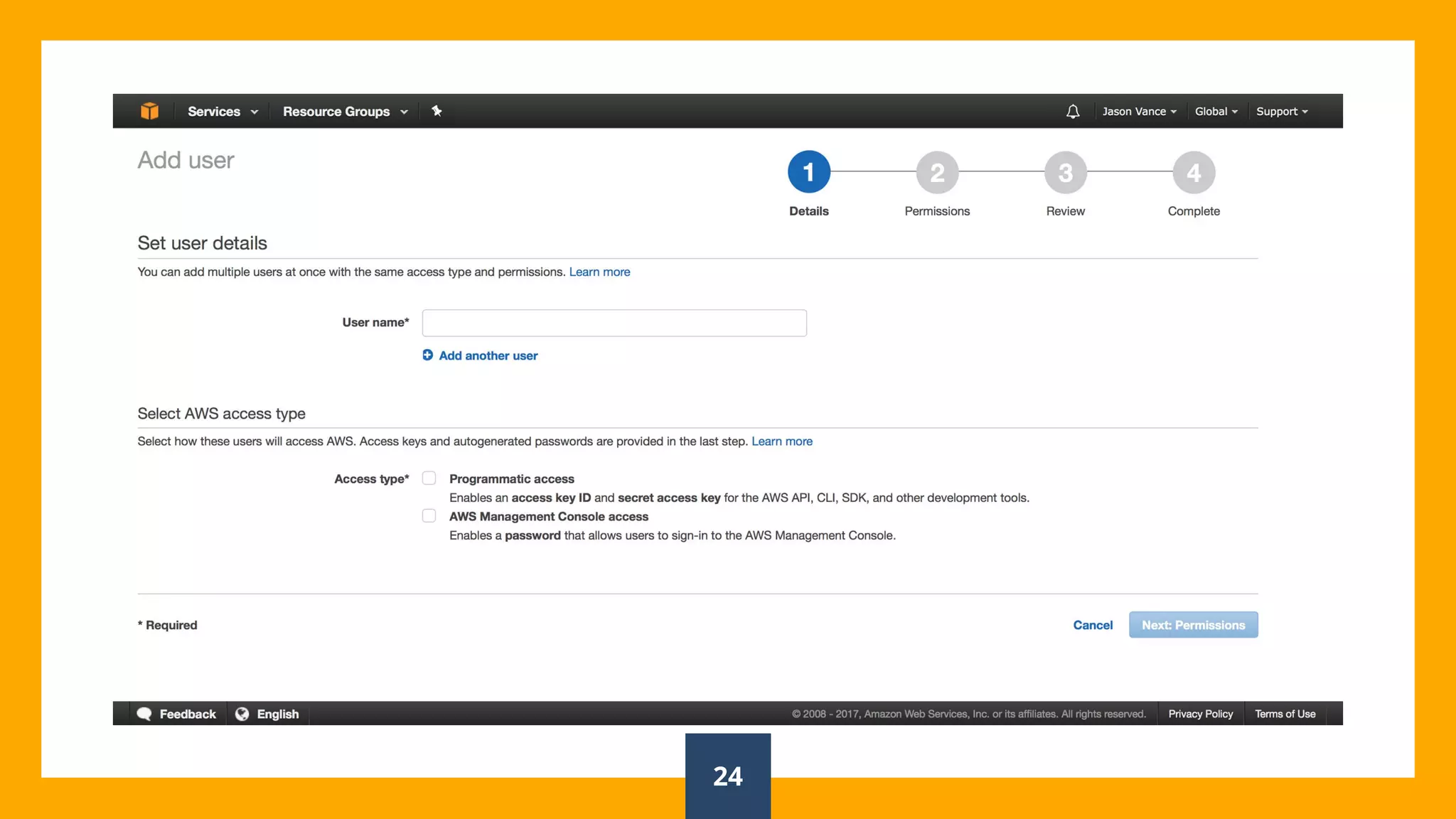
You will need to have an AWS account set up already with Terraform
v0.9.3 installed. You will also need to have git install to download the
workshop material.
https://www.terraform.io
https://github.com/jasonvance/terraform-introduction
https://aws.amazon.com/account/
Who am I?
I am Jason Vance, Sr. Site Reliability Engineer for Accela, Inc.
Graphic Designer turned System Administrator turned Engineer.
You can find me at @jasonsvance
3
What is
Infrastructure as
Code (IaC)?
IaC grew as a response to the difficulty
posed from two pieces of disruptive
technology – utility computing and
second-generation web frameworks.
4
IaC isn't just
automation
IaC is a CORE DevOps practice
5
What IaC enables you to do:
■ Manage infrastructure via
source control
■ Apply testing to
infrastructure
■ Avoid written
documentation of
infrastructure
■ Enable collaboration
6
Mutable
Infrastructure
vs.
Immutable
Infrastructure
7
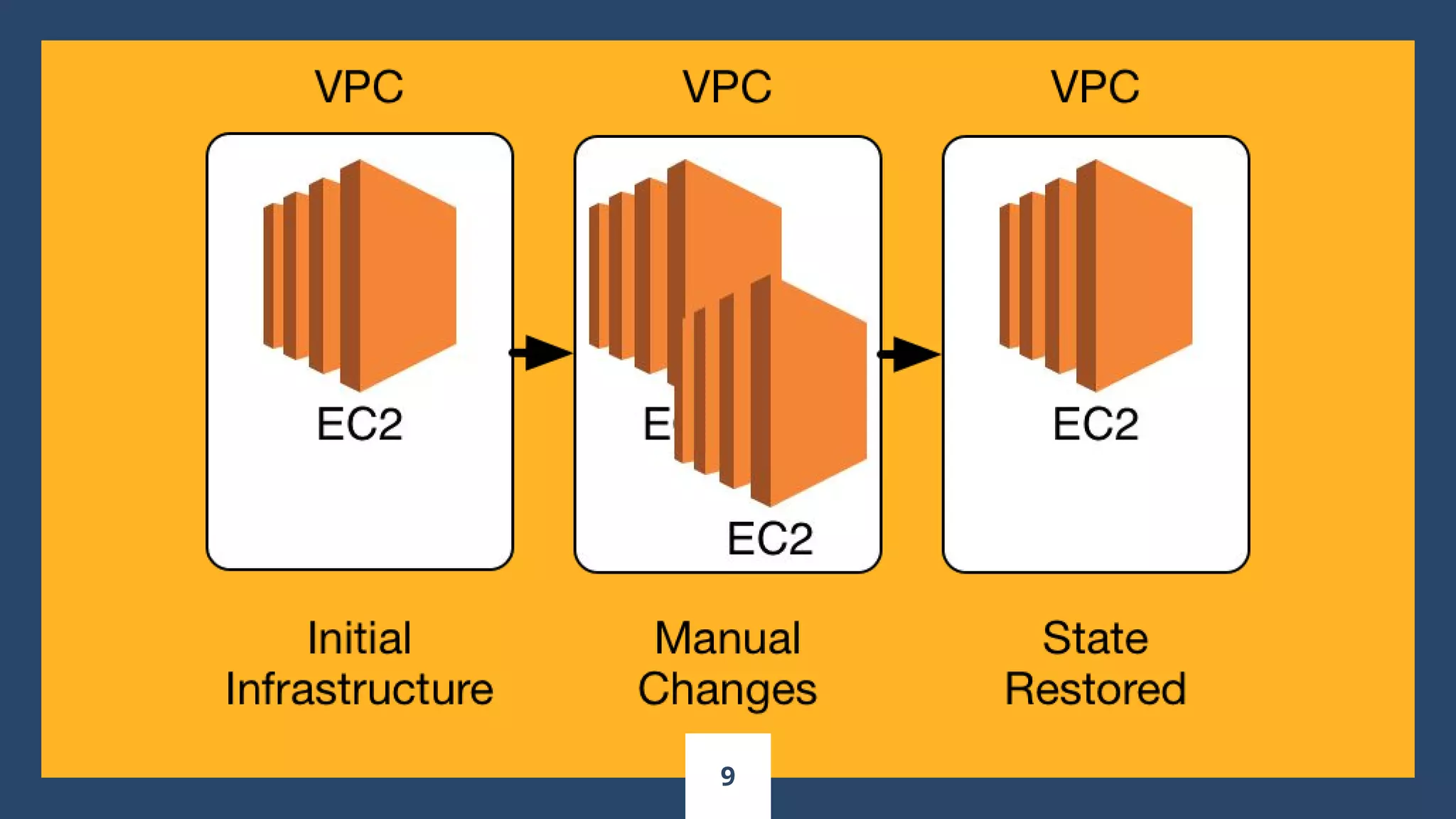
Configuration
Drift...
8
9
Procedural
vs.
Declarative
10
“Declarative knowledge
involves knowing THAT
something is the case.
Procedural knowledge
involves knowing HOW to do
something.
11
Client/Server
Architecture
vs.
Client-Only
Architecture
12
Idempotence
13
14
Terraform
syntax, internals,
and patterns
15
HCL
The HashiCorp configuration language.
https://github.com/hashicorp/hcl
16
The Terraform
State File
17
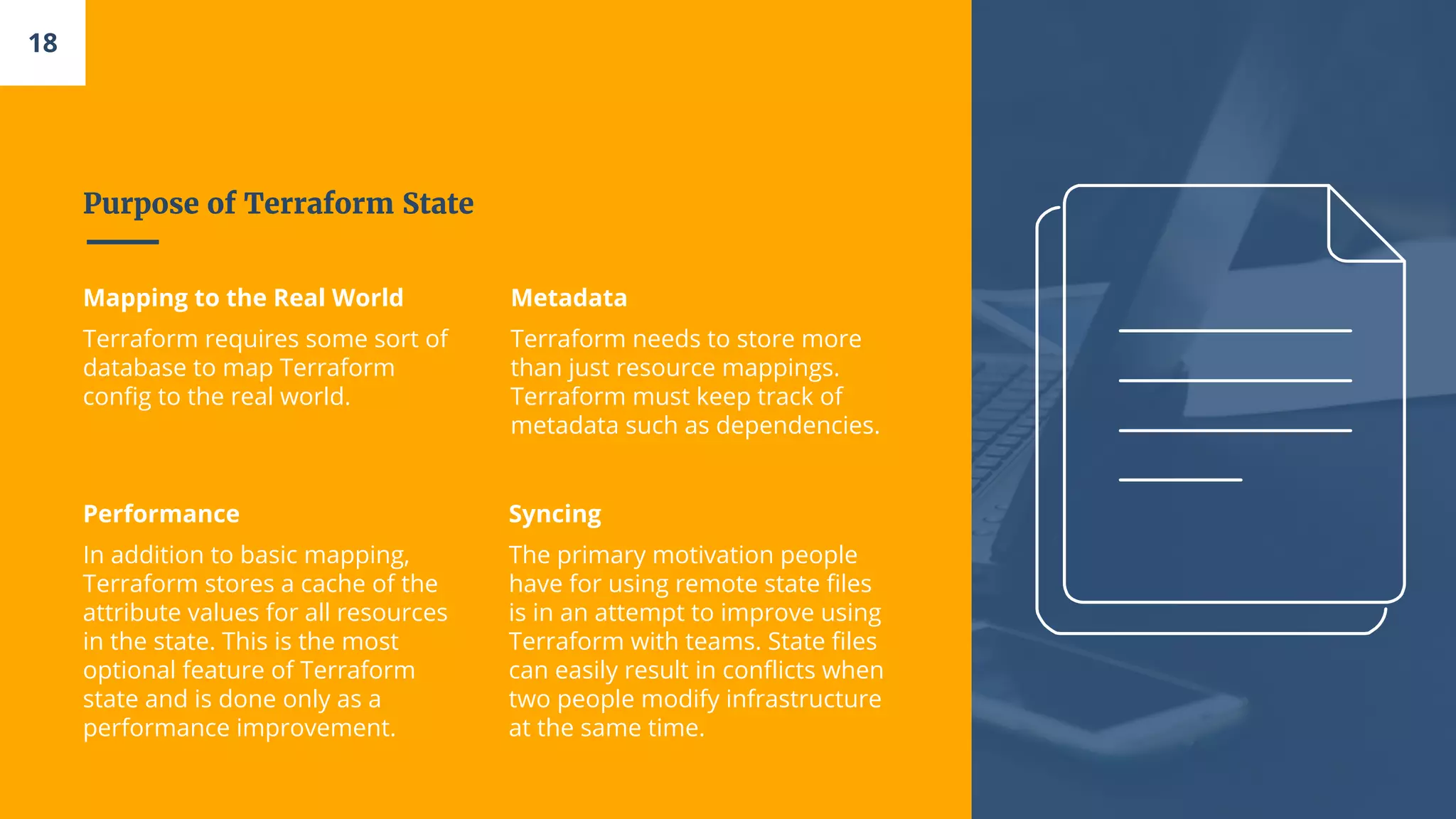
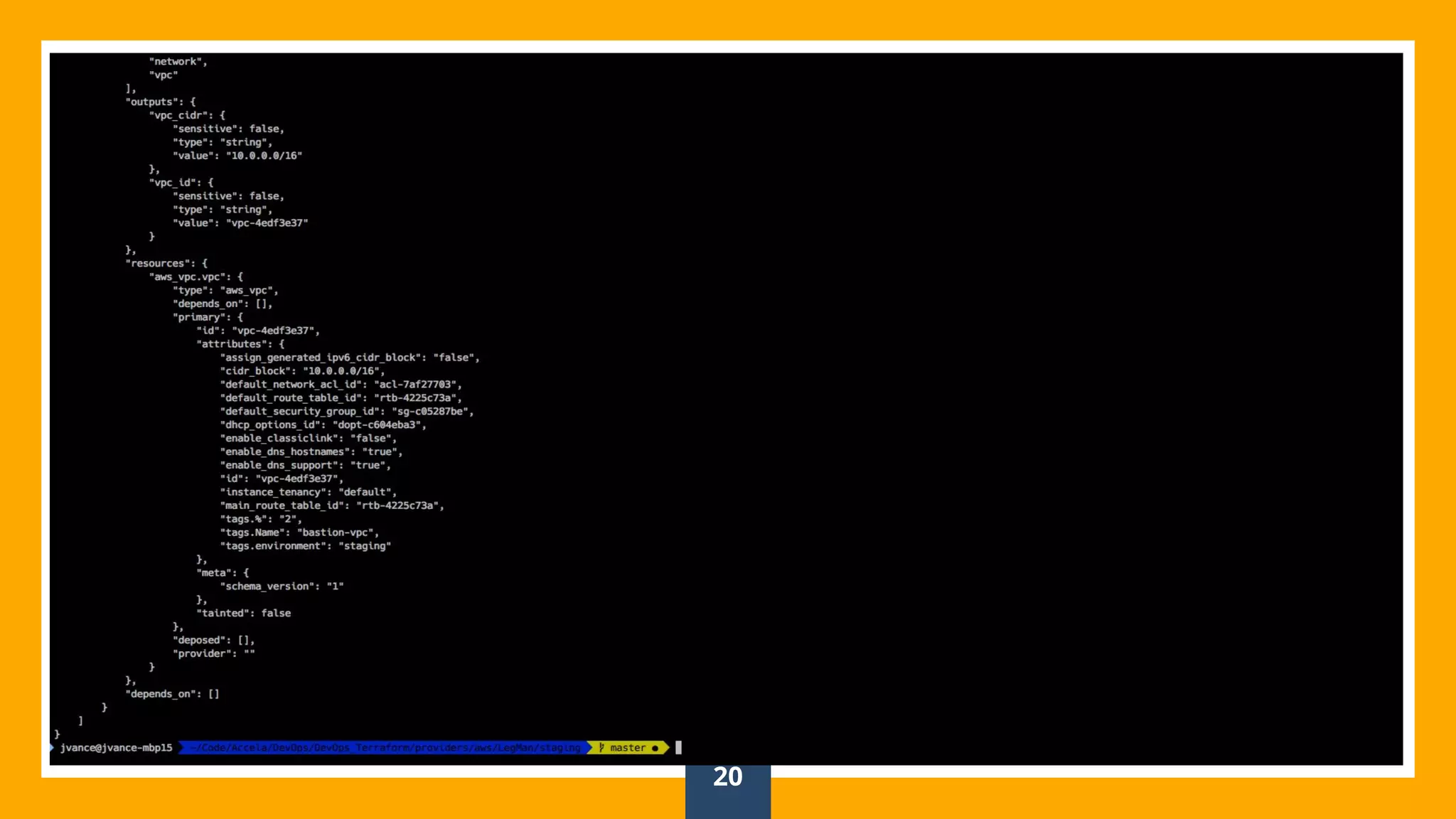
Purpose of Terraform State
Mapping to the Real World
Terraform requires some sort of
database to map Terraform
config to the real world.
Metadata
Terraform needs to store more
than just resource mappings.
Terraform must keep track of
metadata such as dependencies.
Performance
In addition to basic mapping,
Terraform stores a cache of the
attribute values for all resources
in the state. This is the most
optional feature of Terraform
state and is done only as a
performance improvement.
Syncing
The primary motivation people
have for using remote state files
is in an attempt to improve using
Terraform with teams. State files
can easily result in conflicts when
two people modify infrastructure
at the same time.
18
Json (Not me)
19
20
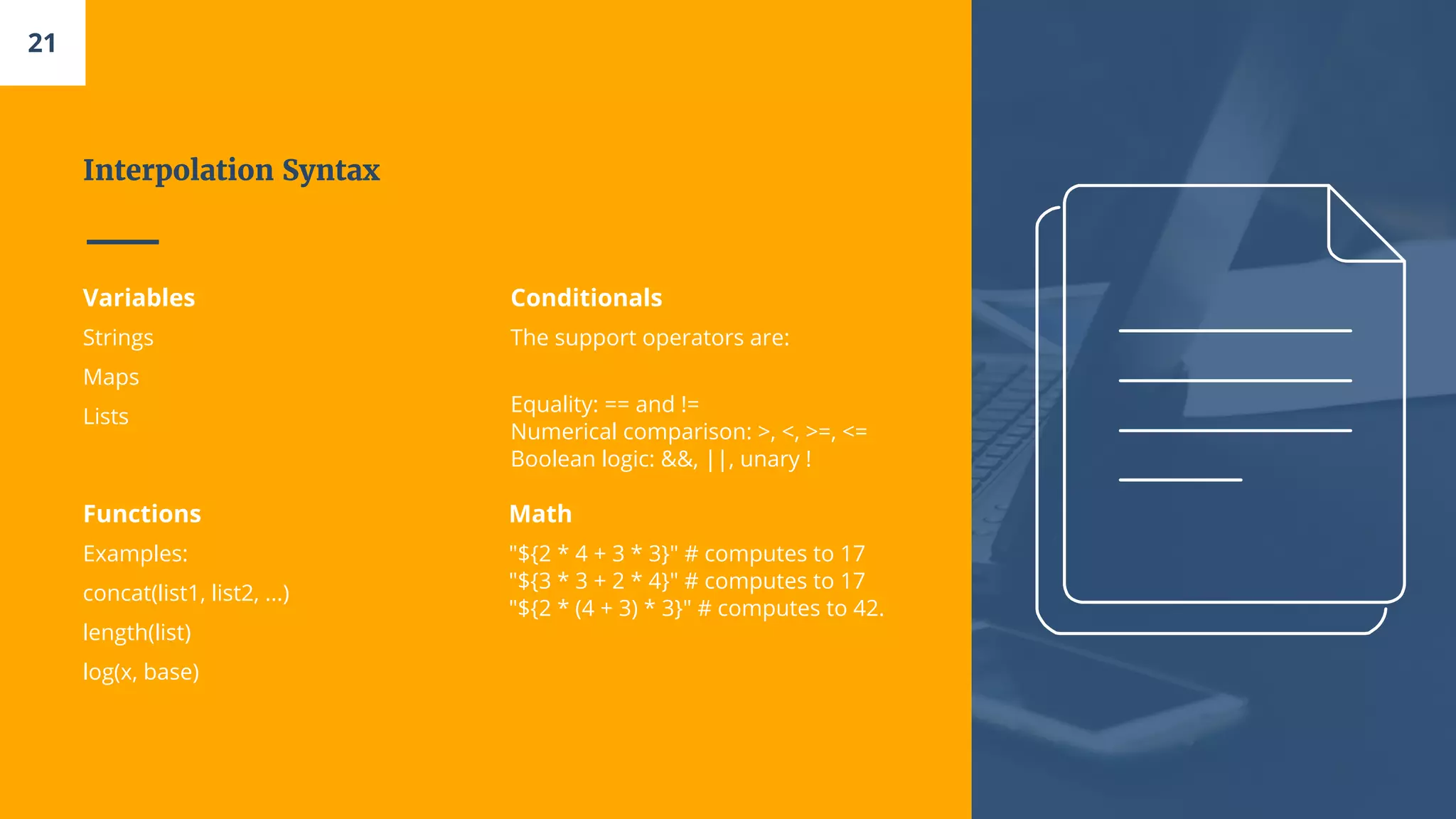
Interpolation Syntax
Variables
Strings
Maps
Lists
Conditionals
The support operators are:
Equality: == and !=
Numerical comparison: >, <, >=, <=
Boolean logic: &&, ||, unary !
Functions
Examples:
concat(list1, list2, ...)
length(list)
log(x, base)
Math
"${2 * 4 + 3 * 3}" # computes to 17
"${3 * 3 + 2 * 4}" # computes to 17
"${2 * (4 + 3) * 3}" # computes to 42.
21
22
AWS Account
Setup
23
24
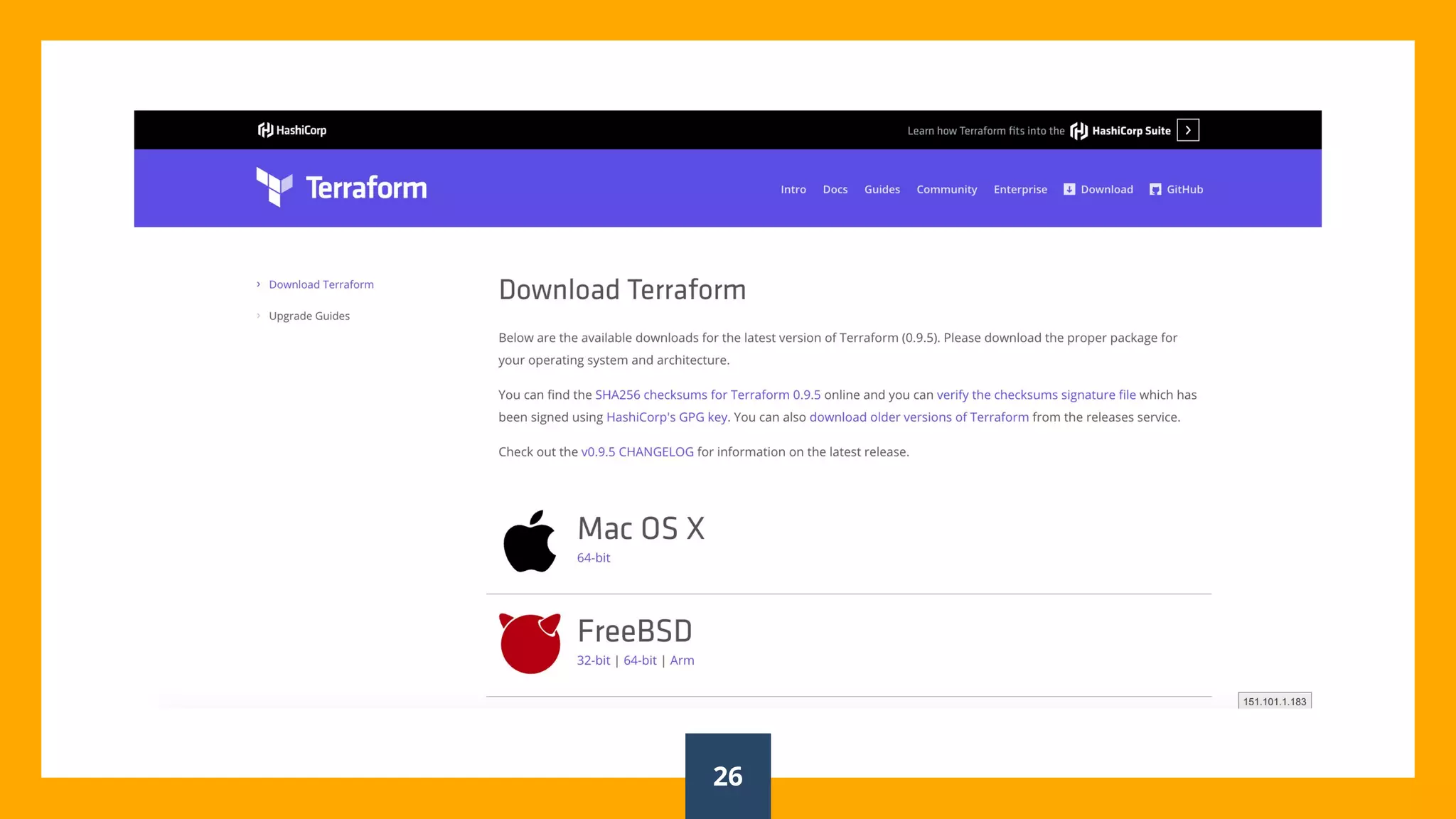
Install Terraform
25
26
Terraform
Commands
27
Single Server
28
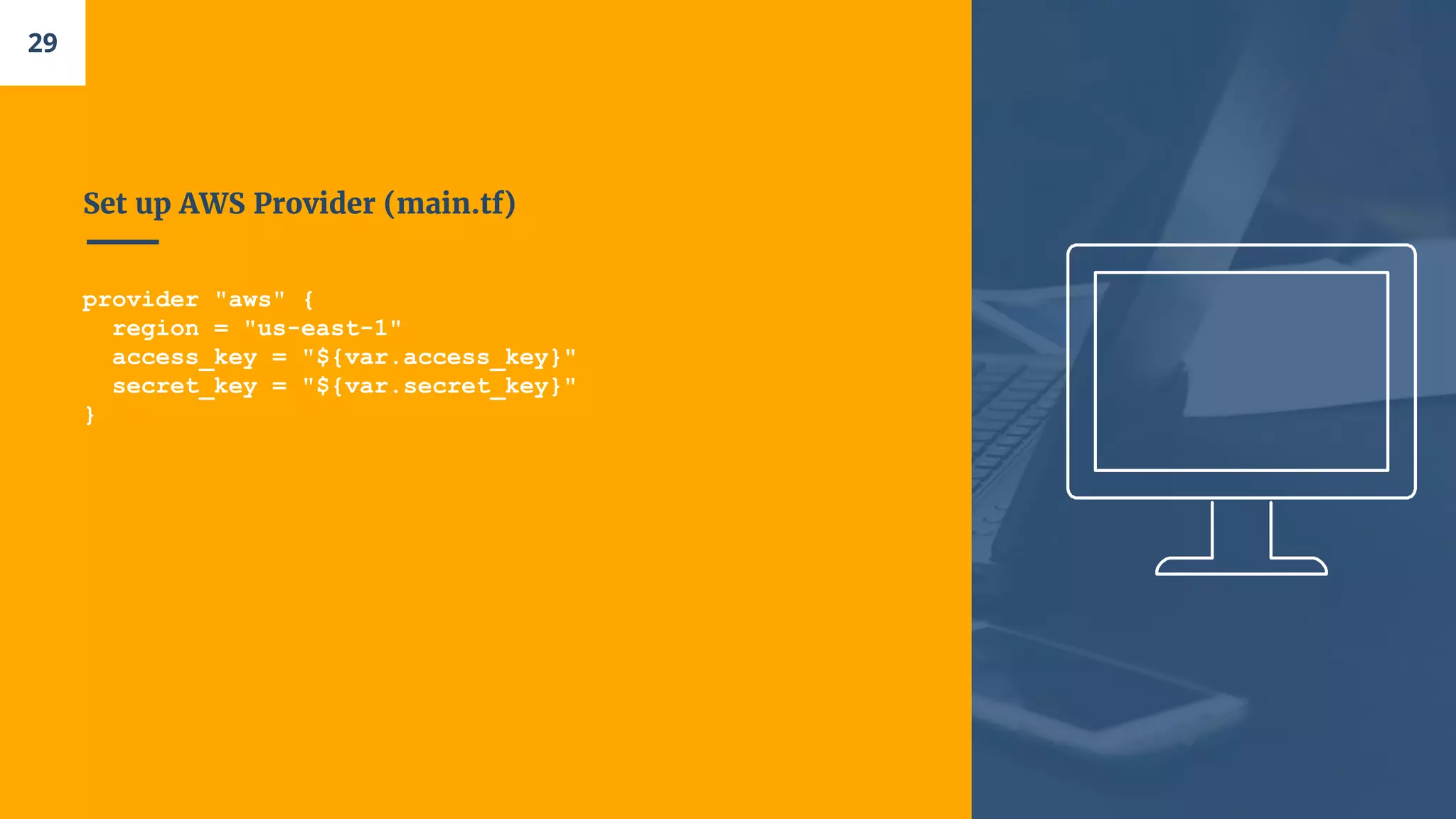
Set up AWS Provider (main.tf)
provider "aws" {
region = "us-east-1"
access_key = "${var.access_key}"
secret_key = "${var.secret_key}"
}
29
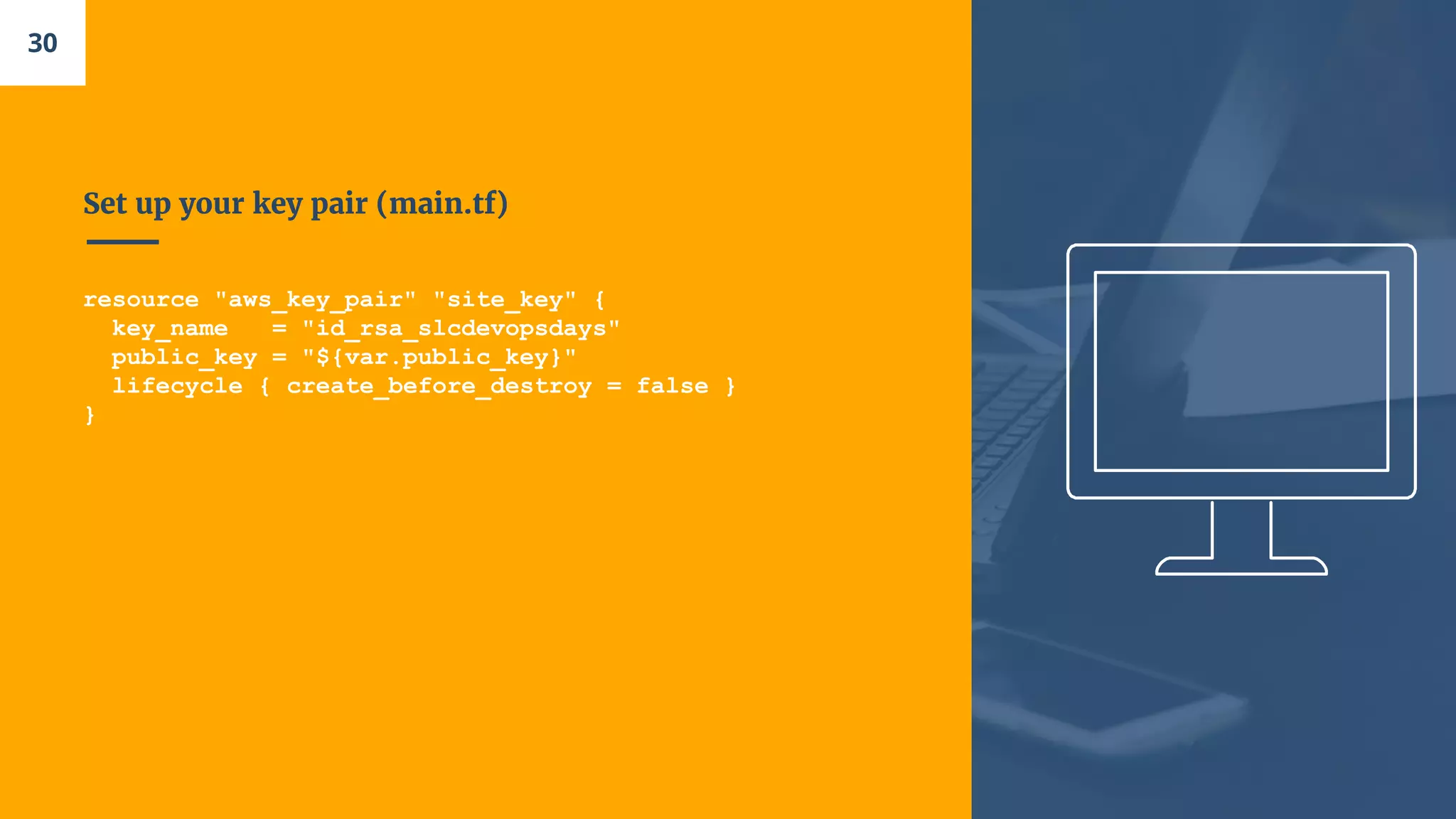
Set up your key pair (main.tf)
resource "aws_key_pair" "site_key" {
key_name = "id_rsa_slcdevopsdays"
public_key = "${var.public_key}"
lifecycle { create_before_destroy = false }
}
30
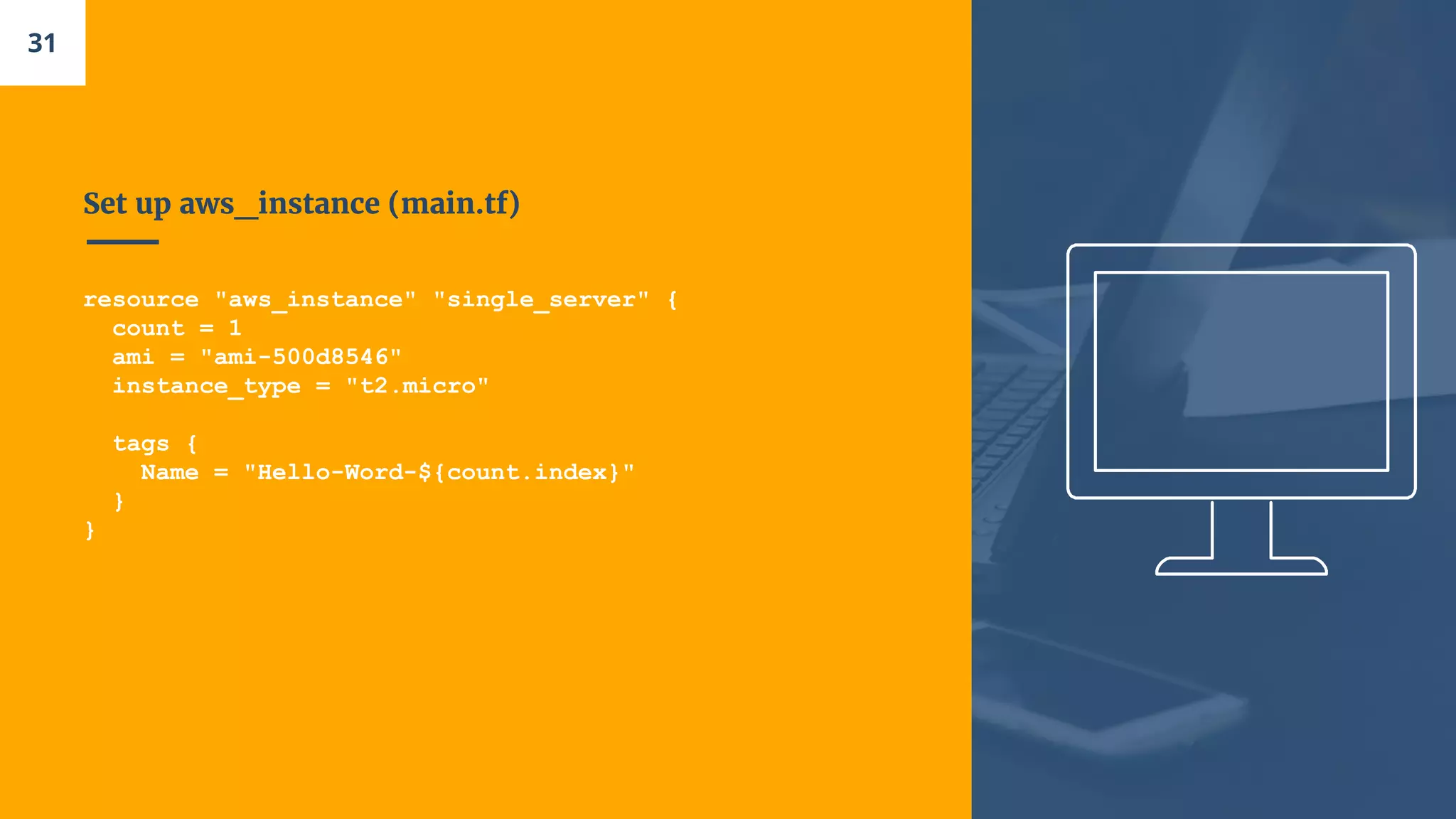
Set up aws_instance (main.tf)
resource "aws_instance" "single_server" {
count = 1
ami = "ami-500d8546"
instance_type = "t2.micro"
tags {
Name = "Hello-Word-${count.index}"
}
}
31
Add variables (vars.tf)
variable "access_key" {default = ""}
variable "secret_key" {default = ""}
variable "public_key" {default = ""}
32
“terraform plan”
33
“terraform apply”
34
Deploy a single
web server
35
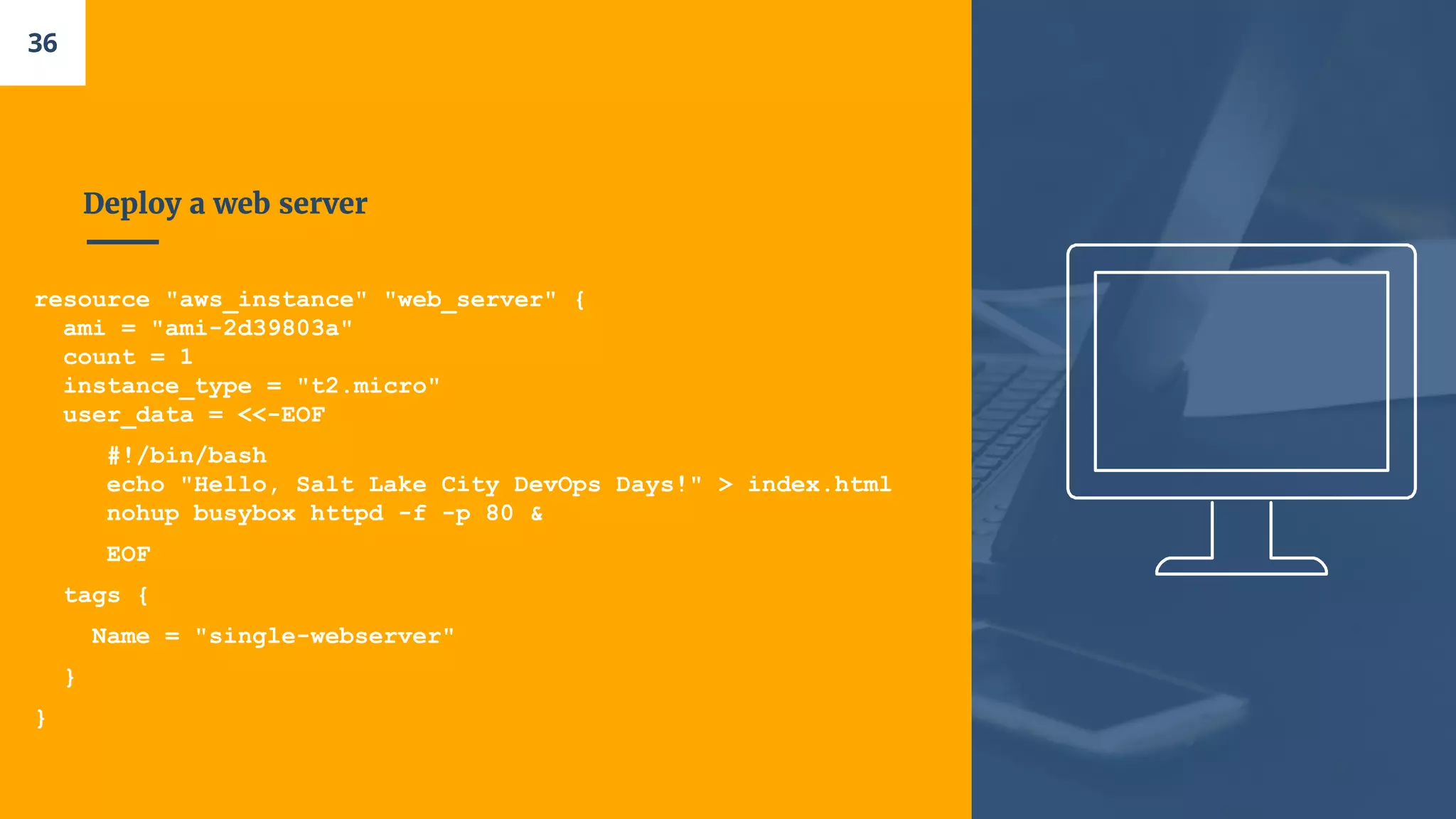
Deploy a web server
resource "aws_instance" "web_server" {
ami = "ami-2d39803a"
count = 1
instance_type = "t2.micro"
user_data = <<-EOF
#!/bin/bash
echo "Hello, Salt Lake City DevOps Days!" > index.html
nohup busybox httpd -f -p 80 &
EOF
tags {
Name = "single-webserver"
}
}
36
Let’s open a Security Group
resource "aws_security_group" "web_server_sg" {
name = "web_server_sg"
ingress {
from_port = 80
to_port = 80
protocol = "tcp"
cidr_blocks = ["0.0.0.0/0"]
}
egress {
protocol = -1
from_port = 0
to_port = 0
cidr_blocks = ["0.0.0.0/0"]
}
}
37
Get the Public IP Address
output "public_ip" {
value = "${aws_instance.web_server.public_ip}"
}
38
“terraform plan”
39
“terraform apply”
40
Deploy a cluster
of servers
41
Create a Launch Configuration
resource "aws_launch_configuration" "web_server_lc" {
image_id = "ami-2d39803a"
instance_type = "t2.micro"
security_groups = ["${aws_security_group.web_server_sg.name}"]
user_data = <<-EOF
#!/bin/bash
echo "Hello, Salt Lake City DevOps Days!" > index.html
nohup busybox httpd -f -p 80 &
EOF
lifecycle {
create_before_destroy = true
}
}
42
Add create_before_destry to the Security Group
resource "aws_security_group" "web_server_sg" {
name = "web_server_sg"
ingress {
from_port = 80
to_port = 80
protocol = "tcp"
cidr_blocks = ["0.0.0.0/0"]
}
egress {
protocol = -1
from_port = 0
to_port = 0
cidr_blocks = ["0.0.0.0/0"]
}
lifecycle {
create_before_destroy = true
}
}
43
Create the Auto Scaling Group
resource "aws_autoscaling_group" "web_server_asg" {
launch_configuration = "${aws_launch_configuration.web_server_lc.id}"
availability_zones = ["${data.aws_availability_zones.all.names}"]
min_size = 2
max_size = 10
tag {
key = "Name"
value = "terraform-asg-example"
propagate_at_launch = true
}
}
data "aws_availability_zones" "all" {}
44
“terraform plan”
45
“terraform apply”
46
Deploy a load
balancer
47
Add an ELB
resource "aws_elb" "web_server_elb" {
name = "terraform-elb-example"
security_groups = ["${aws_security_group.web_server_sg.id}"]
availability_zones = ["${data.aws_availability_zones.all.names}"]
health_check {
healthy_threshold = 2
unhealthy_threshold = 2
timeout = 3
interval = 30
target = "HTTP:80/"
}
listener {
lb_port = 80
lb_protocol = "http"
instance_port = "80"
instance_protocol = "http"
}
}
48
Update ASG
resource "aws_autoscaling_group" "web_server_asg" {
launch_configuration = "${aws_launch_configuration.web_server_lc.id}"
availability_zones = ["${data.aws_availability_zones.all.names}"]
load_balancers = ["${aws_elb.web_server_elb.name}"]
health_check_type = "ELB"
min_size = 2
max_size = 10
tag {
key = "Name"
value = "terraform-asg-example"
propagate_at_launch = true
}
}
49
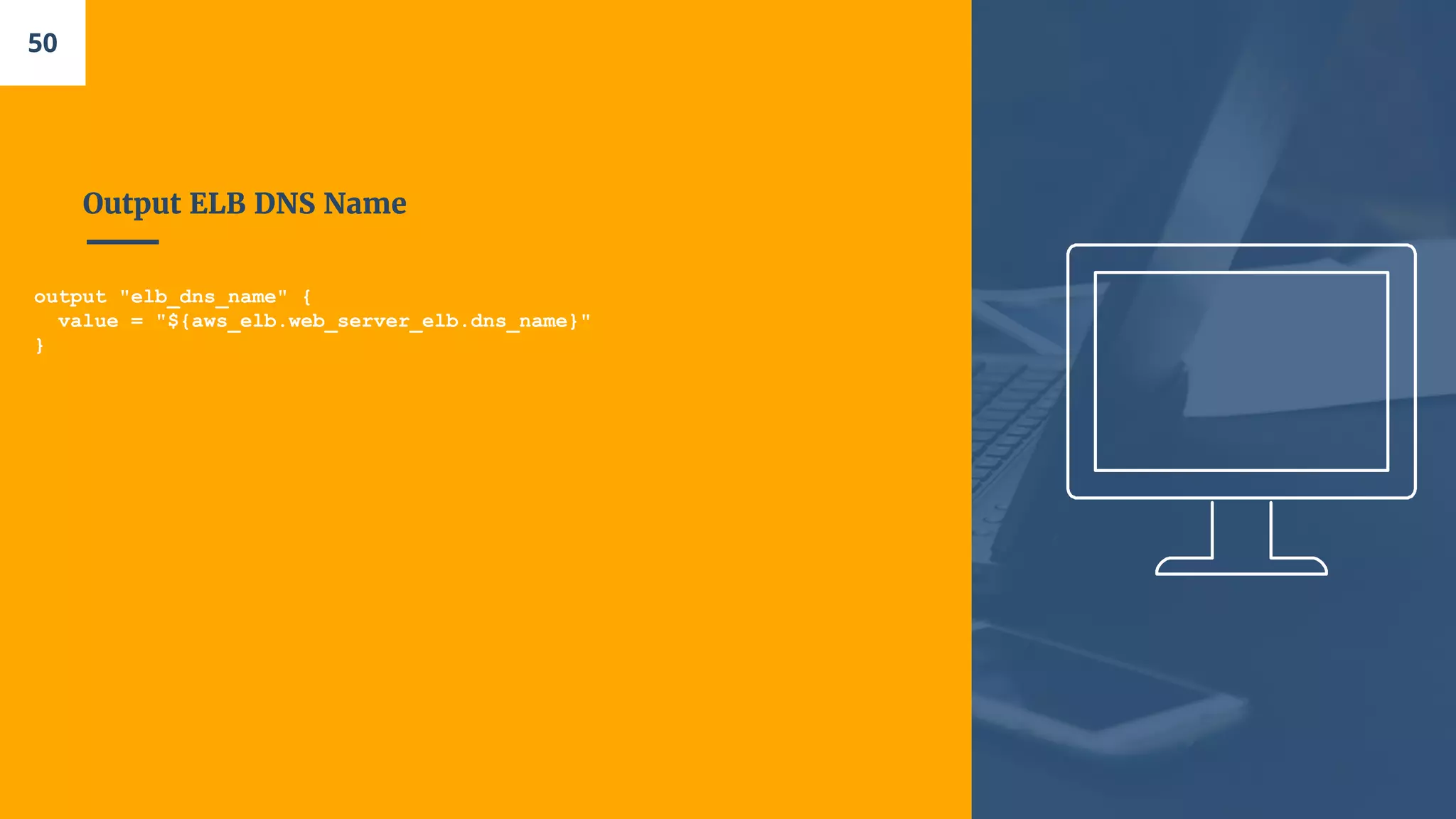
Output ELB DNS Name
output "elb_dns_name" {
value = "${aws_elb.web_server_elb.dns_name}"
}
50
“terraform plan”
51
“terraform apply”
52
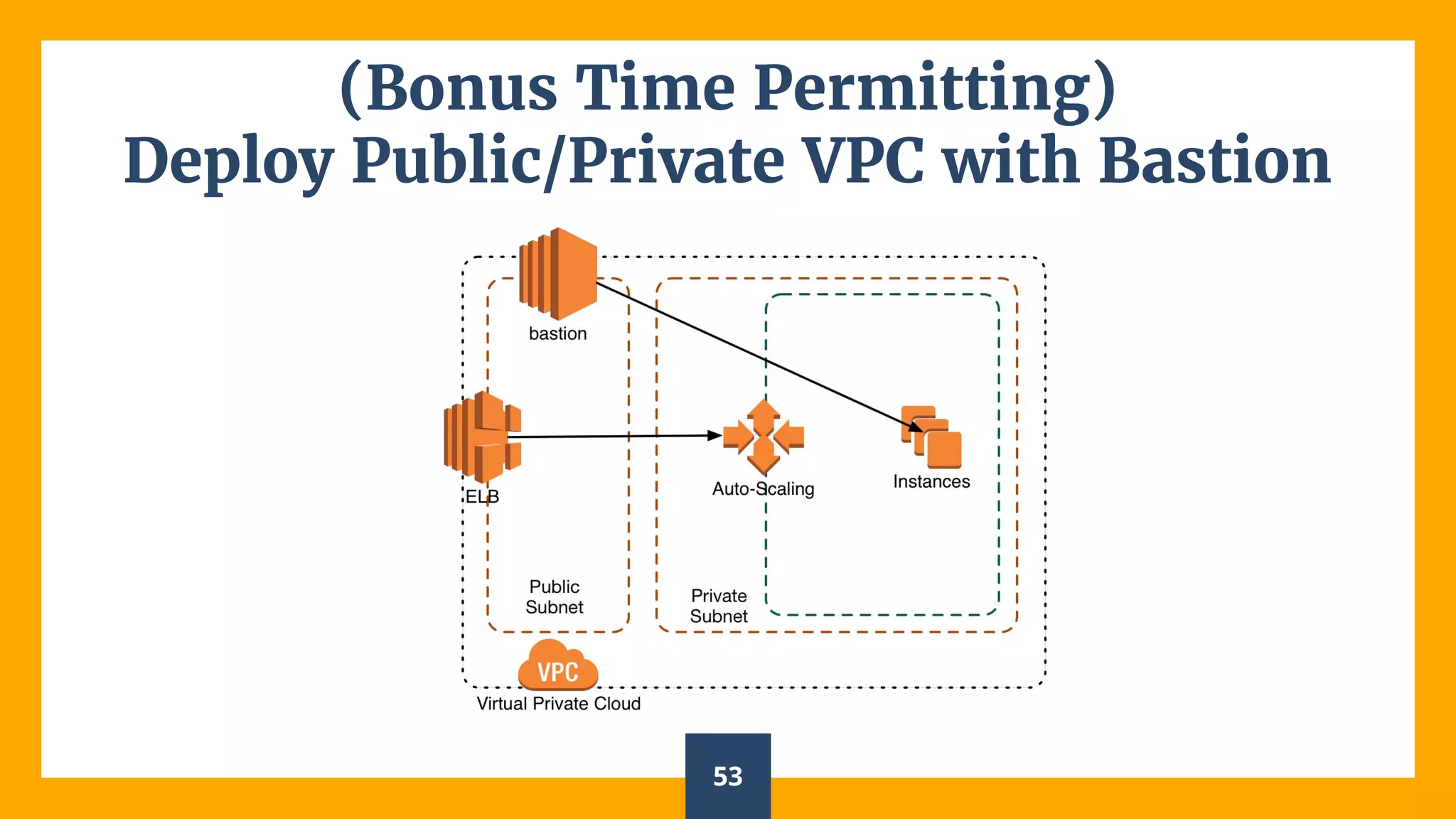
(Bonus Time Permitting)
Deploy Public/Private VPC with Bastion
53
Let’s Walk Through
the Code:
54
Route 53
Management
55
Let’s Walk Through
the Code:
56
57
Thanks!
Any questions?
Find me at @jasonsvance
vance.jason@gmail.com

Terraform introduction

  • 1.
  • 2.
    Who is thisworkshop for? 2 Everyone whom deploy infrastructure in-house or cloud based environments. This is a beginner’s workshop You will need to have an AWS account set up already with Terraform v0.9.3 installed. You will also need to have git install to download the workshop material. https://www.terraform.io https://github.com/jasonvance/terraform-introduction https://aws.amazon.com/account/
  • 3.
    Who am I? Iam Jason Vance, Sr. Site Reliability Engineer for Accela, Inc. Graphic Designer turned System Administrator turned Engineer. You can find me at @jasonsvance 3
  • 4.
    What is Infrastructure as Code(IaC)? IaC grew as a response to the difficulty posed from two pieces of disruptive technology – utility computing and second-generation web frameworks. 4
  • 5.
    IaC isn't just automation IaCis a CORE DevOps practice 5
  • 6.
    What IaC enablesyou to do: ■ Manage infrastructure via source control ■ Apply testing to infrastructure ■ Avoid written documentation of infrastructure ■ Enable collaboration 6
  • 7.
  • 8.
  • 9.
  • 10.
  • 11.
    “Declarative knowledge involves knowingTHAT something is the case. Procedural knowledge involves knowing HOW to do something. 11
  • 12.
  • 13.
  • 14.
  • 15.
  • 16.
    HCL The HashiCorp configurationlanguage. https://github.com/hashicorp/hcl 16
  • 17.
  • 18.
    Purpose of TerraformState Mapping to the Real World Terraform requires some sort of database to map Terraform config to the real world. Metadata Terraform needs to store more than just resource mappings. Terraform must keep track of metadata such as dependencies. Performance In addition to basic mapping, Terraform stores a cache of the attribute values for all resources in the state. This is the most optional feature of Terraform state and is done only as a performance improvement. Syncing The primary motivation people have for using remote state files is in an attempt to improve using Terraform with teams. State files can easily result in conflicts when two people modify infrastructure at the same time. 18
  • 19.
  • 20.
  • 21.
    Interpolation Syntax Variables Strings Maps Lists Conditionals The supportoperators are: Equality: == and != Numerical comparison: >, <, >=, <= Boolean logic: &&, ||, unary ! Functions Examples: concat(list1, list2, ...) length(list) log(x, base) Math "${2 * 4 + 3 * 3}" # computes to 17 "${3 * 3 + 2 * 4}" # computes to 17 "${2 * (4 + 3) * 3}" # computes to 42. 21
  • 22.
  • 23.
  • 24.
  • 25.
  • 26.
  • 27.
  • 28.
  • 29.
    Set up AWSProvider (main.tf) provider "aws" { region = "us-east-1" access_key = "${var.access_key}" secret_key = "${var.secret_key}" } 29
  • 30.
    Set up yourkey pair (main.tf) resource "aws_key_pair" "site_key" { key_name = "id_rsa_slcdevopsdays" public_key = "${var.public_key}" lifecycle { create_before_destroy = false } } 30
  • 31.
    Set up aws_instance(main.tf) resource "aws_instance" "single_server" { count = 1 ami = "ami-500d8546" instance_type = "t2.micro" tags { Name = "Hello-Word-${count.index}" } } 31
  • 32.
    Add variables (vars.tf) variable"access_key" {default = ""} variable "secret_key" {default = ""} variable "public_key" {default = ""} 32
  • 33.
  • 34.
  • 35.
  • 36.
    Deploy a webserver resource "aws_instance" "web_server" { ami = "ami-2d39803a" count = 1 instance_type = "t2.micro" user_data = <<-EOF #!/bin/bash echo "Hello, Salt Lake City DevOps Days!" > index.html nohup busybox httpd -f -p 80 & EOF tags { Name = "single-webserver" } } 36
  • 37.
    Let’s open aSecurity Group resource "aws_security_group" "web_server_sg" { name = "web_server_sg" ingress { from_port = 80 to_port = 80 protocol = "tcp" cidr_blocks = ["0.0.0.0/0"] } egress { protocol = -1 from_port = 0 to_port = 0 cidr_blocks = ["0.0.0.0/0"] } } 37
  • 38.
    Get the PublicIP Address output "public_ip" { value = "${aws_instance.web_server.public_ip}" } 38
  • 39.
  • 40.
  • 41.
  • 42.
    Create a LaunchConfiguration resource "aws_launch_configuration" "web_server_lc" { image_id = "ami-2d39803a" instance_type = "t2.micro" security_groups = ["${aws_security_group.web_server_sg.name}"] user_data = <<-EOF #!/bin/bash echo "Hello, Salt Lake City DevOps Days!" > index.html nohup busybox httpd -f -p 80 & EOF lifecycle { create_before_destroy = true } } 42
  • 43.
    Add create_before_destry tothe Security Group resource "aws_security_group" "web_server_sg" { name = "web_server_sg" ingress { from_port = 80 to_port = 80 protocol = "tcp" cidr_blocks = ["0.0.0.0/0"] } egress { protocol = -1 from_port = 0 to_port = 0 cidr_blocks = ["0.0.0.0/0"] } lifecycle { create_before_destroy = true } } 43
  • 44.
    Create the AutoScaling Group resource "aws_autoscaling_group" "web_server_asg" { launch_configuration = "${aws_launch_configuration.web_server_lc.id}" availability_zones = ["${data.aws_availability_zones.all.names}"] min_size = 2 max_size = 10 tag { key = "Name" value = "terraform-asg-example" propagate_at_launch = true } } data "aws_availability_zones" "all" {} 44
  • 45.
  • 46.
  • 47.
  • 48.
    Add an ELB resource"aws_elb" "web_server_elb" { name = "terraform-elb-example" security_groups = ["${aws_security_group.web_server_sg.id}"] availability_zones = ["${data.aws_availability_zones.all.names}"] health_check { healthy_threshold = 2 unhealthy_threshold = 2 timeout = 3 interval = 30 target = "HTTP:80/" } listener { lb_port = 80 lb_protocol = "http" instance_port = "80" instance_protocol = "http" } } 48
  • 49.
    Update ASG resource "aws_autoscaling_group""web_server_asg" { launch_configuration = "${aws_launch_configuration.web_server_lc.id}" availability_zones = ["${data.aws_availability_zones.all.names}"] load_balancers = ["${aws_elb.web_server_elb.name}"] health_check_type = "ELB" min_size = 2 max_size = 10 tag { key = "Name" value = "terraform-asg-example" propagate_at_launch = true } } 49
  • 50.
    Output ELB DNSName output "elb_dns_name" { value = "${aws_elb.web_server_elb.dns_name}" } 50
  • 51.
  • 52.
  • 53.
    (Bonus Time Permitting) DeployPublic/Private VPC with Bastion 53
  • 54.
  • 55.
  • 56.
  • 57.
    57 Thanks! Any questions? Find meat @jasonsvance vance.jason@gmail.com