Know Your Website
An Intro to Google Analytics
                               June 29, 2011


                                The 2011 MyCharityConnects
                                Webinar Series is generously
                                 supported by Direct Energy.
Today’s Presenter


Kirstin Beardsley
  Marketing & Communications Manager
reminders
 You can hear us, but we can’t hear you
 Have questions? Type questions in the Questions Log
 Presentation slides will be available on
  www.mycharityconnects.org/pastwebinars
 For the best webinar experience, close all other applications
 Turn up your computer’s volume
• “A charity helping charities”
  • A public foundation


mission
CanadaHelps engages Canadians in the charitable sector,
providing accessible and affordable online technology to both
donors and charities to promote – and ultimately increase –
charitable giving in Canada.
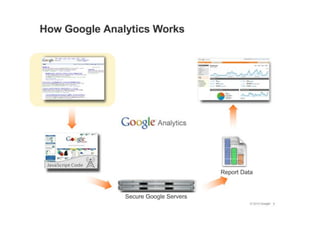
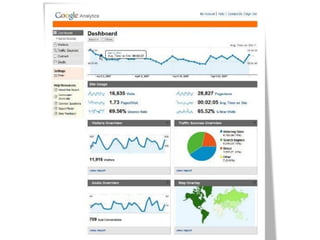
Analytics
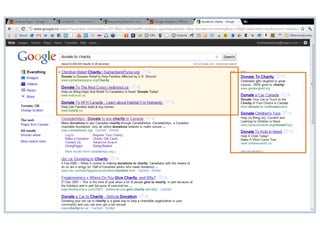
Why Use Google Analytics?
• Your website is your
  most important
  communications tool
• Understand how users
  interact with your site
• Improve user
  experience to get more
  from your website
•   Which campaigns are most effective?
•   What are the traffic patterns on my site?
•   Where are visitors coming from?
•   Which keywords lead to more conversions?
•   Why are people leaving my site?
•   What content are people most interested in?

How Can Google Analytics Help?
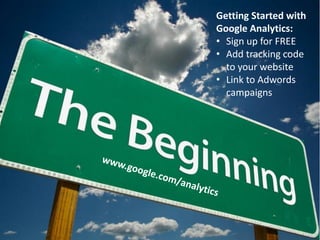
Getting Started with
Google Analytics:
• Sign up for FREE
• Add tracking code
  to your website
• Link to Adwords
  campaigns
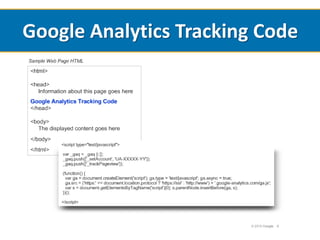
Google Analytics Tracking Code
Adwords for nonprofits
www.google.com/nonprofits
WARNING:
Analytics aren’t accurate!
Visitors - Who’s going to your website?
Visitors
• Visits, Unique Visitors
• Pageviews
• Average time on site, bounce rate
• Demographics: Location, language
• Behaviour: New vs. returning, frequency &
  recency
• Technology: browser, network
Visitors - Advanced
• Custom variables
  – Track visitor behaviour by setting up custom links
    on different sites
• Mobile
Traffic Sources – Where are they
coming from?
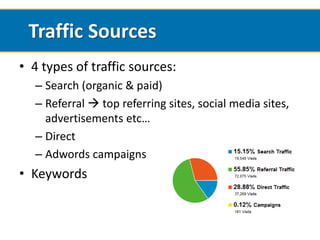
Traffic Sources
• 4 types of traffic sources:
  – Search (organic & paid)
  – Referral  top referring sites, social media sites,
    advertisements etc…
  – Direct
  – Adwords campaigns
• Keywords
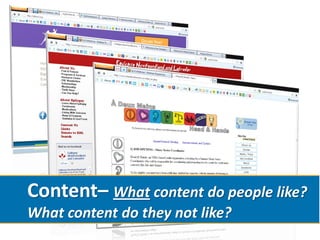
Content– What content do people like?
What content do they not like?
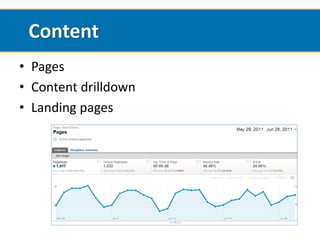
Content
• Pages
• Content drilldown
• Landing pages
Content
• Exit Pages
• Site Search – in-site searches
• Events
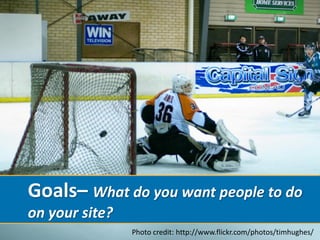
Goals– What do you want people to do
on your site?
                Photo credit: http://www.flickr.com/photos/timhughes/
Goals
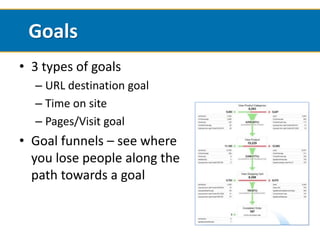
• 3 types of goals
  – URL destination goal
  – Time on site
  – Pages/Visit goal
• Goal funnels – see where
  you lose people along the
  path towards a goal
Intelligence
• Intelligence alerts you to significant variations
  in traffic & other patterns
• Default & custom alerts
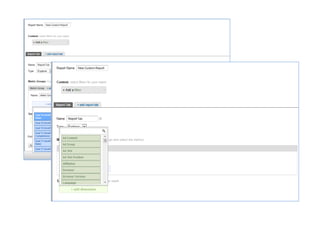
Custom Reports
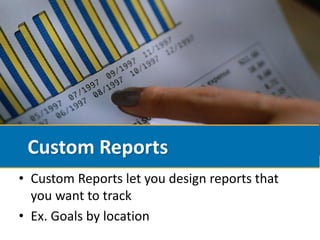
• Custom Reports let you design reports that
  you want to track
• Ex. Goals by location
Advanced Segments
• Lets you segment your data to see specific
  behaviour
• Example: segment by new visitors, search traffic,
  or mobile visitors
Start Small
• Track basic measures
• Get used to account
• Start combining metrics & getting fancy
The Basics
•   Visits
•   Unique visitors
•   New vs. returning
•   Traffic sources
•   Keywords
•   Top content & top landing pages
•   Establish a goal
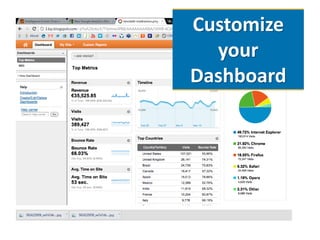
Customize
  your
Dashboard
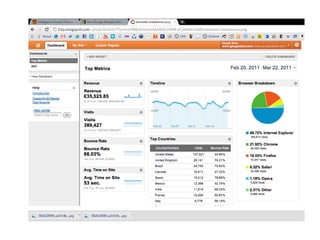
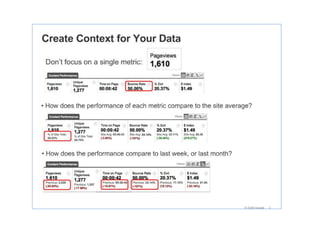
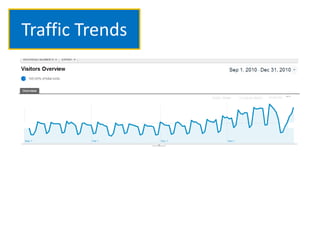
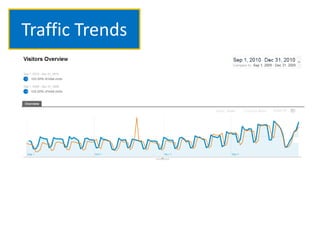
Focus on Trends & Context
• Worry less about individual numbers and
  more about changes over time
• Understand the context around numbers
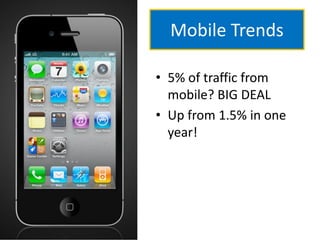
Mobile Trends

• 5% of traffic from
  mobile? BIG DEAL
• Up from 1.5% in one
  year!
Traffic Trends
Traffic Trends
Measure What Matters
• Don’t measure everything
• Track basic information (visitors, traffic
  sources, content)
• Focus on ACTIONABLE measures
Example:
                             Email Sign-Up
                              Campaign


• Set up CONVERSION GOAL
• Track conversions by traffic source
• Track bounce rate by landing page
Example:
     Facebook
    Page Launch

•   Track visitors from Facebook
•   Content patterns, top content
•   Bounce rates
•   Conversions (e.g. email sign-up)
Get Started!
QUESTIONS?
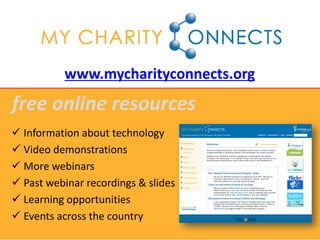
www.mycharityconnects.org
free online resources
 Information about technology
 Video demonstrations
 More webinars
 Past webinar recordings & slides
 Learning opportunities
 Events across the country
Upcoming Webinars
www.mycharityconnects.org/webinars


•   July 20 – YouTube’s NonProfit Program & The Fundamentals of Video Storytelling
•   August 17 – Orientation for Newly Registered Charities with CanadaHelps
•   September 14 – Stay Connected: LinkedIn for Nonprofits
•   September 28 – Content Is Good ... Putting it into Context - that's how you win (guest
    speaker: Josh Muirhead, Socialmark Media)
•   October 12 – #FAIL: Biggest Online Mistakes and How to Avoid Them (guest
    speaker: Lee Rose, HR Council for the Nonprofit Sector)
•   October 26 – Social Media Strategy for Beginners
•   November 9 – Making Twitter Your Best Friend: Twitter Strategies Exposed (guest
    speaker: Heather Morrison, Sequentia Environics)
•   November 23 – Cutting Edge Charities
•   December 7 – Looking Up: Life's Better in the Cloud (guest: Amanda Grainger-Munday,
    Framework)
Keep in touch!
        info@canadahelps.org


    www.twitter.com/canadahelps


www.slideshare.net/MyCharityConnects


   www.facebook.com/canadahelps


   www.youtube.com/canadahelps

Know Your Website: An Intro to Google Analytics

  • 1.
    Know Your Website AnIntro to Google Analytics June 29, 2011 The 2011 MyCharityConnects Webinar Series is generously supported by Direct Energy.
  • 2.
    Today’s Presenter Kirstin Beardsley Marketing & Communications Manager
  • 3.
    reminders  You canhear us, but we can’t hear you  Have questions? Type questions in the Questions Log  Presentation slides will be available on www.mycharityconnects.org/pastwebinars  For the best webinar experience, close all other applications  Turn up your computer’s volume
  • 4.
    • “A charityhelping charities” • A public foundation mission CanadaHelps engages Canadians in the charitable sector, providing accessible and affordable online technology to both donors and charities to promote – and ultimately increase – charitable giving in Canada.
  • 5.
  • 6.
    Why Use GoogleAnalytics? • Your website is your most important communications tool • Understand how users interact with your site • Improve user experience to get more from your website
  • 7.
    Which campaigns are most effective? • What are the traffic patterns on my site? • Where are visitors coming from? • Which keywords lead to more conversions? • Why are people leaving my site? • What content are people most interested in? How Can Google Analytics Help?
  • 9.
    Getting Started with GoogleAnalytics: • Sign up for FREE • Add tracking code to your website • Link to Adwords campaigns
  • 10.
  • 11.
  • 13.
  • 16.
    Visitors - Who’sgoing to your website?
  • 17.
    Visitors • Visits, UniqueVisitors • Pageviews • Average time on site, bounce rate • Demographics: Location, language • Behaviour: New vs. returning, frequency & recency • Technology: browser, network
  • 18.
    Visitors - Advanced •Custom variables – Track visitor behaviour by setting up custom links on different sites • Mobile
  • 19.
    Traffic Sources –Where are they coming from?
  • 20.
    Traffic Sources • 4types of traffic sources: – Search (organic & paid) – Referral  top referring sites, social media sites, advertisements etc… – Direct – Adwords campaigns • Keywords
  • 21.
    Content– What contentdo people like? What content do they not like?
  • 22.
    Content • Pages • Contentdrilldown • Landing pages
  • 23.
    Content • Exit Pages •Site Search – in-site searches • Events
  • 24.
    Goals– What doyou want people to do on your site? Photo credit: http://www.flickr.com/photos/timhughes/
  • 25.
    Goals • 3 typesof goals – URL destination goal – Time on site – Pages/Visit goal • Goal funnels – see where you lose people along the path towards a goal
  • 26.
    Intelligence • Intelligence alertsyou to significant variations in traffic & other patterns • Default & custom alerts
  • 27.
    Custom Reports • CustomReports let you design reports that you want to track • Ex. Goals by location
  • 29.
    Advanced Segments • Letsyou segment your data to see specific behaviour • Example: segment by new visitors, search traffic, or mobile visitors
  • 31.
    Start Small • Trackbasic measures • Get used to account • Start combining metrics & getting fancy
  • 32.
    The Basics • Visits • Unique visitors • New vs. returning • Traffic sources • Keywords • Top content & top landing pages • Establish a goal
  • 33.
  • 34.
    Focus on Trends& Context • Worry less about individual numbers and more about changes over time • Understand the context around numbers
  • 36.
    Mobile Trends • 5%of traffic from mobile? BIG DEAL • Up from 1.5% in one year!
  • 37.
  • 38.
  • 39.
    Measure What Matters •Don’t measure everything • Track basic information (visitors, traffic sources, content) • Focus on ACTIONABLE measures
  • 40.
    Example: Email Sign-Up Campaign • Set up CONVERSION GOAL • Track conversions by traffic source • Track bounce rate by landing page
  • 41.
    Example: Facebook Page Launch • Track visitors from Facebook • Content patterns, top content • Bounce rates • Conversions (e.g. email sign-up)
  • 42.
  • 43.
  • 44.
    www.mycharityconnects.org free online resources Information about technology  Video demonstrations  More webinars  Past webinar recordings & slides  Learning opportunities  Events across the country
  • 45.
    Upcoming Webinars www.mycharityconnects.org/webinars • July 20 – YouTube’s NonProfit Program & The Fundamentals of Video Storytelling • August 17 – Orientation for Newly Registered Charities with CanadaHelps • September 14 – Stay Connected: LinkedIn for Nonprofits • September 28 – Content Is Good ... Putting it into Context - that's how you win (guest speaker: Josh Muirhead, Socialmark Media) • October 12 – #FAIL: Biggest Online Mistakes and How to Avoid Them (guest speaker: Lee Rose, HR Council for the Nonprofit Sector) • October 26 – Social Media Strategy for Beginners • November 9 – Making Twitter Your Best Friend: Twitter Strategies Exposed (guest speaker: Heather Morrison, Sequentia Environics) • November 23 – Cutting Edge Charities • December 7 – Looking Up: Life's Better in the Cloud (guest: Amanda Grainger-Munday, Framework)
  • 46.
    Keep in touch! info@canadahelps.org www.twitter.com/canadahelps www.slideshare.net/MyCharityConnects www.facebook.com/canadahelps www.youtube.com/canadahelps