Assessment and Feedback 
session
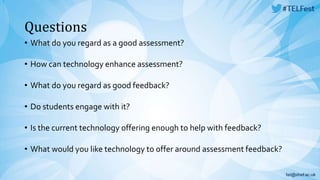
Questions 
• What do you regard as a good assessment? 
• How can technology enhance assessment? 
• What do you regard as good feedback? 
• Do students engage with it? 
• Is the current technology offering enough to help with feedback? 
• What would you like technology to offer around assessment feedback?
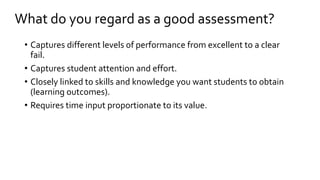
What do you regard as a good assessment? 
• Captures different levels of performance from excellent to a clear 
fail. 
• Captures student attention and effort. 
• Closely linked to skills and knowledge you want students to obtain 
(learning outcomes). 
• Requires time input proportionate to its value.
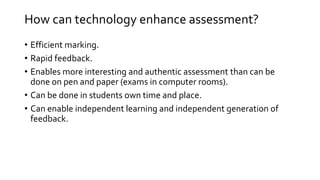
How can technology enhance assessment? 
• Efficient marking. 
• Rapid feedback. 
• Enables more interesting and authentic assessment than can be 
done on pen and paper (exams in computer rooms). 
• Can be done in students own time and place. 
• Can enable independent learning and independent generation of 
feedback.
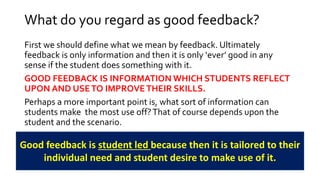
What do you regard as good feedback? 
First we should define what we mean by feedback. Ultimately 
feedback is only information and then it is only ‘ever’ good in any 
sense if the student does something with it. 
GOOD FEEDBACK IS INFORMATION WHICH STUDENTS REFLECT 
UPON AND USE TO IMPROVE THEIR SKILLS. 
Perhaps a more important point is, what sort of information can 
students make the most use off? That of course depends upon the 
student and the scenario. 
Good feedback is student led because then it is tailored to their 
individual need and student desire to make use of it.
Do students engage with feedback? 
Don’t waste your time producing what the students do not want or will 
not use. 
They must be proactive in this process. 
Make feedback available to students who actively seek it 
out.
Is the current technology offering enough to help 
with feedback? 
• Technology is good at facilitating independent generation of 
feedback, for example through quizzes, forums, chat rooms, web 
searches, software tools and so forth. 
• This enables students to take charge of their own learning needs and 
also reduces the time pressure on staff to produce copious written 
feedback (often of little real value) that few students would use 
effectively. 
The bigger issues are: 
1. staff awareness and promotion of the tools. 
2. students acceptance, effect use of and recognition of all the 
feedback available.
What would you like technology to offer around 
assessment feedback? 
• My main request is would be some form of voice activated software 
that enabled staff to look at a student document on the screen and 
edit or mark this by a combination of a some form of screen enabled 
pen (circle a point) and an audio capture system. 
• Currently ‘feedback software’ is still some what archaic in being 
mouse driven and somewhat clumsy/slow to use. 
• It is a lot easier to speak feedback than to write it. 
• Audio tools in general could be integrated into MOLE much better, 
for example in the discussions board, so staff can talk to a 
microphone and this is linked to the discussion with no need for 
other software, sign in, saving files, etc.
Session Feedback 
We would welcome your feedback on this session, via this URL 
http://goo.gl/ReRYkH 
Thank you

Telfest panel assessment and feedback

  • 1.
  • 2.
    Questions • Whatdo you regard as a good assessment? • How can technology enhance assessment? • What do you regard as good feedback? • Do students engage with it? • Is the current technology offering enough to help with feedback? • What would you like technology to offer around assessment feedback?
  • 3.
    What do youregard as a good assessment? • Captures different levels of performance from excellent to a clear fail. • Captures student attention and effort. • Closely linked to skills and knowledge you want students to obtain (learning outcomes). • Requires time input proportionate to its value.
  • 4.
    How can technologyenhance assessment? • Efficient marking. • Rapid feedback. • Enables more interesting and authentic assessment than can be done on pen and paper (exams in computer rooms). • Can be done in students own time and place. • Can enable independent learning and independent generation of feedback.
  • 5.
    What do youregard as good feedback? First we should define what we mean by feedback. Ultimately feedback is only information and then it is only ‘ever’ good in any sense if the student does something with it. GOOD FEEDBACK IS INFORMATION WHICH STUDENTS REFLECT UPON AND USE TO IMPROVE THEIR SKILLS. Perhaps a more important point is, what sort of information can students make the most use off? That of course depends upon the student and the scenario. Good feedback is student led because then it is tailored to their individual need and student desire to make use of it.
  • 6.
    Do students engagewith feedback? Don’t waste your time producing what the students do not want or will not use. They must be proactive in this process. Make feedback available to students who actively seek it out.
  • 7.
    Is the currenttechnology offering enough to help with feedback? • Technology is good at facilitating independent generation of feedback, for example through quizzes, forums, chat rooms, web searches, software tools and so forth. • This enables students to take charge of their own learning needs and also reduces the time pressure on staff to produce copious written feedback (often of little real value) that few students would use effectively. The bigger issues are: 1. staff awareness and promotion of the tools. 2. students acceptance, effect use of and recognition of all the feedback available.
  • 8.
    What would youlike technology to offer around assessment feedback? • My main request is would be some form of voice activated software that enabled staff to look at a student document on the screen and edit or mark this by a combination of a some form of screen enabled pen (circle a point) and an audio capture system. • Currently ‘feedback software’ is still some what archaic in being mouse driven and somewhat clumsy/slow to use. • It is a lot easier to speak feedback than to write it. • Audio tools in general could be integrated into MOLE much better, for example in the discussions board, so staff can talk to a microphone and this is linked to the discussion with no need for other software, sign in, saving files, etc.
  • 9.
    Session Feedback Wewould welcome your feedback on this session, via this URL http://goo.gl/ReRYkH Thank you