Feedback 2.0

Using Technology to Improve
         Feedback
Context
• I teach 9th and 10th grade reading and writing.
• I facilitate classroom technology integration
  across grades and disciplines
• I work in a very small boarding school
THE LIGHTNING BOLT
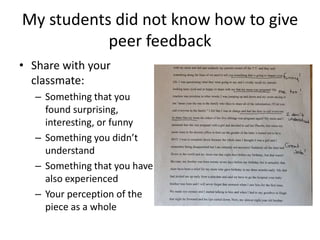
My students did not know how to give
           peer feedback
• Share with your
  classmate:
  – Something that you
    found surprising,
    interesting, or funny
  – Something you didn’t
    understand
  – Something that you have
    also experienced
  – Your perception of the
    piece as a whole
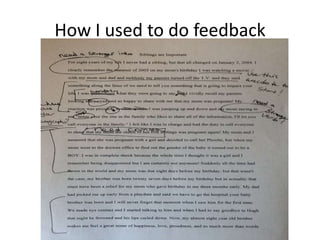
How I used to do feedback
Why it didn’t work
It didn’t help STUDENTS         It didn’t help ME
• Too late to encourage         • Too late to adjust
    improvement                     instruction
• Felt like criticism           • Students didn’t necessarily
• Students couldn’t always          have the ability to apply
    understand or generalize        feedback independently
    the suggestions I would
    make
• Students tended to ignore
    positives and hyper-focus
    on suggestions
TOO OFTEN, FEEDBACK IS A
TEACHER’S WAY OF JUSTIFYING A
GRADE, RATHER THAN A WAY TO
HELP STUDENTS IMPROVE
Effective Feedback…
• SPECIFIC                   • SHOWS STUDENTS
  – Focus on the most          HOW TO DO IT
    important, or just         – The more we can show
    choose an area to look       students how to do it,
    at.                          WHILE they are doing it,
• TIMELY                         the more effective our
                                 feedback is.
  – Always give time to
    process and apply
    feedback
Using Technology to Improve Feedback

WAYS TO CHANGE
TRACK CHANGES
Why I liked it              Why it didn’t really work
• Everyone already had it   • Still provided feedback too
• Easy to use                 late and without enough
• When STUDENTS use it, I     demonstration of how to
  can see their process       make the changes they
                              needed.
THAT IS WHEN I DECIDED…
Focus all feedback on formative
               assessments
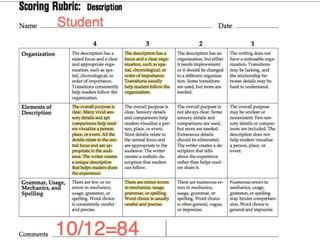
• Now, summative assessments receive only a
  rubric with grade. Students who want more
  explanation need to set up a conference with
  me.
• ALL of my time and energy is focused on the
  feedback stages of student work, because that
  is where learning happens.
Example summative assessment
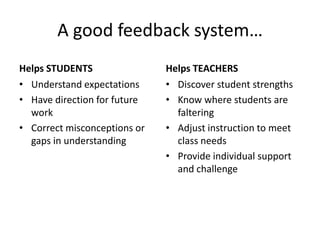
A good feedback system…
Helps STUDENTS                Helps TEACHERS
• Understand expectations     • Discover student strengths
• Have direction for future   • Know where students are
  work                          faltering
• Correct misconceptions or   • Adjust instruction to meet
  gaps in understanding         class needs
                              • Provide individual support
                                and challenge
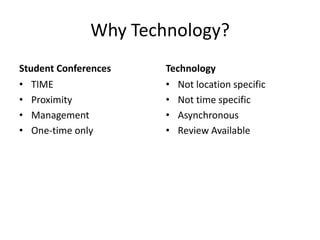
Why Technology?
Student Conferences   Technology
• TIME                • Not location specific
• Proximity           • Not time specific
• Management          • Asynchronous
• One-time only       • Review Available
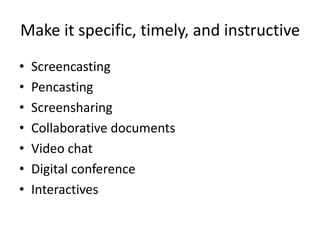
Make it specific, timely, and instructive
•   Screencasting
•   Pencasting
•   Screensharing
•   Collaborative documents
•   Video chat
•   Digital conference
•   Interactives
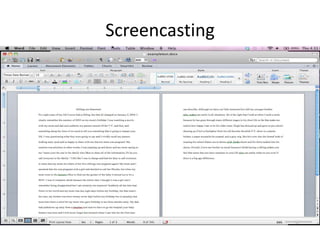
Screencasting
Ways to do it
• On your computer w/ screencasting software
  (jing, camtasia, snapz)
• On the ipad
• Using a document Camera
• Using an interactive whiteboard
What I learned
• Focus on 1 or 2 things    • In my example
  max                          – Focused on introduction
• Use what you learn to        – Introduced idea of
  adjust future instruction      paragraphs but made
                                  note to provide one-on-
                                  one instruction about it
                                  next class
Pencasting
• Use a livescribe pen to record feedback; allow
  students to access the pen as part of class.
• I set up feedback stations that included peer
  feedback, self-assessment screencast,
  livescribe feedback, and specific trait tools.
Screensharing
•   I use join.me
•   There are lots of others!
•   Students can share w/ group or just teacher
•   Teacher can see multiple screens at a time
•   Especially helpful for non-writing assignments.
Collaborative
Documents
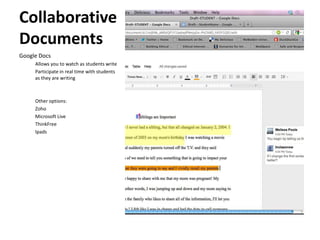
Google Docs
     Allows you to watch as students write
     Participate in real time with students
     as they are writing


     Other options:
     Zoho
     Microsoft Live
     ThinkFree
     Ipads
Interactives
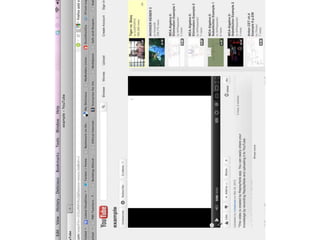
• Student-created bank of videos demonstrating
  common issues or mistakes
• Can ask students to view as part of the
  feedback process
• I do it using a YouTube channel that all
  students have account info; use the unlisted
  video feature
Integrating Feedback
• Introductory Activities
  – Use an example students will connect with (I did a
    bad outfit. Had student talk to a teddy bear)
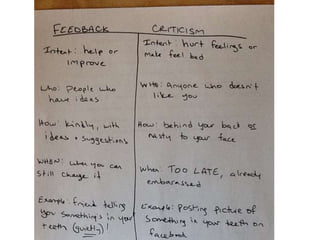
• T-Chart (Feedback vs. Criticism)
  – Stays on the wall the entire year
• Guidelines for Helpful Feedback
  – Students create a list and keep in notebooks
• Steps for applying feedback to my work.
  – Made a HUGE difference!
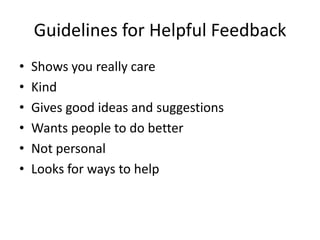
Guidelines for Helpful Feedback
•   Shows you really care
•   Kind
•   Gives good ideas and suggestions
•   Wants people to do better
•   Not personal
•   Looks for ways to help
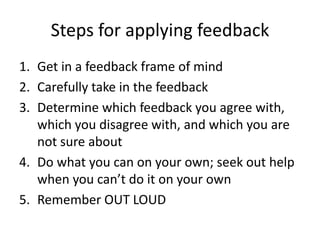
Steps for applying feedback
1. Get in a feedback frame of mind
2. Carefully take in the feedback
3. Determine which feedback you agree with,
   which you disagree with, and which you are
   not sure about
4. Do what you can on your own; seek out help
   when you can’t do it on your own
5. Remember OUT LOUD
Reflection
• The biggest effect was providing out loud
  reading.
• Introducing feedback as a concept was well
  worth the class time
• Focused feedback actually takes up LESS of my
  time
• Student improvement has increased
  dramatically; students say they feel I get to
  know them better now.
Q&A
• Melissa Poole
• InClassNow@gmail.com
• Twitter: @InClassNow

Feedback 2.0: Using Tech to improve feedback

  • 1.
    Feedback 2.0 Using Technologyto Improve Feedback
  • 2.
    Context • I teach9th and 10th grade reading and writing. • I facilitate classroom technology integration across grades and disciplines • I work in a very small boarding school
  • 3.
  • 4.
    My students didnot know how to give peer feedback • Share with your classmate: – Something that you found surprising, interesting, or funny – Something you didn’t understand – Something that you have also experienced – Your perception of the piece as a whole
  • 5.
    How I usedto do feedback
  • 6.
    Why it didn’twork It didn’t help STUDENTS It didn’t help ME • Too late to encourage • Too late to adjust improvement instruction • Felt like criticism • Students didn’t necessarily • Students couldn’t always have the ability to apply understand or generalize feedback independently the suggestions I would make • Students tended to ignore positives and hyper-focus on suggestions
  • 7.
    TOO OFTEN, FEEDBACKIS A TEACHER’S WAY OF JUSTIFYING A GRADE, RATHER THAN A WAY TO HELP STUDENTS IMPROVE
  • 8.
    Effective Feedback… • SPECIFIC • SHOWS STUDENTS – Focus on the most HOW TO DO IT important, or just – The more we can show choose an area to look students how to do it, at. WHILE they are doing it, • TIMELY the more effective our feedback is. – Always give time to process and apply feedback
  • 9.
    Using Technology toImprove Feedback WAYS TO CHANGE
  • 10.
    TRACK CHANGES Why Iliked it Why it didn’t really work • Everyone already had it • Still provided feedback too • Easy to use late and without enough • When STUDENTS use it, I demonstration of how to can see their process make the changes they needed.
  • 11.
    THAT IS WHENI DECIDED…
  • 12.
    Focus all feedbackon formative assessments • Now, summative assessments receive only a rubric with grade. Students who want more explanation need to set up a conference with me. • ALL of my time and energy is focused on the feedback stages of student work, because that is where learning happens.
  • 13.
  • 14.
    A good feedbacksystem… Helps STUDENTS Helps TEACHERS • Understand expectations • Discover student strengths • Have direction for future • Know where students are work faltering • Correct misconceptions or • Adjust instruction to meet gaps in understanding class needs • Provide individual support and challenge
  • 15.
    Why Technology? Student Conferences Technology • TIME • Not location specific • Proximity • Not time specific • Management • Asynchronous • One-time only • Review Available
  • 16.
    Make it specific,timely, and instructive • Screencasting • Pencasting • Screensharing • Collaborative documents • Video chat • Digital conference • Interactives
  • 17.
  • 18.
    Ways to doit • On your computer w/ screencasting software (jing, camtasia, snapz) • On the ipad • Using a document Camera • Using an interactive whiteboard
  • 20.
    What I learned •Focus on 1 or 2 things • In my example max – Focused on introduction • Use what you learn to – Introduced idea of adjust future instruction paragraphs but made note to provide one-on- one instruction about it next class
  • 21.
    Pencasting • Use alivescribe pen to record feedback; allow students to access the pen as part of class. • I set up feedback stations that included peer feedback, self-assessment screencast, livescribe feedback, and specific trait tools.
  • 22.
    Screensharing • I use join.me • There are lots of others! • Students can share w/ group or just teacher • Teacher can see multiple screens at a time • Especially helpful for non-writing assignments.
  • 23.
    Collaborative Documents Google Docs Allows you to watch as students write Participate in real time with students as they are writing Other options: Zoho Microsoft Live ThinkFree Ipads
  • 24.
    Interactives • Student-created bankof videos demonstrating common issues or mistakes • Can ask students to view as part of the feedback process • I do it using a YouTube channel that all students have account info; use the unlisted video feature
  • 25.
    Integrating Feedback • IntroductoryActivities – Use an example students will connect with (I did a bad outfit. Had student talk to a teddy bear) • T-Chart (Feedback vs. Criticism) – Stays on the wall the entire year • Guidelines for Helpful Feedback – Students create a list and keep in notebooks • Steps for applying feedback to my work. – Made a HUGE difference!
  • 27.
    Guidelines for HelpfulFeedback • Shows you really care • Kind • Gives good ideas and suggestions • Wants people to do better • Not personal • Looks for ways to help
  • 28.
    Steps for applyingfeedback 1. Get in a feedback frame of mind 2. Carefully take in the feedback 3. Determine which feedback you agree with, which you disagree with, and which you are not sure about 4. Do what you can on your own; seek out help when you can’t do it on your own 5. Remember OUT LOUD
  • 29.
    Reflection • The biggesteffect was providing out loud reading. • Introducing feedback as a concept was well worth the class time • Focused feedback actually takes up LESS of my time • Student improvement has increased dramatically; students say they feel I get to know them better now.
  • 30.
    Q&A • Melissa Poole •InClassNow@gmail.com • Twitter: @InClassNow

Editor's Notes

  • #3 Even though I teach English, these ideas should be easily transferrable to other disciplines
  • #4 I was letting students work independently and then spending ALL my time grading papers.
  • #5 This was how I scaffolded peer feedback
  • #6 Turns out, I wasn’t much more helpful.