






Technology in CTE
• http://www.youtube.com/watch?v=2XIQkDldpmI


Video: The Workforce is
Changing Rapidly… How Will
This Impact How You Prepare
Students?
Bellwork: Think-Pair-Share
    What are the best
technology resources that
you use in the classroom?
Please write the responses
from your table on a piece
  of paper and rank your
 favorites, numbering 1-?
  (These will be compiled
 and sent out to FACS Ed
   members next week)
.


                                 PLAY!
                    OR

    Pass…
     Share your partner’s response to the
    bellwork (Be sure to introduce yourself
               and your partner)


                                              5
•Your first “LiveBinder”
 http://www.livebinders.com/play/play?id=442638&backurl=/shelf/my

 •“Live Binder It” tab for your browser!
 •Sample Live Binders:
 http://www.livebinders.com/play/play?id=535395

 •Common Core
 http://www.livebinders.com/play/play?id=246031#
 :


LiveBinders
http://www.cteonline.org/
Slideshare.net
•Recycle Power Points!!!!

•http://www.slideshare.net/RachaelQuattro
http://animoto.com/play/W8Yq5rGwb1c1hHAHEevcug


Animoto: Create Videos to Promote
Program or Introduce New Units of Study!
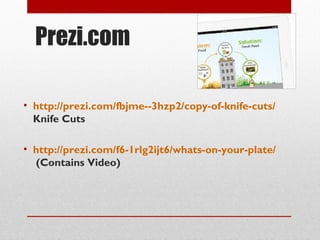
Prezi.com

• http://prezi.com/fbjme--3hzp2/copy-of-knife-cuts/
  Knife Cuts

• http://prezi.com/f6-1rlg2ijt6/whats-on-your-plate/
  (Contains Video)
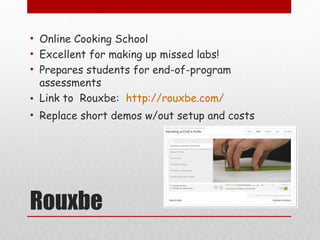
• Online Cooking School
• Excellent for making up missed labs!
• Prepares students for end-of-program
  assessments
• Link to Rouxbe: http://rouxbe.com/
• Replace short demos w/out setup and costs


Rouxbe
Exploring Online Sites:


http://questgarden.com/147/47/1/120825142754/
                                           allstaractivities.com


                                           03/04/13
Tips for using the Online Scavenger Hunt or
                  Webquest:
• Reserve C.O.W. or computer lab.
• Check to make sure the websites are not
  blocked when logged in as a student
• Check with your technology department and
  administrators. Be prepared and have a backup
  for issues such as- slow or no internet
  connection, broken computer, etc.
• Set up rules, guidelines, and expectations prior
  to computer lab day.
• http://lshs.leesummit.k12.mo.us/lmclshs/FACs/Process.html

• http://www.gcs.k12.nc.us/17662098155711310/lib/17662098155711310

• http://www.mattawanschools.org/14652062293159703/lib/146
  52062293159703/ChooseMyPlate_WebQuest_2011.pdf

• http://www.zunal.com/webquest.php?w=107898 Note: This
  webquest could be used as an alternative for some
  accommodations


Sample Webquests
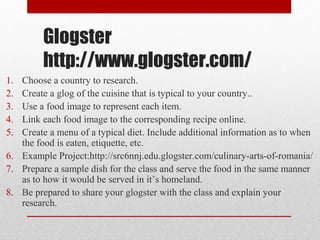
Glogster
         http://www.glogster.com/
1. Choose a country to research.
2. Create a glog of the cuisine that is typical to your country..
3. Use a food image to represent each item.
4. Link each food image to the corresponding recipe online.
5. Create a menu of a typical diet. Include additional information as to when
   the food is eaten, etiquette, etc.
6. Example Project:http://src6nnj.edu.glogster.com/culinary-arts-of-romania/
7. Prepare a sample dish for the class and serve the food in the same manner
   as to how it would be served in it’s homeland.
8. Be prepared to share your glogster with the class and explain your
   research.
http://www.scoop.it/#pg=1&mi=posts&si=0&panel=followedPanel&cat=followed&cv=0&cm=o


   Scoop.it! Share ideas that matter…
How Do You Know that They
       Know? Managing and
     Monitoring Student Learning
 There are many online resources for assessing student learning.
The following slides will provide some ideas that you may choose to
                    use in teaching any given unit.
DRAW, DESIGN, CREATE
http://poster.4teachers.org/

                    Draw a picture,
                    create a logo,
                    and
 Create a poster    Design your poster
  to summarize      using the link above,
 the information
  learned in this   publisher or another
       unit.        online source!
Sample Projects
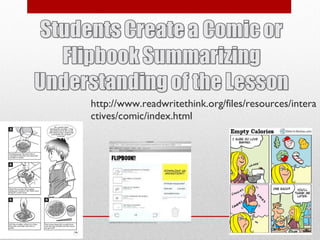
http://www.readwritethink.org/files/resources/intera
ctives/comic/index.html
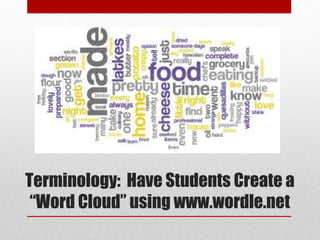
Terminology: Have Students Create a
 “Word Cloud” using www.wordle.net
• http://www.flickr.com/photos/vvonstruen/6786472758/


     Flickr Word Clouds
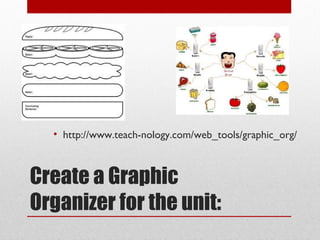
• http://www.teach-nology.com/web_tools/graphic_org/


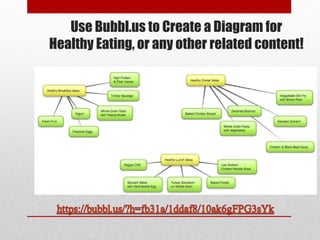
Create a Graphic
Organizer for the unit:
Use Bubbl.us to Create a Diagram for
Healthy Eating, or any other related content!
Reviewing for End-of-Program
  Assessments with Students:


http://www.studystack.com/flashcard-748272
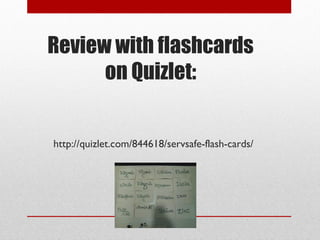
Review with flashcards
      on Quizlet:


http://quizlet.com/844618/servsafe-flash-cards/
Choose one of the resources
 shared today and explore
how you can incorporate it in
      your classroom.
Questions?
Partner up!

  Tell or teach each other the
two most important things you
   have learned so far about
 incorporating technology in
   the FACS Ed classroom.

 Switch roles and repeat the
          process.


                                 28
• At our next professional development:
  • Bring in samples of student work or a lesson you
    developed that Incorporates a resource from
    today or another technology resource.
  • Be prepared to share the outcomes.


Follow Up…

Technology in the CTE Classroom

Editor's Notes

  • #3 Additional Video Clip Options for Introduction: http://www.youtube.com/watch?v=L6zuvdLc2Pw http://www.youtube.com/watch?v=p_7TB7GiLXM
  • #5 5. Pass or Play teacher poses a question and gives wait time teacher calls on a student and asks them “ pass or play? ” student says “ play ” if they wish to answer the question or “ pass to__________ ” if they want to pass to a specific classmate teacher provides feedback
  • #8 Show Prezi- What’s On Your Plate- How can this be reused?
  • #10 Show Prezi- What’s On Your Plate at conference
  • #18 http://poster.4teachers.org/ provides resources for teacher’s to create lessons, posters, worksheets or even a class page! You can then set up classes and assign projects to your students. Draw a picture, design a t-shirt, bumper sticker or create a logo teacher instructs students to create a picture to summarize information, a demonstration that has been given, etc. teacher may have students share or may collect the products
  • #28 Q and A
  • #29 A-B Partner Teach partner A turn to partner B tell or teach your partner the two most important things you have learned so far about... switch roles and repeat the process teacher calls on non-volunteers