


Apps for CTSO’s 
THE POWER OF TECHNOLOGY IN TODAY'S CLASSROOM 
CREATED & PRESENTED BY RACHAEL MANN
Bell work:
"WE NEED TO PREPARE KIDS FOR THEIR FUTURE, NOT OUR PAST.” DANIEL PINK
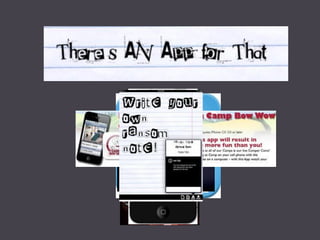
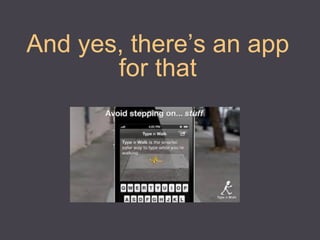
And yes, there’s an app for that
Daily Rubric App
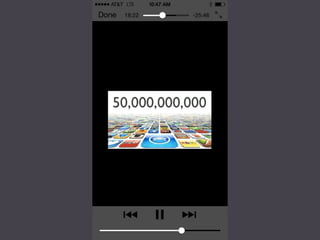
There’s almost an app for everything…
HTTP://PADLET.COM/AZFEA/TECHNOLOGY
Social Media in Classrooms & CTSO’s
•Promote your program. 
•Create a public service announcement on an important local or world issue and use social media to spread the word. 
•Business and Industry partners for your program. 
• 
•Showcase student and chapter achievements 
• 
•Write an original fairy tale with voice- overs, original music, video, and Art related to your content to reinforce academic standards 
How can Social Media be used 
in your classroom? 
There are a gazillion different ways... 
Here are just a few:
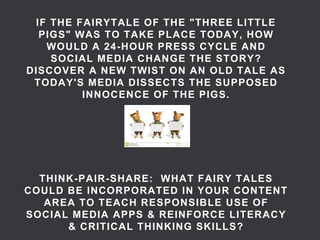
IF THE FAIRYTALE OF THE "THREE LITTLE PIGS" WAS TO TAKE PLACE TODAY, HOW WOULD A 24-HOUR PRESS CYCLE AND SOCIAL MEDIA CHANGE THE STORY? DISCOVER A NEW TWIST ON AN OLD TALE AS TODAY'S MEDIA DISSECTS THE SUPPOSED INNOCENCE OF THE PIGS. THINK-PAIR-SHARE: WHAT FAIRY TALES COULD BE INCORPORATED IN YOUR CONTENT AREA TO TEACH RESPONSIBLE USE OF SOCIAL MEDIA APPS & REINFORCE LITERACY & CRITICAL THINKING SKILLS?
B.Y.O.D. Work with a partner and explore the apps on your handout (or go to http://padlet.com/AZFEA/technology). 
•Blue: Apps that are useful for your CTSO 
•Yellow: Apps for classroom delivery (teacher) 
•Green: Apps for classroom projects and assignments (students) 
•Orange: Apps for personal effectiveness 
•Pink: Apps that are utterly useless for you or your students 
Place a STAR beside apps you have used before, be prepared to share your favorites! Checkmate posts that are already up.
What are the alternatives?
APP Challenge!!! 
•http://appchallenge.tsaweb.org/ 
•Promotes Teamwork 
•Builds Character 
•Teaches Critical Thinking 
•Win $5000-$20000 for your School
What Other apps or Technology are you using?
Closure: http://padlet.com/AZFEA/closure Double click anywhere on the wall and share how you can incorporate this session in your class or CTSO
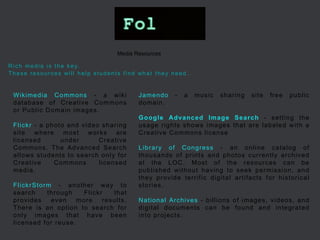
Wikimedia Commons - a wiki database of Creative Commons or Public Domain images. Flickr - a photo and video sharing site where most works are licensed under Creative Commons. The Advanced Search allows students to search only for Creative Commons licensed media. FlickrStorm - another way to search through Flickr that provides even more results. There is an option to search for only images that have been licensed for reuse. 
Media Resources 
Jamendo - a music sharing site free public domain. 
Google Advanced Image Search - setting the usage rights shows images that are labeled with a Creative Commons license 
Library of Congress - an online catalog of thousands of prints and photos currently archived at the LOC. Most of the resources can be published without having to seek permission, and they provide terrific digital artifacts for historical stories. 
National Archives - billions of images, videos, and digital documents can be found and integrated into projects. 
Rich media is the key. These resources will help students find what they need.
Additional Technology Resources: 
•http://www.bgmsipad.blogspot.com/ 
•http://mashable.com/2013/08/18/social-media-teachers/ 
•http://www.ctsos.org/ 
•http://www.slideshare.net/silg01/career-technolgy-student- organizations-2 
•http://www.freetech4teachers.com/ 
•http://www.livebinders.com/play/play?id=450926#
Contact info: 
•Rachael Mann 
•Website: http://arizonafea.com/ 
•Social Media: https://www.facebook.com/ArizonaFEA 
•Email: Rachael.Mann@azed.gov or Director@arizonafea.com 
•Office: 602-542-5315 
•Cell: 520-370-4914 
22

There's an APP for That: FBLA Presentation

  • 1.
    Apps for CTSO’s THE POWER OF TECHNOLOGY IN TODAY'S CLASSROOM CREATED & PRESENTED BY RACHAEL MANN
  • 2.
  • 4.
    "WE NEED TOPREPARE KIDS FOR THEIR FUTURE, NOT OUR PAST.” DANIEL PINK
  • 6.
    And yes, there’san app for that
  • 8.
  • 9.
    There’s almost anapp for everything…
  • 10.
  • 12.
    Social Media inClassrooms & CTSO’s
  • 13.
    •Promote your program. •Create a public service announcement on an important local or world issue and use social media to spread the word. •Business and Industry partners for your program. • •Showcase student and chapter achievements • •Write an original fairy tale with voice- overs, original music, video, and Art related to your content to reinforce academic standards How can Social Media be used in your classroom? There are a gazillion different ways... Here are just a few:
  • 14.
    IF THE FAIRYTALEOF THE "THREE LITTLE PIGS" WAS TO TAKE PLACE TODAY, HOW WOULD A 24-HOUR PRESS CYCLE AND SOCIAL MEDIA CHANGE THE STORY? DISCOVER A NEW TWIST ON AN OLD TALE AS TODAY'S MEDIA DISSECTS THE SUPPOSED INNOCENCE OF THE PIGS. THINK-PAIR-SHARE: WHAT FAIRY TALES COULD BE INCORPORATED IN YOUR CONTENT AREA TO TEACH RESPONSIBLE USE OF SOCIAL MEDIA APPS & REINFORCE LITERACY & CRITICAL THINKING SKILLS?
  • 15.
    B.Y.O.D. Work witha partner and explore the apps on your handout (or go to http://padlet.com/AZFEA/technology). •Blue: Apps that are useful for your CTSO •Yellow: Apps for classroom delivery (teacher) •Green: Apps for classroom projects and assignments (students) •Orange: Apps for personal effectiveness •Pink: Apps that are utterly useless for you or your students Place a STAR beside apps you have used before, be prepared to share your favorites! Checkmate posts that are already up.
  • 16.
    What are thealternatives?
  • 17.
    APP Challenge!!! •http://appchallenge.tsaweb.org/ •Promotes Teamwork •Builds Character •Teaches Critical Thinking •Win $5000-$20000 for your School
  • 18.
    What Other appsor Technology are you using?
  • 19.
    Closure: http://padlet.com/AZFEA/closure Doubleclick anywhere on the wall and share how you can incorporate this session in your class or CTSO
  • 20.
    Wikimedia Commons -a wiki database of Creative Commons or Public Domain images. Flickr - a photo and video sharing site where most works are licensed under Creative Commons. The Advanced Search allows students to search only for Creative Commons licensed media. FlickrStorm - another way to search through Flickr that provides even more results. There is an option to search for only images that have been licensed for reuse. Media Resources Jamendo - a music sharing site free public domain. Google Advanced Image Search - setting the usage rights shows images that are labeled with a Creative Commons license Library of Congress - an online catalog of thousands of prints and photos currently archived at the LOC. Most of the resources can be published without having to seek permission, and they provide terrific digital artifacts for historical stories. National Archives - billions of images, videos, and digital documents can be found and integrated into projects. Rich media is the key. These resources will help students find what they need.
  • 21.
    Additional Technology Resources: •http://www.bgmsipad.blogspot.com/ •http://mashable.com/2013/08/18/social-media-teachers/ •http://www.ctsos.org/ •http://www.slideshare.net/silg01/career-technolgy-student- organizations-2 •http://www.freetech4teachers.com/ •http://www.livebinders.com/play/play?id=450926#
  • 22.
    Contact info: •RachaelMann •Website: http://arizonafea.com/ •Social Media: https://www.facebook.com/ArizonaFEA •Email: Rachael.Mann@azed.gov or Director@arizonafea.com •Office: 602-542-5315 •Cell: 520-370-4914 22