Flipping Professional 
Development 
AESA 2014 
Dan Spencer 
Jackson County ISD 
@runfardvs 
All Resources At 
bit.ly/flipaesa14
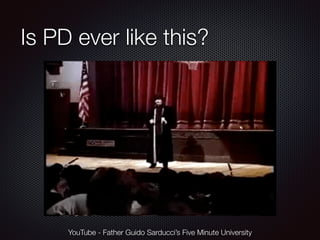
Is PD ever like this? 
YouTube - Father Guido Sarducci’s Five Minute University
Time to Share! 
What has been your “worst” 
PD experience?
Time to Share! 
What has been your “best” PD 
experience?
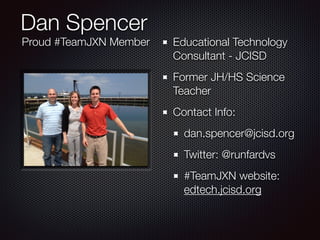
Dan Spencer 
Educational Technology 
Consultant - JCISD 
Former JH/HS Science 
Teacher 
Contact Info: 
dan.spencer@jcisd.org 
Twitter: @runfardvs 
#TeamJXN website: 
edtech.jcisd.org 
Proud #TeamJXN Member
The bane of any PD is 
logging in
What is the most effective 
way to spend PD time?
“Can you come in and show 
my teachers how to use 
Microsoft Office?” 
[Local principal, one week before school 
started]
Put teachers in a PD 
situation and we become 
our students.
Apply what I learned flipping 
my chemistry classroom 
towards teacher PD
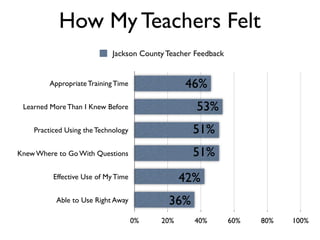
How My Teachers Felt 
Jackson County Teacher Feedback 
Appropriate Training Time 
Learned More Than I Knew Before 
Practiced Using the Technology 
Knew Where to Go With Questions 
Effective Use of My Time 
Able to Use Right Away 
46% 
53% 
51% 
51% 
42% 
36% 
0% 20% 40% 60% 80% 100%
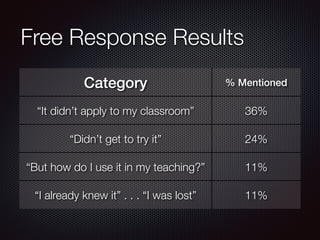
Free Response Results 
Category % Mentioned 
“It didn’t apply to my classroom” 36% 
“Didn’t get to try it” 24% 
“But how do I use it in my teaching?” 11% 
“I already knew it” . . . “I was lost” 11%
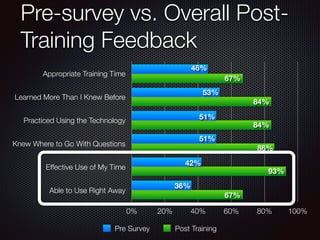
Pre-survey vs. Overall Post- 
Training Feedback 
Appropriate Training Time 
Learned More Than I Knew Before 
Practiced Using the Technology 
Knew Where to Go With Questions 
Effective Use of My Time 
Able to Use Right Away 
46% 
0% 20% 40% 60% 80% 100% 
Pre Survey Post Training 
67% 
53% 
84% 
51% 
51% 
42% 
36% 
84% 
86% 
93% 
67%
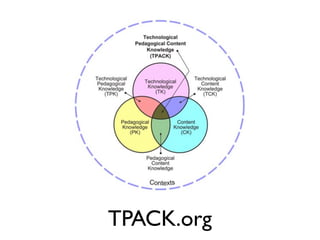
TPACK.org
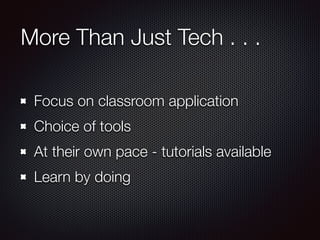
More Than Just Tech . . . 
Focus on classroom application 
Choice of tools 
At their own pace - tutorials available 
Learn by doing
Can you show my teachers how to 
use PowerPoint?
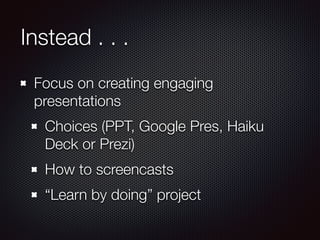
Instead . . . 
Focus on creating engaging 
presentations 
Choices (PPT, Google Pres, Haiku 
Deck or Prezi) 
How to screencasts 
“Learn by doing” project
Hour Or Less PD
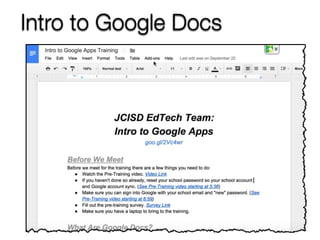
Intro to Google Docs
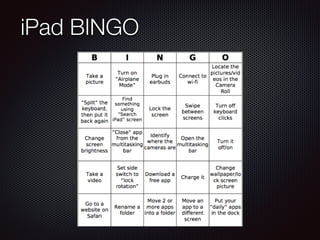
iPad BINGO
Half Day / One Day Trainings
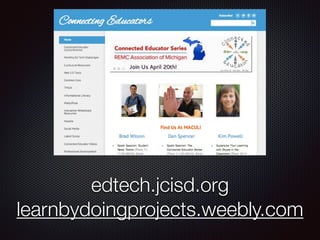
edtech.jcisd.org 
learnbydoingprojects.weebly.com
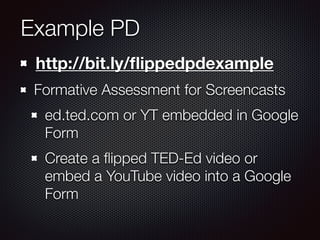
Example PD 
http://bit.ly/flippedpdexample 
Formative Assessment for Screencasts 
ed.ted.com or YT embedded in Google 
Form 
Create a flipped TED-Ed video or 
embed a YouTube video into a Google 
Form
Long Term PD
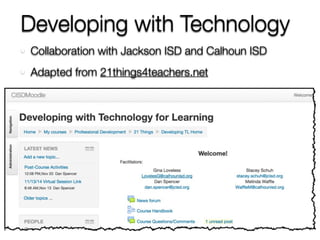
Developing with Technology 
Collaboration with Jackson ISD and Calhoun ISD 
Adapted from 21things4teachers.net
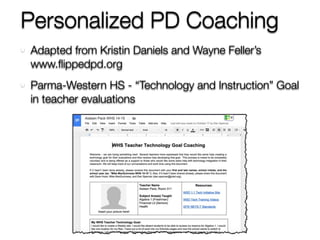
Personalized PD Coaching 
Adapted from Kristin Daniels and Wayne Feller’s 
www.flippedpd.org 
Parma-Western HS - “Technology and Instruction” Goal 
in teacher evaluations
Snagit Screencasting Demo

FlippedPD - AESA 2014 Conference

  • 1.
    Flipping Professional Development AESA 2014 Dan Spencer Jackson County ISD @runfardvs All Resources At bit.ly/flipaesa14
  • 2.
    Is PD everlike this? YouTube - Father Guido Sarducci’s Five Minute University
  • 3.
    Time to Share! What has been your “worst” PD experience?
  • 4.
    Time to Share! What has been your “best” PD experience?
  • 5.
    Dan Spencer EducationalTechnology Consultant - JCISD Former JH/HS Science Teacher Contact Info: dan.spencer@jcisd.org Twitter: @runfardvs #TeamJXN website: edtech.jcisd.org Proud #TeamJXN Member
  • 6.
    The bane ofany PD is logging in
  • 7.
    What is themost effective way to spend PD time?
  • 9.
    “Can you comein and show my teachers how to use Microsoft Office?” [Local principal, one week before school started]
  • 10.
    Put teachers ina PD situation and we become our students.
  • 11.
    Apply what Ilearned flipping my chemistry classroom towards teacher PD
  • 12.
    How My TeachersFelt Jackson County Teacher Feedback Appropriate Training Time Learned More Than I Knew Before Practiced Using the Technology Knew Where to Go With Questions Effective Use of My Time Able to Use Right Away 46% 53% 51% 51% 42% 36% 0% 20% 40% 60% 80% 100%
  • 13.
    Free Response Results Category % Mentioned “It didn’t apply to my classroom” 36% “Didn’t get to try it” 24% “But how do I use it in my teaching?” 11% “I already knew it” . . . “I was lost” 11%
  • 14.
    Pre-survey vs. OverallPost- Training Feedback Appropriate Training Time Learned More Than I Knew Before Practiced Using the Technology Knew Where to Go With Questions Effective Use of My Time Able to Use Right Away 46% 0% 20% 40% 60% 80% 100% Pre Survey Post Training 67% 53% 84% 51% 51% 42% 36% 84% 86% 93% 67%
  • 15.
  • 16.
    More Than JustTech . . . Focus on classroom application Choice of tools At their own pace - tutorials available Learn by doing
  • 17.
    Can you showmy teachers how to use PowerPoint?
  • 18.
    Instead . .. Focus on creating engaging presentations Choices (PPT, Google Pres, Haiku Deck or Prezi) How to screencasts “Learn by doing” project
  • 19.
  • 20.
  • 21.
  • 22.
    Half Day /One Day Trainings
  • 23.
  • 24.
    Example PD http://bit.ly/flippedpdexample Formative Assessment for Screencasts ed.ted.com or YT embedded in Google Form Create a flipped TED-Ed video or embed a YouTube video into a Google Form
  • 25.
  • 26.
    Developing with Technology Collaboration with Jackson ISD and Calhoun ISD Adapted from 21things4teachers.net
  • 27.
    Personalized PD Coaching Adapted from Kristin Daniels and Wayne Feller’s www.flippedpd.org Parma-Western HS - “Technology and Instruction” Goal in teacher evaluations
  • 28.