to Engage Learners and Differentiate  InstructionAndrew HalterInstructional Technology CoachHampton Twp School DistrictTech Based Strategies
www.cffresources.wikispaces.comClick on the Differentiation with Techlinkon the left
I am the tech leery monkI am the tech savvy monkI am somewhere in betweenHow do you relate?
Student Needs—The BIG picture:We are "moving from the Information Age to the Conceptual Age." Schools must prepare students for a different workplace--one that valuesinnovation, imagination, creativity, communication, and emotional intelligence.			~ Daniel Pink, A Whole New Mind 2005
Today’s students demand…"Engage me or enrage me."						~Mark PrenskyEducational software designer/authorStudent Needs—The Reality
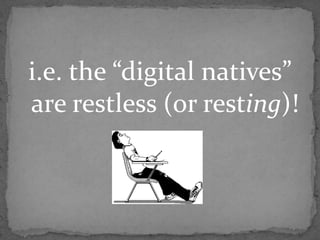
i.e. the “digital natives” are restless (or resting)!
Formative AssessmentDynamic Classroom Resources with Wikis and BlogsDigital Storytelling ToolsMany other web 2.0 tools along the wayWe will cover:
Bag O’Tricks
Technology EngagesContent--by giving teachers and students instant, anywhere anytime access to present and consume information in practically infinite, ever expanding forms.Process--by providing tools to vary instructional practice , engage learners, and provide opportunities for collaboration and authentic audience.Product --by providing tools to CREATE dynamic, authentic products t0 show understanding and explore relevance.
Click on the TASK #1 link and share a successful experience  you have had with students and technology.“I have used ____________ to ________________.”Your Turn…
Click on the Tech Check Survey link on the wiki and check all boxes that apply.Your Turn (again)
Formative AssessmentAssessmentFOR learning
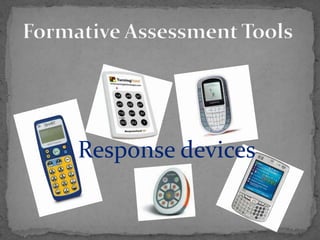
Formative Assessment ToolsResponse devices
ex 2ex 2Survey and quiz creation tools
Chatroomsand Discussion Boardsex 2
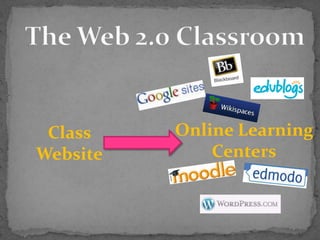
The Web 2.0 ClassroomOnline Learning CentersClass Website
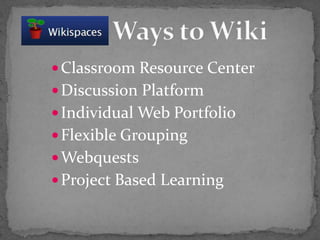
Classroom Resource CenterDiscussion PlatformIndividual Web PortfolioFlexible GroupingWebquestsProject Based Learning          Ways to Wiki
http://rakersmath.wikispaces.com/http://foleybio.wikispaces.com/http://rossienglish.wikispaces.com/http://mrsboltonenglish.wikispaces.com/Wikis as a Classroom Website and Resource
http://explorersreadingclass.wikispaces.com/http://isearchenglish10-6.wikispaces.com/http://ruggerienglish09-10.wikispaces.comhttp://thomsonenglish.wikispaces.com/http://emmettenglish.wikispaces.com/http://aesstudyskills.wikispaces.com/Individual and Class Portfolios
http://wsp1.wikispaces.com/http://evolutionintheclassroom09.wikispaces.com/http://mrceccarelli.wikispaces.com/http://heranicleclerc.wikispaces.com/Wikis for Collaboration
http://hmsvalentine.wikispaces.com/http://grammarstuff.wikispaces.com/http://hmslagnese.wikispaces.com/http://mrceccarelli.wikispaces.com/Modern+Materials+Application+Assignmenthttp://shakesbook.wikispaces.com/http://msdrenaissance.wikispaces.com/Wikis for Project Based Assessment
http://webler.wikispaces.com/Heart+of+Darknesshttp://millersmathclass8.wikispaces.com/Wiki-based Webquests
Independent Reading ReflectionsReader Response JournalRelevance and Connections Creative Voice BlogsKWL logsBlogs
http://bonaparte01.edublogs.org/http://mrsthomsonenglish11.edublogs.org/http://emmett1.edublogs.org/Blog Examples
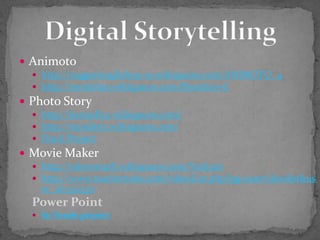
Animotohttp://ruggerienglish09-10.wikispaces.com/ANIMOTO_4http://mrsdolan.wikispaces.com/Brandon+CPhoto Storyhttp://kennelly2.wikispaces.com/http://mrsdietz.wikispaces.com/Duck ProjectMovie Makerhttp://rakersmath.wikispaces.com/Vodcasthttp://www.teachertube.com/videoList.php?pg=uservideolist&user_id=512370Power PointSe Vende projectDigital Storytelling
http://ruggerienglish09-10.wikispaces.com/Period+4+Podcast+Pagehttp://thomsonenglish.wikispaces.com/Cultural Geography ExamplePodcasting
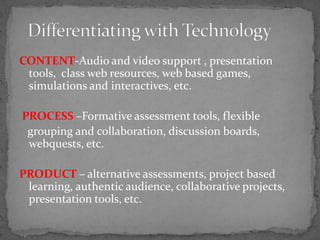
CONTENT-Audio and video support , presentation tools,  class web resources, web based games, simulations and interactives, etc. PROCESS –Formative assessment tools, flexible   grouping and collaboration, discussion boards, webquests, etc. PRODUCT – alternative assessments, project based learning, authentic audience, collaborative projects,  presentation tools, etc.Differentiating with Technology
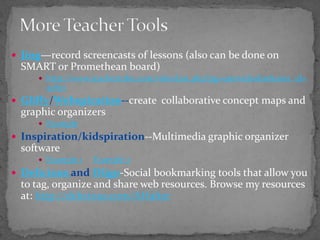
More Teacher ToolsJing—record screencasts of lessons (also can be done on SMART or Promethean board)http://www.teachertube.com/videoList.php?pg=uservideolist&user_id=51807Gliffy/Webspiration--create  collaborative concept maps and graphic organizersExampleInspiration/kidspiration--Multimedia graphic organizer softwareExample 1Example 2Delicious and Diigo-Social bookmarking tools that allow you to tag, organize and share web resources. Browse my resources at: http://delicious.com/AHalter
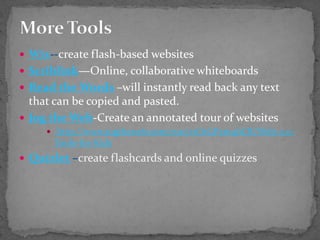
More ToolsWix--create flash-based websitesScriblink—Online, collaborative whiteboardsRead the Words–will instantly read back any text that can be copied and pasted.Jog the Web-Create an annotated tour of websites http://www.jogtheweb.com/run/z1O1GPxm4bCR/Web-2.0-Tools-for-KidsQuizlet–create flashcards and online quizzes
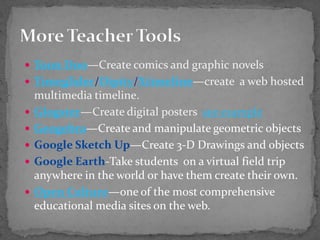
Toon Doo—Create comics and graphic novelsTimeglider/Dipity/Xtimeline—create  a web hosted multimedia timeline.Glogster—Create digital posters  see exampleGeogebra—Create and manipulate geometric objectsGoogle Sketch Up—Create 3-D Drawings and objectsGoogle Earth-Take students  on a virtual field trip anywhere in the world or have them create their own.Open Culture—one of the most comprehensive educational media sites on the web.More Teacher Tools
We covered:Formative AssessmentDynamic Classroom Resources with Wikis and BlogsDigital Storytelling ToolsMany other web 2.0 tools along the wayMy Goal…to inspire you, not overwhelm you!Wheww!!!
Find one tool and run with itYOU don’t have to be the expertShare student work Monitor and adjustShare the wealth with colleaguesTips For Trying
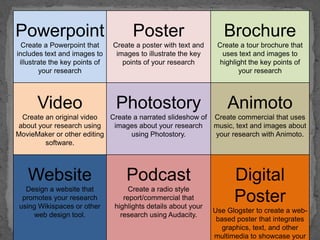
Design a lesson that integrates one of the tools mentioned in today’s workshop.Begin a class resource wiki or a project wiki--start simple and expand throughout the yearPlan a lesson that offers a technology based assessment option (Animoto, Photostory,  Glogster, Toon Doo, Wix, Wiki design, etc.)Some Suggestions…

Tech di strategies mercer III