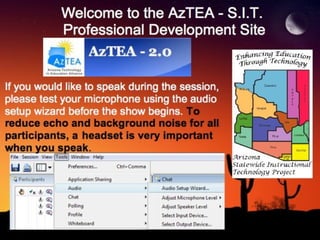
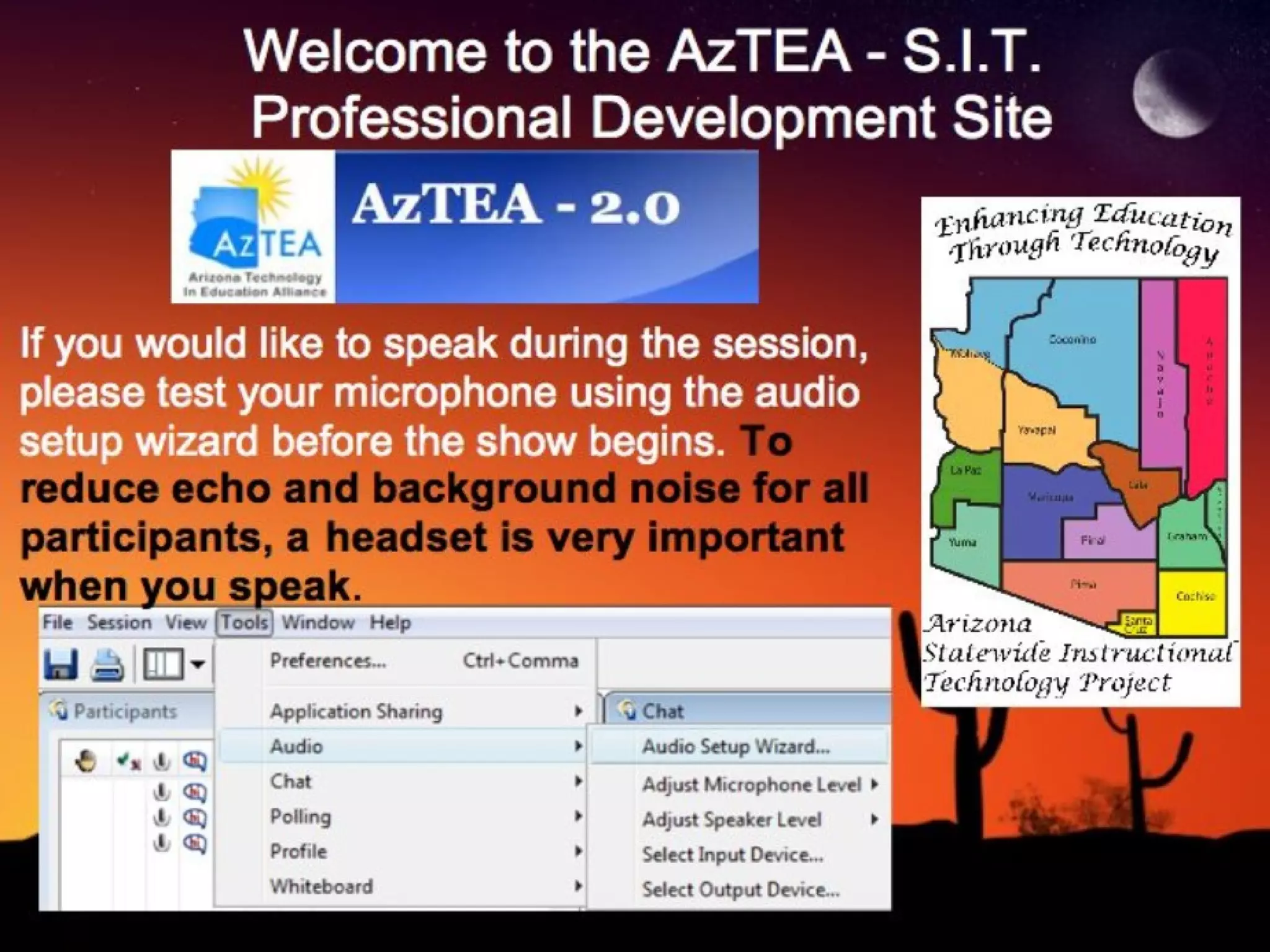
Welcome to the AzTEA - S.I.T.  Professional Development Site If you would like to speak during the session, please test your microphone using the audio setup wizard before the show begins.  To reduce echo and background noise for all participants,   a   headset is very important when you speak .
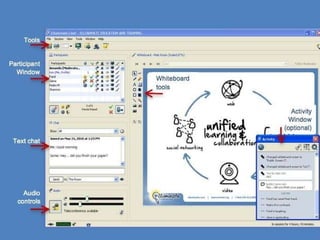
Participant Interface Participant Window Text chat Audio controls Tools Activity Window (optional) Whiteboard tools
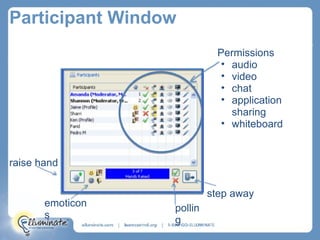
Participant Window raise hand emoticons polling step away Image of Participant Window which shows the following areas:  Permissions audio video chat application sharing whiteboard
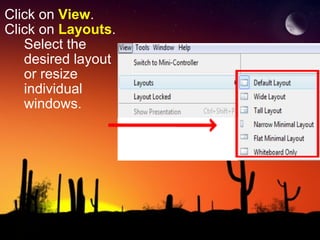
Click on  View . Click on  Layouts .       Select the          desired layout        or resize        individual       windows.
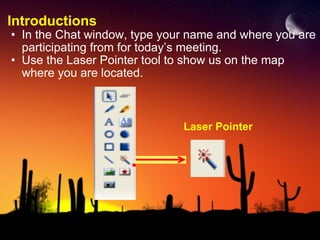
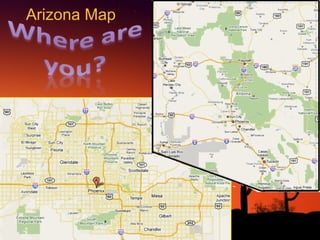
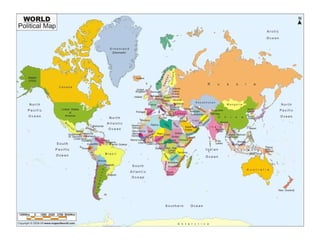
Introductions In the Chat window, type your name and where you are participating from for today’s meeting. Use the Laser Pointer tool to show us on the map where you are located. Laser Pointer
Arizona Map
 
Poll Question 1 Have you participated in an Elluminate LIVE session before?
Poll Question 2 Have you ever moderated an Elluminate LIVE session?
Links prepared for tonight's Mini-geekfest are available here for easy access: http://minigeekfest.wikispaces.com/Mini-geekfest_Links_5-09-11 Note: these links currently do not include links shared by participants during the session but they will be added later.     http://www.lillyarts.com/html/month_of_may.html May 9, 2011
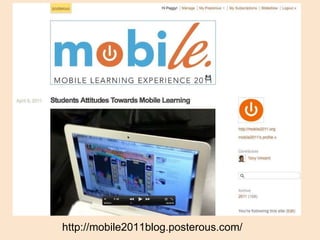
http://mobile2011blog.posterous.com/
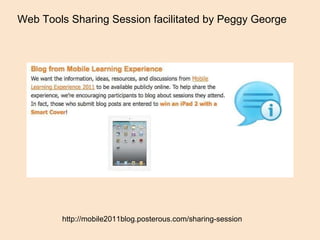
http://mobile2011blog.posterous.com/sharing-session Web Tools Sharing Session facilitated by Peggy George
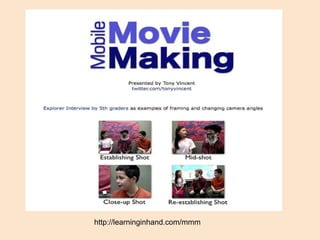
http://learninginhand.com/mmm
Flocabulary http://www.flocabulary.com Flocabulary produces educational hip-hop music and engaging curricular materials to teach academic content for grades K-12.
AIMS videos Arizona Instrument to Measure Standards  Richard Pino, 8th grade LA @ McKemy Middle School in Tempe Elementary   Bubble It  http://www1.teachertube.com/viewVideo.php?video_id=228689&title=Bubble_It&vpkey AIMS AIMS Baby http://www1.teachertube.com/viewVideo.php?video_id=172928&title=AIMS_AIMS_BABY
Now it's your turn! Raise your hand to take the mic! Image credit: http://sundayschoolmaterial.net/raising%20hands.gif
Seven Good Sources of Math Video Tutorials by Richard Byrne-FreeTech4Teachers http://www.freetech4teachers.com/2011/04/7-good-sources-of-mathematics-videos.html Good places that students can find mathematics tutorial videos on the web
Teacher Challenge on Edublogs: "30 days to using the best of the web’s free tools for educators” series http://teacherchallenge.edublogs.org/ The Teacher Challenge is made up of free 30 day professional development challenges where participants are stepped through weekly tasks that increase their skills while working together as part of a global community.  Examples of Contributions  Free Tools Challenge #5: Edmodo in the Web 2.0 Classroom Free Tools Challenge #4: Classtools.net – Quizzes, downloads, and educational games Free Tools Challenge #3: Bitstrips for Schools – Comics as a learning tool Free Tools Challenge #2: Create A Self Grading Multiple Choice Quiz Using Google Docs Free Tools Challenge #1: Wallwisher – Words That Stick
Sketchcast http://sketchcast.com/  Any sketch can then be embedded on your blog/ homepage for people to play-back, and you can also point people to your sketchcast channel here (or let them subscribe to your sketchcast RSS feed).    Sketchcasting is new but it's based on an old principle: the whiteboard (or the napkin in a bar) on which you sketch something to get a concept across... or to just have some fun. Sketchasting was invented by  Richard Ziade  on July 23rd, 2007,  Creative Commons licensed .
Magisto http://www.magisto.com/ Turn videos into short clips Have to sign up for an invitation - may take awhile to get in
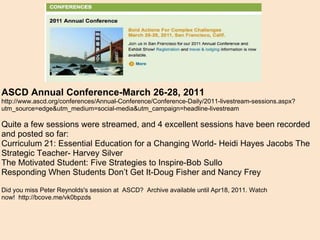
ASCD Annual Conference-March 26-28, 2011 http://www.ascd.org/conferences/Annual-Conference/Conference-Daily/2011-livestream-sessions.aspx?utm_source=edge&utm_medium=social-media&utm_campaign=headline-livestream Quite a few sessions were streamed, and 4 excellent sessions have been recorded and posted so far: Curriculum 21: Essential Education for a Changing World- Heidi Hayes Jacobs The Strategic Teacher- Harvey Silver The Motivated Student: Five Strategies to Inspire-Bob Sullo Responding When Students Don’t Get It-Doug Fisher and Nancy Frey   Did you miss Peter Reynolds's session at ASCD? Archive available until Apr18, 2011. Watch now! http://bcove.me/vk0bpzds
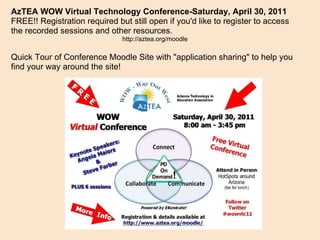
AzTEA WOW Virtual Technology Conference-Saturday, April 30, 2011 FREE!! Registration required but still open if you'd like to register to access the recorded sessions and other resources. http://aztea.org/moodle Quick Tour of Conference Moodle Site with "application sharing" to help you find your way around the site!
Now it's your turn! Raise your hand to take the mic! Image credit: http://sundayschoolmaterial.net/raising%20hands.gif
Paper Cranes for Japan Project   http://studentsrebuild.org/japan/ Make Paper Cranes, Rebuild Communities   On Friday, March 11, 2011, a massive earthquake struck Sendai, Japan, resulting in a devastating tsunami that ravaged the coast just 180 miles from Tokyo. In response, Students Rebuild partnered with DoSomething.org, to ensure students worldwide have a way to support their Japanese peers. Help Japan by making paper cranes.  These simple yet powerful gestures will trigger a $200,000 donation from the Bezos Family Foundation - $2 for each crane received - to Architecture for Humanity's reconstruction efforts in Japan. Once we reach our goal of 100,000 submissions, the cranes will be woven into an art installation - a symbolic gift from students around the globe to Japanese youth. See stories and pictures and "like" the Facebook page. https://www.facebook.com/papercranesforjapan
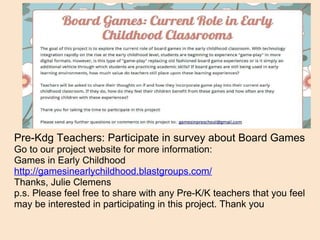
Pre-Kdg Teachers: Participate in survey about Board Games Go to our project website for more information: Games in Early Childhood  http://gamesinearlychildhood.blastgroups.com/ Thanks, Julie Clemens p.s. Please feel free to share with any Pre-K/K teachers that you feel may be interested in participating in this project. Thank you
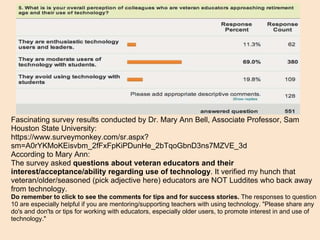
Fascinating survey results conducted by Dr. Mary Ann Bell, Associate Professor, Sam Houston State University:  https://www.surveymonkey.com/sr.aspx?sm=A0rYKMoKEisvbm_2fFxFpKiPDunHe_2bTqoGbnD3ns7MZVE_3d According to Mary Ann: The survey asked  questions about veteran educators and their interest/acceptance/ability regarding use of technology . It verified my hunch that veteran/older/seasoned (pick adjective here) educators are NOT Luddites who back away from technology. Do remember to click to see the comments for tips and for success stories.  The responses to question 10 are especially helpful if you are mentoring/supporting teachers with using technology. "Please share any do's and don'ts or tips for working with educators, especially older users, to promote interest in and use of technology."
Movies you can download...legally!  http://tech.blorge.com/Structure:%20/2010/08/11/top-40-best-free-legal-movies-you-can-download-right-now/     While you constantly hear about how downloading movies is illegal, there are numerous free legal movies you can download.  Sure we aren’t talking about the latest summer blockbusters here, but there are some great films out there on the Internet that can be had for free.    The Internet Archive works to bring together anything and everything that resides in the public domain, and that includes movies.  We’ve gathered together 40 of the best ones that will keep you entertained for hours on end, all without costing you a dime outside of using some of your bandwidth.  Enjoy!
Behold http://behold.cc/   Behold TM  is a search engine for high-quality Flickr images. It aims to answer your queries based on what is inside the images -- at the pixel level. It offers a completely new way to search for images, using techniques of  computer vision . It is different to standard image search engines, such as Flickr or Google, because those search through images using only image tags and filenames.
Today's Meet http://todaysmeet.com/ Backchanneling "lite" Easy to do. Able to print up transcript.  (Saved for 24 hours.)
Now it's your turn! Raise your hand to take the mic! Image credit: http://sundayschoolmaterial.net/raising%20hands.gif
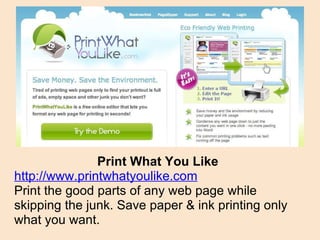
Print What You Like http://www.printwhatyoulike.com Print the good parts of any web page while skipping the junk. Save paper & ink printing only what you want.
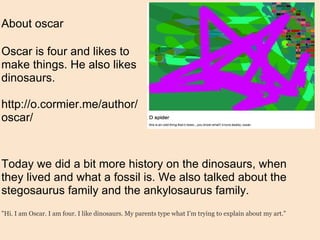
About oscar Oscar is four and likes to make things. He also likes dinosaurs. http://o.cormier.me/author/oscar/ Today we did a bit more history on the dinosaurs, when they lived and what a fossil is. We also talked about the stegosaurus family and the ankylosaurus family. "Hi. I am Oscar. I am four. I like dinosaurs. My parents type what I’m trying to explain about my art."
Board 800  http://board800.com/   Board 800 is an interactive multi-user (shared) whiteboard application that can be used for teaching, collaborative live training, brainstorming, and more. It is a great free application for students and teachers to use for up to 90 days, at which point the shared space is deleted. The site offers a lot of great functionality that is sure to make collaboration fun and easy.
Bembo's Zoo  http://www.bemboszoo.com/   Bembo's Zoo is a very simple site that allows students to select a letter of the alphabet and then watch an animal's name (starting with that letter) morph into the animal itself. Simple, but very beautiful and effective.
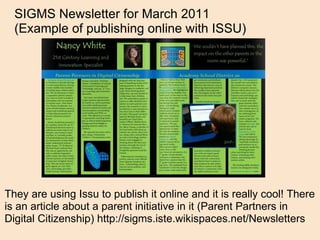
They are using Issu to publish it online and it is really cool! There is an article about a parent initiative in it (Parent Partners in Digital Citizenship) http://sigms.iste.wikispaces.net/Newsletters SIGMS Newsletter for March 2011  (Example of publishing online with ISSU)
  "How To" Videos for the Technology Classroom   http://www.learnitin5.com/Archives and don't forget about the amazing videos for learning about web tools shared by Adam Bellow on http://www.eduTecher.net
Special thanks - Everyone who participated
Would you like a professional development certificate for participating in this webinar?   1 hour of re-certification credit!  Complete this survey about tonight's Mini-geekfest and include your name and email address to request a certificate.  http://hnyctt.me/mini-geekfest-5-9-11 Next show: Monday, June 13, 2011
Upcoming Events Check the AzTEA calendar for future professional development events: http://www.aztea.org/events Register to participate in Regional AzTEA Conferences     WOW Virtual Technology Conference:  April 30, 2011- FREE!!! Conference is over but you can still register and access all of the recordings and resources. http://aztea.org/moodle
Where can you go from here? Join AzTEA for full membership benefits and more great professional development opportunities and resources Get technology integration support and follow-up training from the S.I.T. Project Submit an application as AzTEA member  to offer your own webinars and online workshops www.aztea.org
Learn Central Join Learn Central to collaborate with educators around the world and get your own “3 for Free” Elluminate site       http://www.learncentral.org    Join the AzTEA Professional Development group on Learn Central   http://www.learncentral.org/group/26127/aztea-20-professional-development

Mini-geekfest Webinar May 9, 2011

  • 1.
    Welcome to theAzTEA - S.I.T.  Professional Development Site If you would like to speak during the session, please test your microphone using the audio setup wizard before the show begins. To reduce echo and background noise for all participants, a headset is very important when you speak .
  • 2.
    Participant Interface ParticipantWindow Text chat Audio controls Tools Activity Window (optional) Whiteboard tools
  • 3.
    Participant Window raisehand emoticons polling step away Image of Participant Window which shows the following areas: Permissions audio video chat application sharing whiteboard
  • 4.
    Click on View . Click on Layouts .      Select the         desired layout       or resize       individual      windows.
  • 5.
    Introductions In theChat window, type your name and where you are participating from for today’s meeting. Use the Laser Pointer tool to show us on the map where you are located. Laser Pointer
  • 6.
  • 7.
  • 8.
    Poll Question 1Have you participated in an Elluminate LIVE session before?
  • 9.
    Poll Question 2Have you ever moderated an Elluminate LIVE session?
  • 10.
    Links prepared fortonight's Mini-geekfest are available here for easy access: http://minigeekfest.wikispaces.com/Mini-geekfest_Links_5-09-11 Note: these links currently do not include links shared by participants during the session but they will be added later.     http://www.lillyarts.com/html/month_of_may.html May 9, 2011
  • 11.
  • 12.
    http://mobile2011blog.posterous.com/sharing-session Web ToolsSharing Session facilitated by Peggy George
  • 13.
  • 14.
    Flocabulary http://www.flocabulary.com Flocabularyproduces educational hip-hop music and engaging curricular materials to teach academic content for grades K-12.
  • 15.
    AIMS videos ArizonaInstrument to Measure Standards Richard Pino, 8th grade LA @ McKemy Middle School in Tempe Elementary Bubble It  http://www1.teachertube.com/viewVideo.php?video_id=228689&title=Bubble_It&vpkey AIMS AIMS Baby http://www1.teachertube.com/viewVideo.php?video_id=172928&title=AIMS_AIMS_BABY
  • 16.
    Now it's yourturn! Raise your hand to take the mic! Image credit: http://sundayschoolmaterial.net/raising%20hands.gif
  • 17.
    Seven Good Sourcesof Math Video Tutorials by Richard Byrne-FreeTech4Teachers http://www.freetech4teachers.com/2011/04/7-good-sources-of-mathematics-videos.html Good places that students can find mathematics tutorial videos on the web
  • 18.
    Teacher Challenge onEdublogs: "30 days to using the best of the web’s free tools for educators” series http://teacherchallenge.edublogs.org/ The Teacher Challenge is made up of free 30 day professional development challenges where participants are stepped through weekly tasks that increase their skills while working together as part of a global community.  Examples of Contributions Free Tools Challenge #5: Edmodo in the Web 2.0 Classroom Free Tools Challenge #4: Classtools.net – Quizzes, downloads, and educational games Free Tools Challenge #3: Bitstrips for Schools – Comics as a learning tool Free Tools Challenge #2: Create A Self Grading Multiple Choice Quiz Using Google Docs Free Tools Challenge #1: Wallwisher – Words That Stick
  • 19.
    Sketchcast http://sketchcast.com/ Any sketch can then be embedded on your blog/ homepage for people to play-back, and you can also point people to your sketchcast channel here (or let them subscribe to your sketchcast RSS feed).    Sketchcasting is new but it's based on an old principle: the whiteboard (or the napkin in a bar) on which you sketch something to get a concept across... or to just have some fun. Sketchasting was invented by Richard Ziade on July 23rd, 2007, Creative Commons licensed .
  • 20.
    Magisto http://www.magisto.com/ Turnvideos into short clips Have to sign up for an invitation - may take awhile to get in
  • 21.
    ASCD Annual Conference-March26-28, 2011 http://www.ascd.org/conferences/Annual-Conference/Conference-Daily/2011-livestream-sessions.aspx?utm_source=edge&utm_medium=social-media&utm_campaign=headline-livestream Quite a few sessions were streamed, and 4 excellent sessions have been recorded and posted so far: Curriculum 21: Essential Education for a Changing World- Heidi Hayes Jacobs The Strategic Teacher- Harvey Silver The Motivated Student: Five Strategies to Inspire-Bob Sullo Responding When Students Don’t Get It-Doug Fisher and Nancy Frey   Did you miss Peter Reynolds's session at ASCD? Archive available until Apr18, 2011. Watch now! http://bcove.me/vk0bpzds
  • 22.
    AzTEA WOW VirtualTechnology Conference-Saturday, April 30, 2011 FREE!! Registration required but still open if you'd like to register to access the recorded sessions and other resources. http://aztea.org/moodle Quick Tour of Conference Moodle Site with "application sharing" to help you find your way around the site!
  • 23.
    Now it's yourturn! Raise your hand to take the mic! Image credit: http://sundayschoolmaterial.net/raising%20hands.gif
  • 24.
    Paper Cranes forJapan Project   http://studentsrebuild.org/japan/ Make Paper Cranes, Rebuild Communities On Friday, March 11, 2011, a massive earthquake struck Sendai, Japan, resulting in a devastating tsunami that ravaged the coast just 180 miles from Tokyo. In response, Students Rebuild partnered with DoSomething.org, to ensure students worldwide have a way to support their Japanese peers. Help Japan by making paper cranes. These simple yet powerful gestures will trigger a $200,000 donation from the Bezos Family Foundation - $2 for each crane received - to Architecture for Humanity's reconstruction efforts in Japan. Once we reach our goal of 100,000 submissions, the cranes will be woven into an art installation - a symbolic gift from students around the globe to Japanese youth. See stories and pictures and "like" the Facebook page. https://www.facebook.com/papercranesforjapan
  • 25.
    Pre-Kdg Teachers: Participatein survey about Board Games Go to our project website for more information: Games in Early Childhood http://gamesinearlychildhood.blastgroups.com/ Thanks, Julie Clemens p.s. Please feel free to share with any Pre-K/K teachers that you feel may be interested in participating in this project. Thank you
  • 26.
    Fascinating survey resultsconducted by Dr. Mary Ann Bell, Associate Professor, Sam Houston State University:  https://www.surveymonkey.com/sr.aspx?sm=A0rYKMoKEisvbm_2fFxFpKiPDunHe_2bTqoGbnD3ns7MZVE_3d According to Mary Ann: The survey asked  questions about veteran educators and their interest/acceptance/ability regarding use of technology . It verified my hunch that veteran/older/seasoned (pick adjective here) educators are NOT Luddites who back away from technology. Do remember to click to see the comments for tips and for success stories.  The responses to question 10 are especially helpful if you are mentoring/supporting teachers with using technology. "Please share any do's and don'ts or tips for working with educators, especially older users, to promote interest in and use of technology."
  • 27.
    Movies you candownload...legally! http://tech.blorge.com/Structure:%20/2010/08/11/top-40-best-free-legal-movies-you-can-download-right-now/     While you constantly hear about how downloading movies is illegal, there are numerous free legal movies you can download.  Sure we aren’t talking about the latest summer blockbusters here, but there are some great films out there on the Internet that can be had for free.    The Internet Archive works to bring together anything and everything that resides in the public domain, and that includes movies.  We’ve gathered together 40 of the best ones that will keep you entertained for hours on end, all without costing you a dime outside of using some of your bandwidth.  Enjoy!
  • 28.
    Behold http://behold.cc/ Behold TM is a search engine for high-quality Flickr images. It aims to answer your queries based on what is inside the images -- at the pixel level. It offers a completely new way to search for images, using techniques of computer vision . It is different to standard image search engines, such as Flickr or Google, because those search through images using only image tags and filenames.
  • 29.
    Today's Meet http://todaysmeet.com/Backchanneling "lite" Easy to do. Able to print up transcript.  (Saved for 24 hours.)
  • 30.
    Now it's yourturn! Raise your hand to take the mic! Image credit: http://sundayschoolmaterial.net/raising%20hands.gif
  • 31.
    Print What YouLike http://www.printwhatyoulike.com Print the good parts of any web page while skipping the junk. Save paper & ink printing only what you want.
  • 32.
    About oscar Oscaris four and likes to make things. He also likes dinosaurs. http://o.cormier.me/author/oscar/ Today we did a bit more history on the dinosaurs, when they lived and what a fossil is. We also talked about the stegosaurus family and the ankylosaurus family. "Hi. I am Oscar. I am four. I like dinosaurs. My parents type what I’m trying to explain about my art."
  • 33.
    Board 800  http://board800.com/ Board 800 is an interactive multi-user (shared) whiteboard application that can be used for teaching, collaborative live training, brainstorming, and more. It is a great free application for students and teachers to use for up to 90 days, at which point the shared space is deleted. The site offers a lot of great functionality that is sure to make collaboration fun and easy.
  • 34.
    Bembo's Zoo http://www.bemboszoo.com/ Bembo's Zoo is a very simple site that allows students to select a letter of the alphabet and then watch an animal's name (starting with that letter) morph into the animal itself. Simple, but very beautiful and effective.
  • 35.
    They are usingIssu to publish it online and it is really cool! There is an article about a parent initiative in it (Parent Partners in Digital Citizenship) http://sigms.iste.wikispaces.net/Newsletters SIGMS Newsletter for March 2011  (Example of publishing online with ISSU)
  • 36.
      "How To"Videos for the Technology Classroom   http://www.learnitin5.com/Archives and don't forget about the amazing videos for learning about web tools shared by Adam Bellow on http://www.eduTecher.net
  • 37.
    Special thanks -Everyone who participated
  • 38.
    Would you likea professional development certificate for participating in this webinar?   1 hour of re-certification credit! Complete this survey about tonight's Mini-geekfest and include your name and email address to request a certificate. http://hnyctt.me/mini-geekfest-5-9-11 Next show: Monday, June 13, 2011
  • 39.
    Upcoming Events Checkthe AzTEA calendar for future professional development events: http://www.aztea.org/events Register to participate in Regional AzTEA Conferences    WOW Virtual Technology Conference:  April 30, 2011- FREE!!! Conference is over but you can still register and access all of the recordings and resources. http://aztea.org/moodle
  • 40.
    Where can yougo from here? Join AzTEA for full membership benefits and more great professional development opportunities and resources Get technology integration support and follow-up training from the S.I.T. Project Submit an application as AzTEA member to offer your own webinars and online workshops www.aztea.org
  • 41.
    Learn Central JoinLearn Central to collaborate with educators around the world and get your own “3 for Free” Elluminate site       http://www.learncentral.org    Join the AzTEA Professional Development group on Learn Central   http://www.learncentral.org/group/26127/aztea-20-professional-development