SLIDESMANIA.COM
Teachers as
Collaborators
& Assistive
Technologies
EIM 504
SLIDESMANIA.COM
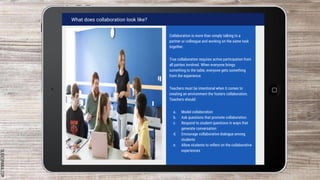
What does collaboration look like?
Collaboration is more than simply talking to a
partner or colleague and working on the same task
together.
True collaboration requires active participation from
all parties involved. When everyone brings
something to the table, everyone gets something
from the experience.
Teachers must be intentional when it comes to
creating an environment the fosters collaboration.
Teachers should:
a. Model collaboration
b. Ask questions that promote collaboration
c. Respond to student questions in ways that
generate conversation
d. Encourage collaborative dialogue among
students
e. Allow students to reflect on the collaborative
experiences
SLIDESMANIA.COM
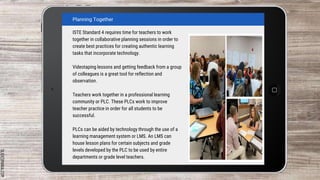
Planning Together
ISTE Standard 4 requires time for teachers to work
together in collaborative planning sessions in order to
create best practices for creating authentic learning
tasks that incorporate technology.
Videotaping lessons and getting feedback from a group
of colleagues is a great tool for reflection and
observation.
Teachers work together in a professional learning
community or PLC. These PLCs work to improve
teacher practice in order for all students to be
successful.
PLCs can be aided by technology through the use of a
learning management system or LMS. An LMS can
house lesson plans for certain subjects and grade
levels developed by the PLC to be used by entire
departments or grade level teachers.
SLIDESMANIA.COM
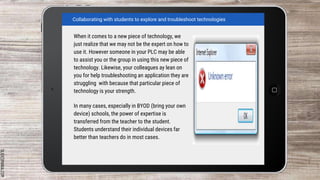
When it comes to a new piece of technology, we
just realize that we may not be the expert on how to
use it. However someone in your PLC may be able
to assist you or the group in using this new piece of
technology. Likewise, your colleagues ay lean on
you for help troubleshooting an application they are
struggling with because that particular piece of
technology is your strength.
In many cases, especially in BYOD (bring your own
device) schools, the power of expertise is
transferred from the teacher to the student.
Students understand their individual devices far
better than teachers do in most cases.
Collaborating with students to explore and troubleshoot technologies
SLIDESMANIA.COM
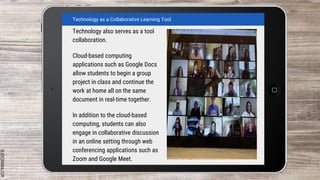
Technology also serves as a tool
collaboration.
Cloud-based computing
applications such as Google Docs
allow students to begin a group
project in class and continue the
work at home all on the same
document in real-time together.
In addition to the cloud-based
computing, students can also
engage in collaborative discussion
in an online setting through web
conferencing applications such as
Zoom and Google Meet.
Technology as a Collaborative Learning Tool
SLIDESMANIA.COM
As new technologies emerge the world is getting
smaller. The globalization of our world through
technologies such as social media and gaming
websites reveals new possibilities for students
and educators to gain a deeper cross-cultural
understanding.
Teachers are now able to reach out to teachers
across the country and the world through PLNs
that interact of social networking sites like
Twitter. These platforms all teachers to gain
different perspectives on the ways students
respond to content.
These globalizing technologies also connect
students to peers around the globe and can also
provide them with an authentic audience to
showcase their work. A student in New Jersey
can present on a report on the Civil War to a
student in Mississippi and reveal the regional
differences in understanding and teaching of the
war.
Culturally Responsive Communications
SLIDESMANIA.COM
SLIDESMANIA.COM
Assistive Technologies
Per the Technology-Related Assistance for Individuals with Disabilities Act of 1998, some
students may require the use of specific technologies known assistive technologies. This
technology devices help fulfill their accommodations in an IEP, 504, or EL plan.
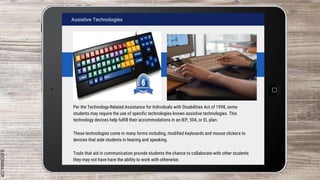
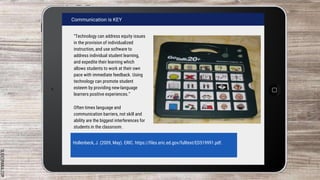
These technologies come in many forms including, modified keyboards and mouse clickers to
devices that aide students in hearing and speaking.
Tools that aid in communication provide students the chance to collaborate with other students
they may not have have the ability to work with otherwise.
SLIDESMANIA.COM
Communication is KEY
“Technology can address equity issues
in the provision of individualized
instruction, and use software to
address individual student learning,
and expedite their learning which
allows students to work at their own
pace with immediate feedback. Using
technology can promote student
esteem by providing new-language
learners positive experiences.”
Often times language and
communication barriers, not skill and
ability are the biggest interferences for
students in the classroom.
Hollenbeck, J. (2009, May). ERIC. https://files.eric.ed.gov/fulltext/ED519991.pdf.
SLIDESMANIA.COM
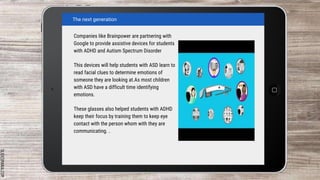
Companies like Brainpower are partnering with
Google to provide assistive devices for students
with ADHD and Autism Spectrum Disorder
This devices will help students with ASD learn to
read facial clues to determine emotions of
someone they are looking at.As most children
with ASD have a difficult time identifying
emotions.
These glasses also helped students with ADHD
keep their focus by training them to keep eye
contact with the person whom with they are
communicating. .
The next generation
SLIDESMANIA.COM
Free themes and templates for
Google Slides or PowerPoint
NOT to be sold as is or modified!
Read FAQ on slidesmania.com
Do not remove the slidesmania.com text on the sides.
Sharing is caring!

EIM 504 module 3

  • 1.
  • 2.
    SLIDESMANIA.COM What does collaborationlook like? Collaboration is more than simply talking to a partner or colleague and working on the same task together. True collaboration requires active participation from all parties involved. When everyone brings something to the table, everyone gets something from the experience. Teachers must be intentional when it comes to creating an environment the fosters collaboration. Teachers should: a. Model collaboration b. Ask questions that promote collaboration c. Respond to student questions in ways that generate conversation d. Encourage collaborative dialogue among students e. Allow students to reflect on the collaborative experiences
  • 3.
    SLIDESMANIA.COM Planning Together ISTE Standard4 requires time for teachers to work together in collaborative planning sessions in order to create best practices for creating authentic learning tasks that incorporate technology. Videotaping lessons and getting feedback from a group of colleagues is a great tool for reflection and observation. Teachers work together in a professional learning community or PLC. These PLCs work to improve teacher practice in order for all students to be successful. PLCs can be aided by technology through the use of a learning management system or LMS. An LMS can house lesson plans for certain subjects and grade levels developed by the PLC to be used by entire departments or grade level teachers.
  • 4.
    SLIDESMANIA.COM When it comesto a new piece of technology, we just realize that we may not be the expert on how to use it. However someone in your PLC may be able to assist you or the group in using this new piece of technology. Likewise, your colleagues ay lean on you for help troubleshooting an application they are struggling with because that particular piece of technology is your strength. In many cases, especially in BYOD (bring your own device) schools, the power of expertise is transferred from the teacher to the student. Students understand their individual devices far better than teachers do in most cases. Collaborating with students to explore and troubleshoot technologies
  • 5.
    SLIDESMANIA.COM Technology also servesas a tool collaboration. Cloud-based computing applications such as Google Docs allow students to begin a group project in class and continue the work at home all on the same document in real-time together. In addition to the cloud-based computing, students can also engage in collaborative discussion in an online setting through web conferencing applications such as Zoom and Google Meet. Technology as a Collaborative Learning Tool
  • 6.
    SLIDESMANIA.COM As new technologiesemerge the world is getting smaller. The globalization of our world through technologies such as social media and gaming websites reveals new possibilities for students and educators to gain a deeper cross-cultural understanding. Teachers are now able to reach out to teachers across the country and the world through PLNs that interact of social networking sites like Twitter. These platforms all teachers to gain different perspectives on the ways students respond to content. These globalizing technologies also connect students to peers around the globe and can also provide them with an authentic audience to showcase their work. A student in New Jersey can present on a report on the Civil War to a student in Mississippi and reveal the regional differences in understanding and teaching of the war. Culturally Responsive Communications
  • 7.
  • 8.
    SLIDESMANIA.COM Assistive Technologies Per theTechnology-Related Assistance for Individuals with Disabilities Act of 1998, some students may require the use of specific technologies known assistive technologies. This technology devices help fulfill their accommodations in an IEP, 504, or EL plan. These technologies come in many forms including, modified keyboards and mouse clickers to devices that aide students in hearing and speaking. Tools that aid in communication provide students the chance to collaborate with other students they may not have have the ability to work with otherwise.
  • 9.
    SLIDESMANIA.COM Communication is KEY “Technologycan address equity issues in the provision of individualized instruction, and use software to address individual student learning, and expedite their learning which allows students to work at their own pace with immediate feedback. Using technology can promote student esteem by providing new-language learners positive experiences.” Often times language and communication barriers, not skill and ability are the biggest interferences for students in the classroom. Hollenbeck, J. (2009, May). ERIC. https://files.eric.ed.gov/fulltext/ED519991.pdf.
  • 10.
    SLIDESMANIA.COM Companies like Brainpowerare partnering with Google to provide assistive devices for students with ADHD and Autism Spectrum Disorder This devices will help students with ASD learn to read facial clues to determine emotions of someone they are looking at.As most children with ASD have a difficult time identifying emotions. These glasses also helped students with ADHD keep their focus by training them to keep eye contact with the person whom with they are communicating. . The next generation
  • 11.
    SLIDESMANIA.COM Free themes andtemplates for Google Slides or PowerPoint NOT to be sold as is or modified! Read FAQ on slidesmania.com Do not remove the slidesmania.com text on the sides. Sharing is caring!

Editor's Notes

  • #2 To change the wallpaper, right click on it and select “Replace image”. In present mode, the home button on the slides will take you to slide 2, except for slide 2, that will take you to slide 1.
  • #8 To change the wallpaper, right click on it and select “Replace image”. In present mode, the home button on the slides will take you to slide 2, except for slide 2, that will take you to slide 1.