Engagement from Scratch

   By Damianne President
       @drpresident
Backchannel
(http://scratched.media.mit.edu/discussions/ev
ents/sotf12-engagement-scratch)

** http://tinyurl.com/scratchsotf12
** http://edmodo.com
** Edmodo Join Code: wd2wiu
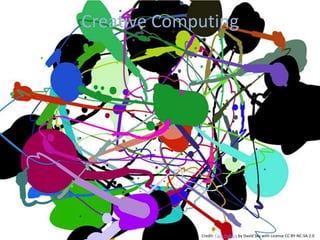
Creative Computing


             Credit: Faux Pollock by David Sky with License CC BY-NC-SA 2.0
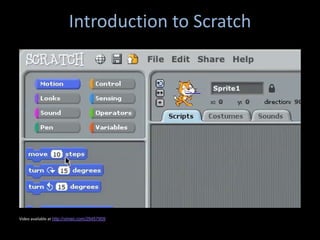
Introduction to Scratch


Video available at http://vimeo.com/29457909
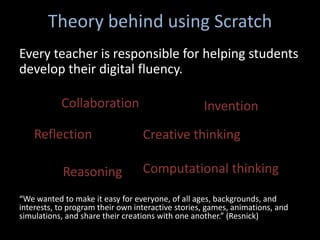
Theory behind using Scratch
Every teacher is responsible for helping students
develop their digital fluency.

           Collaboration                           Invention
    Reflection                    Creative thinking

            Reasoning             Computational thinking

“We wanted to make it easy for everyone, of all ages, backgrounds, and
interests, to program their own interactive stories, games, animations, and
simulations, and share their creations with one another.” (Resnick)
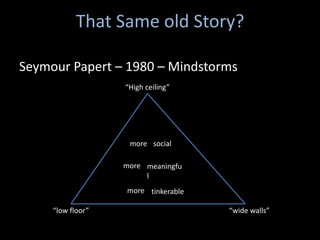
That Same old Story?

Seymour Papert – 1980 – Mindstorms
                   “High ceiling”


                    more social

                   more meaningfu
                        l
                   more tinkerable

     “low floor”                     “wide walls”
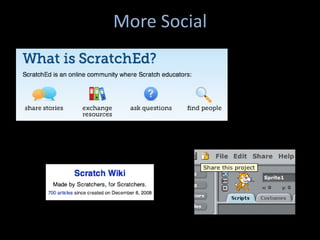
More Social
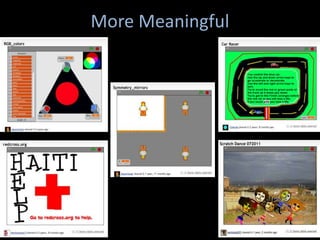
More Meaningful
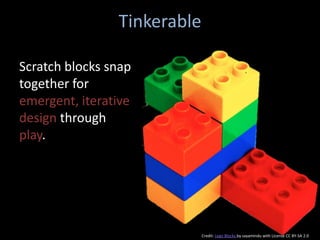
Tinkerable

Scratch blocks snap
together for
emergent, iterative
design through
play.


                             Credit: Lego Blocks by sayamindu with License CC BY-SA 2.0
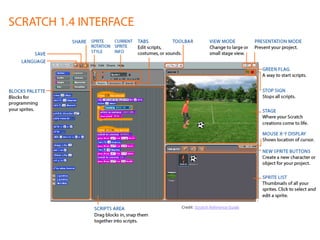
Credit: Scratch Reference Guide
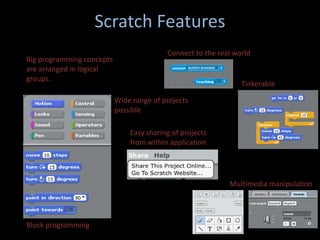
Scratch Features
                                          Connect to the real world
Big programming concepts
are arranged in logical
groups.
                                                                Tinkerable

                           Wide range of projects
                           possible

                               Easy sharing of projects
                               from within application


                                                            Multimedia manipulation


Block programming
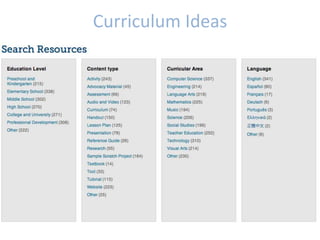
Curriculum Ideas
Lesson Plans and Projects
Create a list of ideas of how YOU can use Scratch
in your own classroom with students. What
might you have students create in Scratch that
relates to your subject area?
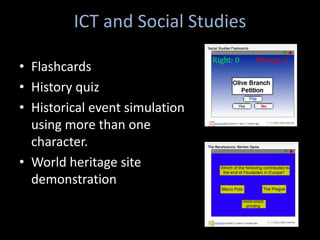
ICT and Social Studies

• Flashcards
• History quiz
• Historical event simulation
  using more than one
  character.
• World heritage site
  demonstration
ICT and Math
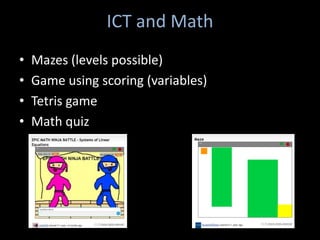
•   Mazes (levels possible)
•   Game using scoring (variables)
•   Tetris game
•   Math quiz
ICT and Language Arts
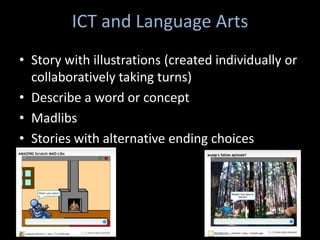
• Story with illustrations (created individually or
  collaboratively taking turns)
• Describe a word or concept
• Madlibs
• Stories with alternative ending choices
ICT and Arts
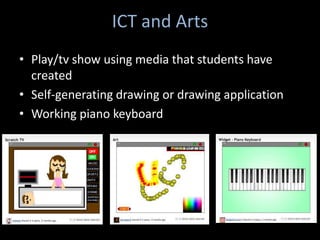
• Play/tv show using media that students have
  created
• Self-generating drawing or drawing application
• Working piano keyboard
ICT and Languages
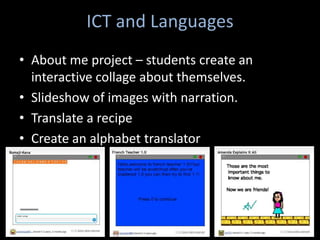
• About me project – students create an
  interactive collage about themselves.
• Slideshow of images with narration.
• Translate a recipe
• Create an alphabet translator
ICT and PE
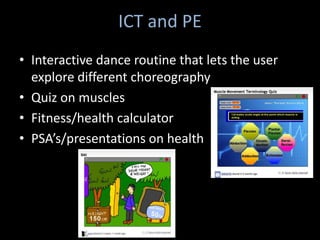
• Interactive dance routine that lets the user
  explore different choreography
• Quiz on muscles
• Fitness/health calculator
• PSA’s/presentations on health
ICT and Science
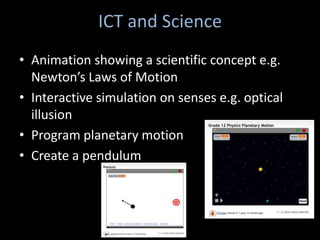
• Animation showing a scientific concept e.g.
  Newton’s Laws of Motion
• Interactive simulation on senses e.g. optical
  illusion
• Program planetary motion
• Create a pendulum
Implementation
• Stations
• Small group explorations
• Workshop style
• Intro scratch at beginning -> use for simple
  project -> build on each time
• Encourage students to use it after school and
  at home
Reflection
• How can Scratch fit into your classroom? Your
  school?
• If not Scratch, what else can you use to
  encourage creative computing and digital
  fluency in your classroom?
Resources
• http://shallwelearn.com/index.php/en/scratchpr
  ogrammingforkidscategory-4
• http://connectedlearning.tv/sowing-seeds-more-
  creative-society
• http://www.scratch.ie
• http://21centuryedtech.wordpress.com/2011/01
  /04/mits-scratch-part-4-twenty-webs-sites-to-
  support-scratch-and-the-itch-for-transforming-
  education/
• http://www.youtube.com/watch?v=oXPKvoPYW_
  8
References
• Resnick, M., Maloney, J., Monroy-Hernandez, A.,
  Rusk, N., Eastmond, E., Brennan, K., Millner, A.,
  Rosenbaum, E., Silver, J., Silverman, B., and Kafai,
  Y. (2009). Scratch: Programming for all.
  Communications of the ACM, 52(11), 60-67. doi:
  10.1145/1592761.1592779
• http://www.glnd.k12.va.us/resources/scratch
• http://www.glnd.k12.va.us/wiki/index.php/Hand
  outs/Scratch

Engagement from scratch

  • 1.
    Engagement from Scratch By Damianne President @drpresident
  • 2.
  • 3.
    Creative Computing Credit: Faux Pollock by David Sky with License CC BY-NC-SA 2.0
  • 4.
    Introduction to Scratch Videoavailable at http://vimeo.com/29457909
  • 6.
    Theory behind usingScratch Every teacher is responsible for helping students develop their digital fluency. Collaboration Invention Reflection Creative thinking Reasoning Computational thinking “We wanted to make it easy for everyone, of all ages, backgrounds, and interests, to program their own interactive stories, games, animations, and simulations, and share their creations with one another.” (Resnick)
  • 7.
    That Same oldStory? Seymour Papert – 1980 – Mindstorms “High ceiling” more social more meaningfu l more tinkerable “low floor” “wide walls”
  • 8.
  • 9.
  • 10.
    Tinkerable Scratch blocks snap togetherfor emergent, iterative design through play. Credit: Lego Blocks by sayamindu with License CC BY-SA 2.0
  • 11.
  • 12.
    Scratch Features Connect to the real world Big programming concepts are arranged in logical groups. Tinkerable Wide range of projects possible Easy sharing of projects from within application Multimedia manipulation Block programming
  • 13.
  • 14.
    Lesson Plans andProjects Create a list of ideas of how YOU can use Scratch in your own classroom with students. What might you have students create in Scratch that relates to your subject area?
  • 15.
    ICT and SocialStudies • Flashcards • History quiz • Historical event simulation using more than one character. • World heritage site demonstration
  • 16.
    ICT and Math • Mazes (levels possible) • Game using scoring (variables) • Tetris game • Math quiz
  • 17.
    ICT and LanguageArts • Story with illustrations (created individually or collaboratively taking turns) • Describe a word or concept • Madlibs • Stories with alternative ending choices
  • 18.
    ICT and Arts •Play/tv show using media that students have created • Self-generating drawing or drawing application • Working piano keyboard
  • 19.
    ICT and Languages •About me project – students create an interactive collage about themselves. • Slideshow of images with narration. • Translate a recipe • Create an alphabet translator
  • 20.
    ICT and PE •Interactive dance routine that lets the user explore different choreography • Quiz on muscles • Fitness/health calculator • PSA’s/presentations on health
  • 21.
    ICT and Science •Animation showing a scientific concept e.g. Newton’s Laws of Motion • Interactive simulation on senses e.g. optical illusion • Program planetary motion • Create a pendulum
  • 22.
    Implementation • Stations • Smallgroup explorations • Workshop style • Intro scratch at beginning -> use for simple project -> build on each time • Encourage students to use it after school and at home
  • 23.
    Reflection • How canScratch fit into your classroom? Your school? • If not Scratch, what else can you use to encourage creative computing and digital fluency in your classroom?
  • 24.
    Resources • http://shallwelearn.com/index.php/en/scratchpr ogrammingforkidscategory-4 • http://connectedlearning.tv/sowing-seeds-more- creative-society • http://www.scratch.ie • http://21centuryedtech.wordpress.com/2011/01 /04/mits-scratch-part-4-twenty-webs-sites-to- support-scratch-and-the-itch-for-transforming- education/ • http://www.youtube.com/watch?v=oXPKvoPYW_ 8
  • 25.
    References • Resnick, M.,Maloney, J., Monroy-Hernandez, A., Rusk, N., Eastmond, E., Brennan, K., Millner, A., Rosenbaum, E., Silver, J., Silverman, B., and Kafai, Y. (2009). Scratch: Programming for all. Communications of the ACM, 52(11), 60-67. doi: 10.1145/1592761.1592779 • http://www.glnd.k12.va.us/resources/scratch • http://www.glnd.k12.va.us/wiki/index.php/Hand outs/Scratch

Editor's Notes

  • #2 Thank you for joining me today. I’m your workshop leader, Damianne President. Thinking about achievement and success for today - Opportunity for each of us to reflect on our teaching and ways to improve it. Hope that as you learn about Scratch, you fall in love with it as I have. But more than that, I hope that you join me in considering ways in which technology can not just engage students, but transform teaching and learningThere are many ways to achieve this. Scratch is one tool that we can use in our classrooms and so I’ll focus on it today.This session will attempt to blend presentation with conversation, thinking with dialogue, exploration with planning.Introduce myself3 parts – presentation, show around Scratch and Q/A
  • #4 How many of you use computersin your classroom? How many of you have 1-1 programs? Computers in every classroom? Carts? Think: What are the different ways in which you use computers in your classroom? How many of these activities involve students creating with computers?TPS: Now take a couple of minutes and define creative computing.Creative computing is …
  • #5 WebsiteCommunityResources
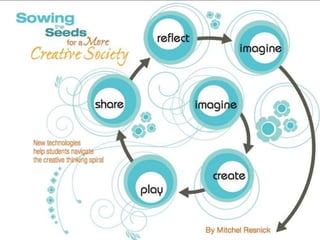
  • #6 Long love affairSeen it in action21st century skillsHelp encourage student creativity through a creative thinking spiral (Resnick)Build digital fluency
  • #7 In our use of technology in school, we still spend a lot of time consuming information through browsing and research.We interact by entering searches and making choices and engage in chatting.But do we spend enough time creating and remixing? How creatively do we use new technology?I’m working under the assumption that those are worthwhile skills. I assume that we all want our students to have these skills.*Collaboration, Creative Thinking, Reasoning, Computational thinkingReflectionInventionThink/pair/share – How do those six skills play out in your classroom? How does it happen?
  • #8 You may be familiar with the work of Seymour Papert who published Mindstorms in 1980. His book led to programming being introduced in schools, using Logo. Why did this end?Relate story about Logo and Math (first love) and how only a few students were engaged3 design principles
  • #9 Scratch has a community for collaboration, support, critiqueSharing built inProjects can be ran in browser (using Java based player)Creative Commons LicenseMotivation: receive feedback and adviceInspiration: see other projectsCollaboration: borrow, adapt, build upon, and people working together to create projects they couldn’t individuallyNetwork by showing which projects are related to each other, which inspired each other, giving creditLanguage support for a wide range of languages
  • #10 Scratch allows diversity and personalization.Users can create many different types of projects to meet interests and learning stylesUsers can personalize projects by importing mediaProjects can be “real” or “imaginary”
  • #11 Double click to executeCan have a messy planning areaChange instructions during execution to immediately see effectIntuitive
  • #13 Do a demo of Scratch
  • #14 A draft guide can be downloaded from ScratchEd. It is both subject-neutral and grade neutral.Draft curriculum show the curriculum meets NETS standards.Guides from Scotland, Ireland, Portugal also availableActive community of teachers
  • #16 Columbus
  • #17 The Cat Race