TEACHING USING VIDEOCONFERENCING University of the Highlands and Islands project Staff conference  January 2001
Videoconferencing uses Front-end lectures or presentations Seminars Collaborative work Assessment, interviews Student support
Key Issues Awareness of limitations and possibilities VC vs. traditional teaching environment Importance of preparation & training Importance of practice session/s
Technical Issues Where can you get help? Help for remote site Contingency plan
The Students Involve them Prepare them Make it personal Introduce variety Answering and asking questions
Visual Equipment Camera pre-sets Document Camera PC link Share applications Whiteboard Presentation packages (e.g. PowerPoint) Fax Video recorder
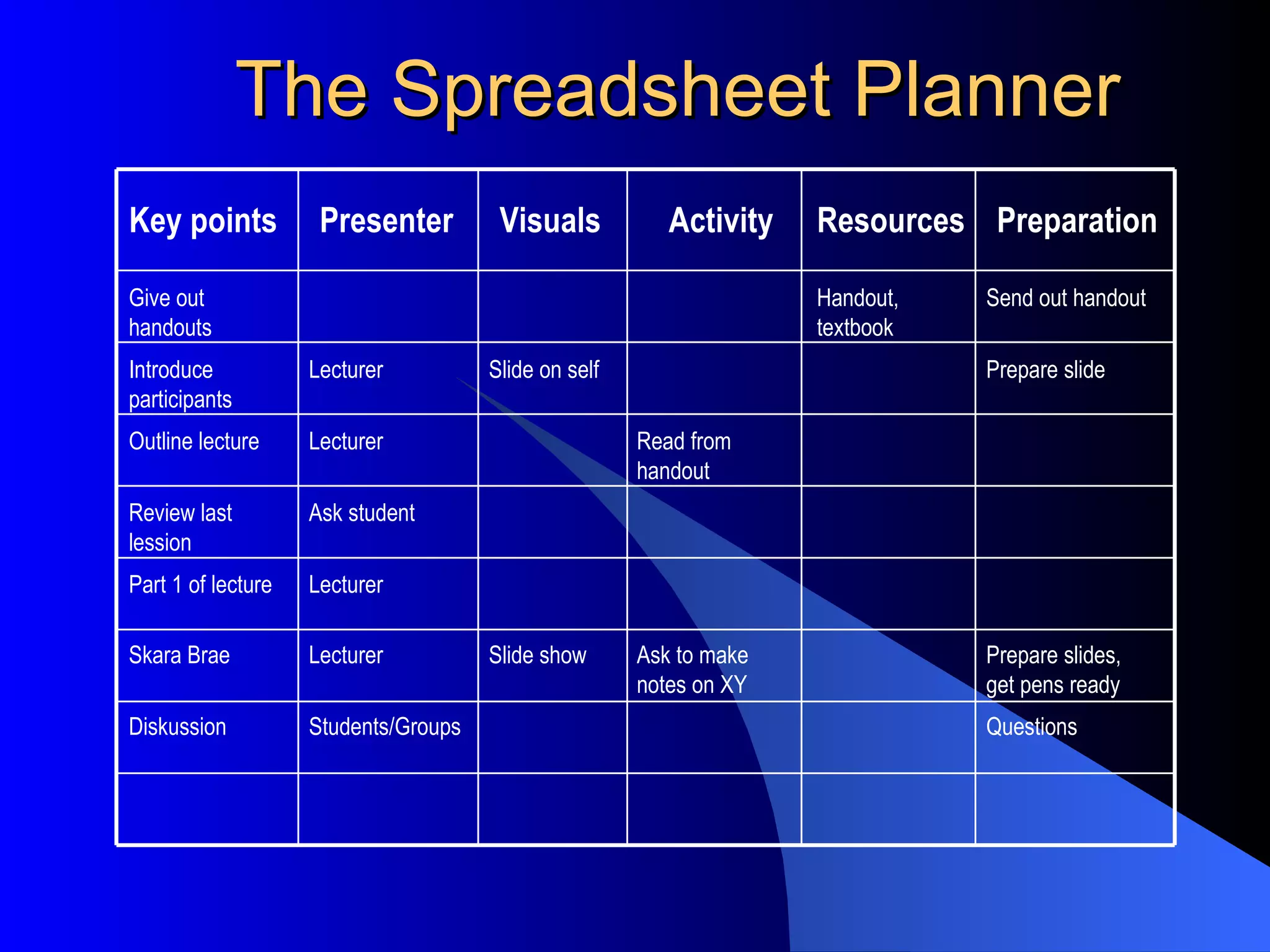
The Spreadsheet Planner Key points Visuals Activity Resources Preparation Presenter Questions Students/Groups Diskussion Prepare slides, get pens ready Ask to make notes on XY Slide show Lecturer Skara Brae Lecturer Part 1 of lecture Ask student Review last lession Read from handout Lecturer Outline lecture Prepare slide Slide on self Lecturer Introduce participants Send out handout Handout, textbook Give out handouts
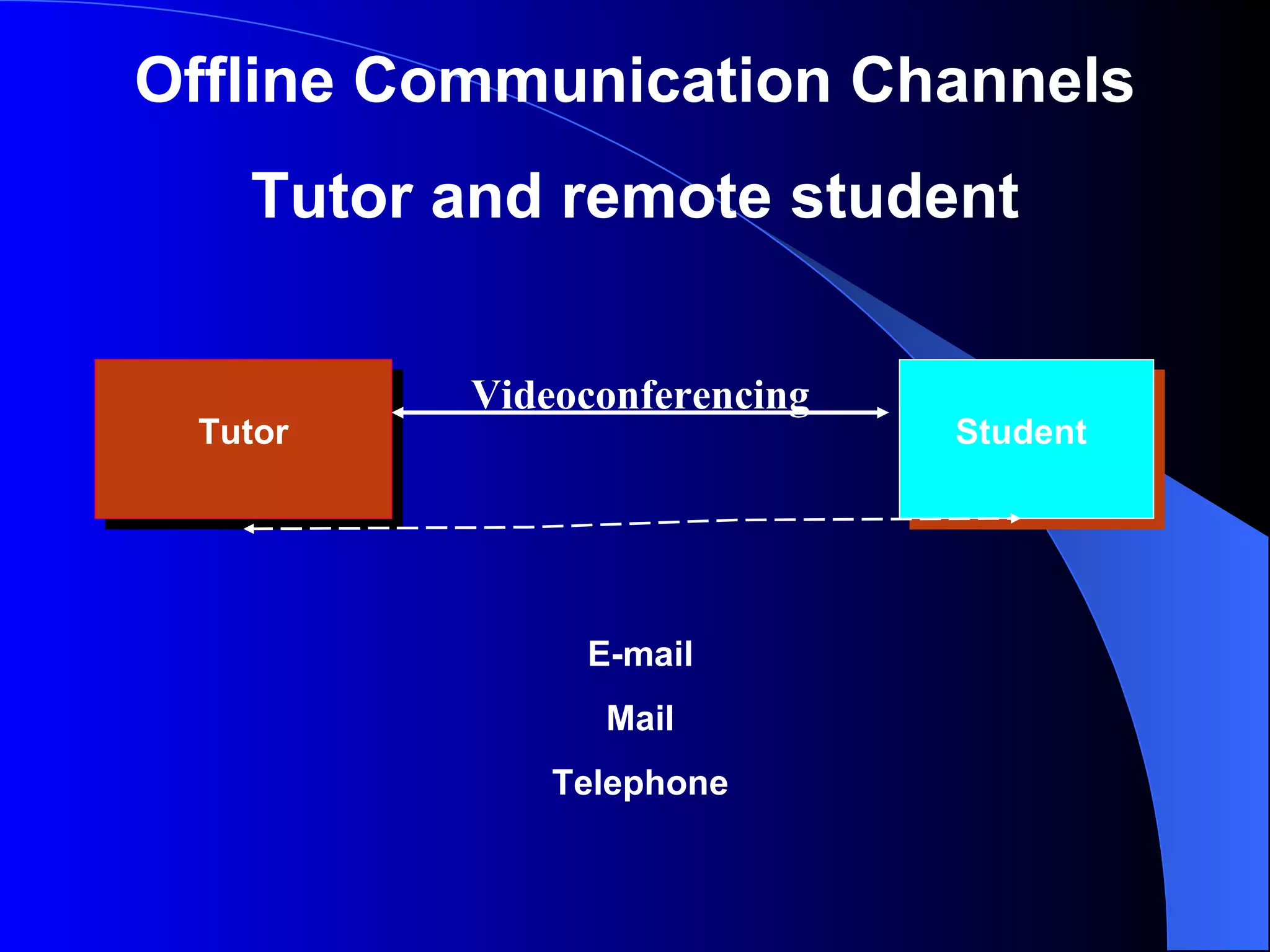
Tutor Student Offline Communication Channels Tutor and remote student Videoconferencing E-mail Mail Telephone
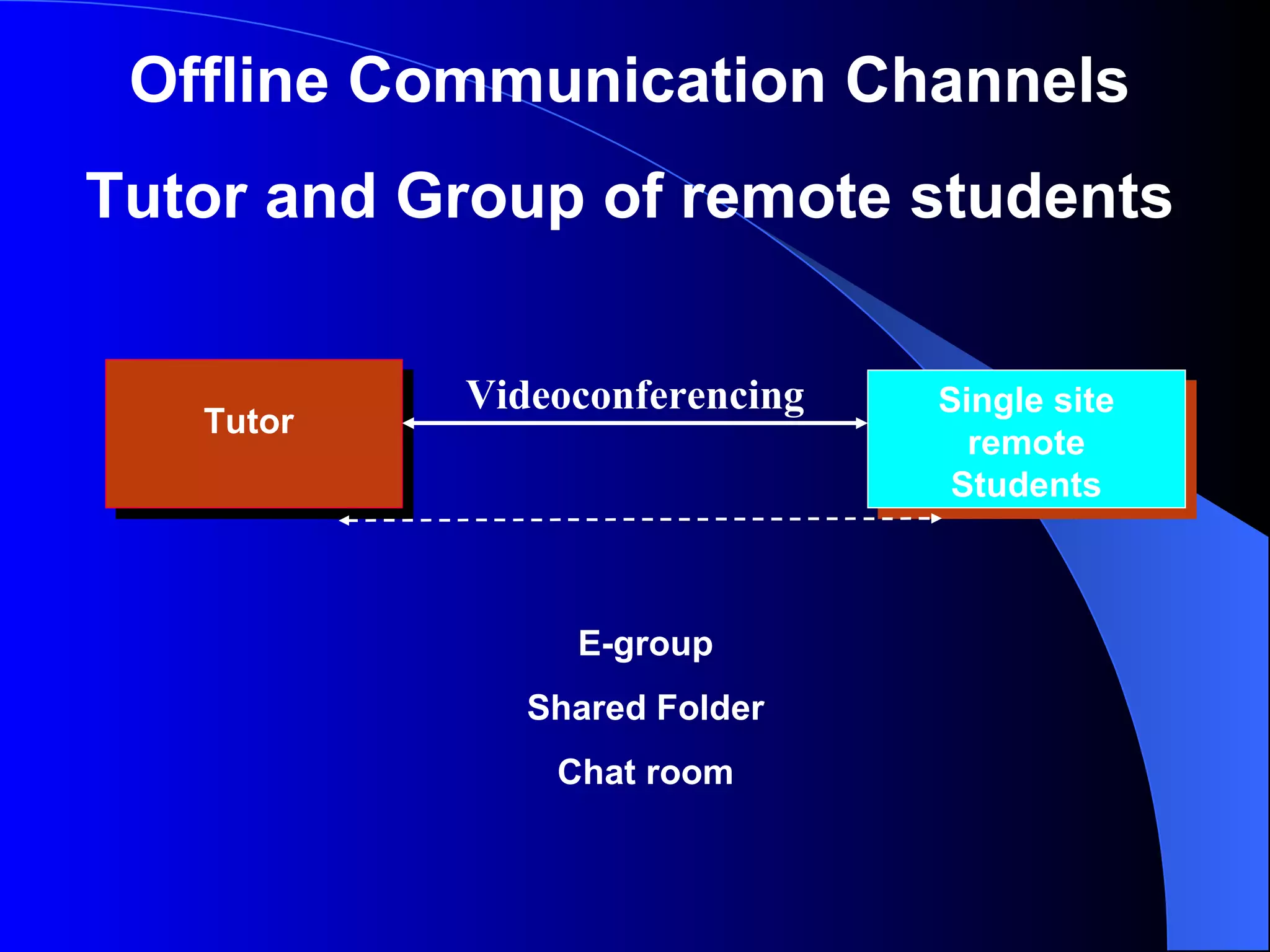
Tutor Offline Communication Channels Tutor and Group of remote students Single site remote Students E-group Shared Folder Chat room Videoconferencing
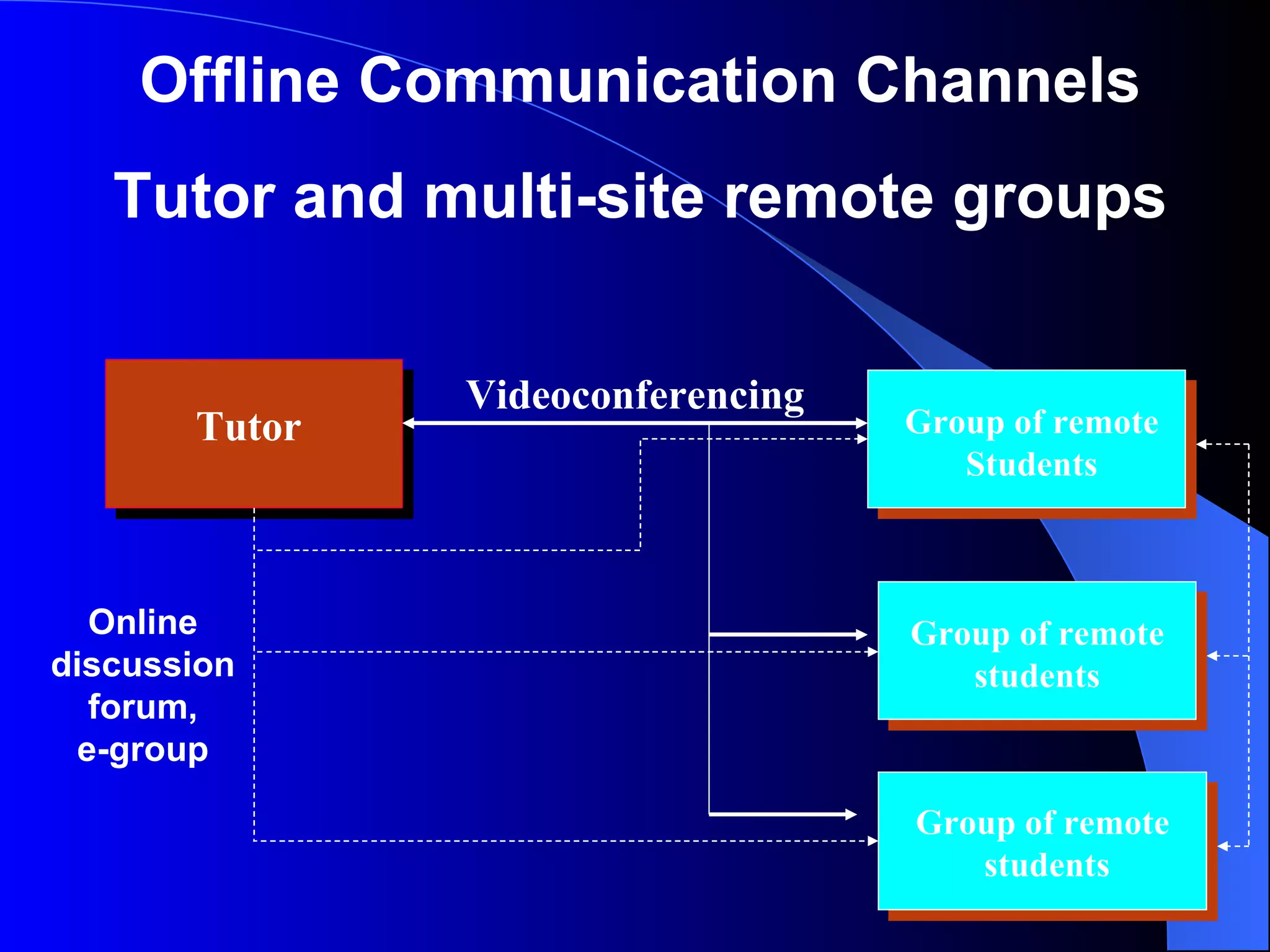
Tutor Offline Communication Channels Tutor and multi-site remote groups Group of remote Students Videoconferencing Group of remote students Group of remote students Online discussion forum, e-group
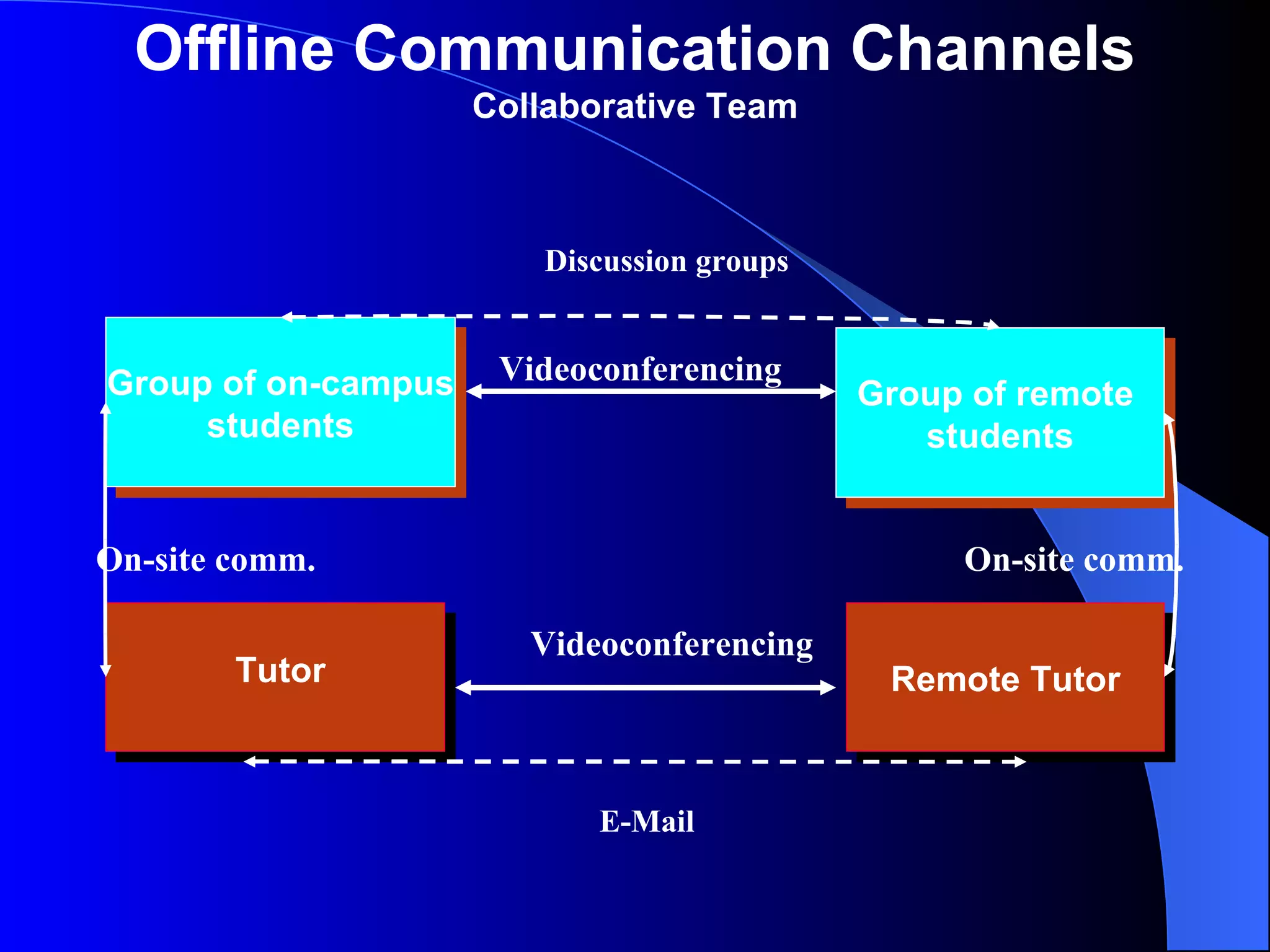
Offline Communication Channels Collaborative Team Remote Tutor Group of remote  students Group of on-campus students Tutor Videoconferencing On-site comm. On-site comm. Videoconferencing Discussion groups E-Mail
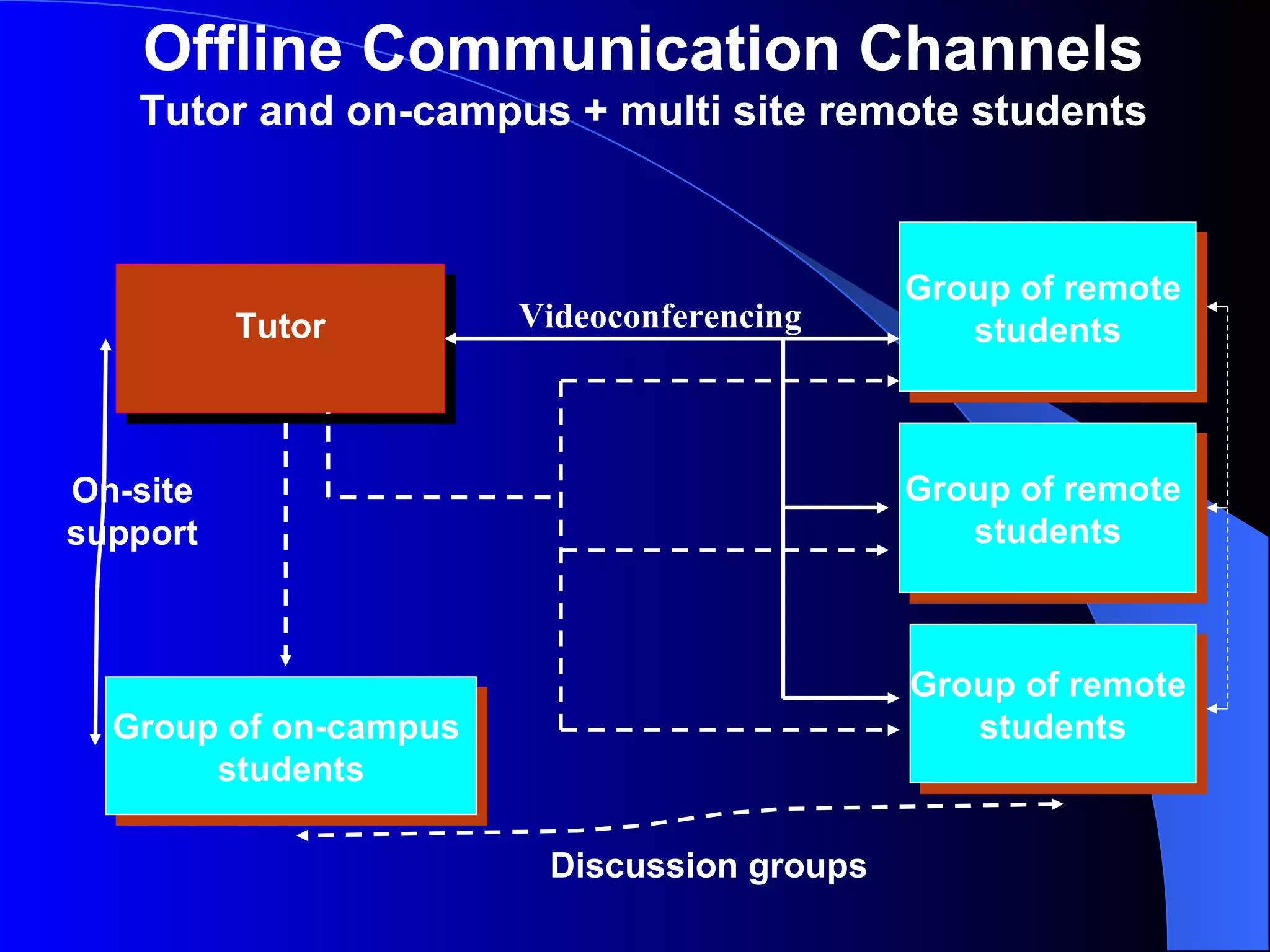
Tutor Group of remote  students Group of remote  students Group of remote  students Offline Communication Channels Tutor and on-campus + multi site remote students Group of on-campus  students Videoconferencing Discussion groups On-site support

Teaching Using Videoconferenceing (2001)

  • 1.
    TEACHING USING VIDEOCONFERENCINGUniversity of the Highlands and Islands project Staff conference January 2001
  • 2.
    Videoconferencing uses Front-endlectures or presentations Seminars Collaborative work Assessment, interviews Student support
  • 3.
    Key Issues Awarenessof limitations and possibilities VC vs. traditional teaching environment Importance of preparation & training Importance of practice session/s
  • 4.
    Technical Issues Wherecan you get help? Help for remote site Contingency plan
  • 5.
    The Students Involvethem Prepare them Make it personal Introduce variety Answering and asking questions
  • 6.
    Visual Equipment Camerapre-sets Document Camera PC link Share applications Whiteboard Presentation packages (e.g. PowerPoint) Fax Video recorder
  • 7.
    The Spreadsheet PlannerKey points Visuals Activity Resources Preparation Presenter Questions Students/Groups Diskussion Prepare slides, get pens ready Ask to make notes on XY Slide show Lecturer Skara Brae Lecturer Part 1 of lecture Ask student Review last lession Read from handout Lecturer Outline lecture Prepare slide Slide on self Lecturer Introduce participants Send out handout Handout, textbook Give out handouts
  • 8.
    Tutor Student OfflineCommunication Channels Tutor and remote student Videoconferencing E-mail Mail Telephone
  • 9.
    Tutor Offline CommunicationChannels Tutor and Group of remote students Single site remote Students E-group Shared Folder Chat room Videoconferencing
  • 10.
    Tutor Offline CommunicationChannels Tutor and multi-site remote groups Group of remote Students Videoconferencing Group of remote students Group of remote students Online discussion forum, e-group
  • 11.
    Offline Communication ChannelsCollaborative Team Remote Tutor Group of remote students Group of on-campus students Tutor Videoconferencing On-site comm. On-site comm. Videoconferencing Discussion groups E-Mail
  • 12.
    Tutor Group ofremote students Group of remote students Group of remote students Offline Communication Channels Tutor and on-campus + multi site remote students Group of on-campus students Videoconferencing Discussion groups On-site support