Technology in my placement survey
Big questions…What did you learn?What surprised you?Was any information difficult to find?AUPs?CIPA?
Live BloggingBenefits?Drawbacks?Easy or Difficult?How could you integrate it into your own teaching?
Virtual Teaching and Learning?November 18th 2009
Watch!http://www.foxbaltimore.com/newsroom/features/cover_story/videos/vid_474.shtml
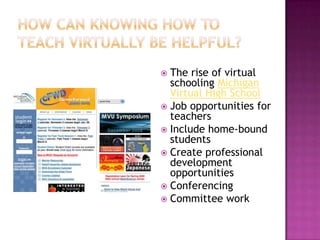
How can knowing how to Teach Virtually be helpful?The rise of virtual schooling Michigan Virtual High SchoolJob opportunities for teachersInclude home-bound studentsCreate professional development opportunitiesConferencingCommittee work
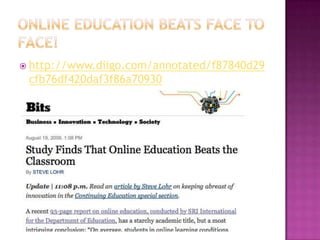
Online Education beats face to face!http://www.diigo.com/annotated/f87840d29cfb76df420daf3f86a70930
Virtual teaching enviornmentsWebinarsSkypeCourse Management Systems BlackboardMoodle
What is a webinar?LIVE web-based seminar (course, presentation or conference)Flexible Communication:  It can include:InteractivityWhite board (doodle board)PollingChat RoomScreen SharingMedia  & Documents (Videos, PPT, Word, Excel)Private or PublicArchived/RecordedVideo and/or Audio
Where can I find some examples online?ETLO-Education Technology Leaders Onlinehttp://www.edtechleaders.org/Resources/chat/default.aspISTEhttp://www.iste.org/Content/NavigationMenu/ProfessionalDevelopment/WebinarSeries/20082009Webinars/Webinar_Series.htmClassroom 2.0http://www.classroom20.com/
Ideas for using webinars in teaching and learning?Study/review session for interested students before big testsGive students who miss school (illness, etc) a chance to make-up a class presentation assignmentRecordings of webinars can be used to re-teach material as needed.Allows for students to teach other student - have them attend webinars as homework assignmentsStudents can develop their own webinars on a particular research topic.
Next Semester Open Labs are Virtual & Face to Face!
Our needs for a webinar toolFreeAccommodate 20 people in one webinarArchiving/Recording of webinarAbility to create webinars easilyAudio and chat featuresPrivateWeb-basedScreen sharing (refer to websites)Upload materials (PPT, WORD, PDF)
How to create a Webinarhttp://dimdim.com
Benefits of DimDim
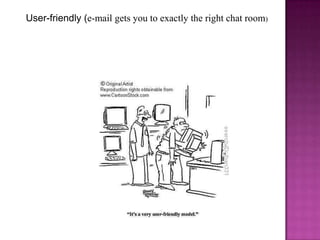
User-friendly (e-mail gets you to exactly the right chat room)
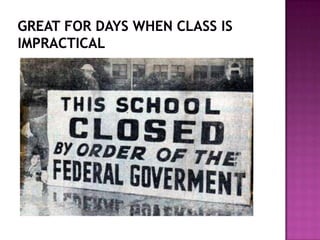
Great for days when class is impractical
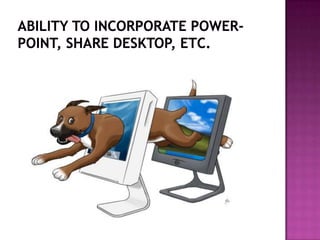
Ability to incorporate power-point, share desktop, etc.
Convenience (participants do not have to be in the same place during the webinar)
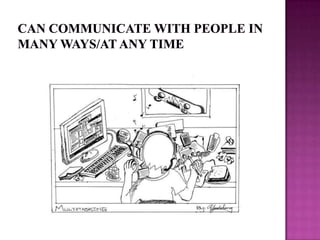
Can communicate with people in many ways/at any time
DimDim:  Drawbacks
The audio problems/technical difficulties… doesn’t always work 100%
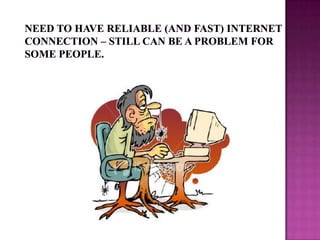
Need to have reliable (and fast) internet connection – still can be a problem for some people.
5 Second Delay
Hints and Tips
Identify yourself when you enter
Assume users will not read instructions before the webinar begins
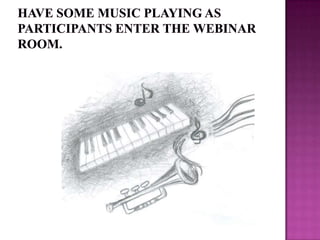
Have some music playing as participants enter the webinar room.
Have a co-host or Wingman
Make sure the volume on your computer is muted to avoid echo
PRACTICE!!
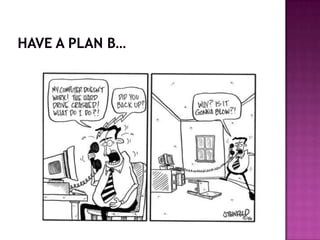
Have a plan B…
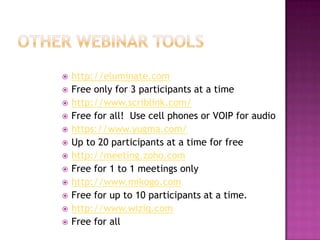
Other Webinar Toolshttp://eluminate.comFree only for 3 participants at a timehttp://www.scriblink.com/Free for all!  Use cell phones or VOIP for audiohttps://www.yugma.com/Up to 20 participants at a time for freehttp://meeting.zoho.comFree for 1 to 1 meetings onlyhttp://www.mikogo.comFree for up to 10 participants at a time.http://www.wiziq.comFree for all
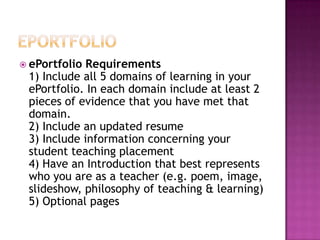
ePortfolioePortfolio Requirements1) Include all 5 domains of learning in your ePortfolio. In each domain include at least 2 pieces of evidence that you have met that domain.2) Include an updated resume3) Include information concerning your student teaching placement4) Have an Introduction that best represents who you are as a teacher (e.g. poem, image, slideshow, philosophy of teaching & learning)5) Optional pages
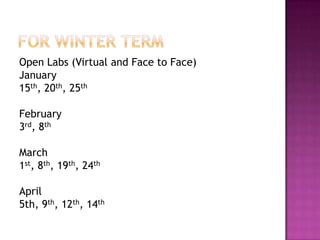
For Winter TermOpen Labs (Virtual and Face to Face)January15th, 20th, 25thFebruary 3rd, 8thMarch1st, 8th, 19th, 24thApril5th, 9th, 12th, 14th

Virtuallearning 11 18

  • 1.
    Technology in myplacement survey
  • 2.
    Big questions…What didyou learn?What surprised you?Was any information difficult to find?AUPs?CIPA?
  • 3.
    Live BloggingBenefits?Drawbacks?Easy orDifficult?How could you integrate it into your own teaching?
  • 4.
    Virtual Teaching andLearning?November 18th 2009
  • 5.
  • 6.
    How can knowinghow to Teach Virtually be helpful?The rise of virtual schooling Michigan Virtual High SchoolJob opportunities for teachersInclude home-bound studentsCreate professional development opportunitiesConferencingCommittee work
  • 7.
    Online Education beatsface to face!http://www.diigo.com/annotated/f87840d29cfb76df420daf3f86a70930
  • 8.
    Virtual teaching enviornmentsWebinarsSkypeCourseManagement Systems BlackboardMoodle
  • 9.
    What is awebinar?LIVE web-based seminar (course, presentation or conference)Flexible Communication: It can include:InteractivityWhite board (doodle board)PollingChat RoomScreen SharingMedia & Documents (Videos, PPT, Word, Excel)Private or PublicArchived/RecordedVideo and/or Audio
  • 10.
    Where can Ifind some examples online?ETLO-Education Technology Leaders Onlinehttp://www.edtechleaders.org/Resources/chat/default.aspISTEhttp://www.iste.org/Content/NavigationMenu/ProfessionalDevelopment/WebinarSeries/20082009Webinars/Webinar_Series.htmClassroom 2.0http://www.classroom20.com/
  • 11.
    Ideas for usingwebinars in teaching and learning?Study/review session for interested students before big testsGive students who miss school (illness, etc) a chance to make-up a class presentation assignmentRecordings of webinars can be used to re-teach material as needed.Allows for students to teach other student - have them attend webinars as homework assignmentsStudents can develop their own webinars on a particular research topic.
  • 12.
    Next Semester OpenLabs are Virtual & Face to Face!
  • 13.
    Our needs fora webinar toolFreeAccommodate 20 people in one webinarArchiving/Recording of webinarAbility to create webinars easilyAudio and chat featuresPrivateWeb-basedScreen sharing (refer to websites)Upload materials (PPT, WORD, PDF)
  • 14.
    How to createa Webinarhttp://dimdim.com
  • 15.
  • 16.
    User-friendly (e-mail getsyou to exactly the right chat room)
  • 17.
    Great for dayswhen class is impractical
  • 18.
    Ability to incorporatepower-point, share desktop, etc.
  • 19.
    Convenience (participants donot have to be in the same place during the webinar)
  • 20.
    Can communicate withpeople in many ways/at any time
  • 21.
  • 22.
    The audio problems/technicaldifficulties… doesn’t always work 100%
  • 23.
    Need to havereliable (and fast) internet connection – still can be a problem for some people.
  • 24.
  • 25.
  • 26.
  • 27.
    Assume users willnot read instructions before the webinar begins
  • 28.
    Have some musicplaying as participants enter the webinar room.
  • 29.
    Have a co-hostor Wingman
  • 30.
    Make sure thevolume on your computer is muted to avoid echo
  • 31.
  • 32.
  • 33.
    Other Webinar Toolshttp://eluminate.comFreeonly for 3 participants at a timehttp://www.scriblink.com/Free for all! Use cell phones or VOIP for audiohttps://www.yugma.com/Up to 20 participants at a time for freehttp://meeting.zoho.comFree for 1 to 1 meetings onlyhttp://www.mikogo.comFree for up to 10 participants at a time.http://www.wiziq.comFree for all
  • 34.
    ePortfolioePortfolio Requirements1) Includeall 5 domains of learning in your ePortfolio. In each domain include at least 2 pieces of evidence that you have met that domain.2) Include an updated resume3) Include information concerning your student teaching placement4) Have an Introduction that best represents who you are as a teacher (e.g. poem, image, slideshow, philosophy of teaching & learning)5) Optional pages
  • 35.
    For Winter TermOpenLabs (Virtual and Face to Face)January15th, 20th, 25thFebruary 3rd, 8thMarch1st, 8th, 19th, 24thApril5th, 9th, 12th, 14th

Editor's Notes

  • #7 44 states have virtual learning programs. Michigan Virtual School is one of the largest online course providers in the nation with 11,000 course registrations in 2007-2008. MVS partners with local schools to provide core and supplemental courses with over 100 part-time teachers that are Michigan certified, highly qualified instructors. MVS is primarily a supplemental program, although MVS has one full-time program to meet the needs of the Traverse City Area Public Schools.
  • #10 Liz
  • #11 Liz
  • #12 Liz
  • #15 Kristin & Chris
  • #16 Jeff
  • #22 Jeff
  • #34 Jeff & Liz