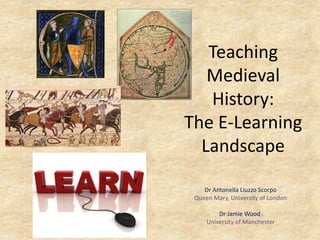
Teaching
Medieval
History:
The E-Learning
Landscape
Dr Antonella Liuzzo Scorpo
Queen Mary, University of London
Dr Jamie Wood,
University of Manchester
Overview
• Context
• 1. Student-teacher dynamics in e-learning
• 2. Activities for learning
• 3. Engaging with sources
• Conclusion
Teaching Pre-Modern History:
E-Learning Challenges and Opportunities
• https://sites.google.com/site/teachingpremodernhistory/
Aims of the workshop
• To showcase best practice
and share teaching
experiences using
e-learning platforms
• To identify and solve problems
• To promote innovation and creativity in the use of
technology
Our forthcoming report focuses on
• Engaging with sources: information
literacy, visual sources, archives and source
repositories
• Collaboration and independence: how to
develop and improve student’s skills, share
resources, integrate learning across modules
and levels of study
Todays’ presentation
• Builds on workshop
• Draws on JW’s research into e-learning in History
teaching in HE
• Three areas to explore
– Teacher-students dynamics
– Activities
– Sources
• Focus on MEDIEVAL history: what specific
challenges does it pose and how can technology
help to overcome those? Or…does it create
more problems than it solves?
Survey (May 2012)
• L1 and L2 from 5 different Institution in
UK
• Their experience of learning and opinions
about teaching history (all periods)
• General overview
• Findings applied to the themes we chose
to discuss today
1. Student-teacher dynamics in e-learning environments
How and to what extent does a “blended system” challenge the
traditional face-to-face dynamics?
How can online and face-to-face teaching be combined
effectively?
In a “blended” system…
• Interactive connections should remain open
• Changing roles in the learning life-cycle: e.g.
students as active protagonists and creators of
some activities
• From the survey:
– E-learning as a fundamental learning tool (32 out of 38
respondents)
– It provides a hub for info + (to a lesser extent) communication
with peers and teachers
– Varieties of approaches and teachers’ levels of engagement
– IT skills and technical issues
2. Activities for learning
- Sources available at different times, places and paces
- Interaction between individuals and groups
- Sharing of sources and resources
- Generating awareness about interdisciplinary approaches
- Reflecting on the relationships btw “medieval” and “modern”
- Re-assessing scholarly materials and presenting them to wider
public
- Specific and generic IT skills
- Update contents regularly and remotely
Activity Technologies available Examples Benefits
Discussion and debate outside of
class
Discussion boards
Blogs
Social networking sites
In virtual learning environments
Wordpress / Blogger
Facebook / Twitter
Develops skills in
articulating and sharing
ideas
Project work (creating resources
individually or collaboratively)
Web-authoring services
Blogs
Wikis
Google Sites
Wordpress / Blogger
PB wiki
Enables students to
experience processes of
knowledge creation; to
create a product that is
shared with others (rather
than just assessed by the
tutor); improves group-
working and project-
management skills
Search for and share information Social bookmarking services Delicious / Diigo Improves information
literacy; useful for revision
and essay-writing; can be
sold to students as efficient
(if they are sharing
resources with one another)
Engage with images Photo-sharing websites Flickr Helps contextualizing
information and drawing
interdisciplinary
connections
Reflect on their learning process Journalling software
Blogs
Livejournal
Wordpress / Blogger
Increases students’
awareness of their learning
progresses; encourages
further development;
develops critical
understanding
Construct timelines/ clarify narratives Timeline software Timeglider (http://timeglider.com/)
tiki-toki (http://www.tiki-
toki.com/)
Helps clarifying ideas and
contextualize events and
processes; brings students to
consider themes and ideas
on a wider scheme.
Share and creating materials
collaboratively
Collaborative editing services Google docs
Dropbox
Slideshare
Encourages collaborative
study and research;
challenges set ideas and
approaches; stimulates
alternative thinking
Presenting material to students (or
share their presentations online)
Presentation sharing software
Generative/ reusable learning objects
Slideshare
Prezi
GLO-maker
Improves planning,
presenting and debating;
enhances communication
skills
What impact do these activities have on student
learning and how can we improve the ways we design
blended learning activities?
Survey findings
• Some use to promote discussion and
collaboration; positive impact on learning
• Technology
– Aids preparation for class
– Enables independent working
• But are students viewing VLEs as closed
spaces rather than as starting points for
independent work?
3. Engaging with sources
• How different is working with medieval
sources?
Geo-tagging class
notes using Google
Peer-assessed
presentations and
wikis
Blogs, bookmarks
and student-
generated
seminars
Online portfolios
Please tell me about the top three
areas in which your skills improved
using e-learning
Critical analysis of
sources.
By using a wider
range of sources I
was able to look at
the unfolding of
events studied from
different
perspectives.
I could not have done
this if I had to buy
books or borrow
them in physical form
from the library…
Survey
findings
• improved
research
skills
• improved
subject
knowledge
Conclusion
- Resources online: starting or
“stuck” point?
- Mixed effects of “blended”
systems
- What is peculiar about
teaching (and applying
technology to the teaching
of) medieval history?
Thank you!
Feel free to ask
questions
and/or give us
your opinion
and feedback

Teaching Medieval History: The E-Learning Landscape

  • 1.
    Teaching Medieval History: The E-Learning Landscape Dr AntonellaLiuzzo Scorpo Queen Mary, University of London Dr Jamie Wood, University of Manchester
  • 2.
    Overview • Context • 1.Student-teacher dynamics in e-learning • 2. Activities for learning • 3. Engaging with sources • Conclusion
  • 3.
    Teaching Pre-Modern History: E-LearningChallenges and Opportunities • https://sites.google.com/site/teachingpremodernhistory/
  • 4.
    Aims of theworkshop • To showcase best practice and share teaching experiences using e-learning platforms • To identify and solve problems • To promote innovation and creativity in the use of technology
  • 5.
    Our forthcoming reportfocuses on • Engaging with sources: information literacy, visual sources, archives and source repositories • Collaboration and independence: how to develop and improve student’s skills, share resources, integrate learning across modules and levels of study
  • 6.
    Todays’ presentation • Buildson workshop • Draws on JW’s research into e-learning in History teaching in HE • Three areas to explore – Teacher-students dynamics – Activities – Sources • Focus on MEDIEVAL history: what specific challenges does it pose and how can technology help to overcome those? Or…does it create more problems than it solves?
  • 8.
    Survey (May 2012) •L1 and L2 from 5 different Institution in UK • Their experience of learning and opinions about teaching history (all periods) • General overview • Findings applied to the themes we chose to discuss today
  • 9.
    1. Student-teacher dynamicsin e-learning environments How and to what extent does a “blended system” challenge the traditional face-to-face dynamics? How can online and face-to-face teaching be combined effectively?
  • 10.
    In a “blended”system… • Interactive connections should remain open • Changing roles in the learning life-cycle: e.g. students as active protagonists and creators of some activities • From the survey: – E-learning as a fundamental learning tool (32 out of 38 respondents) – It provides a hub for info + (to a lesser extent) communication with peers and teachers – Varieties of approaches and teachers’ levels of engagement – IT skills and technical issues
  • 11.
    2. Activities forlearning - Sources available at different times, places and paces - Interaction between individuals and groups - Sharing of sources and resources - Generating awareness about interdisciplinary approaches - Reflecting on the relationships btw “medieval” and “modern” - Re-assessing scholarly materials and presenting them to wider public - Specific and generic IT skills - Update contents regularly and remotely
  • 12.
    Activity Technologies availableExamples Benefits Discussion and debate outside of class Discussion boards Blogs Social networking sites In virtual learning environments Wordpress / Blogger Facebook / Twitter Develops skills in articulating and sharing ideas Project work (creating resources individually or collaboratively) Web-authoring services Blogs Wikis Google Sites Wordpress / Blogger PB wiki Enables students to experience processes of knowledge creation; to create a product that is shared with others (rather than just assessed by the tutor); improves group- working and project- management skills Search for and share information Social bookmarking services Delicious / Diigo Improves information literacy; useful for revision and essay-writing; can be sold to students as efficient (if they are sharing resources with one another) Engage with images Photo-sharing websites Flickr Helps contextualizing information and drawing interdisciplinary connections Reflect on their learning process Journalling software Blogs Livejournal Wordpress / Blogger Increases students’ awareness of their learning progresses; encourages further development; develops critical understanding
  • 13.
    Construct timelines/ clarifynarratives Timeline software Timeglider (http://timeglider.com/) tiki-toki (http://www.tiki- toki.com/) Helps clarifying ideas and contextualize events and processes; brings students to consider themes and ideas on a wider scheme. Share and creating materials collaboratively Collaborative editing services Google docs Dropbox Slideshare Encourages collaborative study and research; challenges set ideas and approaches; stimulates alternative thinking Presenting material to students (or share their presentations online) Presentation sharing software Generative/ reusable learning objects Slideshare Prezi GLO-maker Improves planning, presenting and debating; enhances communication skills What impact do these activities have on student learning and how can we improve the ways we design blended learning activities?
  • 14.
    Survey findings • Someuse to promote discussion and collaboration; positive impact on learning • Technology – Aids preparation for class – Enables independent working • But are students viewing VLEs as closed spaces rather than as starting points for independent work?
  • 15.
    3. Engaging withsources • How different is working with medieval sources? Geo-tagging class notes using Google Peer-assessed presentations and wikis Blogs, bookmarks and student- generated seminars Online portfolios
  • 16.
    Please tell meabout the top three areas in which your skills improved using e-learning Critical analysis of sources. By using a wider range of sources I was able to look at the unfolding of events studied from different perspectives. I could not have done this if I had to buy books or borrow them in physical form from the library… Survey findings • improved research skills • improved subject knowledge
  • 17.
    Conclusion - Resources online:starting or “stuck” point? - Mixed effects of “blended” systems - What is peculiar about teaching (and applying technology to the teaching of) medieval history?
  • 18.
    Thank you! Feel freeto ask questions and/or give us your opinion and feedback