Filmmaking tips
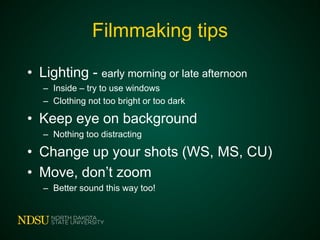
• Lighting - early morning or late afternoon
– Inside – try to use windows
– Clothing not too bright or too dark
• Keep eye on background
– Nothing too distracting
• Change up your shots (WS, MS, CU)
• Move, don’t zoom
– Better sound this way too!
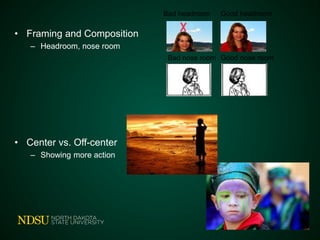
• Framing and Composition
– Headroom, nose room
• Center vs. Off-center
– Showing more action
Bad nose room Good nose room
Bad headroom Good headroom
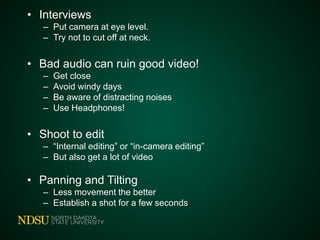
• Interviews
– Put camera at eye level.
– Try not to cut off at neck.
• Bad audio can ruin good video!
– Get close
– Avoid windy days
– Be aware of distracting noises
– Use Headphones!
• Shoot to edit
– “Internal editing” or “in-camera editing”
– But also get a lot of video
• Panning and Tilting
– Less movement the better
– Establish a shot for a few seconds
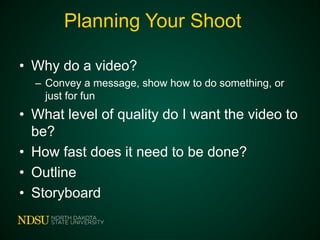
Planning Your Shoot
• Why do a video?
– Convey a message, show how to do something, or
just for fun
• What level of quality do I want the video to
be?
• How fast does it need to be done?
• Outline
• Storyboard
• Script
• Interviews
– Help figure out who you want to interview
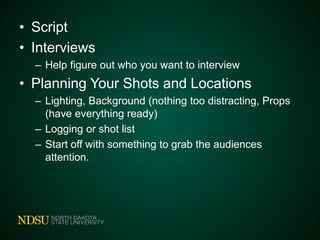
• Planning Your Shots and Locations
– Lighting, Background (nothing too distracting, Props
(have everything ready)
– Logging or shot list
– Start off with something to grab the audiences
attention.
Helpful Links
• “Creating High-Quality Images” Video
• “How To Capture High-Quality Video”
• Watch 5 minute YouTube tutorial for
Microsoft Movie Maker. For more info,
Go to the Movie Maker site on
Microsoft.com
Helpful Links
• Videos
– “Creating High-Quality Images”
– “How to Capture High-Quality Video”
– Movie Maker tutorial on YouTube
– Movie maker website
YouTube and AgCMS
• Read "Uploading Video to YouTube" and
upload your video to YouTube
• Read "Embedding Video in Ag CMS" or
"Embed a YouTube Video in TYPO3",
and embed your video into an Ag CMS or
TYPO3 page

Recording and Uploading Video Session at 2014 NDSU Extension Support Staff Conference

  • 1.
    Filmmaking tips • Lighting- early morning or late afternoon – Inside – try to use windows – Clothing not too bright or too dark • Keep eye on background – Nothing too distracting • Change up your shots (WS, MS, CU) • Move, don’t zoom – Better sound this way too!
  • 2.
    • Framing andComposition – Headroom, nose room • Center vs. Off-center – Showing more action Bad nose room Good nose room Bad headroom Good headroom
  • 3.
    • Interviews – Putcamera at eye level. – Try not to cut off at neck. • Bad audio can ruin good video! – Get close – Avoid windy days – Be aware of distracting noises – Use Headphones! • Shoot to edit – “Internal editing” or “in-camera editing” – But also get a lot of video • Panning and Tilting – Less movement the better – Establish a shot for a few seconds
  • 4.
    Planning Your Shoot •Why do a video? – Convey a message, show how to do something, or just for fun • What level of quality do I want the video to be? • How fast does it need to be done? • Outline • Storyboard
  • 5.
    • Script • Interviews –Help figure out who you want to interview • Planning Your Shots and Locations – Lighting, Background (nothing too distracting, Props (have everything ready) – Logging or shot list – Start off with something to grab the audiences attention.
  • 6.
    Helpful Links • “CreatingHigh-Quality Images” Video • “How To Capture High-Quality Video” • Watch 5 minute YouTube tutorial for Microsoft Movie Maker. For more info, Go to the Movie Maker site on Microsoft.com
  • 7.
    Helpful Links • Videos –“Creating High-Quality Images” – “How to Capture High-Quality Video” – Movie Maker tutorial on YouTube – Movie maker website
  • 8.
    YouTube and AgCMS •Read "Uploading Video to YouTube" and upload your video to YouTube • Read "Embedding Video in Ag CMS" or "Embed a YouTube Video in TYPO3", and embed your video into an Ag CMS or TYPO3 page