Strategies for  Using Metadata Reuven Weiser, Suite Solutions
Who am I? Background in Computer Science and Education Experience in several computer companies over the past decade Web applications Server-  and Client-side applications Early member of the Suite Solutions team On-site and online training seminars PDF and HTML style sheet projects CMS integration Project Management
What is Suite Solutions? Our Mission To increase our customers’ profitability by significantly improving the efficiency of their information development and delivery processes. Qualitative Advantage Content Lifecycle Implementation (CLI) is Suite Solutions’  comprehensive approach – from concept to publication – to maximizing the value of your information assets. Our professionals are with you at every phase, determining, recommending and implementing the most cost-effective, flexible and long term solution for your business.
Main Topics What is metadata? Metadata options Default options Custom options Extracting metadata using custom XSL Basic technique Tips
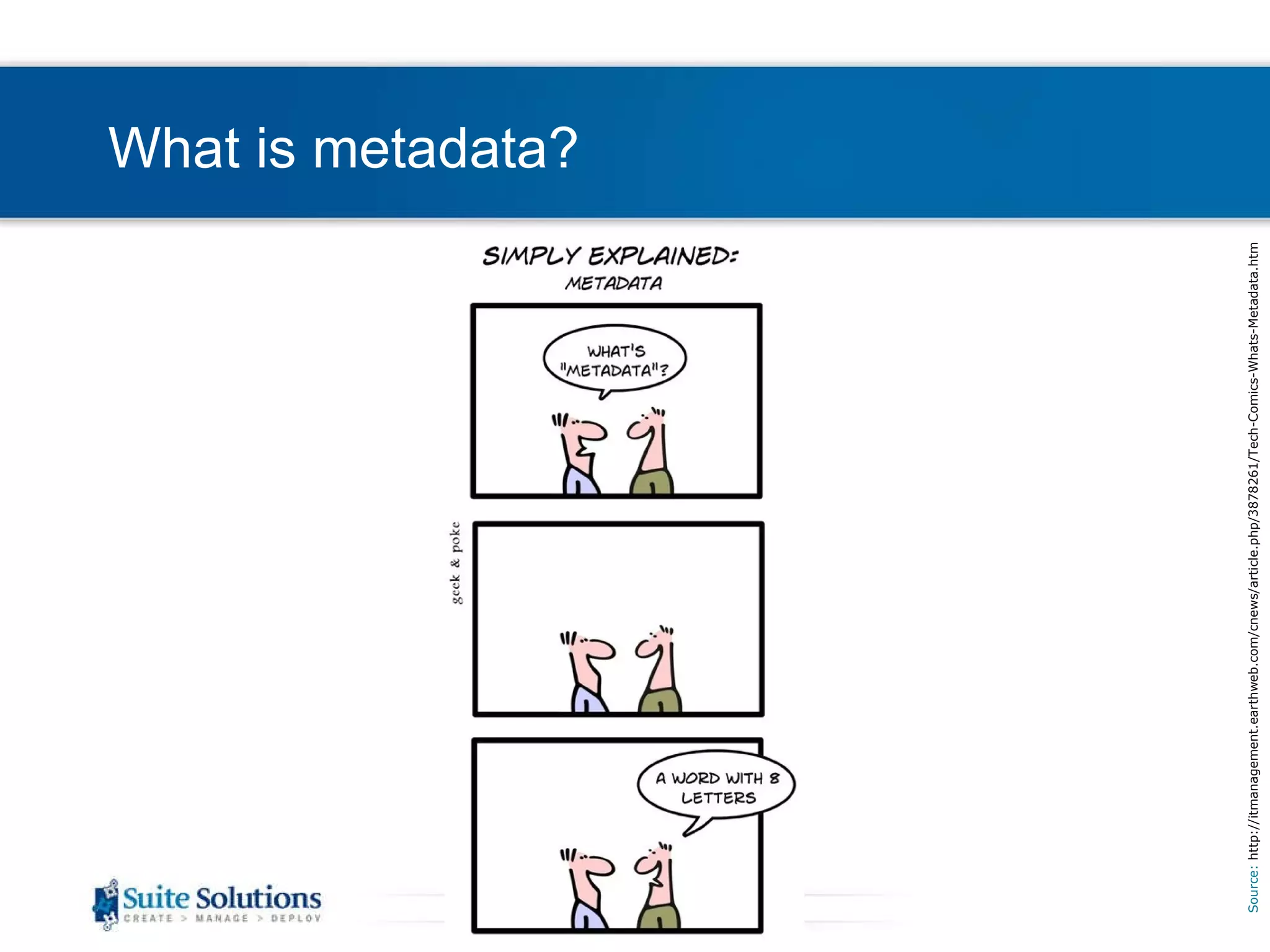
What is metadata? Source:  http://itmanagement.earthweb.com/cnews/article.php/3878261/Tech-Comics-Whats-Metadata.htm
What is metadata? Metadata is “data about data” It can be used to describe the nature of a publication or topic, or the nature of the product that the publication or topic is about. Why is it helpful? It allows for the inclusion of information aside from the actual document content.  Examples: Copyright information Product version Source documents
Main Topics What is metadata? Metadata options Default options Custom options Extracting metadata using custom XSL Basic technique Tips
Metadata options Default options The DITA language specification offers a wide variety of default metadata tags Metadata can be applied to an entire map, a submap, or an individual topic The default tags available depend on whether the content is organized in a ditamap or a bookmap Full reference can be found online:  http://docs.oasis-open.org/dita/v1.1/OS/langspec/ditaref-type.html
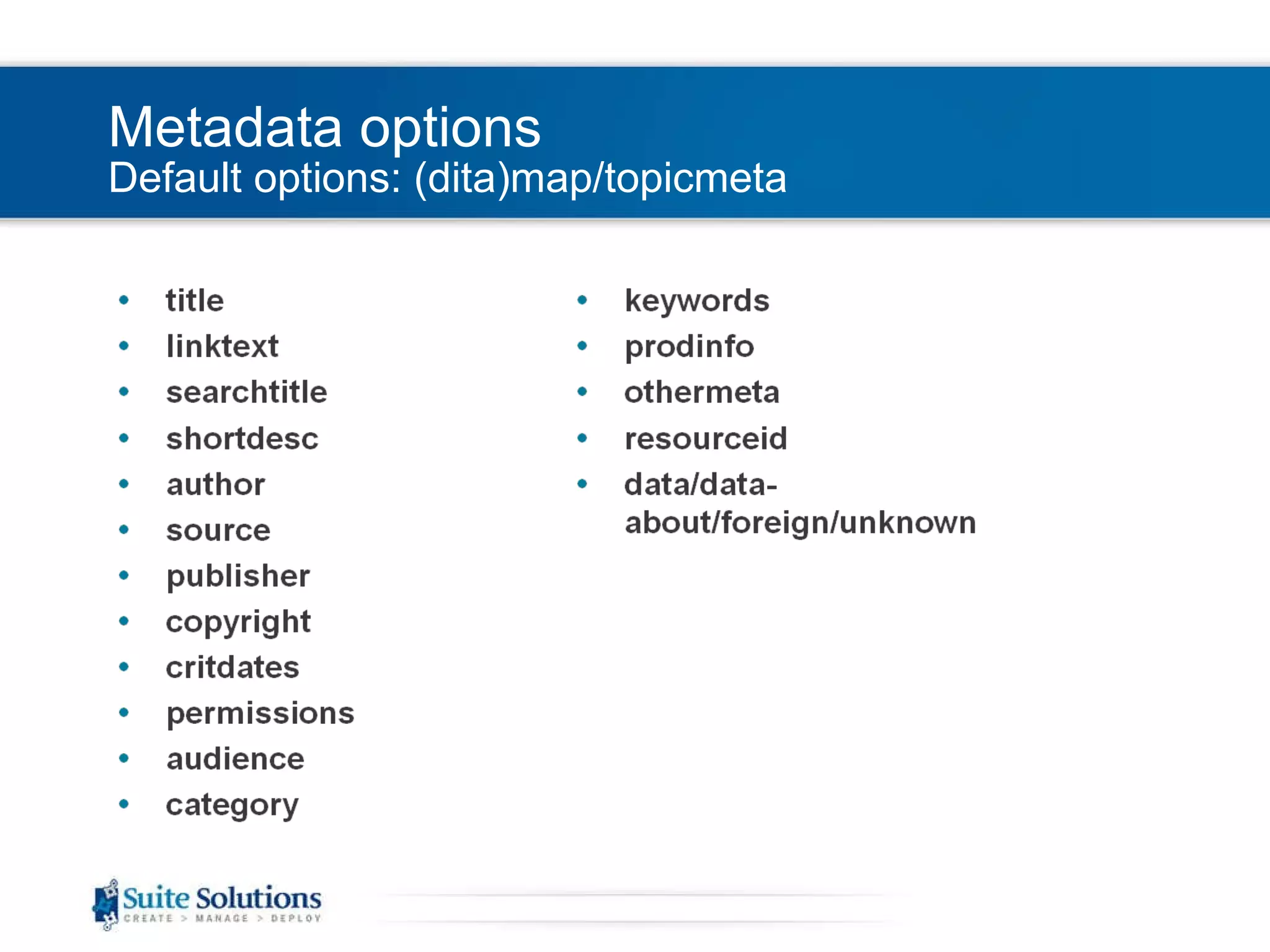
Metadata options Default options: (dita)map/topicmeta
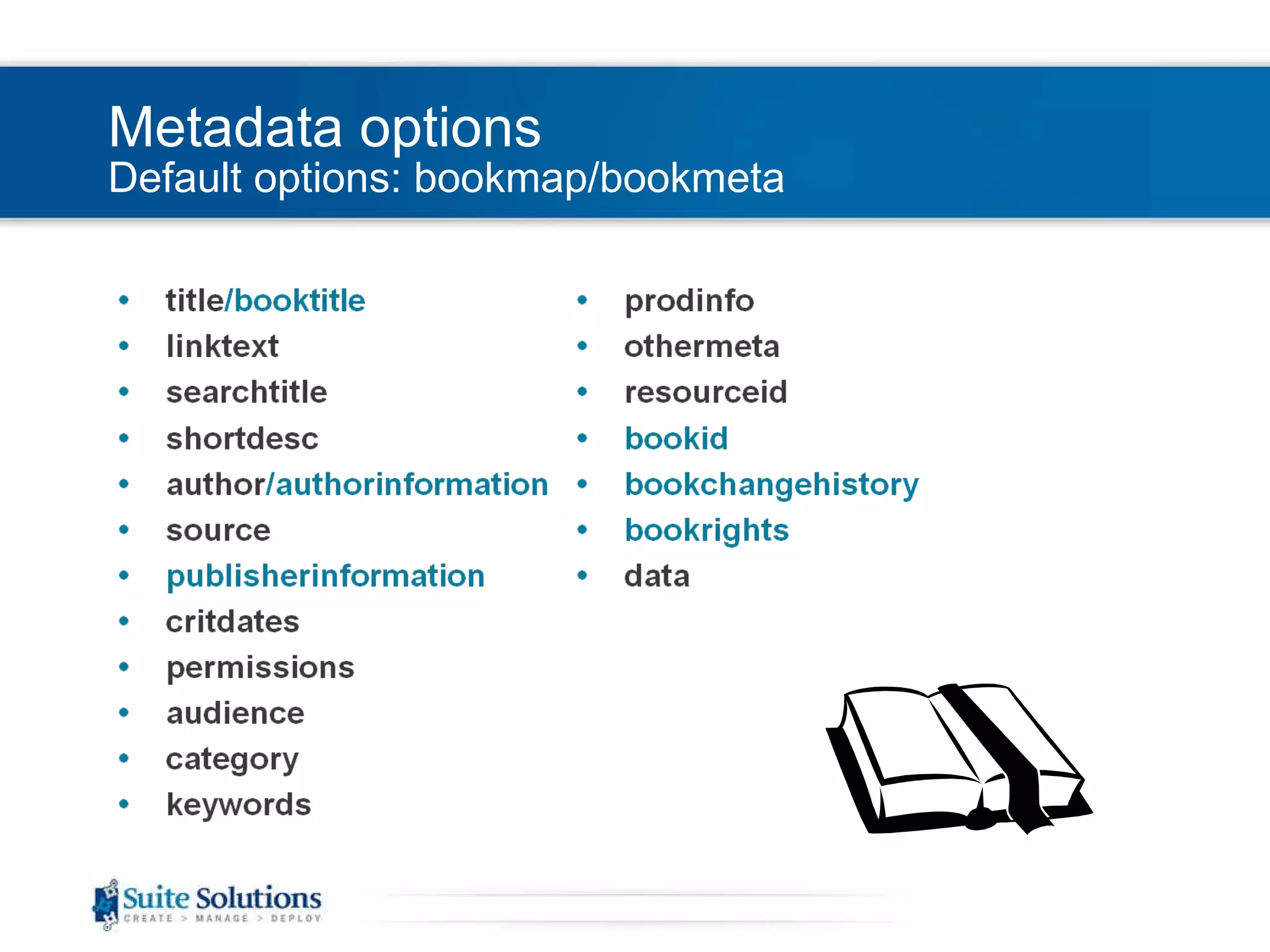
Metadata options Default options: bookmap/bookmeta
Main Topics What is metadata? Metadata options Default options Custom options Extracting metadata using custom XSL Basic technique Tips
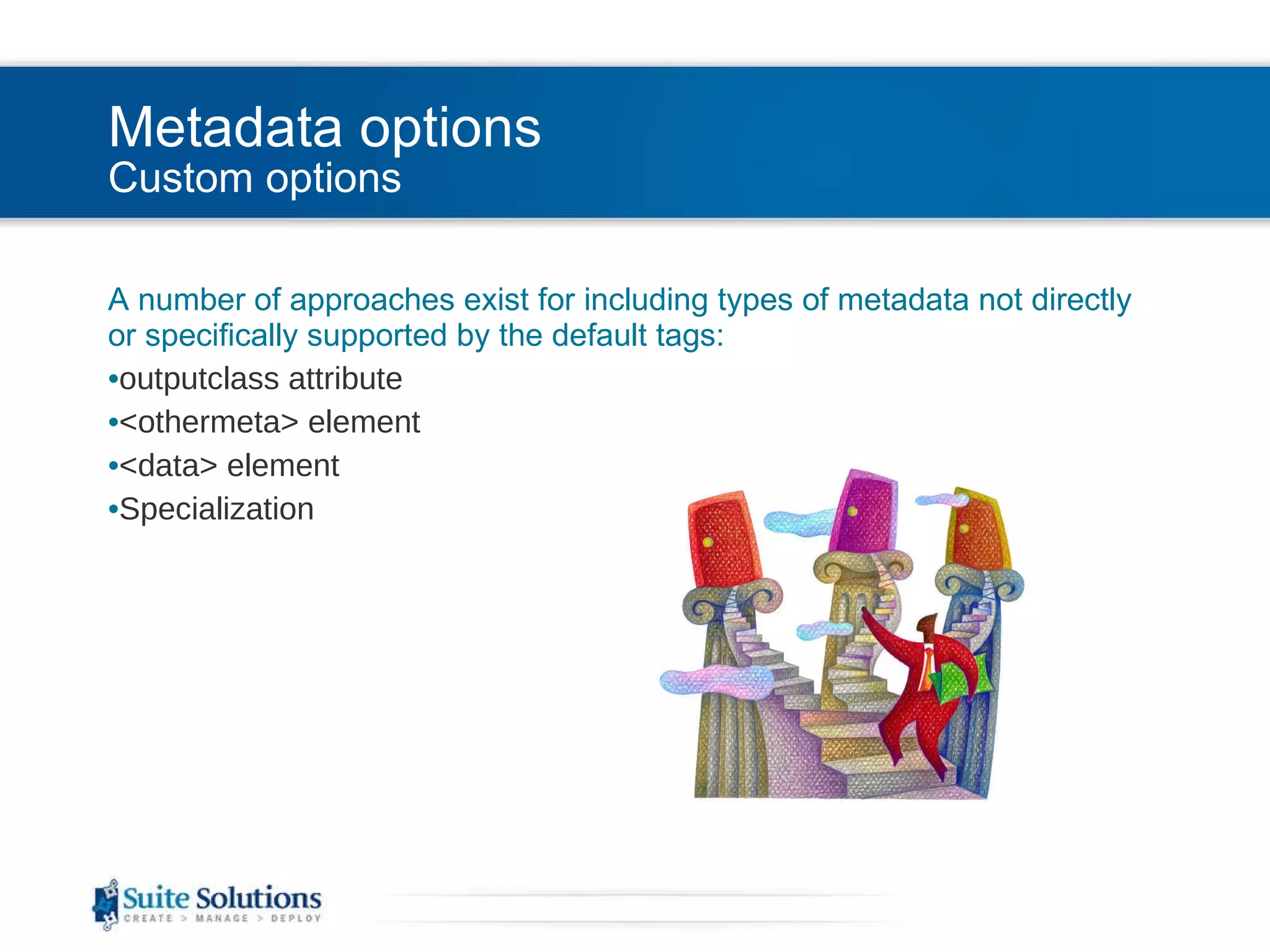
Metadata options Custom options A number of approaches exist for including types of metadata not directly or specifically supported by the default tags: outputclass attribute <othermeta> element <data> element Specialization
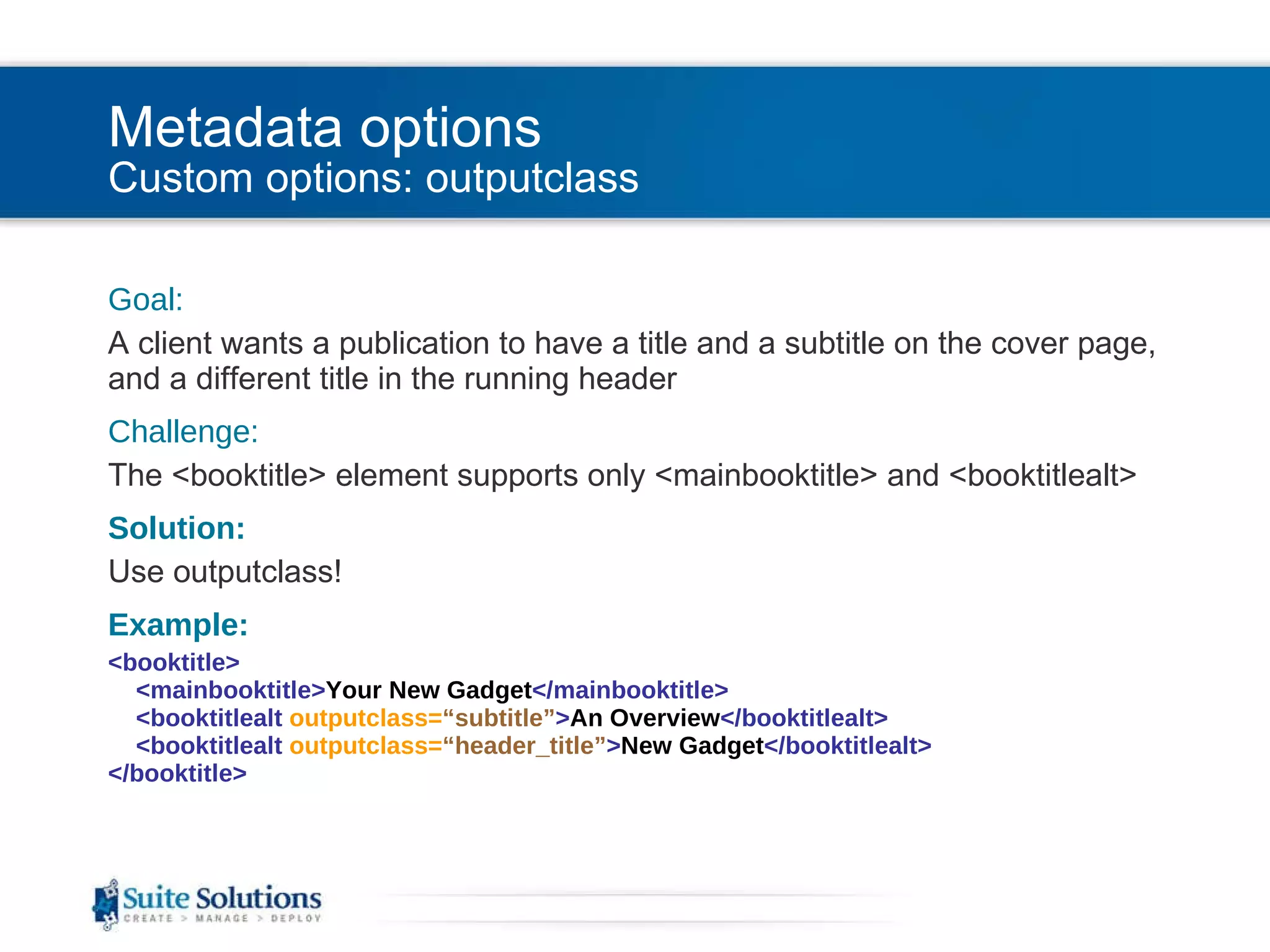
Metadata options Custom options: outputclass Goal: A client wants a publication to have a title and a subtitle on the cover page, and a different title in the running header Challenge: The <booktitle> element supports only <mainbooktitle> and <booktitlealt> Solution: Use outputclass! Example: <booktitle>   <mainbooktitle> Your New Gadget </mainbooktitle>   <booktitlealt  outputclass= “subtitle” > An Overview </booktitlealt>   <booktitlealt  outputclass= “header_title” > New Gadget </booktitlealt> </booktitle>
Metadata options Custom options outputclass attribute <othermeta> element <data> element Specialization
Metadata options Custom options: <othermeta> Goal: A client wants to indicate whether a publication relates to a hardware product or a software product Challenge: There is no default metadata element intended for that piece of information (<category> may be used for something else) Solution: Use <othermeta>! Example: <othermeta  name= “product_type”   content= “software” />
Metadata options Custom options outputclass attribute <othermeta> element <data> element Specialization
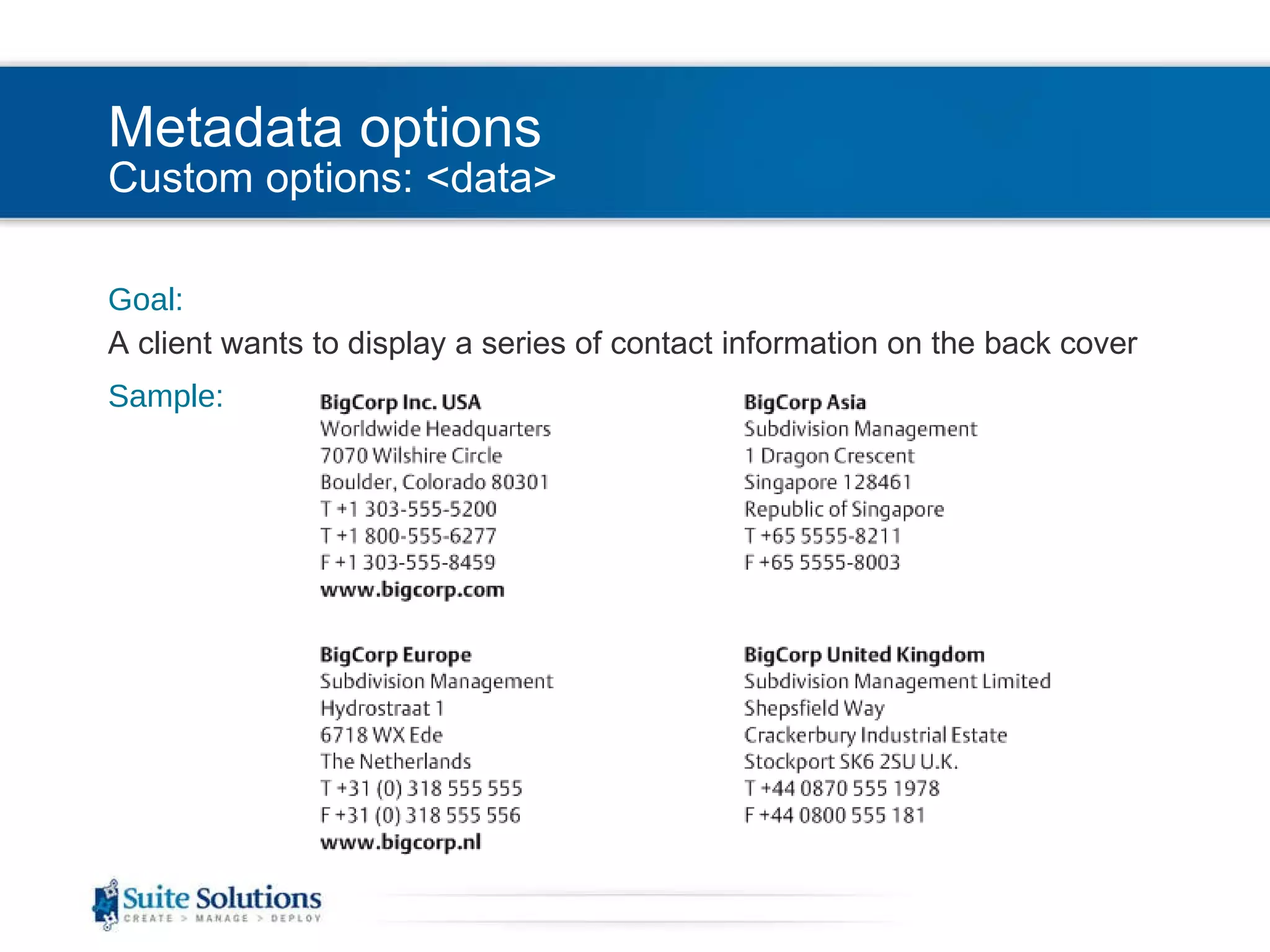
Metadata options Custom options: <data> Goal: A client wants to display a series of contact information on the back cover Sample:
Metadata options Custom options: <data> Challenge: There are no default metadata tags that provide that structure  and  allow that flexibility Solution: Use <data>!
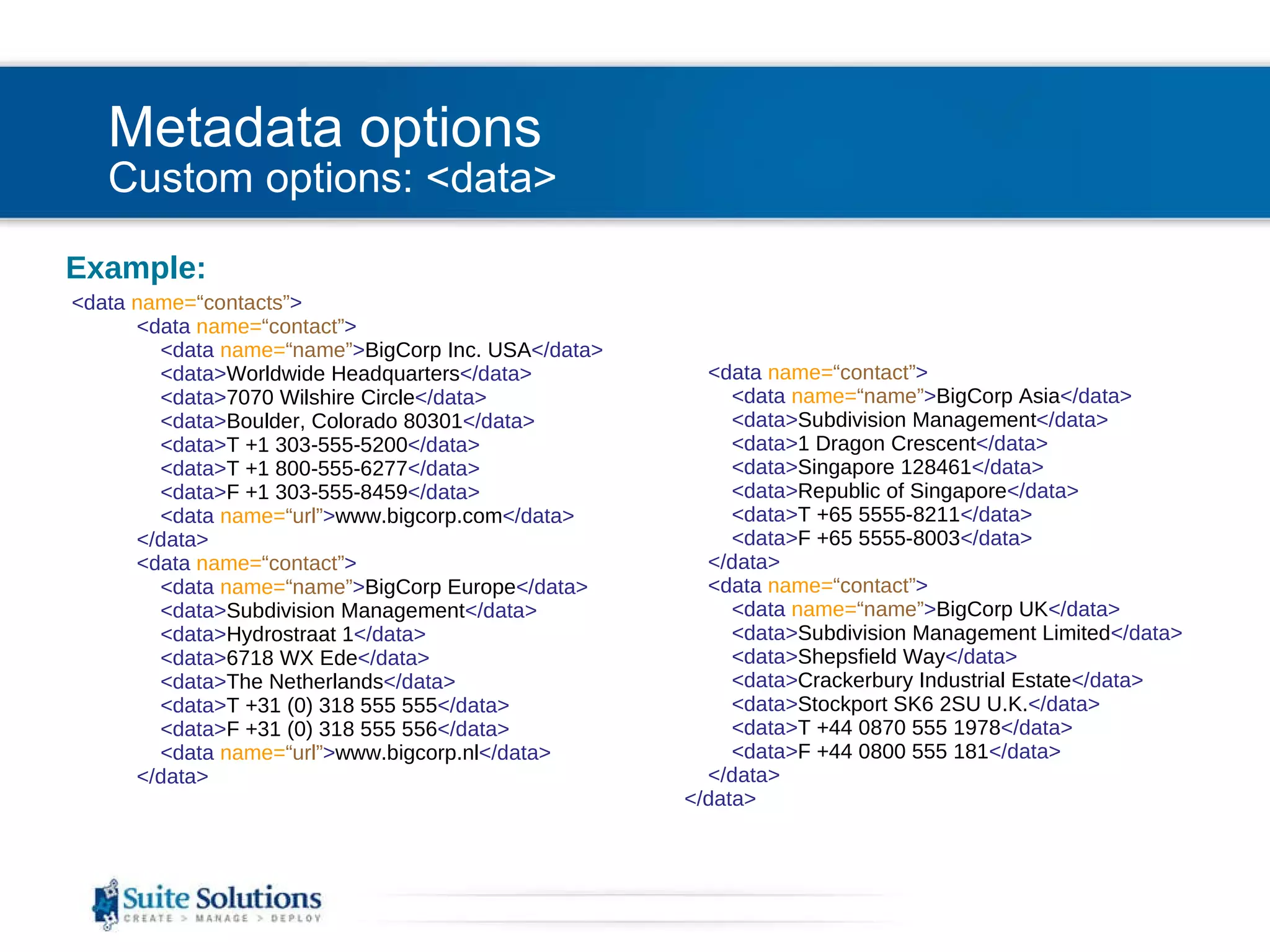
Metadata options Custom options: <data> Example: <data  name= “contacts” >   <data  name= “contact” >   <data  name= “name” > BigCorp Inc. USA </data>   <data> Worldwide Headquarters </data>   <data> 7070 Wilshire Circle </data>   <data> Boulder, Colorado 80301 </data>   <data> T +1 303-555-5200 </data>   <data> T +1 800-555-6277 </data>   <data> F +1 303-555-8459 </data>   <data  name= “url” > www.bigcorp.com </data>   </data>   <data  name= “contact” >   <data  name= “name” > BigCorp Europe </data>   <data> Subdivision Management </data>   <data> Hydrostraat 1 </data>   <data> 6718 WX Ede </data>   <data> The Netherlands </data>   <data> T +31 (0) 318 555 555 </data>   <data> F +31 (0) 318 555 556 </data>   <data  name= “url” > www.bigcorp.nl </data>   </data>   <data  name= “contact” >   <data  name= “name” > BigCorp Asia </data>   <data> Subdivision Management </data>   <data> 1 Dragon Crescent </data>   <data> Singapore 128461 </data>   <data> Republic of Singapore </data>   <data> T +65 5555-8211 </data>   <data> F +65 5555-8003 </data>   </data>   <data  name= “contact” >   <data  name= “name” > BigCorp UK </data>   <data> Subdivision Management Limited </data>   <data> Shepsfield Way </data>   <data> Crackerbury Industrial Estate </data>   <data> Stockport SK6 2SU U.K. </data>   <data> T +44 0870 555 1978 </data>   <data> F +44 0800 555 181 </data>   </data>   </data>
Metadata options Custom options outputclass attribute <othermeta> element <data> element Specialization
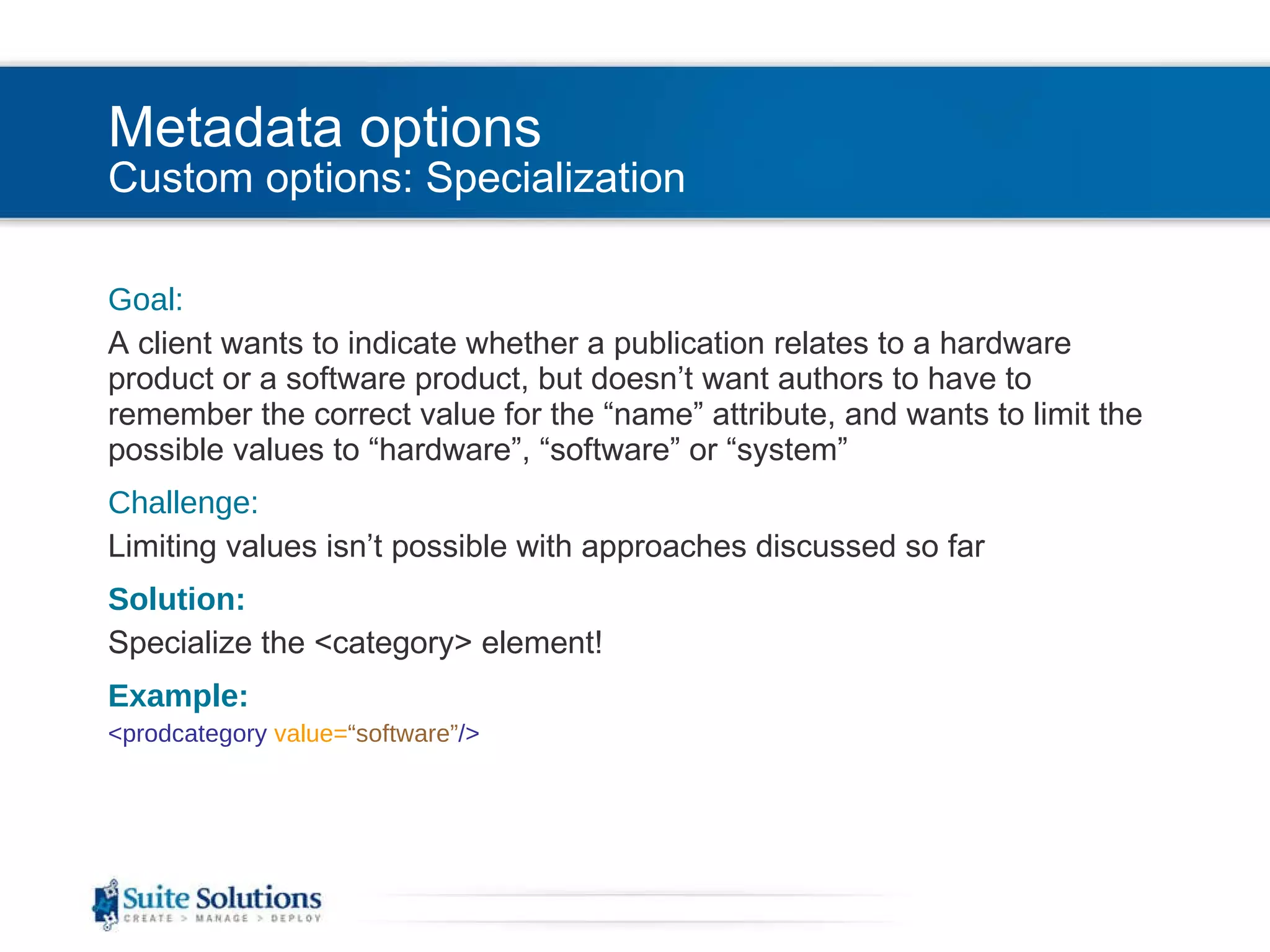
Metadata options Custom options: Specialization Goal: A client wants to indicate whether a publication relates to a hardware product or a software product, but doesn’t want authors to have to remember the correct value for the “name” attribute, and wants to limit the possible values to “hardware”, “software” or “system” Challenge: Limiting values isn’t possible with approaches discussed so far Solution: Specialize the <category> element! Example: <prodcategory  value= “software” />
Metadata options Custom options outputclass attribute <othermeta> element <data> element Specialization
Main Topics What is metadata? Metadata options Default options Custom options Extracting metadata using custom XSL Basic technique Tips
Extracting metadata Basic technique Metadata: <bookmeta>   <prodinfo>   <prodname> My Product </prodname>   <vrmlist>   <vrm  version= “2.4” />   </vrmlist>   </prodinfo>   </bookmeta> The “Right” Way: <xsl:value-of  select= “/*[contains(@class, ' bookmap/bookmap ')]/ opentopic:map/*[contains(@class, ' bookmap/bookmeta ')]/ *[contains(@class, ' topic/prodinfo ')][1]/ *[contains(@class, ' topic/vrmlist ')]/ *[contains(@class, ' topic/vrm ')][1]/@version” /> The Easy Way: <xsl:value-of  select= “//*[contains(@class, ' topic/vrm ')][1]/@version” />
Main Topics What is metadata? Metadata options Default options Custom options Extracting metadata using custom XSL Basic technique Tips
Extracting metadata Tips For best performance, avoid using “//” Be sure to note which metadata elements allow multiple instances, and restrict accordingly For easy reuse, declare variables: <xsl:variable  name= “version” > <xsl:value-of  select=“ /*[contains(@class, ' bookmap/bookmap ')]/ opentopic:map/*[contains(@class, ' bookmap/bookmeta ')]/ *[contains(@class, ' topic/prodinfo ')][1]/ *[contains(@class, ' topic/vrmlist ')]/ *[contains(@class, ' topic/vrm ')][1]/@version” /> </xsl:variable > <xsl:value-of  select= “$version” >
Extracting metadata Tips When designing cover pages, start with the FO and work your way back to the XSL Some helpful header/footer information can be retrieved from markers in addition to metadata Example: <fo:retrieve-marker  retrieve-class-name= “current-header” />
Main Topics What is metadata? Metadata options Default options Custom options Extracting metadata using custom XSL Basic technique Tips
End of Strategies for Using Metadata Be in touch! Reuven Weiser [email_address] Let us know how we can help you further… One-on-one support and training CMS

StrategiesForUsingMetadata

  • 1.
    Strategies for Using Metadata Reuven Weiser, Suite Solutions
  • 2.
    Who am I?Background in Computer Science and Education Experience in several computer companies over the past decade Web applications Server- and Client-side applications Early member of the Suite Solutions team On-site and online training seminars PDF and HTML style sheet projects CMS integration Project Management
  • 3.
    What is SuiteSolutions? Our Mission To increase our customers’ profitability by significantly improving the efficiency of their information development and delivery processes. Qualitative Advantage Content Lifecycle Implementation (CLI) is Suite Solutions’ comprehensive approach – from concept to publication – to maximizing the value of your information assets. Our professionals are with you at every phase, determining, recommending and implementing the most cost-effective, flexible and long term solution for your business.
  • 4.
    Main Topics Whatis metadata? Metadata options Default options Custom options Extracting metadata using custom XSL Basic technique Tips
  • 5.
    What is metadata?Source: http://itmanagement.earthweb.com/cnews/article.php/3878261/Tech-Comics-Whats-Metadata.htm
  • 6.
    What is metadata?Metadata is “data about data” It can be used to describe the nature of a publication or topic, or the nature of the product that the publication or topic is about. Why is it helpful? It allows for the inclusion of information aside from the actual document content. Examples: Copyright information Product version Source documents
  • 7.
    Main Topics Whatis metadata? Metadata options Default options Custom options Extracting metadata using custom XSL Basic technique Tips
  • 8.
    Metadata options Defaultoptions The DITA language specification offers a wide variety of default metadata tags Metadata can be applied to an entire map, a submap, or an individual topic The default tags available depend on whether the content is organized in a ditamap or a bookmap Full reference can be found online: http://docs.oasis-open.org/dita/v1.1/OS/langspec/ditaref-type.html
  • 9.
    Metadata options Defaultoptions: (dita)map/topicmeta
  • 10.
    Metadata options Defaultoptions: bookmap/bookmeta
  • 11.
    Main Topics Whatis metadata? Metadata options Default options Custom options Extracting metadata using custom XSL Basic technique Tips
  • 12.
    Metadata options Customoptions A number of approaches exist for including types of metadata not directly or specifically supported by the default tags: outputclass attribute <othermeta> element <data> element Specialization
  • 13.
    Metadata options Customoptions: outputclass Goal: A client wants a publication to have a title and a subtitle on the cover page, and a different title in the running header Challenge: The <booktitle> element supports only <mainbooktitle> and <booktitlealt> Solution: Use outputclass! Example: <booktitle> <mainbooktitle> Your New Gadget </mainbooktitle> <booktitlealt outputclass= “subtitle” > An Overview </booktitlealt> <booktitlealt outputclass= “header_title” > New Gadget </booktitlealt> </booktitle>
  • 14.
    Metadata options Customoptions outputclass attribute <othermeta> element <data> element Specialization
  • 15.
    Metadata options Customoptions: <othermeta> Goal: A client wants to indicate whether a publication relates to a hardware product or a software product Challenge: There is no default metadata element intended for that piece of information (<category> may be used for something else) Solution: Use <othermeta>! Example: <othermeta name= “product_type” content= “software” />
  • 16.
    Metadata options Customoptions outputclass attribute <othermeta> element <data> element Specialization
  • 17.
    Metadata options Customoptions: <data> Goal: A client wants to display a series of contact information on the back cover Sample:
  • 18.
    Metadata options Customoptions: <data> Challenge: There are no default metadata tags that provide that structure and allow that flexibility Solution: Use <data>!
  • 19.
    Metadata options Customoptions: <data> Example: <data name= “contacts” > <data name= “contact” > <data name= “name” > BigCorp Inc. USA </data> <data> Worldwide Headquarters </data> <data> 7070 Wilshire Circle </data> <data> Boulder, Colorado 80301 </data> <data> T +1 303-555-5200 </data> <data> T +1 800-555-6277 </data> <data> F +1 303-555-8459 </data> <data name= “url” > www.bigcorp.com </data> </data> <data name= “contact” > <data name= “name” > BigCorp Europe </data> <data> Subdivision Management </data> <data> Hydrostraat 1 </data> <data> 6718 WX Ede </data> <data> The Netherlands </data> <data> T +31 (0) 318 555 555 </data> <data> F +31 (0) 318 555 556 </data> <data name= “url” > www.bigcorp.nl </data> </data> <data name= “contact” > <data name= “name” > BigCorp Asia </data> <data> Subdivision Management </data> <data> 1 Dragon Crescent </data> <data> Singapore 128461 </data> <data> Republic of Singapore </data> <data> T +65 5555-8211 </data> <data> F +65 5555-8003 </data> </data> <data name= “contact” > <data name= “name” > BigCorp UK </data> <data> Subdivision Management Limited </data> <data> Shepsfield Way </data> <data> Crackerbury Industrial Estate </data> <data> Stockport SK6 2SU U.K. </data> <data> T +44 0870 555 1978 </data> <data> F +44 0800 555 181 </data> </data> </data>
  • 20.
    Metadata options Customoptions outputclass attribute <othermeta> element <data> element Specialization
  • 21.
    Metadata options Customoptions: Specialization Goal: A client wants to indicate whether a publication relates to a hardware product or a software product, but doesn’t want authors to have to remember the correct value for the “name” attribute, and wants to limit the possible values to “hardware”, “software” or “system” Challenge: Limiting values isn’t possible with approaches discussed so far Solution: Specialize the <category> element! Example: <prodcategory value= “software” />
  • 22.
    Metadata options Customoptions outputclass attribute <othermeta> element <data> element Specialization
  • 23.
    Main Topics Whatis metadata? Metadata options Default options Custom options Extracting metadata using custom XSL Basic technique Tips
  • 24.
    Extracting metadata Basictechnique Metadata: <bookmeta> <prodinfo> <prodname> My Product </prodname> <vrmlist> <vrm version= “2.4” /> </vrmlist> </prodinfo> </bookmeta> The “Right” Way: <xsl:value-of select= “/*[contains(@class, ' bookmap/bookmap ')]/ opentopic:map/*[contains(@class, ' bookmap/bookmeta ')]/ *[contains(@class, ' topic/prodinfo ')][1]/ *[contains(@class, ' topic/vrmlist ')]/ *[contains(@class, ' topic/vrm ')][1]/@version” /> The Easy Way: <xsl:value-of select= “//*[contains(@class, ' topic/vrm ')][1]/@version” />
  • 25.
    Main Topics Whatis metadata? Metadata options Default options Custom options Extracting metadata using custom XSL Basic technique Tips
  • 26.
    Extracting metadata TipsFor best performance, avoid using “//” Be sure to note which metadata elements allow multiple instances, and restrict accordingly For easy reuse, declare variables: <xsl:variable name= “version” > <xsl:value-of select=“ /*[contains(@class, ' bookmap/bookmap ')]/ opentopic:map/*[contains(@class, ' bookmap/bookmeta ')]/ *[contains(@class, ' topic/prodinfo ')][1]/ *[contains(@class, ' topic/vrmlist ')]/ *[contains(@class, ' topic/vrm ')][1]/@version” /> </xsl:variable > <xsl:value-of select= “$version” >
  • 27.
    Extracting metadata TipsWhen designing cover pages, start with the FO and work your way back to the XSL Some helpful header/footer information can be retrieved from markers in addition to metadata Example: <fo:retrieve-marker retrieve-class-name= “current-header” />
  • 28.
    Main Topics Whatis metadata? Metadata options Default options Custom options Extracting metadata using custom XSL Basic technique Tips
  • 29.
    End of Strategiesfor Using Metadata Be in touch! Reuven Weiser [email_address] Let us know how we can help you further… One-on-one support and training CMS

Editor's Notes

  • #3 Suite Solutions: DITA Quick Start Training for Authors iDTP, March 16-18, 2009