Speeding Up Your DITA-OT ProcessingAryeh Sanders, Suite Solutions
Who Are We?Our MissionTo increase our customers’ profitability by significantly improving the efficiency of their  information development and delivery processes.Qualitative AdvantageContent Lifecycle Implementation (CLI) is Suite Solutions’   comprehensive approach – from concept to publication – to maximizing the value of your information assets.Our professionals are with you at every phase, determining, recommending and implementing the most cost-effective, flexible and long term solution for your business.
Clients and Partners3Private and ConfidentialSuite Solutions©2009
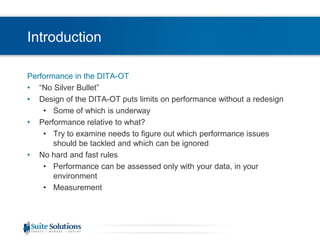
IntroductionPerformance in the DITA-OT“No Silver Bullet”Design of the DITA-OT puts limits on performance without a redesignSome of which is underwayPerformance relative to what?Try to examine needs to figure out which performance issues should be tackled and which can be ignoredNo hard and fast rulesPerformance can be assessed only with your data, in your environmentMeasurement
OverviewOverview of the webinarPerformance Pain Points in the DITA-OTHardware and Software Changes for PerformanceMemory Settings for JavaStylesheet Performance and Code Changes
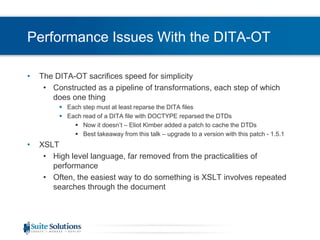
Performance Issues With the DITA-OTThe DITA-OT sacrifices speed for simplicityConstructed as a pipeline of transformations, each step of which does one thingEach step must at least reparse the DITA filesEach read of a DITA file with DOCTYPE reparsed the DTDsNow it doesn’t – Eliot Kimber added a patch to cache the DTDsBest takeaway from this talk – upgrade to a version with this patch - 1.5.1XSLTHigh level language, far removed from the practicalities of performanceOften, the easiest way to do something is XSLT involves repeated searches through the document
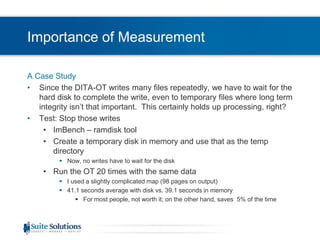
Importance of MeasurementA Case StudySince the DITA-OT writes many files repeatedly, we have to wait for the hard disk to complete the write, even to temporary files where long term integrity isn’t that important.  This certainly holds up processing, right?Test: Stop those writesImBench – ramdisk toolCreate a temporary disk in memory and use that as the temp directoryNow, no writes have to wait for the diskRun the OT 20 times with the same dataI used a slightly complicated map (98 pages on output)41.1 seconds average with disk vs. 39.1 seconds in memoryFor most people, not worth it; on the other hand, saves  5% of the time
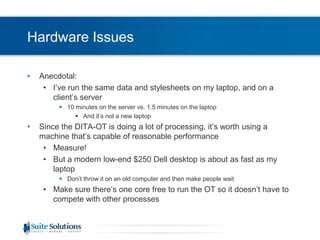
Hardware IssuesAnecdotal:I’ve run the same data and stylesheets on my laptop, and on a client’s server10 minutes on the server vs. 1.5 minutes on the laptopAnd it’s not a new laptopSince the DITA-OT is doing a lot of processing, it’s worth using a machine that’s capable of reasonable performanceMeasure!But a modern low-end $250 Dell desktop is about as fast as my laptopDon’t throw it on an old computer and then make people waitMake sure there’s one core free to run the OT so it doesn’t have to compete with other processes
Hardware Issues (2)Make sure there’s enough memoryVery workload dependentFor very large workloads (roughly > 600 pages, or > 1000 topics), consider a 64-bit machine with a 64-bit JVMEliot Kimber is working on a patch to pass the right memory parameters to the OT – if this is an issue, check the developer mailing list or contact himIf there’s not enough physicalmemory, you can get thrashingJVM memory on next slide
MemoryOnce you have enough, it won’t help to have extraSlightly surprising to me, but I tested at least one data set-Xmx tells Java the maximum heap sizeThe reason this is slightly surprising is that before Java gives up, it will try garbage collectionFrequent garbage collection can be slowPossibly the OT doesn’t tend to release memorySome datasets run out of memory, then the standard advice is to set reloadstylesheets=“true”Slows down processing, since stylesheets are re-readMuch better to figure out how to give the OT enough memory if possibleOne customer solved their memory issues with JRockit as JVM
XSLT PerformanceStylesheet developers don’t necessarily think about what needs to happen behind the scenesExample:<xsl:variable name=“example” select=“//*[@id=$refid]”/>This searches the whole document – fine if that’s what you want, but not if you mean:<xsl:variable name=“example” select=“..//*[@id=$refid]”/>In the context of a document where @id is unique, both would behave the same, but one would be slower than the otherExcept:this could theoretically be optimized if the @id attribute was an ID type, and you have a DTD, and the stylesheet processor has that optimization built in, which leads us back to …Measurement is also useful for stylesheetsSaxon comes in a free version and commercial versionsNot that expensive, with more optimizations, which might matter for your workload – or might not
ProfilingGood idea, many commercial toolsOxygen, StylusStudio, fancier editions of Visual StudioEssentially another example of measurement to find the real pain pointsNot always necessary if the pain points are evident
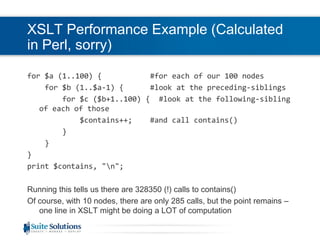
XSLT Performance (2)XPath tends to have one line requests, but that one line can hide a lot of computationWhat needs to happen to process this?preceding-sibling::*[following-sibling::*[contains(@class, ‘ topic/ul ‘)]]Preceding-sibling has to check each previous siblingFor each one, following-sibling has to check every following-siblingAnd contains() itself can’t be that efficient because it needs to hunt within @class for ‘ topic/ul ‘Some numbers: Let’s look at 100 nodes, and let’s pretend that there is no topic/ul, so the test never succeeds.  Let’s run this test on all 100 nodes in sequenceWe could do the math, but it’s easier to write a program
XSLT Performance Example (Calculated in Perl, sorry)for $a (1..100) {           #for each of our 100 nodes    for $b (1..$a-1) {      #look at the preceding-siblings        for $c ($b+1..100) {  #look at the following-sibling of each of those            $contains++;    #and call contains()        }    }}print $contains, "\n";Running this tells us there are 328350 (!) calls to contains()Of course, with 10 nodes, there are only 285 calls, but the point remains – one line in XSLT might be doing a LOT of computation
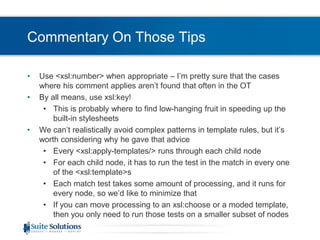
Tips From Mike KayEight tips for how to write efficient XSLT:Avoid repeated use of "//item".Don't evaluate the same node-set more than once; save it in a variable.Avoid <xsl:number> if you can. For example, by using position().Use <xsl:key>, for example to solve grouping problems.Avoid complex patterns in template rules. Instead, use <xsl:choose> within the rule.Be careful when using the preceding[-sibling] or following[-sibling] axes. This often indicates an algorithm with n-squared performance.Don't sort the same node-set more than once. If necessary, save it as a result tree fragment and access it using the node-set() extension function.To output the text value of a simple #PCDATA element, use <xsl:value-of> in preference to <xsl:apply-templates>.
Commentary On Those TipsUse <xsl:number> when appropriate – I’m pretty sure that the cases where his comment applies aren’t found that often in the OTBy all means, use xsl:key!This is probably where to find low-hanging fruit in speeding up the built-in stylesheetsWe can’t realistically avoid complex patterns in template rules, but it’s worth considering why he gave that adviceEvery <xsl:apply-templates/> runs through each child nodeFor each child node, it has to run the test in the match in every one of the <xsl:template>sEach match test takes some amount of processing, and it runs for every node, so we’d like to minimize thatIf you can move processing to an xsl:choose or a moded template, then you only need to run those tests on a smaller subset of nodes
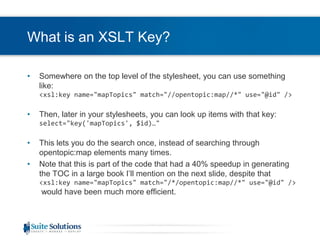
What is an XSLT Key?Somewhere on the top level of the stylesheet, you can use something like:<xsl:key name="mapTopics" match="//opentopic:map//*" use="@id" />Then, later in your stylesheets, you can look up items with that key:select="key('mapTopics', $id)…"This lets you do the search once, instead of searching through opentopic:map elements many times. Note that this is part of the code that had a 40% speedup in generating the TOC in a large book I’ll mention on the next slide, despite that <xsl:key name="mapTopics" match="/*/opentopic:map//*" use="@id" />would have been much more efficient.
More On Slow XSLTConsider what’s inside a loopExample:If you have a template, and the template defines a variable:<xsl:variable name=“topicrefs” select=“//*[contains(@class, ‘ map/topicref ‘)]”/>(This isn’t a good idea to start with because of //)This variable will have the same value every timeSo why not only construct it once?Move it out of the template and make it a global variableOne customer speeded up TOC generation by around 40% on a huge book
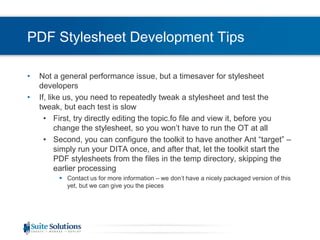
PDF Stylesheet Development TipsNot a general performance issue, but a timesaver for stylesheet developersIf, like us, you need to repeatedly tweak a stylesheet and test the tweak, but each test is slowFirst, try directly editing the topic.fo file and view it, before you change the stylesheet, so you won’t have to run the OT at allSecond, you can configure the toolkit to have another Ant “target” – simply run your DITA once, and after that, let the toolkit start the PDF stylesheets from the files in the temp directory, skipping the earlier processingContact us for more information – we don’t have a nicely packaged version of this yet, but we can give you the pieces
Questions?Any questions?Be in touch!Aryeh Sandersaryehs@suite-sol.com

Ot performance webinar

  • 1.
    Speeding Up YourDITA-OT ProcessingAryeh Sanders, Suite Solutions
  • 2.
    Who Are We?OurMissionTo increase our customers’ profitability by significantly improving the efficiency of their information development and delivery processes.Qualitative AdvantageContent Lifecycle Implementation (CLI) is Suite Solutions’ comprehensive approach – from concept to publication – to maximizing the value of your information assets.Our professionals are with you at every phase, determining, recommending and implementing the most cost-effective, flexible and long term solution for your business.
  • 3.
    Clients and Partners3Privateand ConfidentialSuite Solutions©2009
  • 4.
    IntroductionPerformance in theDITA-OT“No Silver Bullet”Design of the DITA-OT puts limits on performance without a redesignSome of which is underwayPerformance relative to what?Try to examine needs to figure out which performance issues should be tackled and which can be ignoredNo hard and fast rulesPerformance can be assessed only with your data, in your environmentMeasurement
  • 5.
    OverviewOverview of thewebinarPerformance Pain Points in the DITA-OTHardware and Software Changes for PerformanceMemory Settings for JavaStylesheet Performance and Code Changes
  • 6.
    Performance Issues Withthe DITA-OTThe DITA-OT sacrifices speed for simplicityConstructed as a pipeline of transformations, each step of which does one thingEach step must at least reparse the DITA filesEach read of a DITA file with DOCTYPE reparsed the DTDsNow it doesn’t – Eliot Kimber added a patch to cache the DTDsBest takeaway from this talk – upgrade to a version with this patch - 1.5.1XSLTHigh level language, far removed from the practicalities of performanceOften, the easiest way to do something is XSLT involves repeated searches through the document
  • 7.
    Importance of MeasurementACase StudySince the DITA-OT writes many files repeatedly, we have to wait for the hard disk to complete the write, even to temporary files where long term integrity isn’t that important. This certainly holds up processing, right?Test: Stop those writesImBench – ramdisk toolCreate a temporary disk in memory and use that as the temp directoryNow, no writes have to wait for the diskRun the OT 20 times with the same dataI used a slightly complicated map (98 pages on output)41.1 seconds average with disk vs. 39.1 seconds in memoryFor most people, not worth it; on the other hand, saves 5% of the time
  • 8.
    Hardware IssuesAnecdotal:I’ve runthe same data and stylesheets on my laptop, and on a client’s server10 minutes on the server vs. 1.5 minutes on the laptopAnd it’s not a new laptopSince the DITA-OT is doing a lot of processing, it’s worth using a machine that’s capable of reasonable performanceMeasure!But a modern low-end $250 Dell desktop is about as fast as my laptopDon’t throw it on an old computer and then make people waitMake sure there’s one core free to run the OT so it doesn’t have to compete with other processes
  • 9.
    Hardware Issues (2)Makesure there’s enough memoryVery workload dependentFor very large workloads (roughly > 600 pages, or > 1000 topics), consider a 64-bit machine with a 64-bit JVMEliot Kimber is working on a patch to pass the right memory parameters to the OT – if this is an issue, check the developer mailing list or contact himIf there’s not enough physicalmemory, you can get thrashingJVM memory on next slide
  • 10.
    MemoryOnce you haveenough, it won’t help to have extraSlightly surprising to me, but I tested at least one data set-Xmx tells Java the maximum heap sizeThe reason this is slightly surprising is that before Java gives up, it will try garbage collectionFrequent garbage collection can be slowPossibly the OT doesn’t tend to release memorySome datasets run out of memory, then the standard advice is to set reloadstylesheets=“true”Slows down processing, since stylesheets are re-readMuch better to figure out how to give the OT enough memory if possibleOne customer solved their memory issues with JRockit as JVM
  • 11.
    XSLT PerformanceStylesheet developersdon’t necessarily think about what needs to happen behind the scenesExample:<xsl:variable name=“example” select=“//*[@id=$refid]”/>This searches the whole document – fine if that’s what you want, but not if you mean:<xsl:variable name=“example” select=“..//*[@id=$refid]”/>In the context of a document where @id is unique, both would behave the same, but one would be slower than the otherExcept:this could theoretically be optimized if the @id attribute was an ID type, and you have a DTD, and the stylesheet processor has that optimization built in, which leads us back to …Measurement is also useful for stylesheetsSaxon comes in a free version and commercial versionsNot that expensive, with more optimizations, which might matter for your workload – or might not
  • 12.
    ProfilingGood idea, manycommercial toolsOxygen, StylusStudio, fancier editions of Visual StudioEssentially another example of measurement to find the real pain pointsNot always necessary if the pain points are evident
  • 13.
    XSLT Performance (2)XPathtends to have one line requests, but that one line can hide a lot of computationWhat needs to happen to process this?preceding-sibling::*[following-sibling::*[contains(@class, ‘ topic/ul ‘)]]Preceding-sibling has to check each previous siblingFor each one, following-sibling has to check every following-siblingAnd contains() itself can’t be that efficient because it needs to hunt within @class for ‘ topic/ul ‘Some numbers: Let’s look at 100 nodes, and let’s pretend that there is no topic/ul, so the test never succeeds. Let’s run this test on all 100 nodes in sequenceWe could do the math, but it’s easier to write a program
  • 14.
    XSLT Performance Example(Calculated in Perl, sorry)for $a (1..100) { #for each of our 100 nodes for $b (1..$a-1) { #look at the preceding-siblings for $c ($b+1..100) { #look at the following-sibling of each of those $contains++; #and call contains() } }}print $contains, "\n";Running this tells us there are 328350 (!) calls to contains()Of course, with 10 nodes, there are only 285 calls, but the point remains – one line in XSLT might be doing a LOT of computation
  • 15.
    Tips From MikeKayEight tips for how to write efficient XSLT:Avoid repeated use of "//item".Don't evaluate the same node-set more than once; save it in a variable.Avoid <xsl:number> if you can. For example, by using position().Use <xsl:key>, for example to solve grouping problems.Avoid complex patterns in template rules. Instead, use <xsl:choose> within the rule.Be careful when using the preceding[-sibling] or following[-sibling] axes. This often indicates an algorithm with n-squared performance.Don't sort the same node-set more than once. If necessary, save it as a result tree fragment and access it using the node-set() extension function.To output the text value of a simple #PCDATA element, use <xsl:value-of> in preference to <xsl:apply-templates>.
  • 16.
    Commentary On ThoseTipsUse <xsl:number> when appropriate – I’m pretty sure that the cases where his comment applies aren’t found that often in the OTBy all means, use xsl:key!This is probably where to find low-hanging fruit in speeding up the built-in stylesheetsWe can’t realistically avoid complex patterns in template rules, but it’s worth considering why he gave that adviceEvery <xsl:apply-templates/> runs through each child nodeFor each child node, it has to run the test in the match in every one of the <xsl:template>sEach match test takes some amount of processing, and it runs for every node, so we’d like to minimize thatIf you can move processing to an xsl:choose or a moded template, then you only need to run those tests on a smaller subset of nodes
  • 17.
    What is anXSLT Key?Somewhere on the top level of the stylesheet, you can use something like:<xsl:key name="mapTopics" match="//opentopic:map//*" use="@id" />Then, later in your stylesheets, you can look up items with that key:select="key('mapTopics', $id)…"This lets you do the search once, instead of searching through opentopic:map elements many times. Note that this is part of the code that had a 40% speedup in generating the TOC in a large book I’ll mention on the next slide, despite that <xsl:key name="mapTopics" match="/*/opentopic:map//*" use="@id" />would have been much more efficient.
  • 18.
    More On SlowXSLTConsider what’s inside a loopExample:If you have a template, and the template defines a variable:<xsl:variable name=“topicrefs” select=“//*[contains(@class, ‘ map/topicref ‘)]”/>(This isn’t a good idea to start with because of //)This variable will have the same value every timeSo why not only construct it once?Move it out of the template and make it a global variableOne customer speeded up TOC generation by around 40% on a huge book
  • 19.
    PDF Stylesheet DevelopmentTipsNot a general performance issue, but a timesaver for stylesheet developersIf, like us, you need to repeatedly tweak a stylesheet and test the tweak, but each test is slowFirst, try directly editing the topic.fo file and view it, before you change the stylesheet, so you won’t have to run the OT at allSecond, you can configure the toolkit to have another Ant “target” – simply run your DITA once, and after that, let the toolkit start the PDF stylesheets from the files in the temp directory, skipping the earlier processingContact us for more information – we don’t have a nicely packaged version of this yet, but we can give you the pieces
  • 20.
    Questions?Any questions?Be intouch!Aryeh Sandersaryehs@suite-sol.com