Document Repositories & Metadata Richard Beatch– Earley & Associates
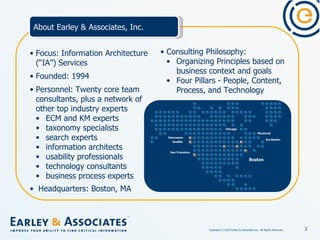
Focus: Information Architecture (“IA”) Services Founded: 1994 Personnel: Twenty core team consultants, plus a network of other top industry experts ECM and KM experts taxonomy specialists search experts information architects usability professionals technology consultants business process experts Headquarters: Boston, MA About Earley & Associates, Inc. Consulting Philosophy:  Organizing Principles based on business context and goals Four Pillars - People, Content, Process, and Technology
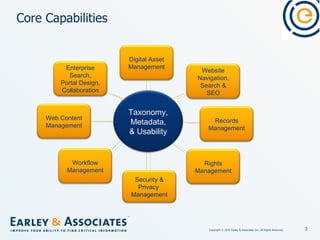
Core Capabilities Enterprise Search, Portal Design, Collaboration Web Content Management Workflow Management Security & Privacy  Management Rights Management Records Management Website Navigation, Search & SEO Digital Asset Management Taxonomy, Metadata, & Usability
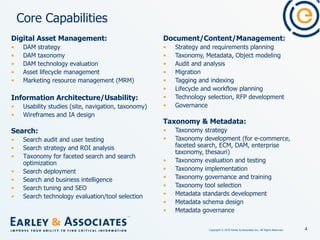
Core Capabilities Document/Content/Management: Strategy and requirements planning Taxonomy, Metadata, Object modeling Audit and analysis Migration  Tagging and indexing  Lifecycle and workflow planning Technology selection, RFP development Governance Taxonomy & Metadata: Taxonomy strategy Taxonomy development (for e-commerce, faceted search, ECM, DAM, enterprise taxonomy, thesauri) Taxonomy evaluation and testing Taxonomy implementation  Taxonomy governance and training Taxonomy tool selection Metadata standards development Metadata schema design Metadata governance   Digital Asset Management: DAM strategy DAM taxonomy DAM technology evaluation Asset lifecycle management Marketing resource management (MRM) Information Architecture/Usability: Usability studies (site, navigation, taxonomy) Wireframes and IA design   Search: Search audit and user testing Search strategy and ROI analysis Taxonomy for faceted search and search optimization Search deployment  Search and business intelligence Search tuning and SEO Search technology evaluation/tool selection  
About Me Richard Beatch Senior Consultant at Earley & Associates, Inc. Ph.D. in Ontology Specialized in Taxonomy, Search, Metadata, and content architecture. Extensive industry experience leading the implementation and design of taxonomies and search solutions for a range of companies including Apple, McAfee, Allstate, Dell, and AT&T. Blog: http://sethearley.wordpress.com/ PAGE
The Challenge Suppose you have roughly 1 Million scanned documents entering your document management system each week Suppose you want users to be able to find them in the future so as to conduct your business Suppose it is 2001 PAGE
The result H:\DocStore\California\Claims\Auto\PoliceRep\Photos\DR65876KL H:\DocStore\California\Claims\Auto\PoliceRep\Photos\DR64876KL H:\DocStore\California\Claims\Auto\PoliceRep\Photos\DR64879DL H:\DocStore\California\Claims\Auto\PoliceRep\Photos\DW72876KL Multiplied by (roughly) 250K each week PAGE
Why should I care about access anyways? Reuse of content Access in order to do business, e.g., process an insurance claim Access for regulatory needs In short, to either generate revenue or save money PAGE
How do we access th is  information now? Ad HOC mechanisms File shares Snail mail/sending CDs Email PAGE
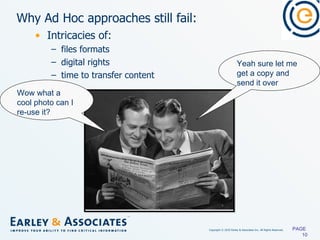
Why Ad Hoc approaches still fail:  Intricacies of: files formats digital rights time to transfer content PAGE  Wow what a cool photo can I re-use it?  Yeah sure let me get a copy and send it over
Document Management to the Rescue Ad Hoc Sharing frustration bubbles up to the surface Business recognizes the need and the potential cost savings over time PAGE  We need a document management system
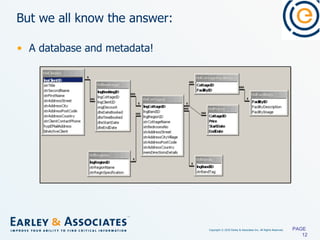
But we all know the answer: A database and metadata! PAGE
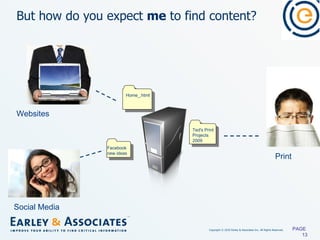
But how do you expect  me  to find content? PAGE  Print Websites Social Media Ted's Print Projects 2009 Home_.html Facebook new ideas
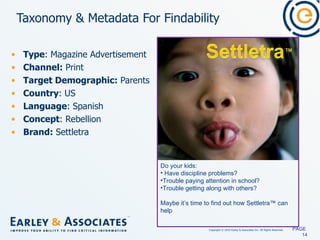
Taxonomy & Metadata For Findability Type : Magazine Advertisement Channel:  Print Target Demographic:  Parents Country : US Language : Spanish Concept : Rebellion Brand:  Settletra PAGE  Do your kids: Have discipline problems? Trouble paying attention in school? Trouble getting along with others? Maybe it’s time to find out how Settletra™ can help
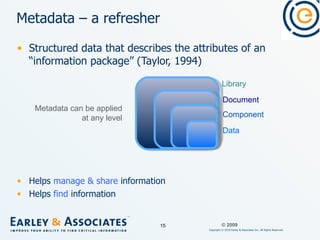
Structured data that describes the attributes of an “information package” (Taylor, 1994) Helps  manage & share  information Helps  find  information Metadata – a refresher Document Component Data Metadata can be applied at any level Library © 2009
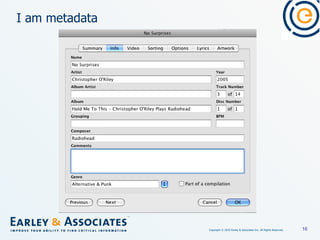
I am metadata
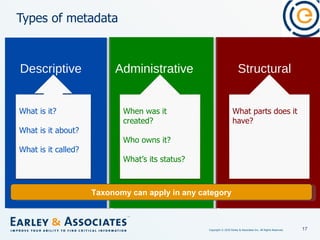
Types of metadata Structural Administrative Descriptive  Taxonomy can apply in any category What is it? What is it about? What is it called? When was it created? Who owns it? What’s its status? What parts does it have?
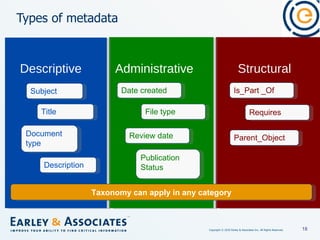
Types of metadata Structural Administrative Descriptive  Taxonomy can apply in any category Subject Title Document type Description Date created File type Review date Publication Status Is_Part _Of Requires Parent_Object
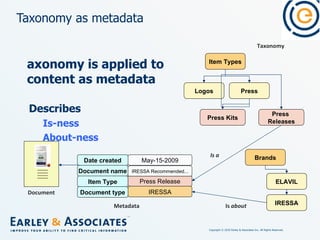
Taxonomy is applied to content as metadata Describes  Is-ness About-ness Taxonomy as metadata Press Release Item Types Press Press  Releases Logos Press Kits Taxonomy IRESSA Brands ELAVIL IRESSA Is  about Is   a Date created May-15-2009 Document name IRESSA Recommended... Item Type Metadata Document type Document
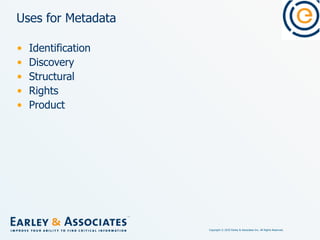
Uses for Metadata Identification Discovery Structural Rights Product
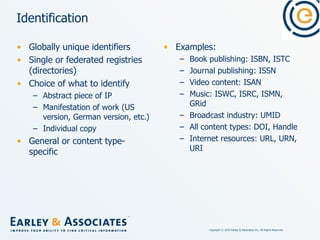
Identification Globally unique identifiers Single or federated registries (directories) Choice of what to identify Abstract piece of IP Manifestation of work (US version, German version, etc.) Individual copy General or content type-specific Examples: Book publishing: ISBN, ISTC Journal publishing: ISSN Video content: ISAN Music: ISWC, ISRC, ISMN, GRid Broadcast industry: UMID All content types: DOI, Handle Internet resources: URL, URN, URI
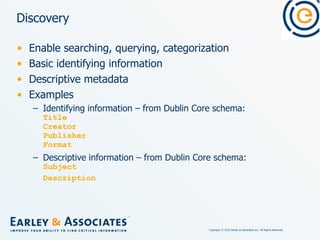
Discovery Enable searching, querying, categorization Basic identifying information Descriptive metadata Examples Identifying information – from Dublin Core schema: Title Creator Publisher Format Descriptive information – from Dublin Core schema: Subject Description
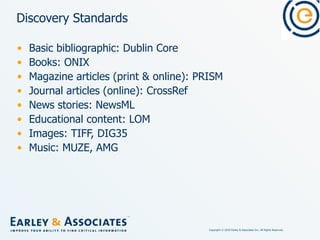
Discovery Standards Basic bibliographic: Dublin Core Books: ONIX Magazine articles (print & online): PRISM Journal articles (online): CrossRef News stories: NewsML Educational content: LOM Images: TIFF, DIG35 Music: MUZE, AMG
Structural Describe logical structure of content Ideally without defining output appearance Allow content to be fed to predefined templates for production & distribution Replacements for old markup languages  (TROFF, SCRIPT, etc.) Examples From NITF tagset: <hedline>  [sic] <byline>
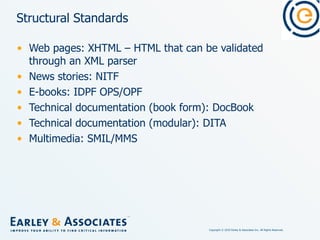
Structural Standards Web pages: XHTML – HTML that can be validated through an XML parser News stories: NITF E-books: IDPF OPS/OPF Technical documentation (book form): DocBook Technical documentation (modular): DITA Multimedia: SMIL/MMS
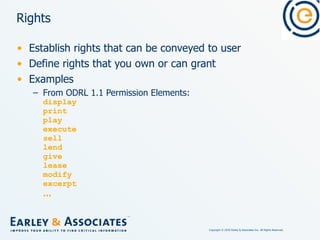
Rights Establish rights that can be conveyed to user Define rights that you own or can grant Examples From ODRL 1.1 Permission Elements: display print play execute sell lend give lease modify excerpt …
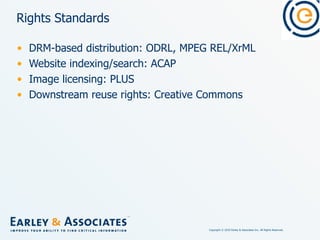
Rights Standards DRM-based distribution: ODRL, MPEG REL/XrML Website indexing/search: ACAP Image licensing: PLUS Downstream reuse rights: Creative Commons
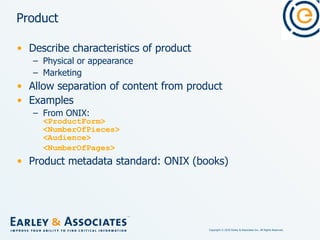
Product Describe characteristics of product Physical or appearance Marketing Allow separation of content from product Examples From ONIX: <ProductForm> <NumberOfPieces> <Audience> <NumberOfPages>   Product metadata standard: ONIX (books)
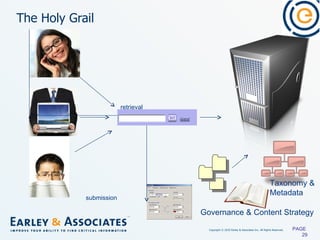
The Holy Grail PAGE  Taxonomy & Metadata Governance & Content Strategy submission retrieval
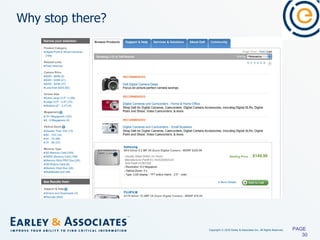
Why stop there? PAGE
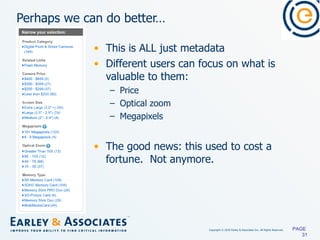
Perhaps we can do better… This is ALL just metadata Different users can focus on what is valuable to them: Price Optical zoom Megapixels The good news: this used to cost a fortune.  Not anymore. PAGE
Conclusion Managing large and changing document repositories is challenging. File stores and databases alone cannot provide for genuine findability. Semantically rich metadata can provide for findability through search. Shifts in   the costs of faceted navigation make eCommerce-style searching a real option within the enterprise. PAGE
Communities & Events Communities of Practice Taxonomy:  www.finance.groups.yahoo.com/group/TaxoCoP   SharePoint IA:  www.tech.groups.yahoo.com/group/SharePointIACoP   Search:  www.tech.groups.yahoo.com/group/SearchCoP Upcoming Webinars Taxonomy Community of Practice series www.earley.com/webinars   Technology Showcase series www.earley.com/webinars/technology-showcase   Jumpstarts www.earley.com/webinars/jumpstarts
Communities & Events SharePoint IA Group:  http://tech.groups.yahoo.com/group/SharePointIACoP/   Taxonomy Group:  http://finance.groups.yahoo.com/group/TaxoCoP Search Group:  http://tech.groups.yahoo.com/group/SearchCoP Upcoming Taxonomy Community of Practice Webinars May 5, 2010 – Cross-Channel Brand Management June 2, 2010 – Mega Menus July 7, 2010 – Taxonomy for SharePoint 2010 Upcoming Vendor Showcase Webinars March 30, 2010 – SharePoint Search May 11, 2010 – Optimizing Search with FAST Visit  www.earley.com/webinars  for upcoming schedules and archives. Communities of Practice
For Additional Reading Conquering Chaos via Smart Content Management http://www.earley.com/knowledge/articles/conquering-chaos-via-smart-content-management   Tips for Keyword Research http://www.earley.com/knowledge/articles/tips-for-keyword-research   Measuring the Success of a Taxonomy Project http://www.earley.com/knowledge/whitepapers/measuring-the-success-of-a-taxonomy-project   Retrospective Indexing: Strategies for Cataloging Legacy Content  http://www.earley.com/knowledge/whitepapers/retrospective-indexing-strategies-cataloging-legacy-content   Designing for Faceted Search http://www.earley.com/knowledge/articles/designing-faceted-search   Search & Taxonomy - Leveraging Metadata to Return Content in Context http://www.earley.com/knowledge/articles/search-and-taxonomy-leveraging-metadata-to-return-content-in-context
Questions PAGE

Document repositories-and-metadata

  • 1.
    Document Repositories &Metadata Richard Beatch– Earley & Associates
  • 2.
    Focus: Information Architecture(“IA”) Services Founded: 1994 Personnel: Twenty core team consultants, plus a network of other top industry experts ECM and KM experts taxonomy specialists search experts information architects usability professionals technology consultants business process experts Headquarters: Boston, MA About Earley & Associates, Inc. Consulting Philosophy: Organizing Principles based on business context and goals Four Pillars - People, Content, Process, and Technology
  • 3.
    Core Capabilities EnterpriseSearch, Portal Design, Collaboration Web Content Management Workflow Management Security & Privacy Management Rights Management Records Management Website Navigation, Search & SEO Digital Asset Management Taxonomy, Metadata, & Usability
  • 4.
    Core Capabilities Document/Content/Management:Strategy and requirements planning Taxonomy, Metadata, Object modeling Audit and analysis Migration Tagging and indexing Lifecycle and workflow planning Technology selection, RFP development Governance Taxonomy & Metadata: Taxonomy strategy Taxonomy development (for e-commerce, faceted search, ECM, DAM, enterprise taxonomy, thesauri) Taxonomy evaluation and testing Taxonomy implementation Taxonomy governance and training Taxonomy tool selection Metadata standards development Metadata schema design Metadata governance   Digital Asset Management: DAM strategy DAM taxonomy DAM technology evaluation Asset lifecycle management Marketing resource management (MRM) Information Architecture/Usability: Usability studies (site, navigation, taxonomy) Wireframes and IA design   Search: Search audit and user testing Search strategy and ROI analysis Taxonomy for faceted search and search optimization Search deployment  Search and business intelligence Search tuning and SEO Search technology evaluation/tool selection  
  • 5.
    About Me RichardBeatch Senior Consultant at Earley & Associates, Inc. Ph.D. in Ontology Specialized in Taxonomy, Search, Metadata, and content architecture. Extensive industry experience leading the implementation and design of taxonomies and search solutions for a range of companies including Apple, McAfee, Allstate, Dell, and AT&T. Blog: http://sethearley.wordpress.com/ PAGE
  • 6.
    The Challenge Supposeyou have roughly 1 Million scanned documents entering your document management system each week Suppose you want users to be able to find them in the future so as to conduct your business Suppose it is 2001 PAGE
  • 7.
    The result H:\DocStore\California\Claims\Auto\PoliceRep\Photos\DR65876KLH:\DocStore\California\Claims\Auto\PoliceRep\Photos\DR64876KL H:\DocStore\California\Claims\Auto\PoliceRep\Photos\DR64879DL H:\DocStore\California\Claims\Auto\PoliceRep\Photos\DW72876KL Multiplied by (roughly) 250K each week PAGE
  • 8.
    Why should Icare about access anyways? Reuse of content Access in order to do business, e.g., process an insurance claim Access for regulatory needs In short, to either generate revenue or save money PAGE
  • 9.
    How do weaccess th is information now? Ad HOC mechanisms File shares Snail mail/sending CDs Email PAGE
  • 10.
    Why Ad Hocapproaches still fail: Intricacies of: files formats digital rights time to transfer content PAGE Wow what a cool photo can I re-use it? Yeah sure let me get a copy and send it over
  • 11.
    Document Management tothe Rescue Ad Hoc Sharing frustration bubbles up to the surface Business recognizes the need and the potential cost savings over time PAGE We need a document management system
  • 12.
    But we allknow the answer: A database and metadata! PAGE
  • 13.
    But how doyou expect me to find content? PAGE Print Websites Social Media Ted's Print Projects 2009 Home_.html Facebook new ideas
  • 14.
    Taxonomy & MetadataFor Findability Type : Magazine Advertisement Channel:  Print Target Demographic:  Parents Country : US Language : Spanish Concept : Rebellion Brand: Settletra PAGE Do your kids: Have discipline problems? Trouble paying attention in school? Trouble getting along with others? Maybe it’s time to find out how Settletra™ can help
  • 15.
    Structured data thatdescribes the attributes of an “information package” (Taylor, 1994) Helps manage & share information Helps find information Metadata – a refresher Document Component Data Metadata can be applied at any level Library © 2009
  • 16.
  • 17.
    Types of metadataStructural Administrative Descriptive Taxonomy can apply in any category What is it? What is it about? What is it called? When was it created? Who owns it? What’s its status? What parts does it have?
  • 18.
    Types of metadataStructural Administrative Descriptive Taxonomy can apply in any category Subject Title Document type Description Date created File type Review date Publication Status Is_Part _Of Requires Parent_Object
  • 19.
    Taxonomy is appliedto content as metadata Describes Is-ness About-ness Taxonomy as metadata Press Release Item Types Press Press Releases Logos Press Kits Taxonomy IRESSA Brands ELAVIL IRESSA Is about Is a Date created May-15-2009 Document name IRESSA Recommended... Item Type Metadata Document type Document
  • 20.
    Uses for MetadataIdentification Discovery Structural Rights Product
  • 21.
    Identification Globally uniqueidentifiers Single or federated registries (directories) Choice of what to identify Abstract piece of IP Manifestation of work (US version, German version, etc.) Individual copy General or content type-specific Examples: Book publishing: ISBN, ISTC Journal publishing: ISSN Video content: ISAN Music: ISWC, ISRC, ISMN, GRid Broadcast industry: UMID All content types: DOI, Handle Internet resources: URL, URN, URI
  • 22.
    Discovery Enable searching,querying, categorization Basic identifying information Descriptive metadata Examples Identifying information – from Dublin Core schema: Title Creator Publisher Format Descriptive information – from Dublin Core schema: Subject Description
  • 23.
    Discovery Standards Basicbibliographic: Dublin Core Books: ONIX Magazine articles (print & online): PRISM Journal articles (online): CrossRef News stories: NewsML Educational content: LOM Images: TIFF, DIG35 Music: MUZE, AMG
  • 24.
    Structural Describe logicalstructure of content Ideally without defining output appearance Allow content to be fed to predefined templates for production & distribution Replacements for old markup languages (TROFF, SCRIPT, etc.) Examples From NITF tagset: <hedline> [sic] <byline>
  • 25.
    Structural Standards Webpages: XHTML – HTML that can be validated through an XML parser News stories: NITF E-books: IDPF OPS/OPF Technical documentation (book form): DocBook Technical documentation (modular): DITA Multimedia: SMIL/MMS
  • 26.
    Rights Establish rightsthat can be conveyed to user Define rights that you own or can grant Examples From ODRL 1.1 Permission Elements: display print play execute sell lend give lease modify excerpt …
  • 27.
    Rights Standards DRM-baseddistribution: ODRL, MPEG REL/XrML Website indexing/search: ACAP Image licensing: PLUS Downstream reuse rights: Creative Commons
  • 28.
    Product Describe characteristicsof product Physical or appearance Marketing Allow separation of content from product Examples From ONIX: <ProductForm> <NumberOfPieces> <Audience> <NumberOfPages> Product metadata standard: ONIX (books)
  • 29.
    The Holy GrailPAGE Taxonomy & Metadata Governance & Content Strategy submission retrieval
  • 30.
  • 31.
    Perhaps we cando better… This is ALL just metadata Different users can focus on what is valuable to them: Price Optical zoom Megapixels The good news: this used to cost a fortune. Not anymore. PAGE
  • 32.
    Conclusion Managing largeand changing document repositories is challenging. File stores and databases alone cannot provide for genuine findability. Semantically rich metadata can provide for findability through search. Shifts in the costs of faceted navigation make eCommerce-style searching a real option within the enterprise. PAGE
  • 33.
    Communities & EventsCommunities of Practice Taxonomy: www.finance.groups.yahoo.com/group/TaxoCoP SharePoint IA: www.tech.groups.yahoo.com/group/SharePointIACoP Search: www.tech.groups.yahoo.com/group/SearchCoP Upcoming Webinars Taxonomy Community of Practice series www.earley.com/webinars Technology Showcase series www.earley.com/webinars/technology-showcase Jumpstarts www.earley.com/webinars/jumpstarts
  • 34.
    Communities & EventsSharePoint IA Group: http://tech.groups.yahoo.com/group/SharePointIACoP/ Taxonomy Group: http://finance.groups.yahoo.com/group/TaxoCoP Search Group: http://tech.groups.yahoo.com/group/SearchCoP Upcoming Taxonomy Community of Practice Webinars May 5, 2010 – Cross-Channel Brand Management June 2, 2010 – Mega Menus July 7, 2010 – Taxonomy for SharePoint 2010 Upcoming Vendor Showcase Webinars March 30, 2010 – SharePoint Search May 11, 2010 – Optimizing Search with FAST Visit www.earley.com/webinars for upcoming schedules and archives. Communities of Practice
  • 35.
    For Additional ReadingConquering Chaos via Smart Content Management http://www.earley.com/knowledge/articles/conquering-chaos-via-smart-content-management Tips for Keyword Research http://www.earley.com/knowledge/articles/tips-for-keyword-research Measuring the Success of a Taxonomy Project http://www.earley.com/knowledge/whitepapers/measuring-the-success-of-a-taxonomy-project Retrospective Indexing: Strategies for Cataloging Legacy Content http://www.earley.com/knowledge/whitepapers/retrospective-indexing-strategies-cataloging-legacy-content Designing for Faceted Search http://www.earley.com/knowledge/articles/designing-faceted-search Search & Taxonomy - Leveraging Metadata to Return Content in Context http://www.earley.com/knowledge/articles/search-and-taxonomy-leveraging-metadata-to-return-content-in-context
  • 36.

Editor's Notes

  • #9 Lets, start with the most important driver for re-use from a purely pragmatic perspective. Many organizations view re-use as the ultimate driver for a DAM initiative, and it makes total sense. We can spend less and do more if we re-use. And it’s true that budget reductions, and cost drivers can drive a DAM iniative but we can’t make the mistake of assuming budgets on their own can change in grainded ways of working
  • #10 So even with the cards stacked against them with no repositories and no mechanism of sharing, there are some who manage to share assets by email, or mailing CDs or ad hoc file shares, But its hard to maintain and filled the road is filled with pot holes, lets go to the next slide to look at ad hoc re-use scenario
  • #11 A classic ad hoc re-use scenario illustrated here shows the intracacies of file formats, digital rights and process inefficiency will usually ruin the best sharing intenetions Maverick one talks to maverick two about the fantastic photo he saw on in his colleagues print ad asks if he can use it as well, just needs to crop out a part of the photo Maverick two says sure and talks to the creative agency who created the photo and they upload a copy to their file share. Maverick two downloads the photo and puts it on a CD and mails it to Maverick one. Maverick one forwards the CD to his creative agency only to be told the format is incorrect and unusable Maverick one emails Maverick two, lets her know the problem. Maverick two emails her creative agency only to be told that the their contract doesn’t wont allow them to forward the re-usable source file version of the photo and weeks time and energy have been wasted.
  • #12 So we have talk about two major drivers that generally push organizations towards investing in DAM, 1.The appealing business case of re-using assets to reduce overall operating costs. 2. The frustrations and efforts of people trying to share bubbling up to audible levels. So lets look at what usually happens next in these situations.
  • #14 The organization buys and installs a system with little thought or consideration into what will really make it useable. So if we look at the scenario above then, even though everyone can access all the assets in the same place, without taxonomy, metadata, content strategy and good governance, the potential time and money saved from re-using assets is lost because it takes an exceedingly long time to find anything.  So lets take the time to walk through each problem Consider the images and text that make up a print advertisement.  If the creative director stored the advertisement and its components in a file labeled &amp;quot;Ted&apos;s Print Projects 2009&amp;quot;, it would be very difficult for people in another part of the organization to locate and reuse any of the components. Thats were taxonomy and metadat come in  
  • #15 Taxonomy and metadata are ways of describing Assets so that they become findable for a larger audience. I am sure Ted knows what “Ted Print Projects 2009” are but how could anybody else. For that matter Ted might not even remember what Ted’s Print Projects were in 2009 when it’s 2010. In the above example, each bolded term represents what is termed a &amp;quot;facet“ of taxonomy. Each facet is made up of it’s own controlled vocabulary and  represents a different way of accessing a piece of information. In this example, we might define the type of asset, the specific channel, target demographic, a country or region, a language and perhaps a term to describe the concept.  The number of facets is limited by a couple of practical issues (like who will add the terms to describe content) but can be tailored to the organization&apos;s specific processes, content, markets, asset types, channels, brands, regions, etc.  The point to be made however is that there is no replacement for taxonomy in a DAM solution. No search engine can do the job that taxonomy does, which is give everybody a consistent mechanism for finding content.
  • #30 On this slide you can see an ideal DAM system, lets imagine that you done it all A centralized repository with well established governance, that leverages taxonomy and formal organizing principals to ensure that search and retrieval of assets is smooth and streamlined process. It looks simple on this slide but the reality is that making sure that the proper taxonomy, metadata, and content strategy is in place before you simply create the DAM dumping ground is something people rarely do. But here’s the catch... Your are only half way there at this point