Model-based Testing using Microsoft’s
Spec Explorer Tool: A Case Study

Dharmalingam Ganesan

© 2014 Fraunhofer USA, Inc.
Center for Experimental Software Engineering

1
Spec Explorer - Background
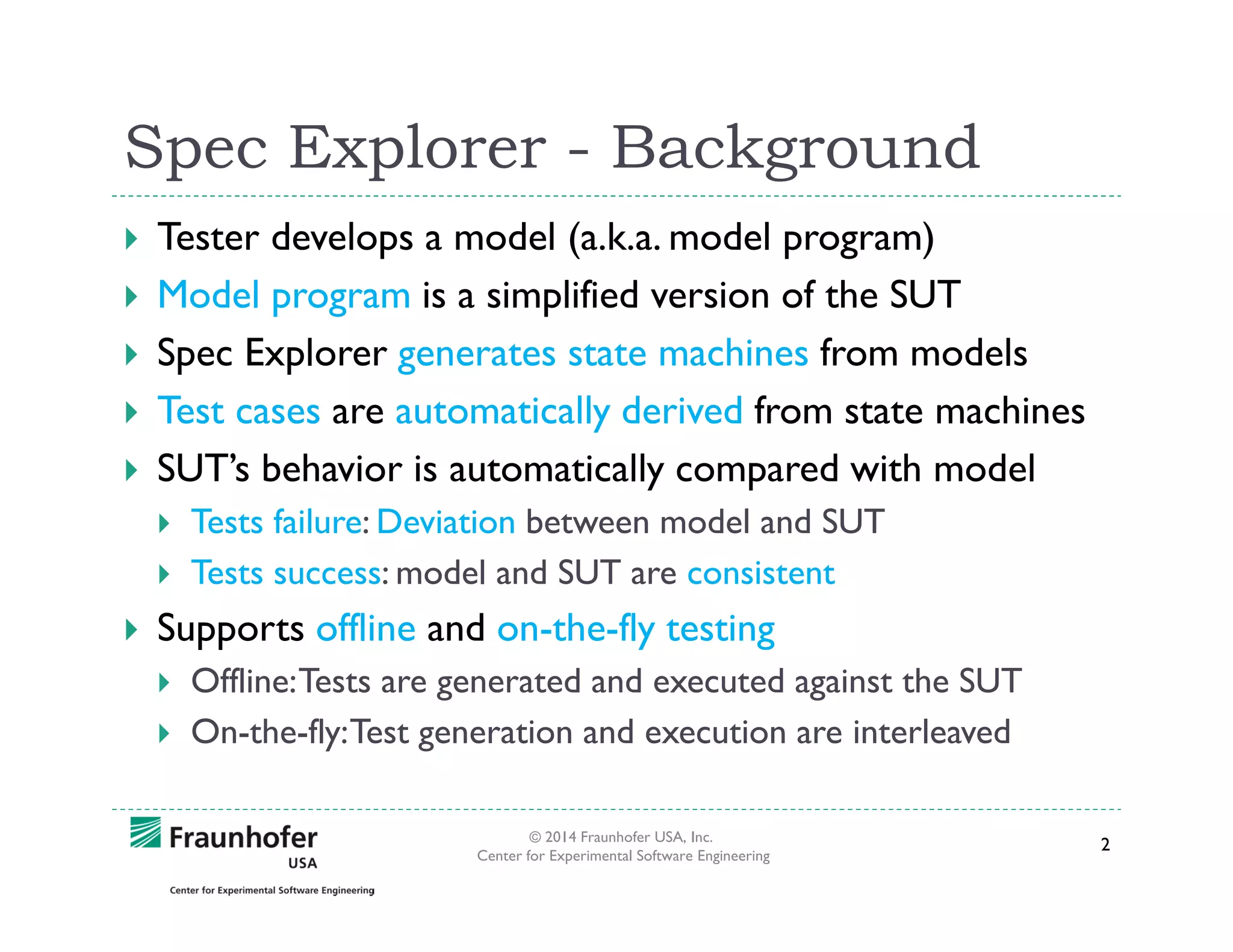
Tester develops a model (a.k.a. model program)
Model program is a simplified version of the SUT
Spec Explorer generates state machines from models
Test cases are automatically derived from state machines
SUT’s behavior is automatically compared with model
Tests failure: Deviation between model and SUT
Tests success: model and SUT are consistent

Supports offline and on-the-fly testing
Offline: Tests are generated and executed against the SUT
On-the-fly: Test generation and execution are interleaved
© 2014 Fraunhofer USA, Inc.
Center for Experimental Software Engineering

2
Why we used Spec Explorer?
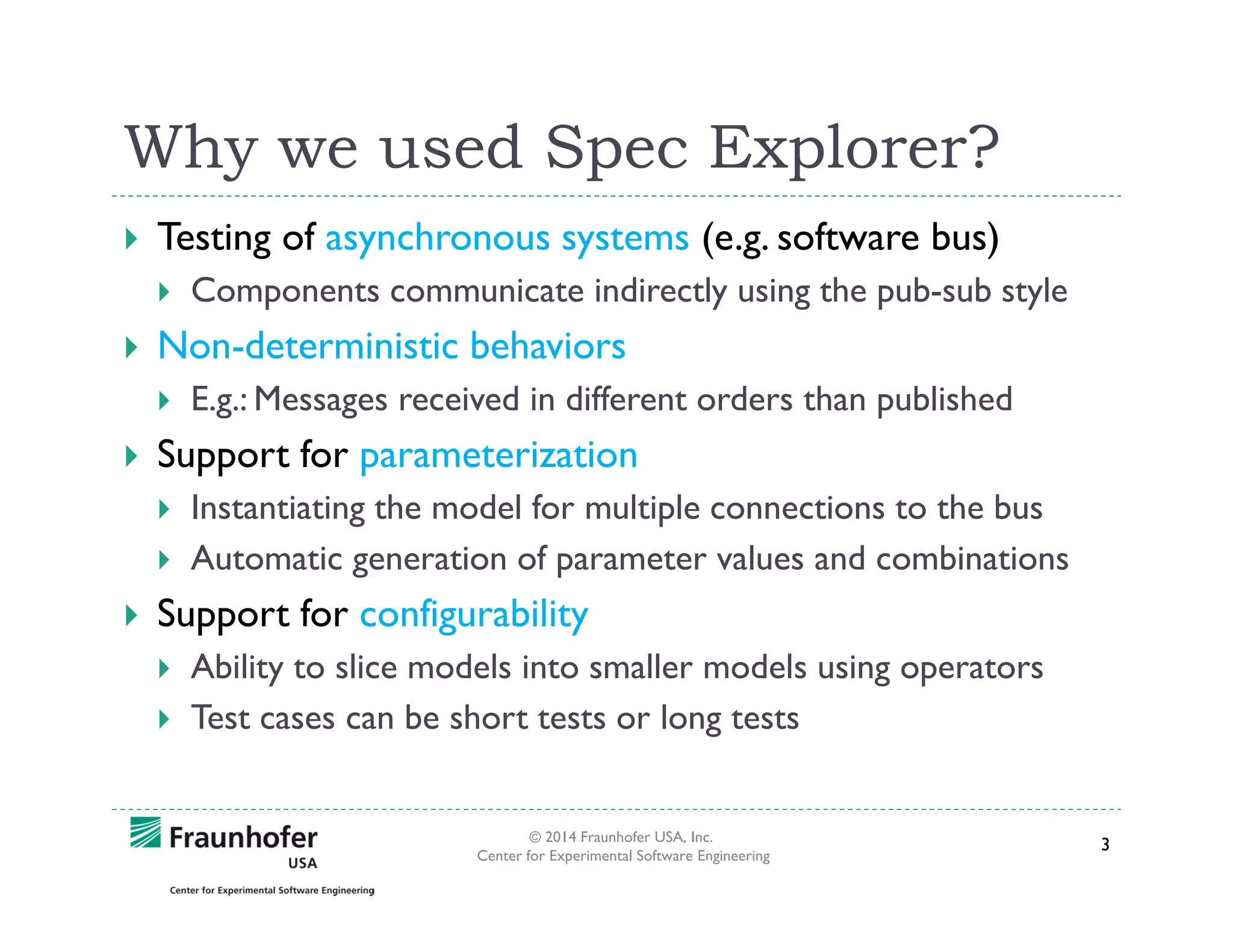
Testing of asynchronous systems (e.g. software bus)
Components communicate indirectly using the pub-sub style

Non-deterministic behaviors
E.g.: Messages received in different orders than published

Support for parameterization
Instantiating the model for multiple connections to the bus
Automatic generation of parameter values and combinations

Support for configurability
Ability to slice models into smaller models using operators
Test cases can be short tests or long tests

© 2014 Fraunhofer USA, Inc.
Center for Experimental Software Engineering

3
SUT: NASA’s GMSEC API
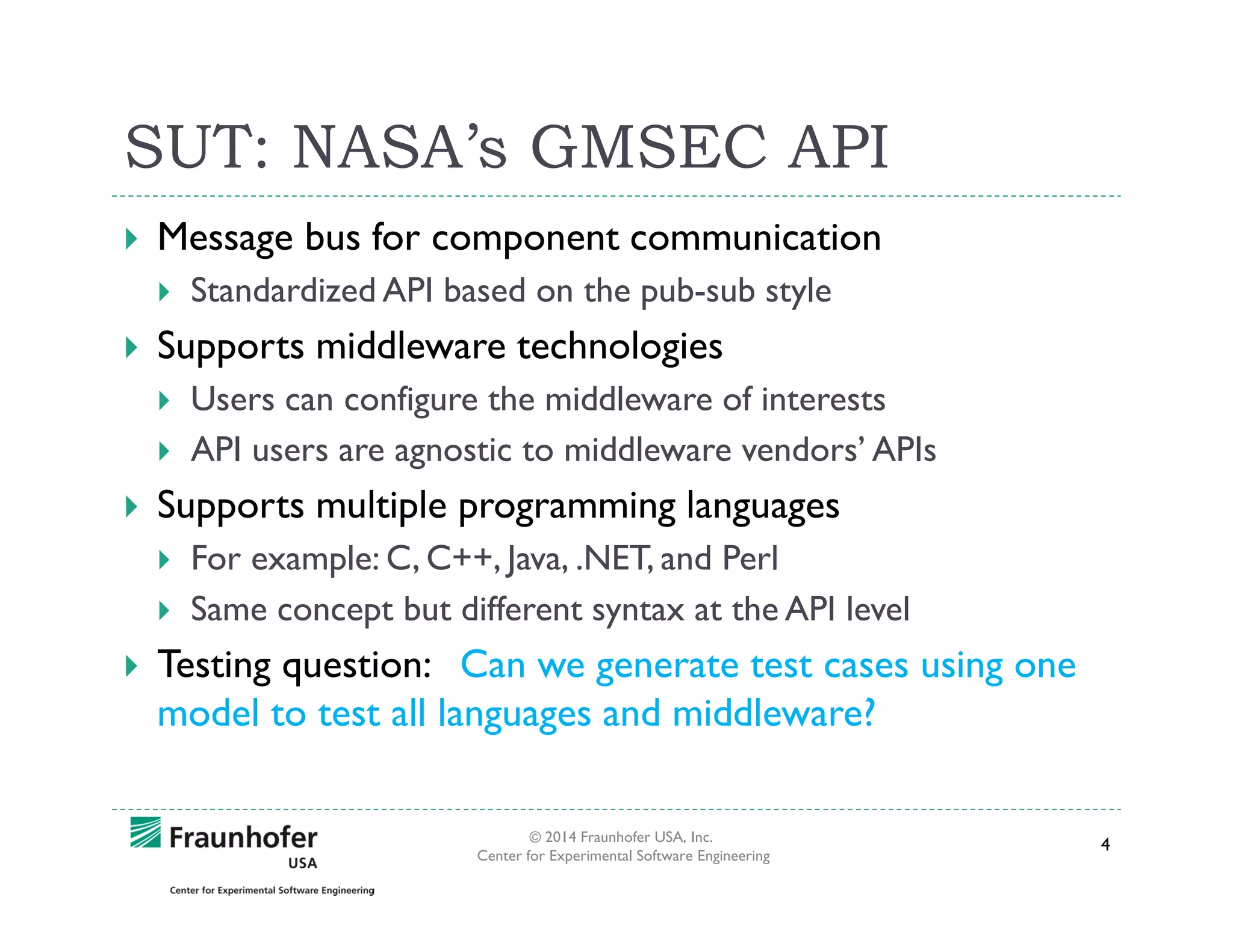
Message bus for component communication
Standardized API based on the pub-sub style

Supports middleware technologies
Users can configure the middleware of interests
API users are agnostic to middleware vendors’ APIs

Supports multiple programming languages
For example: C, C++, Java, .NET, and Perl
Same concept but different syntax at the API level

Testing question: Can we generate test cases using one
model to test all languages and middleware?
© 2014 Fraunhofer USA, Inc.
Center for Experimental Software Engineering

4
Developing the model programs
Spec Explorer runs as a plug-in to MS Visual Studio
Model programs are written in C# like syntax
Models are based on the API documentation of GMSEC
Sometimes existing test cases were referred
Developers opinion were taken into consideration

Spec Explorer analyses our models
Generates state machines
Checks whether model satisfies invariants

A selected subset of features were modeled incrementally
Test cases were generated and executed in each increment
© 2014 Fraunhofer USA, Inc.
Center for Experimental Software Engineering

5
SUT Adapter
Adapter wraps the SUT
Converts data/commands from the model into SUT’s
syntax
Adapter simplifies modeling complexity
Methods of the model should map to the adapter
Our adapter is in C#
We also “print” test code from our adapter for different
languages such C, C++, and Java

© 2014 Fraunhofer USA, Inc.
Center for Experimental Software Engineering

6
Fragments of model programs
[Rule]
public static void Create([Domain("ConnIdDomain")] int connId)
{
Condition.IsTrue(CanCreate(connId));
Guards enable the rules if
InitConn(connId);
the condition is satisfied.
}
[Rule]
public static void Connect([Domain("ConnIdDomain")]int connId)
{
Condition.IsTrue(CanConnect(connId));
ConnectionData connData = connections[connId];
connData.connected = true;
SetConnState(connId, connData);
}
[Rule]
public static void Disconnect([Domain("ConnIdDomain")]int connId)
{
Condition.IsTrue(CanDisconnect(connId)); CleanupDisconn(connId);
}
© 2014 Fraunhofer USA, Inc.
Center for Experimental Software Engineering

7
[Rule] methods – Key ideas
Rule methods usually update one or more state variables
State variables are members of our model classes
Rule methods do not call one another
Rule methods get called automatically based on guards
Parameters are configurable
Parameters can be generated using domain generators

© 2014 Fraunhofer USA, Inc.
Center for Experimental Software Engineering

8
Invariants for Model V&V- Samples
// if a connection is created it can always be destroyed
[StateInvariant]
public static bool CreateDestroy()
{
bool property = !connections.Exists(c => !IsWaitingMode() &&
!CanDestroy(c.Key));
return property;
}
// if a connection is connected it cannot connect again
[StateInvariant]
public static bool ConnNoDuplicate()
{
bool property = !connections.Exists(c => c.Value.connected &&
CanConnect(c.Key));
return property;
}
© 2014 Fraunhofer USA, Inc.
Center for Experimental Software Engineering

9
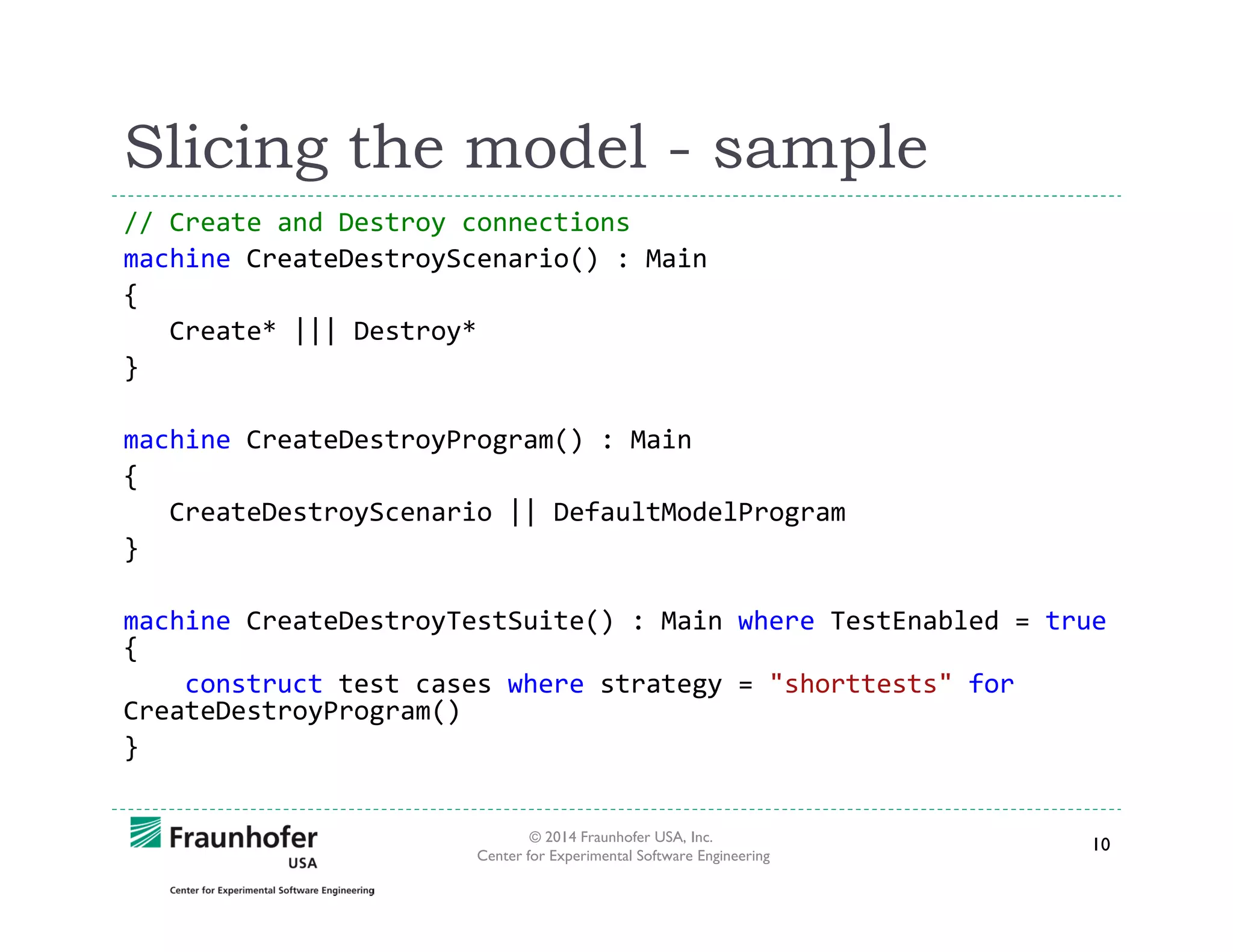
Slicing the model - sample
// Create and Destroy connections
machine CreateDestroyScenario() : Main
{
Create* ||| Destroy*
}
machine CreateDestroyProgram() : Main
{
CreateDestroyScenario || DefaultModelProgram
}
machine CreateDestroyTestSuite() : Main where TestEnabled = true
{
construct test cases where strategy = "shorttests" for
CreateDestroyProgram()
}
© 2014 Fraunhofer USA, Inc.
Center for Experimental Software Engineering

10
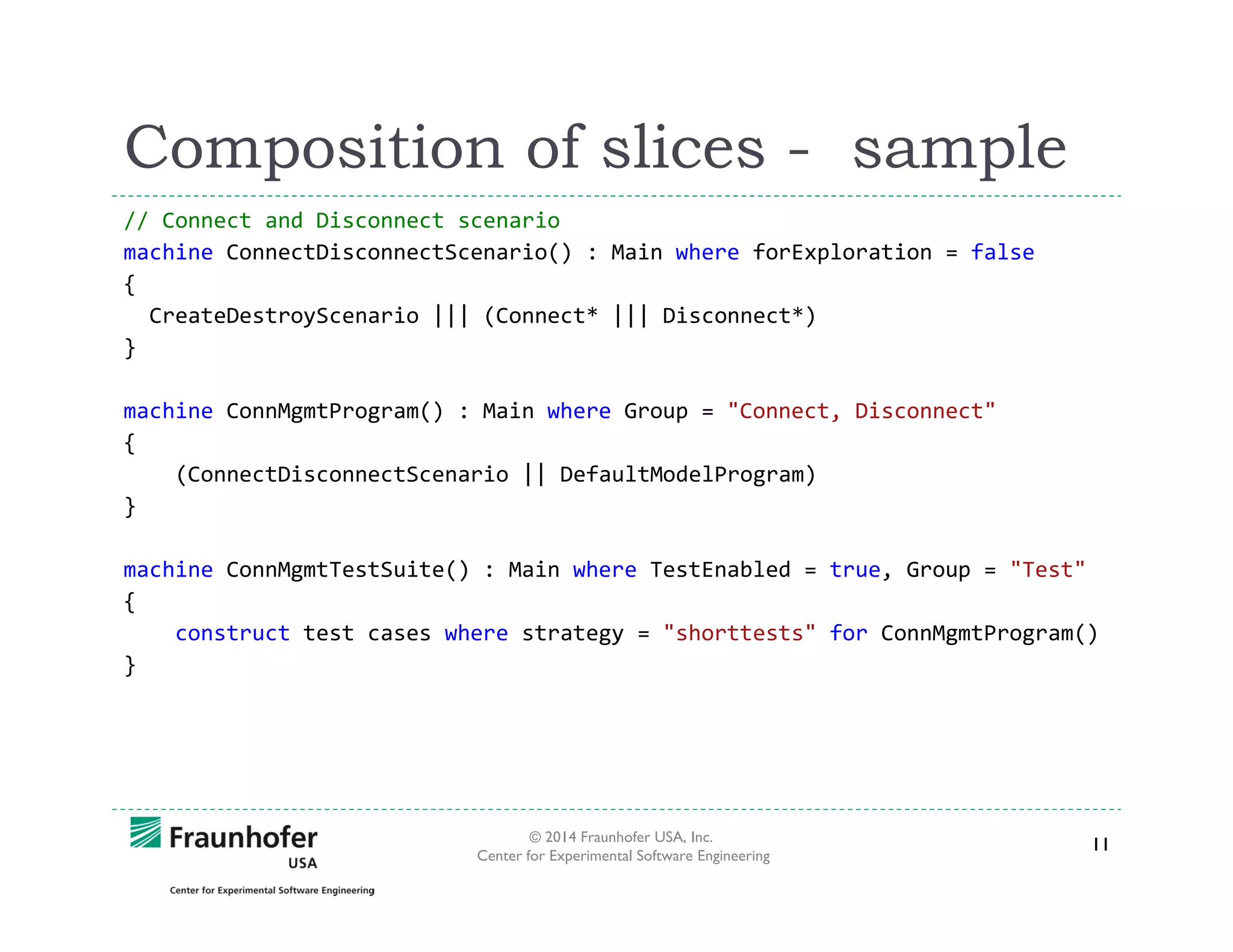
Composition of slices - sample
// Connect and Disconnect scenario
machine ConnectDisconnectScenario() : Main where forExploration = false
{
CreateDestroyScenario ||| (Connect* ||| Disconnect*)
}
machine ConnMgmtProgram() : Main where Group = "Connect, Disconnect"
{
(ConnectDisconnectScenario || DefaultModelProgram)
}
machine ConnMgmtTestSuite() : Main where TestEnabled = true, Group = "Test"
{
construct test cases where strategy = "shorttests" for ConnMgmtProgram()
}

© 2014 Fraunhofer USA, Inc.
Center for Experimental Software Engineering

11
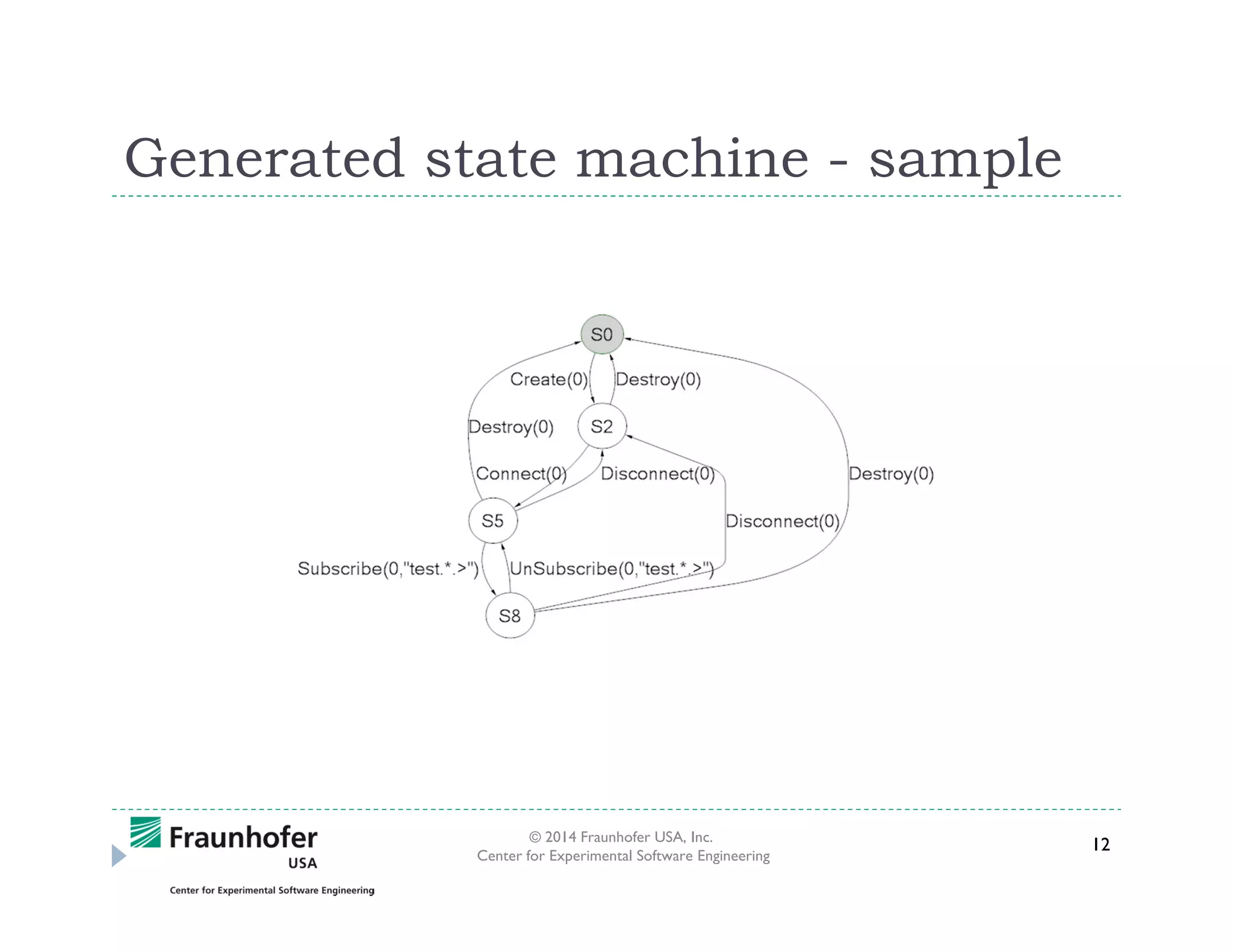
Generated state machine - sample

© 2014 Fraunhofer USA, Inc.
Center for Experimental Software Engineering

12
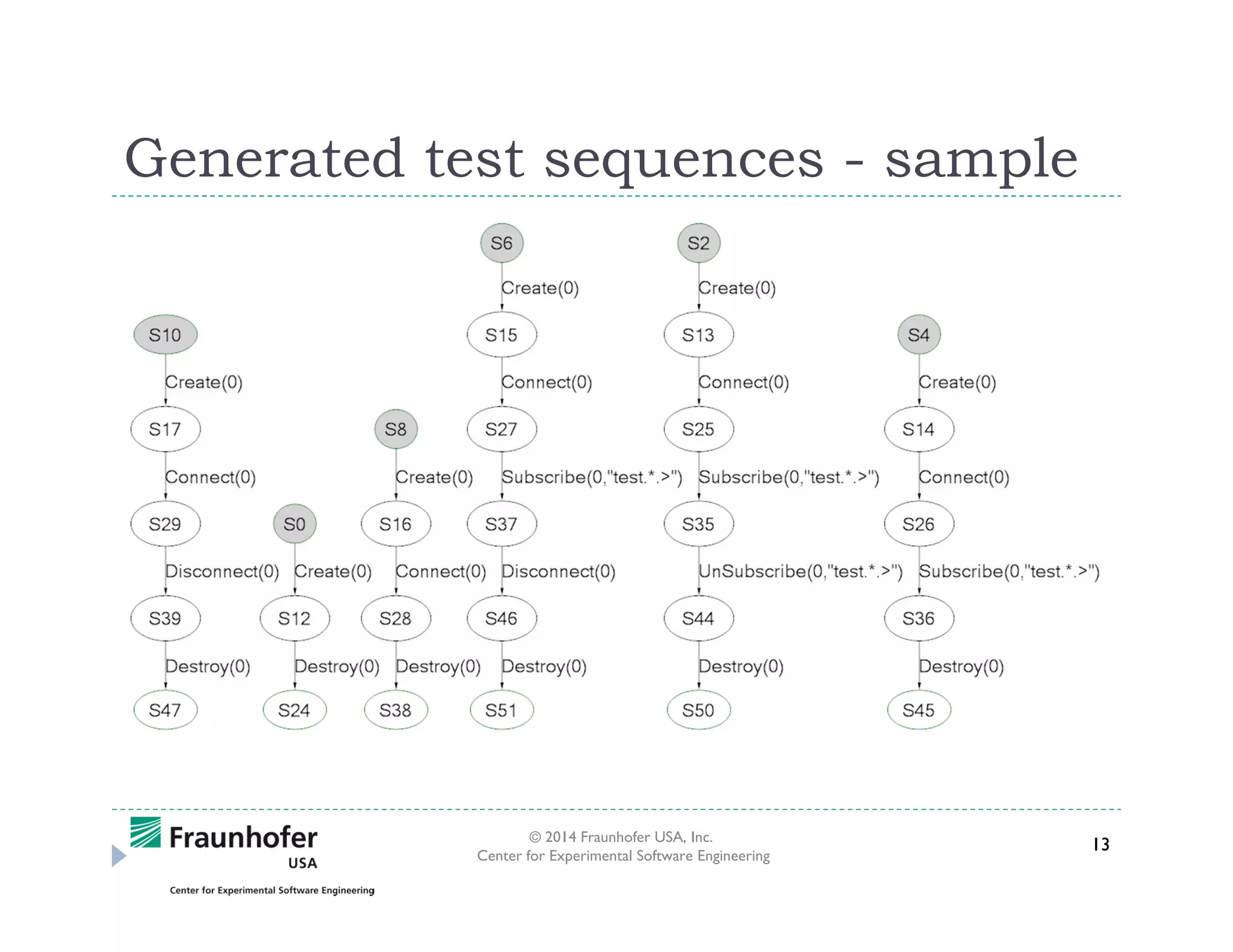
Generated test sequences - sample

© 2014 Fraunhofer USA, Inc.
Center for Experimental Software Engineering

13
Advantages of using Spec Explorer
Generated tests are pretty readable
This is due to the ability to slice models into smaller models

Data parameters are well handled
E.g., Model can be configured to test multiple connections

Non-determinism is not a problem
Tests do not fail because messages arrived in different orders

Models are programs
Ideal for programmers (who prefer coding than drawing)
But we can visualize the generated (small) state machines

Models can be formally verified
Invariants encoded in the model help to validate the model
© 2014 Fraunhofer USA, Inc.
Center for Experimental Software Engineering

14
Challenges with Spec Explorer
Modeling errors can lead to infinite state machine
Need to be careful with unbounded types (e.g., int parameters)

Syntax for slicing the model is powerful but not that easy
Easy to misuse some of (algebraic) operators for slicing

Completeness of our slices
Did we miss any combination of behaviors during slicing?

Model debugging. For example:
Why a new state was generated?
Where/Why the invariants are violated?

Managing the model’s abstraction level
Which aspects of the SUT can be moved to the adapter
Which aspects of the SUT can be left out in the testing, etc.
© 2014 Fraunhofer USA, Inc.
Center for Experimental Software Engineering

15
Benefits to SUT
Numerous specification issues during modeling time
Models and generated state machines can be used a spec.

New test failures on a tested system
Often issues with the SUT
In some cases, issues with the model program and/or adapters
Most issues were corner-cases

Innumerable number of test cases from the model
Test cases are agnostic to a particular programming language
Same tests for all supported languages and middleware

© 2014 Fraunhofer USA, Inc.
Center for Experimental Software Engineering

16
Questions
Dharma Ganesan (dganesan@fc-md.umd.edu)

© 2014 Fraunhofer USA, Inc.
Center for Experimental Software Engineering

17

Model-based Testing using Microsoft’s Spec Explorer Tool: A Case Study

  • 1.
    Model-based Testing usingMicrosoft’s Spec Explorer Tool: A Case Study Dharmalingam Ganesan © 2014 Fraunhofer USA, Inc. Center for Experimental Software Engineering 1
  • 2.
    Spec Explorer -Background Tester develops a model (a.k.a. model program) Model program is a simplified version of the SUT Spec Explorer generates state machines from models Test cases are automatically derived from state machines SUT’s behavior is automatically compared with model Tests failure: Deviation between model and SUT Tests success: model and SUT are consistent Supports offline and on-the-fly testing Offline: Tests are generated and executed against the SUT On-the-fly: Test generation and execution are interleaved © 2014 Fraunhofer USA, Inc. Center for Experimental Software Engineering 2
  • 3.
    Why we usedSpec Explorer? Testing of asynchronous systems (e.g. software bus) Components communicate indirectly using the pub-sub style Non-deterministic behaviors E.g.: Messages received in different orders than published Support for parameterization Instantiating the model for multiple connections to the bus Automatic generation of parameter values and combinations Support for configurability Ability to slice models into smaller models using operators Test cases can be short tests or long tests © 2014 Fraunhofer USA, Inc. Center for Experimental Software Engineering 3
  • 4.
    SUT: NASA’s GMSECAPI Message bus for component communication Standardized API based on the pub-sub style Supports middleware technologies Users can configure the middleware of interests API users are agnostic to middleware vendors’ APIs Supports multiple programming languages For example: C, C++, Java, .NET, and Perl Same concept but different syntax at the API level Testing question: Can we generate test cases using one model to test all languages and middleware? © 2014 Fraunhofer USA, Inc. Center for Experimental Software Engineering 4
  • 5.
    Developing the modelprograms Spec Explorer runs as a plug-in to MS Visual Studio Model programs are written in C# like syntax Models are based on the API documentation of GMSEC Sometimes existing test cases were referred Developers opinion were taken into consideration Spec Explorer analyses our models Generates state machines Checks whether model satisfies invariants A selected subset of features were modeled incrementally Test cases were generated and executed in each increment © 2014 Fraunhofer USA, Inc. Center for Experimental Software Engineering 5
  • 6.
    SUT Adapter Adapter wrapsthe SUT Converts data/commands from the model into SUT’s syntax Adapter simplifies modeling complexity Methods of the model should map to the adapter Our adapter is in C# We also “print” test code from our adapter for different languages such C, C++, and Java © 2014 Fraunhofer USA, Inc. Center for Experimental Software Engineering 6
  • 7.
    Fragments of modelprograms [Rule] public static void Create([Domain("ConnIdDomain")] int connId) { Condition.IsTrue(CanCreate(connId)); Guards enable the rules if InitConn(connId); the condition is satisfied. } [Rule] public static void Connect([Domain("ConnIdDomain")]int connId) { Condition.IsTrue(CanConnect(connId)); ConnectionData connData = connections[connId]; connData.connected = true; SetConnState(connId, connData); } [Rule] public static void Disconnect([Domain("ConnIdDomain")]int connId) { Condition.IsTrue(CanDisconnect(connId)); CleanupDisconn(connId); } © 2014 Fraunhofer USA, Inc. Center for Experimental Software Engineering 7
  • 8.
    [Rule] methods –Key ideas Rule methods usually update one or more state variables State variables are members of our model classes Rule methods do not call one another Rule methods get called automatically based on guards Parameters are configurable Parameters can be generated using domain generators © 2014 Fraunhofer USA, Inc. Center for Experimental Software Engineering 8
  • 9.
    Invariants for ModelV&V- Samples // if a connection is created it can always be destroyed [StateInvariant] public static bool CreateDestroy() { bool property = !connections.Exists(c => !IsWaitingMode() && !CanDestroy(c.Key)); return property; } // if a connection is connected it cannot connect again [StateInvariant] public static bool ConnNoDuplicate() { bool property = !connections.Exists(c => c.Value.connected && CanConnect(c.Key)); return property; } © 2014 Fraunhofer USA, Inc. Center for Experimental Software Engineering 9
  • 10.
    Slicing the model- sample // Create and Destroy connections machine CreateDestroyScenario() : Main { Create* ||| Destroy* } machine CreateDestroyProgram() : Main { CreateDestroyScenario || DefaultModelProgram } machine CreateDestroyTestSuite() : Main where TestEnabled = true { construct test cases where strategy = "shorttests" for CreateDestroyProgram() } © 2014 Fraunhofer USA, Inc. Center for Experimental Software Engineering 10
  • 11.
    Composition of slices- sample // Connect and Disconnect scenario machine ConnectDisconnectScenario() : Main where forExploration = false { CreateDestroyScenario ||| (Connect* ||| Disconnect*) } machine ConnMgmtProgram() : Main where Group = "Connect, Disconnect" { (ConnectDisconnectScenario || DefaultModelProgram) } machine ConnMgmtTestSuite() : Main where TestEnabled = true, Group = "Test" { construct test cases where strategy = "shorttests" for ConnMgmtProgram() } © 2014 Fraunhofer USA, Inc. Center for Experimental Software Engineering 11
  • 12.
    Generated state machine- sample © 2014 Fraunhofer USA, Inc. Center for Experimental Software Engineering 12
  • 13.
    Generated test sequences- sample © 2014 Fraunhofer USA, Inc. Center for Experimental Software Engineering 13
  • 14.
    Advantages of usingSpec Explorer Generated tests are pretty readable This is due to the ability to slice models into smaller models Data parameters are well handled E.g., Model can be configured to test multiple connections Non-determinism is not a problem Tests do not fail because messages arrived in different orders Models are programs Ideal for programmers (who prefer coding than drawing) But we can visualize the generated (small) state machines Models can be formally verified Invariants encoded in the model help to validate the model © 2014 Fraunhofer USA, Inc. Center for Experimental Software Engineering 14
  • 15.
    Challenges with SpecExplorer Modeling errors can lead to infinite state machine Need to be careful with unbounded types (e.g., int parameters) Syntax for slicing the model is powerful but not that easy Easy to misuse some of (algebraic) operators for slicing Completeness of our slices Did we miss any combination of behaviors during slicing? Model debugging. For example: Why a new state was generated? Where/Why the invariants are violated? Managing the model’s abstraction level Which aspects of the SUT can be moved to the adapter Which aspects of the SUT can be left out in the testing, etc. © 2014 Fraunhofer USA, Inc. Center for Experimental Software Engineering 15
  • 16.
    Benefits to SUT Numerousspecification issues during modeling time Models and generated state machines can be used a spec. New test failures on a tested system Often issues with the SUT In some cases, issues with the model program and/or adapters Most issues were corner-cases Innumerable number of test cases from the model Test cases are agnostic to a particular programming language Same tests for all supported languages and middleware © 2014 Fraunhofer USA, Inc. Center for Experimental Software Engineering 16
  • 17.
    Questions Dharma Ganesan (dganesan@fc-md.umd.edu) ©2014 Fraunhofer USA, Inc. Center for Experimental Software Engineering 17