introduction to
elasticsearch.
Ruslan Zavacky
@ruslanzavacky | ruslan.zavacky@gmail.com
Released in 2010

In 2014, 70$ million in Series C
funding
2
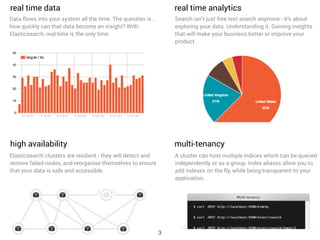
A cluster can host multiple indices which can be queried
independently or as a group. Index aliases allow you to
add indexes on the fly, while being transparent to your
application.
multi-tenancy
Elasticsearch clusters are resilient - they will detect and
remove failed nodes, and reorganise themselves to ensure
that your data is safe and accessible.
high availability
real time data
Data flows into your system all the time. The question is …
how quickly can that data become an insight? With
Elasticsearch, real-time is the only time.
Search isn’t just free text search anymore - it’s about
exploring your data. Understanding it. Gaining insights
that will make your business better or improve your
product.
real time analytics
3
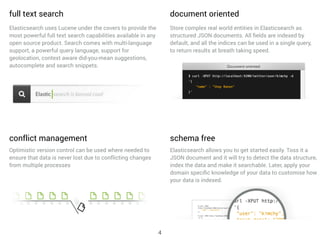
full text search
Elasticsearch uses Lucene under the covers to provide the
most powerful full text search capabilities available in any
open source product. Search comes with multi-language
support, a powerful query language, support for
geolocation, context aware did-you-mean suggestions,
autocomplete and search snippets.
document oriented
Store complex real world entities in Elasticsearch as
structured JSON documents. All fields are indexed by
default, and all the indices can be used in a single query,
to return results at breath taking speed.
conflict management
Optimistic version control can be used where needed to
ensure that data is never lost due to conflicting changes
from multiple processes
Elasticsearch allows you to get started easily. Toss it a
JSON document and it will try to detect the data structure,
index the data and make it searchable. Later, apply your
domain specific knowledge of your data to customise how
your data is indexed.
schema free
4
Elasticsearch is API driven. Almost any action can be
performed using a simple RESTful API using JSON over
HTTP. An API already exists in the language of your
choice.
restful api
Elasticsearch puts your data safety first. Document
changes are recorded in transaction logs on multiple
nodes in the cluster to minimise the chance of any data
loss.
per-operation persistence
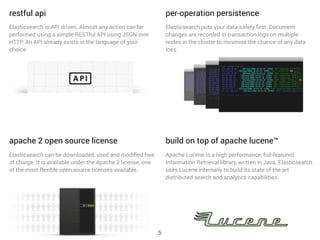
Elasticsearch can be downloaded, used and modified free
of charge. It is available under the Apache 2 license, one
of the most flexible open source licenses available.
apache 2 open source license build on top of apache lucene™
Apache Lucene is a high performance, full-featured
Information Retrieval library, written in Java. Elasticsearch
uses Lucene internally to build its state of the art
distributed search and analytics capabilities.
5
who
6
I
7
8
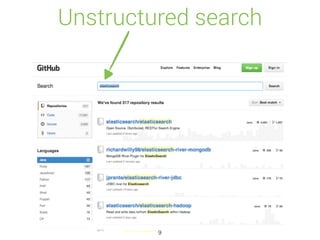
Unstructured search
9
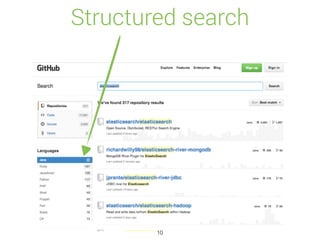
Structured search
10
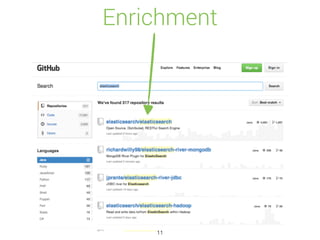
Enrichment
11
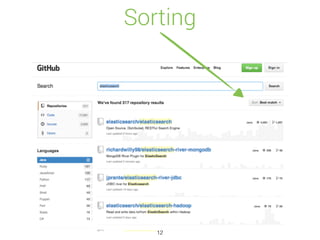
Sorting
12
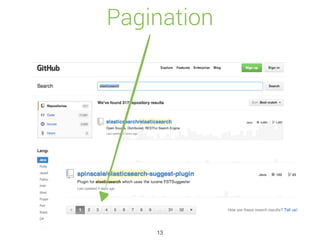
Pagination
13
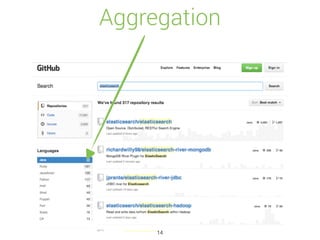
Aggregation
14
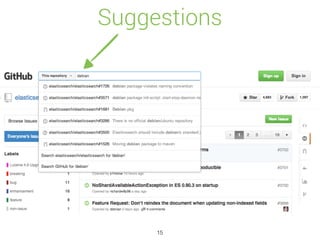
Suggestions
15
Elasticsearch in 10 seconds
• Schema-free, REST & JSON based distributed
document store
• Open Source: Apache License 2.0
• Zero configuration
• Written in Java, extensible
16
The most
important question
17
18
Exploding kittens
on Kickstarter
> 195,794 bakers
> $7,840,830 pledged
… and yes, Kickstarter use
elasticsearch
19
Capabilities
20
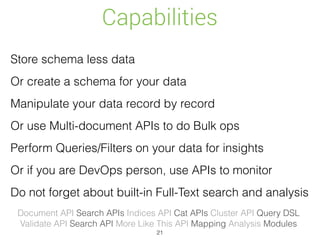
Capabilities
Store schema less data
Or create a schema for your data
Manipulate your data record by record
Or use Multi-document APIs to do Bulk ops
Perform Queries/Filters on your data for insights
Or if you are DevOps person, use APIs to monitor
Do not forget about built-in Full-Text search and analysis
Document API Search APIs Indices API Cat APIs Cluster API Query DSL

Validate API Search API More Like This API Mapping Analysis Modules
21
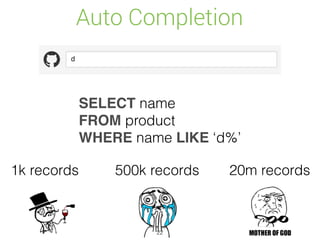
Auto Completion
SELECT name
FROM product
WHERE name LIKE ‘d%’
1k records 500k records 20m records
22
Auto Completion
Yea, sure…
23
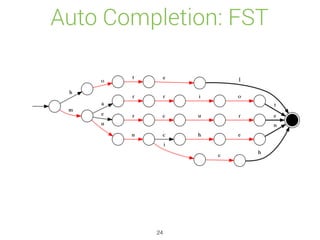
Auto Completion: FST
24
Auto Completion
Multiple Inputs
Single Unified Output
Scoring
Payloads
Synonyms
Ignoring stopwords
Going fuzzy
Statistics
25
Auto Completion
curl -X PUT localhost:9200/hotels/hotel/2 -d '
{
"name" : "Hotel Monaco",
"city" : "Munich",
"name_suggest" : {
"input" : [
"Monaco Munich",
"Hotel Monaco"
],
"output": "Hotel Monaco",
"weight": 10
}
}'
26
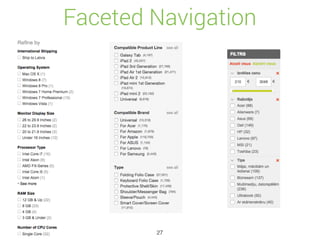
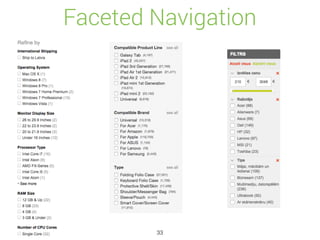
Faceted Navigation
27
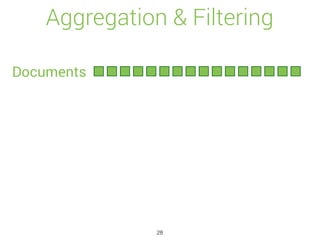
Aggregation & Filtering
Documents
28
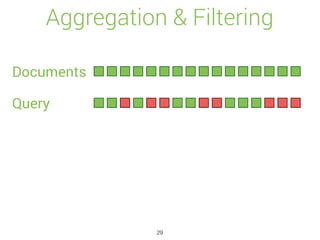
Aggregation & Filtering
Documents
Query
29
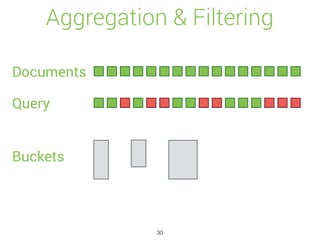
Aggregation & Filtering
Documents
Query
Buckets
30
Aggregation & Filtering
Documents
Query
Buckets
31
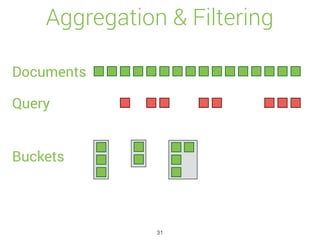
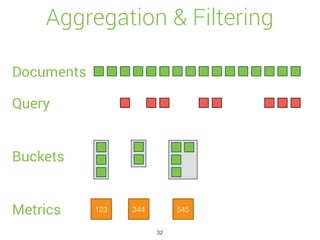
Aggregation & Filtering
Documents
Query
Buckets
Metrics 123 344 545
32
Faceted Navigation
33
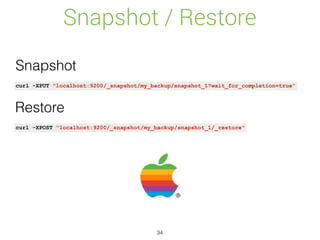
Snapshot / Restore
34
curl -XPUT "localhost:9200/_snapshot/my_backup/snapshot_1?wait_for_completion=true"
curl -XPOST "localhost:9200/_snapshot/my_backup/snapshot_1/_restore"
Snapshot
Restore
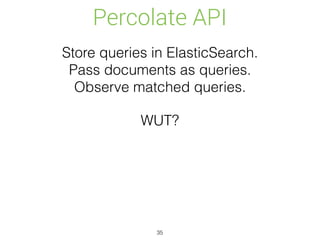
Percolate API
35
Store queries in ElasticSearch.
Pass documents as queries.

Observe matched queries.
WUT?
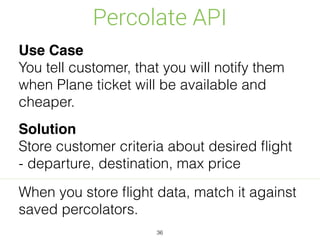
Percolate API
36
Use Case
You tell customer, that you will notify them
when Plane ticket will be available and
cheaper.
Solution
Store customer criteria about desired flight
- departure, destination, max price
When you store flight data, match it against
saved percolators.
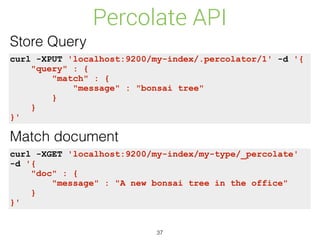
Percolate API
37
curl -XPUT 'localhost:9200/my-index/.percolator/1' -d '{
"query" : {
"match" : {
"message" : "bonsai tree"
}
}
}'
Store Query
Match document
curl -XGET 'localhost:9200/my-index/my-type/_percolate'
-d '{
"doc" : {
"message" : "A new bonsai tree in the office"
}
}'
Percolate API
38
{
"took" : 19,
"_shards" : {
"total" : 5,
"successful" : 5,
"failed" : 0
},
"total" : 1,
"matches" : [
{
"_index" : "my-index",
"_id" : "1"
}
]
}
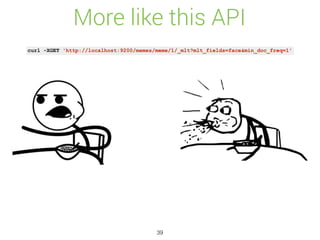
More like this API
39
curl -XGET 'http://localhost:9200/memes/meme/1/_mlt?mlt_fields=face&min_doc_freq=1'
scalability
40
Distributed & scalable
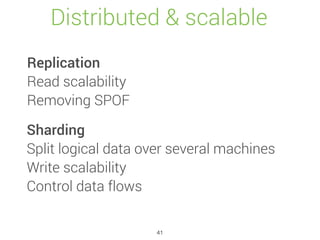
Replication
Read scalability
Removing SPOF
Sharding
Split logical data over several machines
Write scalability
Control data flows
41
Distributed & scalable
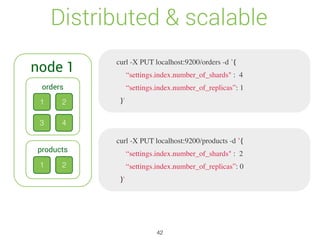
node 1
1 2
3 4
orders
1 2
products
curl -X PUT localhost:9200/orders -d ’{
“settings.index.number_of_shards" : 4
“settings.index.number_of_replicas”: 1
}'
curl -X PUT localhost:9200/products -d ’{
“settings.index.number_of_shards" : 2
“settings.index.number_of_replicas”: 0
}'
42
Distributed & scalable
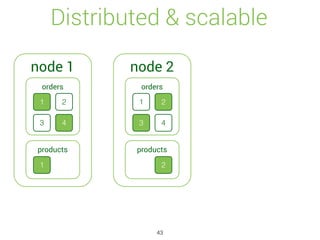
node 1
1 2
3 4
orders
1
products
node 2
1 2
3 4
orders
2
products
43
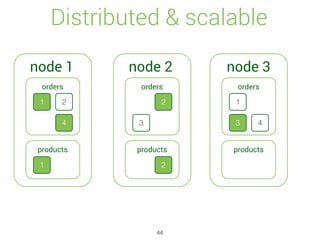
Distributed & scalable
node 1
1 2
4
orders
1
products
node 2
2
orders
2
products
node 3
1
3 4
orders
products
3
44
API tour
45
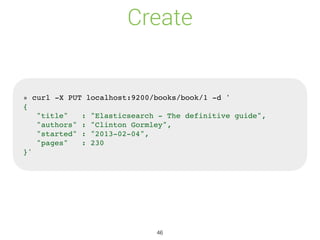
Create
» curl -X PUT localhost:9200/books/book/1 -d '
{
"title" : "Elasticsearch - The definitive guide",
"authors" : "Clinton Gormley",
"started" : "2013-02-04",
"pages" : 230
}'
46
Update
» curl -X PUT localhost:9200/books/book/1 -d '
{
"title" : "Elasticsearch - The definitive guide",
"authors" : [ "Clinton Gormley", "Zachary Tong"],
"started" : "2013-02-04",
"pages" : 230
}'
47
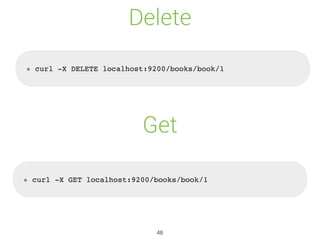
Delete
» curl -X DELETE localhost:9200/books/book/1
» curl -X GET localhost:9200/books/book/1
Get
48
Search
» curl -X GET localhost:9200/books/_search?q=elasticsearch
{
"took" : 2, "timed_out" : false,
"_shards" : { "total" : 5, "successful" : 5, "failed" : 0 },
"hits" : {
"total" : 1, "max_score" : 0.076713204,
"hits" : [ {
"_index" : “books", "_type" : “book", "_id" : "1",
"_score" : 0.076713204, "_source" : {
"title" : "Elasticsearch - The definitive guide",
"authors" : [ "Clinton Gormley", "Zachary Tong" ],
"started" : “2013-02-04", "pages" : 230
}
}]
}
}
49
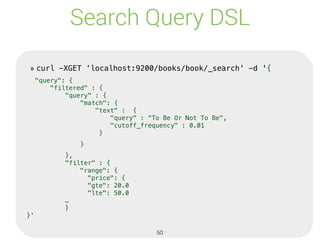
Search Query DSL
» curl -XGET ‘localhost:9200/books/book/_search' -d '{
"query": {
"filtered" : {
"query" : {
"match": {
"text" : {
"query" : “To Be Or Not To Be",
"cutoff_frequency" : 0.01
}
}
},
"filter" : {
"range": {
"price": {
"gte": 20.0
"lte": 50.0
…
}
}'
» curl -XGET ‘localhost:9200/books/book/_search' -d '{
"query": {
"filtered" : {
"query" : {
"match": {
"text" : {
"query" : “To Be Or Not To Be",
"cutoff_frequency" : 0.01
}
}
},
"filter" : {
"range": {
"price": {
"gte": 20.0
"lte": 50.0
…
}
}'
50
Use case: Product Search Engine
51
Just index all your products and be happy?
Product Search Engine
Synonyms, Suggestions, Faceting, De-compounding,
Custom scoring, Analytics, Price agents,
Query optimisation, beyond search
Search is not that easy
52
Neutrality? Really?
Is full-text search relevancy really your
preferred scoring algorithm?
Possible influential factors
Age of the product, been ordered in last 24h
In stock?
Special offer
Provision
No shipping costs
Rating (product, seller)
Returns
….
53
Neutrality? Really?
54
Neutrality? Really?
55
ecosystem
56
Ecosystem
• Plugins
• Clients for many languages
• Kibana
• Logstash
• Hadoop integration
• Marvel
57
Ecosystem
• Plugins
• Clients for many languages
• Kibana
• Logstash
• Hadoop integration
• Marvel
58
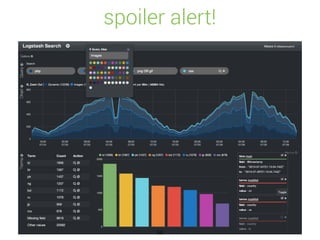
spoiler alert!
59
what is data?
60
Whatever
provides value for
your business.
61
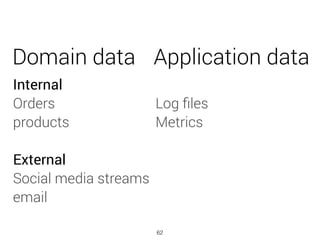
Domain data Application data
Internal
Orders
products


External
Social media streams
email
Log files
Metrics
62
63
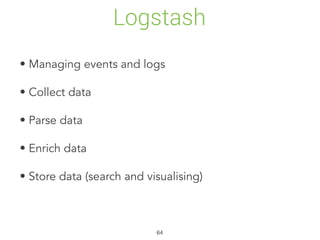
Logstash
• Managing events and logs
• Collect data
• Parse data
• Enrich data
• Store data (search and visualising)
64
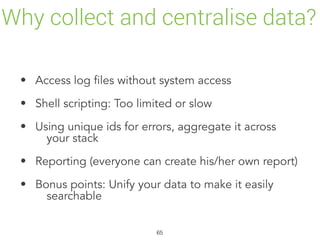
Why collect and centralise data?
• Access log files without system access
• Shell scripting: Too limited or slow
• Using unique ids for errors, aggregate it across
your stack
• Reporting (everyone can create his/her own report)
• Bonus points: Unify your data to make it easily
searchable
65
Unify dates
• apache
• unix timestamp
• log4j
• postfix.log
• ISO 8601
[19/Feb/2015:19:00:00 +0000]
1424372400
[2015-02-19 19:00:00,000]
Feb 19 19:00:00
2015-02-19T19:00:00+02:00
66
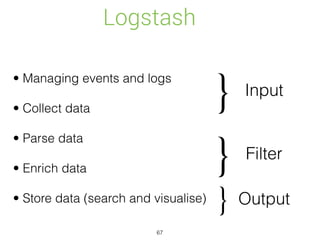
Logstash
• Managing events and logs
• Collect data
• Parse data
• Enrich data
• Store data (search and visualise)
Input
Filter
Output
}
}
}
67
kibana
68
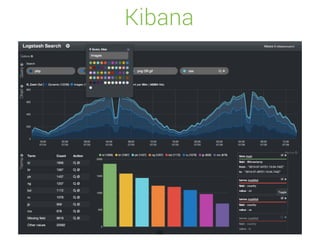
Kibana
69
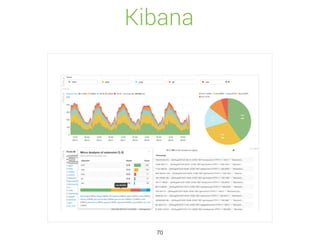
Kibana
70
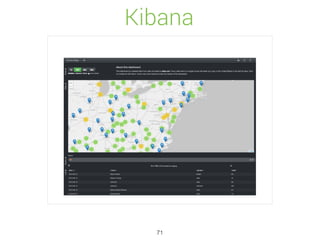
Kibana
71
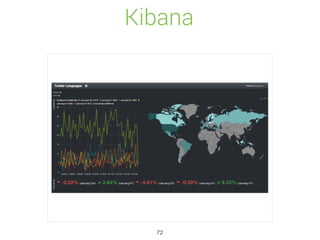
Kibana
72
Thank You!
73
Feedback
☺ ☹!
Sponsors of XXVIII DevClub.lv

Introduction to Elasticsearch

  • 1.
  • 2.
    Released in 2010
 In2014, 70$ million in Series C funding 2
  • 3.
    A cluster canhost multiple indices which can be queried independently or as a group. Index aliases allow you to add indexes on the fly, while being transparent to your application. multi-tenancy Elasticsearch clusters are resilient - they will detect and remove failed nodes, and reorganise themselves to ensure that your data is safe and accessible. high availability real time data Data flows into your system all the time. The question is … how quickly can that data become an insight? With Elasticsearch, real-time is the only time. Search isn’t just free text search anymore - it’s about exploring your data. Understanding it. Gaining insights that will make your business better or improve your product. real time analytics 3
  • 4.
    full text search Elasticsearchuses Lucene under the covers to provide the most powerful full text search capabilities available in any open source product. Search comes with multi-language support, a powerful query language, support for geolocation, context aware did-you-mean suggestions, autocomplete and search snippets. document oriented Store complex real world entities in Elasticsearch as structured JSON documents. All fields are indexed by default, and all the indices can be used in a single query, to return results at breath taking speed. conflict management Optimistic version control can be used where needed to ensure that data is never lost due to conflicting changes from multiple processes Elasticsearch allows you to get started easily. Toss it a JSON document and it will try to detect the data structure, index the data and make it searchable. Later, apply your domain specific knowledge of your data to customise how your data is indexed. schema free 4
  • 5.
    Elasticsearch is APIdriven. Almost any action can be performed using a simple RESTful API using JSON over HTTP. An API already exists in the language of your choice. restful api Elasticsearch puts your data safety first. Document changes are recorded in transaction logs on multiple nodes in the cluster to minimise the chance of any data loss. per-operation persistence Elasticsearch can be downloaded, used and modified free of charge. It is available under the Apache 2 license, one of the most flexible open source licenses available. apache 2 open source license build on top of apache lucene™ Apache Lucene is a high performance, full-featured Information Retrieval library, written in Java. Elasticsearch uses Lucene internally to build its state of the art distributed search and analytics capabilities. 5
  • 6.
  • 7.
  • 8.
  • 9.
  • 10.
  • 11.
  • 12.
  • 13.
  • 14.
  • 15.
  • 16.
    Elasticsearch in 10seconds • Schema-free, REST & JSON based distributed document store • Open Source: Apache License 2.0 • Zero configuration • Written in Java, extensible 16
  • 17.
  • 18.
  • 19.
    Exploding kittens on Kickstarter >195,794 bakers > $7,840,830 pledged … and yes, Kickstarter use elasticsearch 19
  • 20.
  • 21.
    Capabilities Store schema lessdata Or create a schema for your data Manipulate your data record by record Or use Multi-document APIs to do Bulk ops Perform Queries/Filters on your data for insights Or if you are DevOps person, use APIs to monitor Do not forget about built-in Full-Text search and analysis Document API Search APIs Indices API Cat APIs Cluster API Query DSL
 Validate API Search API More Like This API Mapping Analysis Modules 21
  • 22.
    Auto Completion SELECT name FROMproduct WHERE name LIKE ‘d%’ 1k records 500k records 20m records 22
  • 23.
  • 24.
  • 25.
    Auto Completion Multiple Inputs SingleUnified Output Scoring Payloads Synonyms Ignoring stopwords Going fuzzy Statistics 25
  • 26.
    Auto Completion curl -XPUT localhost:9200/hotels/hotel/2 -d ' { "name" : "Hotel Monaco", "city" : "Munich", "name_suggest" : { "input" : [ "Monaco Munich", "Hotel Monaco" ], "output": "Hotel Monaco", "weight": 10 } }' 26
  • 27.
  • 28.
  • 29.
  • 30.
  • 31.
  • 32.
  • 33.
  • 34.
    Snapshot / Restore 34 curl-XPUT "localhost:9200/_snapshot/my_backup/snapshot_1?wait_for_completion=true" curl -XPOST "localhost:9200/_snapshot/my_backup/snapshot_1/_restore" Snapshot Restore
  • 35.
    Percolate API 35 Store queriesin ElasticSearch. Pass documents as queries.
 Observe matched queries. WUT?
  • 36.
    Percolate API 36 Use Case Youtell customer, that you will notify them when Plane ticket will be available and cheaper. Solution Store customer criteria about desired flight - departure, destination, max price When you store flight data, match it against saved percolators.
  • 37.
    Percolate API 37 curl -XPUT'localhost:9200/my-index/.percolator/1' -d '{ "query" : { "match" : { "message" : "bonsai tree" } } }' Store Query Match document curl -XGET 'localhost:9200/my-index/my-type/_percolate' -d '{ "doc" : { "message" : "A new bonsai tree in the office" } }'
  • 38.
    Percolate API 38 { "took" :19, "_shards" : { "total" : 5, "successful" : 5, "failed" : 0 }, "total" : 1, "matches" : [ { "_index" : "my-index", "_id" : "1" } ] }
  • 39.
    More like thisAPI 39 curl -XGET 'http://localhost:9200/memes/meme/1/_mlt?mlt_fields=face&min_doc_freq=1'
  • 40.
  • 41.
    Distributed & scalable Replication Readscalability Removing SPOF Sharding Split logical data over several machines Write scalability Control data flows 41
  • 42.
    Distributed & scalable node1 1 2 3 4 orders 1 2 products curl -X PUT localhost:9200/orders -d ’{ “settings.index.number_of_shards" : 4 “settings.index.number_of_replicas”: 1 }' curl -X PUT localhost:9200/products -d ’{ “settings.index.number_of_shards" : 2 “settings.index.number_of_replicas”: 0 }' 42
  • 43.
    Distributed & scalable node1 1 2 3 4 orders 1 products node 2 1 2 3 4 orders 2 products 43
  • 44.
    Distributed & scalable node1 1 2 4 orders 1 products node 2 2 orders 2 products node 3 1 3 4 orders products 3 44
  • 45.
  • 46.
    Create » curl -XPUT localhost:9200/books/book/1 -d ' { "title" : "Elasticsearch - The definitive guide", "authors" : "Clinton Gormley", "started" : "2013-02-04", "pages" : 230 }' 46
  • 47.
    Update » curl -XPUT localhost:9200/books/book/1 -d ' { "title" : "Elasticsearch - The definitive guide", "authors" : [ "Clinton Gormley", "Zachary Tong"], "started" : "2013-02-04", "pages" : 230 }' 47
  • 48.
    Delete » curl -XDELETE localhost:9200/books/book/1 » curl -X GET localhost:9200/books/book/1 Get 48
  • 49.
    Search » curl -XGET localhost:9200/books/_search?q=elasticsearch { "took" : 2, "timed_out" : false, "_shards" : { "total" : 5, "successful" : 5, "failed" : 0 }, "hits" : { "total" : 1, "max_score" : 0.076713204, "hits" : [ { "_index" : “books", "_type" : “book", "_id" : "1", "_score" : 0.076713204, "_source" : { "title" : "Elasticsearch - The definitive guide", "authors" : [ "Clinton Gormley", "Zachary Tong" ], "started" : “2013-02-04", "pages" : 230 } }] } } 49
  • 50.
    Search Query DSL »curl -XGET ‘localhost:9200/books/book/_search' -d '{ "query": { "filtered" : { "query" : { "match": { "text" : { "query" : “To Be Or Not To Be", "cutoff_frequency" : 0.01 } } }, "filter" : { "range": { "price": { "gte": 20.0 "lte": 50.0 … } }' » curl -XGET ‘localhost:9200/books/book/_search' -d '{ "query": { "filtered" : { "query" : { "match": { "text" : { "query" : “To Be Or Not To Be", "cutoff_frequency" : 0.01 } } }, "filter" : { "range": { "price": { "gte": 20.0 "lte": 50.0 … } }' 50
  • 51.
    Use case: ProductSearch Engine 51
  • 52.
    Just index allyour products and be happy? Product Search Engine Synonyms, Suggestions, Faceting, De-compounding, Custom scoring, Analytics, Price agents, Query optimisation, beyond search Search is not that easy 52
  • 53.
    Neutrality? Really? Is full-textsearch relevancy really your preferred scoring algorithm? Possible influential factors Age of the product, been ordered in last 24h In stock? Special offer Provision No shipping costs Rating (product, seller) Returns …. 53
  • 54.
  • 55.
  • 56.
  • 57.
    Ecosystem • Plugins • Clientsfor many languages • Kibana • Logstash • Hadoop integration • Marvel 57
  • 58.
    Ecosystem • Plugins • Clientsfor many languages • Kibana • Logstash • Hadoop integration • Marvel 58
  • 59.
  • 60.
  • 61.
  • 62.
    Domain data Applicationdata Internal Orders products
 
 External Social media streams email Log files Metrics 62
  • 63.
  • 64.
    Logstash • Managing eventsand logs • Collect data • Parse data • Enrich data • Store data (search and visualising) 64
  • 65.
    Why collect andcentralise data? • Access log files without system access • Shell scripting: Too limited or slow • Using unique ids for errors, aggregate it across your stack • Reporting (everyone can create his/her own report) • Bonus points: Unify your data to make it easily searchable 65
  • 66.
    Unify dates • apache •unix timestamp • log4j • postfix.log • ISO 8601 [19/Feb/2015:19:00:00 +0000] 1424372400 [2015-02-19 19:00:00,000] Feb 19 19:00:00 2015-02-19T19:00:00+02:00 66
  • 67.
    Logstash • Managing eventsand logs • Collect data • Parse data • Enrich data • Store data (search and visualise) Input Filter Output } } } 67
  • 68.
  • 69.
  • 70.
  • 71.
  • 72.
  • 73.
  • 74.
  • 75.