COMPARE THE FUNCTIONS AND
LIMITATION OF BIM QS COMPUTER
SOFTWARE
CUBICOST
Cubicost is a new brand of Glodon in international market.

● Type of Cubicost
○ Cubicost TBQ
○ Cubicost TRB
○ Cubicost TAS
FUNCTION
● More efficient
● Quick modelling and BIM-based quantity take off
● Professional, accurate and easy to check
LIMITATIONS
➔ Cost
◆ EXPENSIVE
➔ Newly introduced in the industry
◆ because it was set up on March 2015 in Malaysia.
◆ also constantly updating and improving
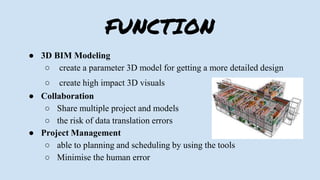
FUNCTION
● 3D BIM Modeling
○ create a parameter 3D model for getting a more detailed design
○ create high impact 3D visuals
● Collaboration
○ Share multiple project and models
○ the risk of data translation errors
● Project Management
○ able to planning and scheduling by using the tools
○ Minimise the human error
LIMITATIONS
➔ Cost
◆ Annual fees
◆ Training frees
➔ Require Training Sessions
◆ Beginner have to learn how to apply the function by using tools
➔ Time consuming for training
◆ Revit software are complicated for beginner
◆ Need some practice
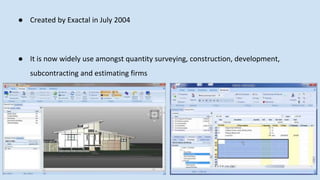
● Created by Exactal in July 2004
● It is now widely use amongst quantity surveying, construction, development,
subcontracting and estimating firms
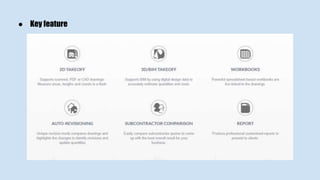
● Key feature
Functions
1. Time saving
○ Measure all the elements quickly
1. More accurate estimate
○ Quantities are accurate and error free
1. Work with more file type
○ Integrate 2D and 3D workflows
○ PDF or CAD drawings can be supported
Limitations
1. Pay more for add on
○ Need to pay more for other products
1. High initial cost
○ Relatively high compared to taking off manually
1. Rebar detection
○ Could not detect the rebar of the column
● Established in 1986
● For commercial use in building and construction industry
● Specialized in on-screen takeoff system directly linked to estimating
● Latest on screen takeoff system and features 3D enhancing viewing
Functions
1. Create and update estimates effective and efficiently
○ Collect pricing information and save them as template prices lists
1. Shorter tendering period
○ Can informed to the contractor and suppliers via Buildsoft in the
shortest time
3. Low labour cost
○ Only requires one or few persons to handle the job
3. Time speed
○ Reducing the time compare to manual system
Limitations
1. Job files permanently deleted
○ Amendment is add to the existing data, the data cannot be undo to its previous
part
1. Typing error occur
○ Had not created to check or identify the typing errors
1. High utility bills
○ Required usage of electricity, internet connection and the initial cost to
purchase the software
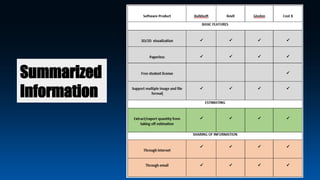
SUMMAR
Y
Summarized
Information
RECOMMENDATION
● Simplicity
- contain various build in elements
- Embedded with different calculation rules
- Allows editing of BIM model
- It has auto revisioning
● Able to read different types of drawings
WHY?
● Full set of BIM based solutions
● Complete taking off functions
WHY?
COMPARE BENEFITS AND CONSTRAINTS OF
BUILDING INFORMATION MODELING (BIM),
CAD MEASUREMENT AND MANUAL
MEASUREMENT
BUILDING INFORMATION
MODELING (BIM)
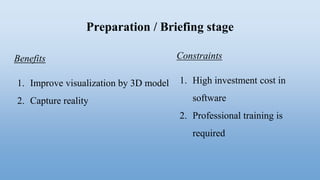
Preparation / Briefing stage
Benefits
1. Improve visualization by 3D model
2. Capture reality
Constraints
1. High investment cost in
software
2. Professional training is
required
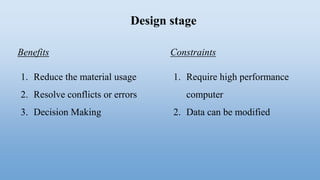
Design stage
Benefits
1. Reduce the material usage
2. Resolve conflicts or errors
3. Decision Making
Constraints
1. Require high performance
computer
2. Data can be modified
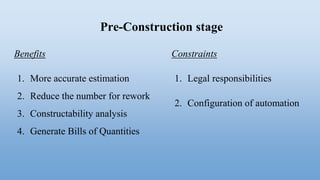
Pre-Construction stage
Benefits
1. More accurate estimation
2. Reduce the number for rework
3. Constructability analysis
4. Generate Bills of Quantities
Constraints
1. Legal responsibilities
2. Configuration of automation
Construction stage
Benefits
1. Improves the collaboration
2. Control cost and save time
3. Efficiency in variation
Constraints
1. Incompatibility with partners
2. Disruptive
Post-Construction stage
Benefits
1. Facilities management
Constraints
1. Training required to the
management team
CAD MEASUREMENT
1. Preparation / Briefing stage
● Benefits:
○ Improve the quality of the design
○ Provide manufacturing database
● Constraints:
○ Training required
○ High cost on software
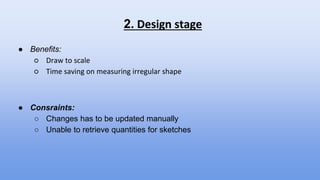
2. Design stage
● Benefits:
○ Draw to scale
○ Time saving on measuring irregular shape
● Consraints:
○ Changes has to be updated manually
○ Unable to retrieve quantities for sketches
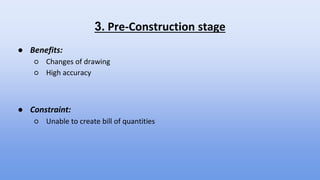
3. Pre-Construction stage
● Benefits:
○ Changes of drawing
○ High accuracy
● Constraint:
○ Unable to create bill of quantities
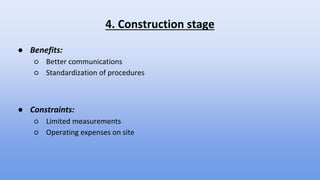
4. Construction stage
● Benefits:
○ Better communications
○ Standardization of procedures
● Constraints:
○ Limited measurements
○ Operating expenses on site
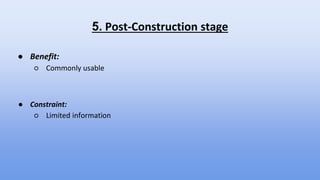
5. Post-Construction stage
● Benefit:
○ Commonly usable
● Constraint:
○ Limited information
MANUAL MEASUREMENT
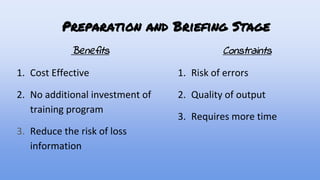
Preparation and Briefing Stage
Benefits
1. Cost Effective
2. No additional investment of
training program
3. Reduce the risk of loss
information
Constraints
1. Risk of errors
2. Quality of output
3. Requires more time
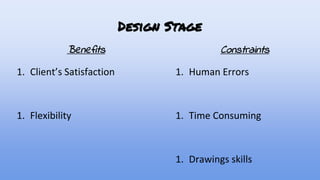
Design Stage
Benefits
1. Client’s Satisfaction
1. Flexibility
Constraints
1. Human Errors
1. Time Consuming
1. Drawings skills
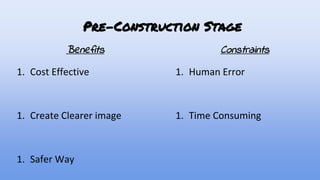
Pre-Construction Stage
Benefits
1. Cost Effective
1. Create Clearer image
1. Safer Way
Constraints
1. Human Error
1. Time Consuming
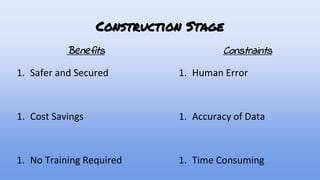
Construction Stage
Benefits
1. Safer and Secured
1. Cost Savings
1. No Training Required
Constraints
1. Human Error
1. Accuracy of Data
1. Time Consuming
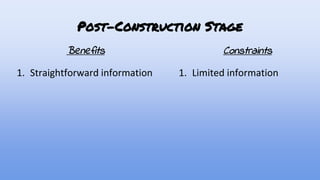
Post-Construction Stage
Benefits
1. Straightforward information
Constraints
1. Limited information
Q&A
Software application

Software application

  • 2.
    COMPARE THE FUNCTIONSAND LIMITATION OF BIM QS COMPUTER SOFTWARE
  • 4.
    CUBICOST Cubicost is anew brand of Glodon in international market. ● Type of Cubicost ○ Cubicost TBQ ○ Cubicost TRB ○ Cubicost TAS FUNCTION ● More efficient ● Quick modelling and BIM-based quantity take off ● Professional, accurate and easy to check
  • 5.
    LIMITATIONS ➔ Cost ◆ EXPENSIVE ➔Newly introduced in the industry ◆ because it was set up on March 2015 in Malaysia. ◆ also constantly updating and improving
  • 7.
    FUNCTION ● 3D BIMModeling ○ create a parameter 3D model for getting a more detailed design ○ create high impact 3D visuals ● Collaboration ○ Share multiple project and models ○ the risk of data translation errors ● Project Management ○ able to planning and scheduling by using the tools ○ Minimise the human error
  • 8.
    LIMITATIONS ➔ Cost ◆ Annualfees ◆ Training frees ➔ Require Training Sessions ◆ Beginner have to learn how to apply the function by using tools ➔ Time consuming for training ◆ Revit software are complicated for beginner ◆ Need some practice
  • 10.
    ● Created byExactal in July 2004 ● It is now widely use amongst quantity surveying, construction, development, subcontracting and estimating firms
  • 11.
  • 12.
    Functions 1. Time saving ○Measure all the elements quickly 1. More accurate estimate ○ Quantities are accurate and error free 1. Work with more file type ○ Integrate 2D and 3D workflows ○ PDF or CAD drawings can be supported
  • 13.
    Limitations 1. Pay morefor add on ○ Need to pay more for other products 1. High initial cost ○ Relatively high compared to taking off manually 1. Rebar detection ○ Could not detect the rebar of the column
  • 15.
    ● Established in1986 ● For commercial use in building and construction industry ● Specialized in on-screen takeoff system directly linked to estimating ● Latest on screen takeoff system and features 3D enhancing viewing
  • 16.
    Functions 1. Create andupdate estimates effective and efficiently ○ Collect pricing information and save them as template prices lists 1. Shorter tendering period ○ Can informed to the contractor and suppliers via Buildsoft in the shortest time
  • 17.
    3. Low labourcost ○ Only requires one or few persons to handle the job 3. Time speed ○ Reducing the time compare to manual system
  • 18.
    Limitations 1. Job filespermanently deleted ○ Amendment is add to the existing data, the data cannot be undo to its previous part 1. Typing error occur ○ Had not created to check or identify the typing errors 1. High utility bills ○ Required usage of electricity, internet connection and the initial cost to purchase the software
  • 19.
  • 20.
  • 21.
  • 23.
    ● Simplicity - containvarious build in elements - Embedded with different calculation rules - Allows editing of BIM model - It has auto revisioning ● Able to read different types of drawings WHY?
  • 24.
    ● Full setof BIM based solutions ● Complete taking off functions WHY?
  • 25.
    COMPARE BENEFITS ANDCONSTRAINTS OF BUILDING INFORMATION MODELING (BIM), CAD MEASUREMENT AND MANUAL MEASUREMENT
  • 26.
  • 27.
    Preparation / Briefingstage Benefits 1. Improve visualization by 3D model 2. Capture reality Constraints 1. High investment cost in software 2. Professional training is required
  • 28.
    Design stage Benefits 1. Reducethe material usage 2. Resolve conflicts or errors 3. Decision Making Constraints 1. Require high performance computer 2. Data can be modified
  • 29.
    Pre-Construction stage Benefits 1. Moreaccurate estimation 2. Reduce the number for rework 3. Constructability analysis 4. Generate Bills of Quantities Constraints 1. Legal responsibilities 2. Configuration of automation
  • 30.
    Construction stage Benefits 1. Improvesthe collaboration 2. Control cost and save time 3. Efficiency in variation Constraints 1. Incompatibility with partners 2. Disruptive
  • 31.
    Post-Construction stage Benefits 1. Facilitiesmanagement Constraints 1. Training required to the management team
  • 32.
  • 33.
    1. Preparation /Briefing stage ● Benefits: ○ Improve the quality of the design ○ Provide manufacturing database ● Constraints: ○ Training required ○ High cost on software
  • 34.
    2. Design stage ●Benefits: ○ Draw to scale ○ Time saving on measuring irregular shape ● Consraints: ○ Changes has to be updated manually ○ Unable to retrieve quantities for sketches
  • 35.
    3. Pre-Construction stage ●Benefits: ○ Changes of drawing ○ High accuracy ● Constraint: ○ Unable to create bill of quantities
  • 36.
    4. Construction stage ●Benefits: ○ Better communications ○ Standardization of procedures ● Constraints: ○ Limited measurements ○ Operating expenses on site
  • 37.
    5. Post-Construction stage ●Benefit: ○ Commonly usable ● Constraint: ○ Limited information
  • 38.
  • 39.
    Preparation and BriefingStage Benefits 1. Cost Effective 2. No additional investment of training program 3. Reduce the risk of loss information Constraints 1. Risk of errors 2. Quality of output 3. Requires more time
  • 40.
    Design Stage Benefits 1. Client’sSatisfaction 1. Flexibility Constraints 1. Human Errors 1. Time Consuming 1. Drawings skills
  • 41.
    Pre-Construction Stage Benefits 1. CostEffective 1. Create Clearer image 1. Safer Way Constraints 1. Human Error 1. Time Consuming
  • 42.
    Construction Stage Benefits 1. Saferand Secured 1. Cost Savings 1. No Training Required Constraints 1. Human Error 1. Accuracy of Data 1. Time Consuming
  • 43.
    Post-Construction Stage Benefits 1. Straightforwardinformation Constraints 1. Limited information
  • 44.