SOFTCLINIC SOFTWARE
Product Overview
INTRODUCTION
• SoftClinic software is designed keeping in mind specially the physicians. It
is currently being used by over 600+ doctors every day in more than 15
countries.
• Awarded one of the Best Hospital Management Software by various
Physicians & Surgeons Association, SoftClinic can be used by all
physicians, small hospitals & nursing homes for computerizing their entire
facility.
• SoftClinic software is the only hospital management software available in
market at the cost of Clinic Management software's. SoftClinic, designed
initially as a clinic software has now grown into hospital management
system with family of pharmacy & laboratory modules to be used by small
& medium size hospitals.
FEATURES
• Useful for:
– General Practitioners
– Surgeons
– Gynaecologist
– Small scale to large hospitals
– Nursing homes
– Physicians.
• Generate Prescriptions in less than 60 seconds.
• Prescription in regional language.
• Easy to use patient visit details (OPD/IPD) modules.
• Family wise patient records management.
• Access patient record from anywhere.
• Various Predefined Certificate.
• Billing and account manager for your accounting needs.
• Detailed demographical and clinical data analysis.
• Built in backup and restore facilities.
• Multi-user and LAN compatible.
• Compatible with any Windows XP or higher version.
• Two Ways Synchronization.
• SMS Facility.
BENEFITS
HOSPITALS
• Reduced operating costs.
• Improved risk management.
• Ideal for maintaining track records of patients.
• Help to decide on a course of treatment.
• Can prepare discharge summery easily.
• Supporting standardized care protocols.
• Enhances patient and document workflow.
• Paper less operation.
• Automated file generation.
• Daily collection report.
• Spend less time filing and tracking down and managing files
BENEFITS
CLINICS
• Single screen patient entry.
• Easy to maintain appointment detail and scheduling.
• Supporting paperless clinic.
• Reduced patient waiting time.
• Can refer reports immediately.
• Helps to maintain patient database.
• It makes the work organized and tidy.
• Saves time and resources.
• Better quality of care leading to improved patient satisfaction.
BENEFITS
NURSING HOME
• Beneficial for a small nursing home with less number of
employees for admin work.
• Helps in maintaining finance.
• Improves quality of service, by reducing errors.
• Improved worked functionally.
• Enhance Decision making.
• Scheduling and personnel management.
• Improved Drug Administration.
• Clinical Data Integration .
MODULES
OPD
PHARMACYINSURANCE
BILLINGIPD
LABORATORY
ACCOUNTSRADIOLOGY HR
OPD MODULES
Appointment and Patient detail
• Daily Appointment scheduler.
• Appointment SMS alerts to Patients.
• Doctor wise appointment scheduling.
Visit Detail
• Quick entry facility with templates.
• Quick prescription.
• Multilanguage support.
• ICD 10 coded Diagnosis.
• Import previous visit in follow up.
• Interlinked with Pharmacy & Labs. for paperless communication
Prescription
• Prescription Label
• Quick prescription with templates.
• Imports old prescription on follow up.
• Multi-language supported.
• Drug and brands of medicine supported.
• Quickly add follow up appointment
Prescription Label
• Quick prescription with templates.
• Imports old prescription on follow up.
• Multi-language supported.
• Drug and brands of medicine supported.
• Quickly add follow up appointment.
Prescription
• Prescription (serial) number.
• Patient's name.
• Directions for use.
• Prescriber's name.
• Beyond-use date.
OPD Bill
• Print bill quickly for Visit charges
• Supports predefined price list for type of patients. OPD Bill Print
• Can able to make print of Bill report.
• Can store bill report in hard and soft copy.
• Consultant doctor can check drug instruction before finalizing
the prescription.
Certificates Management
• Birth Certificate
• Death Certificate
• Fitness Certificate
• Thanks Certificate
• Sickness Certificate
• Follow up Certificate
Quick Patient Entry
• One screen OPD patient Entry.
• Re-view previous visits and records
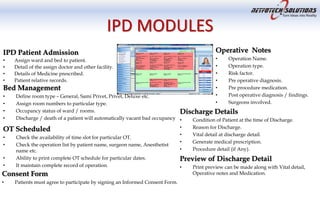
IPD MODULES
IPD Patient Admission
• Assign ward and bed to patient.
• Detail of the assign doctor and other facility.
• Details of Medicine prescribed.
• Patient relative records.
Bed Management
• Define room type – General, Sami Privet, Privet, Deluxe etc.
• Assign room numbers to particular type.
• Occupancy status of ward / rooms.
• Discharge / death of a patient will automatically vacant bad occupancy
OT Scheduled
• Check the availability of time slot for particular OT.
• Check the operation list by patient name, surgeon name, Anesthetist
name etc.
• Ability to print complete OT schedule for particular dates.
• It maintain complete record of operation.
Consent Form
• Patients must agree to participate by signing an Informed Consent Form.
Operative Notes
• Operation Name.
• Operation type.
• Risk factor.
• Pre operative diagnosis.
• Pre procedure medication.
• Post operative diagnosis / findings.
• Surgeons involved.
Discharge Details
• Condition of Patient at the time of Discharge.
• Reason for Discharge.
• Vital detail at discharge detail.
• Generate medical prescription.
• Procedure detail (if Any).
Preview of Discharge Detail
• Print preview can be made along with Vital detail,
Operative notes and Medication.
BILLING MODULES
Estimate Bill
• Module to see Estimate bill of a patient before get admitted.
• Create templates related charges for quick access.
Preview of Estimate Bill
• Can prepare hard copy of estimate bill.
Running Bill
• Check current bill status of patient.
• It include complete procedures charges.
• Visiting doctor charges.
• Medicine charges.
Billing
• Define bill particulars.
• Bill charges depending on patient type.
• Bill charges depending upon room type.
• Automatic posting of consultant charges, operation charges,
surgery charges etc.
Receipt
• Keep your receipt in case you need to return anything.
• Open file immediately upon receipt of the package.
Refund
• Module for maintaining REFUND records and data
related to that.
• Helps in examining old cases just in a fraction of a
second
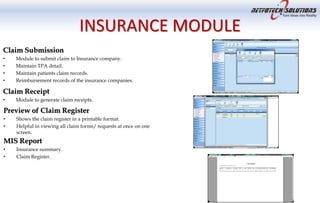
INSURANCE MODULE
Claim Submission
• Module to submit claim to Insurance company.
• Maintain TPA detail.
• Maintain patients claim records.
• Reimbursement records of the insurance companies.
Claim Receipt
• Module to generate claim receipts.
Preview of Claim Register
• Shows the claim register in a printable format.
• Helpful in viewing all claim forms/ requests at once on one
screen.
MIS Report
• Insurance summary.
• Claim Register.
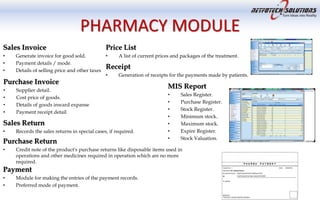
PHARMACY MODULE
Sales Invoice
• Generate invoice for good sold.
• Payment details / mode.
• Details of selling price and other taxes
Purchase Invoice
• Supplier detail.
• Cost price of goods.
• Details of goods inward expanse
• Payment receipt detail
Sales Return
• Records the sales returns in special cases, if required.
Purchase Return
• Credit note of the product's purchase returns like disposable items used in
operations and other medicines required in operation which are no more
required.
Price List
• A list of current prices and packages of the treatment.
Receipt
• Generation of receipts for the payments made by patients.
MIS Report
• Sales Register.
• Purchase Register.
• Stock Register.
• Minimum stock.
• Maximum stock.
• Expire Register.
• Stock Valuation.
Payment
• Module for making the entries of the payment records.
• Preferred mode of payment.
LABORATORY MODULE
Lab Advice
• Test Advice by Consultant Doctor to patient.
• Request Comes directly in the lab from Consultant doctor / from ward.
• Test Samples of OPD Patient taken in lab.
• Test Samples of IPD Patients taken in ward.
• Result are entered by Technician / Doctors.
Lab Bill
• Module to generating Laboratory bills.
• Maintains the records of laboratory bills and invoices.
Lab Price List
• Rates of the tests and reports.
• Helpful for the billing desk.
Receipt
• Generates the lab receipts of the tests to be undertaken.
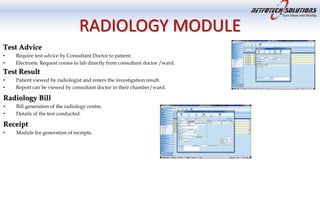
RADIOLOGY MODULE
Test Advice
• Require test advice by Consultant Doctor to patient.
• Electronic Request comes to lab directly from consultant doctor /ward.
Test Result
• Patient viewed by radiologist and enters the investigation result.
• Report can be viewed by consultant doctor in their chamber/ward.
Radiology Bill
• Bill generation of the radiology centre.
• Details of the test conducted.
Receipt
• Module for generation of receipts.
ACCOUNTS MODULE
Pending Bill Amount Report
• Provide complete information of patient pending bill amount.
Bill Summary Report
• Automatic transfer of hospital bill / receipts into the accounting module
3 C Register
• Quick report to view your daily, weekly, monthly collections.
• Supports filter of data on type of income and physicians.
Payment
• Module to maintain vendor payments and other expenses payments to be done
Voucher
• Module for making entries for vouchers related to expenses.
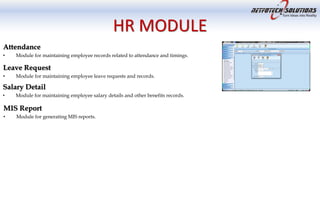
HR MODULE
Attendance
• Module for maintaining employee records related to attendance and timings.
Leave Request
• Module for maintaining employee leave requests and records.
Salary Detail
• Module for maintaining employee salary details and other benefits records.
MIS Report
• Module for generating MIS reports.
HARDWARE REQUIREMENT
Details Configuration
Processor Pentium-III and above
RAM Minimum RAM 1 GB ( 2 GB Recommended
Hard Disk Space Minimum 150 MB of free hard disk space on System Drive.
Local Area Network For Multi-user version of SoftClinic Software a Local Area
Network is required with database on Windows based Serve
Operating System (OS) Win98, NT, Win2000, WinXP, Win2003, Vista, Windows 7,
Windows 8 (32 & 64 bits OS)
Database MS-Access (Included into package)
MS-SQL ( Database License to be purchased by client)
SUPPORT
• Netfotech Solutions will provide all year round support with installing, configuring and upgrading the products and
resolving any technical issues. Our goal is to help you gain a quick understanding of the methods and processes to
complete your tasks quickly and effectively.
• Remote Support
– Remote Support over the internet is achieved through Team Viewer tool. This tool is typically installed on servers or on computers which
the client would administer remotely anytime.
– This application is commonly used to provide immediate customer support and information to customers.
• E-mail and Telephone
– We're ready to help our customers whenever they need us via phone or email.
– We at Netfotech Solutions will answer all the customer’s email and telephonic queries 24X7 through our support agents.
– Once an issue has been submitted by the customer, an acknowledgement will be sent to the customer through phone/e-mail for
submitting the issue.
• Onsite support
– Onsite support is provided by Netfotech Solutions Team if it is required. However at Netfotech Solutions , we truly believe in using the
available technologies to resolve the problems of customers through remote desktop connection. If the onsite support is really required,
Netfotech Solutions will send its executive for onsite support at the cost of client.
• Software Upgrade & Customization
– Netfotech Solutions will continuously keep updating SoftClinic software and add new features regularly. All our customers who are
enrolled in Annual Maintenance Contract receives software upgrades on a nominal charge. Customers can also request customizations in
the software during annual maintenance contract. You can write to us on nsprojects@netoftech.in with all the requirements and
customization.
CONTACT US
Regd Office
Maharashtra, India
Contact No: +91-20-27046029
+91-8446444464
+91-9810977187
+91-9822601589
Website : www.netfotech.in
Email : sales @ netfotech.in
Local Offices
Gurgaon, Mumbai, Kolkata, Bangalore, Chennai
International Offices
USA, UK and Singapore
BACK UP SLIDES
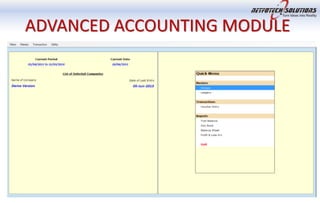
ADVANCED ACCOUNTING MODULE
BACKUP & RESTORE

Softclinic HMS

  • 1.
  • 2.
    INTRODUCTION • SoftClinic softwareis designed keeping in mind specially the physicians. It is currently being used by over 600+ doctors every day in more than 15 countries. • Awarded one of the Best Hospital Management Software by various Physicians & Surgeons Association, SoftClinic can be used by all physicians, small hospitals & nursing homes for computerizing their entire facility. • SoftClinic software is the only hospital management software available in market at the cost of Clinic Management software's. SoftClinic, designed initially as a clinic software has now grown into hospital management system with family of pharmacy & laboratory modules to be used by small & medium size hospitals.
  • 3.
    FEATURES • Useful for: –General Practitioners – Surgeons – Gynaecologist – Small scale to large hospitals – Nursing homes – Physicians. • Generate Prescriptions in less than 60 seconds. • Prescription in regional language. • Easy to use patient visit details (OPD/IPD) modules. • Family wise patient records management. • Access patient record from anywhere. • Various Predefined Certificate. • Billing and account manager for your accounting needs. • Detailed demographical and clinical data analysis. • Built in backup and restore facilities. • Multi-user and LAN compatible. • Compatible with any Windows XP or higher version. • Two Ways Synchronization. • SMS Facility.
  • 4.
    BENEFITS HOSPITALS • Reduced operatingcosts. • Improved risk management. • Ideal for maintaining track records of patients. • Help to decide on a course of treatment. • Can prepare discharge summery easily. • Supporting standardized care protocols. • Enhances patient and document workflow. • Paper less operation. • Automated file generation. • Daily collection report. • Spend less time filing and tracking down and managing files
  • 5.
    BENEFITS CLINICS • Single screenpatient entry. • Easy to maintain appointment detail and scheduling. • Supporting paperless clinic. • Reduced patient waiting time. • Can refer reports immediately. • Helps to maintain patient database. • It makes the work organized and tidy. • Saves time and resources. • Better quality of care leading to improved patient satisfaction.
  • 6.
    BENEFITS NURSING HOME • Beneficialfor a small nursing home with less number of employees for admin work. • Helps in maintaining finance. • Improves quality of service, by reducing errors. • Improved worked functionally. • Enhance Decision making. • Scheduling and personnel management. • Improved Drug Administration. • Clinical Data Integration .
  • 7.
  • 8.
    OPD MODULES Appointment andPatient detail • Daily Appointment scheduler. • Appointment SMS alerts to Patients. • Doctor wise appointment scheduling. Visit Detail • Quick entry facility with templates. • Quick prescription. • Multilanguage support. • ICD 10 coded Diagnosis. • Import previous visit in follow up. • Interlinked with Pharmacy & Labs. for paperless communication Prescription • Prescription Label • Quick prescription with templates. • Imports old prescription on follow up. • Multi-language supported. • Drug and brands of medicine supported. • Quickly add follow up appointment Prescription Label • Quick prescription with templates. • Imports old prescription on follow up. • Multi-language supported. • Drug and brands of medicine supported. • Quickly add follow up appointment. Prescription • Prescription (serial) number. • Patient's name. • Directions for use. • Prescriber's name. • Beyond-use date. OPD Bill • Print bill quickly for Visit charges • Supports predefined price list for type of patients. OPD Bill Print • Can able to make print of Bill report. • Can store bill report in hard and soft copy. • Consultant doctor can check drug instruction before finalizing the prescription. Certificates Management • Birth Certificate • Death Certificate • Fitness Certificate • Thanks Certificate • Sickness Certificate • Follow up Certificate Quick Patient Entry • One screen OPD patient Entry. • Re-view previous visits and records
  • 9.
    IPD MODULES IPD PatientAdmission • Assign ward and bed to patient. • Detail of the assign doctor and other facility. • Details of Medicine prescribed. • Patient relative records. Bed Management • Define room type – General, Sami Privet, Privet, Deluxe etc. • Assign room numbers to particular type. • Occupancy status of ward / rooms. • Discharge / death of a patient will automatically vacant bad occupancy OT Scheduled • Check the availability of time slot for particular OT. • Check the operation list by patient name, surgeon name, Anesthetist name etc. • Ability to print complete OT schedule for particular dates. • It maintain complete record of operation. Consent Form • Patients must agree to participate by signing an Informed Consent Form. Operative Notes • Operation Name. • Operation type. • Risk factor. • Pre operative diagnosis. • Pre procedure medication. • Post operative diagnosis / findings. • Surgeons involved. Discharge Details • Condition of Patient at the time of Discharge. • Reason for Discharge. • Vital detail at discharge detail. • Generate medical prescription. • Procedure detail (if Any). Preview of Discharge Detail • Print preview can be made along with Vital detail, Operative notes and Medication.
  • 10.
    BILLING MODULES Estimate Bill •Module to see Estimate bill of a patient before get admitted. • Create templates related charges for quick access. Preview of Estimate Bill • Can prepare hard copy of estimate bill. Running Bill • Check current bill status of patient. • It include complete procedures charges. • Visiting doctor charges. • Medicine charges. Billing • Define bill particulars. • Bill charges depending on patient type. • Bill charges depending upon room type. • Automatic posting of consultant charges, operation charges, surgery charges etc. Receipt • Keep your receipt in case you need to return anything. • Open file immediately upon receipt of the package. Refund • Module for maintaining REFUND records and data related to that. • Helps in examining old cases just in a fraction of a second
  • 11.
    INSURANCE MODULE Claim Submission •Module to submit claim to Insurance company. • Maintain TPA detail. • Maintain patients claim records. • Reimbursement records of the insurance companies. Claim Receipt • Module to generate claim receipts. Preview of Claim Register • Shows the claim register in a printable format. • Helpful in viewing all claim forms/ requests at once on one screen. MIS Report • Insurance summary. • Claim Register.
  • 12.
    PHARMACY MODULE Sales Invoice •Generate invoice for good sold. • Payment details / mode. • Details of selling price and other taxes Purchase Invoice • Supplier detail. • Cost price of goods. • Details of goods inward expanse • Payment receipt detail Sales Return • Records the sales returns in special cases, if required. Purchase Return • Credit note of the product's purchase returns like disposable items used in operations and other medicines required in operation which are no more required. Price List • A list of current prices and packages of the treatment. Receipt • Generation of receipts for the payments made by patients. MIS Report • Sales Register. • Purchase Register. • Stock Register. • Minimum stock. • Maximum stock. • Expire Register. • Stock Valuation. Payment • Module for making the entries of the payment records. • Preferred mode of payment.
  • 13.
    LABORATORY MODULE Lab Advice •Test Advice by Consultant Doctor to patient. • Request Comes directly in the lab from Consultant doctor / from ward. • Test Samples of OPD Patient taken in lab. • Test Samples of IPD Patients taken in ward. • Result are entered by Technician / Doctors. Lab Bill • Module to generating Laboratory bills. • Maintains the records of laboratory bills and invoices. Lab Price List • Rates of the tests and reports. • Helpful for the billing desk. Receipt • Generates the lab receipts of the tests to be undertaken.
  • 14.
    RADIOLOGY MODULE Test Advice •Require test advice by Consultant Doctor to patient. • Electronic Request comes to lab directly from consultant doctor /ward. Test Result • Patient viewed by radiologist and enters the investigation result. • Report can be viewed by consultant doctor in their chamber/ward. Radiology Bill • Bill generation of the radiology centre. • Details of the test conducted. Receipt • Module for generation of receipts.
  • 15.
    ACCOUNTS MODULE Pending BillAmount Report • Provide complete information of patient pending bill amount. Bill Summary Report • Automatic transfer of hospital bill / receipts into the accounting module 3 C Register • Quick report to view your daily, weekly, monthly collections. • Supports filter of data on type of income and physicians. Payment • Module to maintain vendor payments and other expenses payments to be done Voucher • Module for making entries for vouchers related to expenses.
  • 16.
    HR MODULE Attendance • Modulefor maintaining employee records related to attendance and timings. Leave Request • Module for maintaining employee leave requests and records. Salary Detail • Module for maintaining employee salary details and other benefits records. MIS Report • Module for generating MIS reports.
  • 17.
    HARDWARE REQUIREMENT Details Configuration ProcessorPentium-III and above RAM Minimum RAM 1 GB ( 2 GB Recommended Hard Disk Space Minimum 150 MB of free hard disk space on System Drive. Local Area Network For Multi-user version of SoftClinic Software a Local Area Network is required with database on Windows based Serve Operating System (OS) Win98, NT, Win2000, WinXP, Win2003, Vista, Windows 7, Windows 8 (32 & 64 bits OS) Database MS-Access (Included into package) MS-SQL ( Database License to be purchased by client)
  • 18.
    SUPPORT • Netfotech Solutionswill provide all year round support with installing, configuring and upgrading the products and resolving any technical issues. Our goal is to help you gain a quick understanding of the methods and processes to complete your tasks quickly and effectively. • Remote Support – Remote Support over the internet is achieved through Team Viewer tool. This tool is typically installed on servers or on computers which the client would administer remotely anytime. – This application is commonly used to provide immediate customer support and information to customers. • E-mail and Telephone – We're ready to help our customers whenever they need us via phone or email. – We at Netfotech Solutions will answer all the customer’s email and telephonic queries 24X7 through our support agents. – Once an issue has been submitted by the customer, an acknowledgement will be sent to the customer through phone/e-mail for submitting the issue. • Onsite support – Onsite support is provided by Netfotech Solutions Team if it is required. However at Netfotech Solutions , we truly believe in using the available technologies to resolve the problems of customers through remote desktop connection. If the onsite support is really required, Netfotech Solutions will send its executive for onsite support at the cost of client. • Software Upgrade & Customization – Netfotech Solutions will continuously keep updating SoftClinic software and add new features regularly. All our customers who are enrolled in Annual Maintenance Contract receives software upgrades on a nominal charge. Customers can also request customizations in the software during annual maintenance contract. You can write to us on nsprojects@netoftech.in with all the requirements and customization.
  • 19.
    CONTACT US Regd Office Maharashtra,India Contact No: +91-20-27046029 +91-8446444464 +91-9810977187 +91-9822601589 Website : www.netfotech.in Email : sales @ netfotech.in Local Offices Gurgaon, Mumbai, Kolkata, Bangalore, Chennai International Offices USA, UK and Singapore
  • 20.
  • 21.
  • 22.