HOSPITAL MANAGEMENT SYSTEM
Topic :- Hospital
Management System
Submitted To :
Abhay Bhindal
Submitted By :
Abhishek Shrestha
BPT 3rd Year
1819131
Contents :
Introduction
Features and Advantage
Workflow
Modules
Introduction :
 HMS simplify the workflow for clinicians, reduce
costs and effort, diminish errors, replace manual
paper based system and provide a better patient
experience.
 It accumulates all department within a single
software.
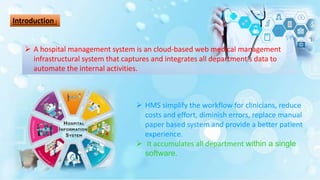
 A hospital management system is an cloud-based web medical management
infrastructural system that captures and integrates all department’s data to
automate the internal activities.
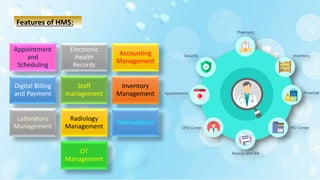
Features of HMS:
Appointment
and
Scheduling
Electronic
Health
Records
Accounting
Management
Digital Billing
and Payment
Staff
management
Inventory
Management
Laboratory
Management
Radiology
Management
Telemedicine
OT
Management
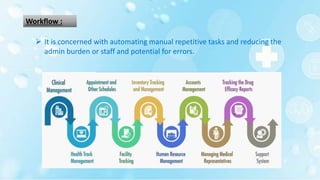
Workflow :
 It is concerned with automating manual repetitive tasks and reducing the
admin burden or staff and potential for errors.
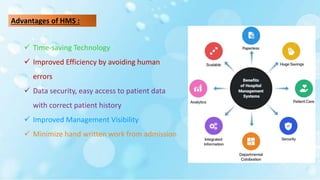
Advantages of HMS :
 Time-saving Technology
 Improved Efficiency by avoiding human
errors
 Data security, easy access to patient data
with correct patient history
 Improved Management Visibility
 Minimize hand written work from admission
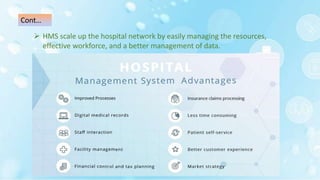
 HMS scale up the hospital network by easily managing the resources,
effective workforce, and a better management of data.
Cont…
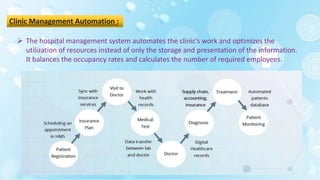
Clinic Management Automation :
 The hospital management system automates the clinic’s work and optimizes the
utilization of resources instead of only the storage and presentation of the information.
It balances the occupancy rates and calculates the number of required employees.
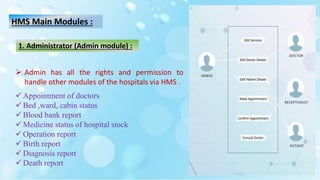
HMS Main Modules :
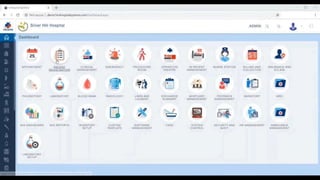
 Admin has all the rights and permission to
handle other modules of the hospitals via HMS .
 Appointment of doctors
 Bed ,ward, cabin status
 Blood bank report
 Medicine status of hospital stock
 Operation report
 Birth report
 Diagnosis report
 Death report
1. Administrator (Admin module) :
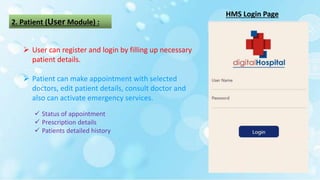
2. Patient (User Module) :
 User can register and login by filling up necessary
patient details.
 Patient can make appointment with selected
doctors, edit patient details, consult doctor and
also can activate emergency services.
HMS Login Page
 Status of appointment
 Prescription details
 Patients detailed history
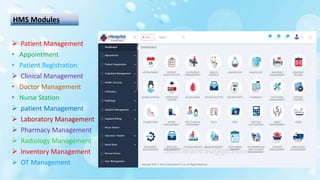
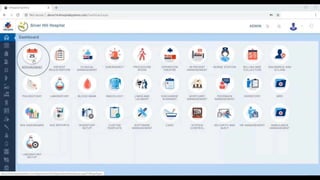
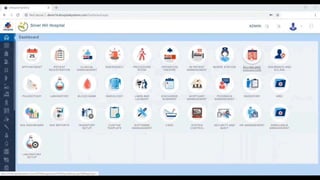
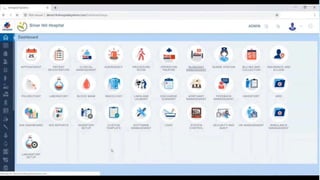
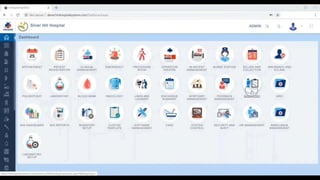
HMS Modules
 Patient Management
• Appointment
• Patient Registration
 Clinical Management
• Doctor Management
• Nurse Station
 patient Management
 Laboratory Management
 Pharmacy Management
 Radiology Management
 Inventory Management
 OT Management
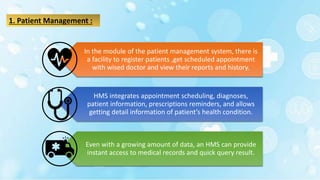
1. Patient Management :
In the module of the patient management system, there is
a facility to register patients ,get scheduled appointment
with wised doctor and view their reports and history.
HMS integrates appointment scheduling, diagnoses,
patient information, prescriptions reminders, and allows
getting detail information of patient’s health condition.
Even with a growing amount of data, an HMS can provide
instant access to medical records and quick query result.
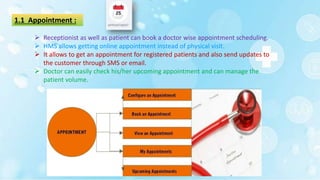
1.1 Appointment :
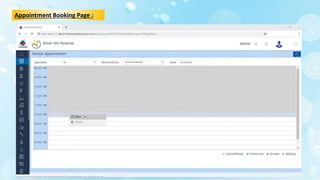
 Receptionist as well as patient can book a doctor wise appointment scheduling.
 HMS allows getting online appointment instead of physical visit.
 It allows to get an appointment for registered patients and also send updates to
the customer through SMS or email.
 Doctor can easily check his/her upcoming appointment and can manage the
patient volume.
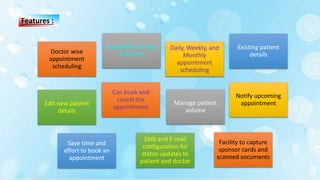
Doctor wise
appointment
scheduling
Availability timings
of doctors
Daily, Weekly, and
Monthly
appointment
scheduling
Existing patient
details
Edit new patient
details
Can book and
cancel the
appointment
Manage patient
volume
Notify upcoming
appointment
Save time and
effort to book an
appointment
SMS and E-mail
configuration for
status updates to
patient and doctor
Facility to capture
sponsor cards and
scanned socuments
Features :
Appointment Booking Page :
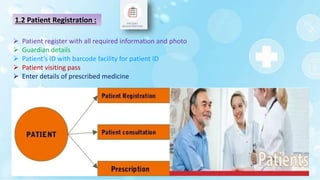
1.2 Patient Registration :
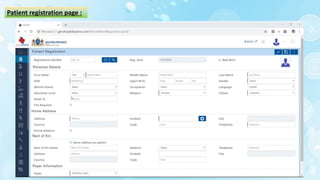
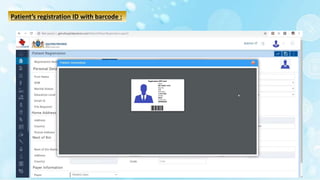
 Patient register with all required information and photo
 Guardian details
 Patient’s ID with barcode facility for patient ID
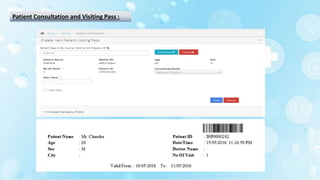
 Patient visiting pass
 Enter details of prescribed medicine
Patient registration page :
Patient’s registration ID with barcode :
Patient Consultation and Visiting Pass :
2. Clinical Management :
 HMS helps in the duty management of doctors and updates them complete
appointment details with a patient health history.
 HMS integrates data and makes records available to all members of hospital
staff: nurses, doctors, pharmacists, lab workers, and administrative staff.
 HMS tracks available doctors and their work hours.
 The system then creates a schedule for every employee and manages the
capabilities of facilities.
2.1 Doctor’s Management :
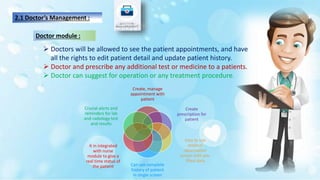
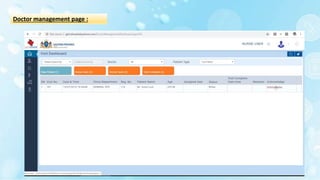
 Doctors will be allowed to see the patient appointments, and have
all the rights to edit patient detail and update patient history.
 Doctor and prescribe any additional test or medicine to a patients.
 Doctor can suggest for operation or any treatment procedure.
Doctor module :
Create, manage
appointment with
patient
Create
prescription for
patient
Easy to use
medical
observation
screen with pre-
filled data
Can see complete
history of patient
in single screen
It in integrated
with nurse
module to give a
real time status of
the patient
Crucial alerts and
reminders for lab
and radiology test
and results
2.2 Nurse’s Management :
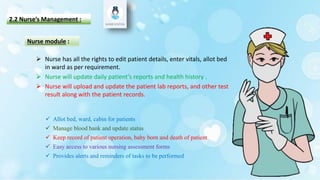
 Allot bed, ward, cabin for patients
 Manage blood bank and update status
 Keep record of patient operation, baby born and death of patient
 Easy access to various nursing assessment forms
 Provides alerts and reminders of tasks to be performed
Nurse module :
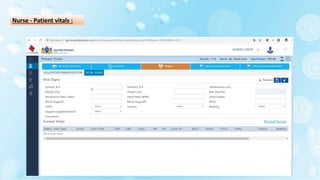
 Nurse has all the rights to edit patient details, enter vitals, allot bed
in ward as per requirement.
 Nurse will update daily patient’s reports and health history .
 Nurse will upload and update the patient lab reports, and other test
result along with the patient records.
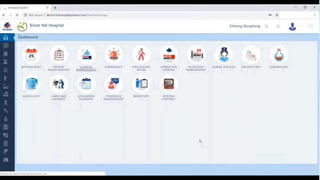
Doctor management page :
Nurse - Patient vitals :
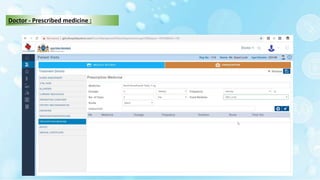
Doctor - Prescribed medicine :
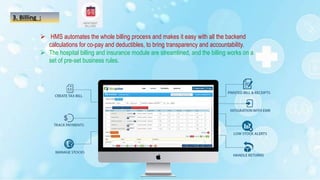
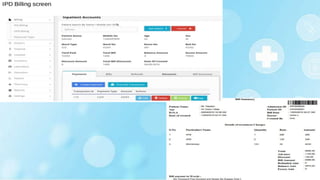
3. Billing :
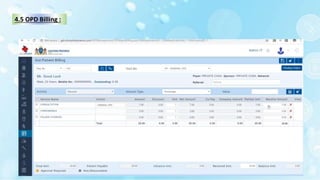
 HMS automates the whole billing process and makes it easy with all the backend
calculations for co-pay and deductibles, to bring transparency and accountability.
 The hospital billing and insurance module are streamlined, and the billing works on a
set of pre-set business rules.
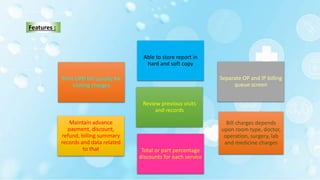
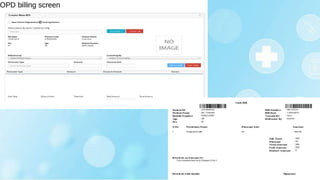
Print OPD bill quickly for
visiting charges
Separate OP and IP billing
queue screen
Maintain advance
payment, discount,
refund, billing summary
records and data related
to that
Able to store report in
hard and soft copy
Review previous visits
and records
Bill charges depends
upon room type, doctor,
operation, surgery, lab
and medicine charges
Total or part percentage
discounts for each service
Features :
4. Patient management :
Admitted
discharge
patient list
Patient
admission
Doctor
transfer
Bed transfer
Admission
request
Bed status
Discharge
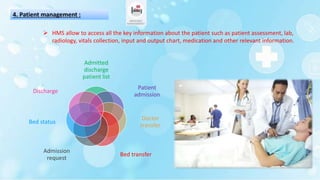
 HMS allow to access all the key information about the patient such as patient assessment, lab,
radiology, vitals collection, input and output chart, medication and other relevant information.
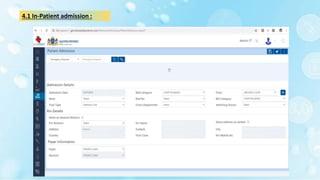
4.1 In-Patient admission :
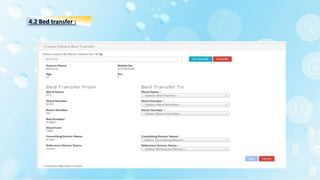
4.2 Bed transfer :
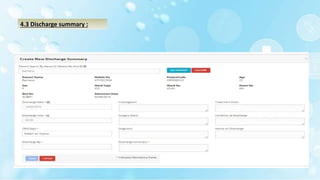
4.3 Discharge summary :
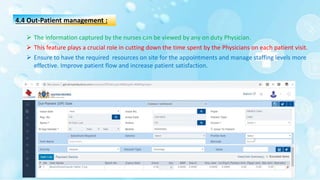
4.4 Out-Patient management :
 The information captured by the nurses can be viewed by any on duty Physician.
 This feature plays a crucial role in cutting down the time spent by the Physicians on each patient visit.
 Ensure to have the required resources on site for the appointments and manage staffing levels more
effective. Improve patient flow and increase patient satisfaction.
4.5 OPD Billing :
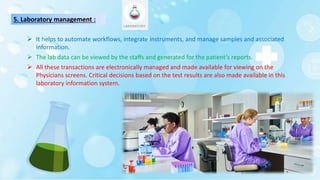
5. Laboratory management :
 It helps to automate workflows, integrate instruments, and manage samples and associated
information.
 The lab data can be viewed by the staffs and generated for the patient’s reports.
 All these transactions are electronically managed and made available for viewing on the
Physicians screens. Critical decisions based on the test results are also made available in this
laboratory information system.
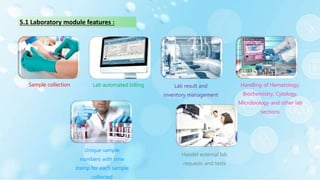
Sample collection Lab automated billing Lab result and
inventory management
Handling of Hematology,
Biochemistry, Cytology,
Microbiology and other lab
sections
Unique sample
numbers with time
stamp for each sample
collected
Handel external lab
requests and tests
5.1 Laboratory module features :
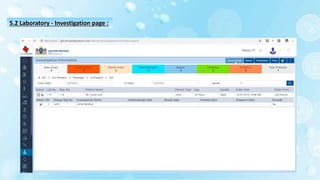
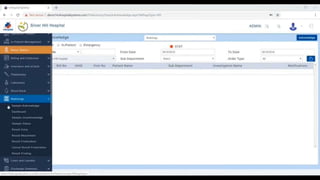
5.2 Laboratory - Investigation page :
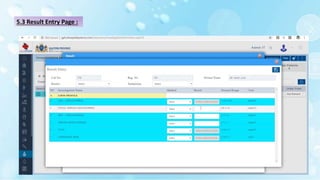
5.3 Result Entry Page :
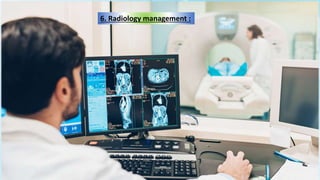
6. Radiology management :
Radiology management :
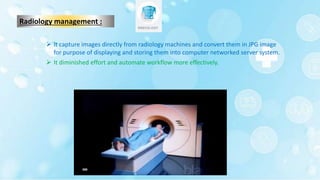
 It capture images directly from radiology machines and convert them in JPG image
for purpose of displaying and storing them into computer networked server system.
 It diminished effort and automate workflow more effectively.
Cont…
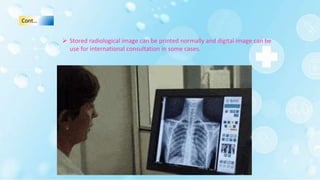
 Stored radiological image can be printed normally and digital image can be
use for international consultation in some cases.
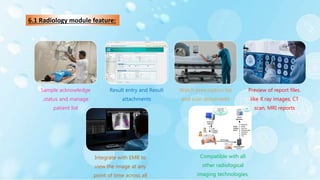
6.1 Radiology module feature:
Sample acknowledge
,status and manage
patient list
Result entry and Result
attachments
Watch prescription list
and scan documents
Preview of report files.
like X ray images, CT
scan, MRI reports
Integrate with EMR to
view the image at any
point of time across all
Compatible with all
other radiological
imaging technologies,
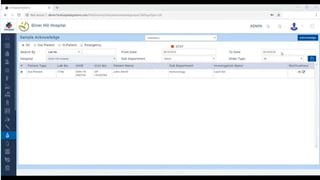
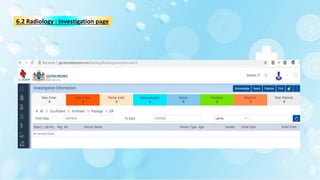
6.2 Radiology : Investigation page
7. Pharmacy management :
 It deals with the everyday activities along with administration process of
Pharmacy along with comprehensive method of managing the inventory
and dispatching of drugs.
Pharmacy module :
 This transmission helps pharmacist avoid misinterpretation of prescription and reduces
the overall time taken for the transaction. It also makes the refill process easier to track.
 This Modules enables that prescription transmits from doctor or other healthcare
provider’s computer to the pharmacy's computer electronically through a private, secure,
and closed network.
Cont…
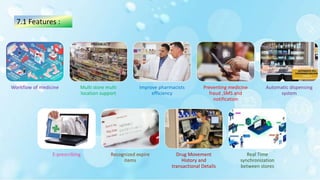
Workflow of medicine Multi store multi
location support
Improve pharmacists
efficiency
Preventing medicine
fraud ,SMS and
notification
Automatic dispensing
system
E-prescribing Recognized expire
items
Drug Movement
History and
transactional Details
Real Time
synchronization
between stores
7.1 Features :
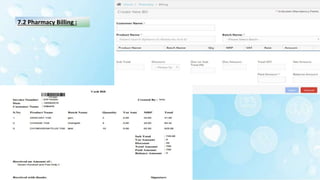
7.2 Pharmacy Billing :
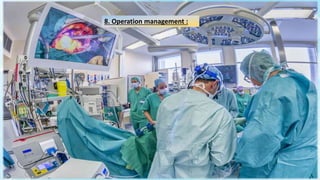
8. Operation management :
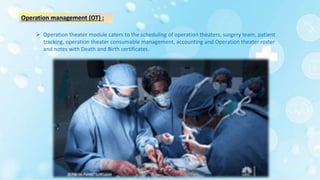
Operation management (OT) :
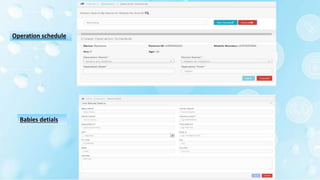
 Operation theater module caters to the scheduling of operation theaters, surgery team, patient
tracking, operation theater consumable management, accounting and Operation theater roster
and notes with Death and Birth certificates.
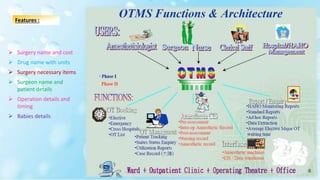
 Surgery name and cost
 Drug name with units
 Surgery necessary items
 Surgeon name and
patient details
 Operation details and
timing
 Babies details
Features :
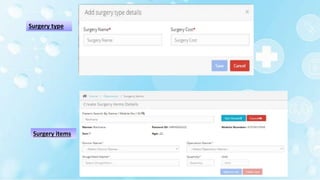
Surgery type
Surgery items
Operation schedule
Babies detials
HMS-HOSPITAL MANAGEMENT SYSTEM.pptx

HMS-HOSPITAL MANAGEMENT SYSTEM.pptx

  • 1.
  • 2.
    Topic :- Hospital ManagementSystem Submitted To : Abhay Bhindal Submitted By : Abhishek Shrestha BPT 3rd Year 1819131
  • 3.
    Contents : Introduction Features andAdvantage Workflow Modules
  • 4.
    Introduction :  HMSsimplify the workflow for clinicians, reduce costs and effort, diminish errors, replace manual paper based system and provide a better patient experience.  It accumulates all department within a single software.  A hospital management system is an cloud-based web medical management infrastructural system that captures and integrates all department’s data to automate the internal activities.
  • 5.
    Features of HMS: Appointment and Scheduling Electronic Health Records Accounting Management DigitalBilling and Payment Staff management Inventory Management Laboratory Management Radiology Management Telemedicine OT Management
  • 6.
    Workflow :  Itis concerned with automating manual repetitive tasks and reducing the admin burden or staff and potential for errors.
  • 7.
    Advantages of HMS:  Time-saving Technology  Improved Efficiency by avoiding human errors  Data security, easy access to patient data with correct patient history  Improved Management Visibility  Minimize hand written work from admission
  • 8.
     HMS scaleup the hospital network by easily managing the resources, effective workforce, and a better management of data. Cont…
  • 9.
    Clinic Management Automation:  The hospital management system automates the clinic’s work and optimizes the utilization of resources instead of only the storage and presentation of the information. It balances the occupancy rates and calculates the number of required employees.
  • 10.
    HMS Main Modules:  Admin has all the rights and permission to handle other modules of the hospitals via HMS .  Appointment of doctors  Bed ,ward, cabin status  Blood bank report  Medicine status of hospital stock  Operation report  Birth report  Diagnosis report  Death report 1. Administrator (Admin module) :
  • 11.
    2. Patient (UserModule) :  User can register and login by filling up necessary patient details.  Patient can make appointment with selected doctors, edit patient details, consult doctor and also can activate emergency services. HMS Login Page  Status of appointment  Prescription details  Patients detailed history
  • 12.
    HMS Modules  PatientManagement • Appointment • Patient Registration  Clinical Management • Doctor Management • Nurse Station  patient Management  Laboratory Management  Pharmacy Management  Radiology Management  Inventory Management  OT Management
  • 13.
    1. Patient Management: In the module of the patient management system, there is a facility to register patients ,get scheduled appointment with wised doctor and view their reports and history. HMS integrates appointment scheduling, diagnoses, patient information, prescriptions reminders, and allows getting detail information of patient’s health condition. Even with a growing amount of data, an HMS can provide instant access to medical records and quick query result.
  • 14.
    1.1 Appointment : Receptionist as well as patient can book a doctor wise appointment scheduling.  HMS allows getting online appointment instead of physical visit.  It allows to get an appointment for registered patients and also send updates to the customer through SMS or email.  Doctor can easily check his/her upcoming appointment and can manage the patient volume.
  • 15.
    Doctor wise appointment scheduling Availability timings ofdoctors Daily, Weekly, and Monthly appointment scheduling Existing patient details Edit new patient details Can book and cancel the appointment Manage patient volume Notify upcoming appointment Save time and effort to book an appointment SMS and E-mail configuration for status updates to patient and doctor Facility to capture sponsor cards and scanned socuments Features :
  • 16.
  • 18.
    1.2 Patient Registration:  Patient register with all required information and photo  Guardian details  Patient’s ID with barcode facility for patient ID  Patient visiting pass  Enter details of prescribed medicine
  • 19.
  • 20.
  • 21.
    Patient Consultation andVisiting Pass :
  • 23.
    2. Clinical Management:  HMS helps in the duty management of doctors and updates them complete appointment details with a patient health history.  HMS integrates data and makes records available to all members of hospital staff: nurses, doctors, pharmacists, lab workers, and administrative staff.  HMS tracks available doctors and their work hours.  The system then creates a schedule for every employee and manages the capabilities of facilities.
  • 24.
    2.1 Doctor’s Management:  Doctors will be allowed to see the patient appointments, and have all the rights to edit patient detail and update patient history.  Doctor and prescribe any additional test or medicine to a patients.  Doctor can suggest for operation or any treatment procedure. Doctor module : Create, manage appointment with patient Create prescription for patient Easy to use medical observation screen with pre- filled data Can see complete history of patient in single screen It in integrated with nurse module to give a real time status of the patient Crucial alerts and reminders for lab and radiology test and results
  • 25.
    2.2 Nurse’s Management:  Allot bed, ward, cabin for patients  Manage blood bank and update status  Keep record of patient operation, baby born and death of patient  Easy access to various nursing assessment forms  Provides alerts and reminders of tasks to be performed Nurse module :  Nurse has all the rights to edit patient details, enter vitals, allot bed in ward as per requirement.  Nurse will update daily patient’s reports and health history .  Nurse will upload and update the patient lab reports, and other test result along with the patient records.
  • 26.
  • 27.
  • 28.
  • 30.
    3. Billing : HMS automates the whole billing process and makes it easy with all the backend calculations for co-pay and deductibles, to bring transparency and accountability.  The hospital billing and insurance module are streamlined, and the billing works on a set of pre-set business rules.
  • 31.
    Print OPD billquickly for visiting charges Separate OP and IP billing queue screen Maintain advance payment, discount, refund, billing summary records and data related to that Able to store report in hard and soft copy Review previous visits and records Bill charges depends upon room type, doctor, operation, surgery, lab and medicine charges Total or part percentage discounts for each service Features :
  • 35.
    4. Patient management: Admitted discharge patient list Patient admission Doctor transfer Bed transfer Admission request Bed status Discharge  HMS allow to access all the key information about the patient such as patient assessment, lab, radiology, vitals collection, input and output chart, medication and other relevant information.
  • 36.
  • 37.
  • 38.
  • 40.
    4.4 Out-Patient management:  The information captured by the nurses can be viewed by any on duty Physician.  This feature plays a crucial role in cutting down the time spent by the Physicians on each patient visit.  Ensure to have the required resources on site for the appointments and manage staffing levels more effective. Improve patient flow and increase patient satisfaction.
  • 41.
  • 42.
  • 43.
    5. Laboratory management:  It helps to automate workflows, integrate instruments, and manage samples and associated information.  The lab data can be viewed by the staffs and generated for the patient’s reports.  All these transactions are electronically managed and made available for viewing on the Physicians screens. Critical decisions based on the test results are also made available in this laboratory information system.
  • 44.
    Sample collection Labautomated billing Lab result and inventory management Handling of Hematology, Biochemistry, Cytology, Microbiology and other lab sections Unique sample numbers with time stamp for each sample collected Handel external lab requests and tests 5.1 Laboratory module features :
  • 45.
    5.2 Laboratory -Investigation page :
  • 46.
  • 48.
  • 49.
    Radiology management : It capture images directly from radiology machines and convert them in JPG image for purpose of displaying and storing them into computer networked server system.  It diminished effort and automate workflow more effectively.
  • 50.
    Cont…  Stored radiologicalimage can be printed normally and digital image can be use for international consultation in some cases.
  • 51.
    6.1 Radiology modulefeature: Sample acknowledge ,status and manage patient list Result entry and Result attachments Watch prescription list and scan documents Preview of report files. like X ray images, CT scan, MRI reports Integrate with EMR to view the image at any point of time across all Compatible with all other radiological imaging technologies,
  • 52.
    6.2 Radiology :Investigation page
  • 54.
  • 55.
     It dealswith the everyday activities along with administration process of Pharmacy along with comprehensive method of managing the inventory and dispatching of drugs. Pharmacy module :
  • 56.
     This transmissionhelps pharmacist avoid misinterpretation of prescription and reduces the overall time taken for the transaction. It also makes the refill process easier to track.  This Modules enables that prescription transmits from doctor or other healthcare provider’s computer to the pharmacy's computer electronically through a private, secure, and closed network. Cont…
  • 57.
    Workflow of medicineMulti store multi location support Improve pharmacists efficiency Preventing medicine fraud ,SMS and notification Automatic dispensing system E-prescribing Recognized expire items Drug Movement History and transactional Details Real Time synchronization between stores 7.1 Features :
  • 58.
  • 60.
  • 61.
    Operation management (OT):  Operation theater module caters to the scheduling of operation theaters, surgery team, patient tracking, operation theater consumable management, accounting and Operation theater roster and notes with Death and Birth certificates.
  • 62.
     Surgery nameand cost  Drug name with units  Surgery necessary items  Surgeon name and patient details  Operation details and timing  Babies details Features :
  • 63.
  • 64.