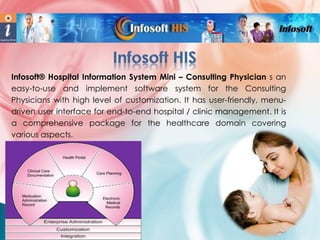
Infosoft® Hospital Information System Mini – Consulting Physician s an
easy-to-use and implement software system for the Consulting
Physicians with high level of customization. It has user-friendly, menudriven user interface for end-to-end hospital / clinic management. It is
a comprehensive package for the healthcare domain covering
various aspects.


All menus on single screen.

 Easy-to-use for doctors.



Maintains essential records.

 Fully menu-driven, requires



Sound look and feel.



Instant

post-implementation

support.


Installation Guide and User
Manual.



Provides value for money.

less typing.
 Prescriptions in Hindi fonts.
 Facilitates timely service and
better care for patients.
 Easy

access

to

patient's

clinical data for doctors.
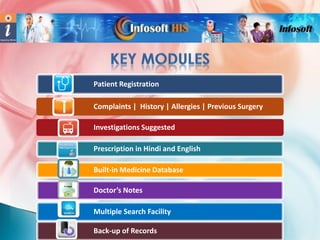
Patient Registration
Complaints | History | Allergies | Previous Surgery

Investigations Suggested
Prescription in Hindi and English
Built-in Medicine Database
Doctor’s Notes

Multiple Search Facility
Back-up of Records
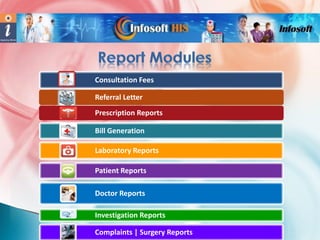
Consultation Fees
Referral Letter
Prescription Reports
Bill Generation
Laboratory Reports

Patient Reports
Doctor Reports
Investigation Reports
Complaints | Surgery Reports
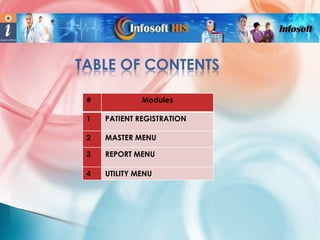
TABLE OF CONTENTS
#

Modules

1

PATIENT REGISTRATION

2

MASTER MENU

3

REPORT MENU

4

UTILITY MENU
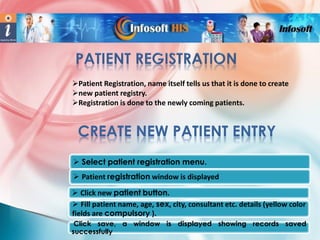
Patient Registration, name itself tells us that it is done to create
new patient registry.
Registration is done to the newly coming patients.

CREATE NEW PATIENT ENTRY
 Select patient registration menu.
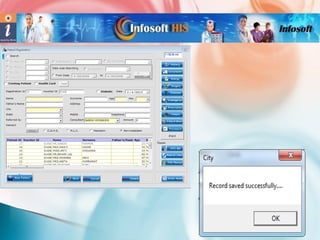
 Patient registration window is displayed
 Click new patient button.
 Fill patient name, age, sex, city, consultant etc. details (yellow color
fields are compulsory ).
Click save, a window is displayed showing records saved
successfully
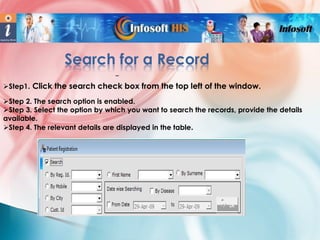
Search for a Record
–
Step1. Click the search check box from the top left of the window.
Step 2. The search option is enabled.
Step 3. Select the option by which you want to search the records, provide the details
available.
Step 4. The relevant details are displayed in the table.
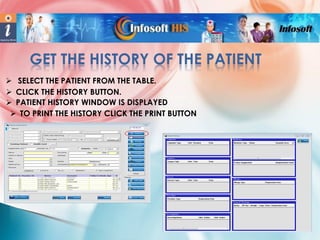
GET THE HISTORY OF THE PATIENT
 SELECT THE PATIENT FROM THE TABLE.
 CLICK THE HISTORY BUTTON.
 PATIENT HISTORY WINDOW IS DISPLAYED
 TO PRINT THE HISTORY CLICK THE PRINT BUTTON
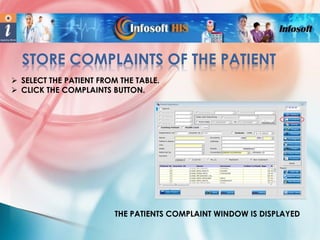
STORE COMPLAINTS OF THE PATIENT
 SELECT THE PATIENT FROM THE TABLE.
 CLICK THE COMPLAINTS BUTTON.

THE PATIENTS COMPLAINT WINDOW IS DISPLAYED
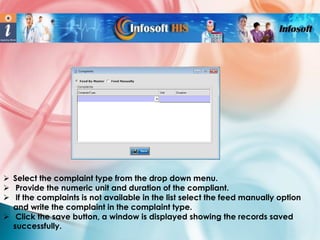
 Select the complaint type from the drop down menu.
 Provide the numeric unit and duration of the compliant.
 If the complaints is not available in the list select the feed manually option
and write the complaint in the complaint type.
 Click the save button, a window is displayed showing the records saved
successfully.
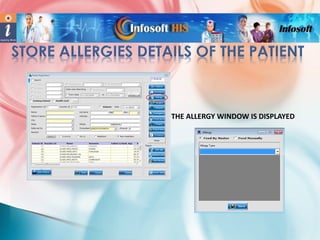
THE ALLERGY WINDOW IS DISPLAYED
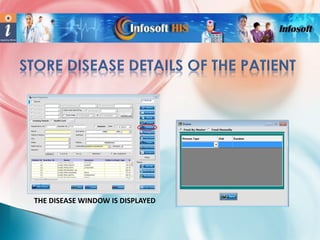
THE DISEASE WINDOW IS DISPLAYED
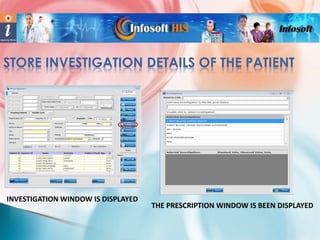
STORE INVESTIGATION DETAILS OF THE PATIENT

INVESTIGATION WINDOW IS DISPLAYED

THE PRESCRIPTION WINDOW IS BEEN DISPLAYED
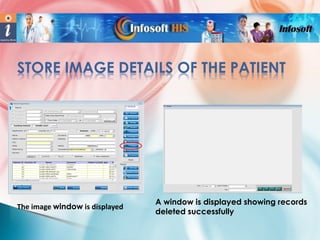
STORE IMAGE DETAILS OF THE PATIENT

The image window is displayed

A window is displayed showing records
deleted successfully
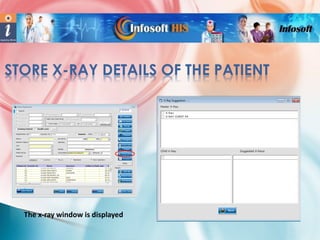
STORE X-RAY DETAILS OF THE PATIENT

The x-ray window is displayed
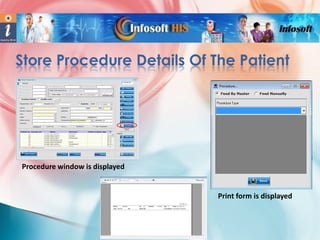
Store Procedure Details Of The Patient

Procedure window is displayed

Print form is displayed
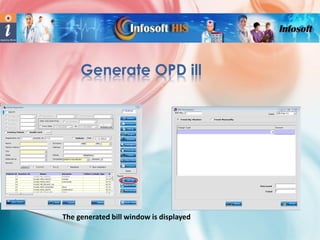
Generate OPD ill

The generated bill window is displayed
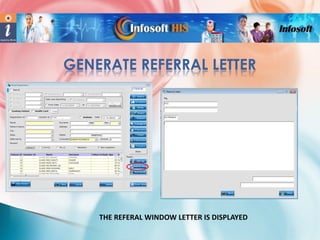
GENERATE REFERRAL LETTER

THE REFERAL WINDOW LETTER IS DISPLAYED
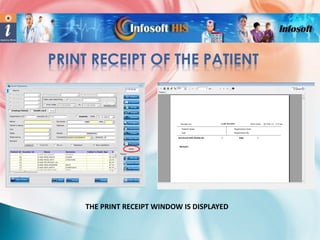
PRINT RECEIPT OF THE PATIENT

THE PRINT RECEIPT WINDOW IS DISPLAYED
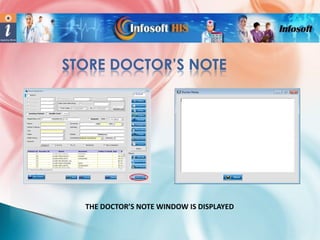
STORE DOCTOR’S NOTE

THE DOCTOR’S NOTE WINDOW IS DISPLAYED
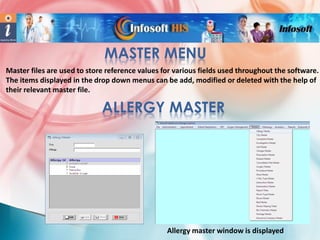
MASTER MENU
Master files are used to store reference values for various fields used throughout the software.
The items displayed in the drop down menus can be add, modified or deleted with the help of
their relevant master file.

ALLERGY MASTER

Allergy master window is displayed
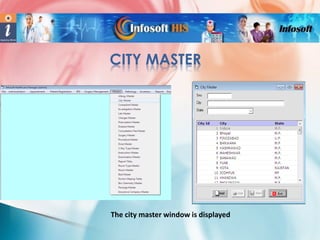
CITY MASTER

The city master window is displayed
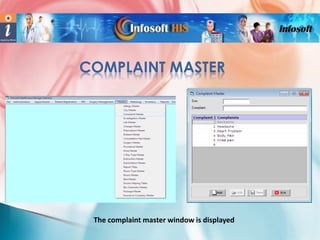
COMPLAINT MASTER

The complaint master window is displayed
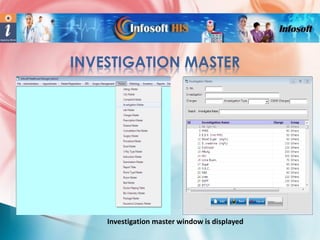
INVESTIGATION MASTER

Investigation master window is displayed
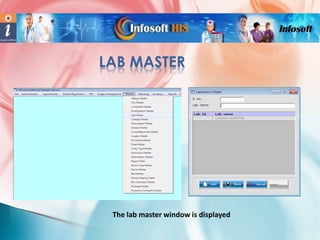
LAB MASTER

The lab master window is displayed
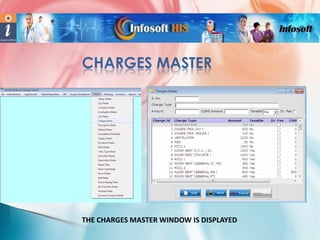
CHARGES MASTER

THE CHARGES MASTER WINDOW IS DISPLAYED
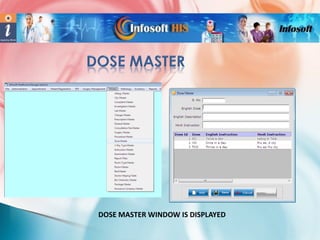
DOSE MASTER WINDOW IS DISPLAYED
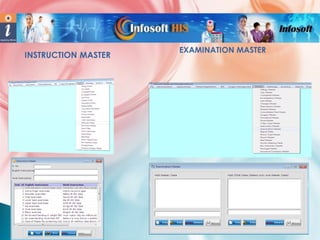
INSTRUCTION MASTER

EXAMINATION MASTER
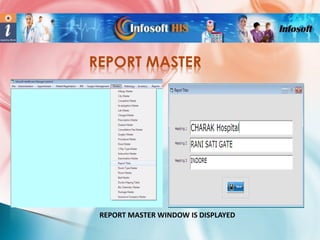
REPORT MASTER

REPORT MASTER WINDOW IS DISPLAYED
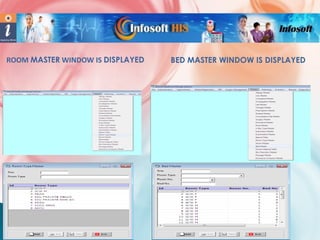
ROOM MASTER WINDOW IS DISPLAYED

BED MASTER WINDOW IS DISPLAYED
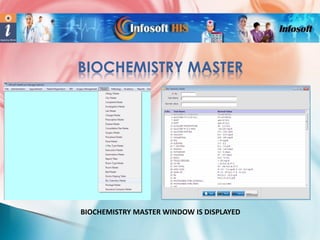
BIOCHEMISTRY MASTER

BIOCHEMISTRY MASTER WINDOW IS DISPLAYED
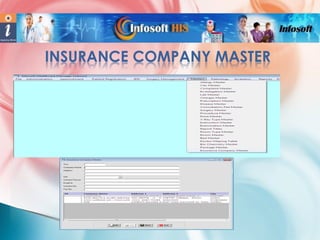
INSURANCE COMPANY MASTER
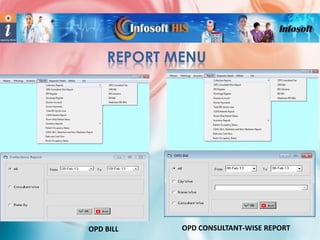
REPORT MENU

OPD BILL

OPD CONSULTANT-WISE REPORT
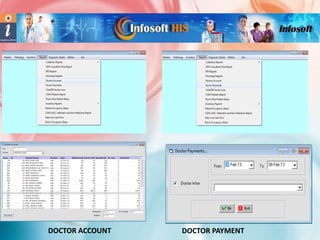
DOCTOR ACCOUNT

DOCTOR PAYMENT
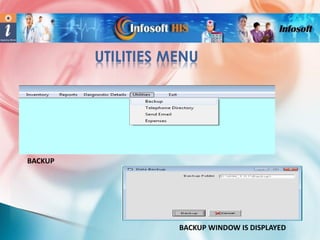
UTILITIES MENU

BACKUP

BACKUP WINDOW IS DISPLAYED
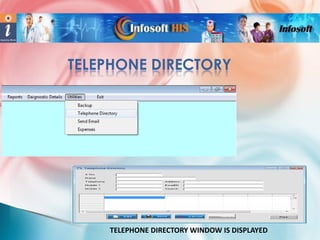
TELEPHONE DIRECTORY

TELEPHONE DIRECTORY WINDOW IS DISPLAYED
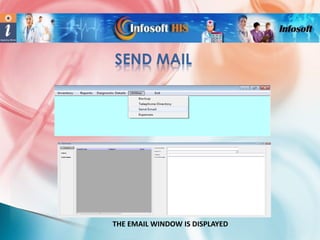
SEND MAIL

THE EMAIL WINDOW IS DISPLAYED
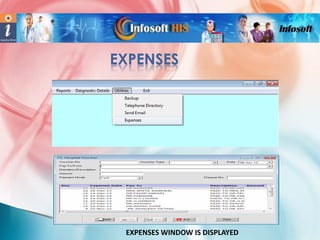
EXPENSES

EXPENSES WINDOW IS DISPLAYED
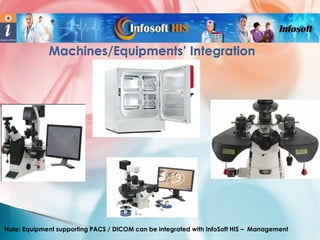
Machines/Equipments’ Integration

Note: Equipment supporting PACS / DICOM can be integrated with InfoSoft HIS – Management
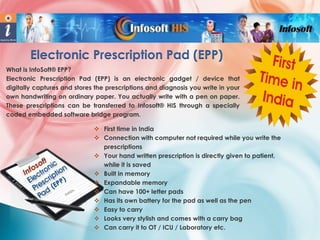
Electronic Prescription Pad (EPP)
What is InfoSoft® EPP?
Electronic Prescription Pad (EPP) is an electronic gadget / device that
digitally captures and stores the prescriptions and diagnosis you write in your
own handwriting on ordinary paper. You actually write with a pen on paper.
These prescriptions can be transferred to Infosoft® HIS through a specially
coded embedded software bridge program.
 First time in India
 Connection with computer not required while you write the
prescriptions
 Your hand written prescription is directly given to patient,
while it is saved
 Built in memory
 Expandable memory
 Can have 100+ letter pads
 Has its own battery for the pad as well as the pen
 Easy to carry
 Looks very stylish and comes with a carry bag
 Can carry it to OT / ICU / Laboratory etc.
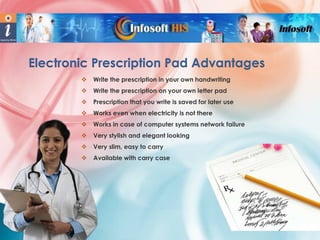
Electronic Prescription Pad Advantages


Write the prescription in your own handwriting



Write the prescription on your own letter pad



Prescription that you write is saved for later use



Works even when electricity is not there



Works in case of computer systems network failure



Very stylish and elegant looking



Very slim, easy to carry



Available with carry case
About Infosoft®
Infosoft® was founded in 1999 with an aim to provide R & D based innovative services. It is a fast
growing services & solutions company catering to domestic and international clients. Infosoft is a
provider of Enterprise Software Solutions in Healthcare, Real-estate and Telecom domains, Web
Portals, Social Media Marketing & SEO services. Infosoft has catered to top MNCs, NGOs, Defense
and governmental organizations over the years.
The journey so far :
 Probably the First company in Indian private sector to develop online, real time securities
trading system for a Stock Exchange.
 Developed World's First Java-based multi-lingual chat and mail portal.
 Developed & Implemented an Internet-cum-Intranet based E-Governance project in all the
districts of Madhya Pradesh, India.
 Provided numerous innovative mobile solutions and services to US, Europe & Singapore-based
companies.
 Developed the World’s first India-centric Diabetes prevention & management web portal
 Developed innovative solutions for Healthcare and Real-estate Sectors.
 Handled Social Media Marketing for numerous top companies in India.
 Developed profitable web portals for clients based in India, Europe and USA.
Other Key Products
IndianDiabetics.com – Web portal for prevention and management of
diabetes in true Indian context.
Diabetes Manager - desktop application with facility to sync with web
server for scheduling appointment with doctor, investigations, Ordering
prescriptions, Live Chat, Health Calculators, SMS & E-Mail alerts.
Real Estate Management System – a fully secured software system for
managing pre-launch, booking and sale of apartments, bungalows, row
houses, brokerage and discount management and MIS Reporting.
Infosoft MMS EMS Testing Suite – provides an excellent testing platform
for
MMS, WAP-Push, EMS, SMS and Nokia Smart Messaging (NSM)
applications without having live connection with MMSC / SMSC.
Personal Finance Management Application (PFMA) – helps managing
personal finances in a better, effective & efficient manner. It provides
alerts & reminders to pay your installments on time & to recover the
money due from various investments in time.

IMET
S
Co-ordinates

Hospital Software Shop
Mobile:
E-Mail:
Website:

+91-88893-08880 | 98270-34860
info@hospitalsoftwareshop.com
www.hospitalsoftwareshop.com

:: Our Locations ::
• Bangalore • Indore • Mumbai • Nagpur • Hyderabad
• New Delhi • Lucknow • Raipur

Clinic Softwrae for Consulting physicians

  • 2.
    Infosoft® Hospital InformationSystem Mini – Consulting Physician s an easy-to-use and implement software system for the Consulting Physicians with high level of customization. It has user-friendly, menudriven user interface for end-to-end hospital / clinic management. It is a comprehensive package for the healthcare domain covering various aspects.
  • 3.
     All menus onsingle screen.  Easy-to-use for doctors.  Maintains essential records.  Fully menu-driven, requires  Sound look and feel.  Instant post-implementation support.  Installation Guide and User Manual.  Provides value for money. less typing.  Prescriptions in Hindi fonts.  Facilitates timely service and better care for patients.  Easy access to patient's clinical data for doctors.
  • 4.
    Patient Registration Complaints |History | Allergies | Previous Surgery Investigations Suggested Prescription in Hindi and English Built-in Medicine Database Doctor’s Notes Multiple Search Facility Back-up of Records
  • 5.
    Consultation Fees Referral Letter PrescriptionReports Bill Generation Laboratory Reports Patient Reports Doctor Reports Investigation Reports Complaints | Surgery Reports
  • 6.
    TABLE OF CONTENTS # Modules 1 PATIENTREGISTRATION 2 MASTER MENU 3 REPORT MENU 4 UTILITY MENU
  • 7.
    Patient Registration, nameitself tells us that it is done to create new patient registry. Registration is done to the newly coming patients. CREATE NEW PATIENT ENTRY  Select patient registration menu.  Patient registration window is displayed  Click new patient button.  Fill patient name, age, sex, city, consultant etc. details (yellow color fields are compulsory ). Click save, a window is displayed showing records saved successfully
  • 9.
    Search for aRecord – Step1. Click the search check box from the top left of the window. Step 2. The search option is enabled. Step 3. Select the option by which you want to search the records, provide the details available. Step 4. The relevant details are displayed in the table.
  • 10.
    GET THE HISTORYOF THE PATIENT  SELECT THE PATIENT FROM THE TABLE.  CLICK THE HISTORY BUTTON.  PATIENT HISTORY WINDOW IS DISPLAYED  TO PRINT THE HISTORY CLICK THE PRINT BUTTON
  • 11.
    STORE COMPLAINTS OFTHE PATIENT  SELECT THE PATIENT FROM THE TABLE.  CLICK THE COMPLAINTS BUTTON. THE PATIENTS COMPLAINT WINDOW IS DISPLAYED
  • 12.
     Select thecomplaint type from the drop down menu.  Provide the numeric unit and duration of the compliant.  If the complaints is not available in the list select the feed manually option and write the complaint in the complaint type.  Click the save button, a window is displayed showing the records saved successfully.
  • 13.
    THE ALLERGY WINDOWIS DISPLAYED
  • 14.
    THE DISEASE WINDOWIS DISPLAYED
  • 15.
    STORE INVESTIGATION DETAILSOF THE PATIENT INVESTIGATION WINDOW IS DISPLAYED THE PRESCRIPTION WINDOW IS BEEN DISPLAYED
  • 16.
    STORE IMAGE DETAILSOF THE PATIENT The image window is displayed A window is displayed showing records deleted successfully
  • 17.
    STORE X-RAY DETAILSOF THE PATIENT The x-ray window is displayed
  • 18.
    Store Procedure DetailsOf The Patient Procedure window is displayed Print form is displayed
  • 19.
    Generate OPD ill Thegenerated bill window is displayed
  • 20.
    GENERATE REFERRAL LETTER THEREFERAL WINDOW LETTER IS DISPLAYED
  • 21.
    PRINT RECEIPT OFTHE PATIENT THE PRINT RECEIPT WINDOW IS DISPLAYED
  • 22.
    STORE DOCTOR’S NOTE THEDOCTOR’S NOTE WINDOW IS DISPLAYED
  • 23.
    MASTER MENU Master filesare used to store reference values for various fields used throughout the software. The items displayed in the drop down menus can be add, modified or deleted with the help of their relevant master file. ALLERGY MASTER Allergy master window is displayed
  • 24.
    CITY MASTER The citymaster window is displayed
  • 25.
    COMPLAINT MASTER The complaintmaster window is displayed
  • 26.
  • 27.
    LAB MASTER The labmaster window is displayed
  • 28.
    CHARGES MASTER THE CHARGESMASTER WINDOW IS DISPLAYED
  • 29.
    DOSE MASTER WINDOWIS DISPLAYED
  • 30.
  • 31.
    REPORT MASTER REPORT MASTERWINDOW IS DISPLAYED
  • 32.
    ROOM MASTER WINDOWIS DISPLAYED BED MASTER WINDOW IS DISPLAYED
  • 33.
  • 34.
  • 35.
    REPORT MENU OPD BILL OPDCONSULTANT-WISE REPORT
  • 36.
  • 37.
  • 38.
  • 39.
    SEND MAIL THE EMAILWINDOW IS DISPLAYED
  • 40.
  • 41.
    Machines/Equipments’ Integration Note: Equipmentsupporting PACS / DICOM can be integrated with InfoSoft HIS – Management
  • 42.
    Electronic Prescription Pad(EPP) What is InfoSoft® EPP? Electronic Prescription Pad (EPP) is an electronic gadget / device that digitally captures and stores the prescriptions and diagnosis you write in your own handwriting on ordinary paper. You actually write with a pen on paper. These prescriptions can be transferred to Infosoft® HIS through a specially coded embedded software bridge program.  First time in India  Connection with computer not required while you write the prescriptions  Your hand written prescription is directly given to patient, while it is saved  Built in memory  Expandable memory  Can have 100+ letter pads  Has its own battery for the pad as well as the pen  Easy to carry  Looks very stylish and comes with a carry bag  Can carry it to OT / ICU / Laboratory etc.
  • 43.
    Electronic Prescription PadAdvantages  Write the prescription in your own handwriting  Write the prescription on your own letter pad  Prescription that you write is saved for later use  Works even when electricity is not there  Works in case of computer systems network failure  Very stylish and elegant looking  Very slim, easy to carry  Available with carry case
  • 44.
    About Infosoft® Infosoft® wasfounded in 1999 with an aim to provide R & D based innovative services. It is a fast growing services & solutions company catering to domestic and international clients. Infosoft is a provider of Enterprise Software Solutions in Healthcare, Real-estate and Telecom domains, Web Portals, Social Media Marketing & SEO services. Infosoft has catered to top MNCs, NGOs, Defense and governmental organizations over the years. The journey so far :  Probably the First company in Indian private sector to develop online, real time securities trading system for a Stock Exchange.  Developed World's First Java-based multi-lingual chat and mail portal.  Developed & Implemented an Internet-cum-Intranet based E-Governance project in all the districts of Madhya Pradesh, India.  Provided numerous innovative mobile solutions and services to US, Europe & Singapore-based companies.  Developed the World’s first India-centric Diabetes prevention & management web portal  Developed innovative solutions for Healthcare and Real-estate Sectors.  Handled Social Media Marketing for numerous top companies in India.  Developed profitable web portals for clients based in India, Europe and USA.
  • 45.
    Other Key Products IndianDiabetics.com– Web portal for prevention and management of diabetes in true Indian context. Diabetes Manager - desktop application with facility to sync with web server for scheduling appointment with doctor, investigations, Ordering prescriptions, Live Chat, Health Calculators, SMS & E-Mail alerts. Real Estate Management System – a fully secured software system for managing pre-launch, booking and sale of apartments, bungalows, row houses, brokerage and discount management and MIS Reporting. Infosoft MMS EMS Testing Suite – provides an excellent testing platform for MMS, WAP-Push, EMS, SMS and Nokia Smart Messaging (NSM) applications without having live connection with MMSC / SMSC. Personal Finance Management Application (PFMA) – helps managing personal finances in a better, effective & efficient manner. It provides alerts & reminders to pay your installments on time & to recover the money due from various investments in time. IMET S
  • 46.
    Co-ordinates Hospital Software Shop Mobile: E-Mail: Website: +91-88893-08880| 98270-34860 info@hospitalsoftwareshop.com www.hospitalsoftwareshop.com :: Our Locations :: • Bangalore • Indore • Mumbai • Nagpur • Hyderabad • New Delhi • Lucknow • Raipur