By Houeida Kammourié-Charara
InfoCommons Librarian
©2012
Introduction

 With the huge amount of Social Networking
 Media that are currently available on the Net, I
 found it useful to “CURATE” some that may be
 used in academic libraries environment.


 Content is collected from selected websites, all
 definitions are taken from the “About Us” or
 Media Home pages or Wikipedia.
Outline
Social Networking Definition
Social networking is a communication
phenomenon. The Oxford English Dictionary
Online (2010) defines social networking as:
[. . .] the use or establishment of social
networks or connections; (now esp.) the use of
Web sites which enable users to interact with
one another, find and contact people with
common interests, etc.
Social Networking Core Features


• User profiles          • Videos, Photos,
• Friending                Music
• Groups                 • Blogs,
                           Journals,Wikis
• Individual messaging
                         • Searching
• Announcements
                         • Privacy controls
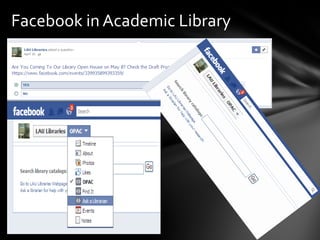
Facebook in Academic Library
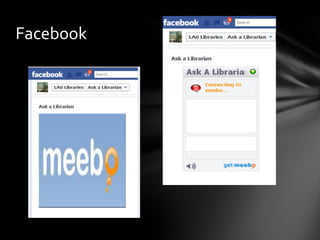
Facebook
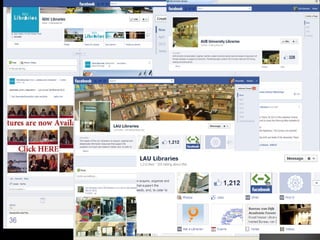
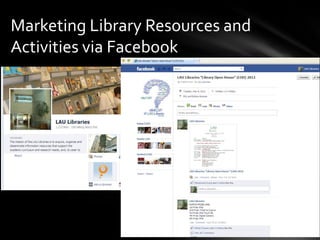
Marketing Library Resources and
Activities via Facebook
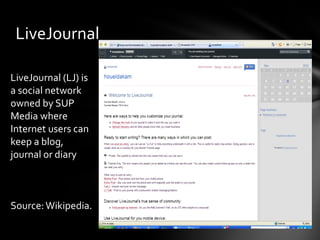
LiveJournal

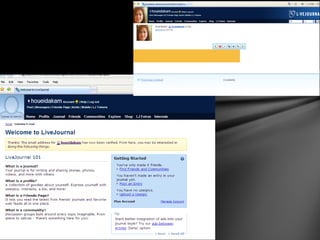
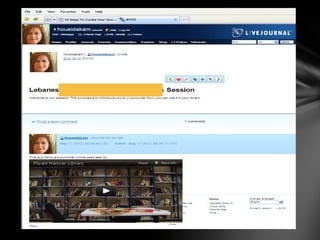
LiveJournal (LJ) is
a social network
owned by SUP
Media where
Internet users can
keep a blog,
journal or diary


Source: Wikipedia.
MySpace
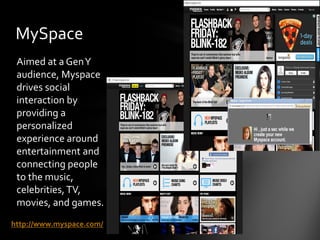
 Aimed at a Gen Y
 audience, Myspace
 drives social
 interaction by
 providing a
 personalized
 experience around
 entertainment and
 connecting people
 to the music,
 celebrities, TV,
 movies, and games.
http://www.myspace.com/
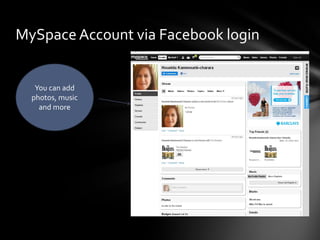
MySpace Account via Facebook login


   You can add
  photos, music
    and more
YouTube
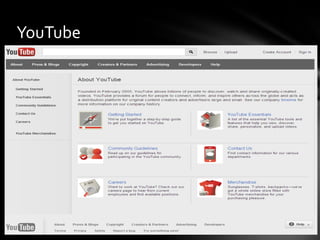
Founded in February 2005, YouTube allows billions
of people to discover, watch and share originally-
created videos. YouTube provides a forum for
people to connect, inform, and inspire others
across the globe and acts as a distribution
platform for original content creators and
advertisers large and small. See our company
timeline for more information on our company
history.
http://www.youtube.com/t/about_youtube
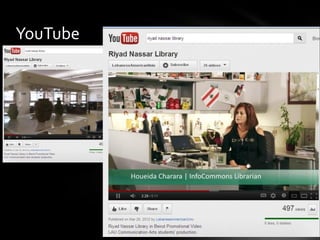
YouTube
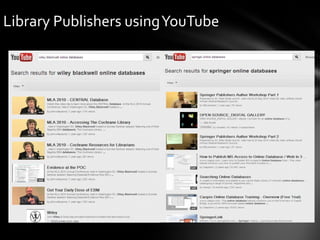
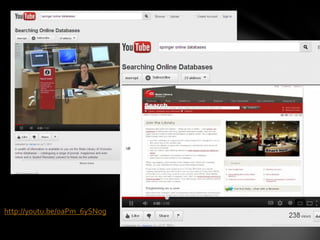
Library Publishers using YouTube
http://youtu.be/oaPm_6ySNog
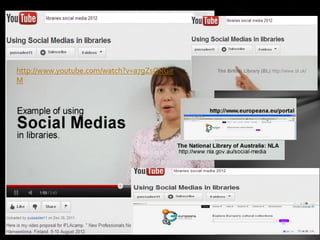
YouTube
http://www.youtube.com/watch?v=a7gZsQRGir
M
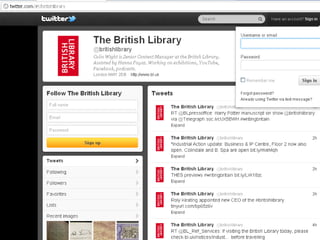
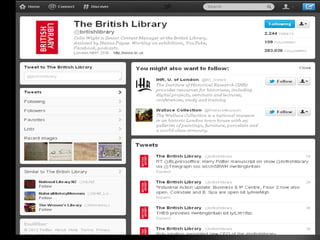
British Library
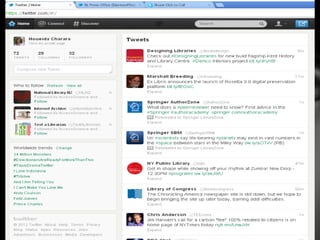
Twitter
Twitter is a real-time information network that connects
you to the latest stories, ideas, opinions and news about
what you find interesting. Simply find the accounts you
find most compelling and follow the conversations.
At the heart of Twitter are small bursts of information
called Tweets. Each Tweet is 140 characters long, but
don’t let the small size fool you—you can discover a lot in
a little space. You can see photos, videos and
conversations directly in Tweets to get the whole story at
a glance, and all in one place. See it in action.
https://twitter.com/about
What Are Hashtags ("#" Symbols)?
The # symbol, called a hashtag, is used to mark keywords
or topics in a Tweet. People use the hashtag symbol #
before relevant keywords or phrases (no spaces) in their
Tweet to categorize those Tweets and help them show
more easily in Twitter Search.
Clicking on a hashtagged word in any message shows you
all other Tweets in that category. Hashtags can occur
anywhere in the Tweet – at the beginning, middle, or end.
Hashtagged words that become very popular are often
Trending Topics.

Source: Twitter help Center
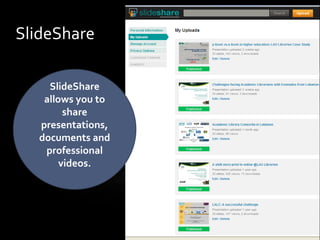
SlideShare

    SlideShare
   allows you to
        share
  presentations,
  documents and
   professional
       videos.
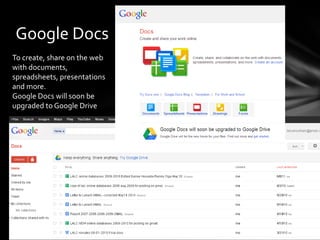
Google Docs
To create, share on the web
with documents,
spreadsheets, presentations
and more.
Google Docs will soon be
upgraded to Google Drive
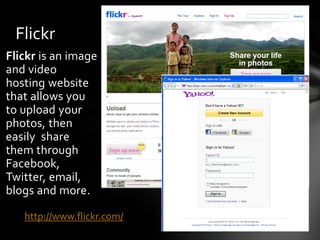
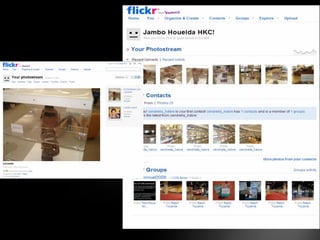
Flickr
Flickr is an image
and video
hosting website
that allows you
to upload your
photos, then
easily share
them through
Facebook,
Twitter, email,
blogs and more.

   http://www.flickr.com/
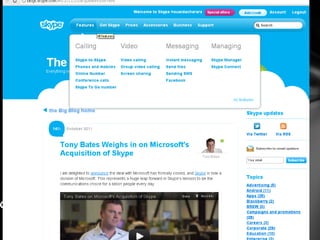
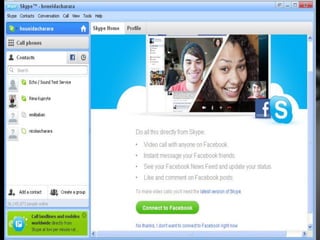
Skype

Skype is software that enables the world's
conversations. Millions of individuals and businesses
use Skype to make freevideo and voice calls,
send instant messages and share files with other people
on Skype. You can use Skype on whatever works best
for you - on your mobile, computer or a TV with Skype
on it. Skype is free to download and easy to use.


http://www.skype.com/intl/en/home
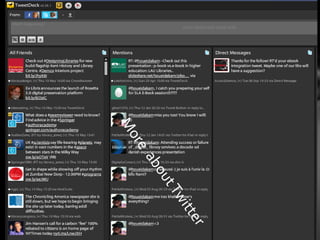
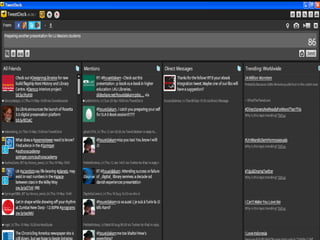
Overwhelmed with your accounts
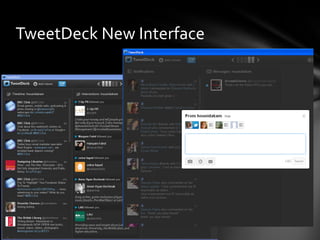
TweetDeck New Interface
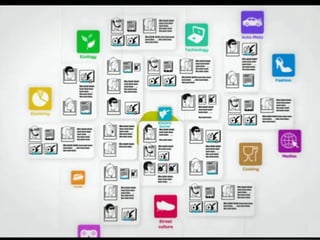
What’s Social Media Curation?


“Social media curation is when you filter,
select, review and reposition quality content
on the web for a specific audience and/or
topic”.
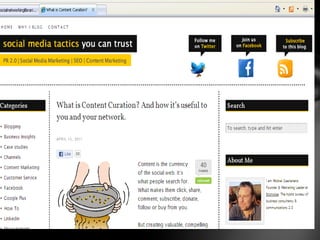
What is Content Curation?

“Content Curation basically means that – out of all
the content you find on the social web – you pass on
the most valuable stuff to your network.
A slightly more coherent definition of someone who
curates content comes from marketing expert Rohit
Bhargava:
A Content Curator is someone who continually finds,
groups, organizes and shares the best and most
relevant content on a specific issue online”.

http://www.michielgaasterland.com/content-marketing/what-is-content-curation-and-how-
it%E2%80%99s-useful-to-you-and-your-network/
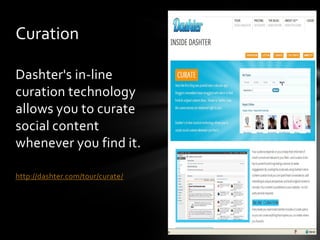
Curation

Dashter's in-line
curation technology
allows you to curate
social content
whenever you find it.

http://dashter.com/tour/curate/
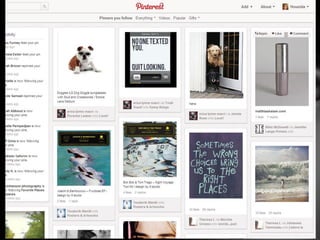
What is Pinterest?

Pinterest is a Virtual Pinboard.
Pinterest lets you organize and share all the beautiful
things you find on the web. People use pinboards to plan
their weddings, decorate their homes, and organize their
favorite recipes.
Best of all, you can browse pinboards created by other
people. Browsing pinboards is a fun way to discover new
things and get inspiration from people who share your
interests.
To get started, request an invite.
http://pinterest.com/about/
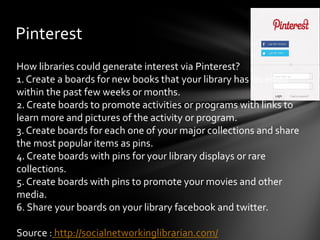
Pinterest
How libraries could generate interest via Pinterest?
1. Create a boards for new books that your library has received
within the past few weeks or months.
2. Create boards to promote activities or programs with links to
learn more and pictures of the activity or program.
3. Create boards for each one of your major collections and share
the most popular items as pins.
4. Create boards with pins for your library displays or rare
collections.
5. Create boards with pins to promote your movies and other
media.
6. Share your boards on your library facebook and twitter.

Source : http://socialnetworkinglibrarian.com/
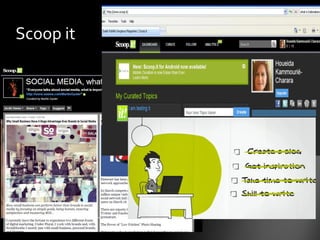
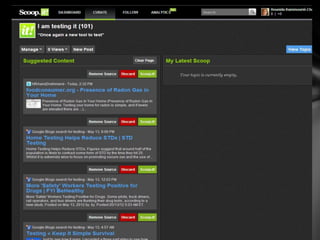
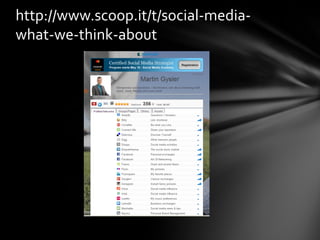
Scoop it
http://www.scoop.it/t/social-media-
what-we-think-about
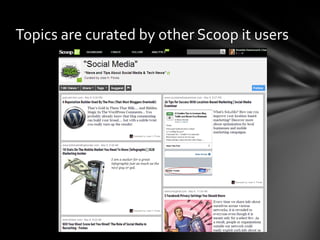
Topics are curated by other Scoop it users
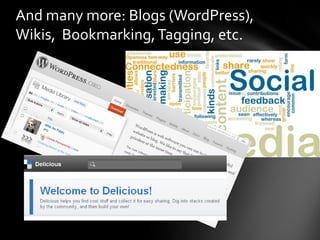
And many more: Blogs (WordPress),
Wikis, Bookmarking, Tagging, etc.
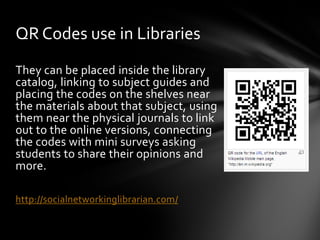
QR Codes (From Wikipedia)
QR Code (abbreviated from Quick Response Code) is
the trademark for a type of matrix barcode (or two-
dimensional code) first designed for the automotive
industry. More recently, the system has become
popular outside the industry due to its fast readability
and large storage capacity compared to standard UPC
barcodes.
 The code consists of black modules (square dots)
arranged in a square pattern on a white background.
The information encoded can be made up of four
standardized kinds ("modes") of data (numeric,
alphanumeric, byte/binary, Kanji), or through
supported extensions, virtually any kind of data.
QR Codes use in Libraries
They can be placed inside the library
catalog, linking to subject guides and
placing the codes on the shelves near
the materials about that subject, using
them near the physical journals to link
out to the online versions, connecting
the codes with mini surveys asking
students to share their opinions and
more.

http://socialnetworkinglibrarian.com/
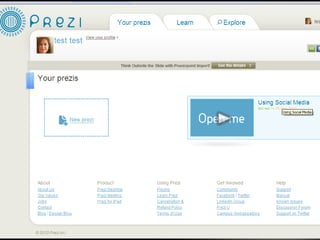
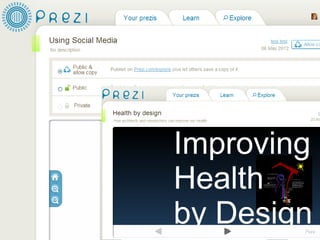
PREZI
Prezi is a cloud-based presentation software
that opens up a new world between
whiteboards and slides.
The zoomable canvas makes it fun to explore
ideas and the connections between them. The
result: visually captivating presentations that
lead your audience down a path of discovery.

http://prezi.com/about/
References
Berube, L. (2011). Do you web 2.0? public libraries and social networking. Oxford : Chandos Pub.

Bozarth, J. (2010). Social media for trainers: techniques for enhancing and extending learning. San Francisco : Pfeiffer.

Clyde, L. A. (2004). Weblogs and libraries. Oxford : Chandos

Cordell, D. (2012). Skype and the embedded librarian. Library Technology Reports, 48(2), 8-11.
        http://search.proquest.com/docview/927128199?accountid=27870

Courtney, N. (ed.). (2007). Library 2.0 and Beyond : innovative technologies and tomorrow's user. Westport, Conn

Dickson, A. & Holley, R.P. (2010),"Social networking in academic libraries: the possibilities and the concerns", New Library
       World, Vol. 111 Iss: 11 pp. 468 – 479. http://dx.doi.org/10.1108/03074801011094840

Evans, W. (2009). Building library 3.0: issues in creating a culture of participation). Oxford: Chandos Pub.

Hamilton, B. J. (2012). Introduction. Library Technology Reports, 48(2), 5-7,2.
       http://search.proquest.com/docview/927128231?accountid=27870

Kroski, E. (2008). Web 2.0 for librarians and information professionals. New York: Neal Schuman Publishers.

Landis, C. (2010). A Social Networking Primer for Libraries. London : Facet Pub.

Morris, T. (2010). All a Twitter: : a personal and professional guide to social networking with Twitter. Indianapolis, Ind. : Que.

Websites:
Social Networking Librarian: Exploring SociaL Networking and Technologies in Libraries
        http://socialnetworkinglibrarian.com/

Social Media: what we think about! http://www.scoop.it/t/social-media-what-we-think-about

Social Networking in Academic Libraries

  • 1.
  • 2.
    Introduction With thehuge amount of Social Networking Media that are currently available on the Net, I found it useful to “CURATE” some that may be used in academic libraries environment. Content is collected from selected websites, all definitions are taken from the “About Us” or Media Home pages or Wikipedia.
  • 3.
  • 4.
    Social Networking Definition Socialnetworking is a communication phenomenon. The Oxford English Dictionary Online (2010) defines social networking as: [. . .] the use or establishment of social networks or connections; (now esp.) the use of Web sites which enable users to interact with one another, find and contact people with common interests, etc.
  • 5.
    Social Networking CoreFeatures • User profiles • Videos, Photos, • Friending Music • Groups • Blogs, Journals,Wikis • Individual messaging • Searching • Announcements • Privacy controls
  • 7.
  • 8.
  • 9.
    Marketing Library Resourcesand Activities via Facebook
  • 10.
    LiveJournal LiveJournal (LJ) is asocial network owned by SUP Media where Internet users can keep a blog, journal or diary Source: Wikipedia.
  • 13.
    MySpace Aimed ata Gen Y audience, Myspace drives social interaction by providing a personalized experience around entertainment and connecting people to the music, celebrities, TV, movies, and games. http://www.myspace.com/
  • 14.
    MySpace Account viaFacebook login You can add photos, music and more
  • 15.
    YouTube Founded in February2005, YouTube allows billions of people to discover, watch and share originally- created videos. YouTube provides a forum for people to connect, inform, and inspire others across the globe and acts as a distribution platform for original content creators and advertisers large and small. See our company timeline for more information on our company history. http://www.youtube.com/t/about_youtube
  • 16.
  • 17.
  • 18.
  • 19.
  • 20.
  • 21.
  • 22.
    Twitter Twitter is areal-time information network that connects you to the latest stories, ideas, opinions and news about what you find interesting. Simply find the accounts you find most compelling and follow the conversations. At the heart of Twitter are small bursts of information called Tweets. Each Tweet is 140 characters long, but don’t let the small size fool you—you can discover a lot in a little space. You can see photos, videos and conversations directly in Tweets to get the whole story at a glance, and all in one place. See it in action. https://twitter.com/about
  • 25.
    What Are Hashtags("#" Symbols)? The # symbol, called a hashtag, is used to mark keywords or topics in a Tweet. People use the hashtag symbol # before relevant keywords or phrases (no spaces) in their Tweet to categorize those Tweets and help them show more easily in Twitter Search. Clicking on a hashtagged word in any message shows you all other Tweets in that category. Hashtags can occur anywhere in the Tweet – at the beginning, middle, or end. Hashtagged words that become very popular are often Trending Topics. Source: Twitter help Center
  • 26.
    SlideShare SlideShare allows you to share presentations, documents and professional videos.
  • 27.
    Google Docs To create,share on the web with documents, spreadsheets, presentations and more. Google Docs will soon be upgraded to Google Drive
  • 28.
    Flickr Flickr is animage and video hosting website that allows you to upload your photos, then easily share them through Facebook, Twitter, email, blogs and more. http://www.flickr.com/
  • 30.
    Skype Skype is softwarethat enables the world's conversations. Millions of individuals and businesses use Skype to make freevideo and voice calls, send instant messages and share files with other people on Skype. You can use Skype on whatever works best for you - on your mobile, computer or a TV with Skype on it. Skype is free to download and easy to use. http://www.skype.com/intl/en/home
  • 33.
  • 36.
  • 37.
    What’s Social MediaCuration? “Social media curation is when you filter, select, review and reposition quality content on the web for a specific audience and/or topic”.
  • 38.
    What is ContentCuration? “Content Curation basically means that – out of all the content you find on the social web – you pass on the most valuable stuff to your network. A slightly more coherent definition of someone who curates content comes from marketing expert Rohit Bhargava: A Content Curator is someone who continually finds, groups, organizes and shares the best and most relevant content on a specific issue online”. http://www.michielgaasterland.com/content-marketing/what-is-content-curation-and-how- it%E2%80%99s-useful-to-you-and-your-network/
  • 40.
    Curation Dashter's in-line curation technology allowsyou to curate social content whenever you find it. http://dashter.com/tour/curate/
  • 41.
    What is Pinterest? Pinterestis a Virtual Pinboard. Pinterest lets you organize and share all the beautiful things you find on the web. People use pinboards to plan their weddings, decorate their homes, and organize their favorite recipes. Best of all, you can browse pinboards created by other people. Browsing pinboards is a fun way to discover new things and get inspiration from people who share your interests. To get started, request an invite. http://pinterest.com/about/
  • 42.
    Pinterest How libraries couldgenerate interest via Pinterest? 1. Create a boards for new books that your library has received within the past few weeks or months. 2. Create boards to promote activities or programs with links to learn more and pictures of the activity or program. 3. Create boards for each one of your major collections and share the most popular items as pins. 4. Create boards with pins for your library displays or rare collections. 5. Create boards with pins to promote your movies and other media. 6. Share your boards on your library facebook and twitter. Source : http://socialnetworkinglibrarian.com/
  • 44.
  • 47.
  • 48.
    Topics are curatedby other Scoop it users
  • 49.
    And many more:Blogs (WordPress), Wikis, Bookmarking, Tagging, etc.
  • 50.
    QR Codes (FromWikipedia) QR Code (abbreviated from Quick Response Code) is the trademark for a type of matrix barcode (or two- dimensional code) first designed for the automotive industry. More recently, the system has become popular outside the industry due to its fast readability and large storage capacity compared to standard UPC barcodes. The code consists of black modules (square dots) arranged in a square pattern on a white background. The information encoded can be made up of four standardized kinds ("modes") of data (numeric, alphanumeric, byte/binary, Kanji), or through supported extensions, virtually any kind of data.
  • 51.
    QR Codes usein Libraries They can be placed inside the library catalog, linking to subject guides and placing the codes on the shelves near the materials about that subject, using them near the physical journals to link out to the online versions, connecting the codes with mini surveys asking students to share their opinions and more. http://socialnetworkinglibrarian.com/
  • 52.
    PREZI Prezi is acloud-based presentation software that opens up a new world between whiteboards and slides. The zoomable canvas makes it fun to explore ideas and the connections between them. The result: visually captivating presentations that lead your audience down a path of discovery. http://prezi.com/about/
  • 56.
    References Berube, L. (2011).Do you web 2.0? public libraries and social networking. Oxford : Chandos Pub. Bozarth, J. (2010). Social media for trainers: techniques for enhancing and extending learning. San Francisco : Pfeiffer. Clyde, L. A. (2004). Weblogs and libraries. Oxford : Chandos Cordell, D. (2012). Skype and the embedded librarian. Library Technology Reports, 48(2), 8-11. http://search.proquest.com/docview/927128199?accountid=27870 Courtney, N. (ed.). (2007). Library 2.0 and Beyond : innovative technologies and tomorrow's user. Westport, Conn Dickson, A. & Holley, R.P. (2010),"Social networking in academic libraries: the possibilities and the concerns", New Library World, Vol. 111 Iss: 11 pp. 468 – 479. http://dx.doi.org/10.1108/03074801011094840 Evans, W. (2009). Building library 3.0: issues in creating a culture of participation). Oxford: Chandos Pub. Hamilton, B. J. (2012). Introduction. Library Technology Reports, 48(2), 5-7,2. http://search.proquest.com/docview/927128231?accountid=27870 Kroski, E. (2008). Web 2.0 for librarians and information professionals. New York: Neal Schuman Publishers. Landis, C. (2010). A Social Networking Primer for Libraries. London : Facet Pub. Morris, T. (2010). All a Twitter: : a personal and professional guide to social networking with Twitter. Indianapolis, Ind. : Que. Websites: Social Networking Librarian: Exploring SociaL Networking and Technologies in Libraries http://socialnetworkinglibrarian.com/ Social Media: what we think about! http://www.scoop.it/t/social-media-what-we-think-about