Social Networking 201:
Building Your Online Presence
For Business
1
Agenda
 Introductions
 Objectives
 Top Five Reasons for Using Social Networks for
Business
 Using the Tools
 Business Success Stories
 Breakout Sessions:
 Business to Business
 Business to Consumer
 Personal Branding
2
Who are we?
3
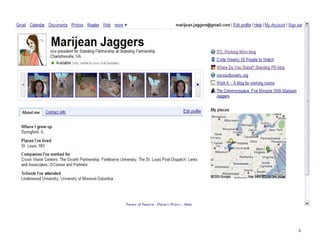
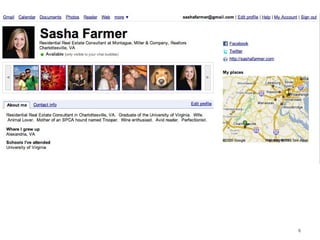
Marijean Jaggers
4
5
6
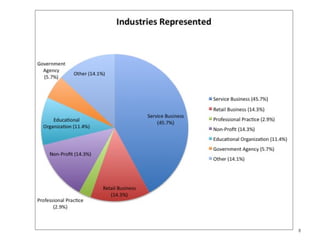
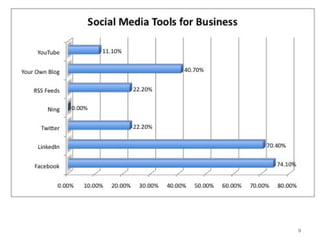
A little about YOU
7
8
9
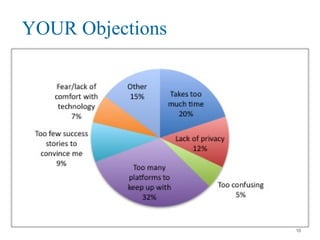
YOUR Objections
10
Objectives of this Workshop
 Enhanced knowledge of how to use the
tools of social networking as applied to your
business
 Learn more efficient ways to engage in
social media
 Learn where to focus your time and effort
using social networking
11
Top Five Reasons to Use Social Networks
 Find a (new, better) job
 Learn more about your industry (be smarter and
more valuable at work)
 Let people get to know you (your capabilities,
your business, your passion)
 Give people a way to easily find and connect with
you (for your business, for opportunities, as a
friend)
 Connect with others with similar interests
12
Find a New, (or Better) Job
 It is who you know.
 Make your resume easily searchable.
 Ask for introductions.
 Request endorsements and offer them to
others.
 Keep your name top-of-mind with
connectors and people who may be hiring.
13
Learn more about your industry
 Be the first in your industry to know about
industry news & updates
 Connect with other experts and share
relevant links and articles
 Learn more about your industry through
open dialogue with those inside your
industry but also with those who are
outside, looking in
14
Let people get to know you
 Build Rapport and Trust
 Remind people about what you do and who
might be a potential client
 Allow people to see the face behind the
business. People want to do business with
other PEOPLE, not with companies
 Allow people to see your personality,
beyond the workplace
15
Give people a way to easily find and
connect with you
 Register your name & identity before
someone else does!
 Give people several different ways to find
and connect with you, so that they can do
what is easiest and most convenient
16
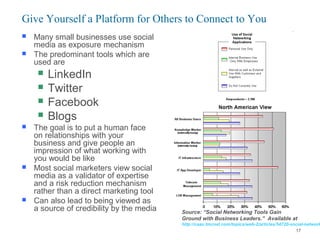
 Many small businesses use social
media as exposure mechanism
 The predominant tools which are
used are
 LinkedIn
 Twitter
 Facebook
 Blogs
 The goal is to put a human face
on relationships with your
business and give people an
impression of what working with
you would be like
 Most social marketers view social
media as a validator of expertise
and a risk reduction mechanism
rather than a direct marketing tool
 Can also lead to being viewed as
a source of credibility by the media
Give Yourself a Platform for Others to Connect to You
Source: “Social Networking Tools Gain
Ground with Business Leaders.” Available at
http://caas.tmcnet.com/topics/web-2/articles/54720-social-network
17
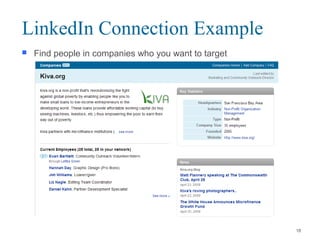
 Find people in companies who you want to target
LinkedIn Connection Example
18
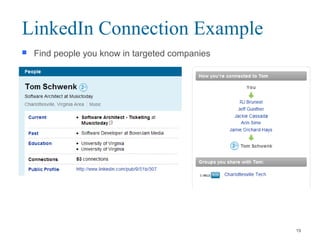
 Find people you know in targeted companies
LinkedIn Connection Example
19
Connect with others with similar
interests
 Connect to people who share your
interests, not just professional, but personal
 Give people an opportunity to see who you
are, beyond just your job
 Find many resources for your hobbies and
passions
20
 Find like-minded people who are experts in your
industry
 Find those who might be interested in what you
have to say
 The predominant tools which are used are
 LinkedIn
 Twitter
 With LinkedIn, combine the use of search and your
own networks to find others and connect with them
 With Twitter, search for common terms of interest
and find people who write about similar activities
Connect With Others With Similar
Interests
21
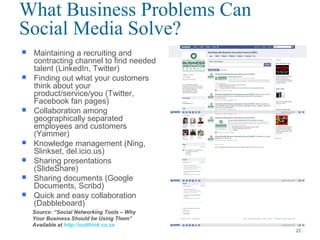
 Maintaining a recruiting and
contracting channel to find needed
talent (LinkedIn, Twitter)
 Finding out what your customers
think about your
product/service/you (Twitter,
Facebook fan pages)
 Collaboration among
geographically separated
employees and customers
(Yammer)
 Knowledge management (Ning,
Slinkset, del.icio.us)
 Sharing presentations
(SlideShare)
 Sharing documents (Google
Documents, Scribd)
 Quick and easy collaboration
(Dabbleboard)
What Business Problems Can
Social Media Solve?
Source: “Social Networking Tools – Why
Your Business Should be Using Them”
Available at http://outthink.co.za
22
 People make purchasing decisions based on
knowledge of a brand
 Social networking is not your silver bullet to
drive business development
 Beginners tend to use social media 2
hours/week; experts tend to use it 20
hours/week
 Social media can drive targeted brand
exposure for significantly lower cost
Social Media
“Social media, is by its nature, bottom-up. For an organization to try and force a
dialogue online via social media top-down is like trying to be cool. Nine times
out of ten - you’re going to look like a [expletive].”
- Aaron Cruikshank
23
Social Networking: Objections
 I don’t have time.
 I don’t know where to draw the line between
personal and business connections.
 There are people out there with whom I do not
want to reconnect.
 I’m concerned about privacy.
 I want to be sure there’s a return on investment.
24
Facebook -- Overview
 Facebook has several different useful
options; personal profiles, fan pages, group
pages, target marketing, fliers, event
pages, and more
 Facebook is one of the best ways to
connect your personality and individuality
with your company and industry- bring a
face to your professional presence
 Great information resource and a useful
way to generate dialogue
25
Facebook’s demographics
 200 million active users in April, 2009
 Over 70% of current users return daily
 Facebook projects that by 2010, 75% of
worldwide users will be outside of college
 In March 2009, there were over 91 million
unique visitors
 Mark Zuckerberg says they have over 25
million people accessing the site via their
mobile devices on a monthly basis
Source: Facebook
26
A drill down of Facebook’s US
demographics
 56.3% female
 69.4% have some college education
 24% are non-white
 44% work as professionals, executives,
sales, education, or technical
 12% are full time students
 32% have children under 16
Source: Nielsen//NetRatings
27
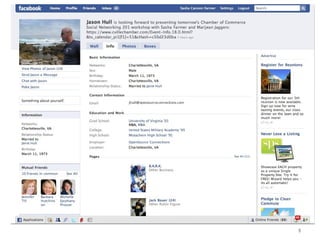
Facebook: Personal Profile
 You may set your privacy settings so that
you have different groups of friends, each
of which who see your profile differently-
you may limit what a specific group sees, if
you are uncomfortable with them seeing
your full profile (Photos, Wall, Contact
Information, Etc)
 Settings > Privacy > Profile
28
Facebook: Personal Profile
 You may then test your groups to make
sure people are only seeing what you
intended
 Settings > Privacy > Profile > “See How
Your Friends See Your Profile”
29
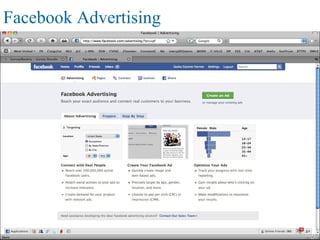
Facebook Advertising
30
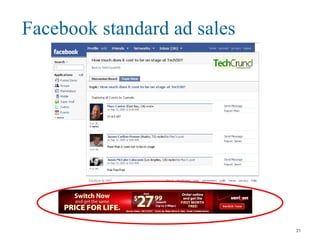
Facebook standard ad sales
31
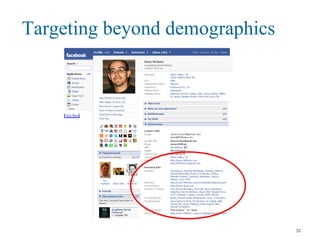
Targeting beyond demographics
32
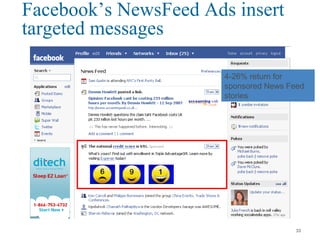
Facebook’s NewsFeed Ads insert
targeted messages
4-26% return for
sponsored News Feed
stories
33
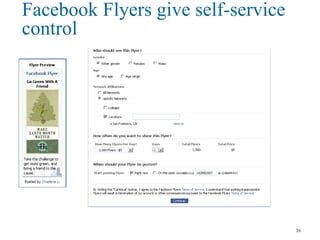
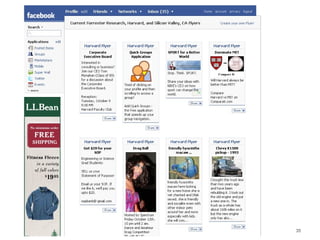
Facebook Flyers give self-service
control
34
35
Recommendations
 Facebook marketing is about
communicating, not advertising – so act
appropriately
 Be a part of the Facebook experience
 More like content than advertising
 Tap into the reasons why friends share
 Listen, learn, and be ready to make
mistakes
36
LinkedIn
 A business-oriented social networking site
 An interconnected network of professionals
in more than 170 industries and 200
countries
 The average age of the LinkedIn user is 41
 Average salary is $110,000
 Men and the 24-35 year-old demographic
are more likely to use LinkedIn
37
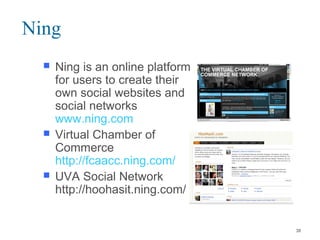
Ning
 Ning is an online platform
for users to create their
own social websites and
social networks
www.ning.com
 Virtual Chamber of
Commerce
http://fcaacc.ning.com/
 UVA Social Network
http://hoohasit.ning.com/
38
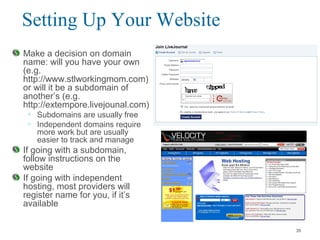
Setting Up Your Website
Make a decision on domain
name: will you have your own
(e.g.
http://www.stlworkingmom.com)
or will it be a subdomain of
another’s (e.g.
http://extempore.livejounal.com)
• Subdomains are usually free
• Independent domains require
more work but are usually
easier to track and manage
If going with a subdomain,
follow instructions on the
website
If going with independent
hosting, most providers will
register name for you, if it’s
available
39
Setting Up Your Website
Add good content!
• No point in publicizing an empty website
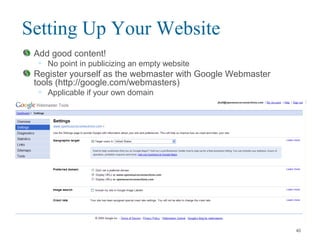
Register yourself as the webmaster with Google Webmaster
tools (http://google.com/webmasters)
• Applicable if your own domain
40
Setting Up Your Website
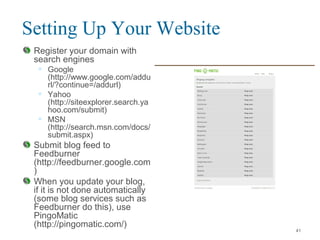
Register your domain with
search engines
• Google
(http://www.google.com/addu
rl/?continue=/addurl)
• Yahoo
(http://siteexplorer.search.ya
hoo.com/submit)
• MSN
(http://search.msn.com/docs/
submit.aspx)
Submit blog feed to
Feedburner
(http://feedburner.google.com
)
When you update your blog,
if it is not done automatically
(some blog services such as
Feedburner do this), use
PingoMatic
(http://pingomatic.com/)
41
Setting Up Your Website
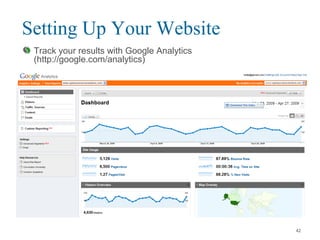
Track your results with Google Analytics
(http://google.com/analytics)
42
Blogging
 Today there are 112 million blogs worldwide.
 60-75% of all Web users read blogs (whether they
are aware of it or not).
 A blog is a Web site with updated content,
delivered to subscribers via an RSS feed. The
sequence of blog content appears with the most
recent content at the top of the page.
 There are an estimated 400 active blogs that
originate in Charlottesville.
 Blogs are used widely by businesses and
nonprofits.
43
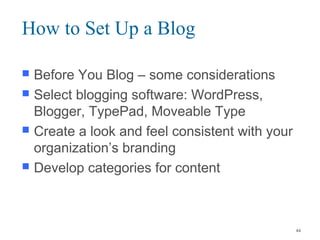
How to Set Up a Blog
 Before You Blog – some considerations
 Select blogging software: WordPress,
Blogger, TypePad, Moveable Type
 Create a look and feel consistent with your
organization’s branding
 Develop categories for content
44
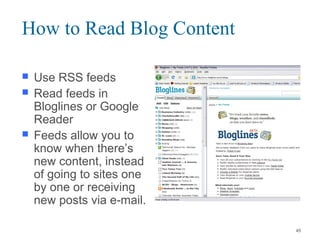
How to Read Blog Content
 Use RSS feeds
 Read feeds in
Bloglines or Google
Reader
 Feeds allow you to
know when there’s
new content, instead
of going to sites one
by one or receiving
new posts via e-mail.
45
Twitter in Plain English
 http://www.commoncraft.com/twitter
46
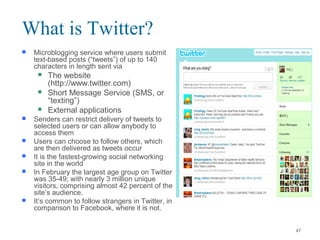
 Microblogging service where users submit
text-based posts (“tweets”) of up to 140
characters in length sent via
 The website
(http://www.twitter.com)
 Short Message Service (SMS, or
“texting”)
 External applications
 Senders can restrict delivery of tweets to
selected users or can allow anybody to
access them
 Users can choose to follow others, which
are then delivered as tweets occur
 It is the fastest-growing social networking
site in the world
 In February the largest age group on Twitter
was 35-49; with nearly 3 million unique
visitors, comprising almost 42 percent of the
site’s audience.
 It’s common to follow strangers in Twitter, in
comparison to Facebook, where it is not.
What is Twitter?
47
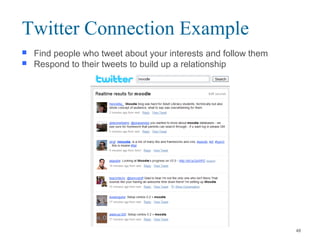
 Find people who tweet about your interests and follow them
 Respond to their tweets to build up a relationship
Twitter Connection Example
48
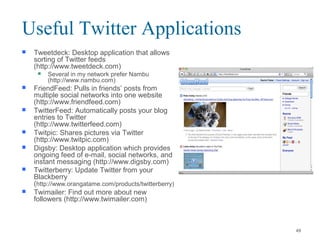
 Tweetdeck: Desktop application that allows
sorting of Twitter feeds
(http://www.tweetdeck.com)
 Several in my network prefer Nambu
(http://www.nambu.com)
 FriendFeed: Pulls in friends’ posts from
multiple social networks into one website
(http://www.friendfeed.com)
 TwitterFeed: Automatically posts your blog
entries to Twitter
(http://www.twitterfeed.com)
 Twitpic: Shares pictures via Twitter
(http://www.twitpic.com)
 Digsby: Desktop application which provides
ongoing feed of e-mail, social networks, and
instant messaging (http://www.digsby.com)
 Twitterberry: Update Twitter from your
Blackberry
(http://www.orangatame.com/products/twitterberry)
 Twimailer: Find out more about new
followers (http://www.twimailer.com)
Useful Twitter Applications
49
 Listen for your name, your competitors’ names, words that relate to
your space (to include hashtags: #)
 Point out interesting things in your space, not just about you
 Share links to neat things in your community (see @wholefoods for a
good example)
 Answer the question “What has your attention?”
 Don’t just dump links; provide context around them (and use link
shortening services like tinyurl.com)
 Find out who your followers follow and follow them
 Make discussions about your things interesting, useful, and value-
added
 Promote others as well as yourself (#followfriday is a good example of
this)
 Ask opinions and questions
 Look at what your critics are saying about you as well as what your
fans are saying
 Read the other 40 suggestions at http://www.chrisbrogan.com/50-ideas-on-
using-twitter-for-business/
Using Twitter for Your Business
50
 Don’t be afraid to use the search box; Twitter is great
for finding out real-time information
 Don’t be afraid to follow people you don’t know.
Following is common on Twitter, and usually an ego
boost for the person whom you’re following
 Give your Twitter followers something which they
can’t get elsewhere (sale, specials, extra
information)
 Make sure that you capture the social media names
you want to represent you (this is similar to the URL
land grab of the late ’90s).
 Retailers can use Twitter as a customer service
channel (@comcastcares is a good example of this)
More on Using Twitter for Business
51
Social Networking Platforms;
Who is it acceptable to connect with?
 Facebook: It is common practice to ONLY connect
with people who you personally know, who you’ve
met in person, and who would know your name if
asked.
 LinkedIn: Connect with those who you know or have
met, and then utilize their connections to meet
people who are just 1 “degree” away.
 Twitter: Anyone and Everyone! Many people like to
connect with others who are in their area or their
industry. You do not need to know people personally
to “follow” them, and people who you do not
necessarily know may follow you!
 Note: Your kids may choose not to connect with you!
And that’s okay! 52
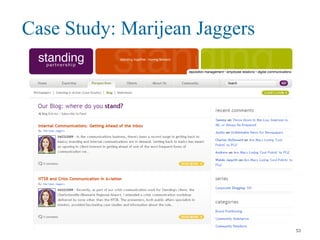
Case Study: Marijean Jaggers
53
A Case Study: Marijean Jaggers
54
A Case Study: Marijean Jaggers
55
A Case Study: Marijean Jaggers
PR consultant with StandingPR, blogger of
STLWorkingMom, and TV star on CBS 19 Blog of
the Week
Got her current job based on her blogging activities
for the St. Louis Post
Uses blogs to tell stories
• About herself
• About case studies
• About interesting things she finds on the web
Believes that her online activity has driven business
because it’s easy for people to find her (75% of her
business is driven through social media vs. 25% for
“traditional” marketing)
“The more [writing] you do, the better you get. Your
high school writing teacher probably told you that
too. He was right.”
56
A Case Study: Marijean Jaggers
Thinks it’s necessary to have 5-6 good posts of
content before advertising a blog
Believe frequency of posting to social media is a
function of both goals and niche
• Mainstream topic + want to drive traffic: 5x/week on a blog,
5x/day on Twitter/Facebook
• Niche content + great writer: could be 1x/month – “it’s like
the followers of an author who wait years for the next book
to come out”
“Twitter, microblogging, is the ultimate way to try,
because anyone can write SOMETHING within 140
characters.”
“Observing first is a good way to get a sense of what
others are doing, what your profession is doing, and
to see good and bad examples of how it’s done.”
57
A Case Study: Marijean Jaggers: 5
Things to Generate Readership
Comment on similar blogs, and include a
link to your blog in the comment or the
signature line
Tell people via Twitter, Facebook, LinkedIn
about your efforts
Make sure that you are registering your blog
with search engines, blogging aggregators,
and groups (CvilleBlogs, Technorati,
BlogHer)
Go to real life events too and tell your story
—show the person behind the writing
Add your blog to your business cards and
signature line
58
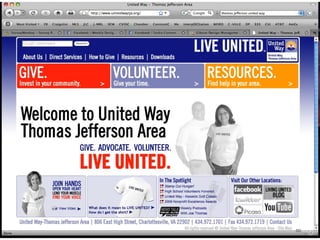
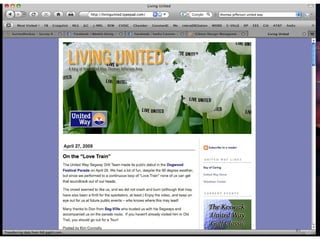
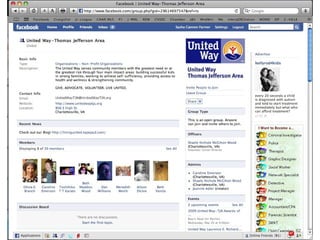
Case Study:
Thomas Jefferson United Way
59
60
61
62
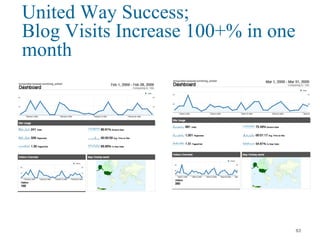
United Way Success;
Blog Visits Increase 100+% in one
month
63
Case Study:
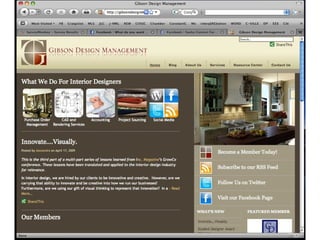
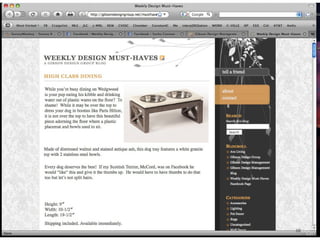
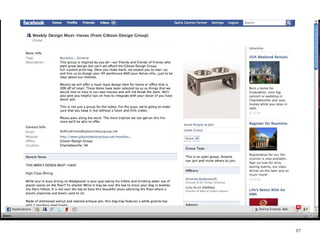
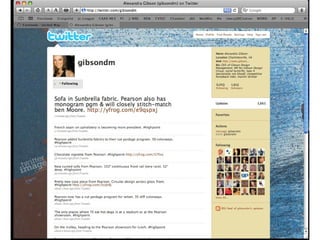
Gibson Design Management
64
65
66
67
68
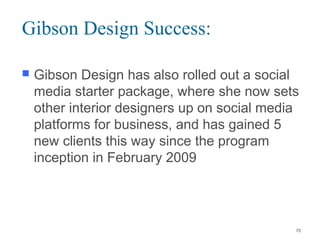
Gibson Design Success:
 Alexandra Gibson was interviewed by John
Jantsch, author of Duct Tape Marketing, for
his next book- Due to Twitter
 Picked up a new $30,000 client from a
connection on Facebook
 Alexandra is now writing occasional pieces
for Interior Design Magazine, a major
industry-leading publication
69
Gibson Design Success:
 Gibson Design has also rolled out a social
media starter package, where she now sets
other interior designers up on social media
platforms for business, and has gained 5
new clients this way since the program
inception in February 2009
70
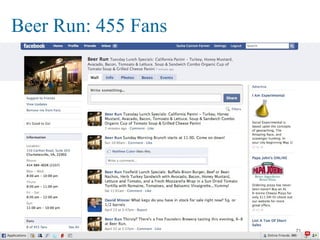
Beer Run: 455 Fans
71
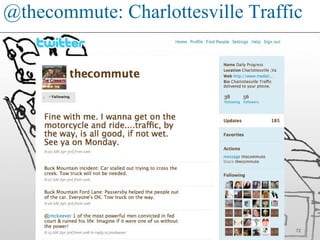
@thecommute: Charlottesville Traffic
72
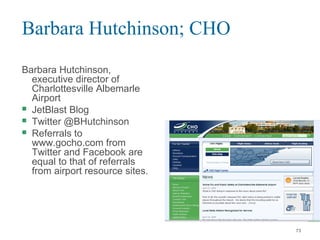
Barbara Hutchinson; CHO
Barbara Hutchinson,
executive director of
Charlottesville Albemarle
Airport
 JetBlast Blog
 Twitter @BHutchinson
 Referrals to
www.gocho.com from
Twitter and Facebook are
equal to that of referrals
from airport resource sites.
73
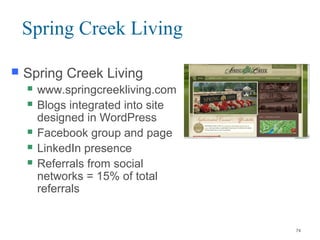
Spring Creek Living
 Spring Creek Living
 www.springcreekliving.com
 Blogs integrated into site
designed in WordPress
 Facebook group and page
 LinkedIn presence
 Referrals from social
networks = 15% of total
referrals
74
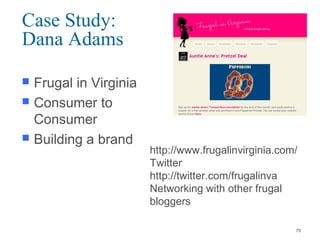
Case Study:
Dana Adams
 Frugal in Virginia
 Consumer to
Consumer
 Building a brand
http://www.frugalinvirginia.com/
Twitter
http://twitter.com/frugalinva
Networking with other frugal
bloggers
75
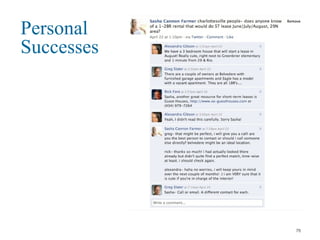
Personal
Successes
76
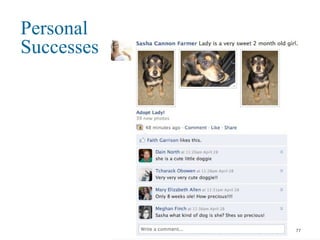
Personal
Successes
77
Questions?
78

Social Networking 201

  • 1.
    Social Networking 201: BuildingYour Online Presence For Business 1
  • 2.
    Agenda  Introductions  Objectives Top Five Reasons for Using Social Networks for Business  Using the Tools  Business Success Stories  Breakout Sessions:  Business to Business  Business to Consumer  Personal Branding 2
  • 3.
  • 4.
  • 5.
  • 6.
  • 7.
  • 8.
  • 9.
  • 10.
  • 11.
    Objectives of thisWorkshop  Enhanced knowledge of how to use the tools of social networking as applied to your business  Learn more efficient ways to engage in social media  Learn where to focus your time and effort using social networking 11
  • 12.
    Top Five Reasonsto Use Social Networks  Find a (new, better) job  Learn more about your industry (be smarter and more valuable at work)  Let people get to know you (your capabilities, your business, your passion)  Give people a way to easily find and connect with you (for your business, for opportunities, as a friend)  Connect with others with similar interests 12
  • 13.
    Find a New,(or Better) Job  It is who you know.  Make your resume easily searchable.  Ask for introductions.  Request endorsements and offer them to others.  Keep your name top-of-mind with connectors and people who may be hiring. 13
  • 14.
    Learn more aboutyour industry  Be the first in your industry to know about industry news & updates  Connect with other experts and share relevant links and articles  Learn more about your industry through open dialogue with those inside your industry but also with those who are outside, looking in 14
  • 15.
    Let people getto know you  Build Rapport and Trust  Remind people about what you do and who might be a potential client  Allow people to see the face behind the business. People want to do business with other PEOPLE, not with companies  Allow people to see your personality, beyond the workplace 15
  • 16.
    Give people away to easily find and connect with you  Register your name & identity before someone else does!  Give people several different ways to find and connect with you, so that they can do what is easiest and most convenient 16
  • 17.
     Many smallbusinesses use social media as exposure mechanism  The predominant tools which are used are  LinkedIn  Twitter  Facebook  Blogs  The goal is to put a human face on relationships with your business and give people an impression of what working with you would be like  Most social marketers view social media as a validator of expertise and a risk reduction mechanism rather than a direct marketing tool  Can also lead to being viewed as a source of credibility by the media Give Yourself a Platform for Others to Connect to You Source: “Social Networking Tools Gain Ground with Business Leaders.” Available at http://caas.tmcnet.com/topics/web-2/articles/54720-social-network 17
  • 18.
     Find peoplein companies who you want to target LinkedIn Connection Example 18
  • 19.
     Find peopleyou know in targeted companies LinkedIn Connection Example 19
  • 20.
    Connect with otherswith similar interests  Connect to people who share your interests, not just professional, but personal  Give people an opportunity to see who you are, beyond just your job  Find many resources for your hobbies and passions 20
  • 21.
     Find like-mindedpeople who are experts in your industry  Find those who might be interested in what you have to say  The predominant tools which are used are  LinkedIn  Twitter  With LinkedIn, combine the use of search and your own networks to find others and connect with them  With Twitter, search for common terms of interest and find people who write about similar activities Connect With Others With Similar Interests 21
  • 22.
     Maintaining arecruiting and contracting channel to find needed talent (LinkedIn, Twitter)  Finding out what your customers think about your product/service/you (Twitter, Facebook fan pages)  Collaboration among geographically separated employees and customers (Yammer)  Knowledge management (Ning, Slinkset, del.icio.us)  Sharing presentations (SlideShare)  Sharing documents (Google Documents, Scribd)  Quick and easy collaboration (Dabbleboard) What Business Problems Can Social Media Solve? Source: “Social Networking Tools – Why Your Business Should be Using Them” Available at http://outthink.co.za 22
  • 23.
     People makepurchasing decisions based on knowledge of a brand  Social networking is not your silver bullet to drive business development  Beginners tend to use social media 2 hours/week; experts tend to use it 20 hours/week  Social media can drive targeted brand exposure for significantly lower cost Social Media “Social media, is by its nature, bottom-up. For an organization to try and force a dialogue online via social media top-down is like trying to be cool. Nine times out of ten - you’re going to look like a [expletive].” - Aaron Cruikshank 23
  • 24.
    Social Networking: Objections I don’t have time.  I don’t know where to draw the line between personal and business connections.  There are people out there with whom I do not want to reconnect.  I’m concerned about privacy.  I want to be sure there’s a return on investment. 24
  • 25.
    Facebook -- Overview Facebook has several different useful options; personal profiles, fan pages, group pages, target marketing, fliers, event pages, and more  Facebook is one of the best ways to connect your personality and individuality with your company and industry- bring a face to your professional presence  Great information resource and a useful way to generate dialogue 25
  • 26.
    Facebook’s demographics  200million active users in April, 2009  Over 70% of current users return daily  Facebook projects that by 2010, 75% of worldwide users will be outside of college  In March 2009, there were over 91 million unique visitors  Mark Zuckerberg says they have over 25 million people accessing the site via their mobile devices on a monthly basis Source: Facebook 26
  • 27.
    A drill downof Facebook’s US demographics  56.3% female  69.4% have some college education  24% are non-white  44% work as professionals, executives, sales, education, or technical  12% are full time students  32% have children under 16 Source: Nielsen//NetRatings 27
  • 28.
    Facebook: Personal Profile You may set your privacy settings so that you have different groups of friends, each of which who see your profile differently- you may limit what a specific group sees, if you are uncomfortable with them seeing your full profile (Photos, Wall, Contact Information, Etc)  Settings > Privacy > Profile 28
  • 29.
    Facebook: Personal Profile You may then test your groups to make sure people are only seeing what you intended  Settings > Privacy > Profile > “See How Your Friends See Your Profile” 29
  • 30.
  • 31.
  • 32.
  • 33.
    Facebook’s NewsFeed Adsinsert targeted messages 4-26% return for sponsored News Feed stories 33
  • 34.
    Facebook Flyers giveself-service control 34
  • 35.
  • 36.
    Recommendations  Facebook marketingis about communicating, not advertising – so act appropriately  Be a part of the Facebook experience  More like content than advertising  Tap into the reasons why friends share  Listen, learn, and be ready to make mistakes 36
  • 37.
    LinkedIn  A business-orientedsocial networking site  An interconnected network of professionals in more than 170 industries and 200 countries  The average age of the LinkedIn user is 41  Average salary is $110,000  Men and the 24-35 year-old demographic are more likely to use LinkedIn 37
  • 38.
    Ning  Ning isan online platform for users to create their own social websites and social networks www.ning.com  Virtual Chamber of Commerce http://fcaacc.ning.com/  UVA Social Network http://hoohasit.ning.com/ 38
  • 39.
    Setting Up YourWebsite Make a decision on domain name: will you have your own (e.g. http://www.stlworkingmom.com) or will it be a subdomain of another’s (e.g. http://extempore.livejounal.com) • Subdomains are usually free • Independent domains require more work but are usually easier to track and manage If going with a subdomain, follow instructions on the website If going with independent hosting, most providers will register name for you, if it’s available 39
  • 40.
    Setting Up YourWebsite Add good content! • No point in publicizing an empty website Register yourself as the webmaster with Google Webmaster tools (http://google.com/webmasters) • Applicable if your own domain 40
  • 41.
    Setting Up YourWebsite Register your domain with search engines • Google (http://www.google.com/addu rl/?continue=/addurl) • Yahoo (http://siteexplorer.search.ya hoo.com/submit) • MSN (http://search.msn.com/docs/ submit.aspx) Submit blog feed to Feedburner (http://feedburner.google.com ) When you update your blog, if it is not done automatically (some blog services such as Feedburner do this), use PingoMatic (http://pingomatic.com/) 41
  • 42.
    Setting Up YourWebsite Track your results with Google Analytics (http://google.com/analytics) 42
  • 43.
    Blogging  Today thereare 112 million blogs worldwide.  60-75% of all Web users read blogs (whether they are aware of it or not).  A blog is a Web site with updated content, delivered to subscribers via an RSS feed. The sequence of blog content appears with the most recent content at the top of the page.  There are an estimated 400 active blogs that originate in Charlottesville.  Blogs are used widely by businesses and nonprofits. 43
  • 44.
    How to SetUp a Blog  Before You Blog – some considerations  Select blogging software: WordPress, Blogger, TypePad, Moveable Type  Create a look and feel consistent with your organization’s branding  Develop categories for content 44
  • 45.
    How to ReadBlog Content  Use RSS feeds  Read feeds in Bloglines or Google Reader  Feeds allow you to know when there’s new content, instead of going to sites one by one or receiving new posts via e-mail. 45
  • 46.
    Twitter in PlainEnglish  http://www.commoncraft.com/twitter 46
  • 47.
     Microblogging servicewhere users submit text-based posts (“tweets”) of up to 140 characters in length sent via  The website (http://www.twitter.com)  Short Message Service (SMS, or “texting”)  External applications  Senders can restrict delivery of tweets to selected users or can allow anybody to access them  Users can choose to follow others, which are then delivered as tweets occur  It is the fastest-growing social networking site in the world  In February the largest age group on Twitter was 35-49; with nearly 3 million unique visitors, comprising almost 42 percent of the site’s audience.  It’s common to follow strangers in Twitter, in comparison to Facebook, where it is not. What is Twitter? 47
  • 48.
     Find peoplewho tweet about your interests and follow them  Respond to their tweets to build up a relationship Twitter Connection Example 48
  • 49.
     Tweetdeck: Desktopapplication that allows sorting of Twitter feeds (http://www.tweetdeck.com)  Several in my network prefer Nambu (http://www.nambu.com)  FriendFeed: Pulls in friends’ posts from multiple social networks into one website (http://www.friendfeed.com)  TwitterFeed: Automatically posts your blog entries to Twitter (http://www.twitterfeed.com)  Twitpic: Shares pictures via Twitter (http://www.twitpic.com)  Digsby: Desktop application which provides ongoing feed of e-mail, social networks, and instant messaging (http://www.digsby.com)  Twitterberry: Update Twitter from your Blackberry (http://www.orangatame.com/products/twitterberry)  Twimailer: Find out more about new followers (http://www.twimailer.com) Useful Twitter Applications 49
  • 50.
     Listen foryour name, your competitors’ names, words that relate to your space (to include hashtags: #)  Point out interesting things in your space, not just about you  Share links to neat things in your community (see @wholefoods for a good example)  Answer the question “What has your attention?”  Don’t just dump links; provide context around them (and use link shortening services like tinyurl.com)  Find out who your followers follow and follow them  Make discussions about your things interesting, useful, and value- added  Promote others as well as yourself (#followfriday is a good example of this)  Ask opinions and questions  Look at what your critics are saying about you as well as what your fans are saying  Read the other 40 suggestions at http://www.chrisbrogan.com/50-ideas-on- using-twitter-for-business/ Using Twitter for Your Business 50
  • 51.
     Don’t beafraid to use the search box; Twitter is great for finding out real-time information  Don’t be afraid to follow people you don’t know. Following is common on Twitter, and usually an ego boost for the person whom you’re following  Give your Twitter followers something which they can’t get elsewhere (sale, specials, extra information)  Make sure that you capture the social media names you want to represent you (this is similar to the URL land grab of the late ’90s).  Retailers can use Twitter as a customer service channel (@comcastcares is a good example of this) More on Using Twitter for Business 51
  • 52.
    Social Networking Platforms; Whois it acceptable to connect with?  Facebook: It is common practice to ONLY connect with people who you personally know, who you’ve met in person, and who would know your name if asked.  LinkedIn: Connect with those who you know or have met, and then utilize their connections to meet people who are just 1 “degree” away.  Twitter: Anyone and Everyone! Many people like to connect with others who are in their area or their industry. You do not need to know people personally to “follow” them, and people who you do not necessarily know may follow you!  Note: Your kids may choose not to connect with you! And that’s okay! 52
  • 53.
  • 54.
    A Case Study:Marijean Jaggers 54
  • 55.
    A Case Study:Marijean Jaggers 55
  • 56.
    A Case Study:Marijean Jaggers PR consultant with StandingPR, blogger of STLWorkingMom, and TV star on CBS 19 Blog of the Week Got her current job based on her blogging activities for the St. Louis Post Uses blogs to tell stories • About herself • About case studies • About interesting things she finds on the web Believes that her online activity has driven business because it’s easy for people to find her (75% of her business is driven through social media vs. 25% for “traditional” marketing) “The more [writing] you do, the better you get. Your high school writing teacher probably told you that too. He was right.” 56
  • 57.
    A Case Study:Marijean Jaggers Thinks it’s necessary to have 5-6 good posts of content before advertising a blog Believe frequency of posting to social media is a function of both goals and niche • Mainstream topic + want to drive traffic: 5x/week on a blog, 5x/day on Twitter/Facebook • Niche content + great writer: could be 1x/month – “it’s like the followers of an author who wait years for the next book to come out” “Twitter, microblogging, is the ultimate way to try, because anyone can write SOMETHING within 140 characters.” “Observing first is a good way to get a sense of what others are doing, what your profession is doing, and to see good and bad examples of how it’s done.” 57
  • 58.
    A Case Study:Marijean Jaggers: 5 Things to Generate Readership Comment on similar blogs, and include a link to your blog in the comment or the signature line Tell people via Twitter, Facebook, LinkedIn about your efforts Make sure that you are registering your blog with search engines, blogging aggregators, and groups (CvilleBlogs, Technorati, BlogHer) Go to real life events too and tell your story —show the person behind the writing Add your blog to your business cards and signature line 58
  • 59.
  • 60.
  • 61.
  • 62.
  • 63.
    United Way Success; BlogVisits Increase 100+% in one month 63
  • 64.
  • 65.
  • 66.
  • 67.
  • 68.
  • 69.
    Gibson Design Success: Alexandra Gibson was interviewed by John Jantsch, author of Duct Tape Marketing, for his next book- Due to Twitter  Picked up a new $30,000 client from a connection on Facebook  Alexandra is now writing occasional pieces for Interior Design Magazine, a major industry-leading publication 69
  • 70.
    Gibson Design Success: Gibson Design has also rolled out a social media starter package, where she now sets other interior designers up on social media platforms for business, and has gained 5 new clients this way since the program inception in February 2009 70
  • 71.
  • 72.
  • 73.
    Barbara Hutchinson; CHO BarbaraHutchinson, executive director of Charlottesville Albemarle Airport  JetBlast Blog  Twitter @BHutchinson  Referrals to www.gocho.com from Twitter and Facebook are equal to that of referrals from airport resource sites. 73
  • 74.
    Spring Creek Living Spring Creek Living  www.springcreekliving.com  Blogs integrated into site designed in WordPress  Facebook group and page  LinkedIn presence  Referrals from social networks = 15% of total referrals 74
  • 75.
    Case Study: Dana Adams Frugal in Virginia  Consumer to Consumer  Building a brand http://www.frugalinvirginia.com/ Twitter http://twitter.com/frugalinva Networking with other frugal bloggers 75
  • 76.
  • 77.
  • 78.

Editor's Notes

  • #32 Microsoft CPM - they sell all IAB ad units by digital solutions people. Outside, we sell everything. Top 300-500 brands in the market. Lots of responses. MSFT became a great channel. Flyer - self-service display ads - demographic targeting. Can also do keyword targeting into user profiles. e.g. interests, affiliations. Basic was to Profile targeting No behavioral targeting - demograhic targeting is mostly inaccurate. No incentive to provide good demos. Demos are 60% accurate. But when the user uses 200 words to define their brands, it's good data. Information is accurate because you're providing it to your friends. Also updating their profiles -- accurate. Can target well. More powerful than demographic or behavioral data could be.