Social Media
                 Putting it all together


Creative
     Relief
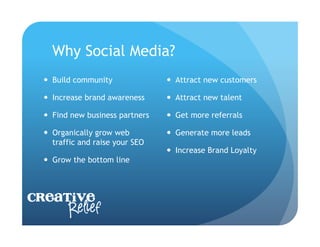
Why Social Media?
    Build community                Attract new customers

    Increase brand awareness       Attract new talent

    Find new business partners     Get more referrals

    Organically grow web           Generate more leads
     traffic and raise your SEO
                                    Increase Brand Loyalty
    Grow the bottom line


Creative
     Relief
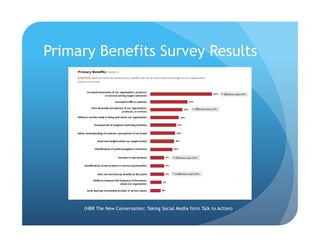
Primary Benefits Survey Results


     (HBR The New Conversation: Taking Social Media form Talk to Action)
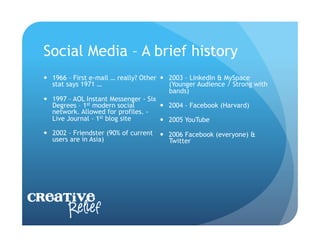
Social Media – A brief history
    1966 – First e-mail … really? Other   2003 – LinkedIn & MySpace
     stat says 1971 …                       (Younger Audience / Strong with
                                            bands)
    1997 – AOL Instant Messenger - Six
     Degrees – 1st modern social           2004 – Facebook (Harvard)
     network. Allowed for profiles. -
     Live Journal – 1st blog site          2005 YouTube
    2002 – Friendster (90% of current     2006 Facebook (everyone) &
     users are in Asia)                     Twitter


Creative
     Relief
Overview of Social Media Outlets
    Facebook

    LinkedIn

    Twitter

    Website / Blog


Creative
     Relief
Advantages of a Blog
  Easy to set up – Wordpress or Blogger – Free and has
   many templates to choose from …

  Generate traffic to your website – Raise the online
   visibility of your company (Search Engine Friendly)

  Build trust and connect with your clients

  Increase brand awareness

  Allows you to show off your expertise. Become an
   authoritative voice online. Advocate for your industry.
   Be a RESOUCE FOR YOUR CLIENTS & PROSPECTS.
Company Website with a Blog
  What to Blog about?
    Hot topics in the industry.
    Opinions about a study / news that came out. Share the
     findings and your analysis.
    Exciting company news (although you don’t your blog to be
     just about you …)
    Educate about a niche you fill.
    Become a trusted source regarding your industry.
    Answer FAQ’s

  When to Blog?
    Set a schedule … once a week? Twice a week?
    Tuesdays & Thursdays are the best days to post.
    Post early in the day.
Facebook
    Facebook provides an easy way for people to keep in
     touch and for businesses to have a presence on the Web.
     It is communal and easy to have group discussions.

    It pulls people to the site often and shows social proof by
     highlighting how many people like a page and which of
     your friends do.

    500 Million people already there … chances are some of
     these are your customers.


Creative
     Relief
Facebook
    Share company news

    Encourage online interaction … Ask industry related
     opinion based questions / create an online survey

    Become a trusted source for information for your
     customers. Be the expert / educate you customers


Creative
     Relief
Facebook – Business Page
    THINGS TO KNOW

    You need a personal page to start a business page

    Pages are public

    All content on your page gets indexed by Google

    You can have multiple administrators for the page


Creative
     Relief
LinkedIn
  The premier social networking site for business professionals

  Create a Company profile

  Highlight your talent

  Use keywords to make your company findable

  Have your employees link their individual profiles to the
   company profile

  Link your twitter feed to your profile

  Link your blog to your profile
Twitter
  Twitter connects businesses to customers in real-time.
   Businesses use Twitter to quickly share information with
   people interested in their products and services, gather
   real-time market intelligence and feedback, and build
   relationships with customers, partners and influential
   people.

  Stream of information is very fast

  You can follow anyone. No friend requests required.

  Search the stream by topic
Twitter Language
  140 Character Limit

  Hash tag (#) is a way to tag your post to a topic
   (example #socialmedia)

  Mention (@) is a way to give credit/visibility to
   someone. If I post “Great Presentation today! @GPAEE”
   The twitter feed will appear on my wall and GPAEE’s
   wall.

  Link Shortner (bit.ly) – shortens a web link so the
   address doesn’t take up your whole tweet
Twitter Tools
  oneforty.com – The Twitter App Store

  Hootsuite or Tweetdesk – Social Media Desktop … Allows you to
   organize your Twitter streams into lists, prescheduled content.

  Twtpoll – engage your customers – ask questions
  Tweetchat – follow a chat based on a hash tag

  Tweetbeep – Hourly update for twitter conversations that
   mention you

  Twazzup – Real time results for any search on twitter (Your name,
   company name, industry keywords, competition)
  Tweetreach – How far did your tweet travel?
Social Media Business Strategy
  Social Media should compliment your business plan.

  Know your audience – who are you targeting?

  Social Media needs a plan. Start simple. Create a
   calendar. Be consistent and your audience will know
   when to hear from you.

  Grow your audience with relevant content and
   conversation.

  Follow Industry Leaders & Trade News. Stay current &
   relevant in your field.
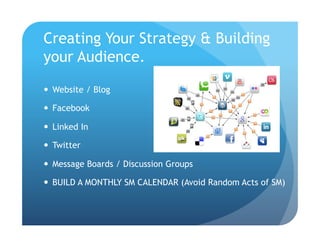
Creating Your Strategy & Building
your Audience.

  Website / Blog

  Facebook

  Linked In

  Twitter

  Message Boards / Discussion Groups

  BUILD A MONTHLY SM CALENDAR (Avoid Random Acts of SM)
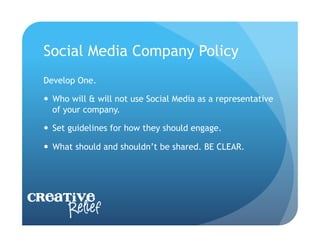
Social Media Company Policy
  Develop One.

    Who will & will not use Social Media as a representative
     of your company.

    Set guidelines for how they should engage.

    What should and shouldn’t be shared. BE CLEAR.


Creative
     Relief
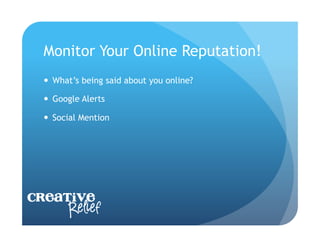
Monitor Your Online Reputation!
    What’s being said about you online?

    Google Alerts

    Social Mention


Creative
     Relief
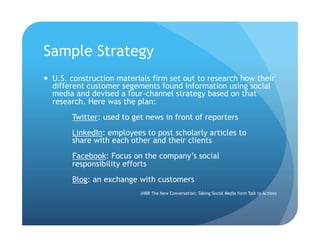
Sample Strategy
  U.S. construction materials firm set out to research how their
   different customer segements found information using social
   media and devised a four-channel strategy based on that
   research. Here was the plan:
        Twitter: used to get news in front of reporters
        LinkedIn: employees to post scholarly articles to
        share with each other and their clients
        Facebook: Focus on the company’s social
        responsibility efforts
        Blog: an exchange with customers
                           (HBR The New Conversation: Taking Social Media form Talk to Action)
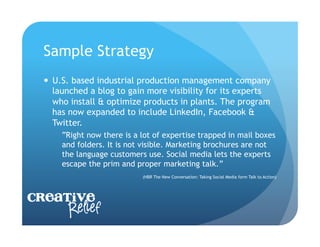
Sample Strategy
    U.S. based industrial production management company
     launched a blog to gain more visibility for its experts
     who install & optimize products in plants. The program
     has now expanded to include LinkedIn, Facebook &
     Twitter.
      “Right now there is a lot of expertise trapped in mail boxes
      and folders. It is not visible. Marketing brochures are not
      the language customers use. Social media lets the experts
      escape the prim and proper marketing talk.”
                            (HBR The New Conversation: Taking Social Media form Talk to Action)


Creative
     Relief
Other Tools to Know About
  Flowtown – (Free trial) If you have an e-mail address,
   this tool will give you name, age, gender, occupation,
   location & all the social networks the person is on.
   Allows you to learn about the social habits of your
   database and the talk to them where they already are!

  Addict-O-Matic – Let’s you see the “Buzz” on any topic

  Samepoint – Conversation search engine

  HowSociable – Measures your online visibility

  Boardreader – Searches forums & message boards
Other Strategies
    See what your clients / prospects are talking about

    See who your clients are talking to


Creative
     Relief
Where to start: Who to follow?
  GPAEE           Your Customers

  DOE             Your Prospects

  EIA             Your Industry Associations

  PLATTS          Industry Thought Leaders

  PA CHAMBER      Government Agencies

  PJM             Industry Publications

  PHILLY.COM

  ASHRAE                    Creative
                                  Relief

Social media putting it all together

  • 1.
    Social Media Putting it all together Creative Relief
  • 2.
    Why Social Media?   Build community   Attract new customers   Increase brand awareness   Attract new talent   Find new business partners   Get more referrals   Organically grow web   Generate more leads traffic and raise your SEO   Increase Brand Loyalty   Grow the bottom line Creative Relief
  • 3.
    Primary Benefits SurveyResults (HBR The New Conversation: Taking Social Media form Talk to Action)
  • 4.
    Social Media –A brief history   1966 – First e-mail … really? Other   2003 – LinkedIn & MySpace stat says 1971 … (Younger Audience / Strong with bands)   1997 – AOL Instant Messenger - Six Degrees – 1st modern social   2004 – Facebook (Harvard) network. Allowed for profiles. - Live Journal – 1st blog site   2005 YouTube   2002 – Friendster (90% of current   2006 Facebook (everyone) & users are in Asia) Twitter Creative Relief
  • 5.
    Overview of SocialMedia Outlets   Facebook   LinkedIn   Twitter   Website / Blog Creative Relief
  • 6.
    Advantages of aBlog   Easy to set up – Wordpress or Blogger – Free and has many templates to choose from …   Generate traffic to your website – Raise the online visibility of your company (Search Engine Friendly)   Build trust and connect with your clients   Increase brand awareness   Allows you to show off your expertise. Become an authoritative voice online. Advocate for your industry. Be a RESOUCE FOR YOUR CLIENTS & PROSPECTS.
  • 7.
    Company Website witha Blog   What to Blog about?   Hot topics in the industry.   Opinions about a study / news that came out. Share the findings and your analysis.   Exciting company news (although you don’t your blog to be just about you …)   Educate about a niche you fill.   Become a trusted source regarding your industry.   Answer FAQ’s   When to Blog?   Set a schedule … once a week? Twice a week?   Tuesdays & Thursdays are the best days to post.   Post early in the day.
  • 8.
    Facebook  Facebook provides an easy way for people to keep in touch and for businesses to have a presence on the Web. It is communal and easy to have group discussions.   It pulls people to the site often and shows social proof by highlighting how many people like a page and which of your friends do.   500 Million people already there … chances are some of these are your customers. Creative Relief
  • 9.
    Facebook  Share company news   Encourage online interaction … Ask industry related opinion based questions / create an online survey   Become a trusted source for information for your customers. Be the expert / educate you customers Creative Relief
  • 10.
    Facebook – BusinessPage   THINGS TO KNOW   You need a personal page to start a business page   Pages are public   All content on your page gets indexed by Google   You can have multiple administrators for the page Creative Relief
  • 11.
    LinkedIn   The premiersocial networking site for business professionals   Create a Company profile   Highlight your talent   Use keywords to make your company findable   Have your employees link their individual profiles to the company profile   Link your twitter feed to your profile   Link your blog to your profile
  • 12.
    Twitter   Twitter connectsbusinesses to customers in real-time. Businesses use Twitter to quickly share information with people interested in their products and services, gather real-time market intelligence and feedback, and build relationships with customers, partners and influential people.   Stream of information is very fast   You can follow anyone. No friend requests required.   Search the stream by topic
  • 13.
    Twitter Language   140Character Limit   Hash tag (#) is a way to tag your post to a topic (example #socialmedia)   Mention (@) is a way to give credit/visibility to someone. If I post “Great Presentation today! @GPAEE” The twitter feed will appear on my wall and GPAEE’s wall.   Link Shortner (bit.ly) – shortens a web link so the address doesn’t take up your whole tweet
  • 14.
    Twitter Tools   oneforty.com– The Twitter App Store   Hootsuite or Tweetdesk – Social Media Desktop … Allows you to organize your Twitter streams into lists, prescheduled content.   Twtpoll – engage your customers – ask questions   Tweetchat – follow a chat based on a hash tag   Tweetbeep – Hourly update for twitter conversations that mention you   Twazzup – Real time results for any search on twitter (Your name, company name, industry keywords, competition)   Tweetreach – How far did your tweet travel?
  • 15.
    Social Media BusinessStrategy   Social Media should compliment your business plan.   Know your audience – who are you targeting?   Social Media needs a plan. Start simple. Create a calendar. Be consistent and your audience will know when to hear from you.   Grow your audience with relevant content and conversation.   Follow Industry Leaders & Trade News. Stay current & relevant in your field.
  • 16.
    Creating Your Strategy& Building your Audience.   Website / Blog   Facebook   Linked In   Twitter   Message Boards / Discussion Groups   BUILD A MONTHLY SM CALENDAR (Avoid Random Acts of SM)
  • 17.
    Social Media CompanyPolicy Develop One.   Who will & will not use Social Media as a representative of your company.   Set guidelines for how they should engage.   What should and shouldn’t be shared. BE CLEAR. Creative Relief
  • 18.
    Monitor Your OnlineReputation!   What’s being said about you online?   Google Alerts   Social Mention Creative Relief
  • 19.
    Sample Strategy   U.S.construction materials firm set out to research how their different customer segements found information using social media and devised a four-channel strategy based on that research. Here was the plan: Twitter: used to get news in front of reporters LinkedIn: employees to post scholarly articles to share with each other and their clients Facebook: Focus on the company’s social responsibility efforts Blog: an exchange with customers (HBR The New Conversation: Taking Social Media form Talk to Action)
  • 20.
    Sample Strategy   U.S. based industrial production management company launched a blog to gain more visibility for its experts who install & optimize products in plants. The program has now expanded to include LinkedIn, Facebook & Twitter. “Right now there is a lot of expertise trapped in mail boxes and folders. It is not visible. Marketing brochures are not the language customers use. Social media lets the experts escape the prim and proper marketing talk.” (HBR The New Conversation: Taking Social Media form Talk to Action) Creative Relief
  • 21.
    Other Tools toKnow About   Flowtown – (Free trial) If you have an e-mail address, this tool will give you name, age, gender, occupation, location & all the social networks the person is on. Allows you to learn about the social habits of your database and the talk to them where they already are!   Addict-O-Matic – Let’s you see the “Buzz” on any topic   Samepoint – Conversation search engine   HowSociable – Measures your online visibility   Boardreader – Searches forums & message boards
  • 22.
    Other Strategies   See what your clients / prospects are talking about   See who your clients are talking to Creative Relief
  • 23.
    Where to start:Who to follow?   GPAEE   Your Customers   DOE   Your Prospects   EIA   Your Industry Associations   PLATTS   Industry Thought Leaders   PA CHAMBER   Government Agencies   PJM   Industry Publications   PHILLY.COM   ASHRAE Creative Relief