Crystal Coleman
Social Media Specialist
crystalsocialmedia@gmail.com
Networking, Job Searching,
and Professional Enrichment
Social Media Icons via Vince Chiosa
#AdminSM
 Crystal Coleman
 10+ years in Administrative Assistance
 15+ in Customer Service
 7 in Community Management/Social Media
 Entertainment, Non-profit, Agency, Higher Ed
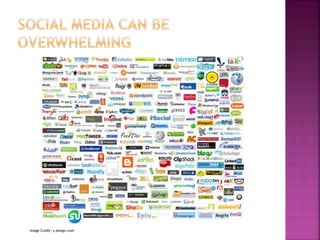
 I’m more about the SOCIAL than the
MARKETING
 I tweet a lot: @ThatGirlCrystal
 And I blog at ThatGirlCrystal.com
 Facebook
 Twitter
 LinkedIn
 Vine
 Foursquare
 Gowalla
 Basecamp
 Ravelry
 Hootsuite
 Ping.fm
 Ping (Apple)
 StumbleUpon
 Wordpress
 Blogger
 Tumblr
 Instagram
 Vimeo
 YouTube
 Google+
 Chatrouolette
 Yelp
 UrbanSpoon…
Image Credit: y-design.com
 Why Social Media is
important
 Basic uses of the Big 3
social networks
 How to use these
networks for professional
growth
 The next steps: becoming
a superuser
 Ways to bring these skills
into your business and
seem like a rockstar.
And that’s what we’re going to talk about today…
Image Credit: Jada goes Hollywood on Flickr from beau-foto’s photostream. Used under a Creative Commons Attribution 2.0 license.
Why Is Social
Media
Important?:
Statistics
Photo Credit: kevindooley
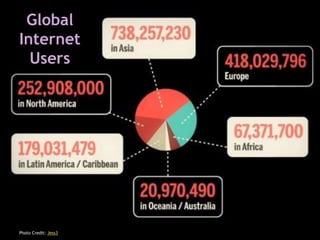
Global
Internet
Users
Photo Credit: Jess3
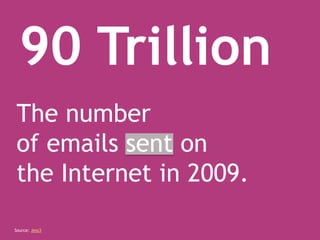
90 Trillion
The number
of emails sent on
the Internet in 2009.
Source: Jess3
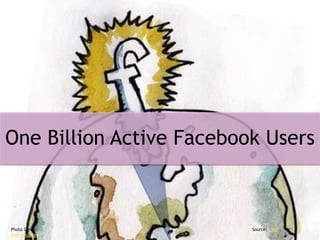
One Billion Active Facebook Users
Source: CNet
Photo Credit:
Oversocialized
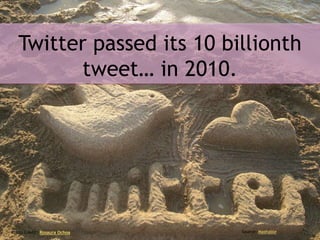
Twitter passed its 10 billionth
tweet… in 2010.
Photo Credit: Rosaura Ochoa Source: Mashable
150 Million potential connections
on LinkedIn
Photo Credit: Coletivo Mambembe
Source: The Undercover Recruiter
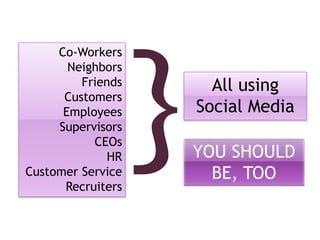
Co-Workers
Neighbors
Friends
Customers
Employees
Supervisors
CEOs
HR
Customer Service
Recruiters
All using
Social Media
YOU SHOULD
BE, TOO
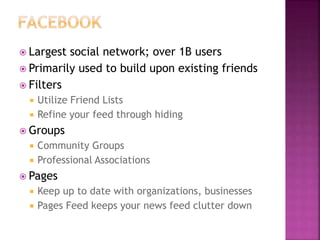
 Largest social network; over 1B users
 Primarily used to build upon existing friends
 Filters
 Utilize Friend Lists
 Refine your feed through hiding
 Groups
 Community Groups
 Professional Associations
 Pages
 Keep up to date with organizations, businesses
 Pages Feed keeps your news feed clutter down
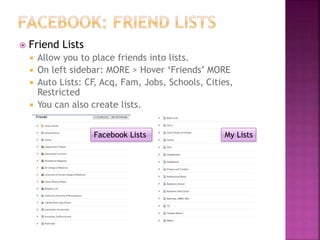
 Friend Lists
 Allow you to place friends into lists.
 On left sidebar: MORE > Hover ‘Friends’ MORE
 Auto Lists: CF, Acq, Fam, Jobs, Schools, Cities,
Restricted
 You can also create lists.
Facebook Lists My Lists
 Lists and Privacy Settings
 Use privacy settings to manage who sees your
content.
 Example: Custom Default Setting – Friends,
except List: Pro Block, List: Random (NC)
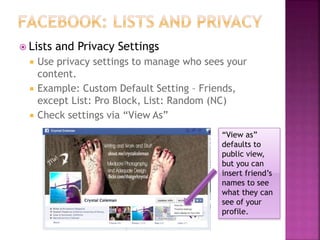
 Check settings via “View As”
“View as”
defaults to
public view,
but you can
insert friend’s
names to see
what they can
see of your
profile.
 Three Types
 Open – Anyone can join and see content
 Closed – Anyone can request to join, but cannot see
content until approved. Anyone can see group
members.
 Secret – Only people invited can see the group and
join it.
 Uses
 Meeting Groups (book clubs, social functions)
 Professional Associations (member or non)
 Collaborative work groups
 Focus groups, memorials, reunion planning, support
groups, recipe sharing, etc, etc
 Finding Groups
 Organization webpage or newsletter; Search
 “Liking” organizations and businesses
 Updates right in your newsfeed.
 Interact with other members/customers on page
 Graph Search
 When graph search is refined, easy way to find
users with similar interests, professional
background, etc.
 Will be great for networking/making
introductions.
 Micro-blog
 140 character limit; brevity over grammar
 Fast Paced
 10-15 posts a day isn’t excessive
 Open
 Unless you have a protected account, anyone can
view/follow your tweets.
 Searchable
 Very search friendly archive, especially with use of
#hashtags
 Network of Connections
 Very easily to engage in conversation with people all
over the world
 News Digest
 Because of its brief format, great for headlines and
news distribution.
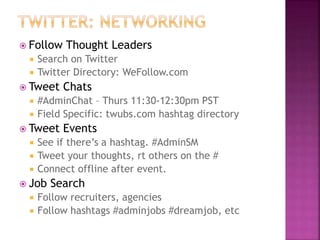
 Follow Thought Leaders
 Search on Twitter
 Twitter Directory: WeFollow.com
 Tweet Chats
 #AdminChat – Thurs 11:30-12:30pm PST
 Field Specific: twubs.com hashtag directory
 Tweet Events
 See if there’s a hashtag. #AdminSM
 Tweet your thoughts, rt others on the #
 Connect offline after event.
 Job Search
 Follow recruiters, agencies
 Follow hashtags #adminjobs #dreamjob, etc
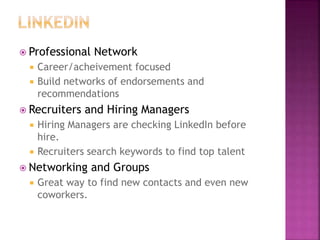
 Professional Network
 Career/acheivement focused
 Build networks of endorsements and
recommendations
 Recruiters and Hiring Managers
 Hiring Managers are checking LinkedIn before
hire.
 Recruiters search keywords to find top talent
 Networking and Groups
 Great way to find new contacts and even new
coworkers.
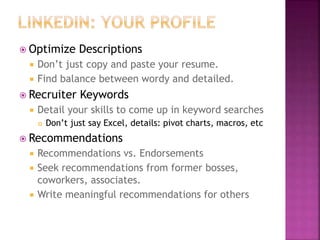
 Optimize Descriptions
 Don’t just copy and paste your resume.
 Find balance between wordy and detailed.
 Recruiter Keywords
 Detail your skills to come up in keyword searches
 Don’t just say Excel, details: pivot charts, macros, etc
 Recommendations
 Recommendations vs. Endorsements
 Seek recommendations from former bosses,
coworkers, associates.
 Write meaningful recommendations for others
 Offline to Online
 Meet someone at an event, add them on LinkedIn
 Always customize the invite message.
 “Great to meet at [blah], look forward to learning
from you.”
 Check out your stalkers
 See who’s viewing your profile.
 Reach out if you would like to connect.
 Reach Out
 Seek out people in your field you’d like to know
 “Hi, I don’t know you, but I’m also interested in [blah]
and would love to follow your thoughts on it.”
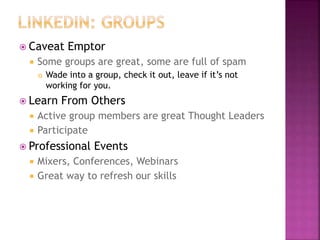
 Caveat Emptor
 Some groups are great, some are full of spam
 Wade into a group, check it out, leave if it’s not
working for you.
 Learn From Others
 Active group members are great Thought Leaders
 Participate
 Professional Events
 Mixers, Conferences, Webinars
 Great way to refresh our skills
Image Source: http://www.flickr.com/photos/jdhancock/6914454974
 Format to the Medium
 There’s nothing more annoying to social media
people than #hashtags on Facebook.
 Share and Share Alike
 If you’re a creator, don’t just promote your own
stuff. Curate other great content.
 Be Selective
 Some content is better suited to one medium
over another.
 Curation
 Finding excellent content from other sources
 Benefits both parties
 Google Alerts, RSS feeds
 Scheduling
 Avoids spamming feeds all at once, but keeps you
from being chained to social networks
 Hootsuite, Tweetdeck, Buffer
 Use Your Experience
 Decades of experience; share it!
 Become an authority in your community
 Write
 Own blog, other website, company newsletter
 Builds a base of proof of experience
 Answer Questions
 LinkedIn Groups
 Quora
 Officepal
 Small Business admins do everything.
 Adapt these techniques.
 Big brands have millions of followers
 SM can have a huge reach
 Don’t take it for granted
 How to translate
 Authenticity is key
 Better run from the inside than out
 You know your industry, your brand
 Vested interest
 Use Thought Leader techniques.
 Humanize
 People want to know the people behind the companies
Social Media works best when
you focus on
Quality
over
Quantity
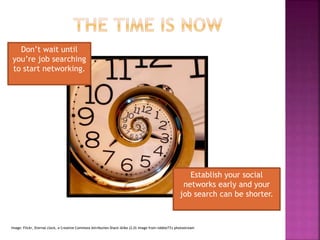
Image: Flickr, Eternal clock, a Creative Commons Attribution Share-Alike (2.0) image from robbie73's photostream
Don’t wait until
you’re job searching
to start networking.
Establish your social
networks early and your
job search can be shorter.
Image source: http://www.flickr.com/photos/sweetonveg/7132601151
 Email: crystalsocialmedia@gmail.com
 Web: thatgirlcrystal.com
 Twitter: @ThatGirlCrystal
 LinkedIn: /crystalleecoleman
 Facebook: /crystalleecoleman
 Slideshare: /CrystalColeman1
 Slides, Resources, and More:
 thatgirlcrystal.com/AdminSM

Leveraging social media for admins

  • 1.
    Crystal Coleman Social MediaSpecialist crystalsocialmedia@gmail.com Networking, Job Searching, and Professional Enrichment Social Media Icons via Vince Chiosa #AdminSM
  • 2.
     Crystal Coleman 10+ years in Administrative Assistance  15+ in Customer Service  7 in Community Management/Social Media  Entertainment, Non-profit, Agency, Higher Ed  I’m more about the SOCIAL than the MARKETING  I tweet a lot: @ThatGirlCrystal  And I blog at ThatGirlCrystal.com
  • 4.
     Facebook  Twitter LinkedIn  Vine  Foursquare  Gowalla  Basecamp  Ravelry  Hootsuite  Ping.fm  Ping (Apple)  StumbleUpon  Wordpress  Blogger  Tumblr  Instagram  Vimeo  YouTube  Google+  Chatrouolette  Yelp  UrbanSpoon…
  • 5.
  • 6.
     Why SocialMedia is important  Basic uses of the Big 3 social networks  How to use these networks for professional growth  The next steps: becoming a superuser  Ways to bring these skills into your business and seem like a rockstar. And that’s what we’re going to talk about today… Image Credit: Jada goes Hollywood on Flickr from beau-foto’s photostream. Used under a Creative Commons Attribution 2.0 license.
  • 7.
  • 8.
  • 9.
    90 Trillion The number ofemails sent on the Internet in 2009. Source: Jess3
  • 10.
    One Billion ActiveFacebook Users Source: CNet Photo Credit: Oversocialized
  • 11.
    Twitter passed its10 billionth tweet… in 2010. Photo Credit: Rosaura Ochoa Source: Mashable
  • 12.
    150 Million potentialconnections on LinkedIn Photo Credit: Coletivo Mambembe Source: The Undercover Recruiter
  • 13.
  • 15.
     Largest socialnetwork; over 1B users  Primarily used to build upon existing friends  Filters  Utilize Friend Lists  Refine your feed through hiding  Groups  Community Groups  Professional Associations  Pages  Keep up to date with organizations, businesses  Pages Feed keeps your news feed clutter down
  • 16.
     Friend Lists Allow you to place friends into lists.  On left sidebar: MORE > Hover ‘Friends’ MORE  Auto Lists: CF, Acq, Fam, Jobs, Schools, Cities, Restricted  You can also create lists. Facebook Lists My Lists
  • 17.
     Lists andPrivacy Settings  Use privacy settings to manage who sees your content.  Example: Custom Default Setting – Friends, except List: Pro Block, List: Random (NC)  Check settings via “View As” “View as” defaults to public view, but you can insert friend’s names to see what they can see of your profile.
  • 18.
     Three Types Open – Anyone can join and see content  Closed – Anyone can request to join, but cannot see content until approved. Anyone can see group members.  Secret – Only people invited can see the group and join it.  Uses  Meeting Groups (book clubs, social functions)  Professional Associations (member or non)  Collaborative work groups  Focus groups, memorials, reunion planning, support groups, recipe sharing, etc, etc  Finding Groups  Organization webpage or newsletter; Search
  • 19.
     “Liking” organizationsand businesses  Updates right in your newsfeed.  Interact with other members/customers on page  Graph Search  When graph search is refined, easy way to find users with similar interests, professional background, etc.  Will be great for networking/making introductions.
  • 20.
     Micro-blog  140character limit; brevity over grammar  Fast Paced  10-15 posts a day isn’t excessive  Open  Unless you have a protected account, anyone can view/follow your tweets.  Searchable  Very search friendly archive, especially with use of #hashtags  Network of Connections  Very easily to engage in conversation with people all over the world  News Digest  Because of its brief format, great for headlines and news distribution.
  • 21.
     Follow ThoughtLeaders  Search on Twitter  Twitter Directory: WeFollow.com  Tweet Chats  #AdminChat – Thurs 11:30-12:30pm PST  Field Specific: twubs.com hashtag directory  Tweet Events  See if there’s a hashtag. #AdminSM  Tweet your thoughts, rt others on the #  Connect offline after event.  Job Search  Follow recruiters, agencies  Follow hashtags #adminjobs #dreamjob, etc
  • 22.
     Professional Network Career/acheivement focused  Build networks of endorsements and recommendations  Recruiters and Hiring Managers  Hiring Managers are checking LinkedIn before hire.  Recruiters search keywords to find top talent  Networking and Groups  Great way to find new contacts and even new coworkers.
  • 23.
     Optimize Descriptions Don’t just copy and paste your resume.  Find balance between wordy and detailed.  Recruiter Keywords  Detail your skills to come up in keyword searches  Don’t just say Excel, details: pivot charts, macros, etc  Recommendations  Recommendations vs. Endorsements  Seek recommendations from former bosses, coworkers, associates.  Write meaningful recommendations for others
  • 24.
     Offline toOnline  Meet someone at an event, add them on LinkedIn  Always customize the invite message.  “Great to meet at [blah], look forward to learning from you.”  Check out your stalkers  See who’s viewing your profile.  Reach out if you would like to connect.  Reach Out  Seek out people in your field you’d like to know  “Hi, I don’t know you, but I’m also interested in [blah] and would love to follow your thoughts on it.”
  • 25.
     Caveat Emptor Some groups are great, some are full of spam  Wade into a group, check it out, leave if it’s not working for you.  Learn From Others  Active group members are great Thought Leaders  Participate  Professional Events  Mixers, Conferences, Webinars  Great way to refresh our skills
  • 26.
  • 27.
     Format tothe Medium  There’s nothing more annoying to social media people than #hashtags on Facebook.  Share and Share Alike  If you’re a creator, don’t just promote your own stuff. Curate other great content.  Be Selective  Some content is better suited to one medium over another.
  • 28.
     Curation  Findingexcellent content from other sources  Benefits both parties  Google Alerts, RSS feeds  Scheduling  Avoids spamming feeds all at once, but keeps you from being chained to social networks  Hootsuite, Tweetdeck, Buffer
  • 29.
     Use YourExperience  Decades of experience; share it!  Become an authority in your community  Write  Own blog, other website, company newsletter  Builds a base of proof of experience  Answer Questions  LinkedIn Groups  Quora  Officepal
  • 30.
     Small Businessadmins do everything.  Adapt these techniques.  Big brands have millions of followers  SM can have a huge reach  Don’t take it for granted  How to translate  Authenticity is key  Better run from the inside than out  You know your industry, your brand  Vested interest  Use Thought Leader techniques.  Humanize  People want to know the people behind the companies
  • 32.
    Social Media worksbest when you focus on Quality over Quantity
  • 33.
    Image: Flickr, Eternalclock, a Creative Commons Attribution Share-Alike (2.0) image from robbie73's photostream Don’t wait until you’re job searching to start networking. Establish your social networks early and your job search can be shorter.
  • 34.
  • 35.
     Email: crystalsocialmedia@gmail.com Web: thatgirlcrystal.com  Twitter: @ThatGirlCrystal  LinkedIn: /crystalleecoleman  Facebook: /crystalleecoleman  Slideshare: /CrystalColeman1  Slides, Resources, and More:  thatgirlcrystal.com/AdminSM

Editor's Notes

  • #3 Count all admin as customer service… philosophy Started in truest customer service: working in the local mall when I was 16
  • #4 Term was first used in 2004, now broadly covers a whole big group of websites, apps, and services…
  • #9 NA is only 3rd biggest chunk Living where we do, it’s got a huge emphasis; image what that’s like elsewhere.
  • #11 1/6 of the world population.
  • #12 And it’s only been around since late 2006.
  • #13 Enough with statistics…
  • #16 I’m going with the basic assumption that most of you know how to use facebook, so instead of giving you the basics, I’m going to skip to ways to use it for networking and make it more efficient.
  • #17 Everyone has their own set of written or unwritten rules about who they’ll friend and who they won’t. If you can say No to that guy you knew in 2nd grade, more power to you… I’m not that strong. Close Friends, Acquaintances, Family, Jobs, Schools, Cities, Restricted all auto-created by facebook. Other than CF, Acq ,Rest auto populated by FB, too.
  • #18 At my last job, I loved my co-workers, but I didn’t necessarily want them seeing everytime I was updating Facebook. They knew that if I added them on Facebook, they’d be in my “Professional Block” list until I stopped working there. Now, they get to see everything, because it helps us keep in touch better.
  • #19 Utilities of groups: polls, documents, etc
  • #21 Twitter is something you may not be as familiar with. These are the basics. Your handout has more information and links to tutorials.
  • #22 Thought leaders in admin: Business: Richard Branson, Warren Bufffet Politics: Nate Silver, Bill O’Reily, Rachel Maddow
  • #23 Google “Why you have to be on LinkedIn” – almost 400 MILLION results Slowly gaining in other areas, HUGE in the bay area
  • #24 Rec vs. Endorsement, both good, more weight on recommendation
  • #25 Don’t’ do toooo much.. Can get cut off by LinkedIn