Build a Smarter Customer Journey
Social #ProTips
4 June 2017
Version 1.0
Robin Leonard
CEO & Co-Founder
@robin_afd
with
Agenda
​
1. Introduction: 5 mins
2. ProTips: 40 mins
3. Q&A: 15 mins
@robin_afd
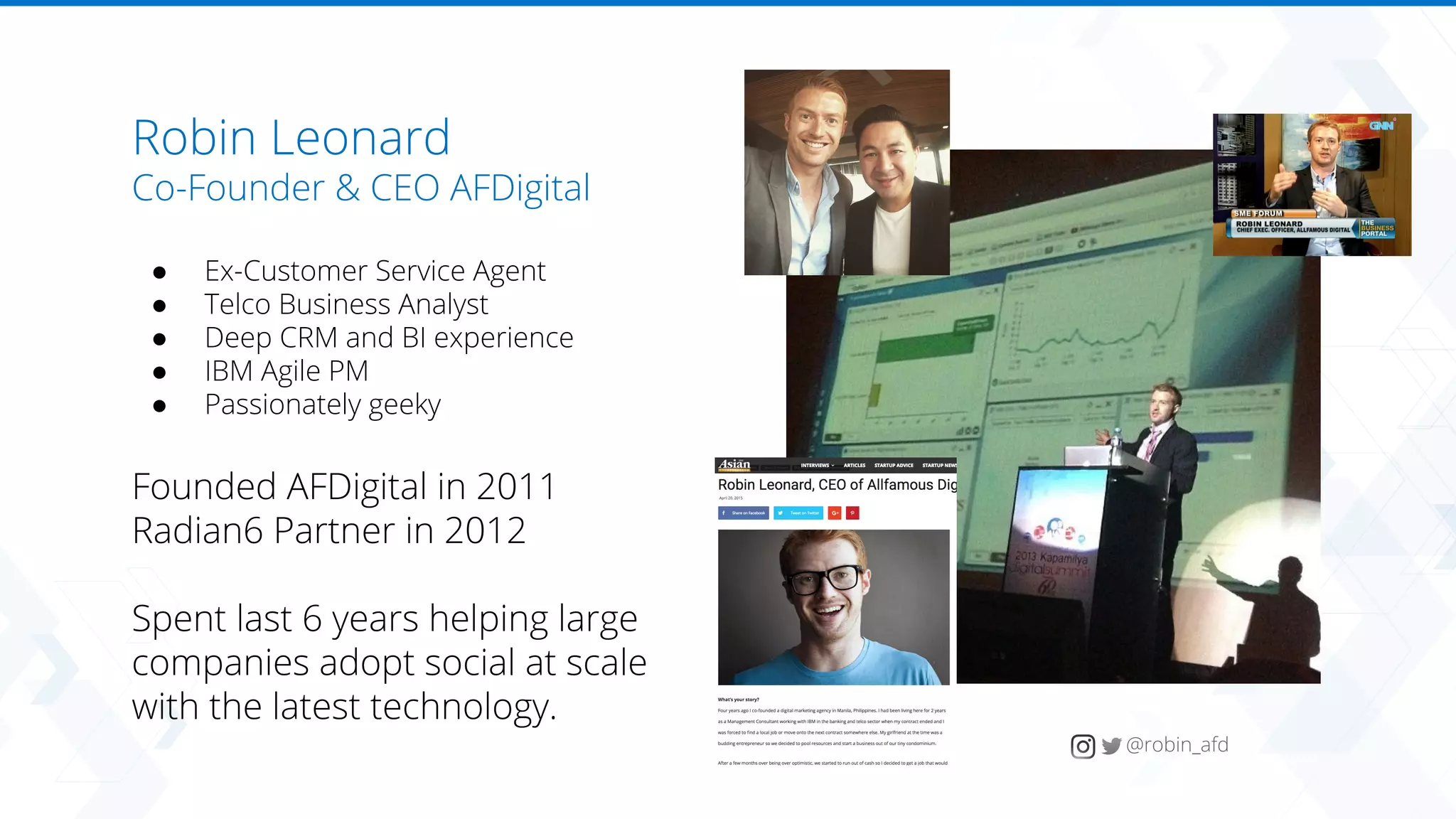
Robin Leonard
Robin Leonard
Co-Founder & CEO AFDigital
● Ex-Customer Service Agent
● Telco Business Analyst
● Deep CRM and BI experience
● IBM Agile PM
● Passionately geeky
Founded AFDigital in 2011
Radian6 Partner in 2012
Spent last 6 years helping large
companies adopt social at scale
with the latest technology.
@robin_afd
Trusted by Household Brands across APAC
Australia
+ NZ
Singapore
+ ASEAN
Philippines
Global Delivery Center
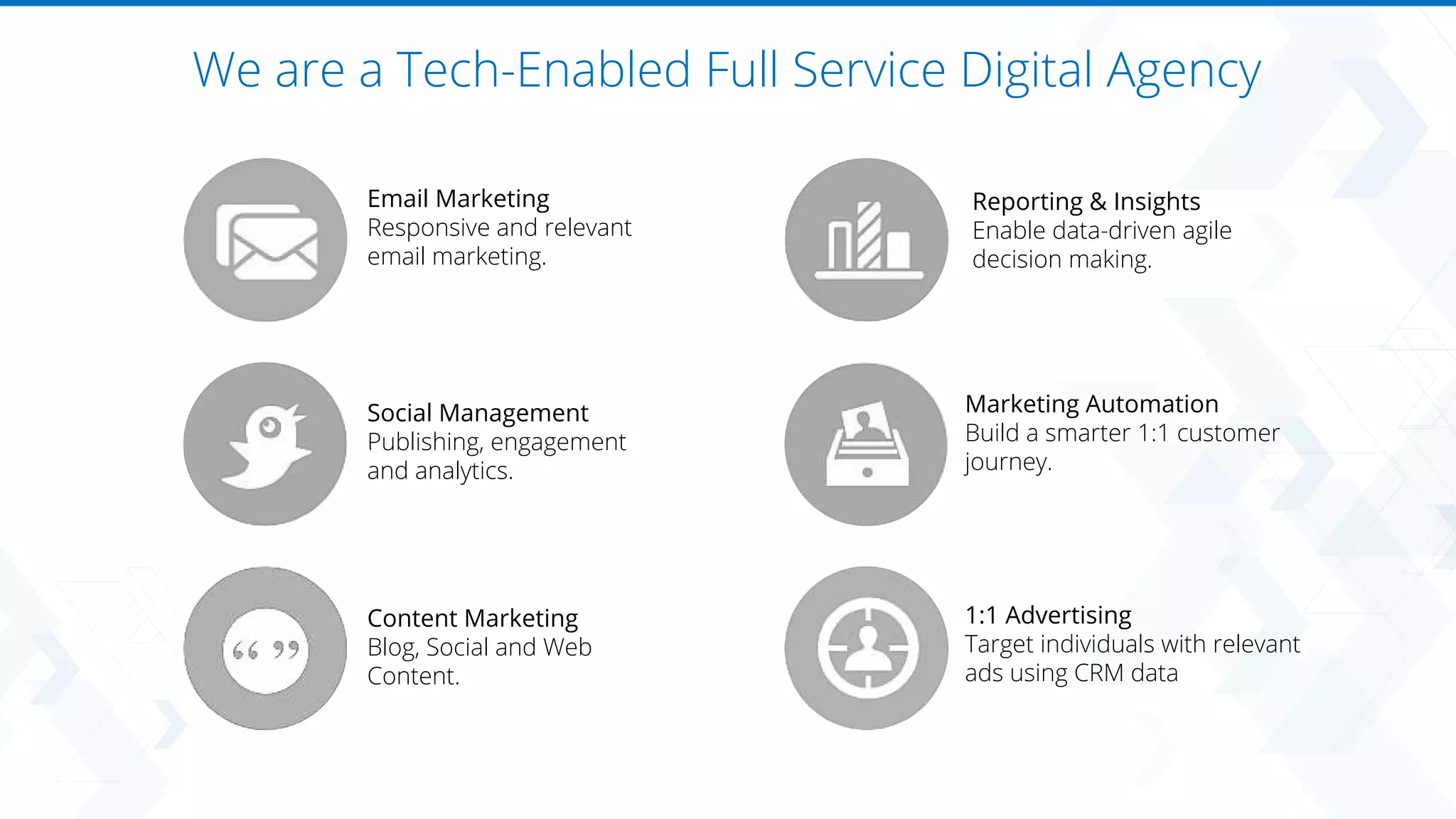
We are a Tech-Enabled Full Service Digital Agency
Social Management
Publishing, engagement
and analytics.
Email Marketing
Responsive and relevant
email marketing.
Content Marketing
Blog, Social and Web
Content.
Reporting & Insights
Enable data-driven agile
decision making.
Marketing Automation
Build a smarter 1:1 customer
journey.
1:1 Advertising
Target individuals with relevant
ads using CRM data
Agenda
​
1. Introduction: 5 mins
2. ProTips: 40 mins
3. Q&A: 15 mins
@robin_afd
Robin Leonard
Safeharbor
​
Statement under the Private Securities Litigation Reform Act of 1995:
This presentation may contain forward-looking statements that involve risks, uncertainties, and assumptions. If any such uncertainties materialize or if any of the
assumptions proves incorrect, the results of salesforce.com, inc. could differ materially from the results expressed or implied by the forward-looking statements
we make. All statements other than statements of historical fact could be deemed forward-looking, including any projections of product or service availability,
subscriber growth, earnings, revenues, or other financial items and any statements regarding strategies or plans of management for future operations, statements
of belief, any statements concerning new, planned, or upgraded services or technology developments and customer contracts or use of our services.
The risks and uncertainties referred to above include – but are not limited to – risks associated with developing and delivering new functionality for our service,
new products and services, our new business model, our past operating losses, possible fluctuations in our operating results and rate of growth, interruptions or
delays in our Web hosting, breach of our security measures, the outcome of any litigation, risks associated with completed and any possible mergers and
acquisitions, the immature market in which we operate, our relatively limited operating history, our ability to expand, retain, and motivate our employees and
manage our growth, new releases of our service and successful customer deployment, our limited history reselling non-salesforce.com products, and utilization
and selling to larger enterprise customers. Further information on potential factors that could affect the financial results of salesforce.com, inc. is included in our
annual report on Form 10-K for the most recent fiscal year and in our quarterly report on Form 10-Q for the most recent fiscal quarter. These documents and
others containing important disclosures are available on the SEC Filings section of the Investor Information section of our Web site.
Any unreleased services or features referenced in this or other presentations, press releases or public statements are not currently available and may not be
delivered on time or at all. Customers who purchase our services should make the purchase decisions based upon features that are currently available.
Salesforce.com, inc. assumes no obligation and does not intend to update these forward-looking statements.
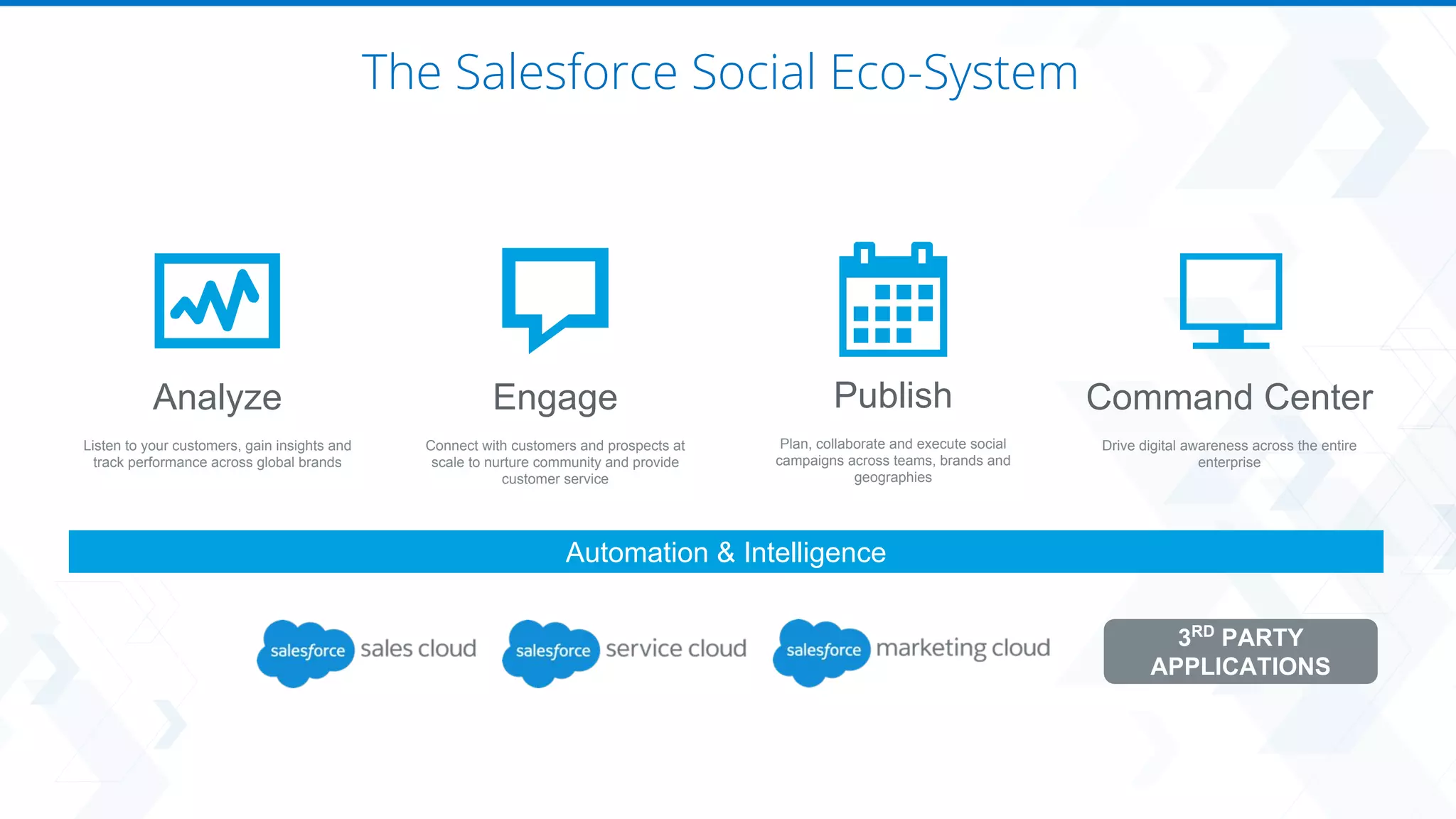
Analyze
Listen to your customers, gain insights and
track performance across global brands
Engage
Connect with customers and prospects at
scale to nurture community and provide
customer service
Publish
Plan, collaborate and execute social
campaigns across teams, brands and
geographies
Command Center
Drive digital awareness across the entire
enterprise
Automation & Intelligence
3RD
PARTY
APPLICATIONS
The Salesforce Social Eco-System
Let’s get started.
#ProTip 1: Don’t overthink workspaces
Built for Enterprise/Agencies,
most companies are simple.
1. Use 1x workspace per brand / set of
social accounts
2. Don’t allow users to create or edit
Workspaces
Each workspace = administration effort
#ProTip 2: Squeeze your content
Content is a tangible asset,
practice re-cycling
intentionally.
1. Regularly review best performing
content
2. Content team saves time and can
re-use content
3. Plan and control global campaigns
#ProTip 3: Throw out your content spreadsheets
The key is to use drafts and
comments and only use
approvals at the end.
1. Build your calendar in Draft
2. Review as a team in the app - add
comments until everybody is ok
3. Schedule post for publishing
4. Trigger approval rule
5. Approver does final check and
approves
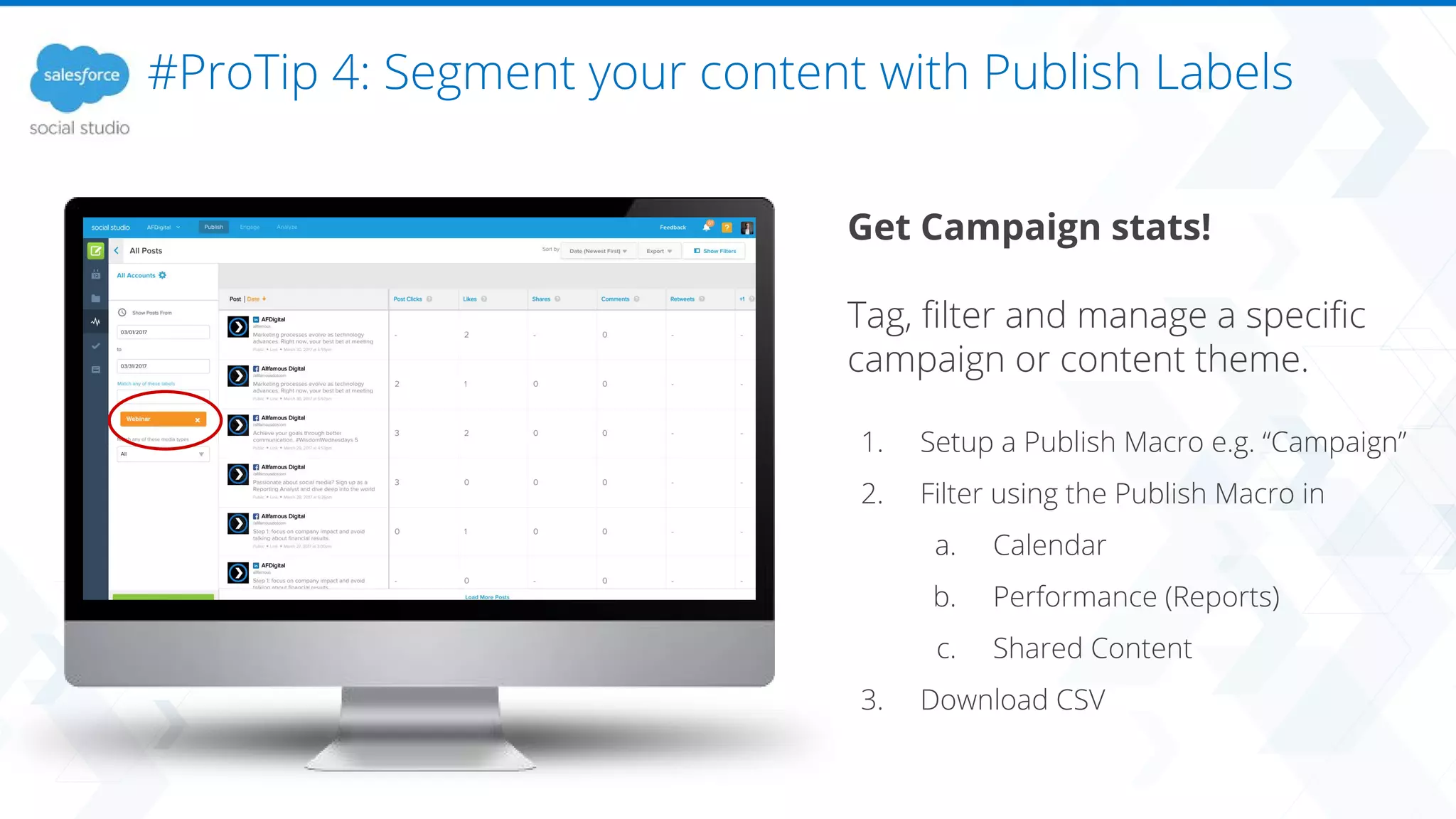
#ProTip 4: Segment your content with Publish Labels
Get Campaign stats!
Tag, filter and manage a specific
campaign or content theme.
1. Setup a Publish Macro e.g. “Campaign”
2. Filter using the Publish Macro in
a. Calendar
b. Performance (Reports)
c. Shared Content
3. Download CSV
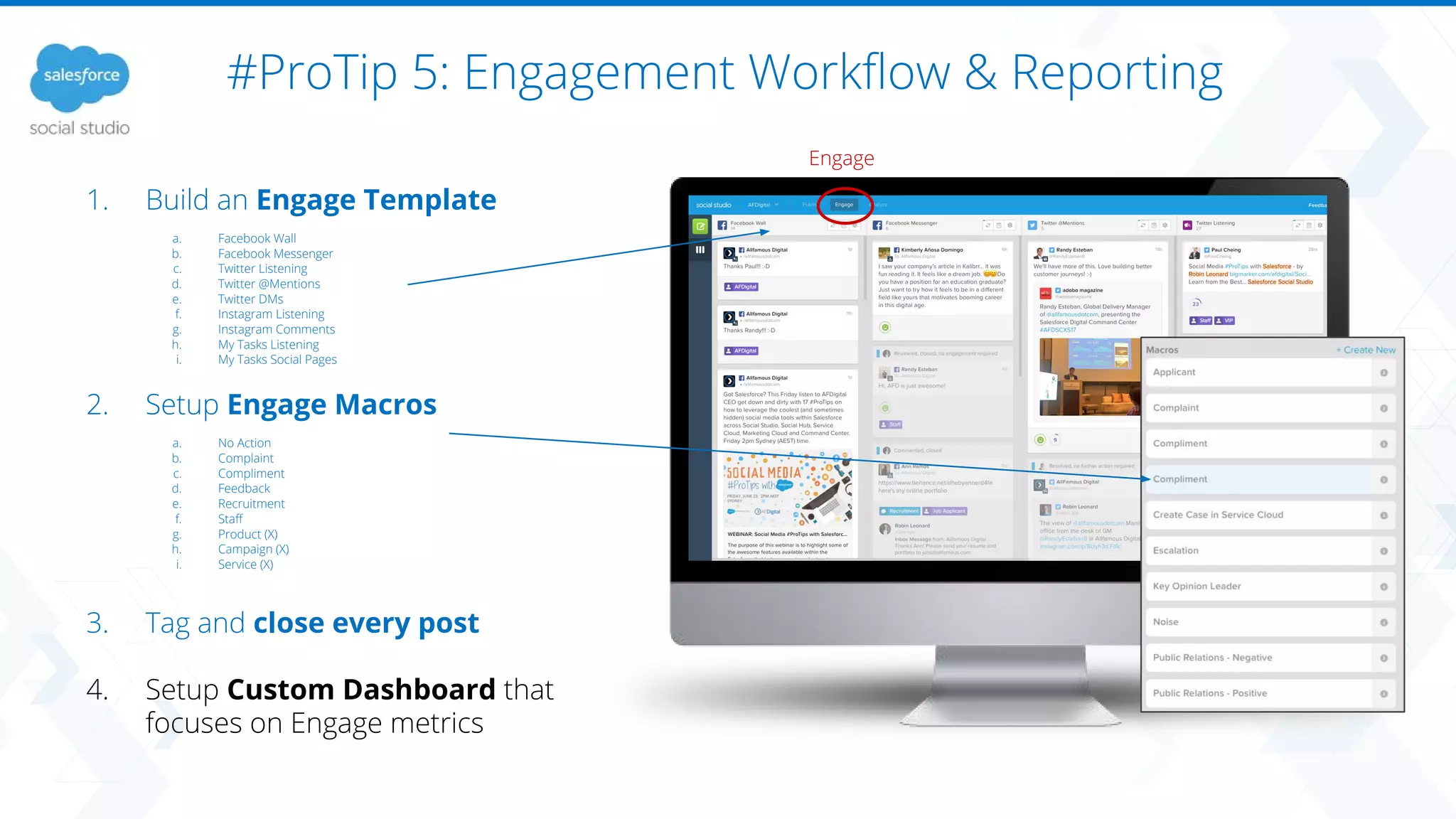
#ProTip 5: Engagement Workflow & Reporting
Engage
1. Build an Engage Template
a. Facebook Wall
b. Facebook Messenger
c. Twitter Listening
d. Twitter @Mentions
e. Twitter DMs
f. Instagram Listening
g. Instagram Comments
h. My Tasks Listening
i. My Tasks Social Pages
2. Setup Engage Macros
a. No Action
b. Complaint
c. Compliment
d. Feedback
e. Recruitment
f. Staff
g. Product (X)
h. Campaign (X)
i. Service (X)
3. Tag and close every post
4. Setup Custom Dashboard that
focuses on Engage metrics
#ProTip 5: Engagement Workflow & Reporting
1. Build an Engage Template
a. Facebook Wall
b. Facebook Messenger
c. Twitter Listening
d. Twitter @Mentions
e. Twitter DMs
f. Instagram Listening
g. Instagram Comments
h. My Tasks Listening
i. My Tasks Social Pages
2. Setup Engage Macros
a. No Action
b. Complaint
c. Compliment
d. Feedback
e. Recruitment
f. Staff
g. Product (X)
h. Campaign (X)
i. Service (X)
3. Tag and close every post
4. Setup Custom Dashboard that
focuses on Engage metrics
Analyze
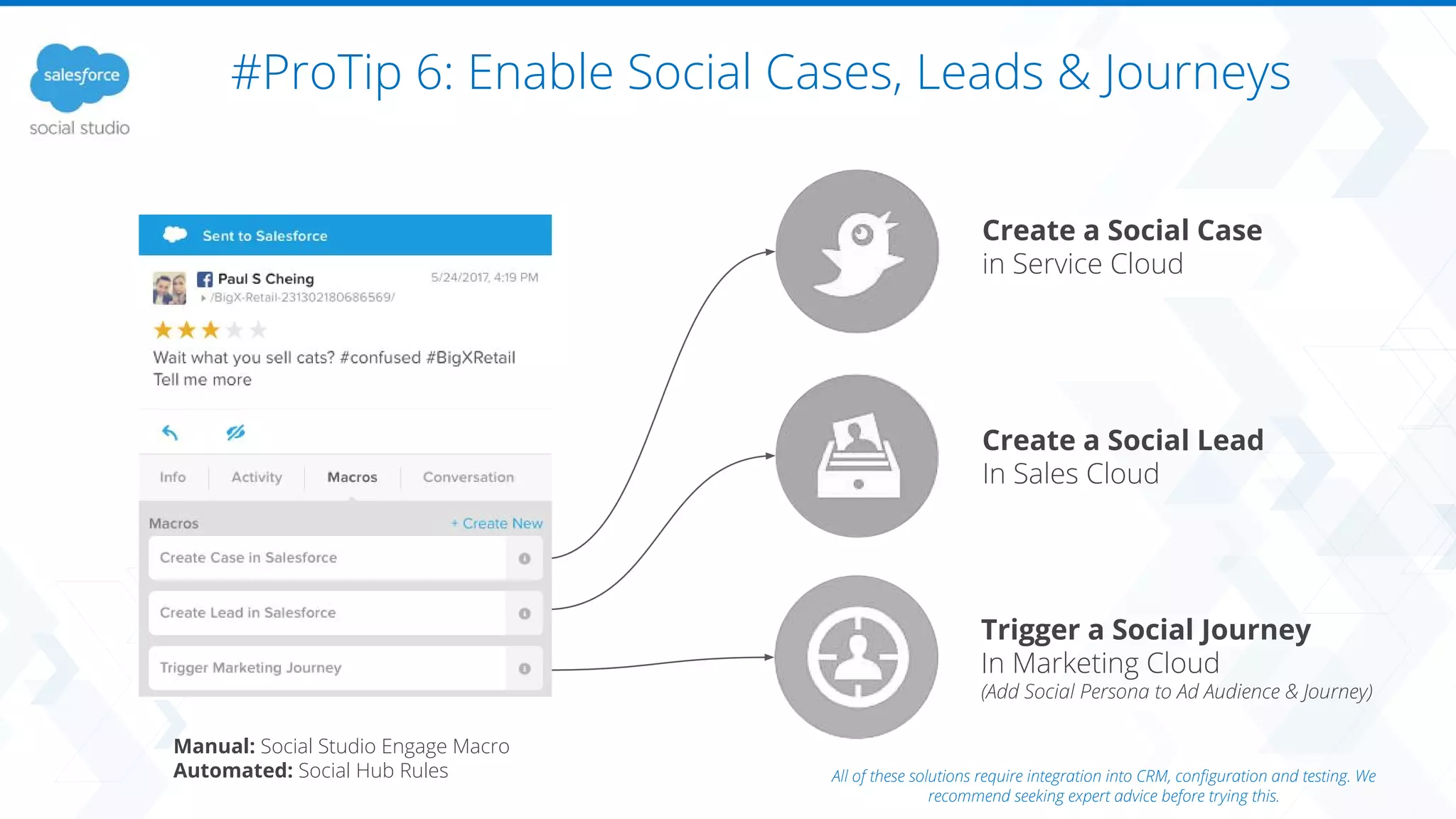
#ProTip 6: Enable Social Cases, Leads & Journeys
Create a Social Case
in Service Cloud
Trigger a Social Journey
In Marketing Cloud
(Add Social Persona to Ad Audience & Journey)
Create a Social Lead
In Sales Cloud
Manual: Social Studio Engage Macro
Automated: Social Hub Rules All of these solutions require integration into CRM, configuration and testing. We
recommend seeking expert advice before trying this.
#ProTip 7: Dashboards for Days
Gone are the days when
you need a tech team to
build beautiful dashboards.
Analyze > Dashboards > Create New > Blank
Dashboard Template
Some great Dashboard ideas:
- Product Dashboard
- Service Dashboard
- Social Engagement Dashboard
- Social Page Dashboard
- Competitor Dashboard
- Industry Dashboard
#ProTip 8: Dashboards vs. Workbenches
Duplicate monthly custom dashboard
reports every month and share.
Use Workbenches to drill down and perform
macro / micro / campaign / crisis analysis.
Dashboards
(understanding the what)
Workbenches
(understanding the why)
#ProTip 9: Integrate Social with your BI Platform
https://resources.docs.salesforce.com/208/latest/en-us/sfdc/pdf/api_social.pdf
Pull data into your BI tool and compare social
sentiment with revenue and sales data
#ProTip 10: Automate your Tagging with Social Hub
Setup Post / Author tagging rules
Social Hub: Data Source + Rule + Content Library
View Labels in Engage and Analyze
social hub
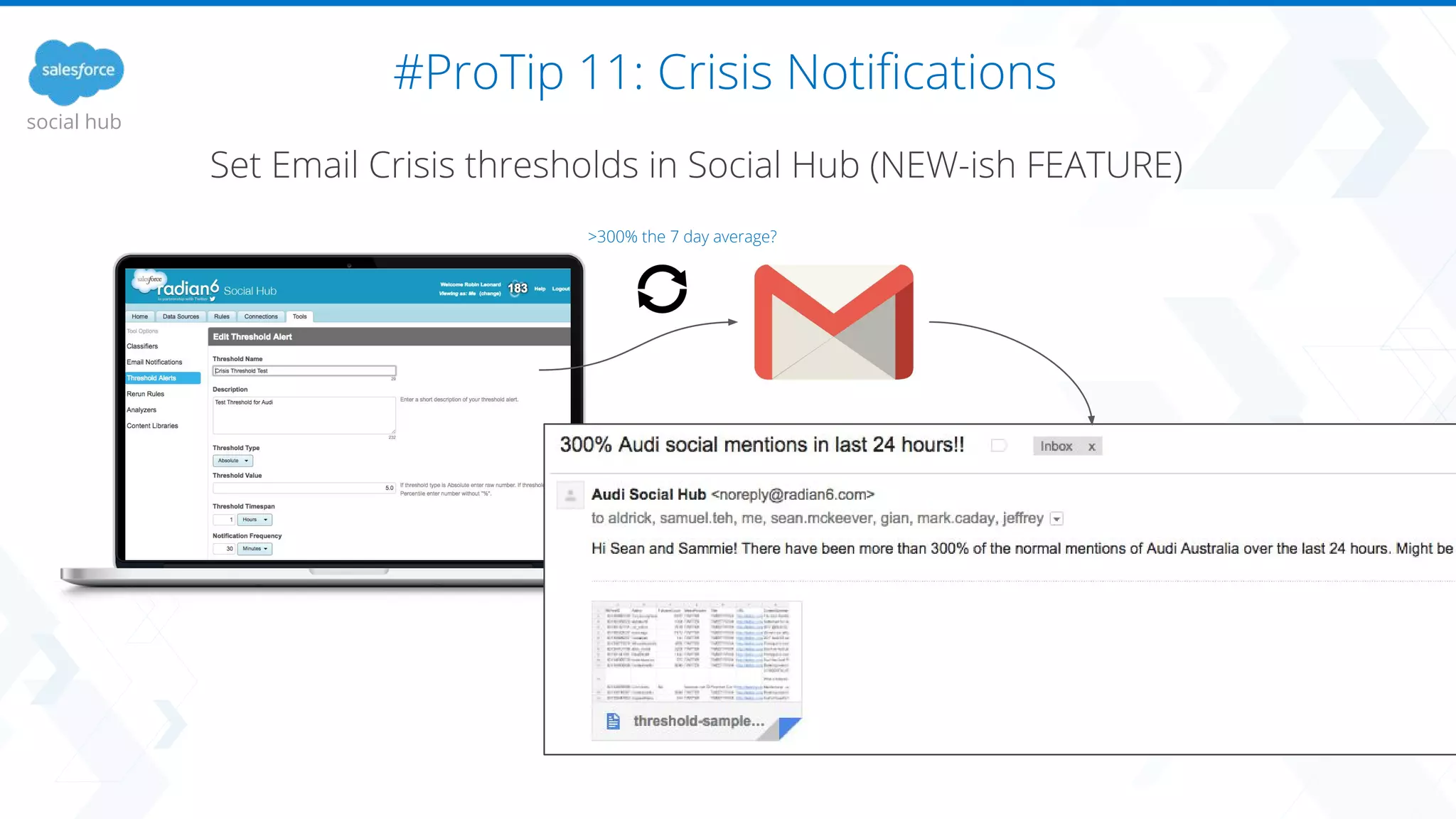
#ProTip 11: Crisis Notifications
Set Email Crisis thresholds in Social Hub (NEW-ish FEATURE)
social hub
>300% the 7 day average?
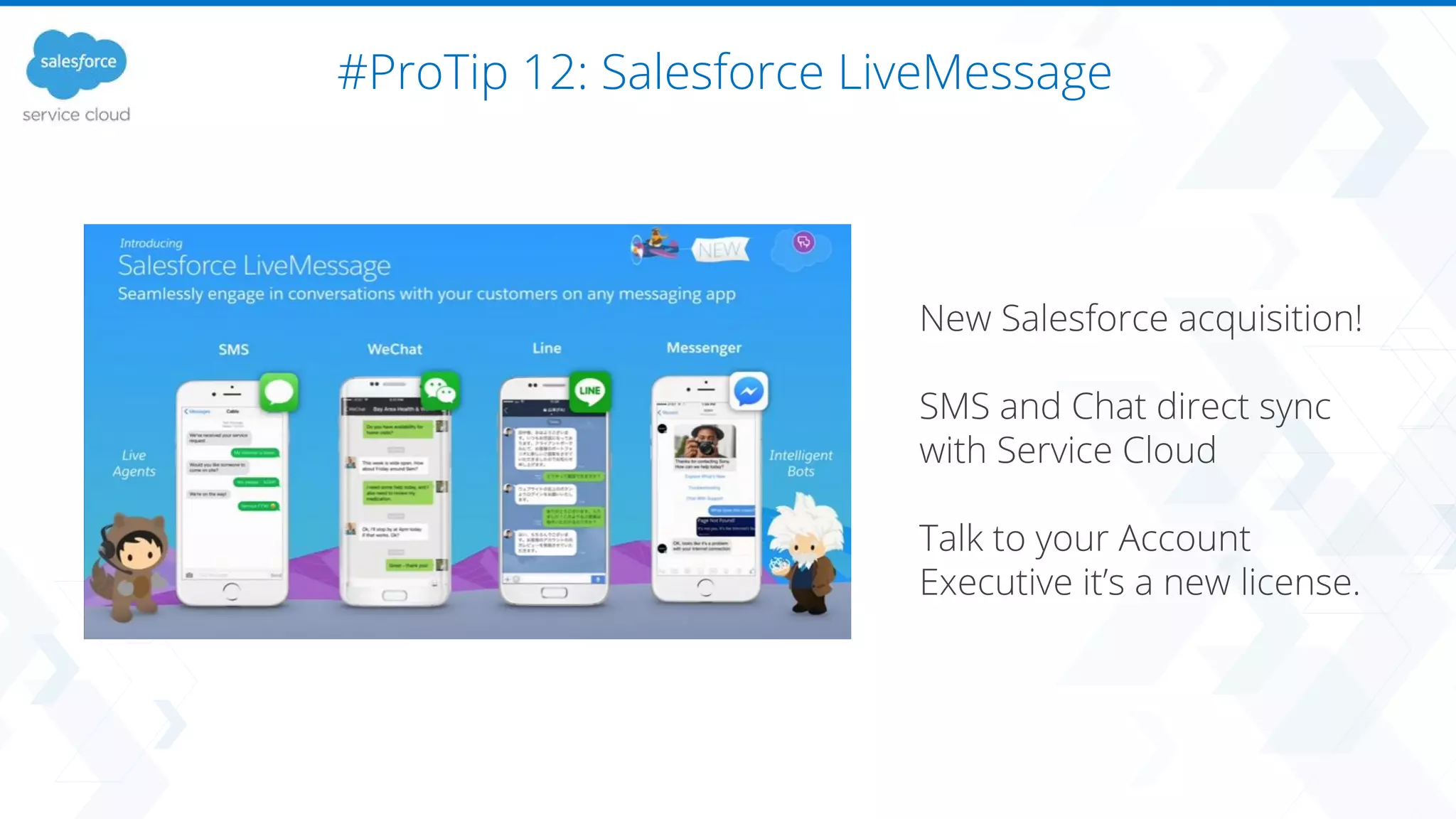
#ProTip 12: Salesforce LiveMessage
New Salesforce acquisition!
SMS and Chat direct sync
with Service Cloud
Talk to your Account
Executive it’s a new license.
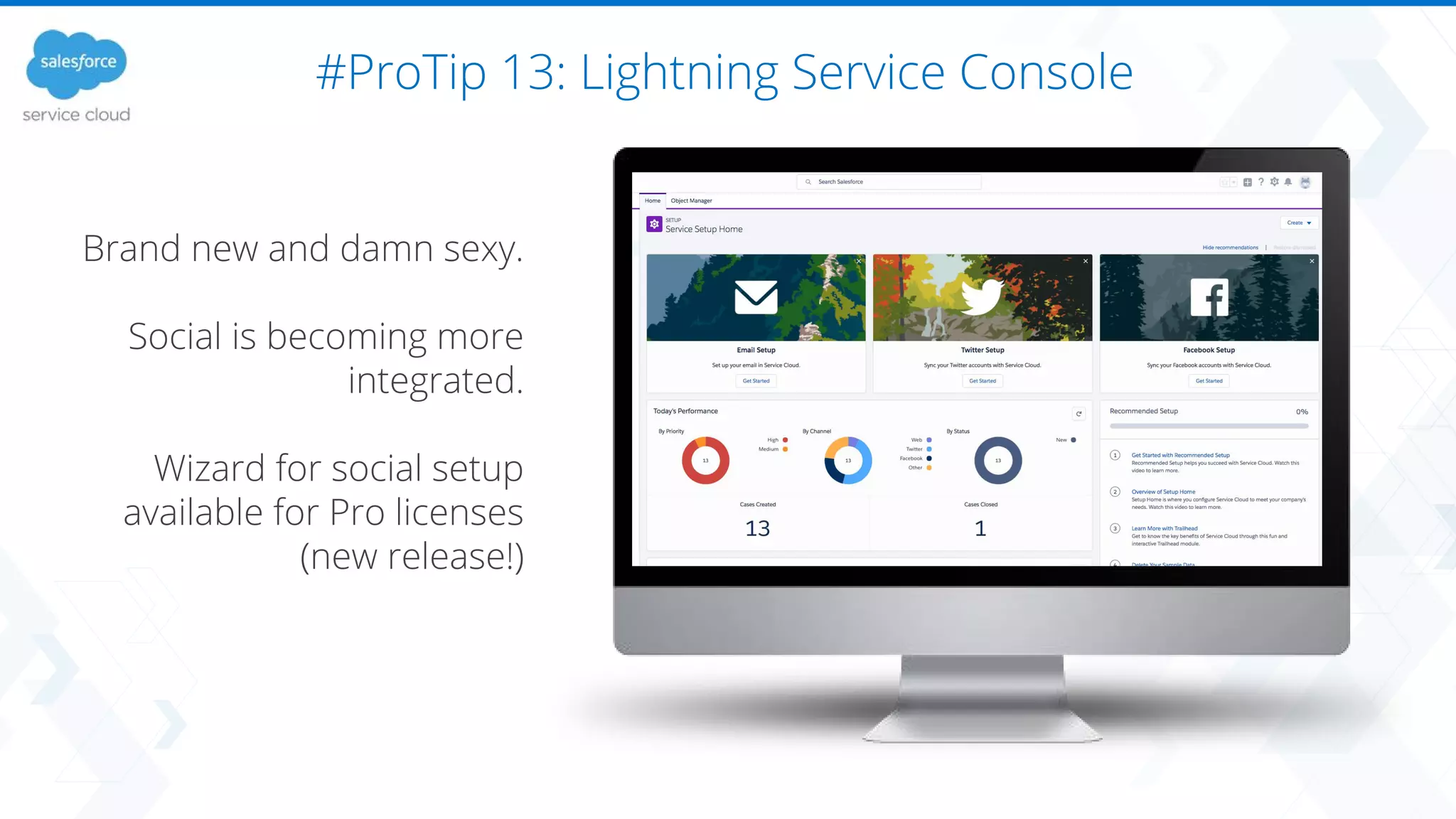
#ProTip 13: Lightning Service Console
Brand new and damn sexy.
Social is becoming more
integrated.
Wizard for social setup
available for Pro licenses
(new release!)
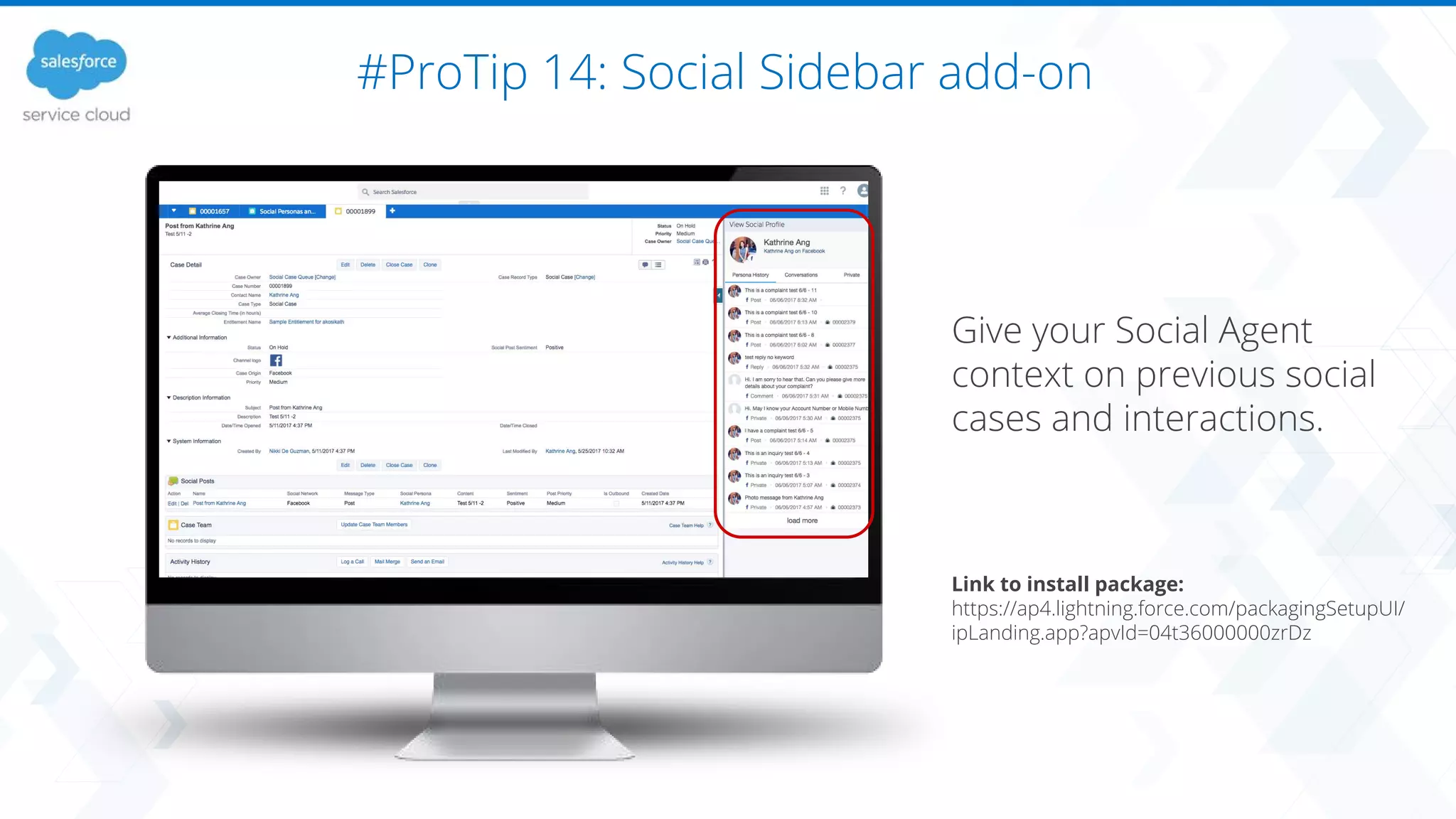
#ProTip 14: Social Sidebar add-on
Give your Social Agent
context on previous social
cases and interactions.
Link to install package:
https://ap4.lightning.force.com/packagingSetupUI/
ipLanding.app?apvId=04t36000000zrDz
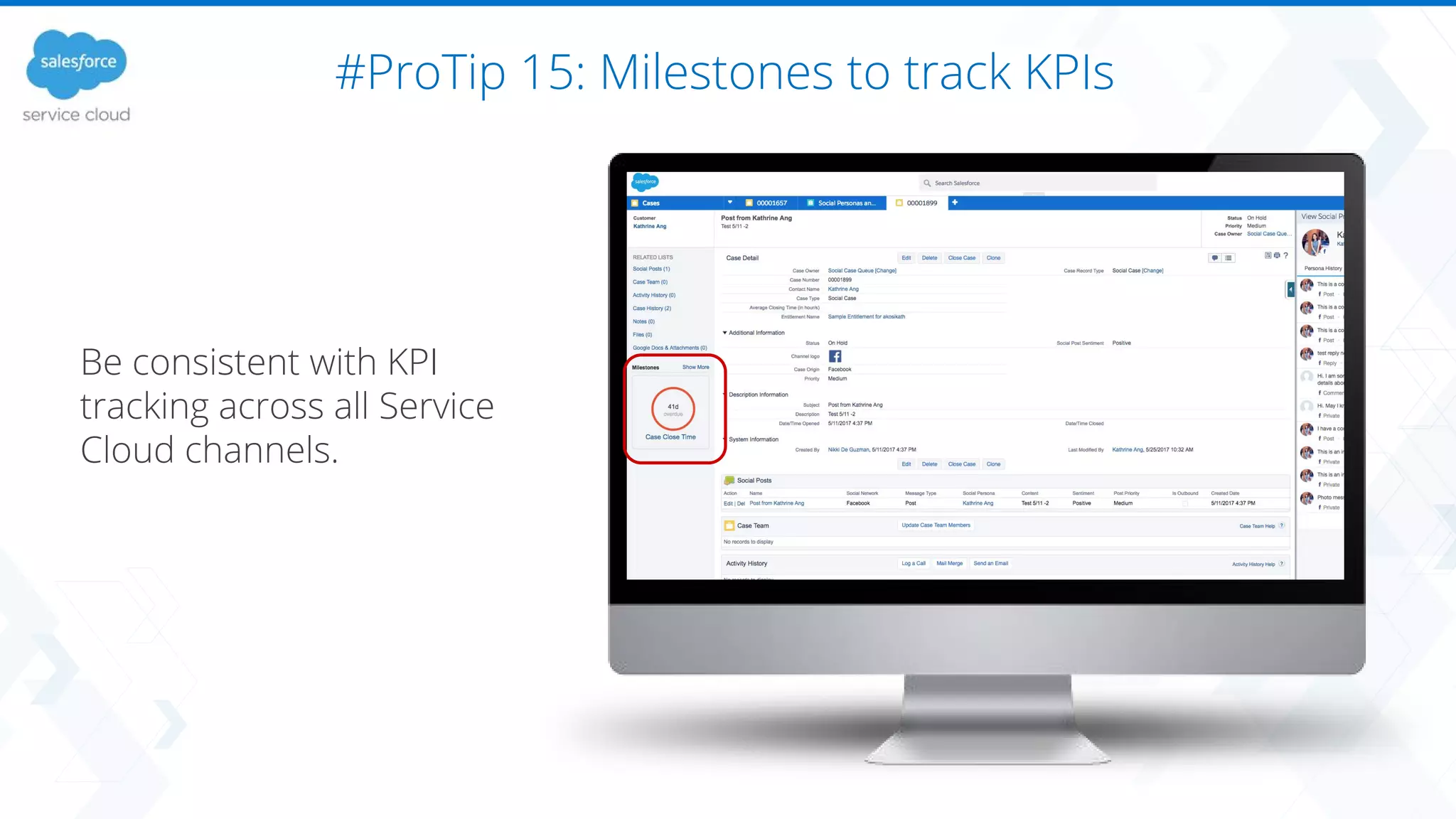
#ProTip 15: Milestones to track KPIs
Be consistent with KPI
tracking across all Service
Cloud channels.
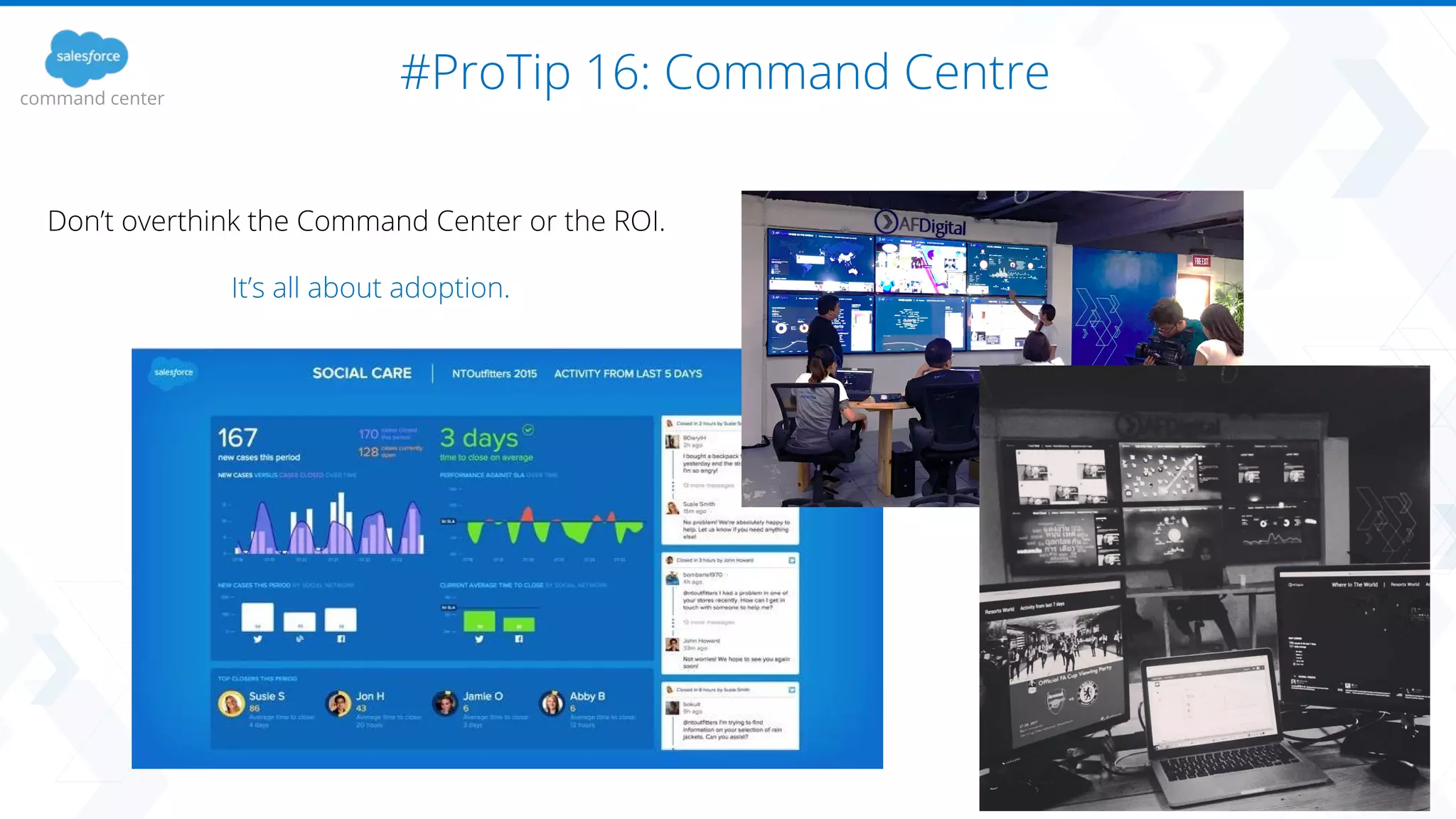
#ProTip 16: Command Centrecommand center
Don’t overthink the Command Center or the ROI.
It’s all about adoption.
This is a Facebook Lead Ad
#ProTip 17: CRM Targeted Social Ads
Now it’s easy to target CRM contacts with social advertising automatically.
What does this unlock?
Picked a100 CRM contacts
Plus 500 Look-a-Likes
#ProTip 18: Social Advertising Look-a-Like Loop
Advertising Studio
Campaign 1: Existing Cust Look-a-like
Campaign 2: New Leads Look-a-like
Facebook Leads
Facebook Lead Ad
1. Existing Customer Look-a-Like
2. New Lead Look-a-LikesMarketing Cloud Connector
- Sync Salesforce CRM with
Marketing Cloud
- Ad Audiences refreshed
daily
3. It keeps acquiring similar leads.
Summer 17’ Social Release Features
https://releasenotes.docs.salesforce.com/en-us/summ
er17/release-notes/rn_social_customer_service.htm
Robin’s Release Notes:
1. AI for everybody
2. Lightning Console
3. Lightning Service Setup Wizard
4. Deeper integration between Social,
Sales, Marketing and Service
trailhead.salesforce.com/trails/sf_release_prep
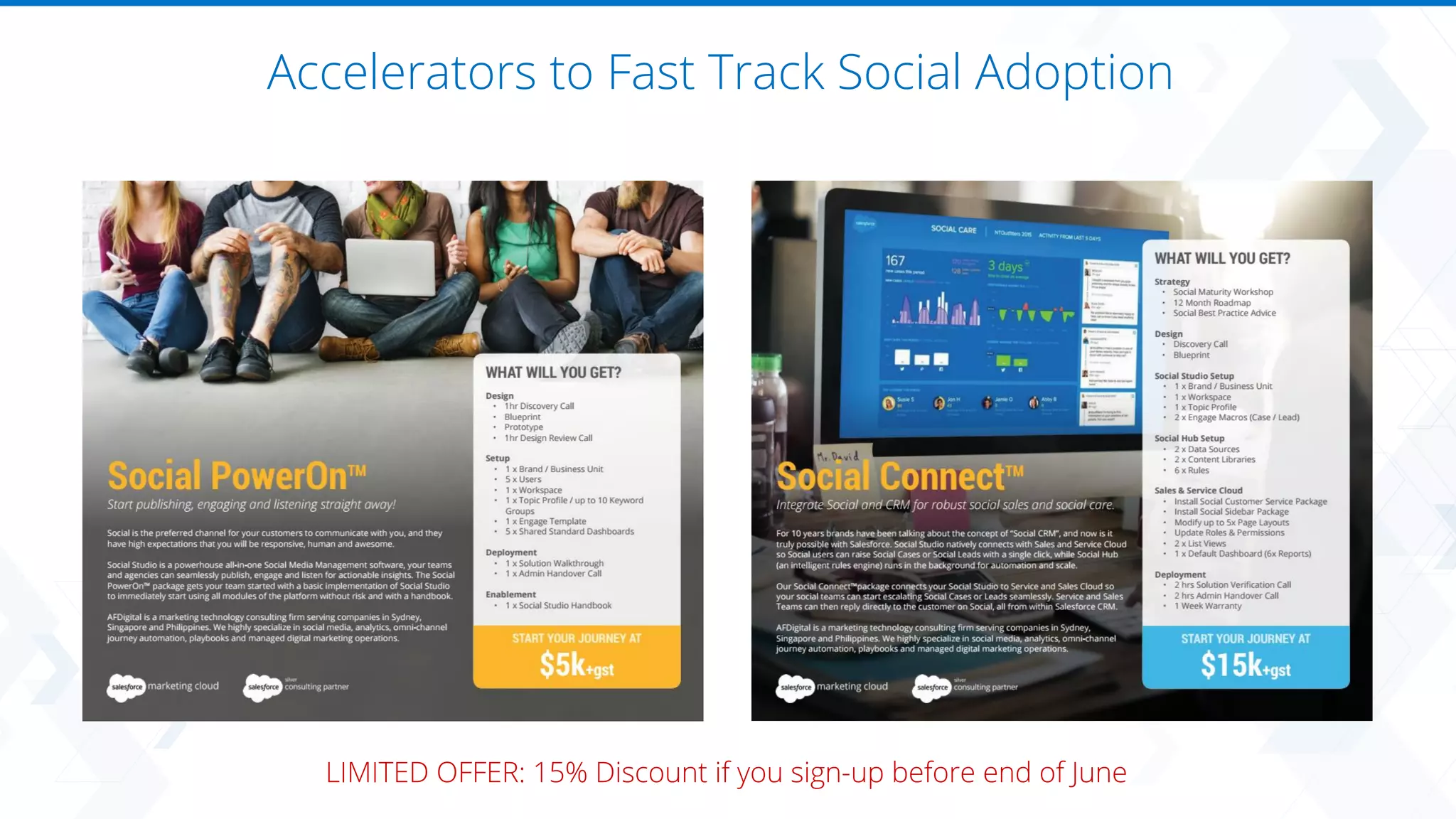
Accelerators to Fast Track Social Adoption
LIMITED OFFER: 15% Discount if you sign-up before end of June
About the Client:
Hipages is a crowdsourcing app
that helps people find certified
Tradies to do odd jobs around
the home.
Problem:
Hipages believe that social is a
key strategic channel for both
Sales and Service, however they
were only using native social
pages, and had trouble keeping
track of cases and sales through
email.
Social Sales & Service for Marketplace
What we did?
AFDigital worked closely with hipages to setup Social Studio for their marketing teams, and
also connect it with Sales Cloud and Service Cloud to enable Social Leads and Social Cases.
The solution enables the manual escalation of Social Cases and Leads from Social Studio, as
well as the automated creation based on keywords using Social Hub intelligent rules engine.
The project kicked off 5 days after the contract was signed, and was deployed successfully and
on time exactly 2 weeks after kick-off.
Success Story
Social
Studio
Social
Customer
Service
Social Leads
Accelerators: Install, Integrate, Automate and Operate
PowerOn
From $5,000
Connect
From $10,000
Cadence
From $5,000/mo
TeamX
From $10,000/mo
Implementation
1-2 Weeks
Integration
2 Weeks
Marketing Ops
Managed Services
Dedicated Resources
“Team Extension” Staffing
Social
Email
Content
Reporting
Automation
Advertising
Install, Integrate and Automate Operate
JourneyX
From $10,000
Automation
2 Weeks
Agenda
​
1. Introduction: 5 mins
2. ProTips: 40 mins
3. Q&A: 15 mins
@robin_afd
Robin Leonard
Q&A
(15 mins)
Contact us for a Quote today!
+61 2 8046 6998
www.afdigital.com.au
L35 Barangaroo Tower One
Sydney, New South Wales

Social Media #ProTips with Salesforce

  • 1.
    Build a SmarterCustomer Journey Social #ProTips 4 June 2017 Version 1.0 Robin Leonard CEO & Co-Founder @robin_afd with
  • 2.
    Agenda ​ 1. Introduction: 5mins 2. ProTips: 40 mins 3. Q&A: 15 mins @robin_afd Robin Leonard
  • 3.
    Robin Leonard Co-Founder &CEO AFDigital ● Ex-Customer Service Agent ● Telco Business Analyst ● Deep CRM and BI experience ● IBM Agile PM ● Passionately geeky Founded AFDigital in 2011 Radian6 Partner in 2012 Spent last 6 years helping large companies adopt social at scale with the latest technology. @robin_afd
  • 4.
    Trusted by HouseholdBrands across APAC Australia + NZ Singapore + ASEAN Philippines Global Delivery Center
  • 5.
    We are aTech-Enabled Full Service Digital Agency Social Management Publishing, engagement and analytics. Email Marketing Responsive and relevant email marketing. Content Marketing Blog, Social and Web Content. Reporting & Insights Enable data-driven agile decision making. Marketing Automation Build a smarter 1:1 customer journey. 1:1 Advertising Target individuals with relevant ads using CRM data
  • 6.
    Agenda ​ 1. Introduction: 5mins 2. ProTips: 40 mins 3. Q&A: 15 mins @robin_afd Robin Leonard
  • 7.
    Safeharbor ​ Statement under thePrivate Securities Litigation Reform Act of 1995: This presentation may contain forward-looking statements that involve risks, uncertainties, and assumptions. If any such uncertainties materialize or if any of the assumptions proves incorrect, the results of salesforce.com, inc. could differ materially from the results expressed or implied by the forward-looking statements we make. All statements other than statements of historical fact could be deemed forward-looking, including any projections of product or service availability, subscriber growth, earnings, revenues, or other financial items and any statements regarding strategies or plans of management for future operations, statements of belief, any statements concerning new, planned, or upgraded services or technology developments and customer contracts or use of our services. The risks and uncertainties referred to above include – but are not limited to – risks associated with developing and delivering new functionality for our service, new products and services, our new business model, our past operating losses, possible fluctuations in our operating results and rate of growth, interruptions or delays in our Web hosting, breach of our security measures, the outcome of any litigation, risks associated with completed and any possible mergers and acquisitions, the immature market in which we operate, our relatively limited operating history, our ability to expand, retain, and motivate our employees and manage our growth, new releases of our service and successful customer deployment, our limited history reselling non-salesforce.com products, and utilization and selling to larger enterprise customers. Further information on potential factors that could affect the financial results of salesforce.com, inc. is included in our annual report on Form 10-K for the most recent fiscal year and in our quarterly report on Form 10-Q for the most recent fiscal quarter. These documents and others containing important disclosures are available on the SEC Filings section of the Investor Information section of our Web site. Any unreleased services or features referenced in this or other presentations, press releases or public statements are not currently available and may not be delivered on time or at all. Customers who purchase our services should make the purchase decisions based upon features that are currently available. Salesforce.com, inc. assumes no obligation and does not intend to update these forward-looking statements.
  • 8.
    Analyze Listen to yourcustomers, gain insights and track performance across global brands Engage Connect with customers and prospects at scale to nurture community and provide customer service Publish Plan, collaborate and execute social campaigns across teams, brands and geographies Command Center Drive digital awareness across the entire enterprise Automation & Intelligence 3RD PARTY APPLICATIONS The Salesforce Social Eco-System
  • 9.
  • 10.
    #ProTip 1: Don’toverthink workspaces Built for Enterprise/Agencies, most companies are simple. 1. Use 1x workspace per brand / set of social accounts 2. Don’t allow users to create or edit Workspaces Each workspace = administration effort
  • 11.
    #ProTip 2: Squeezeyour content Content is a tangible asset, practice re-cycling intentionally. 1. Regularly review best performing content 2. Content team saves time and can re-use content 3. Plan and control global campaigns
  • 12.
    #ProTip 3: Throwout your content spreadsheets The key is to use drafts and comments and only use approvals at the end. 1. Build your calendar in Draft 2. Review as a team in the app - add comments until everybody is ok 3. Schedule post for publishing 4. Trigger approval rule 5. Approver does final check and approves
  • 13.
    #ProTip 4: Segmentyour content with Publish Labels Get Campaign stats! Tag, filter and manage a specific campaign or content theme. 1. Setup a Publish Macro e.g. “Campaign” 2. Filter using the Publish Macro in a. Calendar b. Performance (Reports) c. Shared Content 3. Download CSV
  • 14.
    #ProTip 5: EngagementWorkflow & Reporting Engage 1. Build an Engage Template a. Facebook Wall b. Facebook Messenger c. Twitter Listening d. Twitter @Mentions e. Twitter DMs f. Instagram Listening g. Instagram Comments h. My Tasks Listening i. My Tasks Social Pages 2. Setup Engage Macros a. No Action b. Complaint c. Compliment d. Feedback e. Recruitment f. Staff g. Product (X) h. Campaign (X) i. Service (X) 3. Tag and close every post 4. Setup Custom Dashboard that focuses on Engage metrics
  • 15.
    #ProTip 5: EngagementWorkflow & Reporting 1. Build an Engage Template a. Facebook Wall b. Facebook Messenger c. Twitter Listening d. Twitter @Mentions e. Twitter DMs f. Instagram Listening g. Instagram Comments h. My Tasks Listening i. My Tasks Social Pages 2. Setup Engage Macros a. No Action b. Complaint c. Compliment d. Feedback e. Recruitment f. Staff g. Product (X) h. Campaign (X) i. Service (X) 3. Tag and close every post 4. Setup Custom Dashboard that focuses on Engage metrics Analyze
  • 16.
    #ProTip 6: EnableSocial Cases, Leads & Journeys Create a Social Case in Service Cloud Trigger a Social Journey In Marketing Cloud (Add Social Persona to Ad Audience & Journey) Create a Social Lead In Sales Cloud Manual: Social Studio Engage Macro Automated: Social Hub Rules All of these solutions require integration into CRM, configuration and testing. We recommend seeking expert advice before trying this.
  • 17.
    #ProTip 7: Dashboardsfor Days Gone are the days when you need a tech team to build beautiful dashboards. Analyze > Dashboards > Create New > Blank Dashboard Template Some great Dashboard ideas: - Product Dashboard - Service Dashboard - Social Engagement Dashboard - Social Page Dashboard - Competitor Dashboard - Industry Dashboard
  • 18.
    #ProTip 8: Dashboardsvs. Workbenches Duplicate monthly custom dashboard reports every month and share. Use Workbenches to drill down and perform macro / micro / campaign / crisis analysis. Dashboards (understanding the what) Workbenches (understanding the why)
  • 19.
    #ProTip 9: IntegrateSocial with your BI Platform https://resources.docs.salesforce.com/208/latest/en-us/sfdc/pdf/api_social.pdf Pull data into your BI tool and compare social sentiment with revenue and sales data
  • 20.
    #ProTip 10: Automateyour Tagging with Social Hub Setup Post / Author tagging rules Social Hub: Data Source + Rule + Content Library View Labels in Engage and Analyze social hub
  • 21.
    #ProTip 11: CrisisNotifications Set Email Crisis thresholds in Social Hub (NEW-ish FEATURE) social hub >300% the 7 day average?
  • 22.
    #ProTip 12: SalesforceLiveMessage New Salesforce acquisition! SMS and Chat direct sync with Service Cloud Talk to your Account Executive it’s a new license.
  • 23.
    #ProTip 13: LightningService Console Brand new and damn sexy. Social is becoming more integrated. Wizard for social setup available for Pro licenses (new release!)
  • 24.
    #ProTip 14: SocialSidebar add-on Give your Social Agent context on previous social cases and interactions. Link to install package: https://ap4.lightning.force.com/packagingSetupUI/ ipLanding.app?apvId=04t36000000zrDz
  • 25.
    #ProTip 15: Milestonesto track KPIs Be consistent with KPI tracking across all Service Cloud channels.
  • 26.
    #ProTip 16: CommandCentrecommand center Don’t overthink the Command Center or the ROI. It’s all about adoption.
  • 27.
    This is aFacebook Lead Ad #ProTip 17: CRM Targeted Social Ads
  • 28.
    #ProTip 17: CRMTargeted Social Ads Now it’s easy to target CRM contacts with social advertising automatically. What does this unlock? Picked a100 CRM contacts Plus 500 Look-a-Likes
  • 29.
    #ProTip 18: SocialAdvertising Look-a-Like Loop Advertising Studio Campaign 1: Existing Cust Look-a-like Campaign 2: New Leads Look-a-like Facebook Leads Facebook Lead Ad 1. Existing Customer Look-a-Like 2. New Lead Look-a-LikesMarketing Cloud Connector - Sync Salesforce CRM with Marketing Cloud - Ad Audiences refreshed daily 3. It keeps acquiring similar leads.
  • 30.
    Summer 17’ SocialRelease Features https://releasenotes.docs.salesforce.com/en-us/summ er17/release-notes/rn_social_customer_service.htm Robin’s Release Notes: 1. AI for everybody 2. Lightning Console 3. Lightning Service Setup Wizard 4. Deeper integration between Social, Sales, Marketing and Service trailhead.salesforce.com/trails/sf_release_prep
  • 31.
    Accelerators to FastTrack Social Adoption LIMITED OFFER: 15% Discount if you sign-up before end of June
  • 32.
    About the Client: Hipagesis a crowdsourcing app that helps people find certified Tradies to do odd jobs around the home. Problem: Hipages believe that social is a key strategic channel for both Sales and Service, however they were only using native social pages, and had trouble keeping track of cases and sales through email. Social Sales & Service for Marketplace What we did? AFDigital worked closely with hipages to setup Social Studio for their marketing teams, and also connect it with Sales Cloud and Service Cloud to enable Social Leads and Social Cases. The solution enables the manual escalation of Social Cases and Leads from Social Studio, as well as the automated creation based on keywords using Social Hub intelligent rules engine. The project kicked off 5 days after the contract was signed, and was deployed successfully and on time exactly 2 weeks after kick-off. Success Story Social Studio Social Customer Service Social Leads
  • 33.
    Accelerators: Install, Integrate,Automate and Operate PowerOn From $5,000 Connect From $10,000 Cadence From $5,000/mo TeamX From $10,000/mo Implementation 1-2 Weeks Integration 2 Weeks Marketing Ops Managed Services Dedicated Resources “Team Extension” Staffing Social Email Content Reporting Automation Advertising Install, Integrate and Automate Operate JourneyX From $10,000 Automation 2 Weeks
  • 34.
    Agenda ​ 1. Introduction: 5mins 2. ProTips: 40 mins 3. Q&A: 15 mins @robin_afd Robin Leonard
  • 35.
  • 36.
    Contact us fora Quote today! +61 2 8046 6998 www.afdigital.com.au L35 Barangaroo Tower One Sydney, New South Wales