Social media
opportunities
The ubiquitous PowerPoint presentation...
Joel Lumsden – Attacat
What is social media?
• Can you define it?
• Where does it begin and end?
• What constitutes social media? Does a blog?
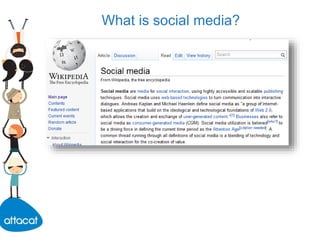
What is social media?
Whatever the platform, social media is about:
• Conversation
• Engagement
• Great content
It’s not about direct marketing – “pull not push”
Long-term developments – building your brand
prestige etc.
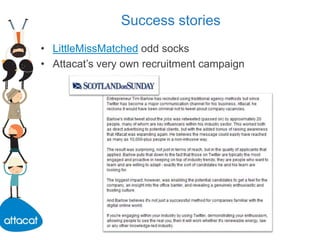
Success stories
• LittleMissMatched odd socks
• Attacat’s very own recruitment campaign
Blogging
• Seth Godin and Tom Peters discussing blogging:
“No single thing in the last 15 years has been more
important to my professional life. Blogging is the
best marketing tool bar none.”
Tom Peters
Why blog?
• Trust – brand and personal
• Humanises the organisation
• Promote yourself as an industry expert – comment
on articles etc.
• Interactive elements
• Telling stories and engaging in conversation
• SEO benefits – great, fresh, deep content
Why blog?
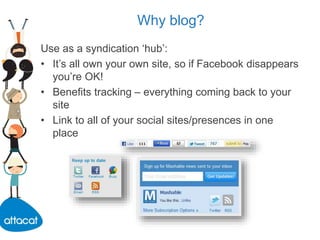
Use as a syndication ‘hub’:
• It’s all own your own site, so if Facebook disappears
you’re OK!
• Benefits tracking – everything coming back to your
site
• Link to all of your social sites/presences in one
place
Tips
The best ways to be successful:
• Differentiate yourself and your business
• Target an achievable niche and become the expert
• Generate great content
Tracking and analytics
• Google Analytics on your blog
• Start tagging up your campaigns
• URL shorteners
• Facebook page insights
Why Facebook?
• Huge user base
• Public, searchable presence for your business
• Links to your website
• Keep connected to your customers
• It’s pushed out to a wider audience – interaction is
published in activity streams of fans
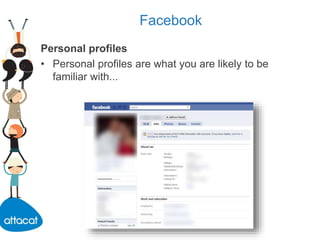
Facebook
Personal profiles
• Personal profiles are what you are likely to be
familiar with...
Facebook personal profiles
• With a personal profile you can make ‘friends’ with
other personal profiles and people on Facebook.
• If you are not a ‘friend’ of a personal profile you will
usually see restricted information.
Facebook company pages
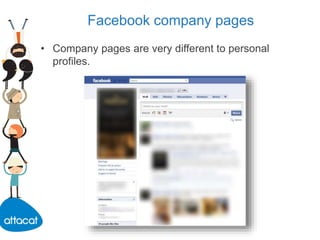
• Company pages are very different to personal
profiles.
Facebook company pages
• Company pages are always fully visible once
published – the content on the page is not restricted
and you do not have to be a ‘friend’ to access it.
• It is against Facebook guidelines to use a personal
profile as a business presence, and if you do the
account can be terminated at any point. It is
therefore necessary to set up a company page.
Facebook company pages
Likes of a page
• It is not possible to befriend a page; instead you
‘like’.
• ‘Like’ to see that page’s posts and updates as if they
were a friend.
• One-way, immediate – no need to confirm the ‘like’.
• Page largely cannot directly communicate with
‘likers’ – all through updates and the wall.
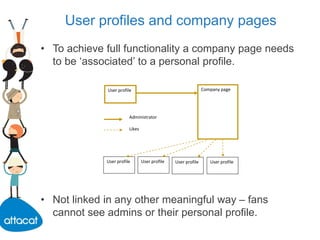
User profiles and company pages
• To achieve full functionality a company page needs
to be ‘associated’ to a personal profile.
• Not linked in any other meaningful way – fans
cannot see admins or their personal profile.
Company page
User profileUser profile User profile User profile
User profile
Administrator
Likes
Create a company page
• When signed into a personal profile, visit
www.facebook.com/pages and click the ‘create
page’ button.
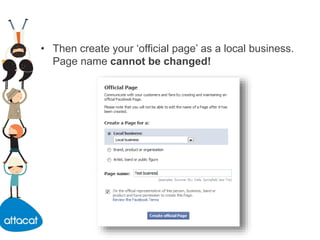
• Then create your ‘official page’ as a local business.
Page name cannot be changed!
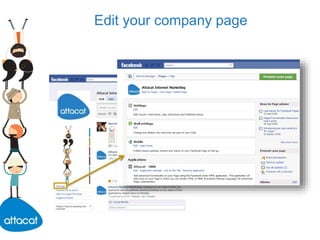
Edit your company page
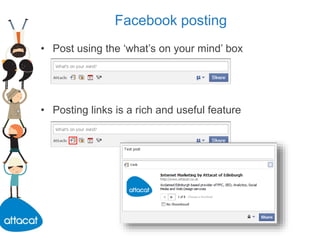
Facebook posting
• Post using the ‘what’s on your mind’ box
• Posting links is a rich and useful feature
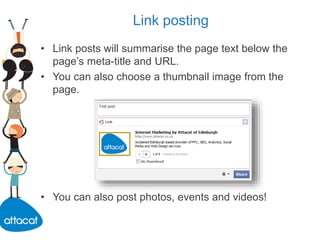
Link posting
• Link posts will summarise the page text below the
page’s meta-title and URL.
• You can also choose a thumbnail image from the
page.
• You can also post photos, events and videos!
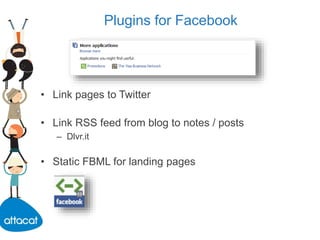
Plugins for Facebook
• Link pages to Twitter
• Link RSS feed from blog to notes / posts
– Dlvr.it
• Static FBML for landing pages
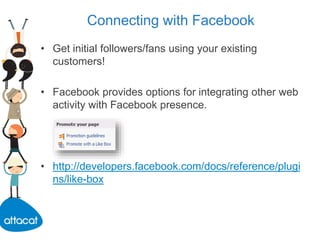
Connecting with Facebook
• Get initial followers/fans using your existing
customers!
• Facebook provides options for integrating other web
activity with Facebook presence.
• http://developers.facebook.com/docs/reference/plugi
ns/like-box
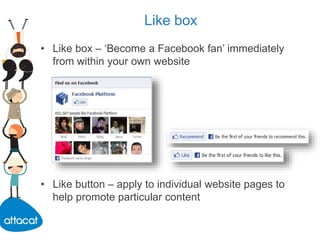
Like box
• Like box – ‘Become a Facebook fan’ immediately
from within your own website
• Like button – apply to individual website pages to
help promote particular content
Custom URL
• Once a page acquires 25 fans it will be eligible to
claim a username at facebook.com/username.
• Cleaner, shortened URL.
Why Twitter?
• Communication
• Telling stories and engaging in conversation
• Trust – brand and personal
• Humanises the organisation
• Promote yourself as an industry expert – comment
on articles etc
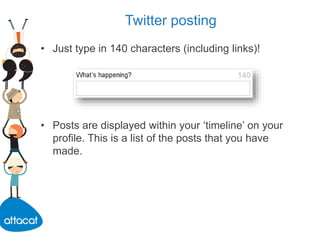
Twitter posting
• Just type in 140 characters (including links)!
• Posts are displayed within your ‘timeline’ on your
profile. This is a list of the posts that you have
made.
Reply, retweet, message
Reply:
• Not only be shown in your timeline, but will be
highlighted to the user replied to. This encourages
engagement and interaction.
@username
Retweet:
• Repost another user’s post to the people who are
following you.
RT @username
Reply, retweet, message
Message:
• Messaging will send a private direct message to the
desired recipient; will not show up in timelines.
Hashtags:
• Text elements added to posts to indicate they are
about a particular subject. Often spread quickly in
Twitter.
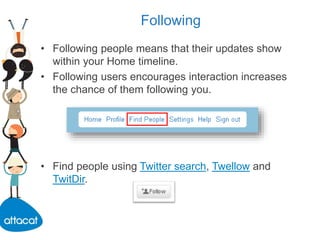
Following
• Following people means that their updates show
within your Home timeline.
• Following users encourages interaction increases
the chance of them following you.
• Find people using Twitter search, Twellow and
TwitDir.
Tweet shortening
• To save space in tweets links are shortened.
• Using shortening services like bit.ly you can track a
tweet’s ‘reach’ and popularity.
• Twitter client dashboards also have integrated
shorteners.
Why LinkedIn?
• LinkedIn is a professional social network – consider
it an online business-to-business networking space.
• Great way to keep in contact with colleagues and
associates and promote your company.
Why LinkedIn?
• Stay in the minds of your contacts and customers
• Recruit
• Keep your friends close and your competition closer
• Convince potential customers of your expertise by
sharing unique content
• Network with peers in your industry for repeat
business referrals
• Win new business by answering questions in your
area of expertise
• Tap into the experience and knowledge of your
‘peers’ - crowdsourcing
Why LinkedIn?
• Build your industry network
• Find the right vendors to outsource services on
which you’re not an expert
• Keep in touch with people who care most about your
business
• Acquire new customers through online
recommendations and word of mouth
• Promote events
LinkedIn
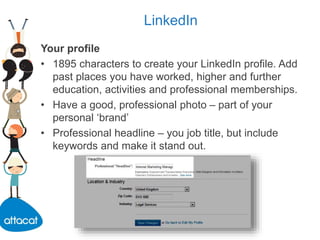
Your profile
• 1895 characters to create your LinkedIn profile. Add
past places you have worked, higher and further
education, activities and professional memberships.
• Have a good, professional photo – part of your
personal ‘brand’
• Professional headline – you job title, but include
keywords and make it stand out.
What can I do?
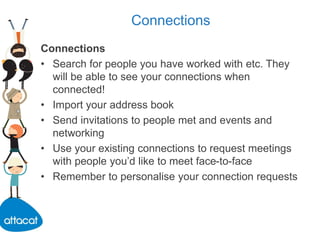
Your activity
• Update your profile with your activity, keep
occasional and important.
Get recommendations
• Case studies for your business.
• Recommend those you’ve worked with.
Connections
Connections
• Search for people you have worked with etc. They
will be able to see your connections when
connected!
• Import your address book
• Send invitations to people met and events and
networking
• Use your existing connections to request meetings
with people you’d like to meet face-to-face
• Remember to personalise your connection requests
Groups
Groups
• Join to extend your range of targeted networks and
contacts within LinkedIn.
• Professional bodies
• Monitor the activity of competitors?
• Set up your own group?
• Engage: Q&As, influence as an industry expert
Business pages
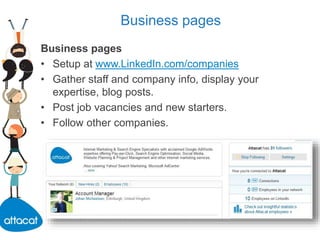
Business pages
• Setup at www.LinkedIn.com/companies
• Gather staff and company info, display your
expertise, blog posts.
• Post job vacancies and new starters.
• Follow other companies.
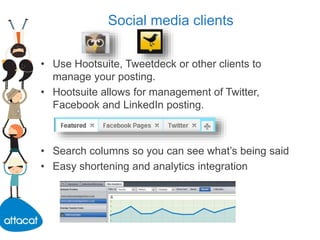
Social media clients
• Use Hootsuite, Tweetdeck or other clients to
manage your posting.
• Hootsuite allows for management of Twitter,
Facebook and LinkedIn posting.
• Search columns so you can see what’s being said
• Easy shortening and analytics integration
Posting tips
• Establish guidelines on what content can be posted
on a consistent basis.
• Define a publishing schedule for content. Vary
update types (status update, links, photos).
• Remember most interaction and comments from
users happen within a day of posting.
• Use Hootsuite or TweetDeck to manage your
posting across multiple social media platforms.
Posting tips
• Represent the personality of your brand; sound
human.
• Get involved with the community – get to know
followers, share your passion without sales pitches.
• Share content posted by others to encourage
interaction, good will and follows.
• Negative comments? Build a community to defend
your brand.
• Encourage users to become fans/followers with
incentives.

Social media guide

  • 1.
    Social media opportunities The ubiquitousPowerPoint presentation... Joel Lumsden – Attacat
  • 2.
    What is socialmedia? • Can you define it? • Where does it begin and end? • What constitutes social media? Does a blog?
  • 3.
  • 4.
    What is socialmedia? Whatever the platform, social media is about: • Conversation • Engagement • Great content It’s not about direct marketing – “pull not push” Long-term developments – building your brand prestige etc.
  • 5.
    Success stories • LittleMissMatchedodd socks • Attacat’s very own recruitment campaign
  • 6.
    Blogging • Seth Godinand Tom Peters discussing blogging: “No single thing in the last 15 years has been more important to my professional life. Blogging is the best marketing tool bar none.” Tom Peters
  • 7.
    Why blog? • Trust– brand and personal • Humanises the organisation • Promote yourself as an industry expert – comment on articles etc. • Interactive elements • Telling stories and engaging in conversation • SEO benefits – great, fresh, deep content
  • 8.
    Why blog? Use asa syndication ‘hub’: • It’s all own your own site, so if Facebook disappears you’re OK! • Benefits tracking – everything coming back to your site • Link to all of your social sites/presences in one place
  • 9.
    Tips The best waysto be successful: • Differentiate yourself and your business • Target an achievable niche and become the expert • Generate great content
  • 10.
    Tracking and analytics •Google Analytics on your blog • Start tagging up your campaigns • URL shorteners • Facebook page insights
  • 11.
    Why Facebook? • Hugeuser base • Public, searchable presence for your business • Links to your website • Keep connected to your customers • It’s pushed out to a wider audience – interaction is published in activity streams of fans
  • 12.
    Facebook Personal profiles • Personalprofiles are what you are likely to be familiar with...
  • 13.
    Facebook personal profiles •With a personal profile you can make ‘friends’ with other personal profiles and people on Facebook. • If you are not a ‘friend’ of a personal profile you will usually see restricted information.
  • 14.
    Facebook company pages •Company pages are very different to personal profiles.
  • 15.
    Facebook company pages •Company pages are always fully visible once published – the content on the page is not restricted and you do not have to be a ‘friend’ to access it. • It is against Facebook guidelines to use a personal profile as a business presence, and if you do the account can be terminated at any point. It is therefore necessary to set up a company page.
  • 16.
    Facebook company pages Likesof a page • It is not possible to befriend a page; instead you ‘like’. • ‘Like’ to see that page’s posts and updates as if they were a friend. • One-way, immediate – no need to confirm the ‘like’. • Page largely cannot directly communicate with ‘likers’ – all through updates and the wall.
  • 17.
    User profiles andcompany pages • To achieve full functionality a company page needs to be ‘associated’ to a personal profile. • Not linked in any other meaningful way – fans cannot see admins or their personal profile. Company page User profileUser profile User profile User profile User profile Administrator Likes
  • 18.
    Create a companypage • When signed into a personal profile, visit www.facebook.com/pages and click the ‘create page’ button.
  • 19.
    • Then createyour ‘official page’ as a local business. Page name cannot be changed!
  • 20.
  • 21.
    Facebook posting • Postusing the ‘what’s on your mind’ box • Posting links is a rich and useful feature
  • 22.
    Link posting • Linkposts will summarise the page text below the page’s meta-title and URL. • You can also choose a thumbnail image from the page. • You can also post photos, events and videos!
  • 23.
    Plugins for Facebook •Link pages to Twitter • Link RSS feed from blog to notes / posts – Dlvr.it • Static FBML for landing pages
  • 24.
    Connecting with Facebook •Get initial followers/fans using your existing customers! • Facebook provides options for integrating other web activity with Facebook presence. • http://developers.facebook.com/docs/reference/plugi ns/like-box
  • 25.
    Like box • Likebox – ‘Become a Facebook fan’ immediately from within your own website • Like button – apply to individual website pages to help promote particular content
  • 26.
    Custom URL • Oncea page acquires 25 fans it will be eligible to claim a username at facebook.com/username. • Cleaner, shortened URL.
  • 27.
    Why Twitter? • Communication •Telling stories and engaging in conversation • Trust – brand and personal • Humanises the organisation • Promote yourself as an industry expert – comment on articles etc
  • 28.
    Twitter posting • Justtype in 140 characters (including links)! • Posts are displayed within your ‘timeline’ on your profile. This is a list of the posts that you have made.
  • 29.
    Reply, retweet, message Reply: •Not only be shown in your timeline, but will be highlighted to the user replied to. This encourages engagement and interaction. @username Retweet: • Repost another user’s post to the people who are following you. RT @username
  • 30.
    Reply, retweet, message Message: •Messaging will send a private direct message to the desired recipient; will not show up in timelines. Hashtags: • Text elements added to posts to indicate they are about a particular subject. Often spread quickly in Twitter.
  • 31.
    Following • Following peoplemeans that their updates show within your Home timeline. • Following users encourages interaction increases the chance of them following you. • Find people using Twitter search, Twellow and TwitDir.
  • 32.
    Tweet shortening • Tosave space in tweets links are shortened. • Using shortening services like bit.ly you can track a tweet’s ‘reach’ and popularity. • Twitter client dashboards also have integrated shorteners.
  • 33.
    Why LinkedIn? • LinkedInis a professional social network – consider it an online business-to-business networking space. • Great way to keep in contact with colleagues and associates and promote your company.
  • 34.
    Why LinkedIn? • Stayin the minds of your contacts and customers • Recruit • Keep your friends close and your competition closer • Convince potential customers of your expertise by sharing unique content • Network with peers in your industry for repeat business referrals • Win new business by answering questions in your area of expertise • Tap into the experience and knowledge of your ‘peers’ - crowdsourcing
  • 35.
    Why LinkedIn? • Buildyour industry network • Find the right vendors to outsource services on which you’re not an expert • Keep in touch with people who care most about your business • Acquire new customers through online recommendations and word of mouth • Promote events
  • 36.
    LinkedIn Your profile • 1895characters to create your LinkedIn profile. Add past places you have worked, higher and further education, activities and professional memberships. • Have a good, professional photo – part of your personal ‘brand’ • Professional headline – you job title, but include keywords and make it stand out.
  • 37.
    What can Ido? Your activity • Update your profile with your activity, keep occasional and important. Get recommendations • Case studies for your business. • Recommend those you’ve worked with.
  • 38.
    Connections Connections • Search forpeople you have worked with etc. They will be able to see your connections when connected! • Import your address book • Send invitations to people met and events and networking • Use your existing connections to request meetings with people you’d like to meet face-to-face • Remember to personalise your connection requests
  • 39.
    Groups Groups • Join toextend your range of targeted networks and contacts within LinkedIn. • Professional bodies • Monitor the activity of competitors? • Set up your own group? • Engage: Q&As, influence as an industry expert
  • 40.
    Business pages Business pages •Setup at www.LinkedIn.com/companies • Gather staff and company info, display your expertise, blog posts. • Post job vacancies and new starters. • Follow other companies.
  • 41.
    Social media clients •Use Hootsuite, Tweetdeck or other clients to manage your posting. • Hootsuite allows for management of Twitter, Facebook and LinkedIn posting. • Search columns so you can see what’s being said • Easy shortening and analytics integration
  • 42.
    Posting tips • Establishguidelines on what content can be posted on a consistent basis. • Define a publishing schedule for content. Vary update types (status update, links, photos). • Remember most interaction and comments from users happen within a day of posting. • Use Hootsuite or TweetDeck to manage your posting across multiple social media platforms.
  • 43.
    Posting tips • Representthe personality of your brand; sound human. • Get involved with the community – get to know followers, share your passion without sales pitches. • Share content posted by others to encourage interaction, good will and follows. • Negative comments? Build a community to defend your brand. • Encourage users to become fans/followers with incentives.