
 Drives Traffic – engaging content encourages linking
 Reputation Management – a great listening tool
 Brand Recognition
 Blended Results – your content on other sites gets ranked,
 other content types appear in Search Engine Results
 You must be willing and able to engage
 Requires constant attention and interaction
 Honest / Authentic message
 Conversation not Conversion
 Interacting not Advertising
 Don’t Spam
 Be Respectful & Friendly
 It’s OK to be a “Real” Person
 Provide Quality Content – The purpose of these sites
  is to share relevant content.
 You’re there to establish a relationship, not just to
  make a sales pitch.
 Social Media Policy – many companies are
  implementing these now.
 Use your “What if my mother saw this?” filter
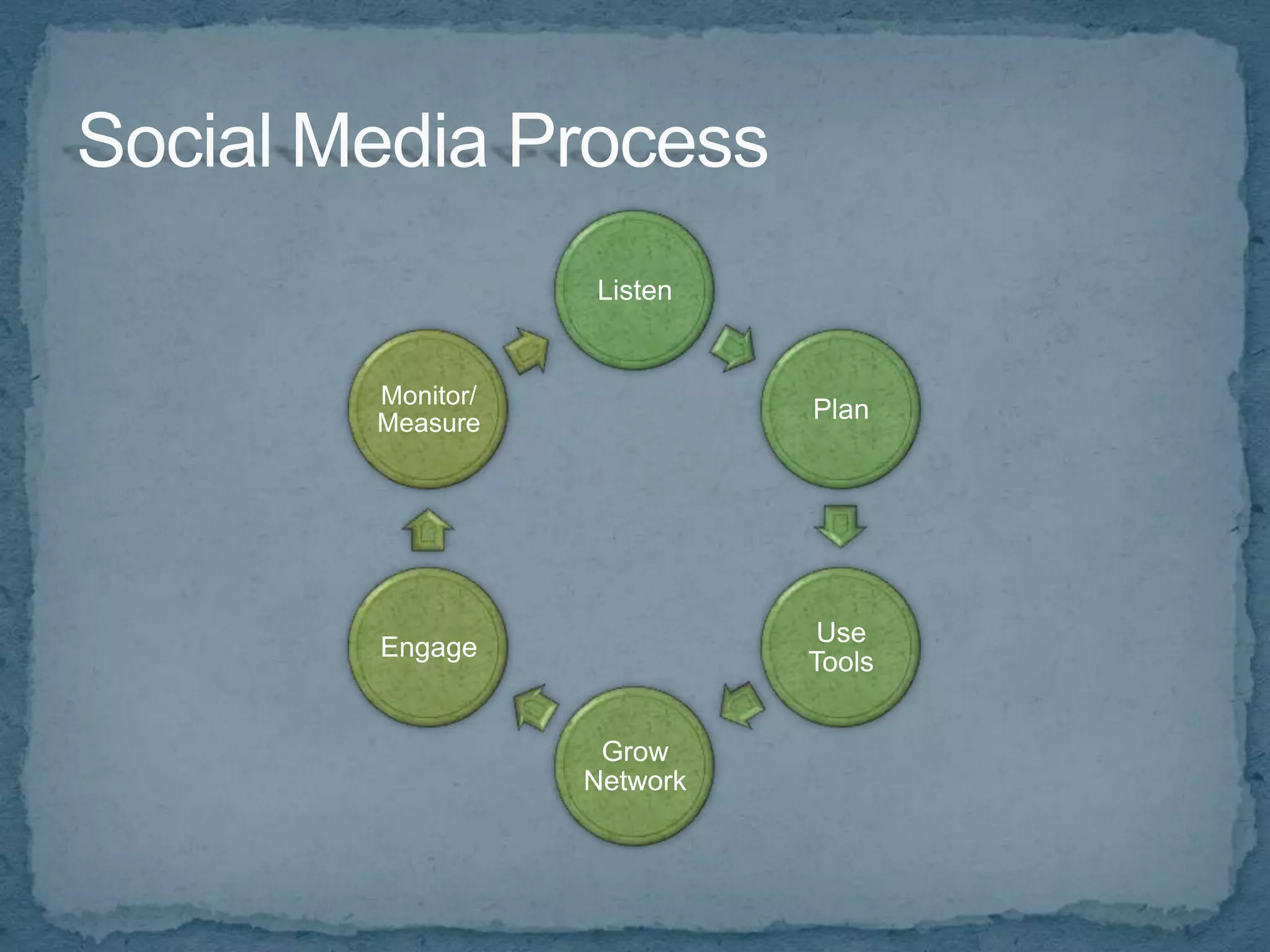
Listen


Monitor/
Measure              Plan


                      Use
Engage
                     Tools


            Grow
           Network
Useful Research Sites and Tools
 WhosTalkin.com
 SocialMention.com
 Technorati.com
 blogsearch.google.com
 BoardReader.com
 search.Twitter.com
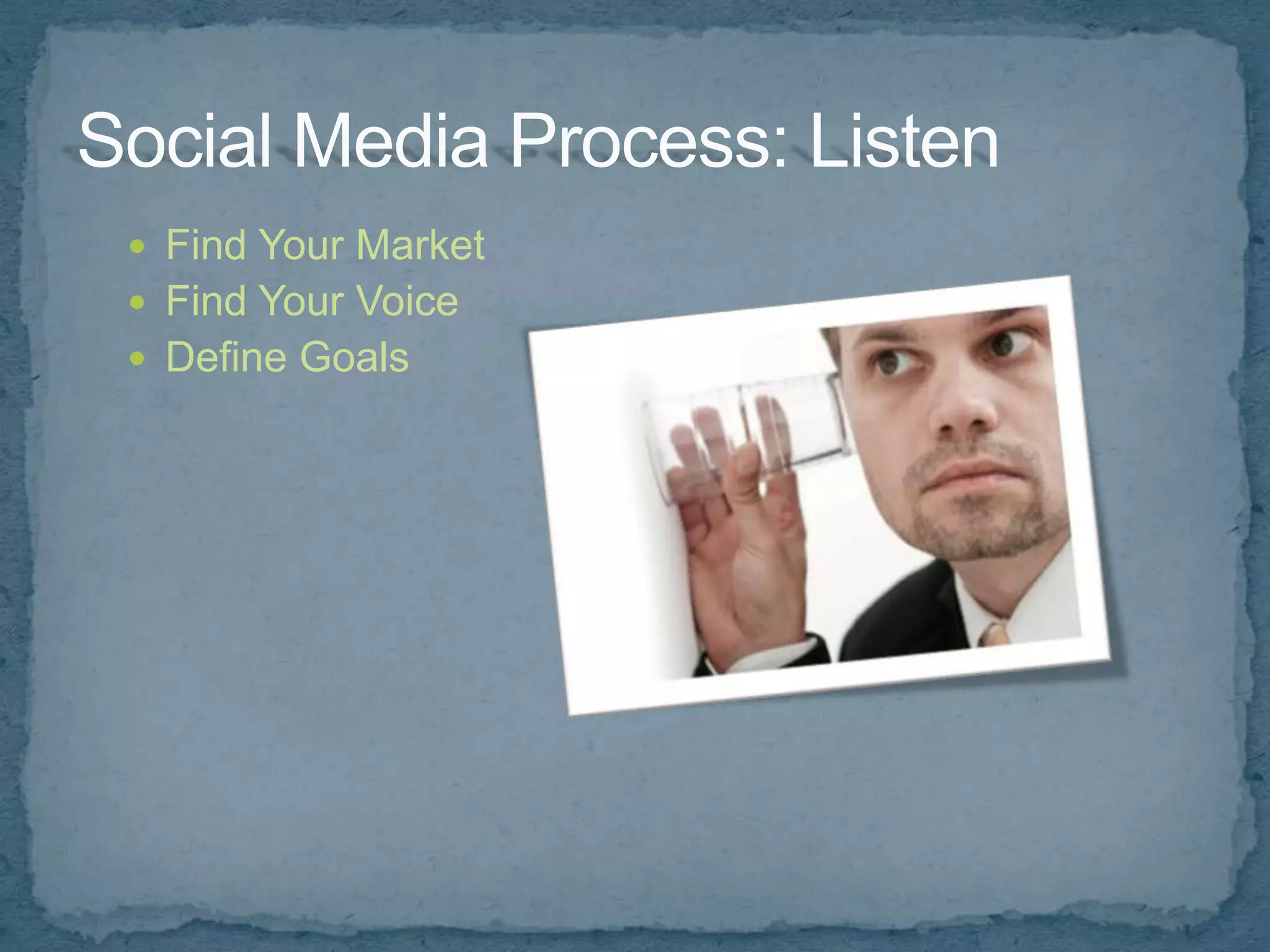
 Find Your Market
 Find Your Voice
 Define Goals
 Find Your Market What are they saying about:
    Your brand
    Services in general
    The industry
    Your competition
    Their problems, complaints
    Their hopes, dreams, what makes them happy
 Find Your Voice
 Define Goals
 Find Your Market
 Find Your Voice
    Humor
    Controversy
    Information
    Educational
 Define Goals
 Find Your Market
 Find Your Voice
 Define Goals
    Improve reputation
    Increase visits/traffic
    Increase leads
    Generate awareness
    Build relationships
    Build trust
    Focus groups
    Combat negative comments
    Customer service
 Focus on goals
 Who and How Often: Schedule
 Join Conversation First, Then Convert Them
 Who?
    One or more people?
    Who will it come from?
    Who will be the admin?
    Use internal resources
 How often?
    Set a schedule and stick to it
    What is natural?
    93% of marketers use social
     media, 58% 6 hours or more
    Twitter Tools
      Sendible.com
      HootSuite.com
    Facebook Tools
      Socialoomph.com
      sendible.com
 Features
    Know the basic commands (hashtag, retweet, like, etc.)
    Create custom apps
    Hide time wasting apps
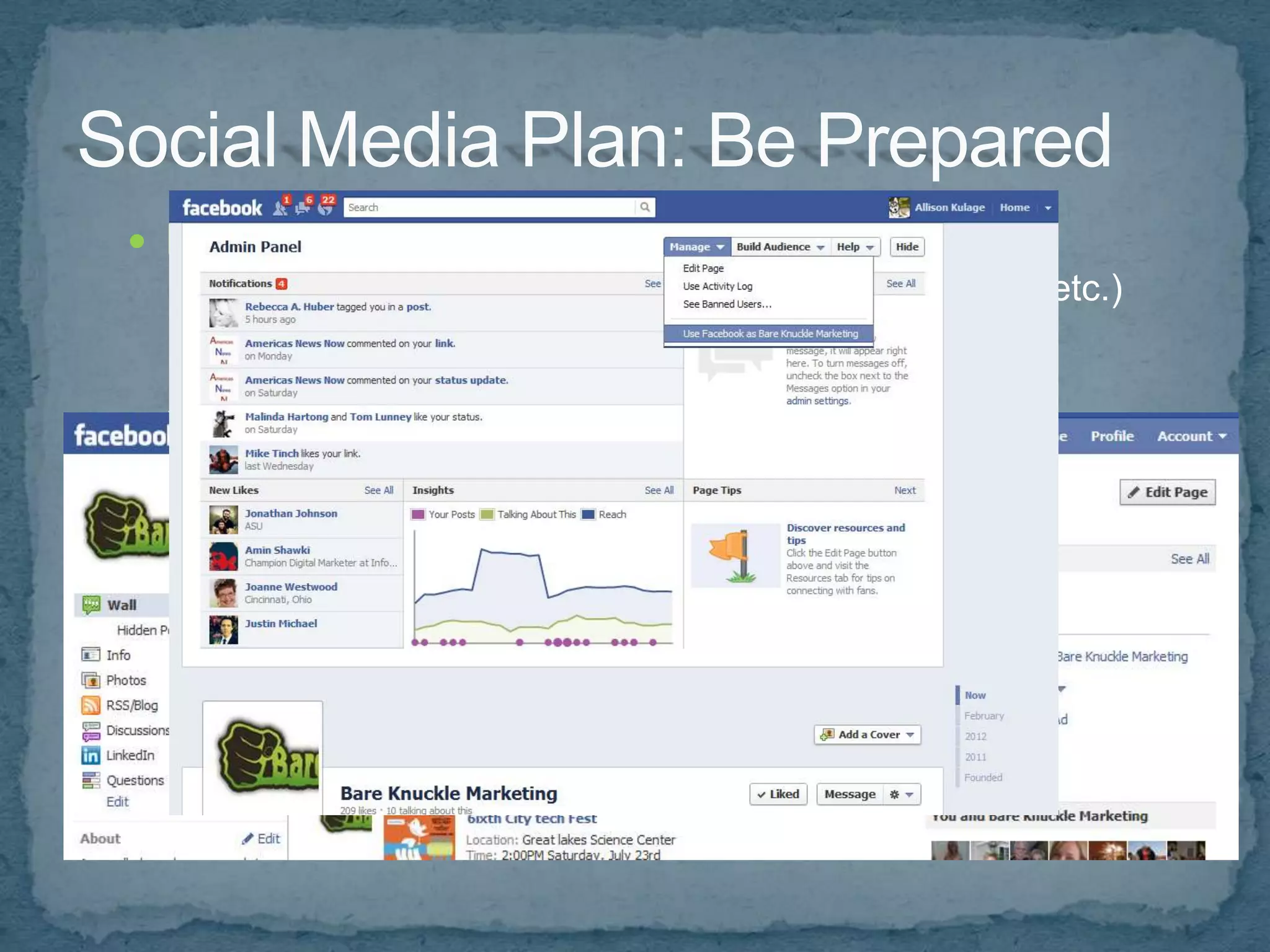
 Know how to login, post updates, act as PAGE
 Best Practices
    Don't spam
    Create social media policy (rules and ethics)
    Don't retweet too much
    Remember to use keywords
    Create content that is useful
    Share useful links
    Establish a relationship, don't just give the sales pitch
Which Social Media Sites are right for my business?
     Facebook
     Twitter
     LinkedIn
     Pinterest
     Flickr
     YouTube
     StumbleUpon
     Delicious
     Yahoo! Answers
     Digg
     Niche Sites
     Start your own social network – Ning.com
 Create keyword rich and interesting profiles so you
    appear in more searches
   Use what you learned from listening/monitoring
   Use your brand and/or keywords as your username
   Create custom backgrounds and avatars
   Setup tracking on all accounts, where possible, and
    track initiatives
 HootSuite
 TweetDeck
 Phone Apps
    TweetDeck
    QR Code Scanners
    Network Specific
     (Facebook, Twitter, LinkedIn)
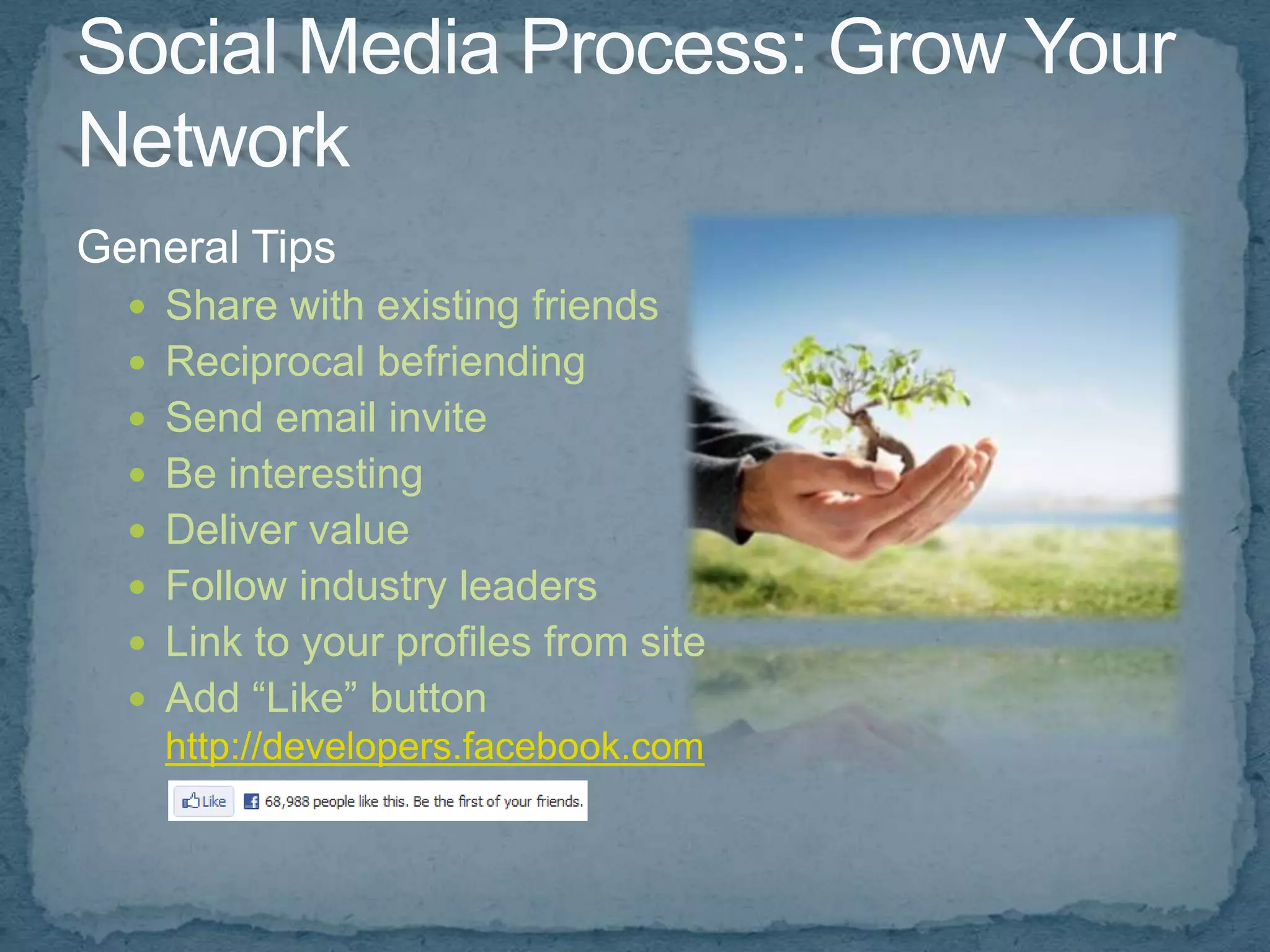
General Tips
   Share with existing friends
   Reciprocal befriending
   Send email invite
   Be interesting
   Deliver value
   Follow industry leaders
   Link to your profiles from site
   Add “Like” button
    http://developers.facebook.com
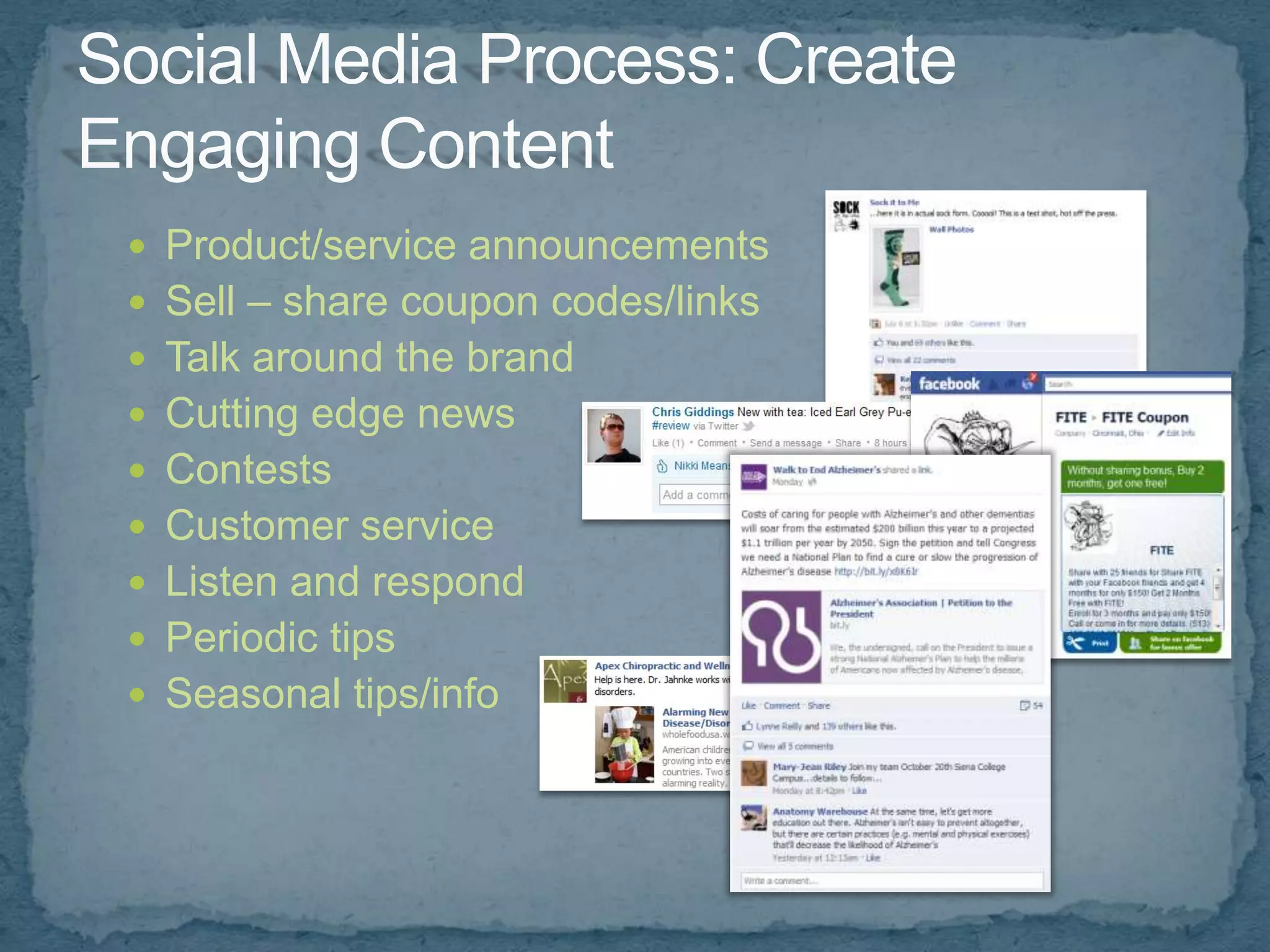
 Product/service announcements
 Sell – share coupon codes/links
 Talk around the brand
 Cutting edge news
 Contests
 Customer service
 Listen and respond
 Periodic tips
 Seasonal tips/info
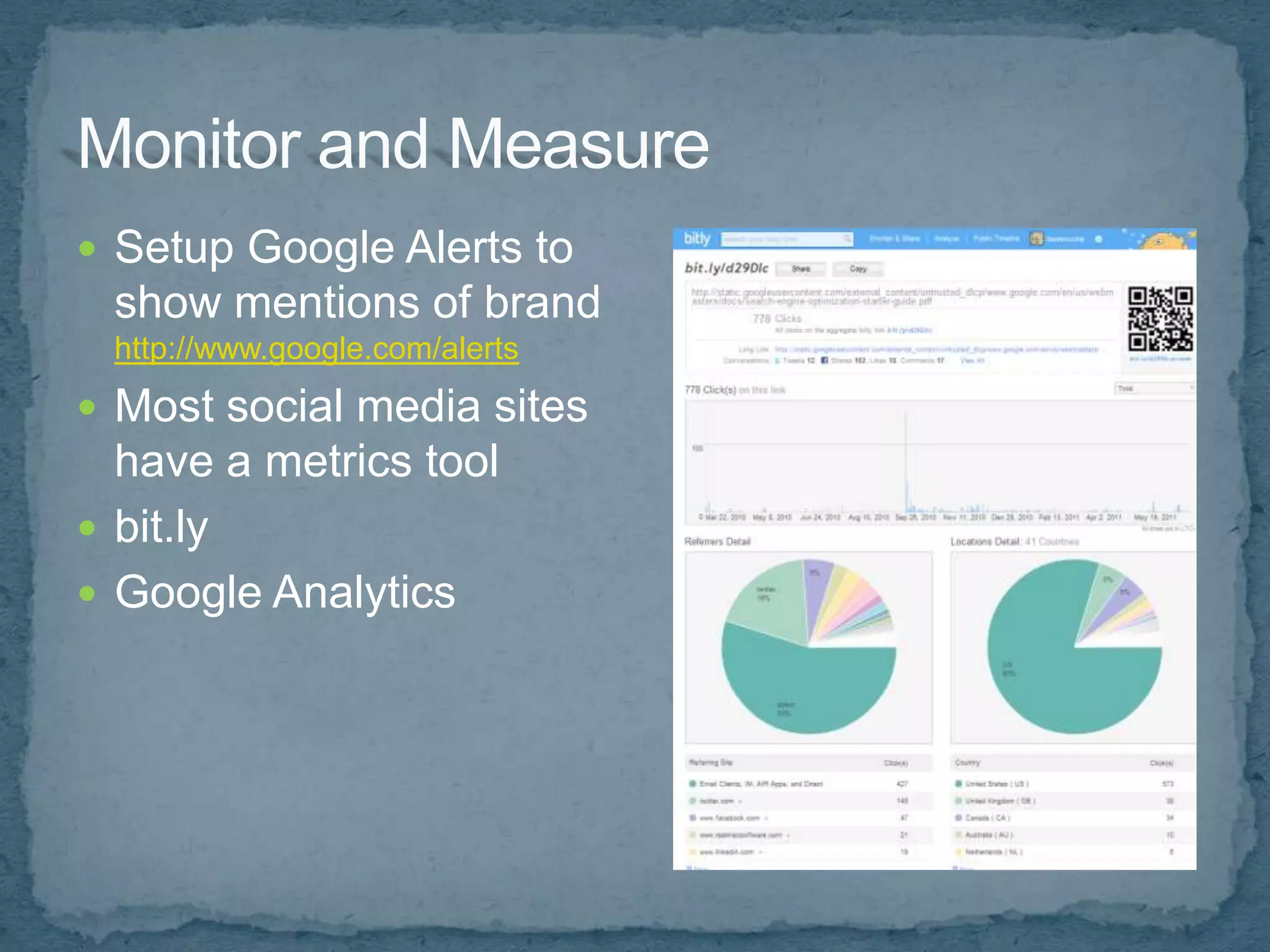
 Setup Google Alerts to
 show mentions of brand
 http://www.google.com/alerts
 Most social media sites
  have a metrics tool
 bit.ly
 Google Analytics
 Don’t focus on proving direct ROI
 Benefits are often secondary or tertiary
 Focus on interaction, value of content, not numbers
 Focus on Branding
 Measure actions and engagement, not just size of
  network
 Track your time/costs
 Baseline Data
    How many fans, followers, bookmarks, etc.
    Referrers
    Number of meaningful comments/interactions
    Subscribers & Interactions
 Interaction – are users engaging in a conversation?
    Twitter: retweets, answering questions, driving traffic to site,
     increasing followers?
    Facebook: likes, comments, wall posts, mentions?
    YouTube: views, comments, embeds?
 Conversions – are your leads increasing?
 Search engine traffic – increasing, adding to the long tail?
 Retention rates, Repeat business
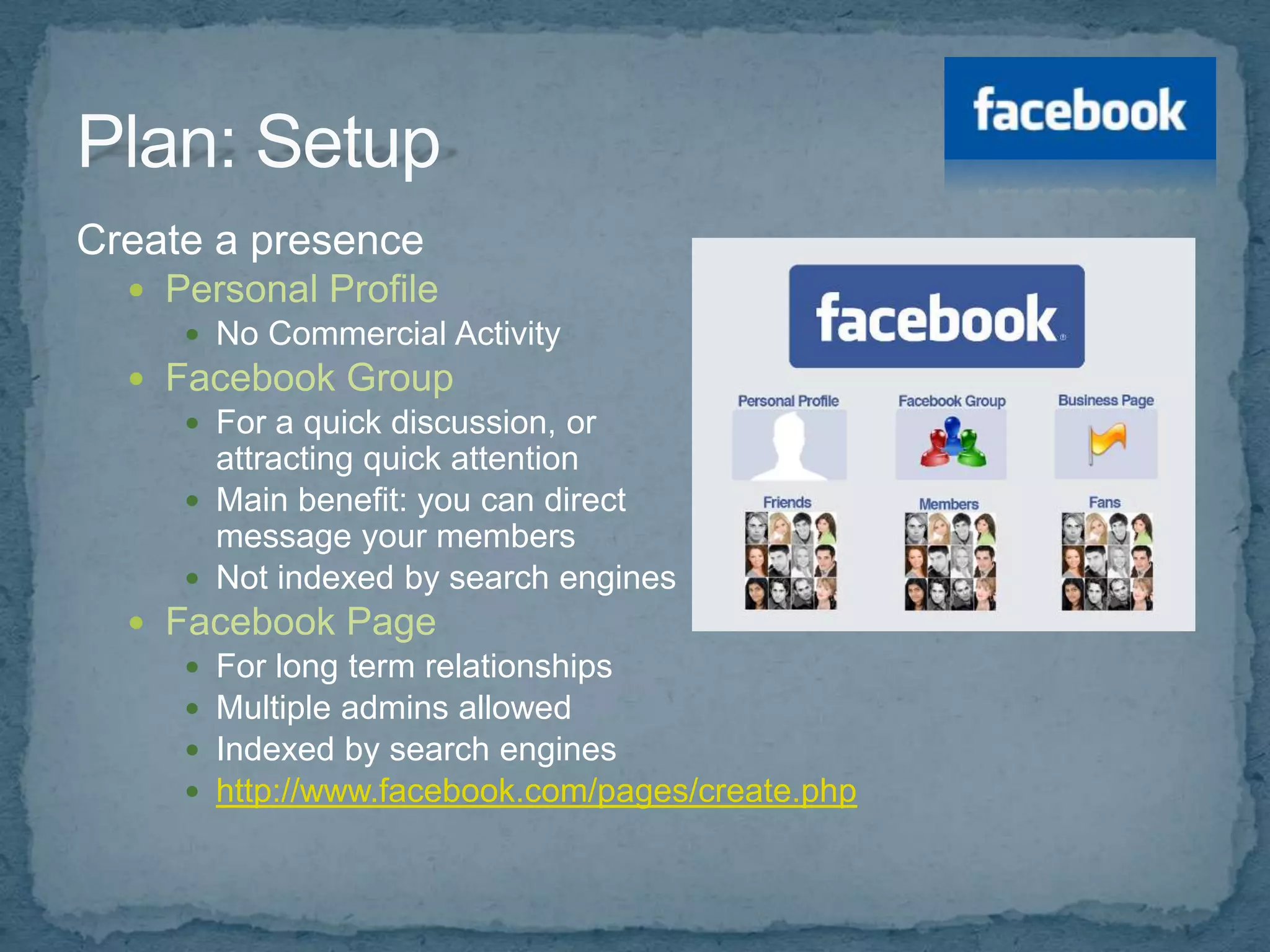
Create a presence
   Personal Profile
      No Commercial Activity
   Facebook Group
      For a quick discussion, or
       attracting quick attention
      Main benefit: you can direct
       message your members
      Not indexed by search engines
   Facebook Page
      For long term relationships
      Multiple admins allowed
      Indexed by search engines
      http://www.facebook.com/pages/create.php
 Add Applications:
  Facebook.com/apps
 Vanity URL:
  Facebook.com/username (need 25 likes)
 Export updates to Twitter:
  Facebook.com/twitter
 Import Blog:
  Social RSS
 Be searchable – consider setting profile to public
 Control who sees what with Friend Groups and
  Custom Privacy Settings
  Account > Privacy Settings > Customize Settings
 Connect with industry leaders/influencers
 Join groups in your market/network
 Follow limits - 5000 friends, unlimited fans
 Link/Logo on site
 Link/Logo in email signature (digital), print materials
  (traditional)
 Send Email Request
 Act as page, interact on other pages
 “Like” other pages/content, as company
How to leverage Facebook:
 Brand awareness
 Lead generation
 Introduce a product or campaign
 Improve reputation
 Collect data/content
 Keep an ongoing dialogue
How to do it, and Drive more traffic:
 Run promotions
 Create polls
 If a user interacts with your page, it shows up on
  their “wall” = free advertising
 Create events that users can RSVP to
 Best times for business use:
  Tuesday & Wednesday (yours may vary, so test)
●   Online Resume
●   Online Networking Opportunity
●   Lead Generation Tool
●   Recruiting Tool
●   Builds Valuable Connections with Others in
    Related Fields (Doctors, Attorneys, Real
    Estate…)
●   Over 150 million members
●   As of December 31, 2011 (the end of the fourth
    quarter), professionals are signing up to join
    LinkedIn at a rate that is faster than two new
    members per second.
●   Executives from all Fortune 500 companies are
    members
●   Over 2 million companies have LinkedIn Company
    Pages
Pros
 Great Content
 Free Research Tool
 Recommendations = Credibility
 Global Reach
Cons
 Spam Requests for Connections
 Paid Subscription $19.95/mo and up
 Email Overload
 Too Much Privacy = Invisibility or Mistaken Identity
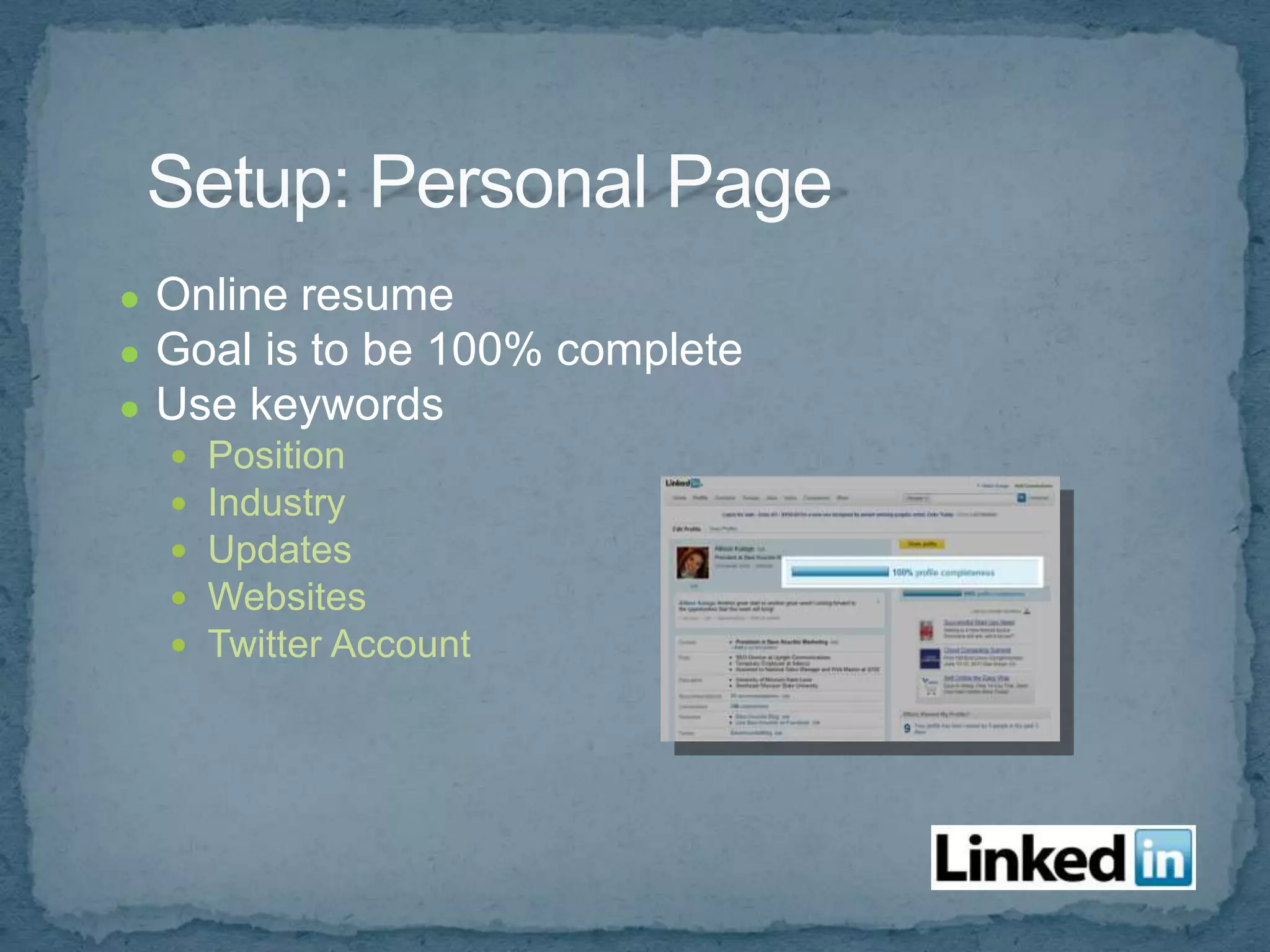
●   Online resume
●   Goal is to be 100% complete
●   Use keywords
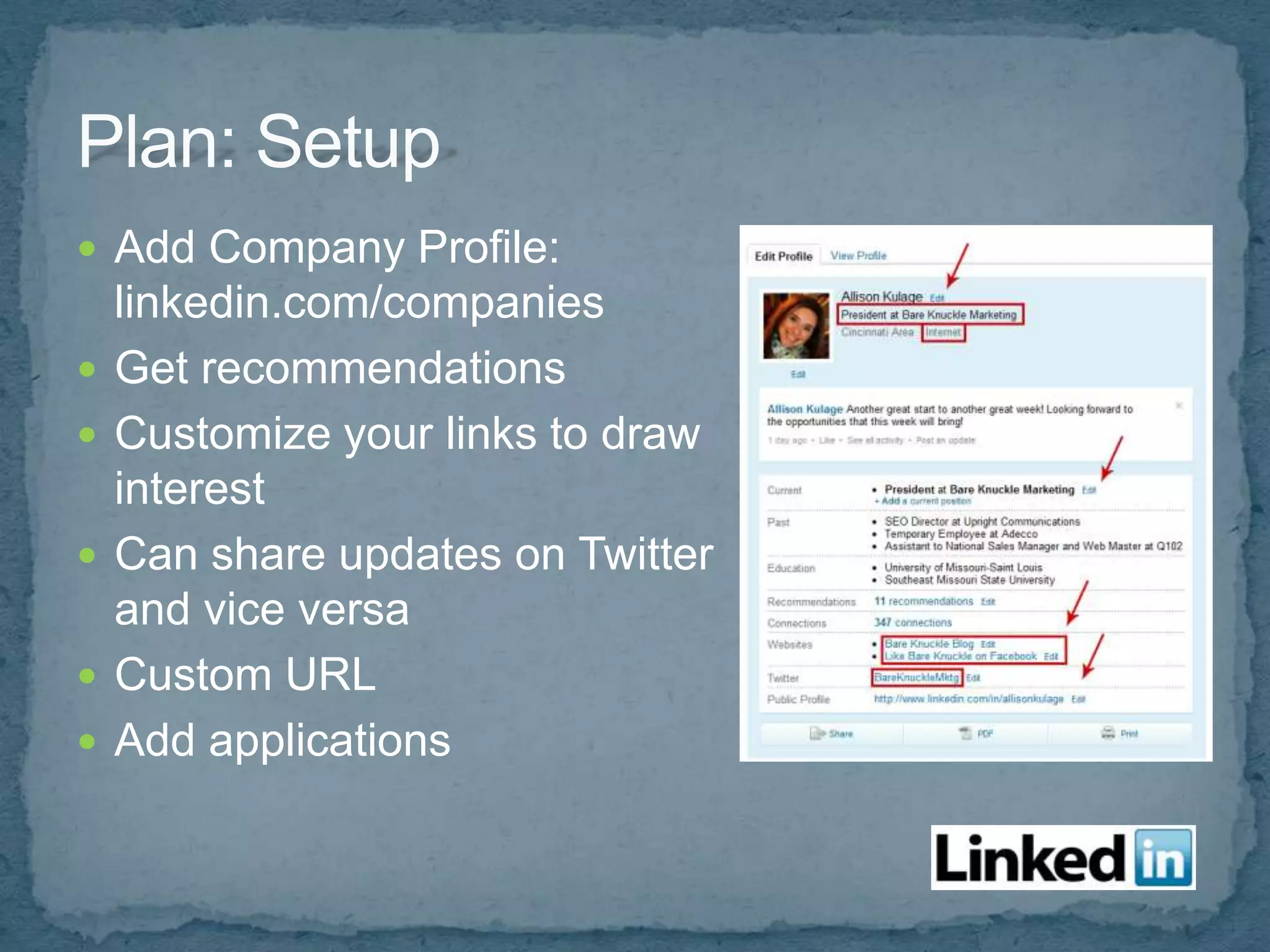
       Position
       Industry
       Updates
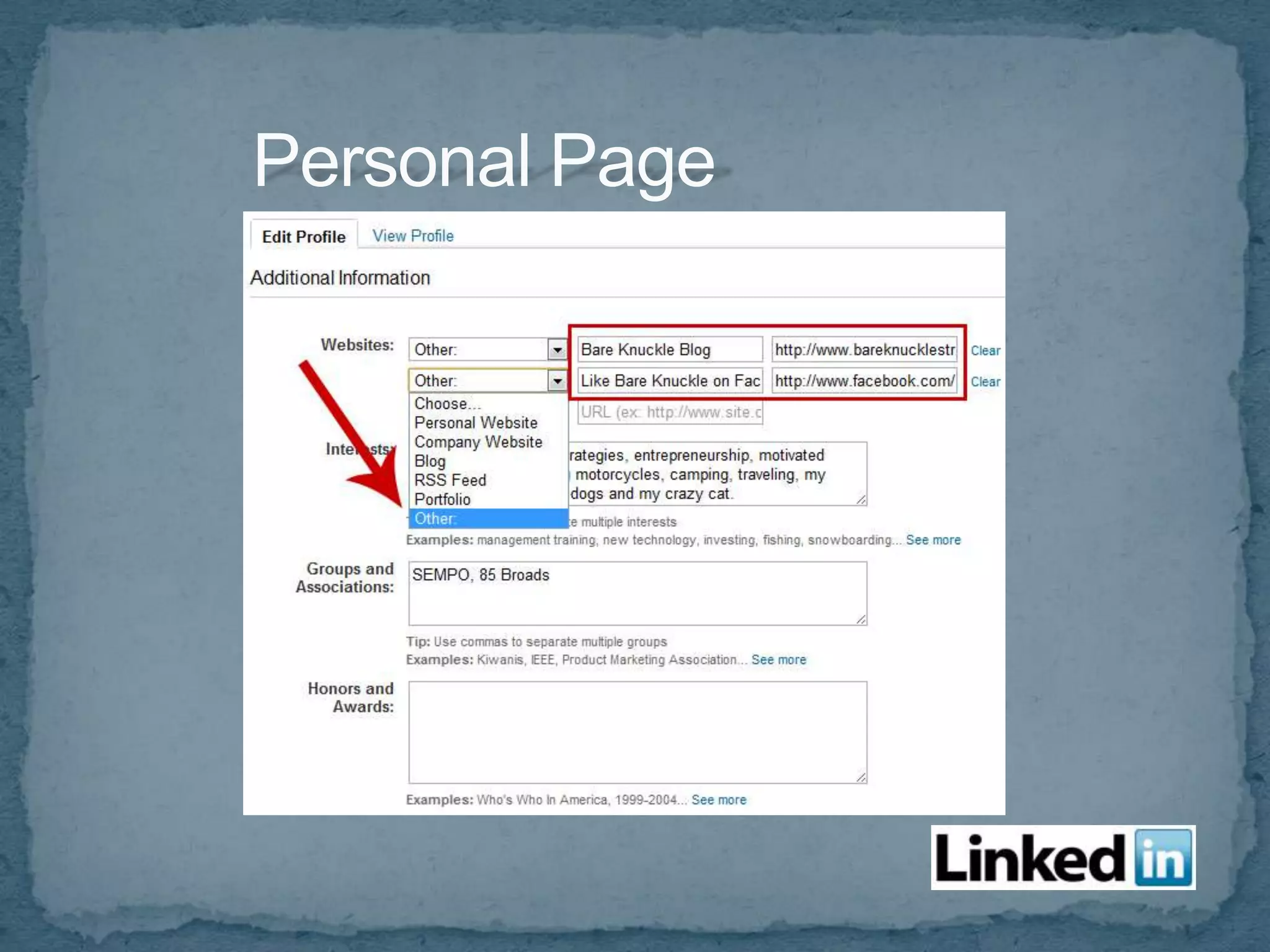
       Websites
       Twitter Account
 Add Company Profile:
    linkedin.com/companies
   Get recommendations
   Customize your links to draw
    interest
   Can share updates on Twitter
    and vice versa
   Custom URL
   Add applications
 Professional
 Current
 Good Quality
 Company Logo is for Company page
 Personal Brand
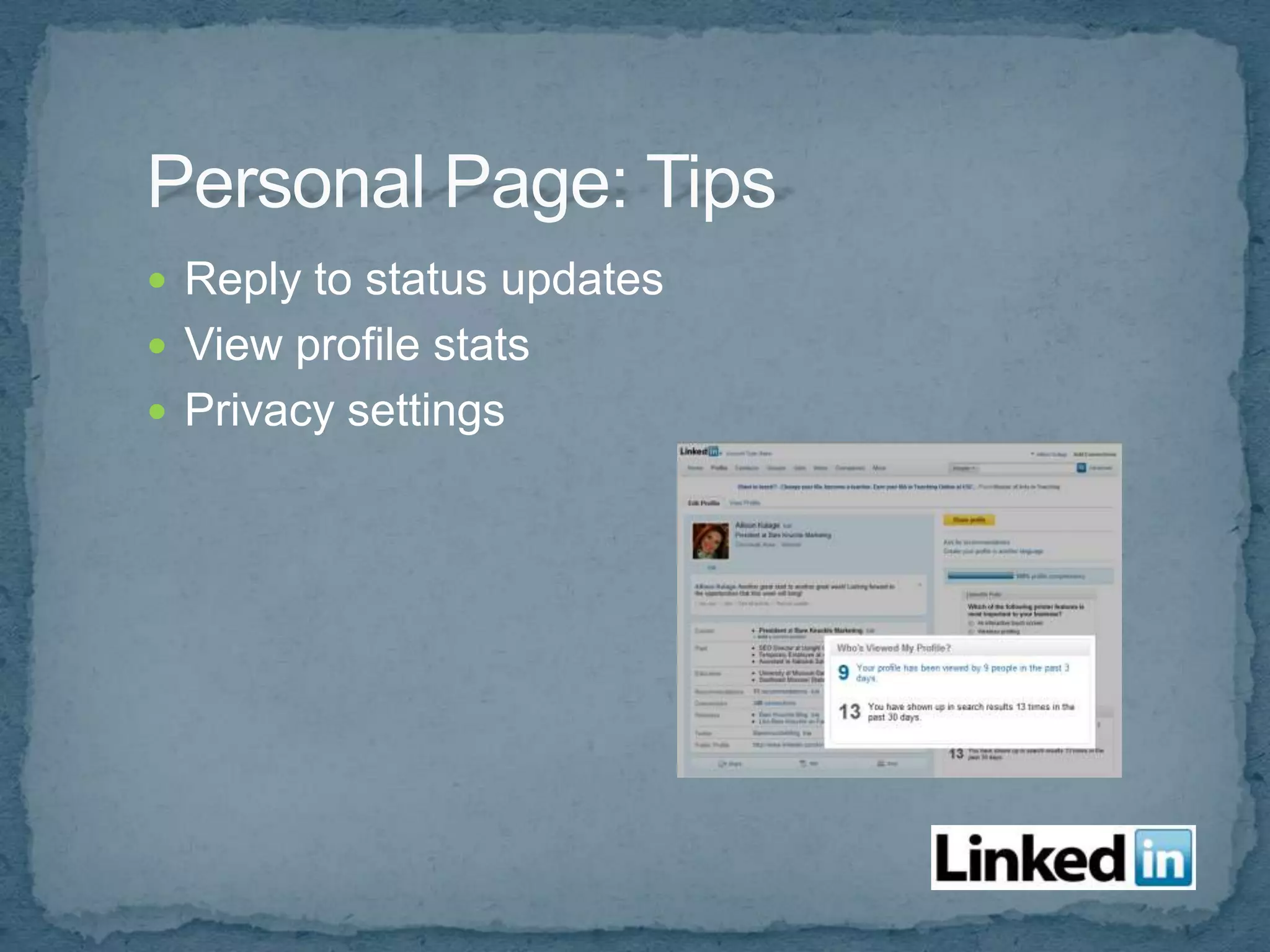
 Reply to status updates
 View profile stats
 Privacy settings
 Control who sees your activity
 Control what others see when you’ve viewed
  their profile (can make this anonymous)
 Select who can see your connections
 Control type of email, frequency and who can
  send invitations
 Follow Company
 Connect personal profile to company as current
  employer.
 Add LinkedIn Company Follow Button:
 developer.linkedin.com/follow-company
Contacts > Add Connections
 Add Connections:
   Import email list
   Invite people you know to join
 Colleagues
 Classmates
 People you may know
 People you just met
   Get as many connections as possible
   Search companies and connect to employees
   Find industry leaders
   Get business card = request connection
   Make it personal
   Reply when accepting a connection
   Include your LinkedIn URL:
       Email signature
       Business card
       Web site
       Facebook profile
       Print materials and other traditional media
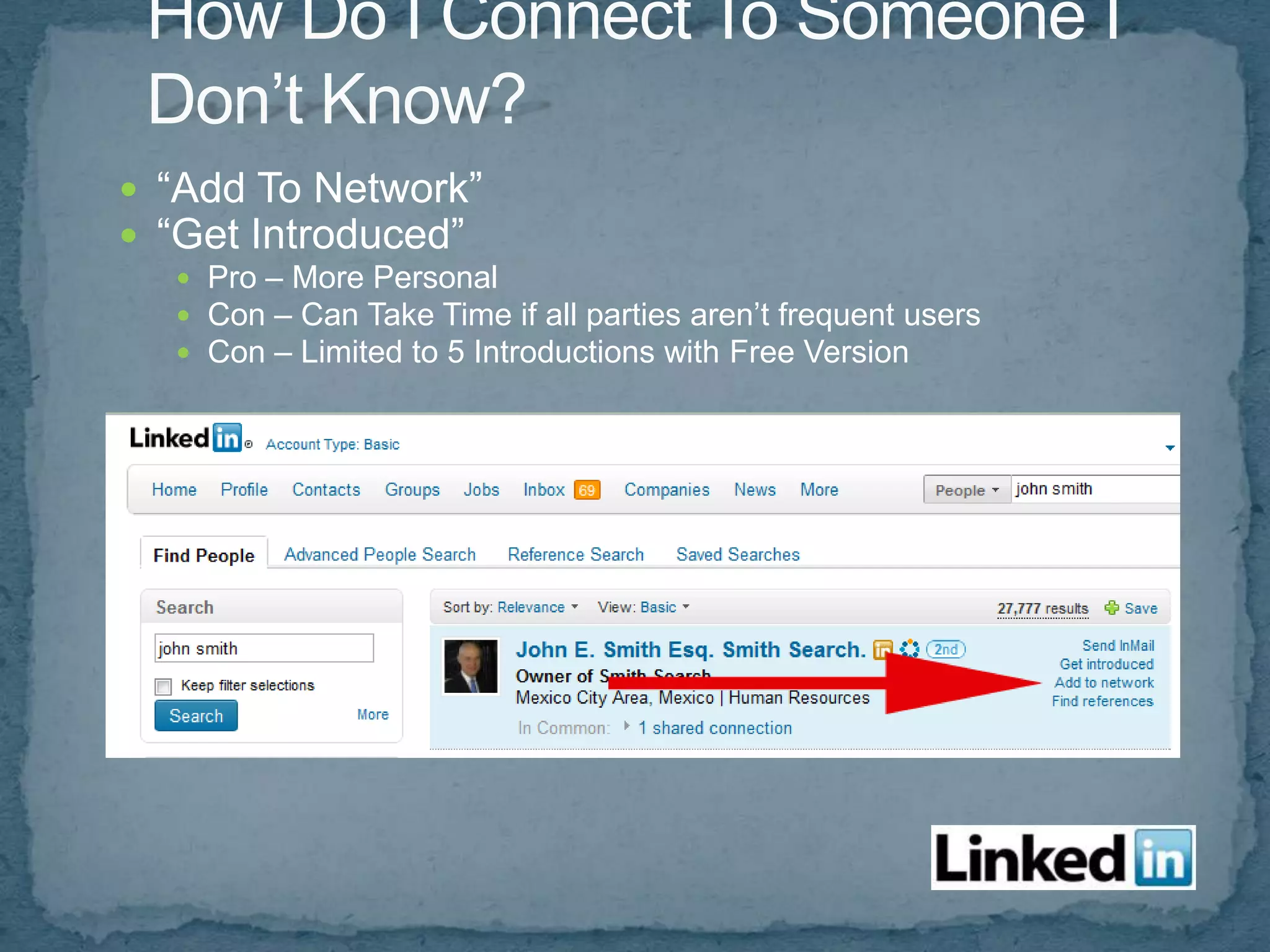
 “Add To Network”
 “Get Introduced”
   Pro – More Personal
   Con – Can Take Time if all parties aren’t frequent users
   Con – Limited to 5 Introductions with Free Version
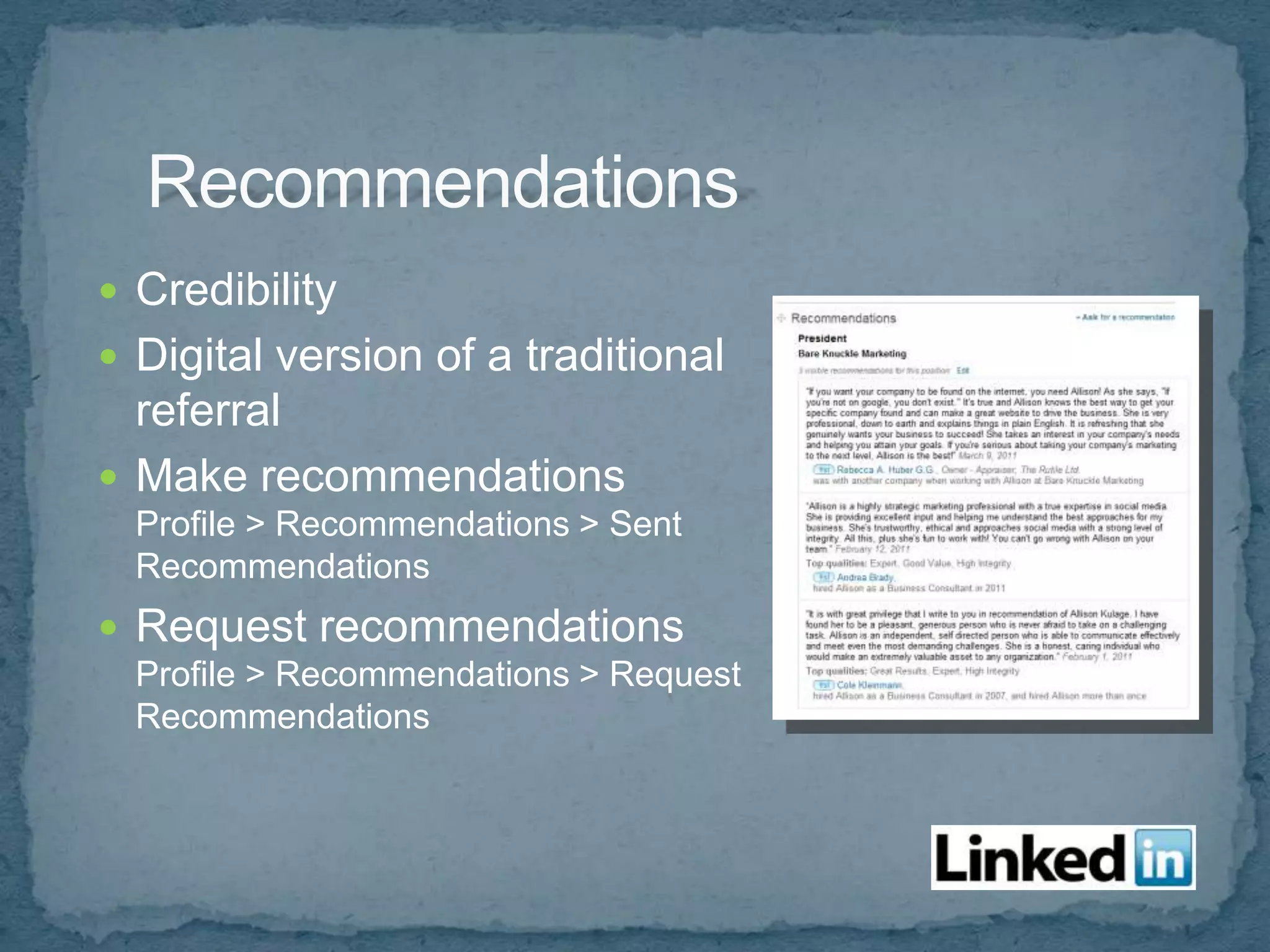
 Credibility
 Digital version of a traditional
  referral
 Make recommendations
  Profile > Recommendations > Sent
  Recommendations
 Request recommendations
  Profile > Recommendations > Request
  Recommendations
 Career/job postings
 Start discussions
 Status updates show in email messages
 events.linkedin.com
 Join groups and contribute to Q&A
 Groups
 Answers
 Events
 Advanced Search
 Applications
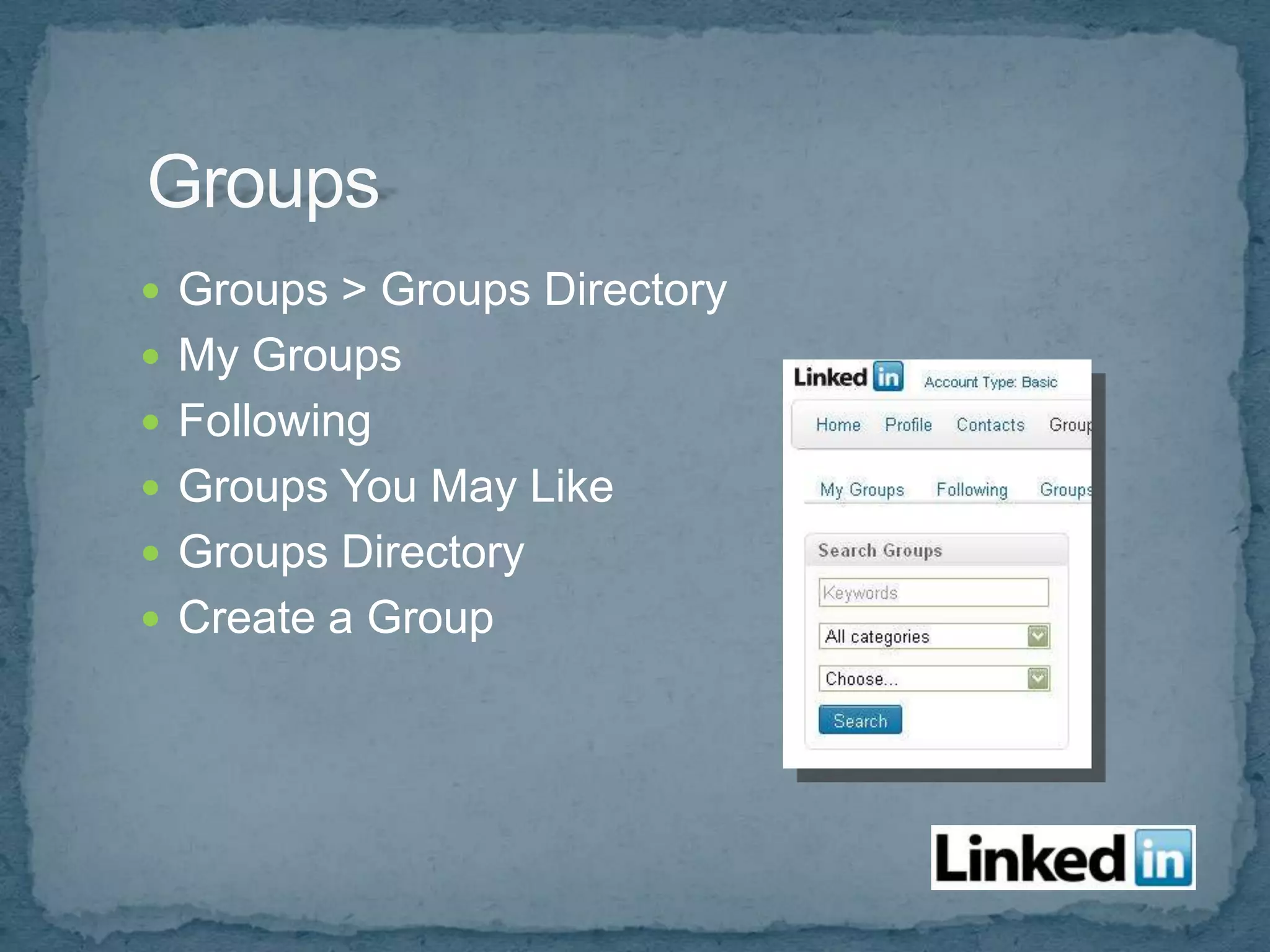
 Groups > Groups Directory
 My Groups
 Following
 Groups You May Like
 Groups Directory
 Create a Group
 Get information
 Network
 Learn about market and their needs
 Avoid constant self promotion
 Offer solutions to fix problems
 Discussions
   Reply
   Ask
   Send detailed email privately
 Members
 Promotions
 Jobs
 Search
 Meet a need
 Share articles
 Share links to your site content
 Notify of upcoming events
 Use keywords in group name/description
 Add your company website to the group
 Add your blog
 Send a weekly message
More > Answers or Linkedin.com/answers
 Similar to the Q&A in groups, but not limited to
  the group
 Search answers
 Ask questions (ask 10 per month)
 Answer questions
 Personal response
 Be helpful and resourceful
 Leave an open invitation
 More > Events
 RSVP shows up on home profile
 Send invitation to relevant contacts
 Generate leads
 Search keywords, groups, industries, etc.
More > Get More Applications…
 Share presentations
 Share reading list
 Post blog
 Events
 Company buzz (track mentions)
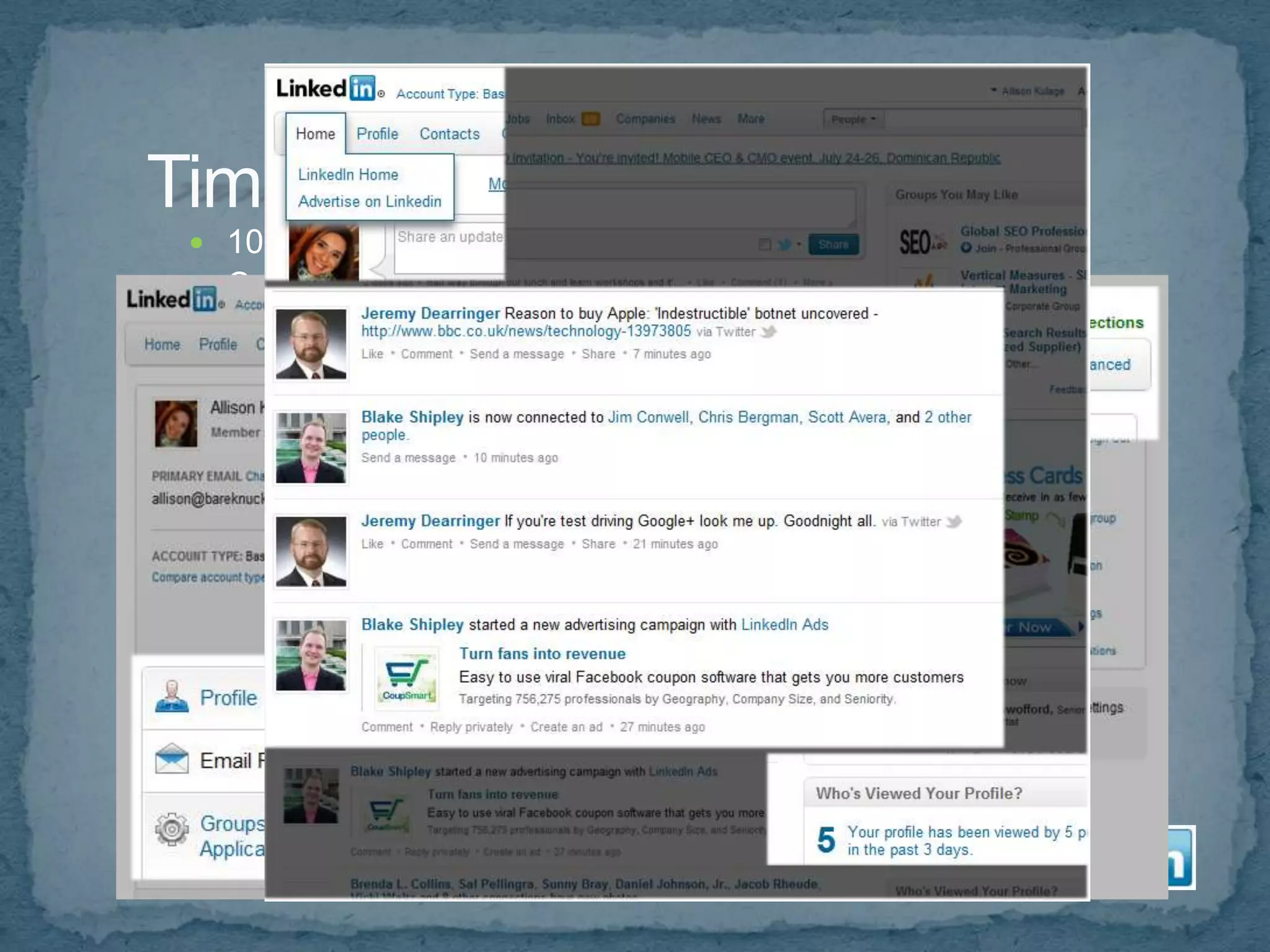
   10 – 30 minutes/day
   Create a habit (21habit.com)
   Control Email Notifications
   Start on “Home” page
      View updates
      Statistics
   Review Groups
      Daily or Weekly Email or Groups Tab
      Contribute
   Check Inbox
      Email notifications or on site
      Send email blast
   Connect with people you just met
   Post status update
LinkedIn Learning Center:
http://learn.linkedin.com/
 Choose username
 Create an avatar
 Custom background
 Use keywords in your
 description so other users
 can find / follow you
Monitor your reputation, keywords, industry
   Go to search.twitter.com
   Type in a keyword
 Use various tools to find Twitter users to follow
    twellow.com
    Twitter search “Who to Follow”
 Follow well known Twitter users
 Twitter lists
 Follow people that engage and influence
 Who do the industry leaders follow or RT or mention
    frequently?
   Block “Adult” accounts that follow you – they can damage
    credibility
   Follow back those that follow you
   Don’t auto follow everyone back
   If you follow too many people, it can be too noisy
   Follow who your network is following
   Find local users: Cincinnati Twitter List/Database
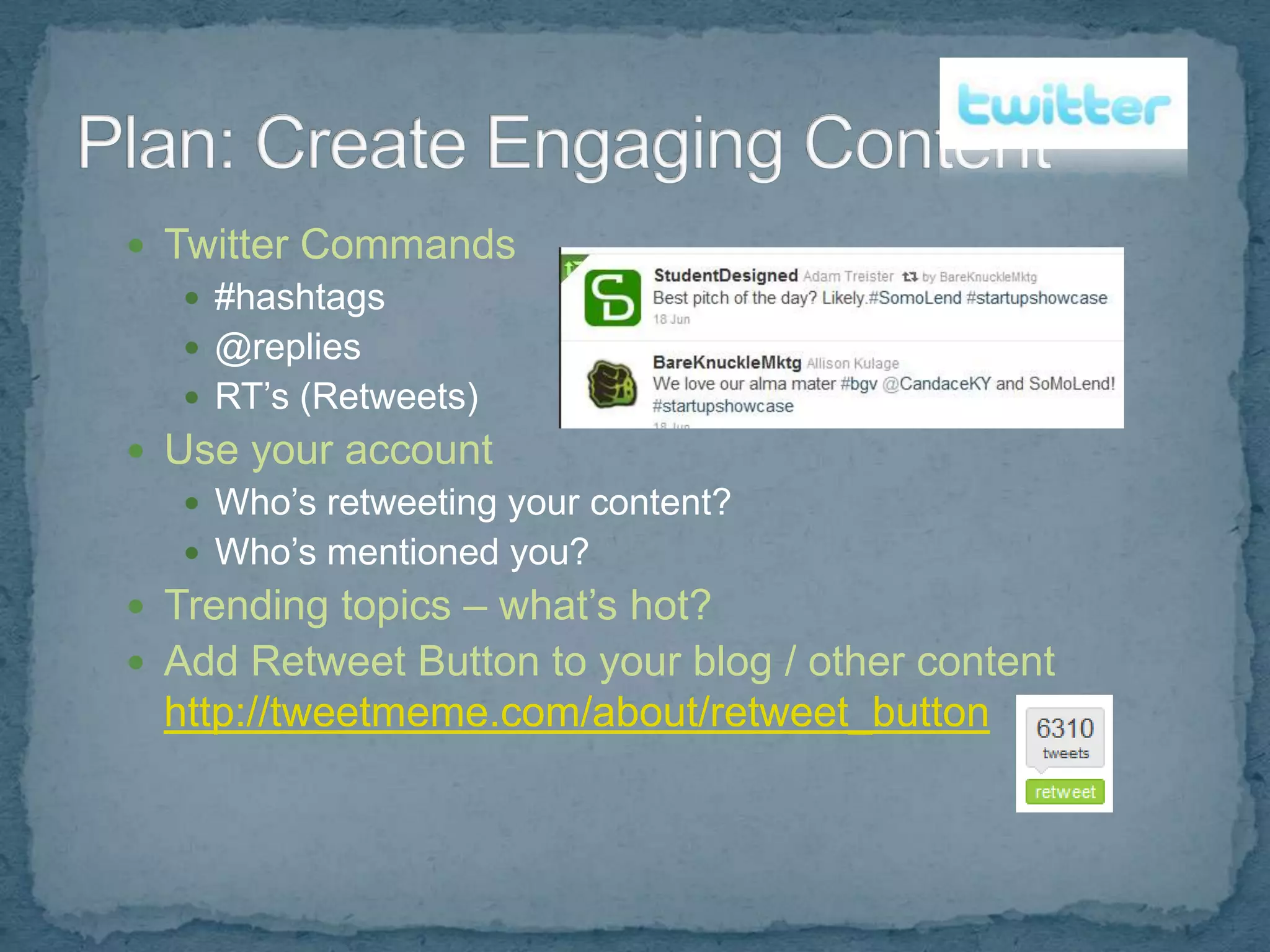
 Twitter Commands
    #hashtags
    @replies
    RT’s (Retweets)
 Use your account
    Who’s retweeting your content?
    Who’s mentioned you?
 Trending topics – what’s hot?
 Add Retweet Button to your blog / other content
  http://tweetmeme.com/about/retweet_button
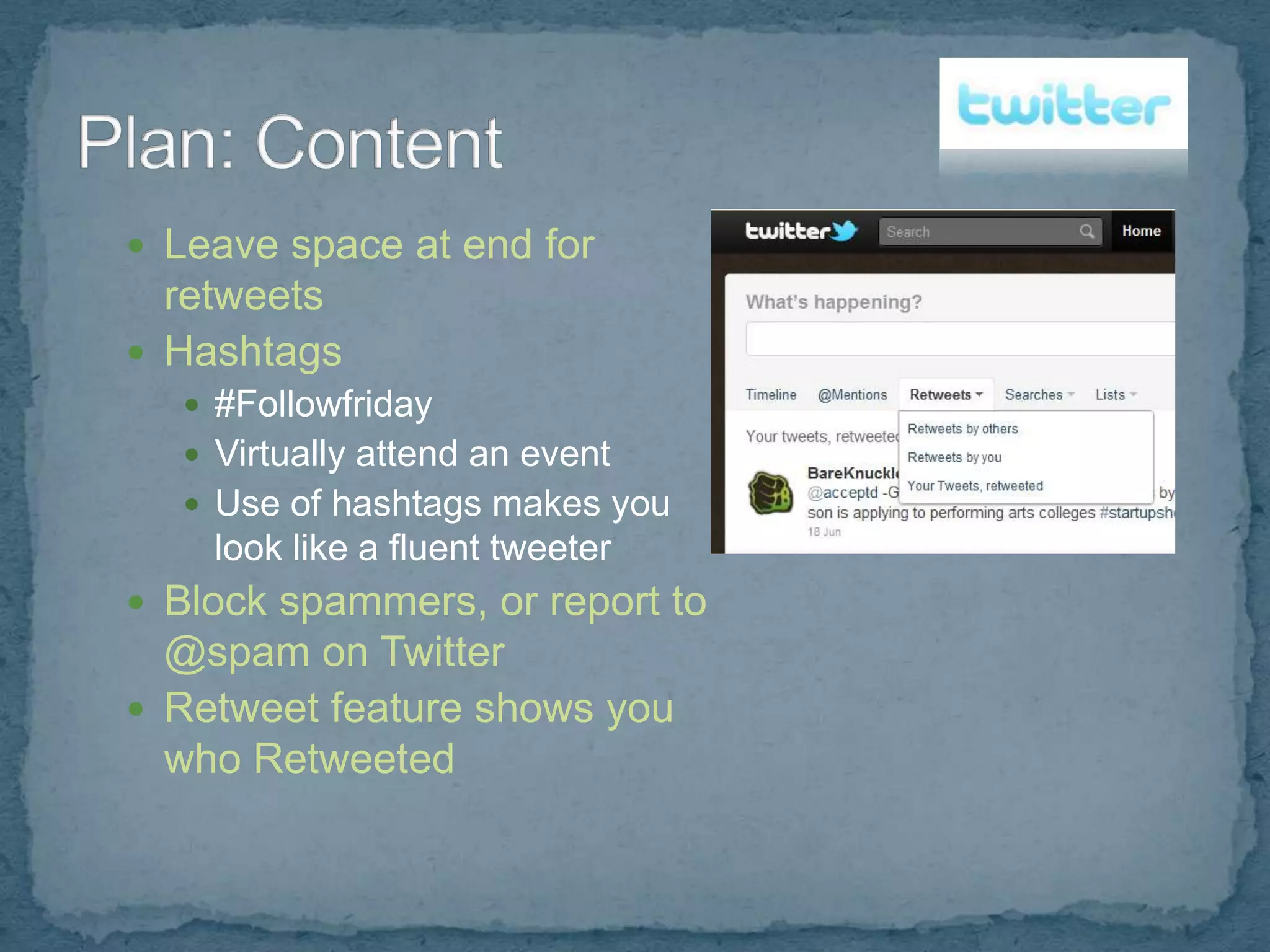
 Leave space at end for
  retweets
 Hashtags
   #Followfriday
   Virtually attend an event
   Use of hashtags makes you
    look like a fluent tweeter
 Block spammers, or report to
  @spam on Twitter
 Retweet feature shows you
  who Retweeted
 Product testing
 Create an online persona
 Be entertaining
 Respond within 24 hours
 Post links to your content
 People love lists
 Use trending keywords
 Contests, prizes are often shared
 Allow users to share
 Launch a help center
 Personal Page
   Builds personal brand
   Establish authority
 Business Page
   Click “Create a Google + Page” in right
    sidebar
 Click Settings link to customize page
 settings
 Send invitations
 Create circles
 Stream > Notifications
   Who’s added you to their circles. Add
    back if relevant.
 Establish your personal brand and
  your business as an authority
 Authority = strong ranking signal for
  Google
 “What’s Hot” – adjust how much shows
  up in your stream
 View Ripples to learn about influencers
 Use social media to listen and learn from
    network, about market, about competition
   Authentic message
   Constant attention
   Be engaging
   Evolve
Allison Kulage
(513) 402-2735
allison@bareknucklestrategy.com
BareKnuckleStrategy.com

    BareKnuckleStrategy.com/blog
    facebook.com/BareKnuckleStrategy
    Twitter @BareKnuckleMktg
    linkedin.com/in/allisonkulage

Social Media: Creating an Effective Digital Strategy

  • 3.
     Drives Traffic– engaging content encourages linking  Reputation Management – a great listening tool  Brand Recognition  Blended Results – your content on other sites gets ranked, other content types appear in Search Engine Results
  • 4.
     You mustbe willing and able to engage  Requires constant attention and interaction  Honest / Authentic message  Conversation not Conversion  Interacting not Advertising
  • 5.
     Don’t Spam Be Respectful & Friendly  It’s OK to be a “Real” Person  Provide Quality Content – The purpose of these sites is to share relevant content.  You’re there to establish a relationship, not just to make a sales pitch.  Social Media Policy – many companies are implementing these now.  Use your “What if my mother saw this?” filter
  • 6.
    Listen Monitor/ Measure Plan Use Engage Tools Grow Network
  • 7.
    Useful Research Sitesand Tools  WhosTalkin.com  SocialMention.com  Technorati.com  blogsearch.google.com  BoardReader.com  search.Twitter.com
  • 8.
     Find YourMarket  Find Your Voice  Define Goals
  • 9.
     Find YourMarket What are they saying about:  Your brand  Services in general  The industry  Your competition  Their problems, complaints  Their hopes, dreams, what makes them happy  Find Your Voice  Define Goals
  • 10.
     Find YourMarket  Find Your Voice  Humor  Controversy  Information  Educational  Define Goals
  • 11.
     Find YourMarket  Find Your Voice  Define Goals  Improve reputation  Increase visits/traffic  Increase leads  Generate awareness  Build relationships  Build trust  Focus groups  Combat negative comments  Customer service
  • 12.
     Focus ongoals  Who and How Often: Schedule  Join Conversation First, Then Convert Them
  • 13.
     Who?  One or more people?  Who will it come from?  Who will be the admin?  Use internal resources  How often?  Set a schedule and stick to it  What is natural?  93% of marketers use social media, 58% 6 hours or more  Twitter Tools  Sendible.com  HootSuite.com  Facebook Tools  Socialoomph.com  sendible.com
  • 14.
     Features  Know the basic commands (hashtag, retweet, like, etc.)  Create custom apps  Hide time wasting apps  Know how to login, post updates, act as PAGE  Best Practices  Don't spam  Create social media policy (rules and ethics)  Don't retweet too much  Remember to use keywords  Create content that is useful  Share useful links  Establish a relationship, don't just give the sales pitch
  • 15.
    Which Social MediaSites are right for my business?  Facebook  Twitter  LinkedIn  Pinterest  Flickr  YouTube  StumbleUpon  Delicious  Yahoo! Answers  Digg  Niche Sites  Start your own social network – Ning.com
  • 16.
     Create keywordrich and interesting profiles so you appear in more searches  Use what you learned from listening/monitoring  Use your brand and/or keywords as your username  Create custom backgrounds and avatars  Setup tracking on all accounts, where possible, and track initiatives
  • 17.
     HootSuite  TweetDeck Phone Apps  TweetDeck  QR Code Scanners  Network Specific (Facebook, Twitter, LinkedIn)
  • 18.
    General Tips  Share with existing friends  Reciprocal befriending  Send email invite  Be interesting  Deliver value  Follow industry leaders  Link to your profiles from site  Add “Like” button http://developers.facebook.com
  • 19.
     Product/service announcements Sell – share coupon codes/links  Talk around the brand  Cutting edge news  Contests  Customer service  Listen and respond  Periodic tips  Seasonal tips/info
  • 20.
     Setup GoogleAlerts to show mentions of brand http://www.google.com/alerts  Most social media sites have a metrics tool  bit.ly  Google Analytics
  • 21.
     Don’t focuson proving direct ROI  Benefits are often secondary or tertiary  Focus on interaction, value of content, not numbers  Focus on Branding  Measure actions and engagement, not just size of network  Track your time/costs
  • 22.
     Baseline Data  How many fans, followers, bookmarks, etc.  Referrers  Number of meaningful comments/interactions  Subscribers & Interactions  Interaction – are users engaging in a conversation?  Twitter: retweets, answering questions, driving traffic to site, increasing followers?  Facebook: likes, comments, wall posts, mentions?  YouTube: views, comments, embeds?  Conversions – are your leads increasing?  Search engine traffic – increasing, adding to the long tail?  Retention rates, Repeat business
  • 24.
    Create a presence  Personal Profile  No Commercial Activity  Facebook Group  For a quick discussion, or attracting quick attention  Main benefit: you can direct message your members  Not indexed by search engines  Facebook Page  For long term relationships  Multiple admins allowed  Indexed by search engines  http://www.facebook.com/pages/create.php
  • 25.
     Add Applications: Facebook.com/apps  Vanity URL: Facebook.com/username (need 25 likes)  Export updates to Twitter: Facebook.com/twitter  Import Blog: Social RSS
  • 26.
     Be searchable– consider setting profile to public  Control who sees what with Friend Groups and Custom Privacy Settings Account > Privacy Settings > Customize Settings  Connect with industry leaders/influencers  Join groups in your market/network  Follow limits - 5000 friends, unlimited fans
  • 27.
     Link/Logo onsite  Link/Logo in email signature (digital), print materials (traditional)  Send Email Request  Act as page, interact on other pages  “Like” other pages/content, as company
  • 28.
    How to leverageFacebook:  Brand awareness  Lead generation  Introduce a product or campaign  Improve reputation  Collect data/content  Keep an ongoing dialogue
  • 29.
    How to doit, and Drive more traffic:  Run promotions  Create polls  If a user interacts with your page, it shows up on their “wall” = free advertising  Create events that users can RSVP to  Best times for business use: Tuesday & Wednesday (yours may vary, so test)
  • 30.
    Online Resume ● Online Networking Opportunity ● Lead Generation Tool ● Recruiting Tool ● Builds Valuable Connections with Others in Related Fields (Doctors, Attorneys, Real Estate…)
  • 31.
    Over 150 million members ● As of December 31, 2011 (the end of the fourth quarter), professionals are signing up to join LinkedIn at a rate that is faster than two new members per second. ● Executives from all Fortune 500 companies are members ● Over 2 million companies have LinkedIn Company Pages
  • 32.
    Pros  Great Content Free Research Tool  Recommendations = Credibility  Global Reach Cons  Spam Requests for Connections  Paid Subscription $19.95/mo and up  Email Overload  Too Much Privacy = Invisibility or Mistaken Identity
  • 33.
    Online resume ● Goal is to be 100% complete ● Use keywords  Position  Industry  Updates  Websites  Twitter Account
  • 34.
     Add CompanyProfile: linkedin.com/companies  Get recommendations  Customize your links to draw interest  Can share updates on Twitter and vice versa  Custom URL  Add applications
  • 36.
     Professional  Current Good Quality  Company Logo is for Company page  Personal Brand
  • 37.
     Reply tostatus updates  View profile stats  Privacy settings
  • 38.
     Control whosees your activity  Control what others see when you’ve viewed their profile (can make this anonymous)  Select who can see your connections  Control type of email, frequency and who can send invitations
  • 39.
     Follow Company Connect personal profile to company as current employer.  Add LinkedIn Company Follow Button: developer.linkedin.com/follow-company
  • 40.
    Contacts > AddConnections  Add Connections:  Import email list  Invite people you know to join  Colleagues  Classmates  People you may know  People you just met
  • 41.
    Get as many connections as possible  Search companies and connect to employees  Find industry leaders  Get business card = request connection  Make it personal  Reply when accepting a connection  Include your LinkedIn URL:  Email signature  Business card  Web site  Facebook profile  Print materials and other traditional media
  • 42.
     “Add ToNetwork”  “Get Introduced”  Pro – More Personal  Con – Can Take Time if all parties aren’t frequent users  Con – Limited to 5 Introductions with Free Version
  • 43.
     Credibility  Digitalversion of a traditional referral  Make recommendations Profile > Recommendations > Sent Recommendations  Request recommendations Profile > Recommendations > Request Recommendations
  • 44.
     Career/job postings Start discussions  Status updates show in email messages  events.linkedin.com  Join groups and contribute to Q&A
  • 45.
     Groups  Answers Events  Advanced Search  Applications
  • 46.
     Groups >Groups Directory  My Groups  Following  Groups You May Like  Groups Directory  Create a Group
  • 47.
     Get information Network  Learn about market and their needs  Avoid constant self promotion  Offer solutions to fix problems
  • 48.
     Discussions  Reply  Ask  Send detailed email privately  Members  Promotions  Jobs  Search
  • 49.
     Meet aneed  Share articles  Share links to your site content  Notify of upcoming events
  • 50.
     Use keywordsin group name/description  Add your company website to the group  Add your blog  Send a weekly message
  • 51.
    More > Answersor Linkedin.com/answers  Similar to the Q&A in groups, but not limited to the group  Search answers  Ask questions (ask 10 per month)  Answer questions
  • 52.
     Personal response Be helpful and resourceful  Leave an open invitation
  • 53.
     More >Events  RSVP shows up on home profile  Send invitation to relevant contacts
  • 54.
     Generate leads Search keywords, groups, industries, etc.
  • 55.
    More > GetMore Applications…  Share presentations  Share reading list  Post blog  Events  Company buzz (track mentions)
  • 56.
    10 – 30 minutes/day  Create a habit (21habit.com)  Control Email Notifications  Start on “Home” page  View updates  Statistics  Review Groups  Daily or Weekly Email or Groups Tab  Contribute  Check Inbox  Email notifications or on site  Send email blast  Connect with people you just met  Post status update
  • 57.
  • 58.
     Choose username Create an avatar  Custom background  Use keywords in your description so other users can find / follow you
  • 59.
    Monitor your reputation,keywords, industry  Go to search.twitter.com  Type in a keyword
  • 60.
     Use varioustools to find Twitter users to follow  twellow.com  Twitter search “Who to Follow”  Follow well known Twitter users  Twitter lists  Follow people that engage and influence  Who do the industry leaders follow or RT or mention frequently?  Block “Adult” accounts that follow you – they can damage credibility  Follow back those that follow you  Don’t auto follow everyone back  If you follow too many people, it can be too noisy  Follow who your network is following  Find local users: Cincinnati Twitter List/Database
  • 61.
     Twitter Commands  #hashtags  @replies  RT’s (Retweets)  Use your account  Who’s retweeting your content?  Who’s mentioned you?  Trending topics – what’s hot?  Add Retweet Button to your blog / other content http://tweetmeme.com/about/retweet_button
  • 62.
     Leave spaceat end for retweets  Hashtags  #Followfriday  Virtually attend an event  Use of hashtags makes you look like a fluent tweeter  Block spammers, or report to @spam on Twitter  Retweet feature shows you who Retweeted
  • 63.
     Product testing Create an online persona  Be entertaining  Respond within 24 hours  Post links to your content  People love lists  Use trending keywords  Contests, prizes are often shared  Allow users to share  Launch a help center
  • 64.
     Personal Page  Builds personal brand  Establish authority  Business Page  Click “Create a Google + Page” in right sidebar  Click Settings link to customize page settings
  • 65.
     Send invitations Create circles  Stream > Notifications  Who’s added you to their circles. Add back if relevant.
  • 66.
     Establish yourpersonal brand and your business as an authority  Authority = strong ranking signal for Google  “What’s Hot” – adjust how much shows up in your stream  View Ripples to learn about influencers
  • 67.
     Use socialmedia to listen and learn from network, about market, about competition  Authentic message  Constant attention  Be engaging  Evolve
  • 68.
    Allison Kulage (513) 402-2735 allison@bareknucklestrategy.com BareKnuckleStrategy.com BareKnuckleStrategy.com/blog facebook.com/BareKnuckleStrategy Twitter @BareKnuckleMktg linkedin.com/in/allisonkulage